
Community listing page, reviews here may not be monitored by the author.
MX Haptics

No reviews yet
Haptic feedback on the Logitech MX Master 4 mouse for in-game events (damage, shield, air bubbles, blocks, hotbar). Requires HapticWeb for Logi Options+ and a compatible mouse. Client-side, works on any server.
Community voices
Reviews
No reviews yet. Be the first to review this project!
Get it on
Available Platforms
Compatibility
Supported Environments
Runs entirely on the client. Works on vanilla servers.
About
Project Details
For authors
Embed Badge
If you're the author of this project, you can embed a live badge anywhere that supports HTML or Markdown. It updates automatically whenever ratings change.
Use HTML for any page that supports it, or Markdown for README files and Markdown-based descriptions.
Identifiers
Platform IDs
About
Description
MX Haptics brings real haptic feedback to Minecraft on your Logitech MX Master 4 mouse. Every time you take damage, block an attack with your shield, run out of air, or interact with the world, the mouse vibrates with a configurable pattern and intensity. No mods, no reflexes, the mouse tells your hand what's happening.
Features 6 in-game events, each with independent on/off, pattern (0–15), intensity (0–100) and cooldown:
- Damage taken, enabled by default, strong feedback
- Shield block (melee and projectiles, including arrows), enabled
- Air bubble popped, enabled, subtle warning as you drown
- Block broken, disabled by default
- Block placed, disabled by default
- Hotbar slot change, disabled by default, very light tick
Configurable in-game (with Cloth Config + Mod Menu) or via mxhaptics.json. Keybind "Test haptic vibration" for a one-press test any time.
/mxhaptics_test [pattern] [intensity] client command for manual testing.
Auto-reconnect with exponential backoff, if Logi Options+ isn't running the game plays normally and the mod tries again in the background.
Fully asynchronous, the bridge WebSocket never touches the game thread. Cross-platform: same jar works on Windows and macOS.
Works on any server, including vanilla. Everything is client-side.
Requirements: A Logitech MX Master 4 mouse Logi Options+ installed and running The HapticWeb plugin for Logi Options+, installable from the Logi Marketplace (default endpoint: wss://local.jmw.nz:41443/ws) Minecraft 26.2, Fabric Loader ≥ 0.19.3, Fabric API 0.155.2+26.2, Java 25 Optional for the in-game config screen: Cloth Config API and Mod Menu.
How to test the vibration Keybind (one-click): Options → Controls → Key Binds → MX Haptics → "Test haptic vibration", assign a key, press it any time to feel a test vibration.
From chat: /mxhaptics_test 1 75 (or /mxhaptics_test ).
From the config screen: open Mod Menu → MX Haptics → toggle a "Test vibration" widget ON and click "Save Changes".
If you want to report a bug you can do it from: GitHub
And if you want to support my work and the project feel free to drop a donation on: Paypal
License MIT - free to use, modify and redistribute.
Screenshots
Gallery
-
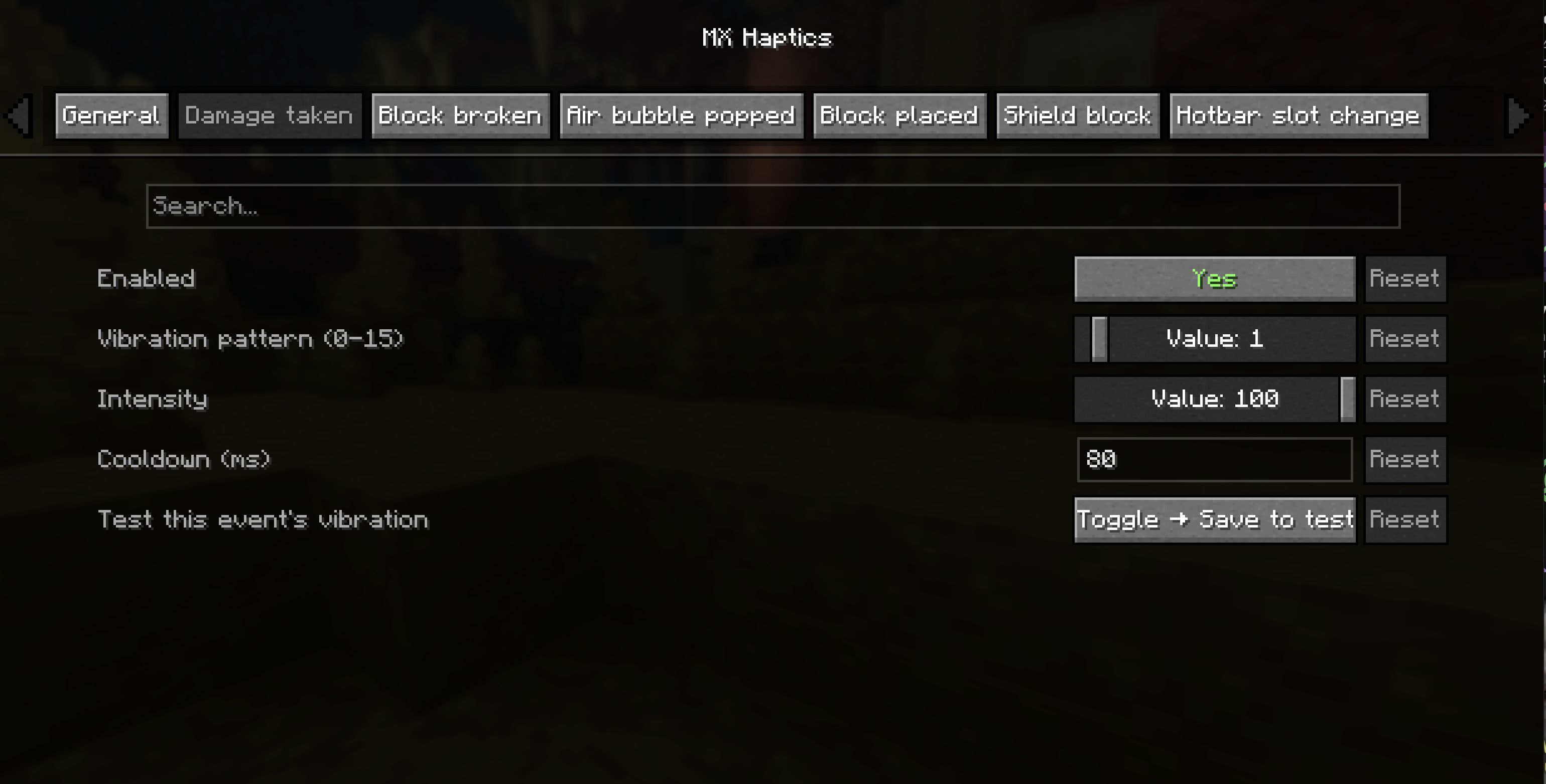 Configuration Options Example
Versions
Files
Relations
Project Relations
More like this
Similar Mods
Suggestions use data such as tags, dependencies, dependents, descriptions, titles, and more to rank how much they overlap with this mod.
On ModDex
Community snapshot
By the numbers
Statistics

Want to reach Minecraft players?
We're looking for a server hosting partner to feature here and other parts of the site. Interested? Send us a message!
Get in touchGet it on
Available Platforms
On ModDex
Community snapshot
By the numbers