
Community listing page, reviews here may not be monitored by the author.
My Music

No reviews yet
MyMusic – A lightweight client-side mod that lets you replace Minecraft's default background music with your own OGG tracks. Just drop your .ogg files into the mysounds folder and the mod will automatically take over the in-game music player.
Community voices
Reviews
No reviews yet. Be the first to review this project!
Get it on
Available Platforms
Compatibility
Supported Environments
Runs entirely on the client. Works on vanilla servers.
About
Project Details
For authors
Embed Badge
If you're the author of this project, you can embed a live badge anywhere that supports HTML or Markdown. It updates automatically whenever ratings change.
Use HTML for any page that supports it, or Markdown for README files and Markdown-based descriptions.
Identifiers
Platform IDs
Resources
External Links
About
Description
Features Custom Music Loop: Randomly plays your OGG tracks, with automatic fallback to the next song.
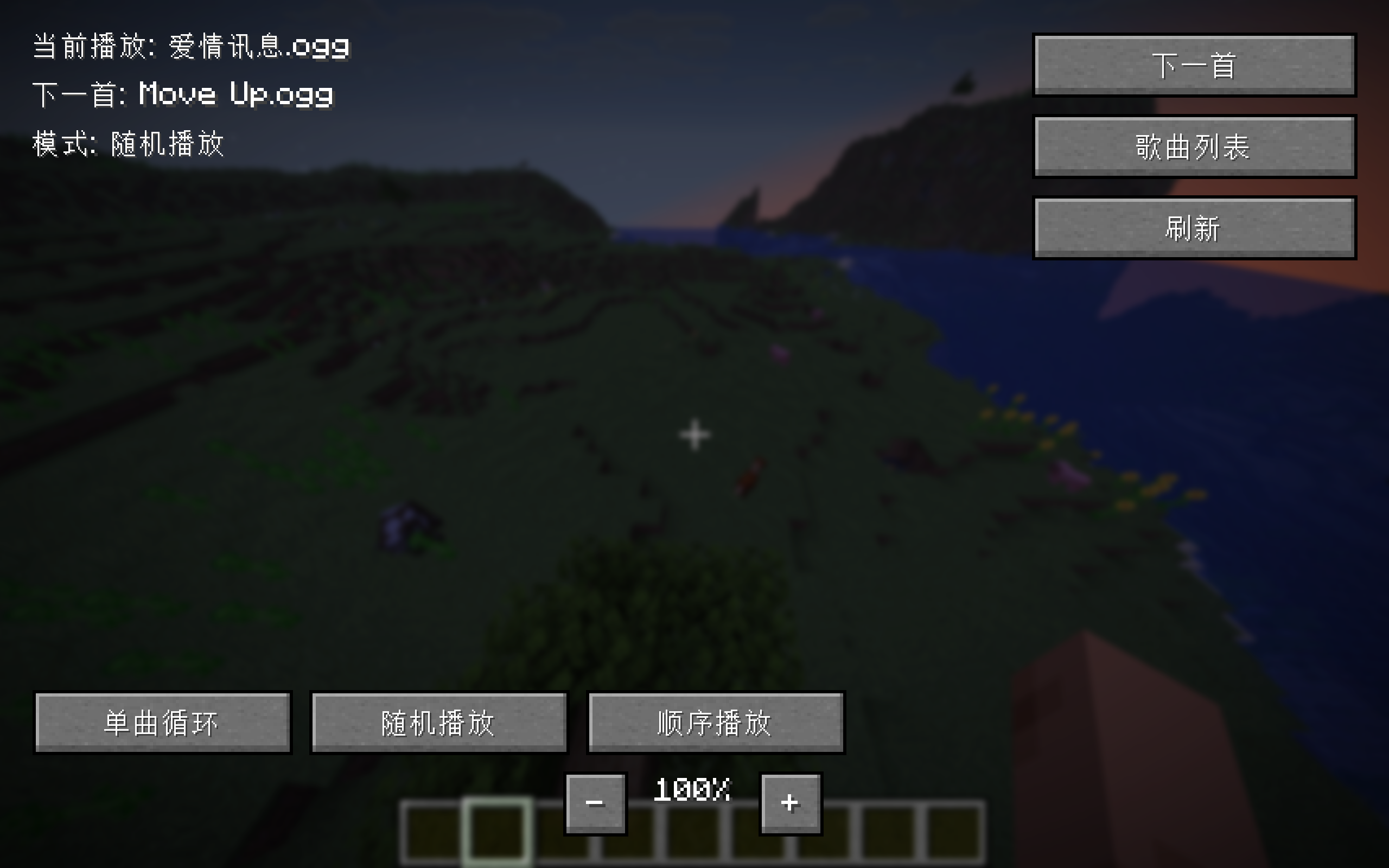
Play Modes: Single-repeat, shuffle, and sequential modes.
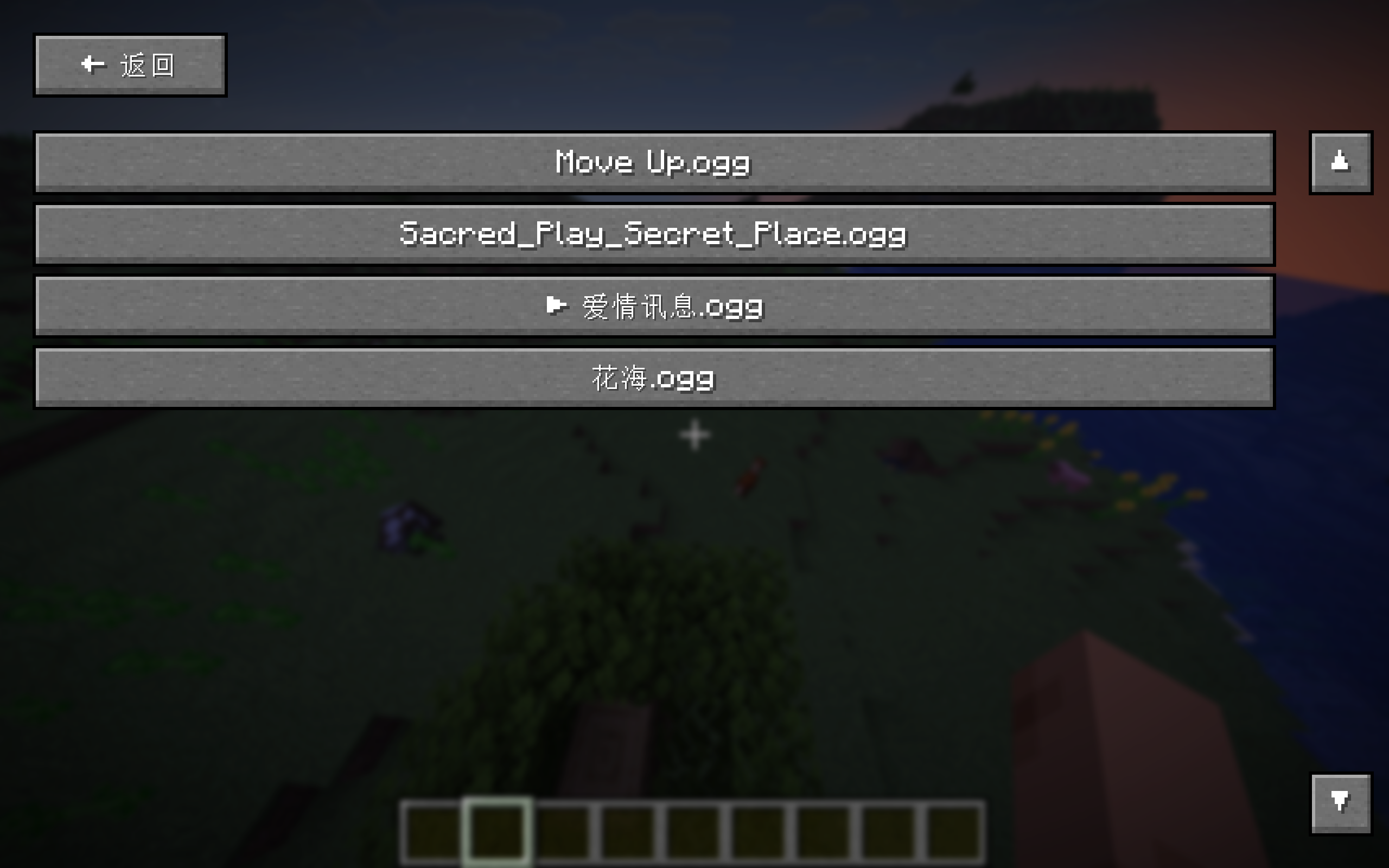
Song List GUI: Browse all your tracks in a scrollable list; click any entry to play it instantly.
Now Playing Overlay: Displays the current track name above the hotbar on each song change.
Volume Control: Adjust music volume directly from the in-game screen using – / + buttons.
Lightweight & Zero Dependencies: Uses only Minecraft's built-in OGG decoder and standard Java audio output. No external libraries required.
How to Use Launch the game once to generate the mysounds folder (or create it manually inside .minecraft).
Place your .ogg files into that folder.
Open the music control screen (default keybind or via Mod Menu) to manage playback, switch modes, browse your songs, and adjust volume.
Notes This mod completely replaces the vanilla background music system. Game sounds and other audio remain unaffected.
Only .ogg files are supported. You can convert MP3/FLAC files online or with tools like Audacity.
Screenshots
Gallery
Versions
Files
Relations
Project Relations
More like this
Similar Mods
Suggestions use data such as tags, dependencies, dependents, descriptions, titles, and more to rank how much they overlap with this mod.
On ModDex
Community snapshot
By the numbers
Statistics

Want to reach Minecraft players?
We're looking for a server hosting partner to feature here and other parts of the site. Interested? Send us a message!
Get in touchGet it on
Available Platforms
On ModDex
Community snapshot
By the numbers
Statistics
Resources