
MyChatEmotes
No reviews yet
MyChatEmotes adds custom Twitch/Discord-style :shortcode: emotes to Minecraft chat - the server owner drops in images and every player with the mod auto-downloads and renders them inline. One vanilla-safe Fabric jar, with an in-game picker and live sync.
Fabric is a mod loader for versions 1.14+ of Minecraft, particularly popular for client side and optimization mods.
Community voices
Reviews
Click once to include, again to exclude, again to clear
No reviews yet. Be the first to review this project!
Get it on
Available Platforms
 Modrinth
Compatibility
Supported Environments
About
Project Details
For authors
Embed Badge
If you're the author of this project, you can embed a live badge anywhere that supports HTML or Markdown. It updates automatically whenever ratings change.
Use HTML for any page that supports it, or Markdown for README files and Markdown-based descriptions.
Identifiers
Platform IDs
Resources
External Links
About
Description
MyChatEmotes
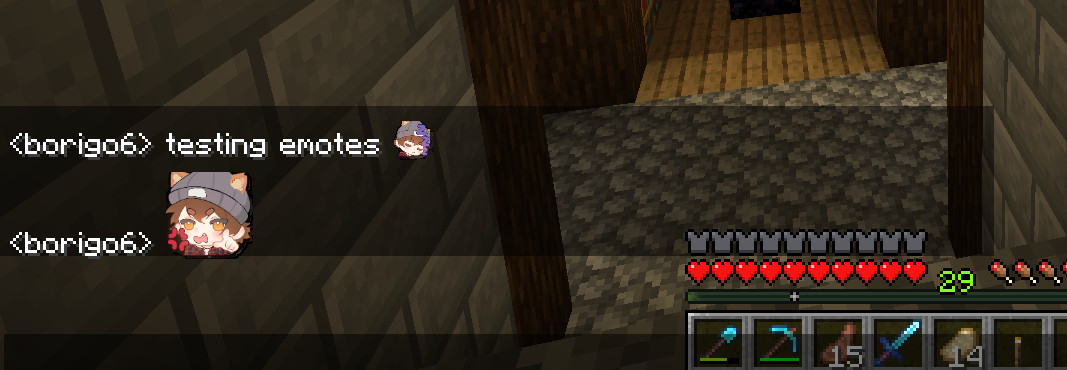
Bring Twitch/Discord-style emotes to Minecraft chat. Type :shortcode: and it
renders as an image inline, right where the text was. The server owner drops PNGs
into a folder, and every player with the mod sees them automatically - no manual
downloads, no resource-pack juggling, no client config.
Features
- Inline
:shortcode:emotes - custom emotes render directly in chat, laid out and wrapped by vanilla, so they scroll and screenshot cleanly. - Jumbo emotes - a message that is only emotes renders them large, Discord-style.
- In-game picker - a button on the chat screen opens a tabbed grid (one tab per pack) to browse and insert emotes.
:autocomplete - start typing a shortcode and a suggestion popup appears over the chat input.- Animated GIF emotes - animated emotes play inline, in the picker, and jumbo.
- Automatic sync - the server streams emotes to clients on join; they are cached on disk so they only download once.
- Live uploads - drop new emotes into the folder and they push to online players instantly, no restart or relog.
- Per-server scoping - each server's emotes are cached separately and cleared on disconnect, so emotes never leak between servers.
- Vanilla-safe - clients without the mod can still join; they just see the
plain
:shortcode:text.
For server owners
- Install the mod on your server.
- A
Server_Emotes/folder is created in the server directory. - Add images: each subfolder becomes a pack; loose files go in an "Other"
pack. The file name (minus extension) is the
:shortcode:. - Players with the mod installed download them automatically on join. Drop new images in any time - they sync live.
Ops can run /emotes reload to force a rescan.
For players
Install the mod on your client. Emotes download automatically when you join a
server that has ChatEmotes. Use the picker button on the chat screen or type
: to autocomplete.
Compatibility
- Minecraft: 26.2
- Loader: Fabric (requires Fabric API)
- Sides: works client + server from one jar, and in singleplayer.
- Vanilla clients can join a ChatEmotes server without issue.
Screenshots
Gallery
-
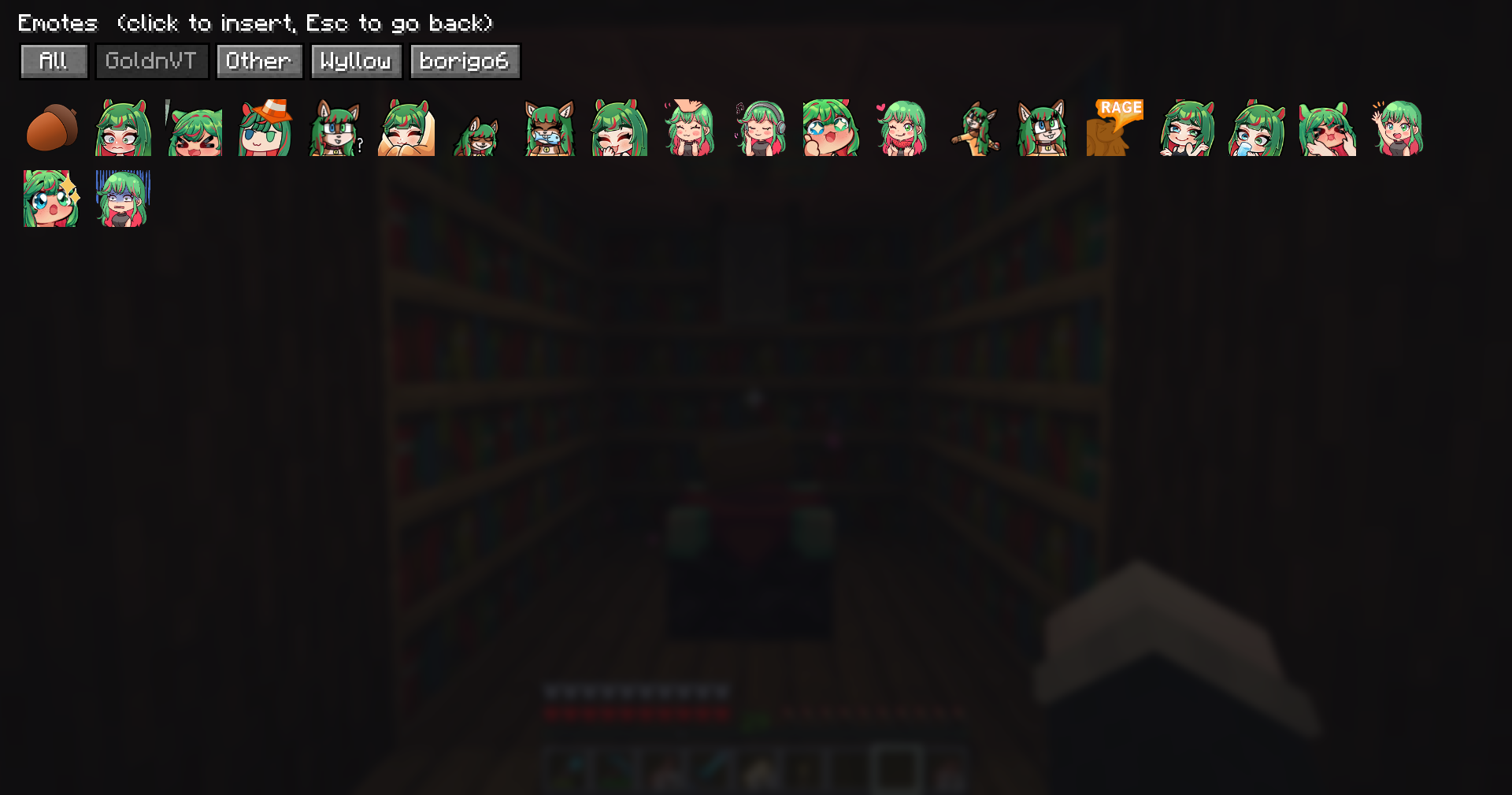 Emote Menu Have them categorized by folders, or put them loose in the folder (find them under "Other" category in game)
 -
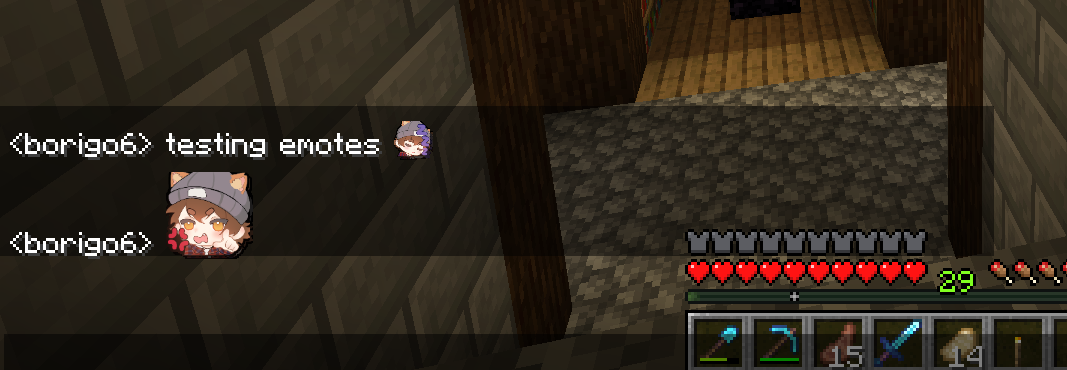 Emotes in chat Emotes are enlarged when used without any other text
 -
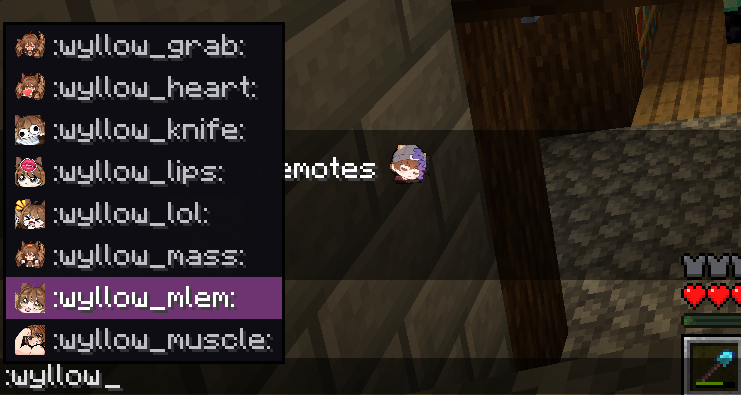 Small autofill menu Small menu to help you browse emotes when using :code:
 -
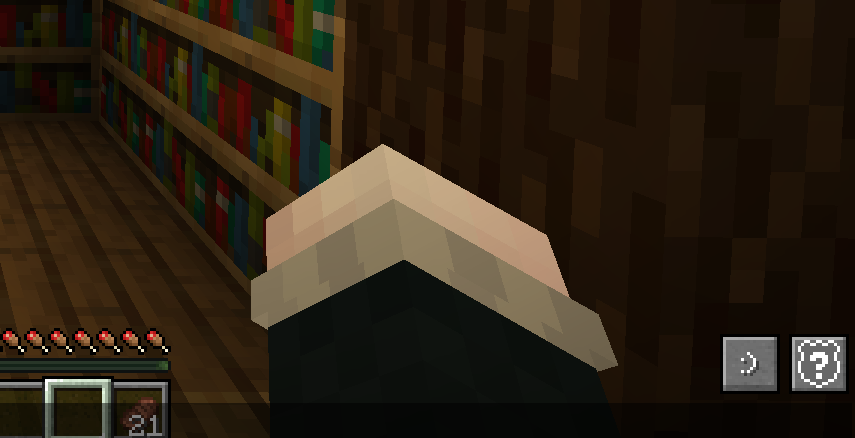 Emote Menu Button New Button ":)" that opens Emote Menu
Versions
Files
Relations
Project Relations
More like this
Similar Mods
Suggestions use data such as tags, dependencies, dependents, descriptions, titles, and more to rank how much they overlap with this mod.
On ModDex
Community snapshot
By the numbers
Statistics

Want to reach Minecraft players?
We're looking for a server hosting partner to feature here and other parts of the site. Interested? Send us a message!
Get in touchGet it on
Available Platforms
On ModDex
Community snapshot
By the numbers
Statistics
Resources