Community listing page, reviews here may not be monitored by the author.


Community voices
Reviews
No reviews yet. Be the first to review this project!
Get it on
Available Platforms
About
Project Details
For authors
Embed Badge
If you're the author of this project, you can embed a live badge anywhere that supports HTML or Markdown. It updates automatically whenever ratings change.
Use HTML for any page that supports it, or Markdown for README files and Markdown-based descriptions.
Identifiers
Platform IDs
About
Description
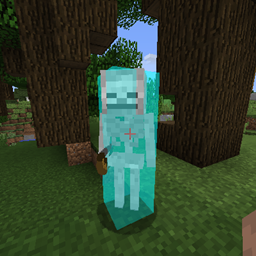
Allows you to change/disable vanilla's block highlighting when you look at a block and adds similar highlighting for mobs.
For block highlights, you can choose between no highlights, an outline like vanilla or a filled box (or both).
For mobs, you can choose the same options for their hitboxes, can overlay a colour on mobs' models, can display an outline like the glowing effect or display a custom outline.
You can change the colour and transparency of block and mob hitbox highlights.
For all other highlights, you can change the colour, but not transparency.
For block and entity hitbox outlines, you can also change the width of the lines if you want.
The config can be accessed and changed in-game: http://imgur.com/a/HQsnN (no need to restart)
----------------
When looking at a block, an outline is displayed that lets you know if you can reach that block. But when looking at a mob, there's no visual indication that you're in range. I had a quick look for a mod that would add a visual indication, but couldn't find one, so I made my own.
I added a few extra features and config controls and I am now releasing the mod for other people to use.
----------------
You may add this mod to any modpack without needing to get permission or notify me (though I will appreciate being notified if you decide to add this mod to a public modpack).
This mod is entirely client side and will do nothing if you happen to add it to a server by mistake
Screenshots
Gallery
-
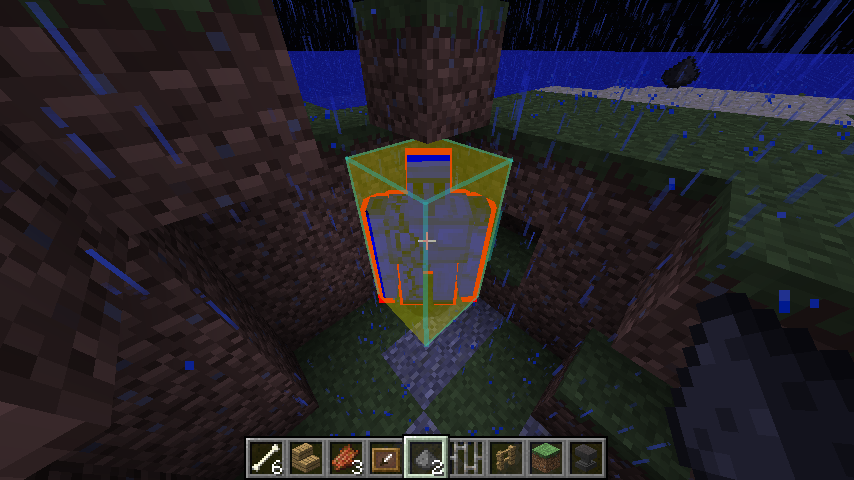 Probably too many highlights enabled Blue model overlay, red custom outline, cyan hitbox outline (increased line width) and yellow hitbox overlay.
 -
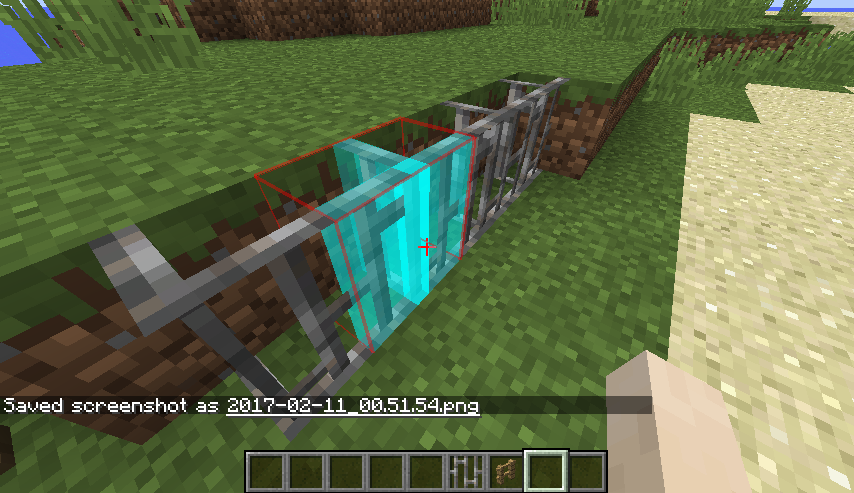 A mix of block outline and overlay Red outlines, cyan overlay (using collision boxes)
 -
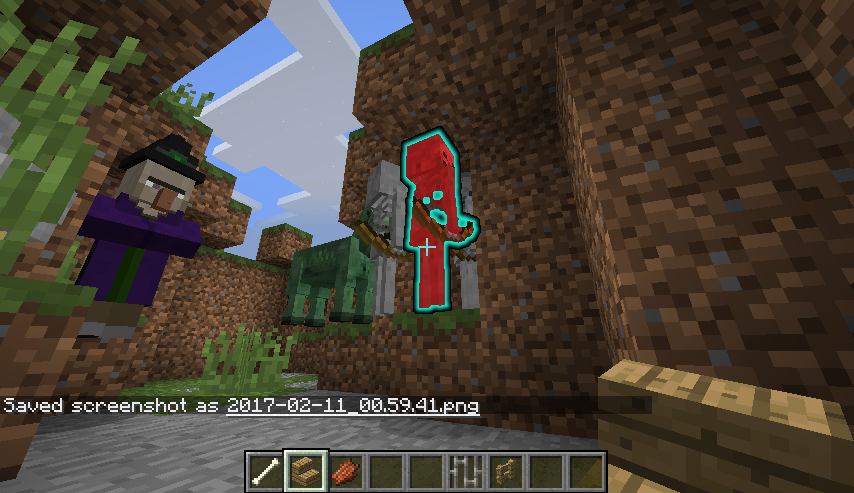 Effects can be combined together A red model overlay with a cyan glowing outline
 -
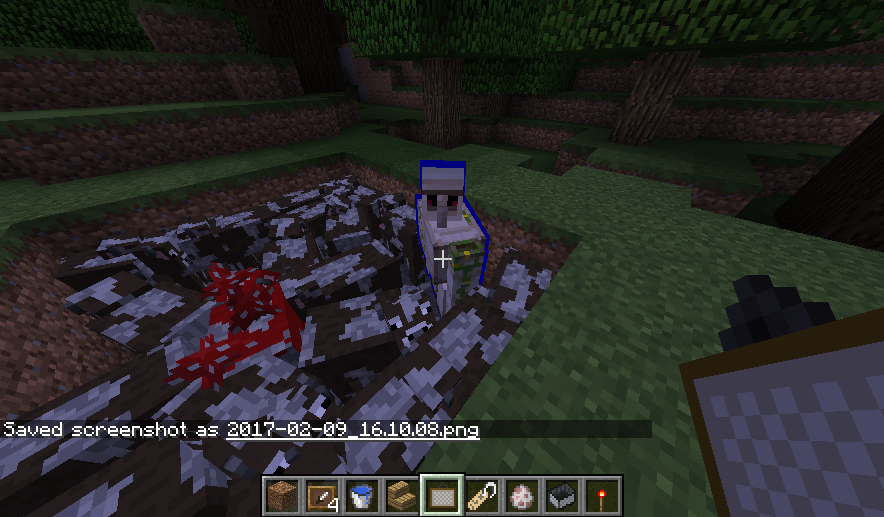 Blue custom outline
 -
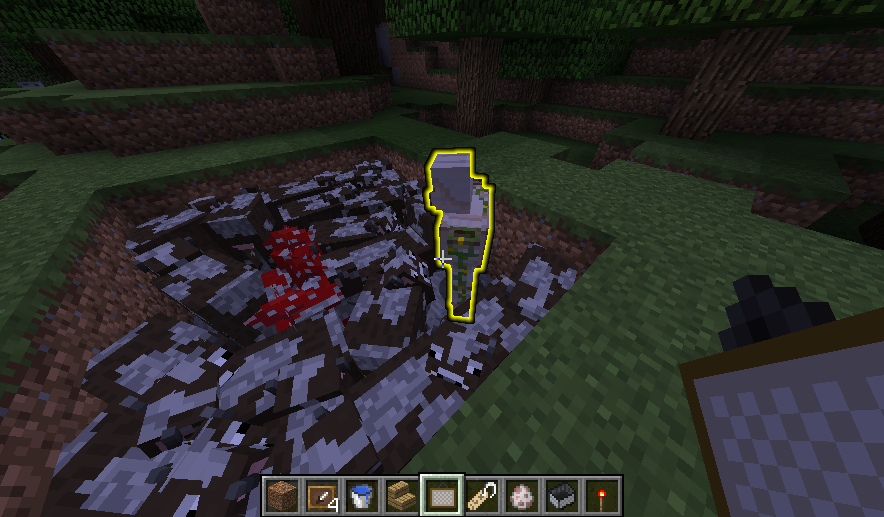 Yellow glowing effect outline
 -
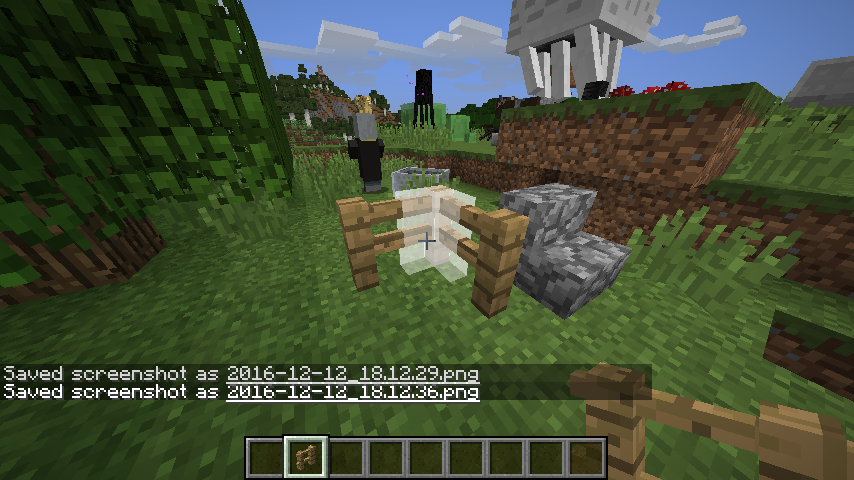 Fence with (clamped) collision overlay Fence collision boxes are 1.5 blocks tall, the blockCollisionClamped option forces the overlay to stay within a 1x1x1 block.
 -
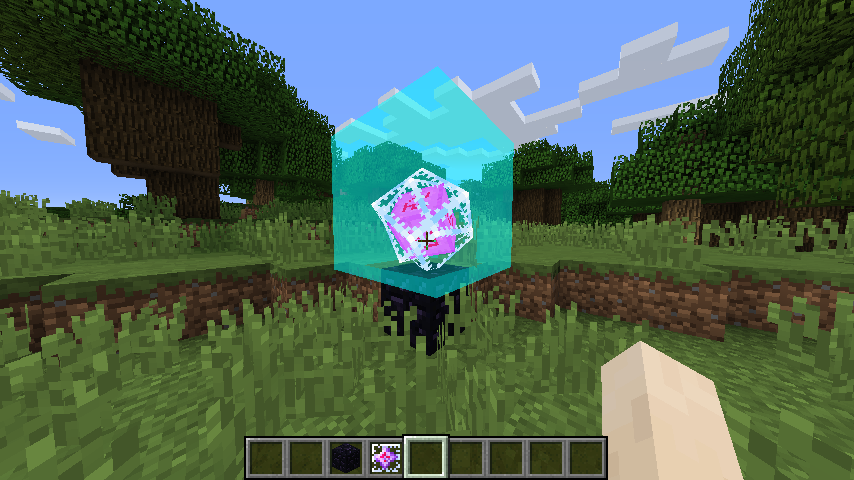 Endercrystal with a cyan hitbox overlay
 -
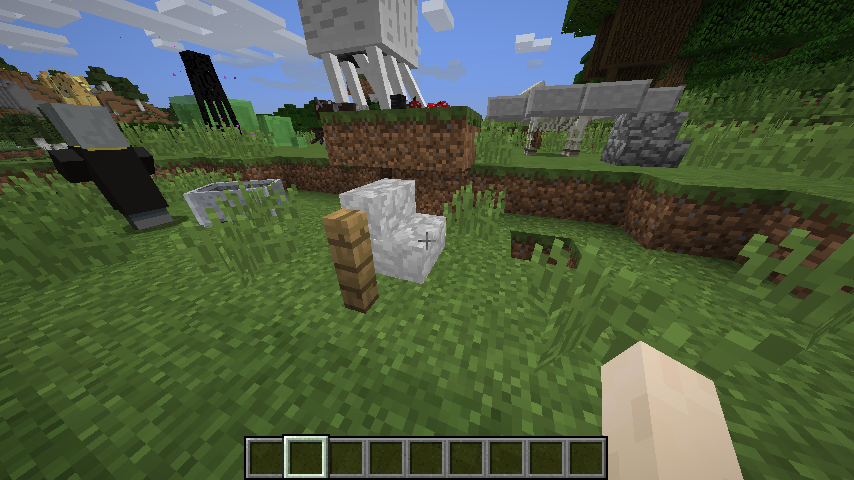 White block overlay using collision models
Versions
Files
Relations
Project Relations
More like this
Similar Mods
Suggestions use data such as tags, dependencies, dependents, descriptions, titles, and more to rank how much they overlap with this mod.
On ModDex
Community snapshot
By the numbers
Statistics
 (opens in a new tab)
Get it on
Available Platforms
On ModDex
Community snapshot
By the numbers