
Community listing page, reviews here may not be monitored by the author.
Name Bound


No reviews yet
Character name mod for minecraft 1.21.1 fabric
Community voices
Reviews
No reviews yet. Be the first to review this project!
Get it on
Available Platforms
Compatibility
Supported Environments
Runs entirely on the server. Also works in singleplayer.
About
Project Details
For authors
Embed Badge
If you're the author of this project, you can embed a live badge anywhere that supports HTML or Markdown. It updates automatically whenever ratings change.
Use HTML for any page that supports it, or Markdown for README files and Markdown-based descriptions.
Identifiers
Platform IDs
Resources
External Links
About
Description
NameBound is a server-only Fabric mod for Minecraft 1.21.1 that gives each authenticated Minecraft account one character identity for one life.
A player whose account name is Maxello1 can create John Smith. In the default surname mode, ordinary players see John S. above the player, in the player list, and as the sender name in signed chat. Death publishes the anonymous message Someone died., deletes that character, and requires a new character after respawn.
The mod uses only vanilla screens and packets. Players can join with an unmodified Minecraft 1.21.1 client.
NameBound never changes a player's authenticated GameProfile, Minecraft username, UUID, skin properties, chat session, public key, or authentication data. Those values remain authoritative for login, bans, whitelists, permissions, selectors, and server administration.
Vanilla networking necessarily sends the real profile name and UUID in player-info data, and the private nametag-hiding scoreboard team contains the real profile name. NameBound replaces the optional display-name components that an unmodified client normally renders, but a modified client, protocol-aware proxy, or network observer able to inspect the session can recover Minecraft usernames. NameBound provides roleplay-oriented UI masking, not cryptographic anonymity. Do not use it as a security boundary or promise players that account names are absent from packets.
A player can belong to only one vanilla scoreboard team. NameBound needs one private team per account to hide the original player nametag before it sends viewer-specific virtual labels.
existingTeamBehaviour controls a conflict with a non-NameBound team:
WARN_AND_OVERRIDE(default) logs a warning and moves the account into its NameBound team. The previous team membership and any mechanics attached to it are lost.WARN_AND_SKIPlogs a warning and leaves the existing team untouched. NameBound then cannot hide the vanilla nametag. The client may show both the virtual character label and the original username, producing a double label and a visible username leak.
Choose deliberately. Servers that depend on scoreboard teams for factions, colors, collision, friendly fire, minigames, or permissions need to test this interaction before deployment.
- Exactly one active character per authenticated UUID; there is no player rename or character-switch command.
- Persistent global character state shared across dimensions, including character generation history, active-name ownership, surname mode, optional dead-name reservations, and staff preferences.
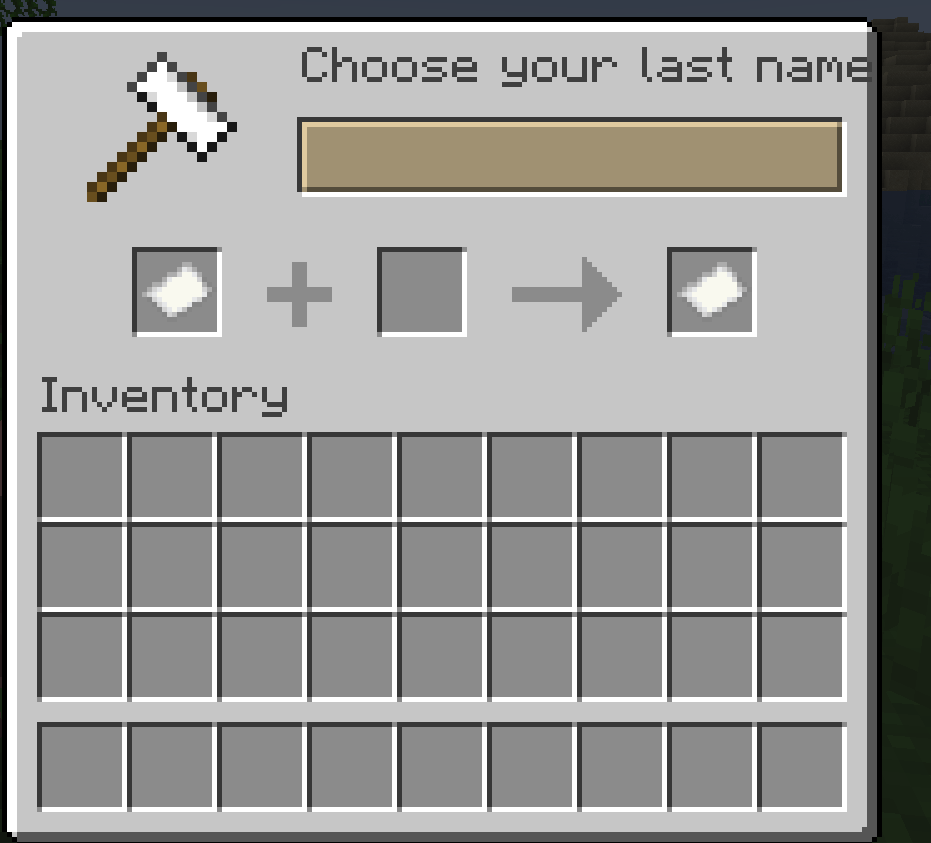
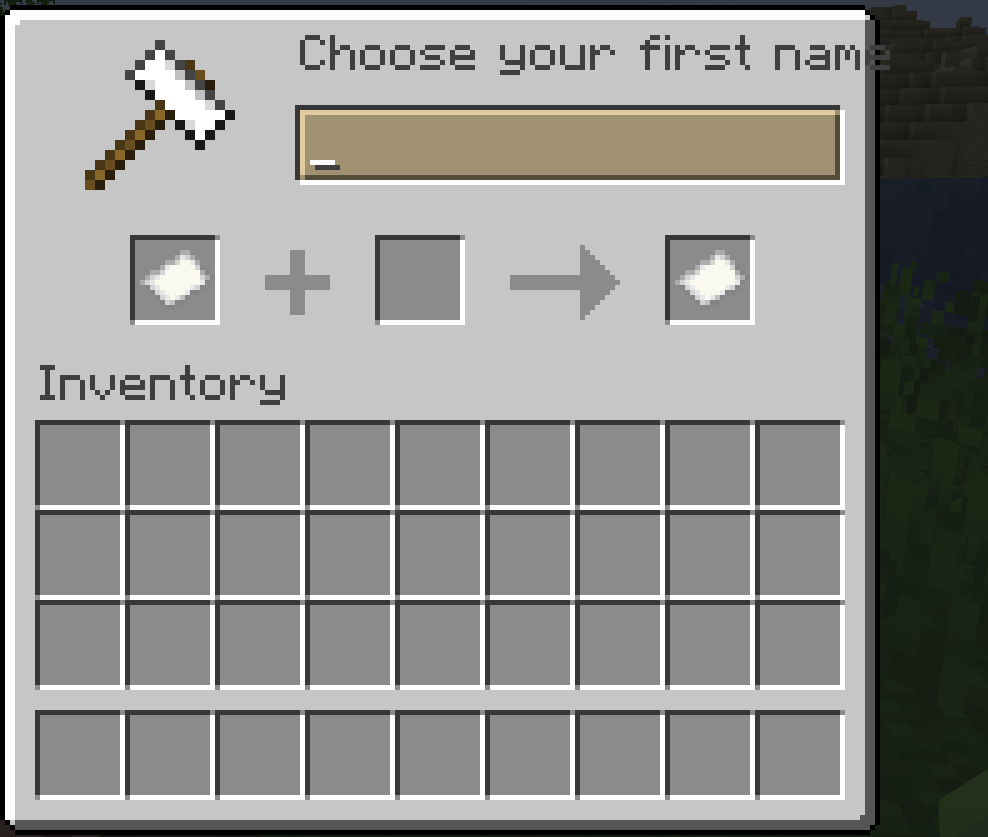
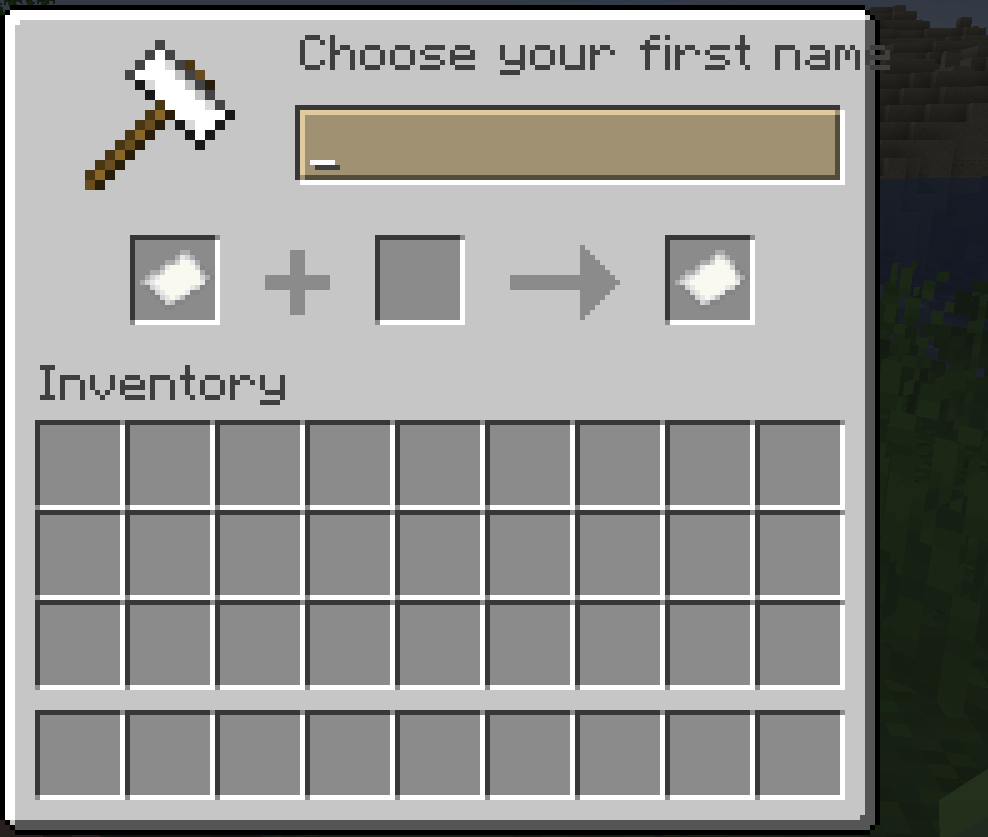
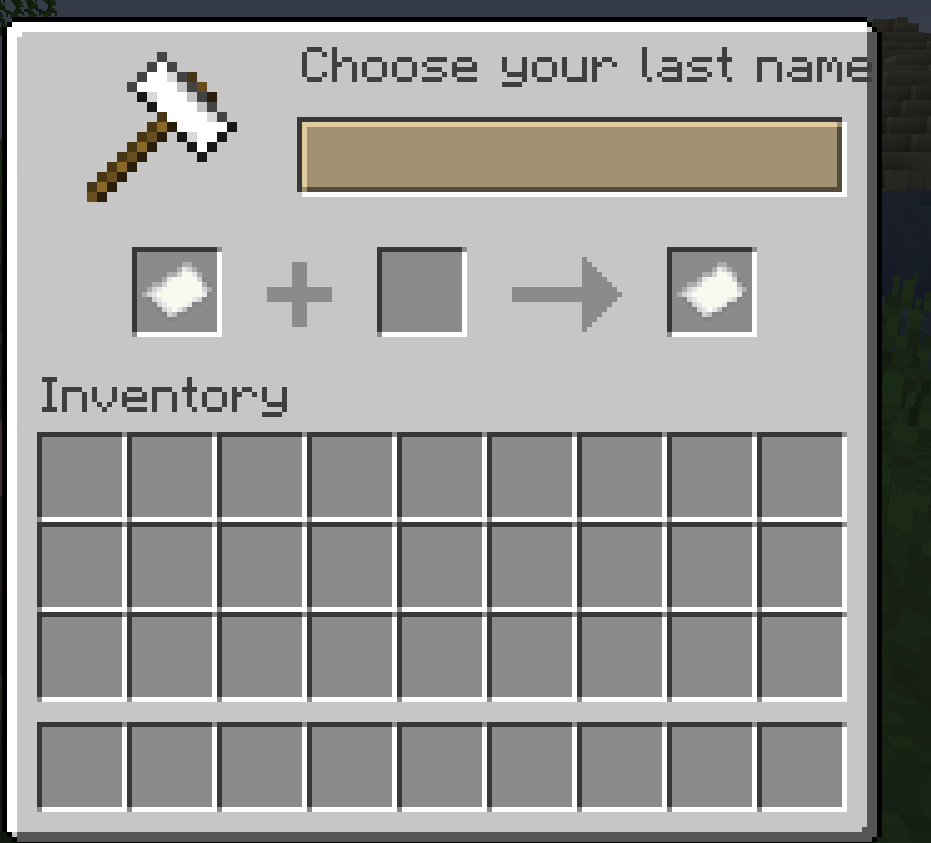
- Forced vanilla GUI flow: first-name anvil, last-name anvil, then a confirmation chest.
- Creation lock that blocks normal chat, unrelated commands, block breaking, attacks, and block/entity/item use. It can also provide temporary invulnerability and reopen a closed creation screen.
- Unicode-code-point-aware full-name limit: first name + one space + last name is at most 16 code points.
- Case-insensitive active-name uniqueness, configurable blacklist, title-case normalization, and optional Unicode/apostrophe/hyphen support.
- Global
SHORTENED(John S.) andFULL(John Smith) surname display modes, persisted in the world save. - Viewer-specific names in overhead packet-only text displays, the player list, and signed-chat decoration.
- Authorized staff can privately choose character names or real usernames without changing any other viewer's display.
- Narrow death-message replacement that leaves vanilla death processing intact, followed by character deletion and private server logging.
- Administrative inspection, reset, set, reload, label cleanup, and identity lookup commands.
NameBound is built for these exact project versions:
| Component | Requirement |
|---|---|
| Minecraft Java Edition server | 1.21.1 |
| Java | 21 or newer |
| Fabric Loader | 0.16.14 or newer |
| Fabric API | Built and tested against 0.116.13+1.21.1 |
| Multiplayer client mod | None when joining a dedicated server |
To install on a dedicated server:
- Install Fabric Loader for a dedicated Minecraft
1.21.1server. - Put Fabric API
0.116.13+1.21.1andnamebound-1.0.1.jarin the server'smodsdirectory. - Start the server with Java 21. NameBound creates
config/namebound.jsonon its first run. - Stop the server, review the generated configuration—especially
existingTeamBehaviour—then restart it. - Back up the world before first use on an existing server. Character state is stored in the overworld's persistent world data.
Clients joining a dedicated NameBound server do not need the mod. To use or test NameBound in singleplayer, however, install both NameBound and Fabric API in that client profile: Minecraft runs singleplayer's integrated server inside the client process, so Fabric must load the jar there. NameBound still contains no client-side feature code, and all user interaction uses vanilla client capabilities.
- A player joins. NameBound looks up the authenticated account UUID in global world state.
- If no active character exists, the player enters the creation lock. The player list shows
Creating Character…, and the first vanilla anvil screen opens after a short delay. - The player enters a first name, then a last name. Each step validates its input.
- A confirmation chest shows the full and public names, plus warnings that the identity cannot be changed and death deletes it. The player may confirm or start again.
- Confirmation revalidates the entire name and creates the record atomically on the server thread. Duplicate clicks cannot create a second active record.
- Normal gameplay resumes. Viewer-specific character names are sent to chat, the player list, and nearby virtual nametags.
- A completed death emits one configured generic message and deletes the active character after vanilla death processing. Totem activations do not count because the player did not complete a death.
- Respawn or the next reconnect starts creation again. The account's character generation increments. A dimension transfer does not delete the character.
Incomplete creation sessions are memory-only. Disconnecting during creation causes the flow to start over on the next join.
The defaults enforce all of the following:
- First and last names are each at least 2 code points.
- The complete normalized name, including its separating space, is no more than 16 Unicode code points.
- ASCII letters are accepted; Unicode letters are disabled unless configured.
- Apostrophes and hyphens are allowed only internally when enabled.
- Spaces inside either name part, leading or trailing punctuation,
§, control/format characters, newlines, tabs, zero-width characters, and text-component formatting are rejected. - Names are normalized and title-cased (
o'connorbecomesO'Connor;smith-jonesbecomesSmith-Jones). - Active full names are unique under normalized, case-insensitive comparison.
- Blacklist entries are normalized full names.
/character create <firstName> <lastName> is the fallback when the vanilla GUI is unusable. It only succeeds for a player without an active character.
NameBound is a server-only Fabric mod for Minecraft 1.21.1 that gives each authenticated Minecraft account one character identity for one life.
A player whose account name is Maxello1 can create John Smith. In the default surname mode, ordinary players see John S. above the player, in the player list, and as the sender name in signed chat. Death publishes the anonymous message Someone died., deletes that character, and requires a new character after respawn.
The mod uses only vanilla screens and packets. Players can join with an unmodified Minecraft 1.21.1 client.
Important limits This masks the interface; it does not anonymize the protocol
NameBound never changes a player's authenticated GameProfile, Minecraft username, UUID, skin properties, chat session, public key, or authentication data. Those values remain authoritative for login, bans, whitelists, permissions, selectors, and server administration.
Vanilla networking necessarily sends the real profile name and UUID in player-info data, and the private nametag-hiding scoreboard team contains the real profile name. NameBound replaces the optional display-name components that an unmodified client normally renders, but a modified client, protocol-aware proxy, or network observer able to inspect the session can recover Minecraft usernames. NameBound provides roleplay-oriented UI masking, not cryptographic anonymity. Do not use it as a security boundary or promise players that account names are absent from packets.
Vanilla scoreboard teams are a hard compatibility boundary
A player can belong to only one vanilla scoreboard team. NameBound needs one private team per account to hide the original player nametag before it sends viewer-specific virtual labels.
existingTeamBehaviour controls a conflict with a non-NameBound team:
WARN_AND_OVERRIDE (default) logs a warning and moves the account into its NameBound team. The previous team membership and any mechanics attached to it are lost. WARN_AND_SKIP logs a warning and leaves the existing team untouched. NameBound then cannot hide the vanilla nametag. The client may show both the virtual character label and the original username, producing a double label and a visible username leak.
Choose deliberately. Servers that depend on scoreboard teams for factions, colors, collision, friendly fire, minigames, or permissions need to test this interaction before deployment.
Features Exactly one active character per authenticated UUID; there is no player rename or character-switch command. Persistent global character state shared across dimensions, including character generation history, active-name ownership, surname mode, optional dead-name reservations, and staff preferences. Forced vanilla GUI flow: first-name anvil, last-name anvil, then a confirmation chest. Creation lock that blocks normal chat, unrelated commands, block breaking, attacks, and block/entity/item use. It can also provide temporary invulnerability and reopen a closed creation screen. Unicode-code-point-aware full-name limit: first name + one space + last name is at most 16 code points. Case-insensitive active-name uniqueness, configurable blacklist, title-case normalization, and optional Unicode/apostrophe/hyphen support. Global SHORTENED (John S.) and FULL (John Smith) surname display modes, persisted in the world save. Viewer-specific names in overhead packet-only text displays, the player list, and signed-chat decoration. Authorized staff can privately choose character names or real usernames without changing any other viewer's display. Narrow death-message replacement that leaves vanilla death processing intact, followed by character deletion and private server logging. Administrative inspection, reset, set, reload, label cleanup, and identity lookup commands. Requirements and installation
NameBound is built for these exact project versions:
Component Requirement Minecraft Java Edition server 1.21.1 Java 21 or newer Fabric Loader 0.16.14 or newer Fabric API Built and tested against 0.116.13+1.21.1 Multiplayer client mod None when joining a dedicated server
To install on a dedicated server:
Install Fabric Loader for a dedicated Minecraft 1.21.1 server. Put Fabric API 0.116.13+1.21.1 and namebound-1.0.1.jar in the server's mods directory. Start the server with Java 21. NameBound creates config/namebound.json on its first run. Stop the server, review the generated configuration—especially existingTeamBehaviour—then restart it. Back up the world before first use on an existing server. Character state is stored in the overworld's persistent world data.
Clients joining a dedicated NameBound server do not need the mod. To use or test NameBound in singleplayer, however, install both NameBound and Fabric API in that client profile: Minecraft runs singleplayer's integrated server inside the client process, so Fabric must load the jar there. NameBound still contains no client-side feature code, and all user interaction uses vanilla client capabilities.
One-life workflow A player joins. NameBound looks up the authenticated account UUID in global world state. If no active character exists, the player enters the creation lock. The player list shows Creating Character…, and the first vanilla anvil screen opens after a short delay. The player enters a first name, then a last name. Each step validates its input. A confirmation chest shows the full and public names, plus warnings that the identity cannot be changed and death deletes it. The player may confirm or start again. Confirmation revalidates the entire name and creates the record atomically on the server thread. Duplicate clicks cannot create a second active record. Normal gameplay resumes. Viewer-specific character names are sent to chat, the player list, and nearby virtual nametags. A completed death emits one configured generic message and deletes the active character after vanilla death processing. Totem activations do not count because the player did not complete a death. Respawn or the next reconnect starts creation again. The account's character generation increments. A dimension transfer does not delete the character.
Incomplete creation sessions are memory-only. Disconnecting during creation causes the flow to start over on the next join.
Name rules
The defaults enforce all of the following:
First and last names are each at least 2 code points. The complete normalized name, including its separating space, is no more than 16 Unicode code points. ASCII letters are accepted; Unicode letters are disabled unless configured. Apostrophes and hyphens are allowed only internally when enabled. Spaces inside either name part, leading or trailing punctuation, §, control/format characters, newlines, tabs, zero-width characters, and text-component formatting are rejected. Names are normalized and title-cased (o'connor becomes O'Connor; smith-jones becomes Smith-Jones). Active full names are unique under normalized, case-insensitive comparison. Blacklist entries are normalized full names.
/character create <firstName> <lastName> is the fallback when the vanilla GUI is unusable. It only succeeds for a player without an active character.
Screenshots
Gallery
-
 Full Name in tab-list Full Name in tab-list
 -
 Shortened Name in tab-list Shortened Name in tab-list
 -
 Current player Generation Current player Generation
 -
 anon death message anon death message
 -
 Admin command preview Admin command preview
 -
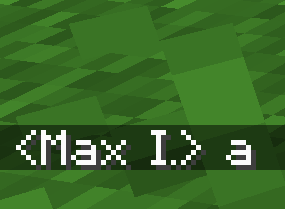 shortened character name in chat shortened character name in chat
 -
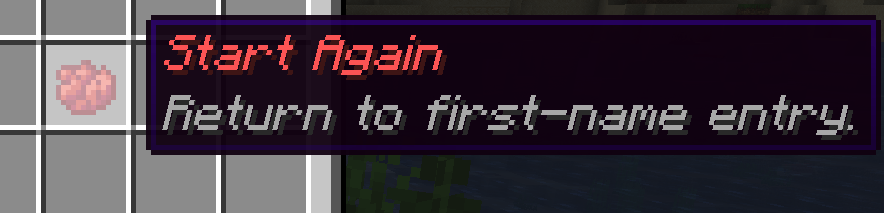 restart creation restart creation
 -
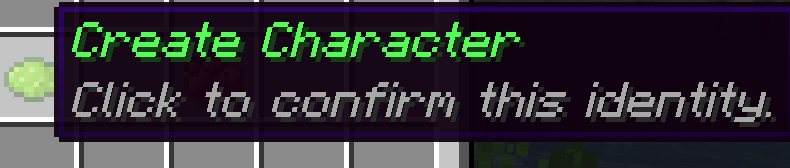 confirm creation confirm creation
 -
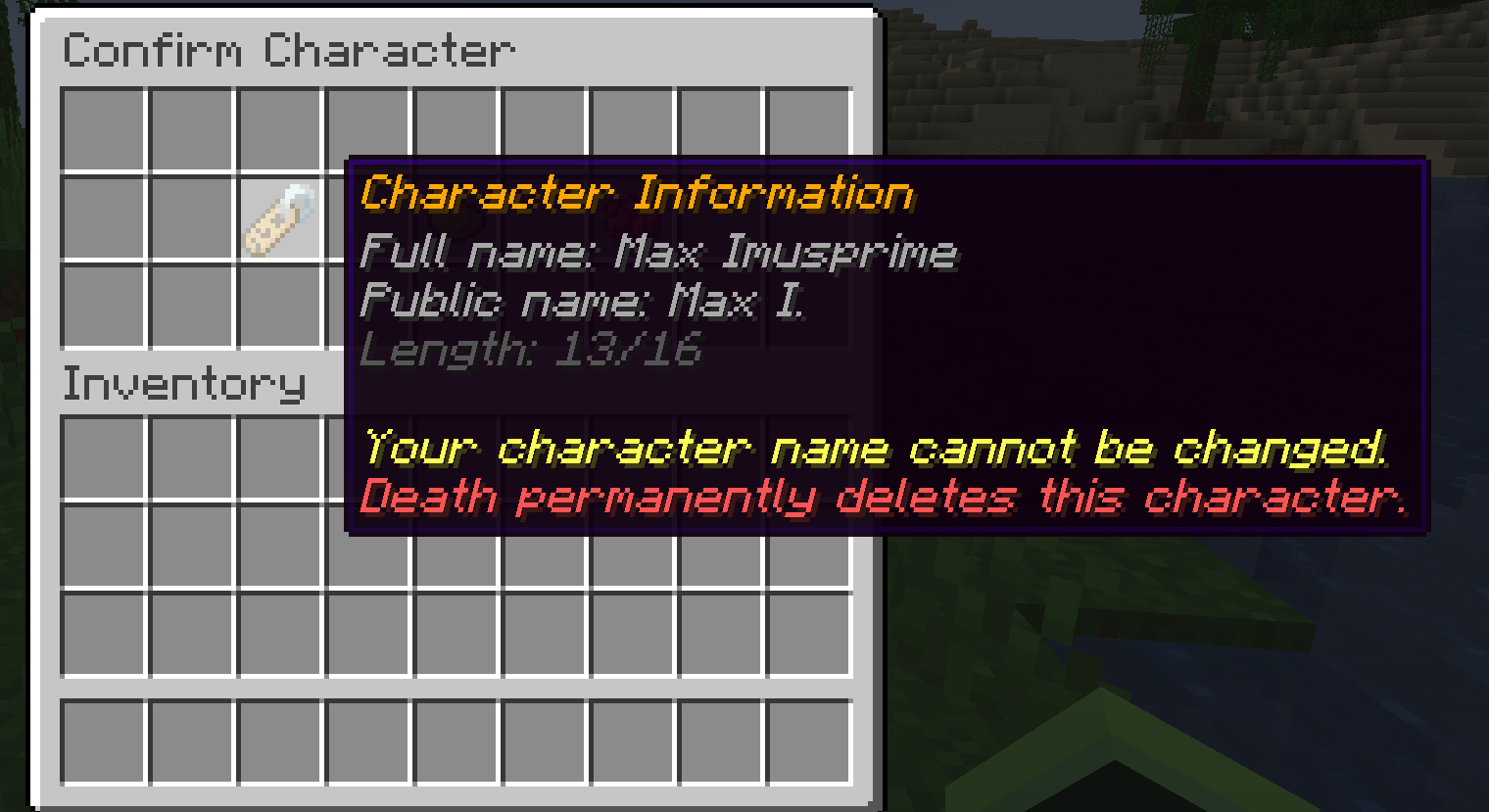 character information character information
 -
 choose last name choose last name
 -
 choose first name choose first name
-
 First Name creation
 -
 Last Name Creation
 -
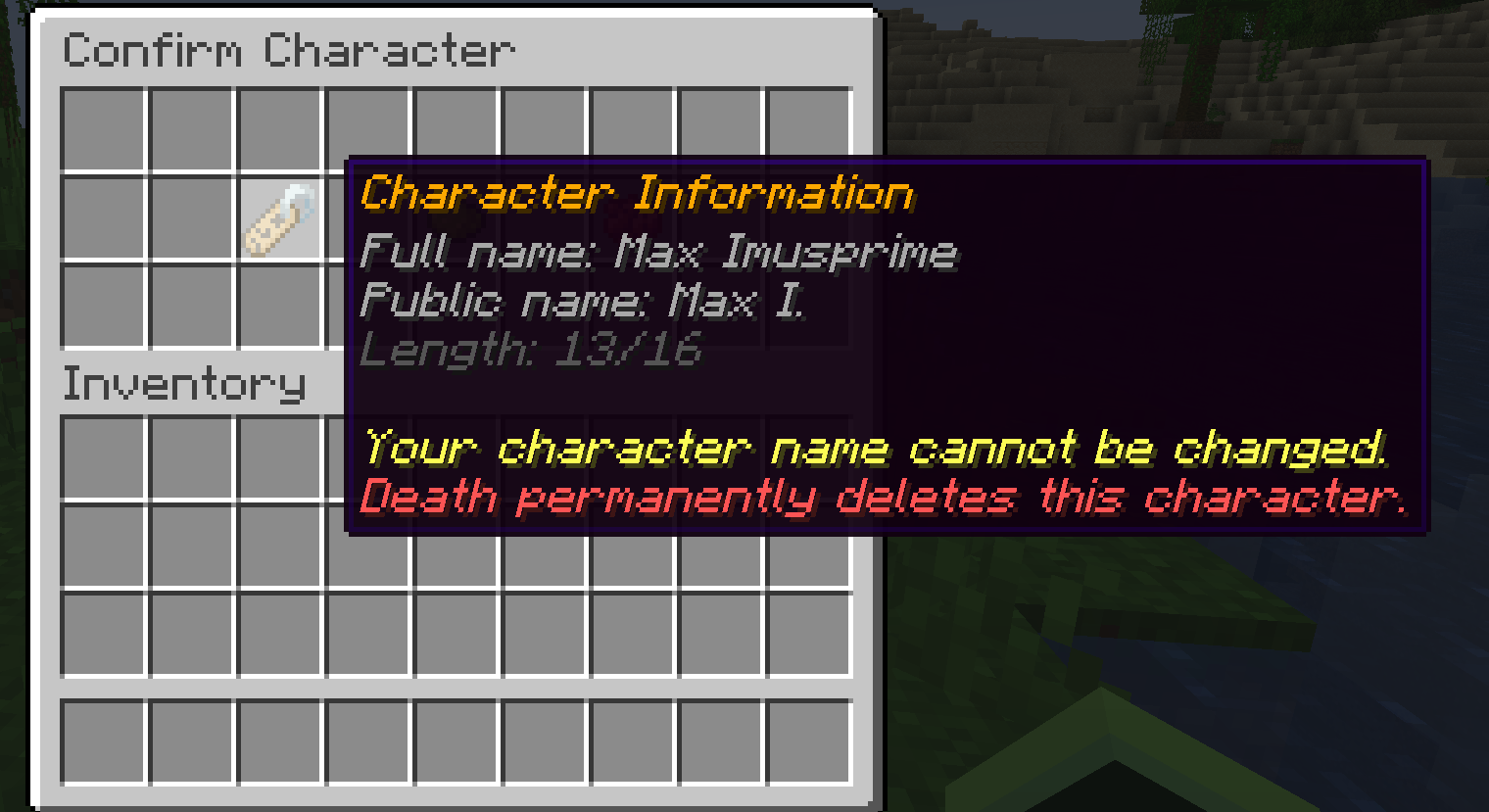 Character Information
 -
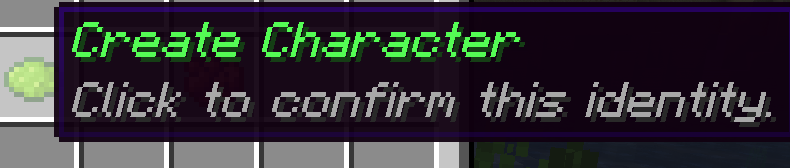 Confirm Character Creation
 -
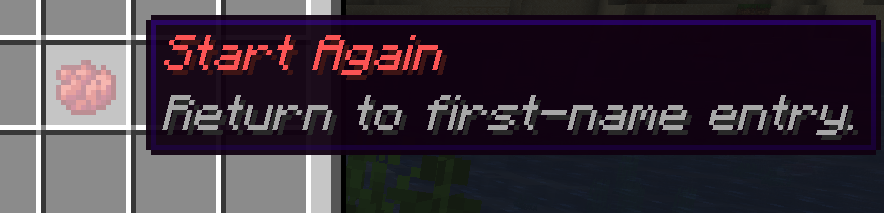 Restart Character Creation
 -
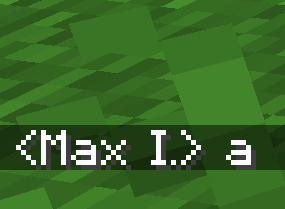 Shortened Name in Chat
 -
 Admin Command Preview
 -
 Anon Death Message
 -
 Current Life counter
 -
 Shortened Name in Tab-list
 -
 Full Name in Tab-List
Versions
Files
Relations
Project Relations
More like this
Similar Mods
Suggestions use data such as tags, dependencies, dependents, descriptions, titles, and more to rank how much they overlap with this mod.
On ModDex
Community snapshot
By the numbers
Statistics
Want to reach Minecraft players?
We're looking for a server hosting partner to feature here and other parts of the site. Interested? Send us a message!
Get in touchGet it on
Available Platforms
On ModDex
Community snapshot
By the numbers
Statistics
Resources