
Community listing page, reviews here may not be monitored by the author.
NameSeed

No reviews yet
Save and use seed without having to memorize the long numerical strings. Makes sharing and using seeds a lot more convenient. No more typing or copy-paste errors!
Community voices
Reviews
No reviews yet. Be the first to review this project!
Get it on
Available Platforms
Compatibility
Supported Environments
Works in singleplayer only; does not function in multiplayer.
About
Project Details
For authors
Embed Badge
If you're the author of this project, you can embed a live badge anywhere that supports HTML or Markdown. It updates automatically whenever ratings change.
Use HTML for any page that supports it, or Markdown for README files and Markdown-based descriptions.
Identifiers
Platform IDs
Resources
External Links
About
Description
Sharing Minecraft seeds come with a problem - The seeds are long numerical strings and you have to correctly type-in or copy-paste them into the world creation menu.
Any error while doing this will generate an entire different world from what you intended.
The solution is here.
How it Works?
When creating a new world. The world creation menu now has a new text box for entering the Seed Name.
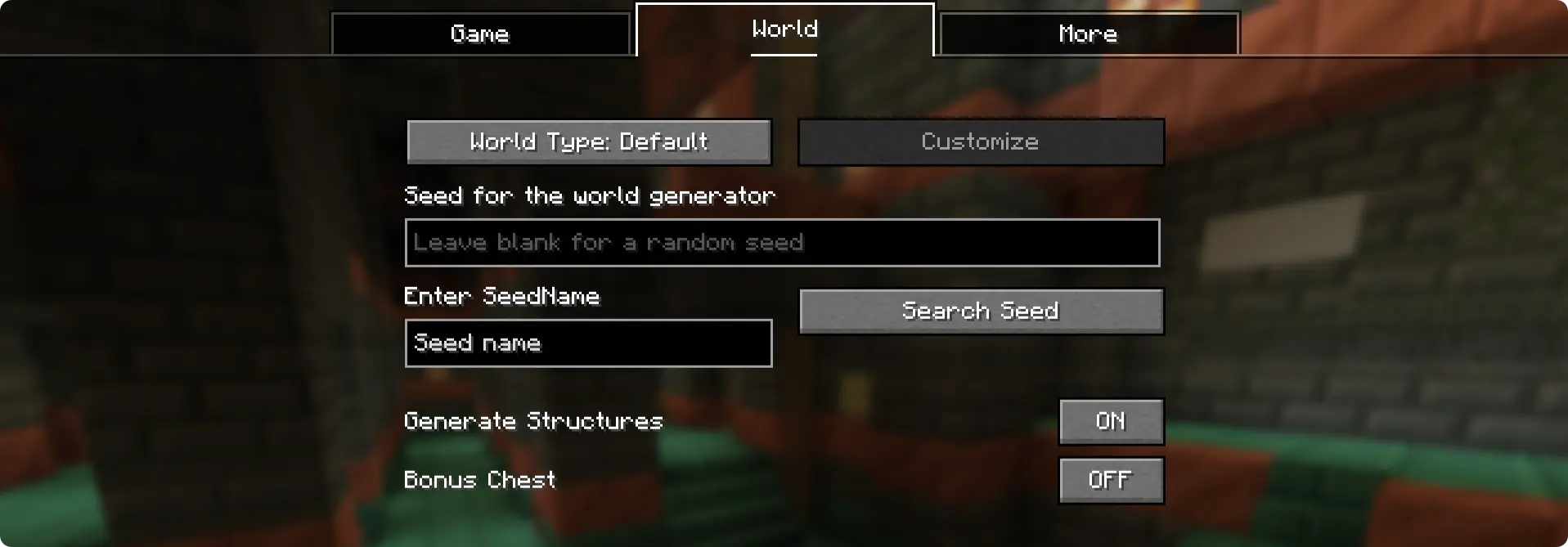
This is where you enter the "seed name" (or seed code). Once entered, click on the "Search Seed" button and the seed saved under the name will appear in Minecraft's original seed box. For this, the seed needs to be saved under the specific seed name under the config file.
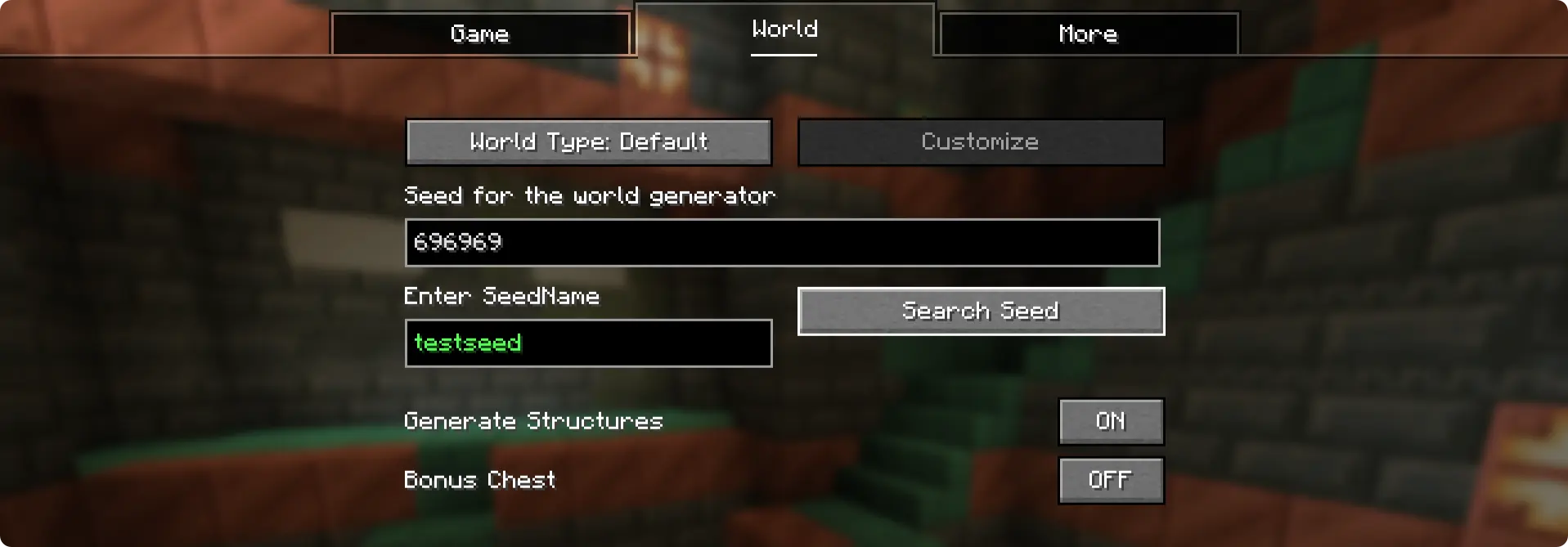
Here, the seed "696969" was saved under the seed name "testseed". This exists by default when you install the mod.
How to Add Seeds?
When you run the game for the first time with the NameSeed mod installed, a config folder is generated - .minecraft/config/NameSeeds
Within the NameSeeds folder, you will find a text file named seednames.txt. You can start saving you seed names and seeds to this list in the format seed_name;seed (Example: testseed:696969)
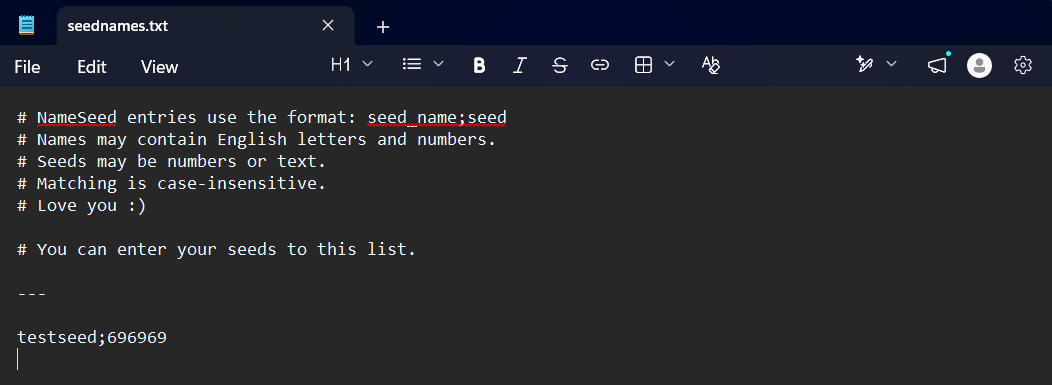
You can enter and save your seed names and seeds in this text file in the format "seedname;seed". Put each entry into a new line.
Screenshots
Gallery
Versions
Files
Relations
Project Relations
More like this
Similar Mods
Suggestions use data such as tags, dependencies, dependents, descriptions, titles, and more to rank how much they overlap with this mod.
On ModDex
Community snapshot
By the numbers
Statistics

Want to reach Minecraft players?
We're looking for a server hosting partner to feature here and other parts of the site. Interested? Send us a message!
Get in touchGet it on
Available Platforms
On ModDex
Community snapshot
By the numbers
Statistics
Resources