Community listing page, reviews here may not be monitored by the author.
NarrativeCraft

No reviews yet
Create your own stories, easily, and freely in Minecraft.
Community voices
Reviews
No reviews yet. Be the first to review this project!
Get it on
Available Platforms
 Modrinth
Compatibility
Supported Environments
Works in singleplayer only; does not function in multiplayer.
Must be installed on both the client and the server.
Varies by version.
About
Project Details
For authors
Embed Badge
If you're the author of this project, you can embed a live badge anywhere that supports HTML or Markdown. It updates automatically whenever ratings change.
Use HTML for any page that supports it, or Markdown for README files and Markdown-based descriptions.
Identifiers
Platform IDs
About
Description
The mod is being rewritten from scratch. Track progress on https://blog.loudo.dev (dev branch) And yes, multiplayer support is planned on it.
NarrativeCraft
Tutorial video
Concept
NarrativeCraft is a Minecraft mod that turns the game into a space for building interactive stories, with choices and branching narratives that react to the player’s decisions.
It's mostly for creating a game in a game and is highly inspired from games I love like Life Is Strange and Until Then.
It's all-in-one (recording, cutscene, rendering dialogs, story management) and is designed to be easy to use.
Create your own unique stories with endearing characters, let your imagination take form in a 3D sandbox, with shaders, music, and cutscenes.
This mod is mainly written to be singleplayer-only, to create adventure maps. Multiplayer is not supported yet.
Features
- Ink integration
- Support for custom triggers and commands
- Made to be accessible to anybody
- Organized structure
- Customizable (main screen, credits, dialogues…)
- All-in-one system (player recording, cutscenes, multiple recordings at the same time)
Mod compatibility
- EmoteCraft: Emotes will be recorded, and you can play them from ink script.
How does it work?
NarrativeCraft uses a narrative scripting language called Ink, which is open-source and highly scalable for integration into other projects. The Java integration was made by bladecoder.
Ink is a great narrative scripting language because:
- It's easy to learn.
- Dialogues come first, logic later.
- It has enough advanced features to create complex stories.
NarrativeCraft is the middleman that interprets your dialogues and events as in-game actions.
By events, I mean custom lines you can write to trigger in-game actions. For example, changing the time, weather, playing cutscenes…
What does it look like in-game?
I'm glad you asked! I made a small showcase to demonstrate what this mod is capable of:
Contribution
This mod is meant to be developed and used with the community. My goal is to make story creation easily accessible to as many people as possible.
If you're experienced in Minecraft modding or Java in general, any suggestions to refactor or improve the code are greatly appreciated.
NarrativeCraft
NarrativeCraft is a Minecraft mod to create your own narrative games in Minecraft. If you don't want to learn a game engine to create stories with branching patterns, this mod does all the work for you.
Tutorial video
Showcase
How does this work
NarrativeCraft works thanks to the amazing open source project Ink, a narrative scripting language to write dialogs and create branching patterns. Text first, logic later.
Features
NarrativeCraft is an all-in-one system, meaning that you have everything by default.
Compatibility with other mods requires installing addons.
- Cutscenes
- Player recording
- Dialogs rendering (on screen or a character speaking)
- Camera angles for character dialog focus
- Interactions with trigger zones and clickable points
- Characters and NPCs
- Full management of your story
- Multiple locales in one world
- Choices
- Saves
- Main screen (new game, continue...)
- Multiplayer
About Multiplayer
NarrativeCraft is singleplayer first, meaning that it is mainly developed for singleplayer. However, multiplayer is supported, but it does not mean co-op, it means that you can play a story, show cutscenes, display characters or NPCs to a single player, so you can create more immersion for your server.
Getting started
If you want to start learning NarrativeCraft, take a look at the documentation; you'll be guided there to start your first story and learn the fundamentals of the mod.
Credits
- ink - Scripting language
- blade-ink-java - Java adaptation of ink
Screenshots
Gallery
-
 dfbe91e31428cd72b337aafb6a0ff967ad5bc297.png dfbe91e31428cd72b337aafb6a0ff967ad5bc297.png
 -
 314fa86c7355ee3ba699fa5f04e1eface5850364.gif 314fa86c7355ee3ba699fa5f04e1eface5850364.gif
 -
 31259e6d87c12ce164125ab1af66c4a6a963e5dc.jpeg 31259e6d87c12ce164125ab1af66c4a6a963e5dc.jpeg
 -
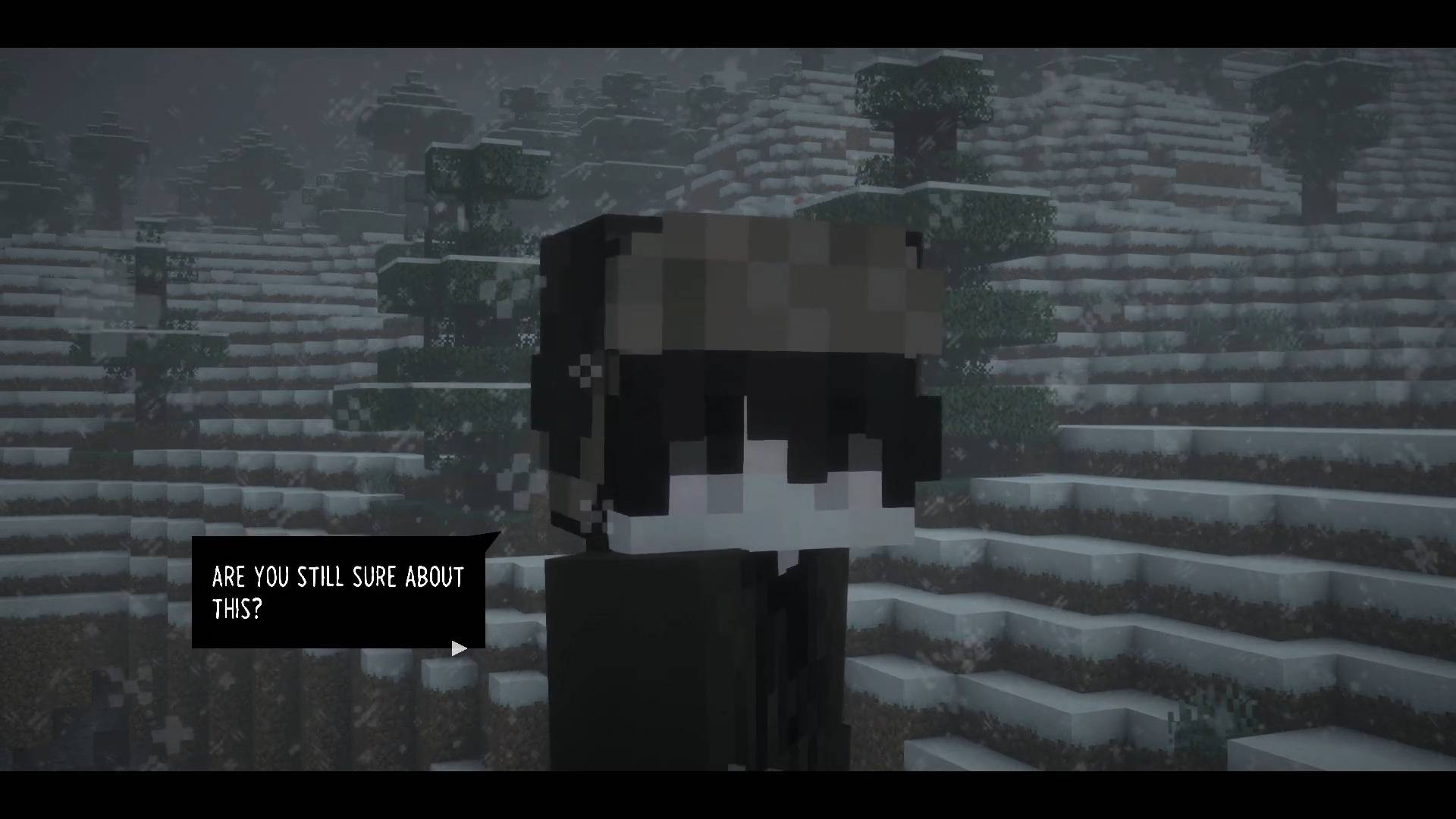 NarrativeCraft showcase - YouTube - 0-0-25.jpeg NarrativeCraft showcase - YouTube - 0-0-25.jpeg
-
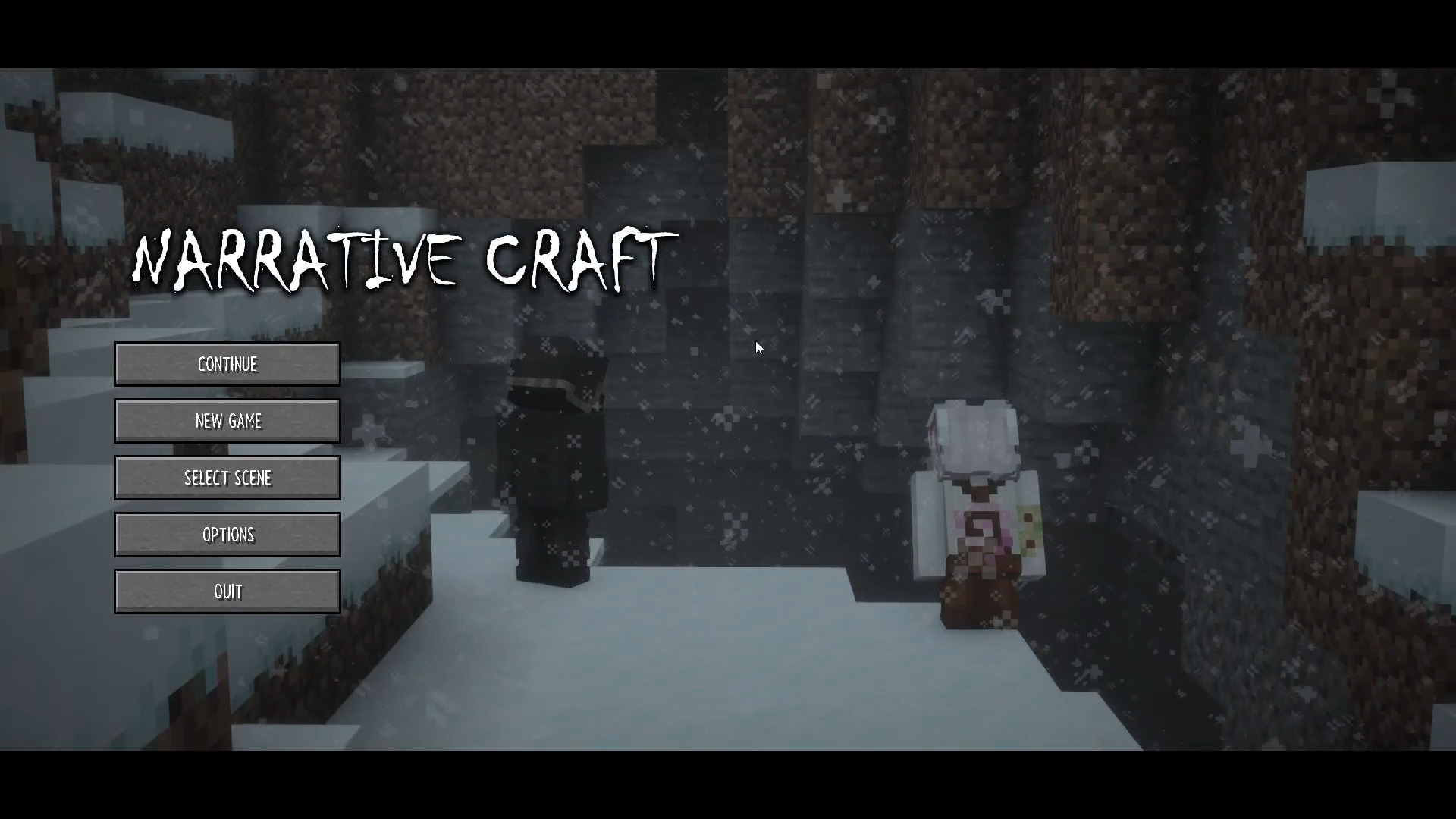 Main Menu Example This shows a menu you can create yourself.
 -
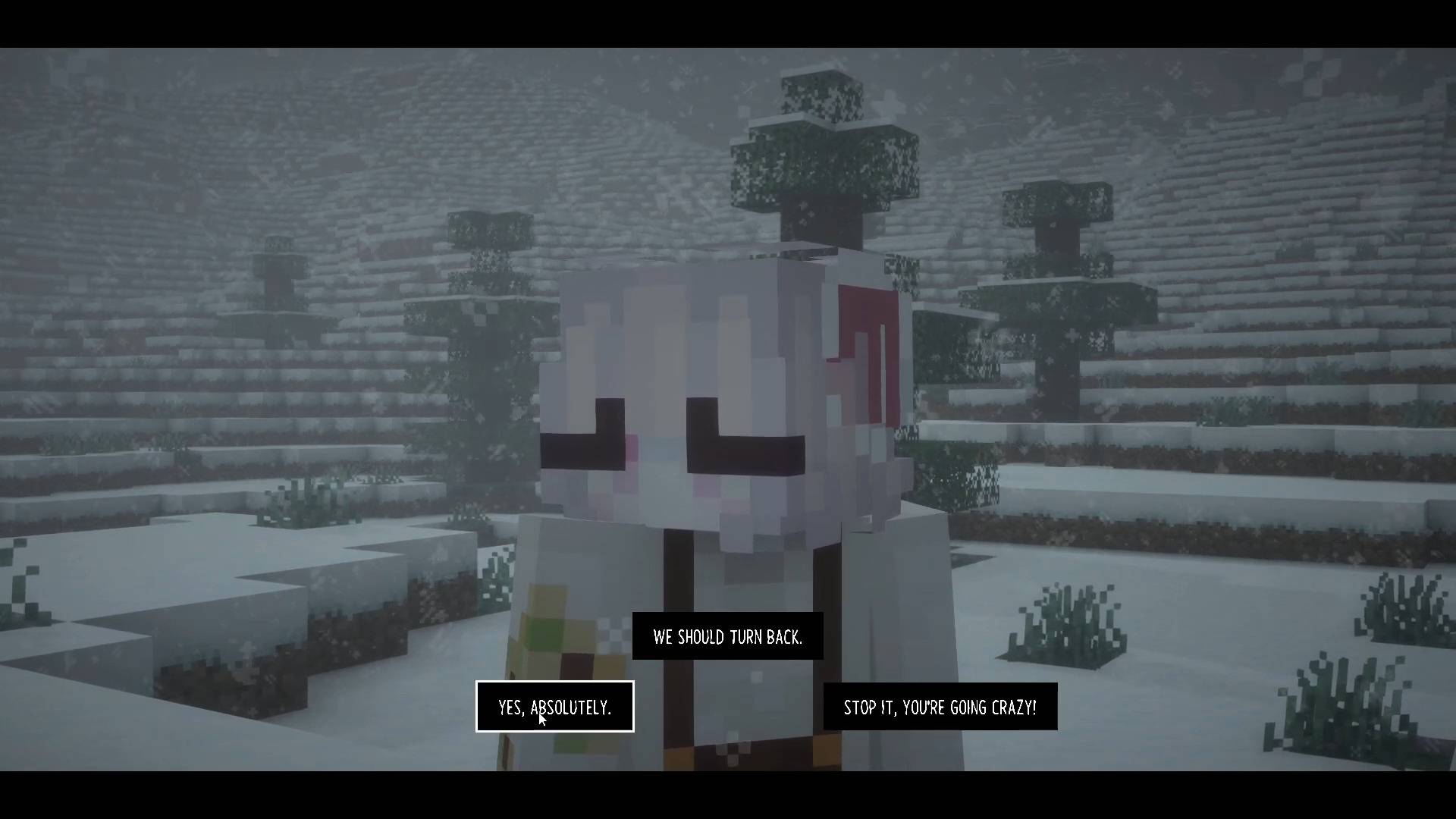
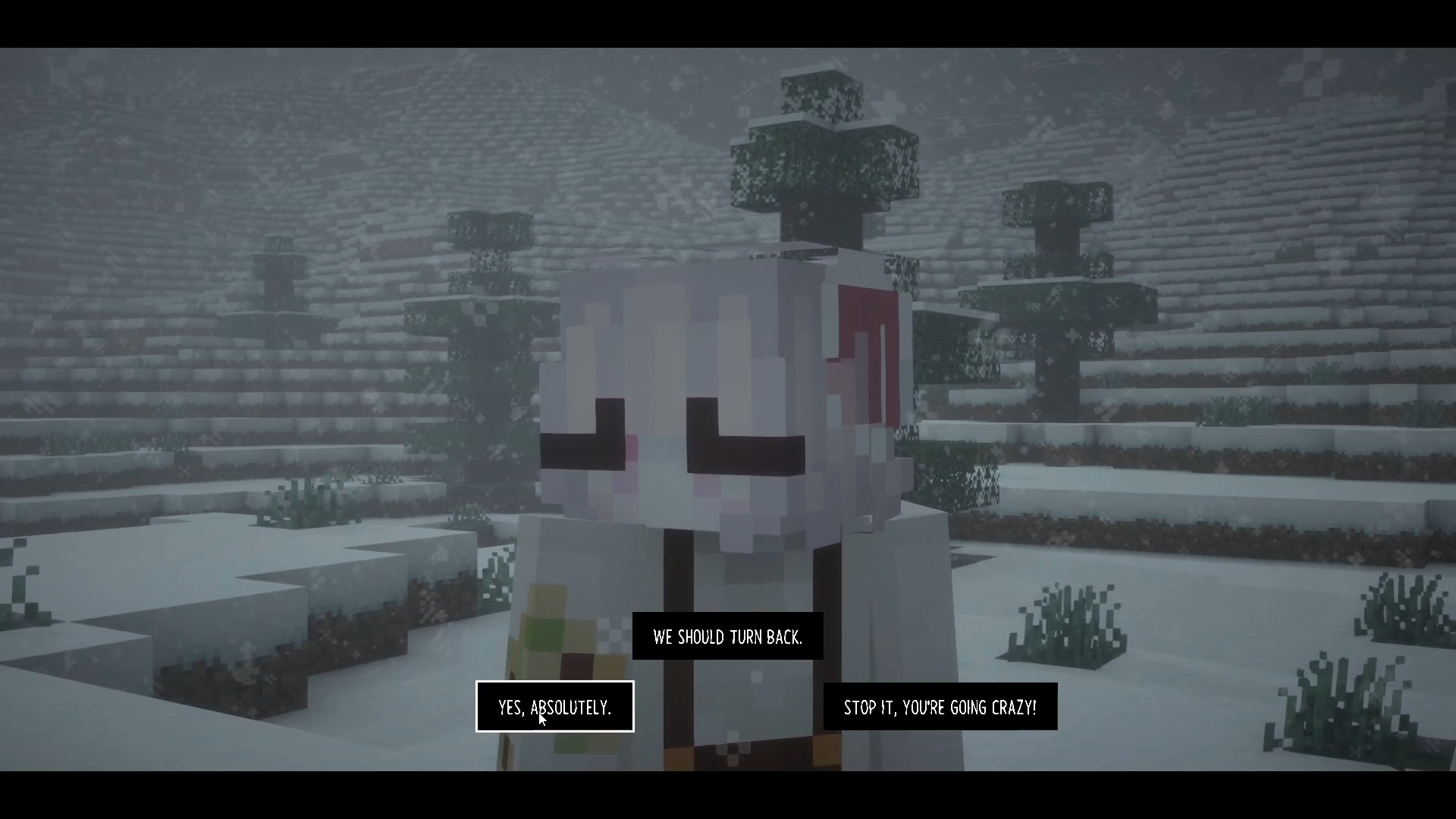 Choices Example Shows how choices are displayed in-game.
 -
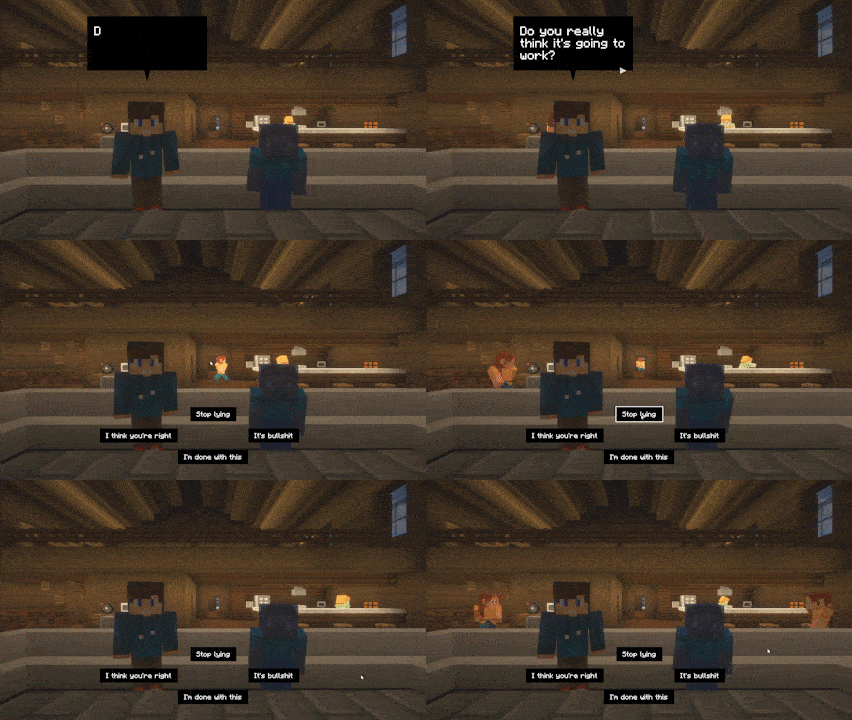
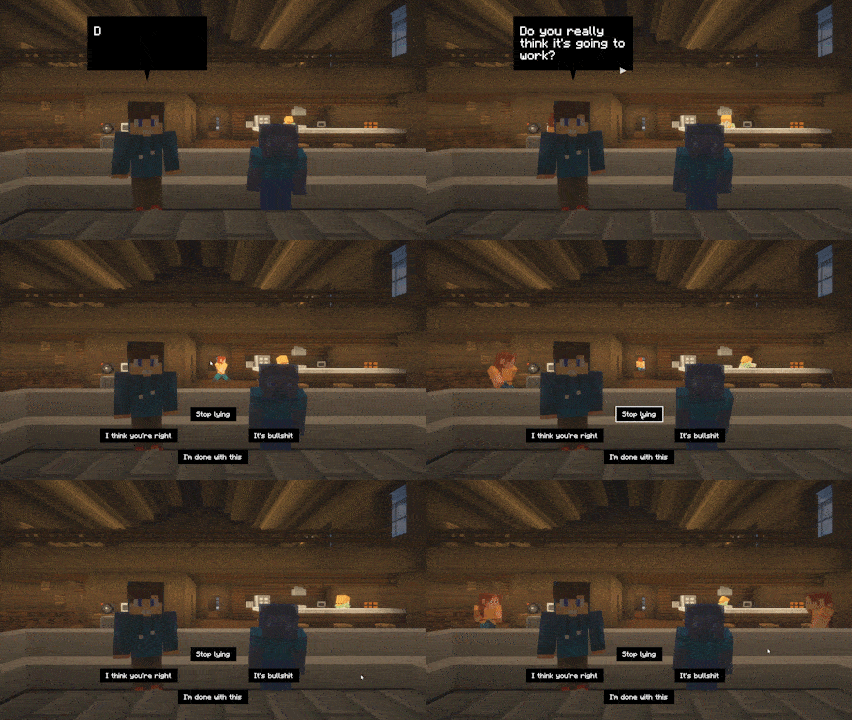 Scene example Npc playback looping in background.
 -
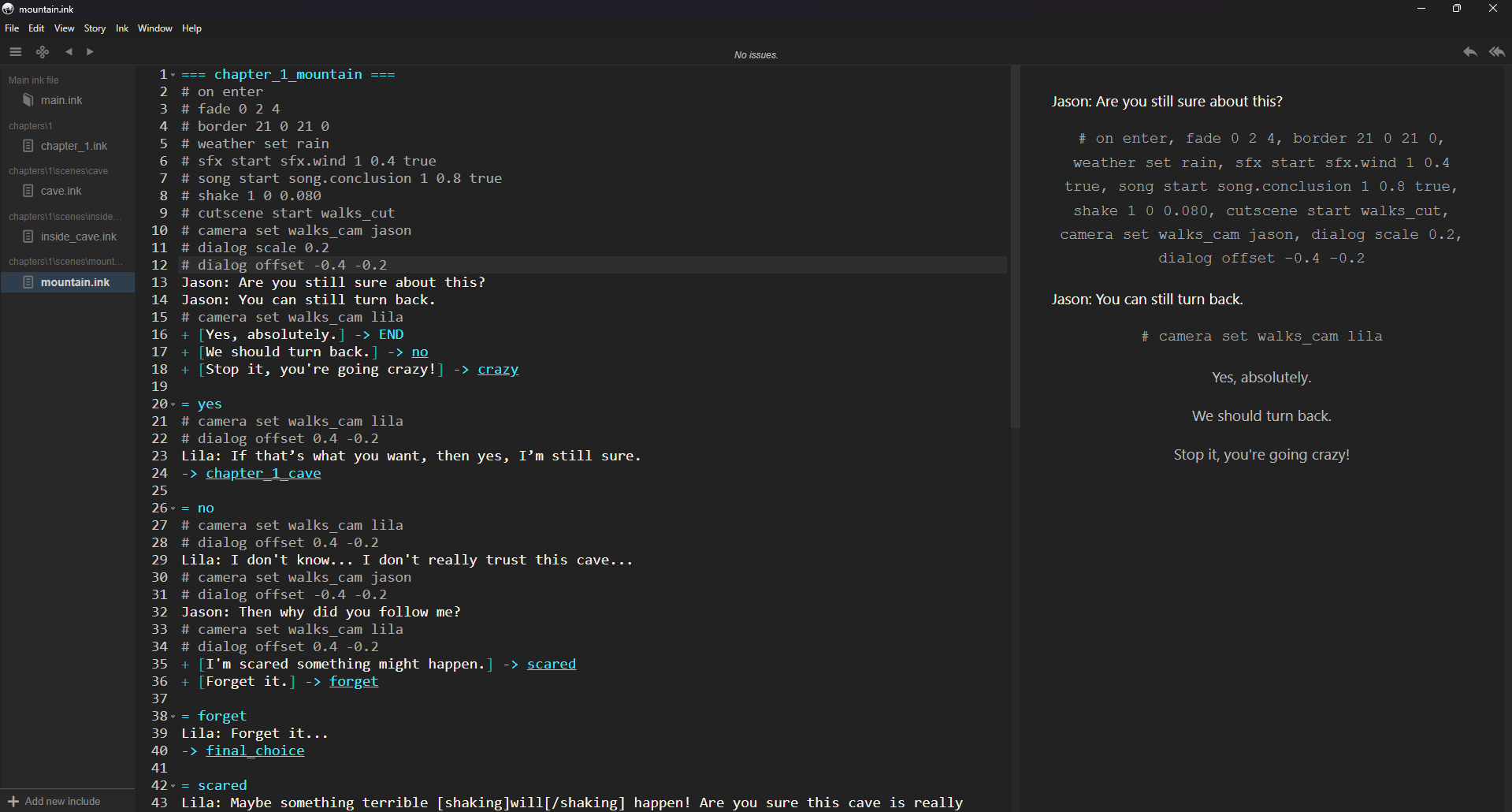
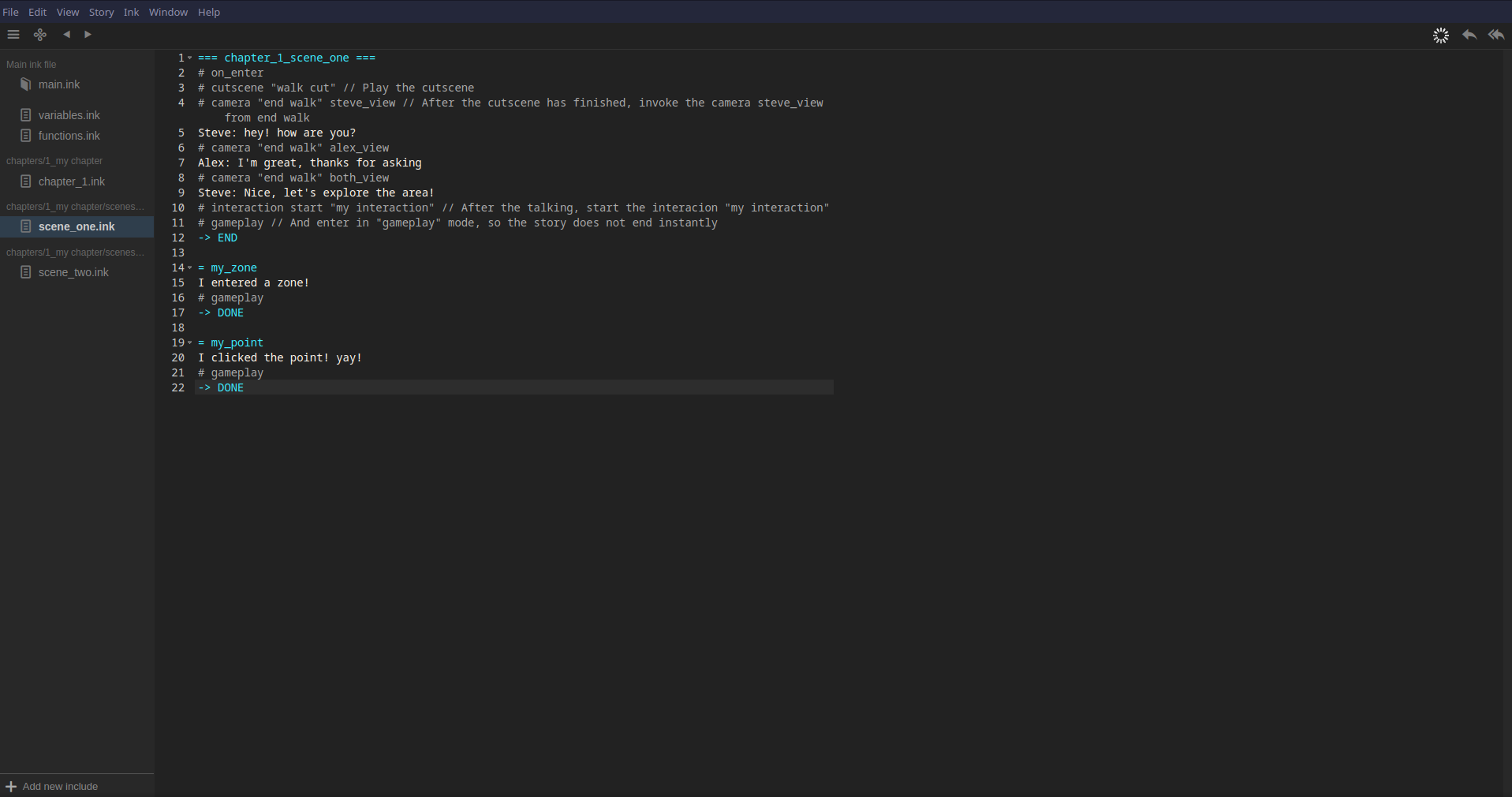 Ink script Little overview of how the script works with Ink.
Versions
Files
Relations
Project Relations
More like this
Similar Mods
Suggestions use data such as tags, dependencies, dependents, descriptions, titles, and more to rank how much they overlap with this mod.
On ModDex
Community snapshot
By the numbers
Statistics
Want to reach Minecraft players?
We're looking for a server hosting partner to feature here and other parts of the site. Interested? Send us a message!
Get in touchGet it on
Available Platforms
Modrinth
On ModDex
Community snapshot
By the numbers