Community listing page, reviews here may not be monitored by the author.
Neat + Dynamic Difficulty

No reviews yet
Compatibility addon that appends Dynamic Difficulty levels to Neat entity names on health bars.
Community voices
Reviews
No reviews yet. Be the first to review this project!
Get it on
Available Platforms
About
Project Details
For authors
Embed Badge
If you're the author of this project, you can embed a live badge anywhere that supports HTML or Markdown. It updates automatically whenever ratings change.
Use HTML for any page that supports it, or Markdown for README files and Markdown-based descriptions.
Identifiers
Platform IDs
Resources
External Links
About
Description
Neat + Dynamic Difficulty
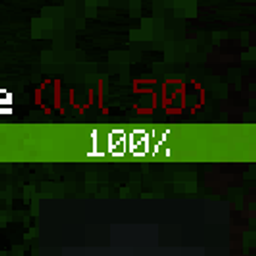
NeoForge 1.21.1 compatibility addon that appends Dynamic Difficulty levels to Neat health bar names.
Level color config
After the mod loads once, NeoForge creates a client config file:
run/config/neat_dynamic_difficulty-client.toml
In a normal Minecraft instance outside this dev workspace, the same file is:
config/neat_dynamic_difficulty-client.toml
Edit the levelColors.rules list to control how the (lvl N) suffix is colored.
Rule formats
Use a fixed color range:
"range:1-10:#00FF00"
This keeps levels 1 through 10 green. If there is no later rule, levels above 10 also stay green.
Use a gradient:
"gradient:1-50:#00FF00:#600000"
This blends from green at level 1 to dark red at level 50. If there is no later rule, levels above 50 keep the level 50 color.
Example config
[levelColors]
rules = [
  "range:1-10:#00FF00",
  "gradient:11-50:#00FF00:#600000"
]
Rules are processed from top to bottom, so keep them ordered by level.
Accepted color format:
#RRGGBB
Default rule:
"gradient:1-100:#00FF00:#600000"
Screenshots
Gallery
Versions
Files
Relations
Project Relations
More like this
Similar Mods
Suggestions use data such as tags, dependencies, dependents, descriptions, titles, and more to rank how much they overlap with this mod.
On ModDex
Community snapshot
By the numbers
Statistics
Want to reach Minecraft players?
We're looking for a server hosting partner to feature here and other parts of the site. Interested? Send us a message!
Get in touchGet it on
Available Platforms
On ModDex
Community snapshot
By the numbers
Statistics
Resources