
NetGraph
No reviews yet
Clean, configurable HUD graphs of your connection quality - ping, jitter and bandwidth on any server, plus real TPS, MSPT and server load with the optional server companion
Fabric is a mod loader for versions 1.14+ of Minecraft, particularly popular for client side and optimization mods.
Community voices
Reviews
Click once to include, again to exclude, again to clear
No reviews yet. Be the first to review this project!
Get it on
Available Platforms
 Modrinth
Compatibility
Supported Environments
About
Project Details
For authors
Embed Badge
If you're the author of this project, you can embed a live badge anywhere that supports HTML or Markdown. It updates automatically whenever ratings change.
Use HTML for any page that supports it, or Markdown for README files and Markdown-based descriptions.
Identifiers
Platform IDs
Resources
External Links
About
Description
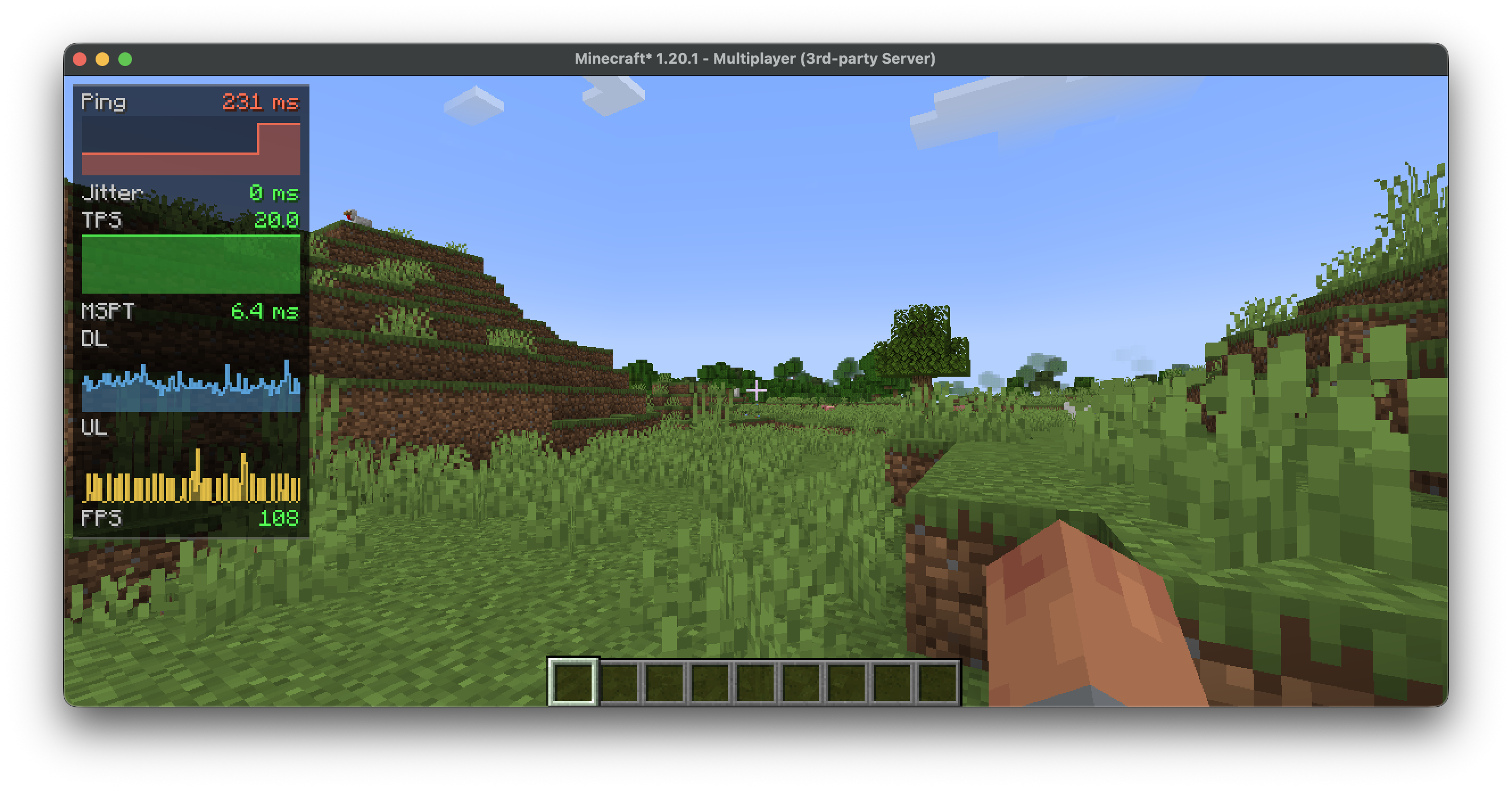


NetGraph
A network monitor for the corner of your screen. It turns ping, bandwidth and the server's tick rate into small, readable graphs, so you can tell at a glance whether the lag is on your end or the server's.
Runs on the client and works on any server. Add the optional companion and the graphs gain real server-side numbers.
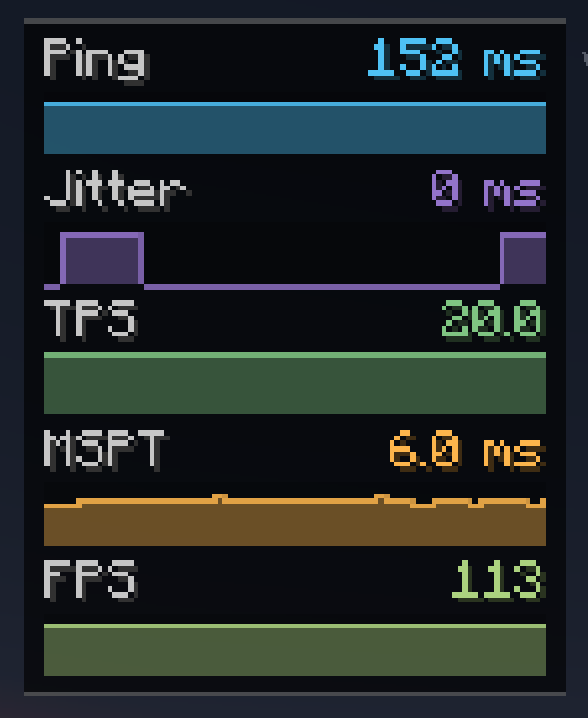
📡 Measured on the client — any server
Ping, jitter, download/upload (KB/s), packets per second, FPS, and a TPS estimate. No server mod required.
🖥️ Added by the server companion
Real server TPS and MSPT, loaded chunks, entity count, players online, and the server's own ping reading. When the server stops answering — a freeze or a lag spike — the affected graph turns red and reads TIMEOUT instead of vanishing.
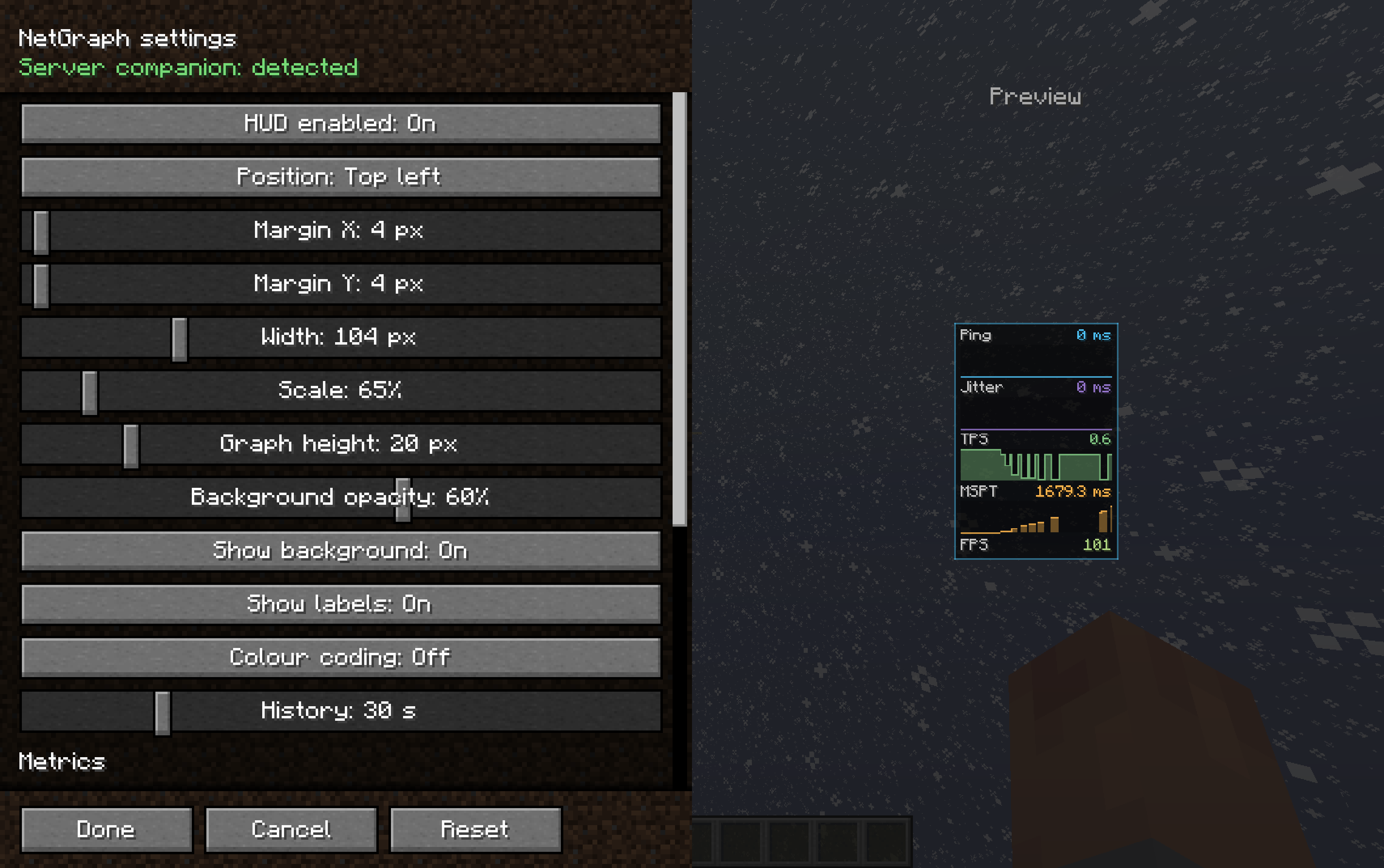
⚙️ Fits your HUD, not the other way around
- 13 metrics, each toggled on or off on its own
- Show any metric as text, a graph, or both
- Six anchor points, plus margins, scale, width, graph height, opacity and history
- Quality colouring from green to red
- A settings screen that previews the HUD live while you drag the sliders, with a frame that flashes the real position when you move it
- Reset to defaults in one click
⌨️ Controls
N shows or hides the HUD (rebindable). Open settings from Mod Menu, or bind a key.
🛡️ Server command
Operators can switch fields off:
/netgraph <tps|mspt|ping|chunks|entities|players|all> <true|false> — and
/netgraph status to check the current state.
📦 Install
Client — put NetGraph in mods. Requires Cloth Config API; Mod Menu recommended.
Server (optional) — put NetGraph Server in the server's mods for real TPS/MSPT.
Singleplayer? Add it to your own mods folder too.
Screenshots
Gallery
-
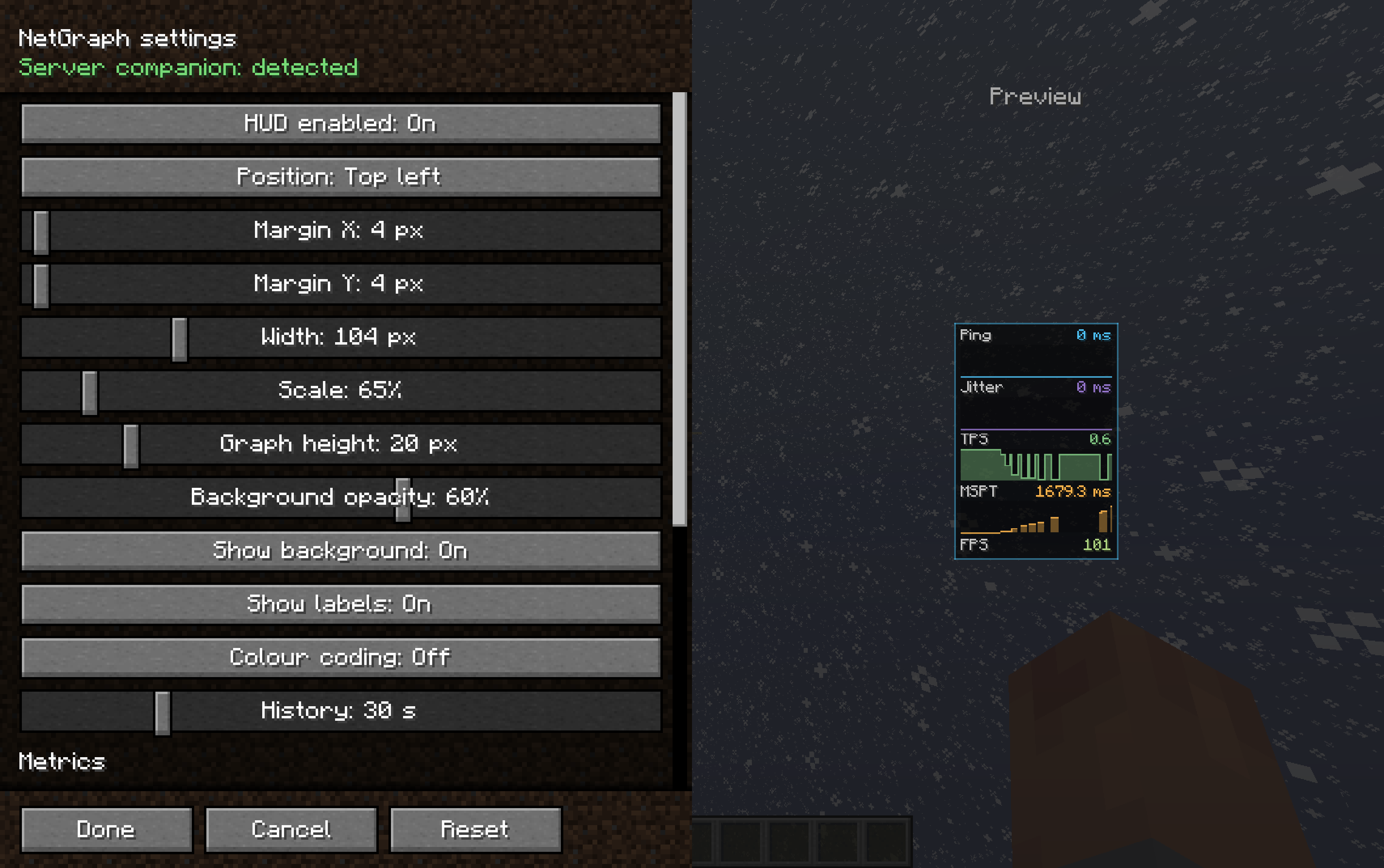 Settings menu
 -
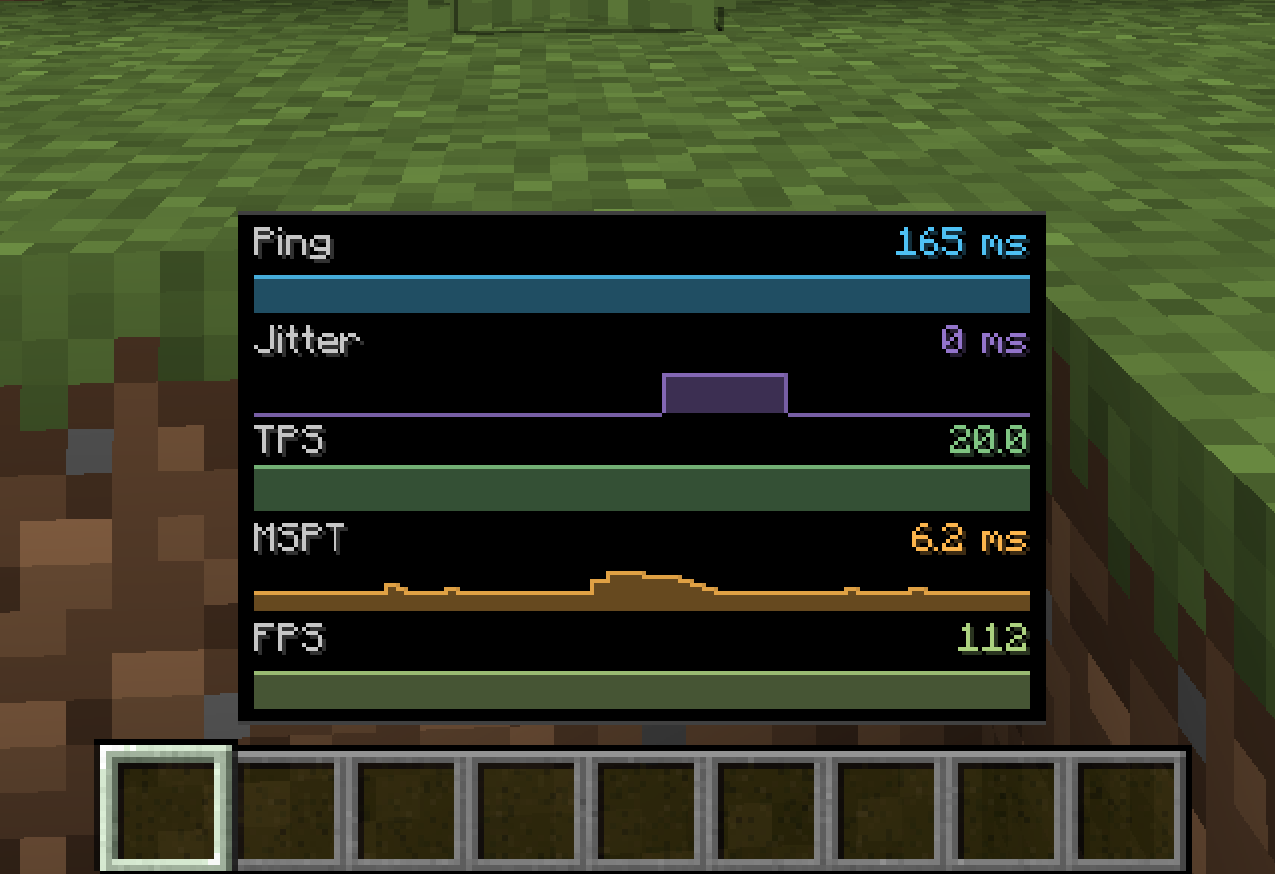 Banner preview
 -
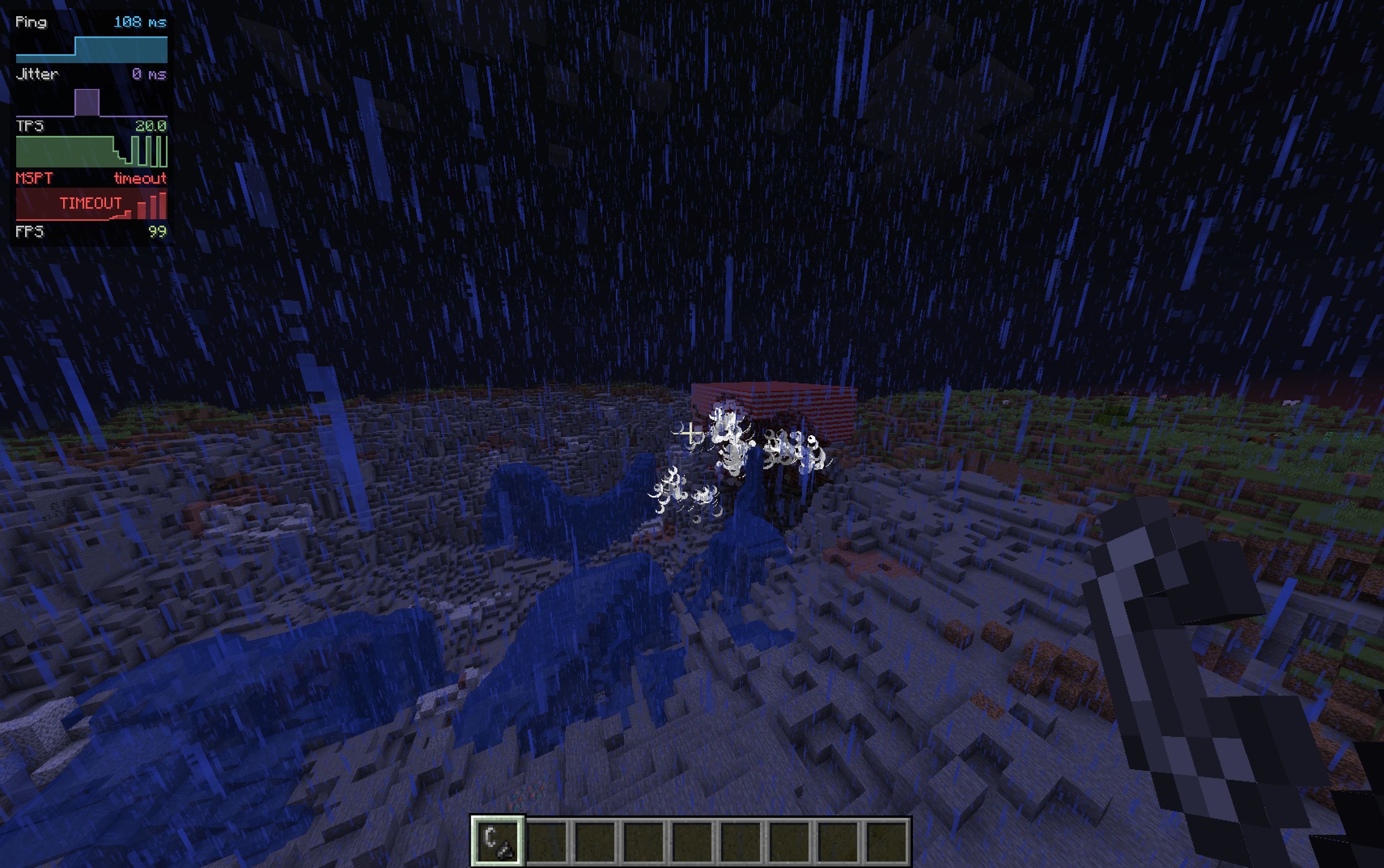 Timeout graph test
Versions
Files
Relations
Project Relations
More like this
Similar Mods
Suggestions use data such as tags, dependencies, dependents, descriptions, titles, and more to rank how much they overlap with this mod.
On ModDex
Community snapshot
By the numbers
Statistics

Want to reach Minecraft players?
We're looking for a server hosting partner to feature here and other parts of the site. Interested? Send us a message!
Get in touchGet it on
Available Platforms
On ModDex
Community snapshot
By the numbers
Statistics
Resources