Community listing page, reviews may not be monitored by the author.
Netherracked


No reviews yet
Adds Recipe for Netherrack in Minecraft (+ Create Mod)

Community voices
Reviews
No reviews yet. Be the first to review this project!
Get it on
Available Platforms
Compatibility
Supported Environments
Runs entirely on the server. Also works in singleplayer.
The author has not specified where this runs.
Varies by version.
About
Project Details
For authors
Embed Badge
If you're the author of this project, you can embed a live badge anywhere that supports HTML or Markdown. It updates automatically whenever ratings change.
Use HTML for any page that supports it, or Markdown for README files and Markdown-based descriptions.
Identifiers
Platform IDs
Resources
External Links
About
Description

NETHERRACKED
(10k Downloads TYSM!!!)
A Mod that Adds Recipe for Netherrack Which needs
Minecraft Furnace or Fan Blasting from Create Mod
Datapack Version: CLICK HERE!
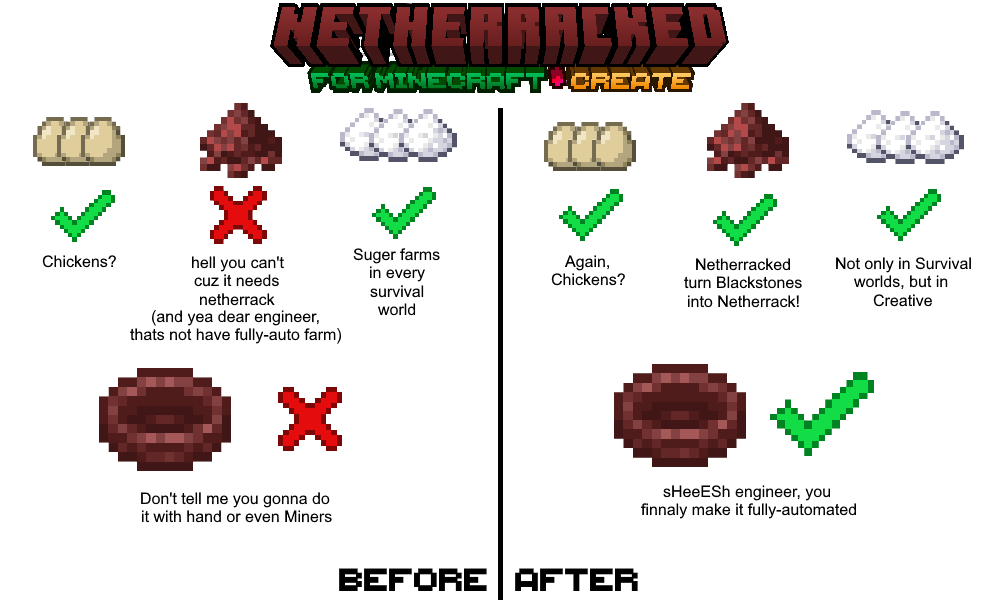
So, no more you upset because of "Can't Farm Netherrack". especially if you want to make Create Mod Blaze Burners have a fully-auto source of "Blaze Cakes".
Here is how it works:
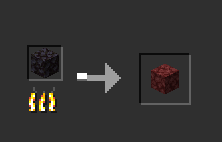
1. Minecraft Furnaces: Simply add Blackstone to input and wait for it smelt and finally you get Netherrack! (Hardly, it's difficult to farm Blackstone, sorry but I didn't find any respective Block for that.)
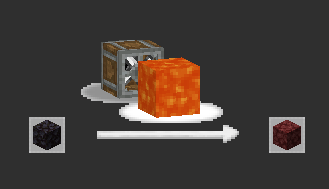
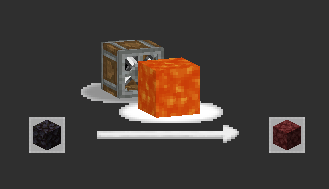
2. Create Mod Fan-Blasting: throw Blackstone in front of fan and lava so after a time it turns into Netherrack!

How to Install? (Datapack)
- put datapack into .minecraft/saves/(YOUR_WORLD)/datapacks
- go to your world and do: /datapack enable "file/Netherracked.zip"
- do /reload so datapack gets loaded
- here we go and you successfully loaded the datapack
doing this process for one world is enough. so once you load it, it's done.
but for other worlds, you should add it.
"Netherracked" by Arman Studios - IranMine123 Presents
Under CCPL (See License).
credit this CurseForge Page when you want to use it.
Visit my site: Arman Studios (Persian)
to setup their instances and servers faster and easier.


Netherracked: A Datapack that Adds Recipe for Netherrack Which needs
Minecraft Furnace or Fan Blasting from Create Mod.
So, no more you upset because of "Can't Farm Netherrack". especially if you want to make Create Mod Blaze Burners have a fully-automatic source of Blaze Cakes.
Here is how it works:
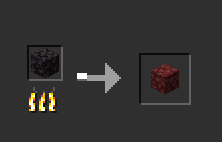
1. Minecraft Furnaces (Vanilla): Simply add Blackstone to input and wait for it smelt and finally you get Netherrack! (Hardly, it's difficult to farm Blackstone, sorry but I didn't find any respective Block for that.)
2. Create Mod Fan-Blasting: throw Blackstone in front of fan and lava so after a time it turns into Netherrack!
How to Install? (Datapack)
- put datapack into
.minecraft/saves/(YOUR_WORLD)/datapacks - go to your world and type:
/datapack enable "file/Netherracked.zip" - do
/reloadso datapack gets loaded into the world.
doing this process once for every world is enough. so once you load it, it's done. but for adding to the other worlds, you should repeat this process.
How to Install? (Mod)
- just put the mod on the
.minecraft/modsfolder and you're done!
"Netherracked" by IranMine123 Please Credit our Modrinth Page
Website: Arman Studios
Screenshots
Gallery
-
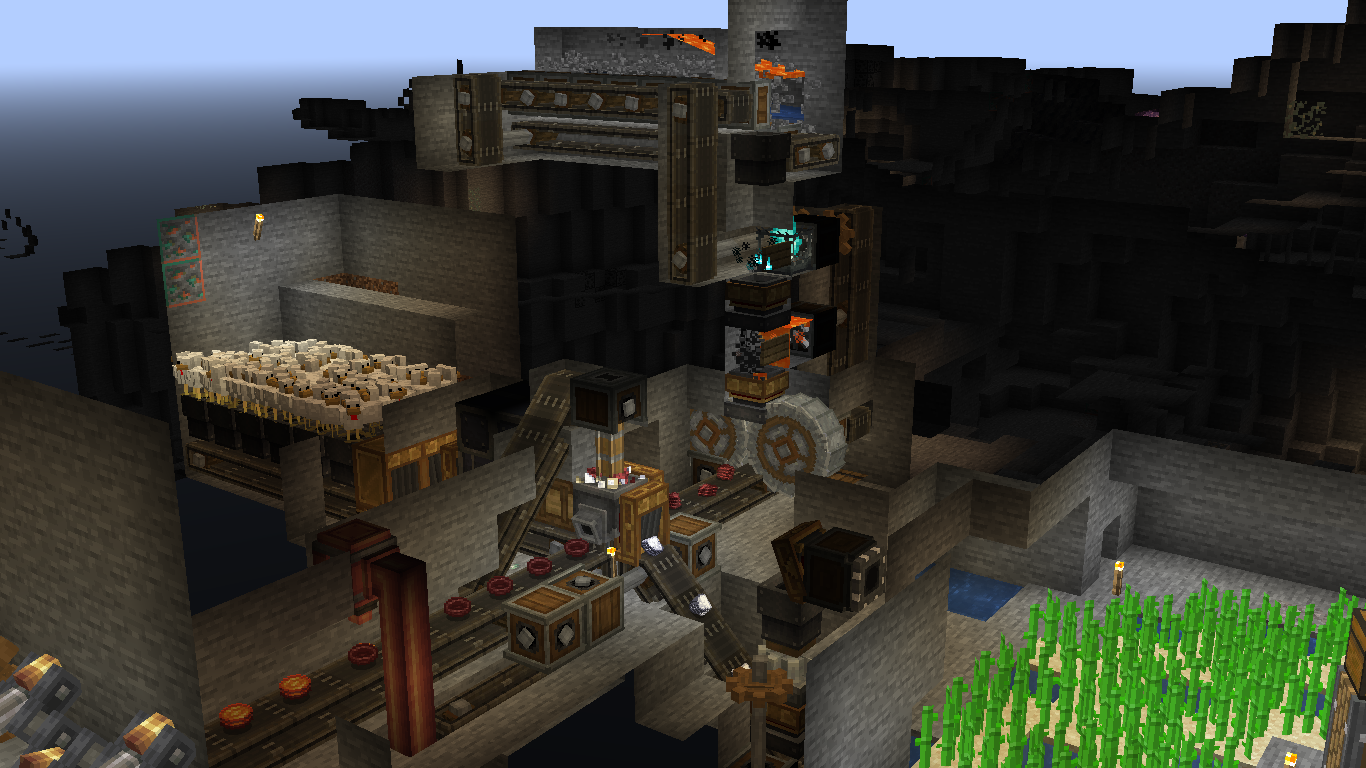 Netherracked in my world Using "Netherracked" on Steam Engine Fuel Maker. for making Cinder Flour: 1. make a Cobblestone farm 2. haunt Cobblestones 3. Blast Blackstones 4. Crush Netherrackes
-
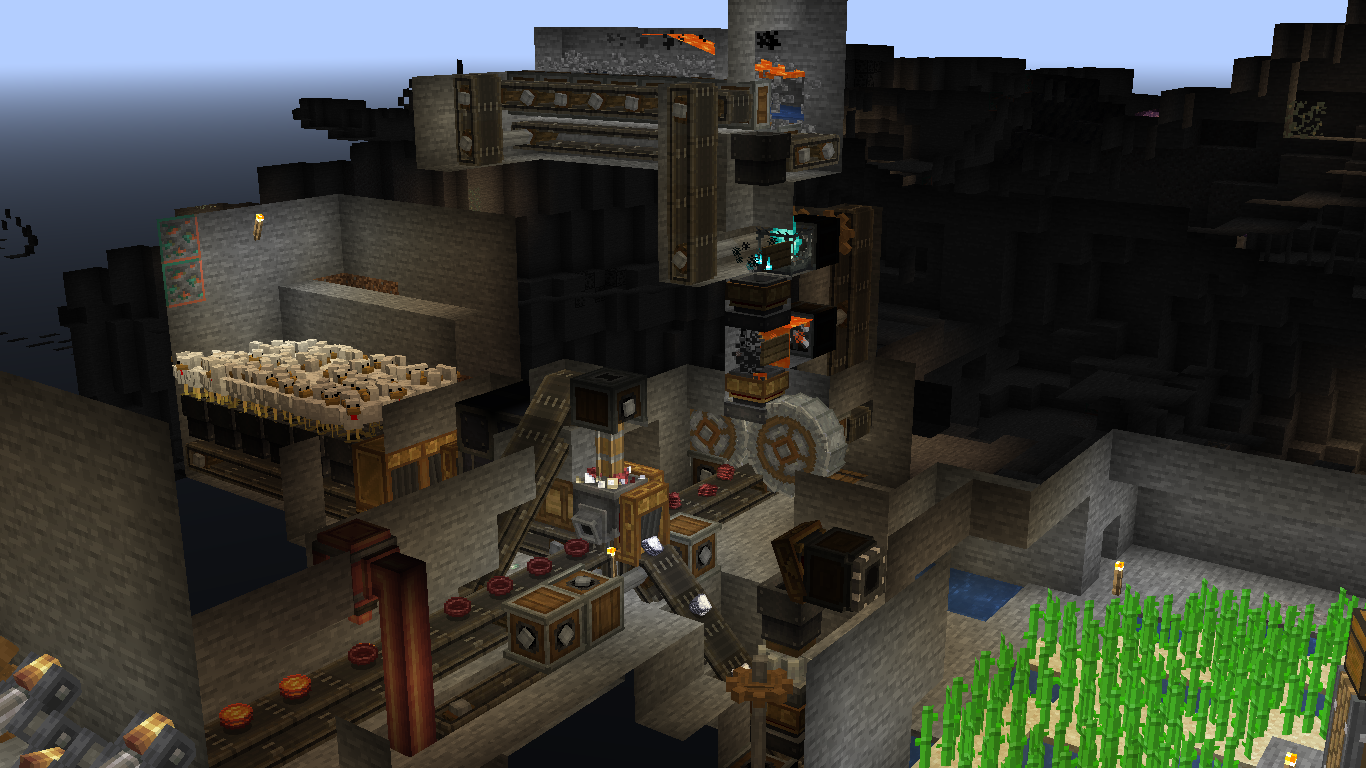 Blaze Cake Factory for Steam Engine Fuel Using "Netherracked" on Blaze Cake Farm. for making Cinder Flour: 1. make a Cobblestone farm 2. Haunt Cobblestones 3. Blast Blackstones 4. Crush Netherrackes
Versions
Files
Relations
Project Relations
More like this
Similar Mods
Suggestions use data such as tags, dependencies, dependents, descriptions, titles, and more to rank how much they overlap with this mod.
On ModDex
Community snapshot
By the numbers
Statistics

Get it on
Available Platforms
On ModDex
Community snapshot
By the numbers
Statistics
Resources