
Community listing page, reviews may not be monitored by the author.
NetUtils

No reviews yet
A networking utility for protocol debugging and state synchronization testing.

Community voices
Reviews
No reviews yet. Be the first to review this project!
Get it on
Available Platforms
Compatibility
Supported Environments
Runs entirely on the client. Works on vanilla servers.
About
Project Details
For authors
Embed Badge
If you're the author of this project, you can embed a live badge anywhere that supports HTML or Markdown. It updates automatically whenever ratings change.
Use HTML for any page that supports it, or Markdown for README files and Markdown-based descriptions.
Identifiers
Platform IDs
About
Description
NetUtils
A powerful networking utility for Minecraft protocol debugging, state synchronization testing, and network analysis. Built on the Architectury API for Fabric and NeoForge.
This tool is for educational and debugging purposes only. Using it to gain an unfair advantage or perform exploits on multiplayer servers is a violation of most server rules and platform terms of service. The developers do not condone cheating/duping. Use this mod at your own risk and only where you have explicit permission.
What specifically does this project provide?
NetUtils adds a comprehensive suite of client-side debugging tools that allow you to interact with the Minecraft networking layer in ways the vanilla client cannot:
- Packet Flow Control: Intercept, delay, or completely toggle outgoing packets to test server-side response times and handling.
- Inventory State Manipulation: Experiment with client-server desynchronization (e.g., closing screens locally without notifying the server) to test state handling logic.
- Detailed Data Extraction: View internal menu information (Sync IDs, Class names), list villager trades with internal IDs, and inspect GUI slot metadata.
- Resource Pack Management: Bypass or force-deny server-requested resource packs for testing environment isolation.
- Enhanced Client-Side Commands: A custom command system (using the
^prefix) for low-level interaction, including raw packet sending and loop execution.
Why should you use NetUtils?
- Mod & Plugin Development: If you are developing a mod or server plugin that relies on complex inventory or networking logic, NetUtils is an invaluable tool for stress-testing your code against "illegal" or unexpected client states.
- Protocol Education: Perfect for developers and researchers who want to understand the Minecraft networking protocol by observing and manipulating packets in real-time.
- Network Resilience Testing: Use the desynchronization and packet delay features to verify that your server's anti-cheat or state-recovery systems are robust.
Critical Information & Safety
- Multiplayer Usage: Using this on public servers will likely result in a permanent ban. It is intended for use in private development environments.
- Compatibility: Requires Minecraft 1.21.11+ and the Architectury API.
Features
- Packet Control: Delay or toggle outgoing packets.
- Synchronization: Simulate client-server desynchronization for state handling tests.
- Inventory Control: Close inventory screens without sending packets to the server.
- Resource Pack Control: Bypass or force-deny server resource packs.
Usage
Press V to restore the last closed screen.
Client Commands
All commands use the ^ prefix and can be typed in regular chat or the custom chat input field.
^help- Show all commands^toggle- Enable/disable mod features^menuinfo- Display GUI info (class, slots, sync ID)^trades- List villager trades with IDs^trade <id>- Automatically select and execute a trade^click <slot> [button] [type]- Click a specific inventory slot^loop <n> <command>- Repeat a commandntimes^desync- Synchronize/Desynchronize inventory state^clear- Clear the chat log^packets- List available packet types for^rawsend^rawsend <times> <packet> [args]- Force send raw packets to the server^save/^load- Save or restore the current screen state
License
This project is licensed under the MIT License - see the LICENSE file for details.
Screenshots
Gallery
-
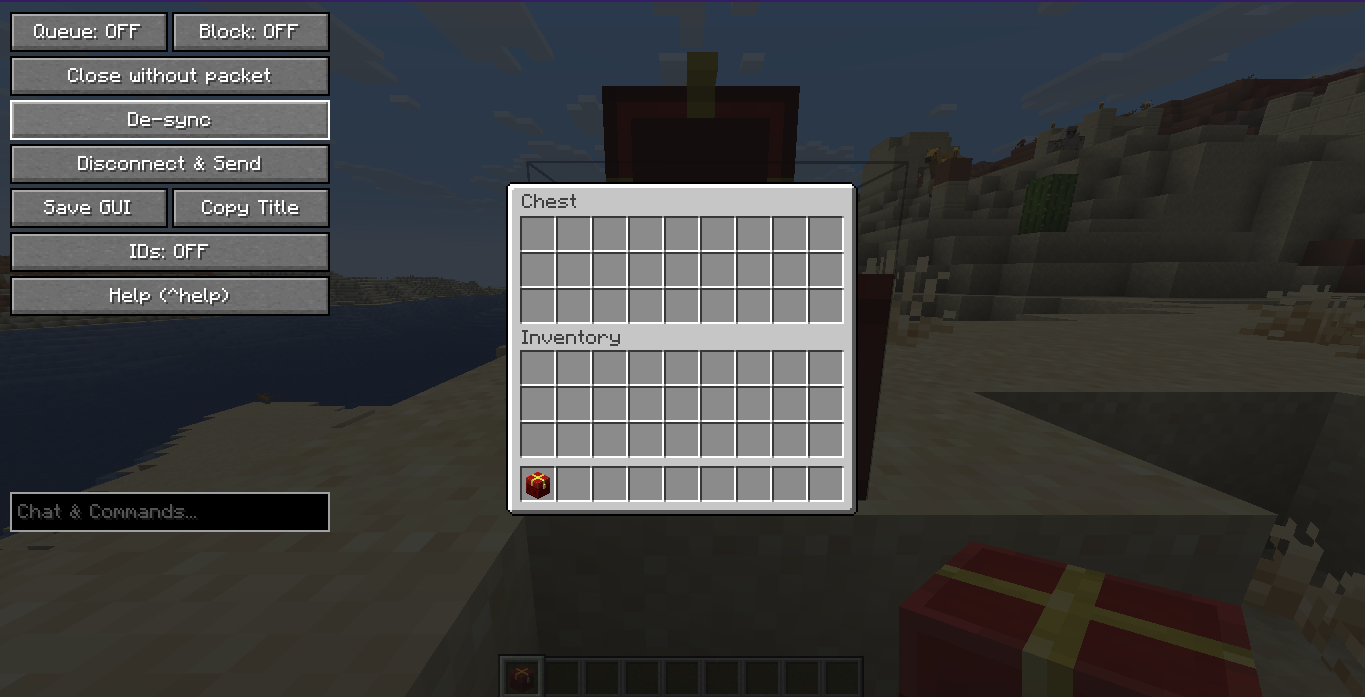 Container GUI
Versions
Files
Relations
Project Relations
More like this
Similar Mods
Suggestions use data such as tags, dependencies, dependents, descriptions, titles, and more to rank how much they overlap with this mod.
On ModDex
Community snapshot
By the numbers
Statistics


Get it on
Available Platforms
On ModDex
Community snapshot
By the numbers