Community listing page, reviews here may not be monitored by the author.
Nickname Manager


No reviews yet
Hides player nametags and shows them only when you look at a player or right-click them. Works client-only or with server.
Community voices
Reviews
No reviews yet. Be the first to review this project!
Get it on
Available Platforms
Compatibility
Supported Environments
Works on the client or the server alone, but does more when on both.
About
Project Details
For authors
Embed Badge
If you're the author of this project, you can embed a live badge anywhere that supports HTML or Markdown. It updates automatically whenever ratings change.
Use HTML for any page that supports it, or Markdown for README files and Markdown-based descriptions.
Identifiers
Platform IDs
Resources
External Links
About
Description
Nickname Manager
Hides vanilla player nametags and replaces them with a custom system. You see a player's name only when you look at them or right-click them.
How it works
The mod hides all player nametags by default. When you look at another player (or right-click them, depending on the mode), their name appears on your HUD — either under the crosshair or above the hotbar.
Admins can set custom styles per player: color, bold, italic, prefix, suffix, and other formatting. Styles support hex colors and MiniMessage-like tags.
Modes
The mod can run in two ways:
- Client-only — install only on the client. No server mod needed. You configure everything locally with
/nickclientcommands. - Server + Client — install on both. The server controls all settings and syncs them to players on join. Client settings are overridden. Server admins use
/nickmanagercommands.
If the server has the mod but a player doesn't — the player can still join, they just see vanilla nametags.
Features
- Hide all player nametags
- Show names on look-at or right-click
- Two display modes: under crosshair (ON_ENTITY) or above hotbar (ACTIONBAR)
- Configurable look-at distance (1–64 blocks)
- Per-player styles: color, bold, italic, underline, strikethrough, obfuscated, prefix, suffix
- MiniMessage-like formatting in prefixes/suffixes (e.g.
<gold>[Admin]</gold>) - Legacy
&color codes supported - Player exclusion list (hide specific players' names permanently)
- Invisible players' names are not shown
- Players wearing carved pumpkins get obfuscated names
- Simple Voice Chat compatibility — shows SVC voice icons next to names
- API for other mods (events, style access, config queries)
Commands
Client-only mode (/nickclient):
/nickclient toggle— enable/disable/nickclient mode <ON_ENTITY|ACTIONBAR>— display mode/nickclient trigger <LOOK_AT|RIGHT_CLICK>— trigger mode/nickclient distance <1-64>— look-at distance/nickclient status— show current settings/nickclient reload— reload config from file
Server mode (/nickmanager, requires OP 2):
/nickmanager toggle— enable/disable/nickmanager mode/trigger/distance— same as above/nickmanager reload— reload server config/nickmanager exclude add/remove/list <player>— manage exclusion list/nickmanager style <player> <property> <value>— set player style/nickmanager status— show server config
Nickname Manager
Hides vanilla player nametags and replaces them with a custom system. You see a player's name only when you look at them or right-click them.
How it works
The mod hides all player nametags by default. When you look at another player (or right-click them, depending on the mode), their name appears on your HUD — either under the crosshair or above the hotbar.
Admins can set custom styles per player: color, bold, italic, prefix, suffix, and other formatting. Styles support hex colors and MiniMessage-like tags.
Modes
The mod can run in two ways:
- Client-only — install only on the client. No server mod needed. You configure everything locally with
/nickclientcommands. - Server + Client — install on both. The server controls all settings and syncs them to players on join. Client settings are overridden. Server admins use
/nickmanagercommands.
If the server has the mod but a player doesn't — the player can still join, they just see vanilla nametags.
Features
- Hide all player nametags
- Show names on look-at or right-click
- Two display modes: under crosshair (ON_ENTITY) or above hotbar (ACTIONBAR)
- Configurable look-at distance (1–64 blocks)
- Per-player styles: color, bold, italic, underline, strikethrough, obfuscated, prefix, suffix
- MiniMessage-like formatting in prefixes/suffixes (e.g.
<gold>[Admin]</gold>) - Legacy
&color codes supported - Player exclusion list (hide specific players' names permanently)
- Invisible players' names are not shown
- Players wearing carved pumpkins get obfuscated names
- Simple Voice Chat compatibility — shows SVC voice icons next to names
- API for other mods (events, style access, config queries)
Commands
Client-only mode (/nickclient):
/nickclient toggle— enable/disable/nickclient mode <ON_ENTITY|ACTIONBAR>— display mode/nickclient trigger <LOOK_AT|RIGHT_CLICK>— trigger mode/nickclient distance <1-64>— look-at distance/nickclient status— show current settings/nickclient reload— reload config from file
Server mode (/nickmanager, requires OP 2):
/nickmanager toggle— enable/disable/nickmanager mode/trigger/distance— same as above/nickmanager reload— reload server config/nickmanager exclude add/remove/list <player>— manage exclusion list/nickmanager style <player> <property> <value>— set player style/nickmanager status— show server config
Screenshots
Gallery
-
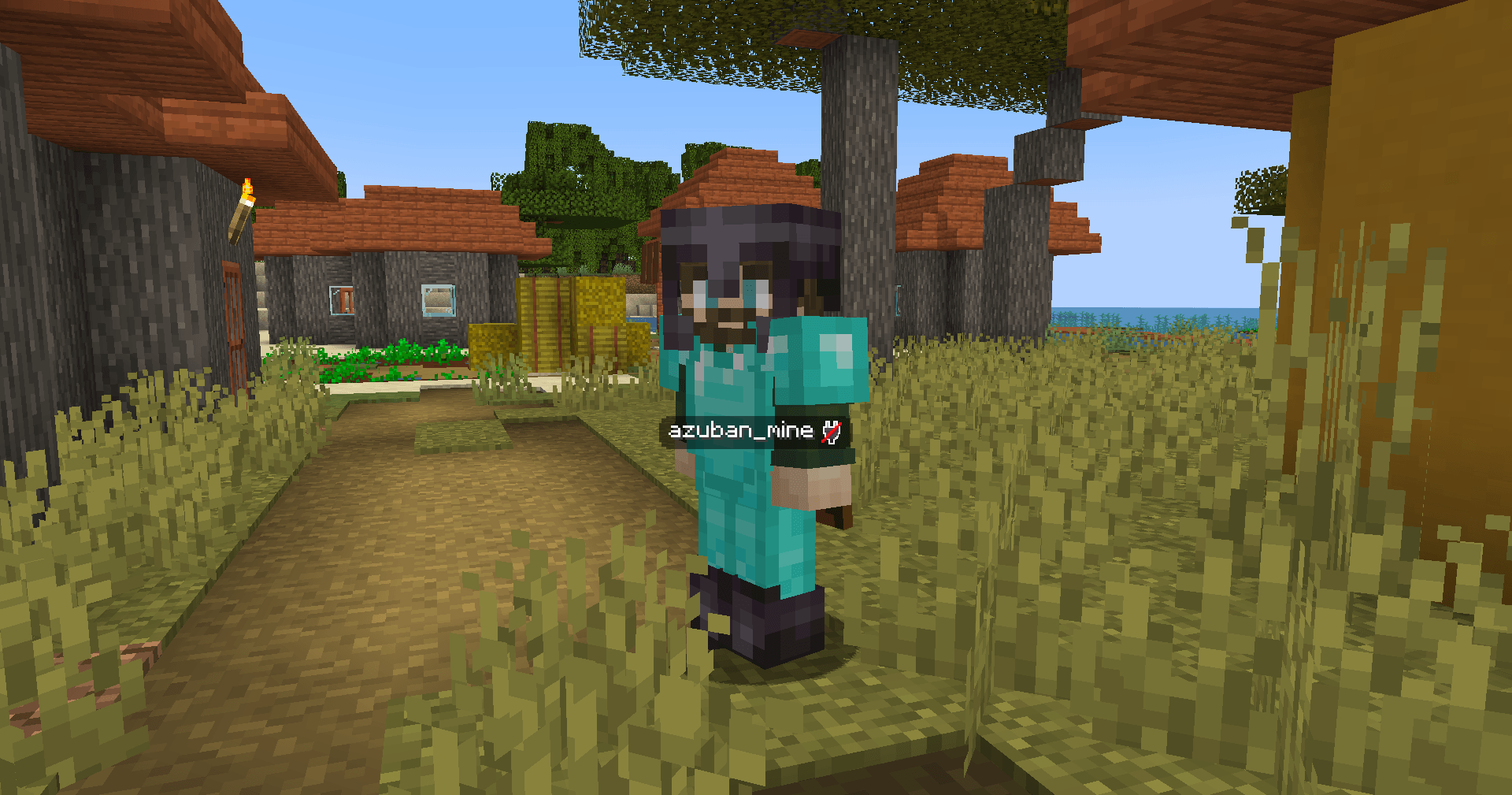 Nickname display
 -
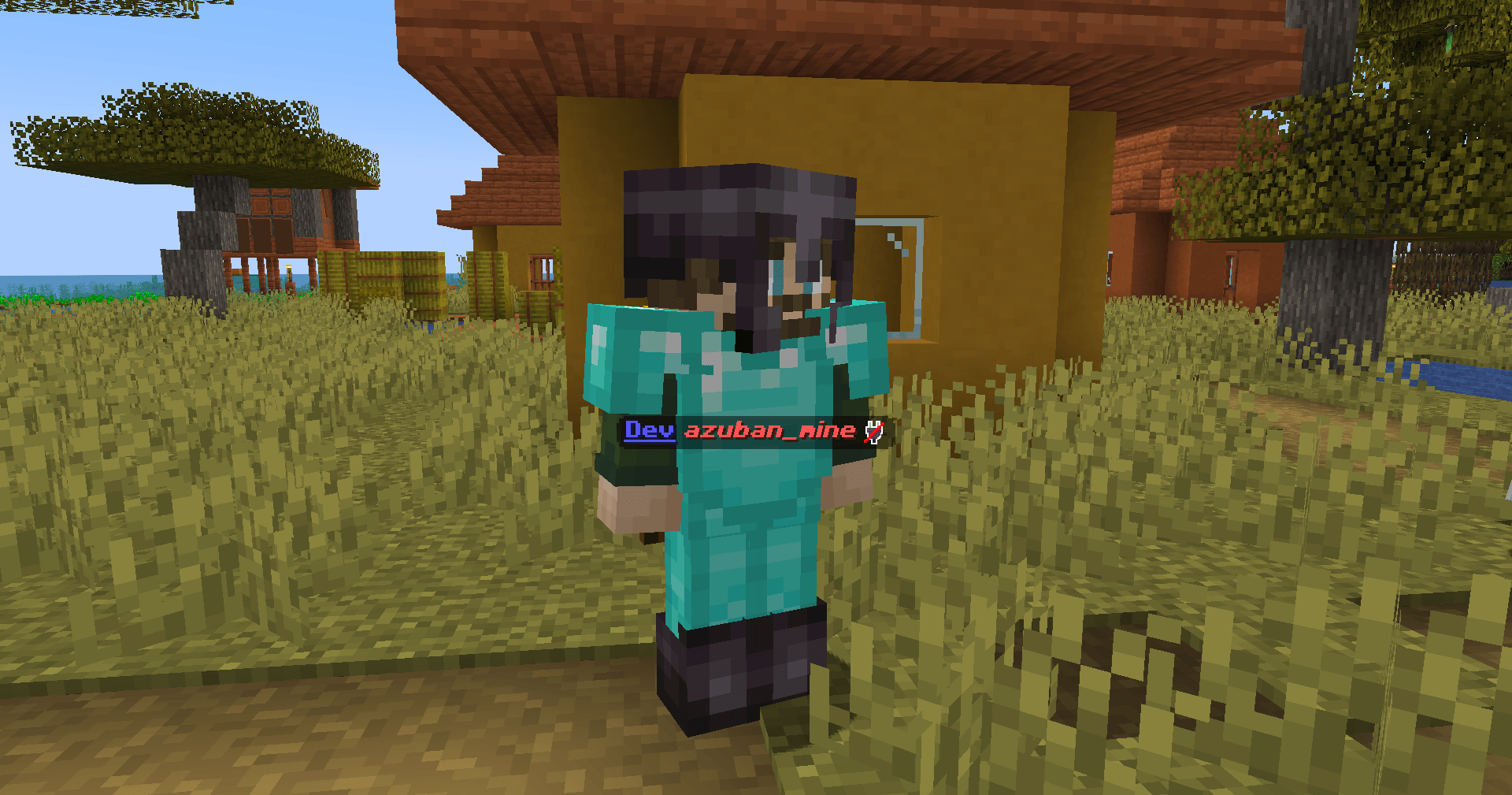 Nickname customization
-
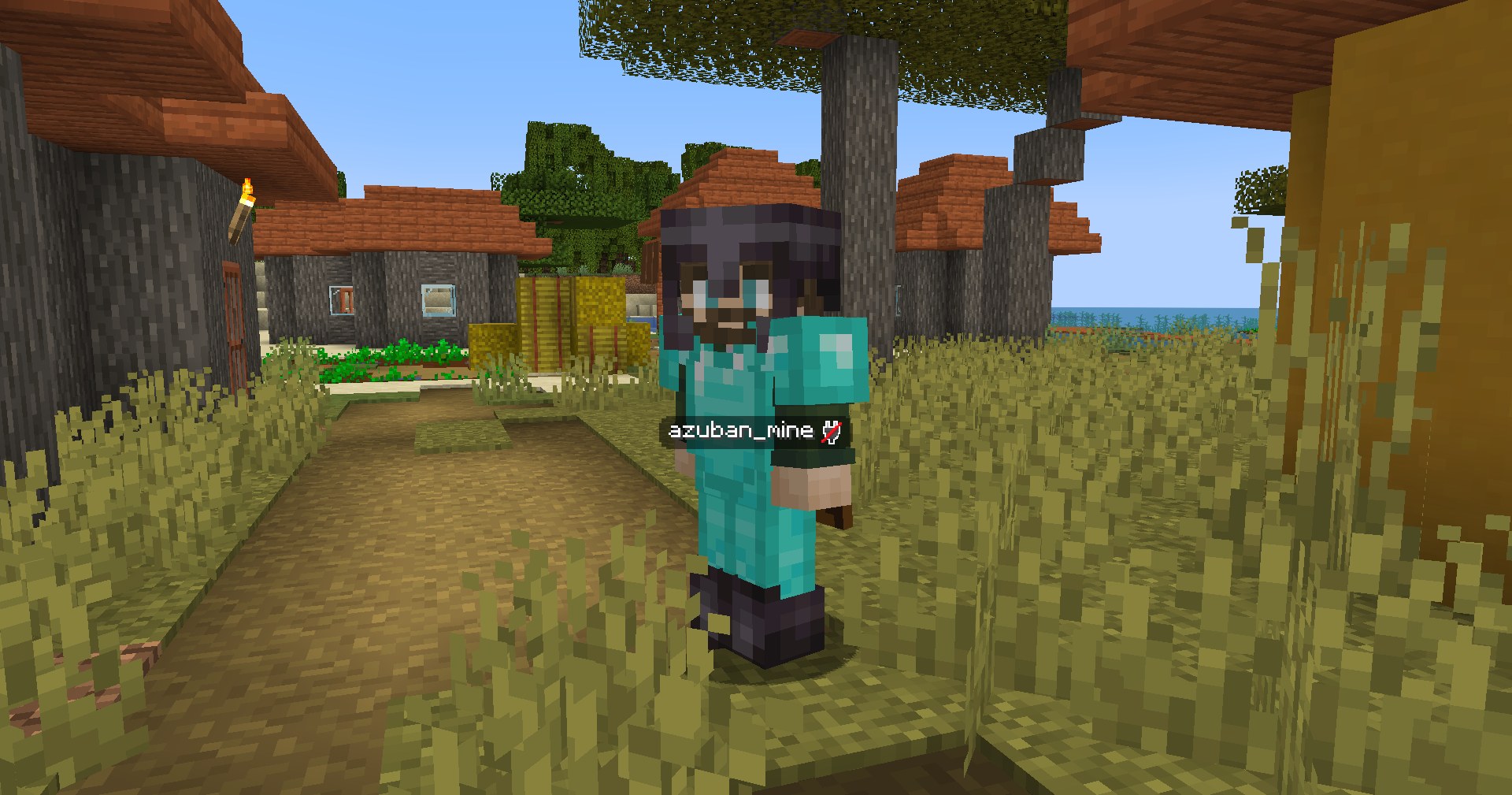 Nickname display
 -
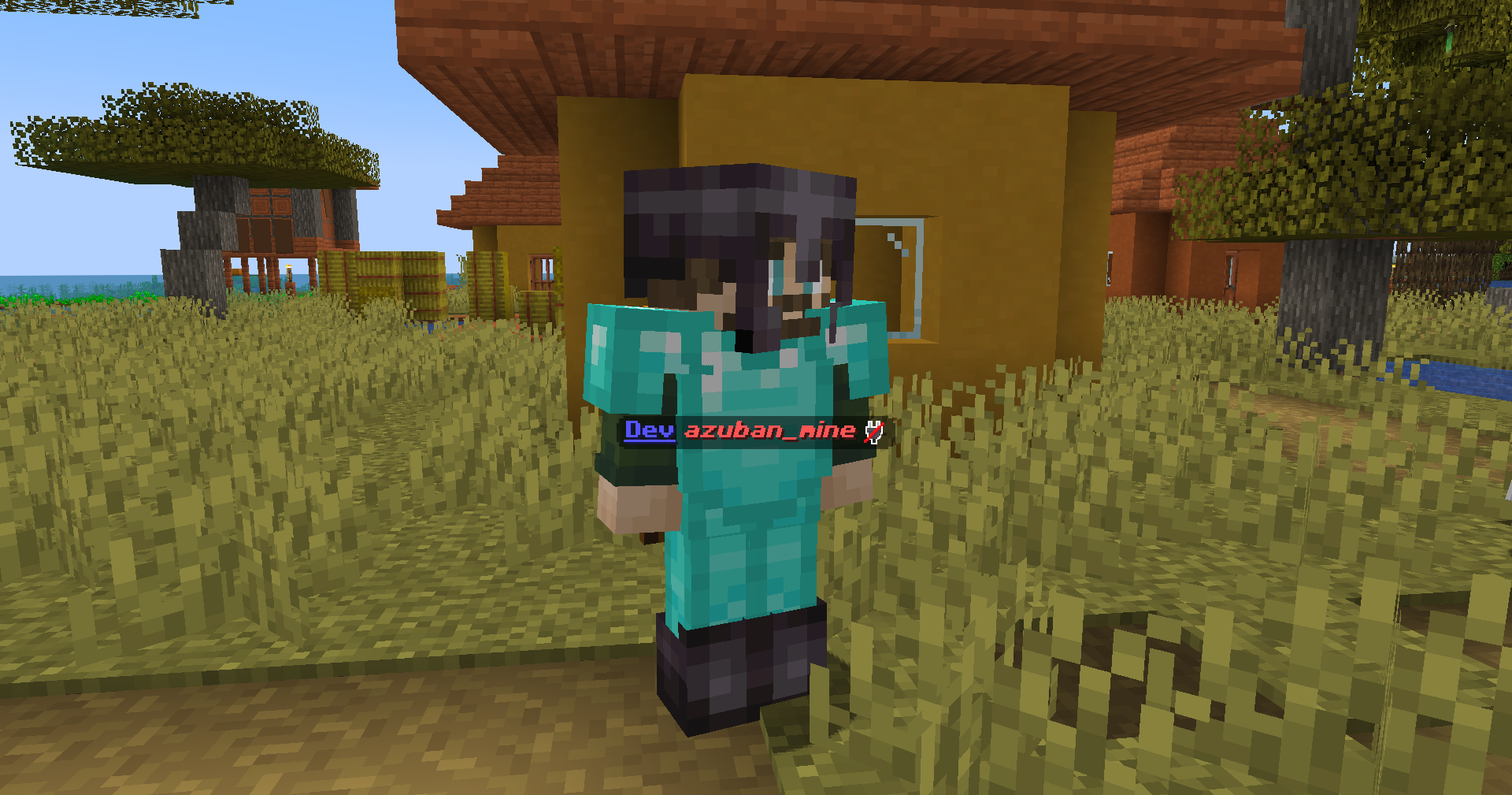 Nickname customization
Versions
Files
Relations
Project Relations
More like this
Similar Mods
Suggestions use data such as tags, dependencies, dependents, descriptions, titles, and more to rank how much they overlap with this mod.
On ModDex
Community snapshot
By the numbers
Statistics
Want to reach Minecraft players?
We're looking for a server hosting partner to feature here and other parts of the site. Interested? Send us a message!
Get in touchGet it on
Available Platforms
On ModDex
Community snapshot
By the numbers
Statistics
Resources