
NIRC
No reviews yet
Channel-based chat mod for Minecraft Fabric — connects to a dedicated server with TLS and Mojang account verification.
Fabric is a mod loader for versions 1.14+ of Minecraft, particularly popular for client side and optimization mods.
Community voices
Reviews
Click once to include, again to exclude, again to clear
No reviews yet. Be the first to review this project!
Get it on
Available Platforms
 Modrinth
Compatibility
Supported Environments
About
Project Details
For authors
Embed Badge
If you're the author of this project, you can embed a live badge anywhere that supports HTML or Markdown. It updates automatically whenever ratings change.
Use HTML for any page that supports it, or Markdown for README files and Markdown-based descriptions.
Identifiers
Platform IDs
Resources
External Links
About
Description
NIRC
A channel-based chat mod for Minecraft Fabric. Adds in-game chat that runs over a secure custom protocol on a dedicated chat server — separate from the Minecraft server you're playing on. Runs entirely client-side, so it works on any server (vanilla, modded, LAN, singleplayer).
Features
- Channel-based chat with per-channel passwords, MOTDs, and admins
- Slash commands for sending, switching channels, and admin actions
- @mention highlight with sound notification
- Control panel UI for nickname / password / channel management
- Auto-restore last channel on reconnect
Security
- TLS 1.2 with client-side certificate pinning
- Mojang UUID verification — prevents trivial nick impersonation
- Yggdrasil challenge-response — verifies real Minecraft account ownership
- Per-IP and total rate limits on connections and messages
- Channel password lockout after repeated failures
Commands
| Command | Description |
|---|---|
/nirc |
Open the control panel |
/nirc chat |
Open the NIRC chat window |
/nc <message> |
Send one message to the current channel |
/ncgo <channel> [password] |
Switch channel |
/nclist |
List available channels |
/ncoff |
Disable chat |
/ch n |
Toggle chat |
/ncadmin <kick|ban|unban|motd|pass> ... |
Channel admin commands |
Server
This mod connects to a fixed server, intended for a small invite-only community. There is no built-in mechanism to point it at other servers.
Requirements
- Minecraft 1.21.10, 1.21.11, 26.1.1, 26.1.2
- Fabric Loader ≥ 0.16
- Fabric API
- Java 21
Screenshots
Gallery
-
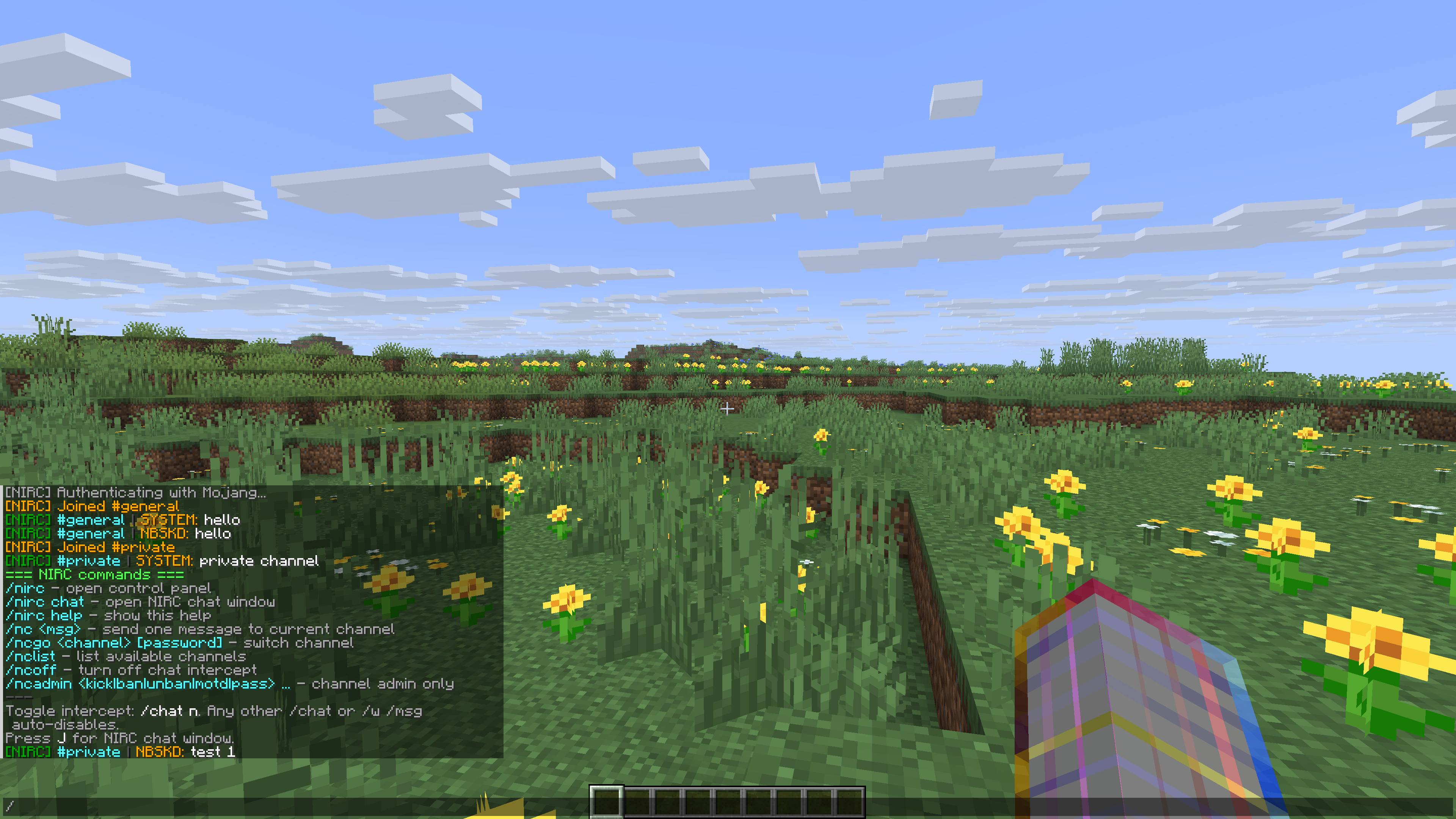 In-game chat with channels and commands NIRC running inside Minecraft — multi-channel chat (#general, #private), Mojang authentication, system messages, and the /nirc help overlay showing available slash commands.
 -
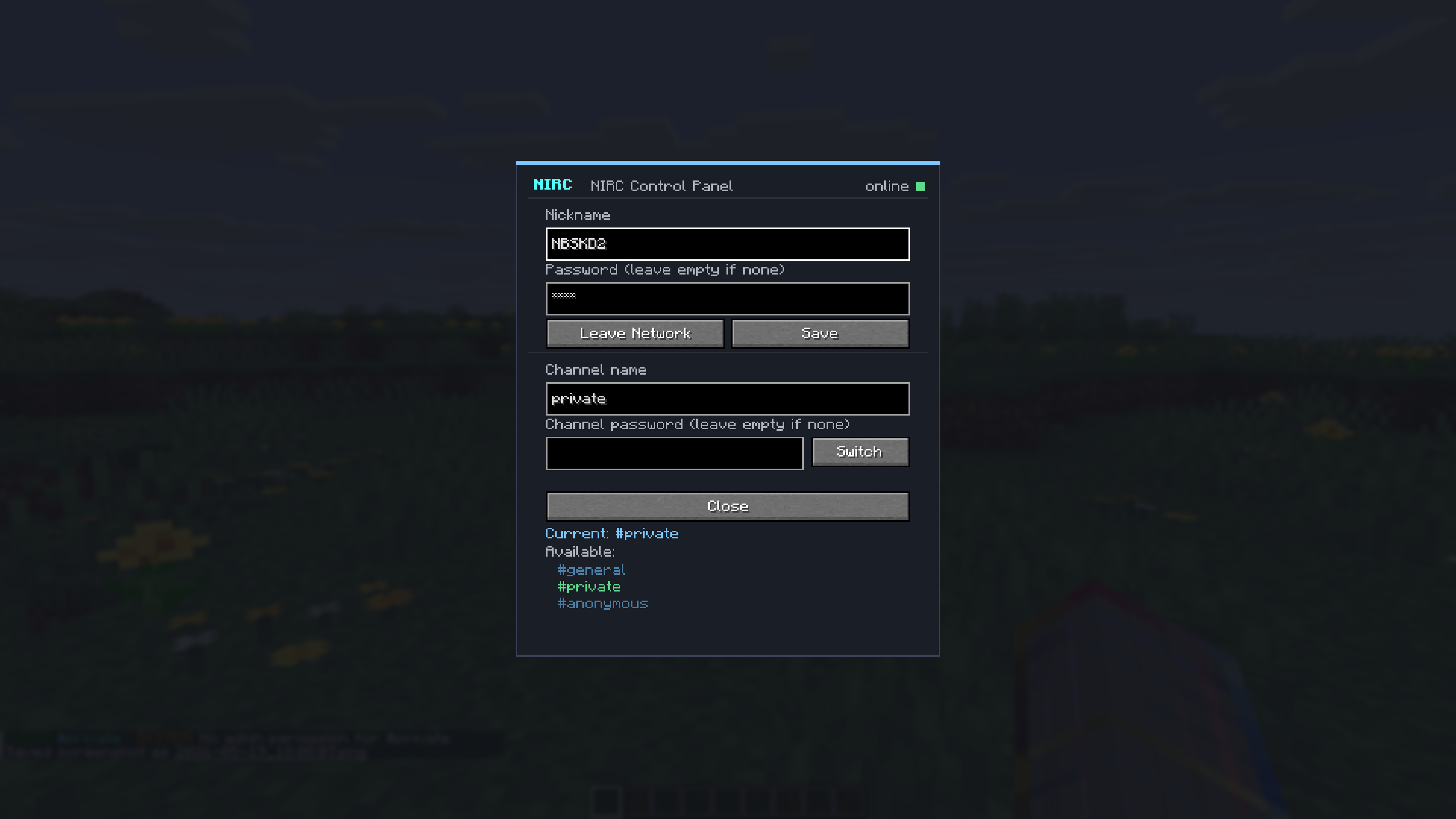 Control panel The /nirc control panel — set your nickname, server password, and switch between channels. Shows online status and the list of available channels with the current one highlighted.
Versions
Files
Relations
Project Relations
More like this
Similar Mods
Suggestions use data such as tags, dependencies, dependents, descriptions, titles, and more to rank how much they overlap with this mod.
On ModDex
Community snapshot
By the numbers
Statistics

Want to reach Minecraft players?
We're looking for a server hosting partner to feature here and other parts of the site. Interested? Send us a message!
Get in touchGet it on
Available Platforms
On ModDex
Community snapshot
By the numbers
Statistics
Resources