
Community listing page, reviews may not be monitored by the author.
NobodyHotkeys

No reviews yet
NobodyHotkeys lets you assign custom keyboard shortcuts to Minecraft commands and manage them easily through an in-game menu. Execute commands instantly with a single key on your keyboard or a Stream Deck configured to send keyboard shortcuts.

Community voices
Reviews
No reviews yet. Be the first to review this project!
Get it on
Available Platforms
About
Project Details
For authors
Embed Badge
If you're the author of this project, you can embed a live badge anywhere that supports HTML or Markdown. It updates automatically whenever ratings change.
Use HTML for any page that supports it, or Markdown for README files and Markdown-based descriptions.
Identifiers
Platform IDs
Resources
External Links
About
Description
# NobodyHotkeys – Your Commands. Your Keys. Your Game.
**Stop typing the same commands over and over. One key is all you need!**
Whether you're exploring, building, managing a server, or streaming Minecraft to your community, **NobodyHotkeys** makes executing commands faster, easier, and more convenient.
Assign Minecraft commands to individual keyboard keys or custom key combinations and activate them instantly while playing — without opening the chat or typing commands manually.
## Features
- **One-Key Commands** – Execute your favorite Minecraft commands with a single keystroke.
- **Stream Deck Friendly** – Use a Stream Deck configured to send keyboard shortcuts for quick command access during livestreams.
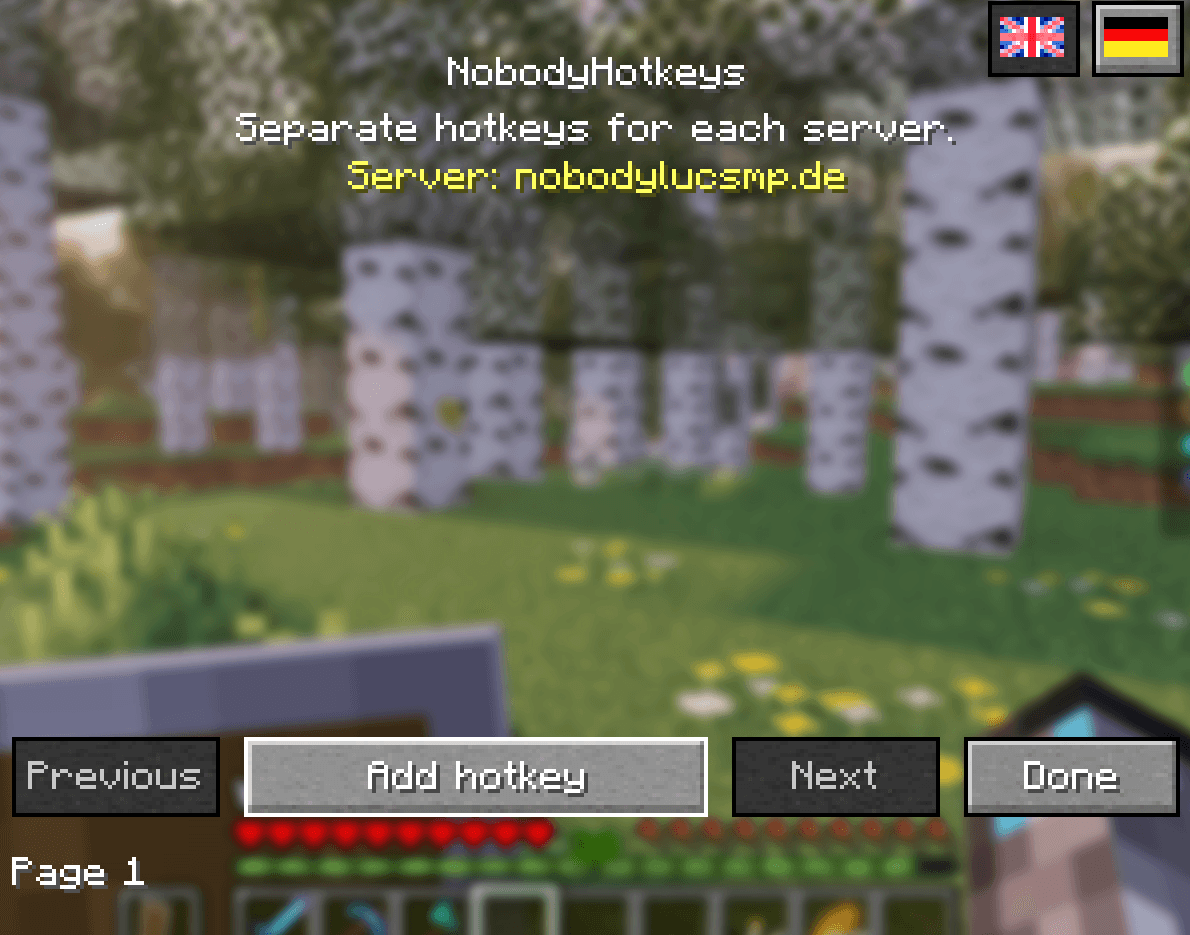
- **Server Profiles** – Automatically use different hotkeys depending on which multiplayer server you're playing on.
- **Singleplayer Support** – Enjoy the same convenience in your singleplayer worlds with a separate singleplayer profile.
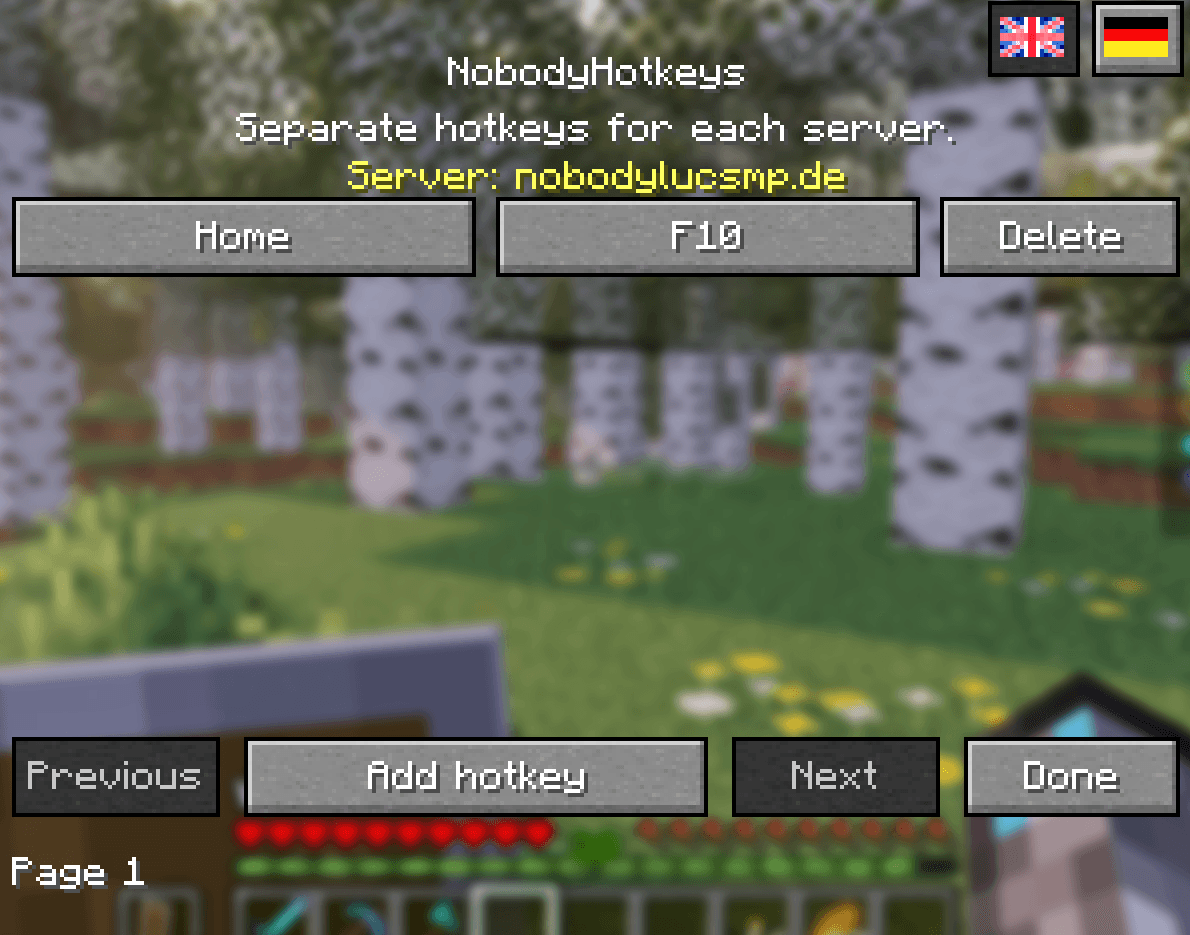
- **Easy In-Game Editor** – Create, edit, and delete hotkeys directly inside Minecraft.
- **Custom Key Combinations** – Supports individual keys and combinations with Ctrl, Shift and Alt.
- **Conflict Detection** – Helps prevent assigning keys that are already used by Minecraft or other registered key bindings.
- **Local Storage & Backups** – Your settings are stored locally, with backup protection for saved profiles.
- **English & German** – Switch the interface language directly in the mod menu.
- **Lightweight & Client-Side** – Designed to stay simple and lightweight, with no server-side installation required.
## Perfect for Streamers & Content Creators
Focus on your audience instead of typing commands into the Minecraft chat.
Want to teleport home, open a server menu, access your shop, or trigger a custom command during a livestream?
**Press a key and keep playing!**
NobodyHotkeys can also work alongside devices such as the **Elgato Stream Deck**, as long as the device is configured to send the assigned keyboard input. No direct Stream Deck integration is required.
## How to Use NobodyHotkeys
1. Start Minecraft and enter a multiplayer server or singleplayer world.
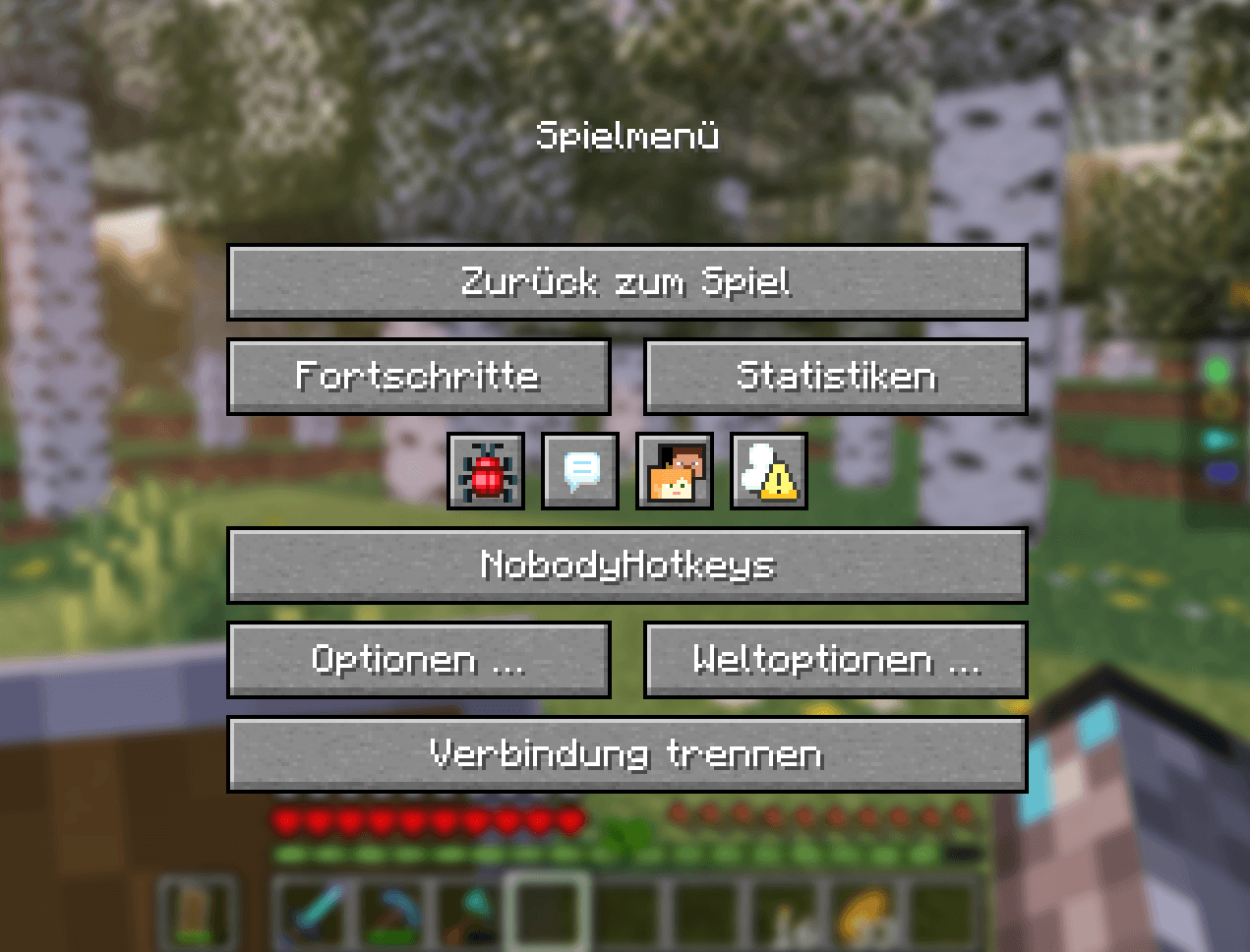
2. Press **ESC** to open the Minecraft pause menu.
3. Click the **NobodyHotkeys** button.
4. Select **Add Hotkey**.
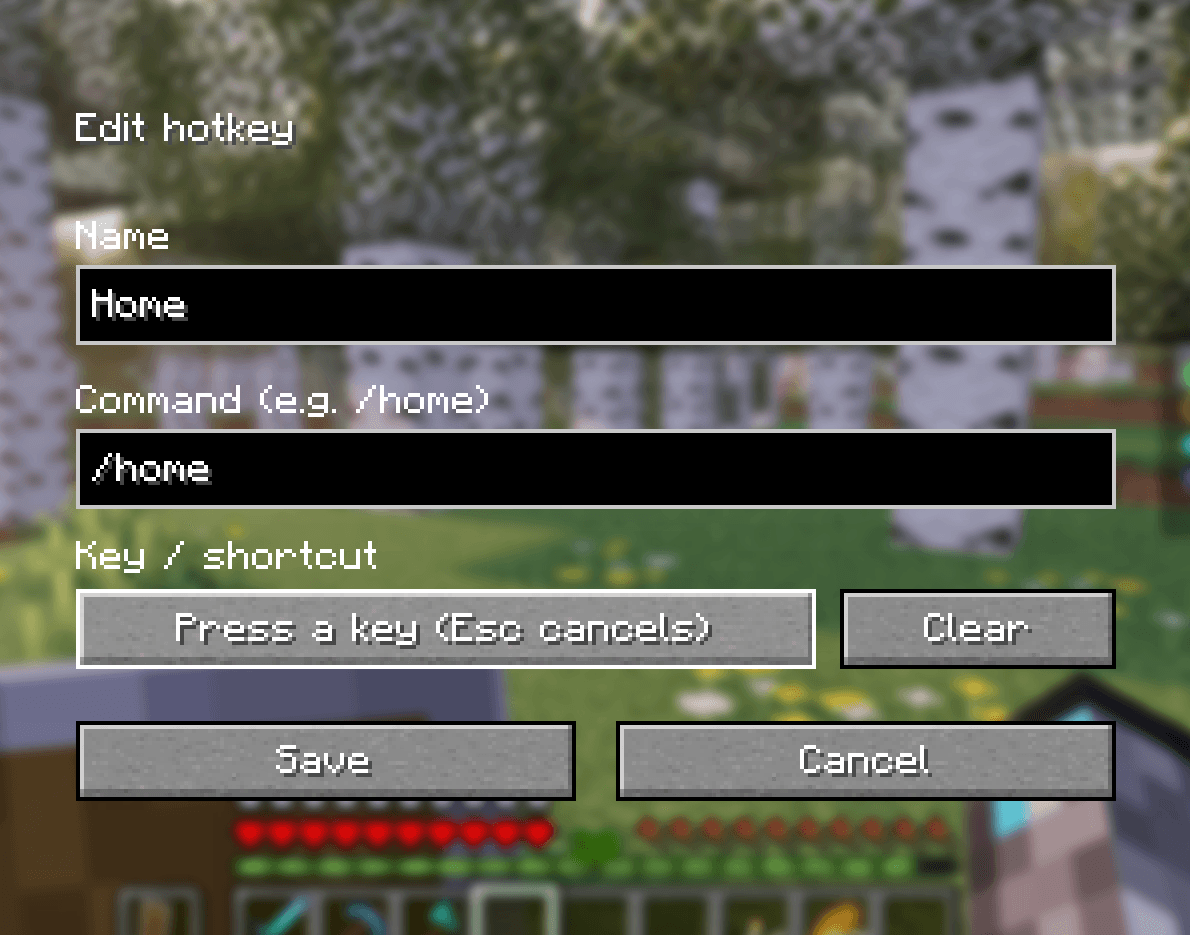
5. Enter a name and your Minecraft command, including `/`.
6. Click the key assignment button and press your desired key or combination.
7. Click **Save** — you're ready to go!
Your assigned commands can now be executed directly while playing.
## Example Commands
| Command | Purpose |
|---|---|
| `/home` | Teleport home |
| `/shop` | Open a server shop |
| `/ah` | Open an auction house |
| `/tpaccept` | Teleport Player |
*These are examples of server-provided commands. Availability depends on the server, installed plugins, and your permissions.*
## Requirements
- **Minecraft:** Java Edition 26.3
- **Mod Loader:** Fabric
- **Java:** 25
- **Dependency:** Fabric API
- **Installation:** Client-side only
## Why NobodyHotkeys?
Because Minecraft should be about **playing, creating, and enjoying the game — not repeatedly typing commands.**
**Less typing. More gaming. NobodyHotkeys.**
*Commands are executed with your normal player permissions. NobodyHotkeys does not bypass server restrictions or grant additional permissions.*
Screenshots
Gallery
-
 f270da30641dcdcf007ff8e64d7aaab5feb2c914.png f270da30641dcdcf007ff8e64d7aaab5feb2c914.png
-
 b4eb3d6176ad019fa794cf8aeb10e16803e897da.png b4eb3d6176ad019fa794cf8aeb10e16803e897da.png
-
 504ba3560ce2869fcafbda4b47975ecfdc60f085.png 504ba3560ce2869fcafbda4b47975ecfdc60f085.png
-
 c9dd3d41237d8c67b802eeffa9958ce4a992d460.png c9dd3d41237d8c67b802eeffa9958ce4a992d460.png
-
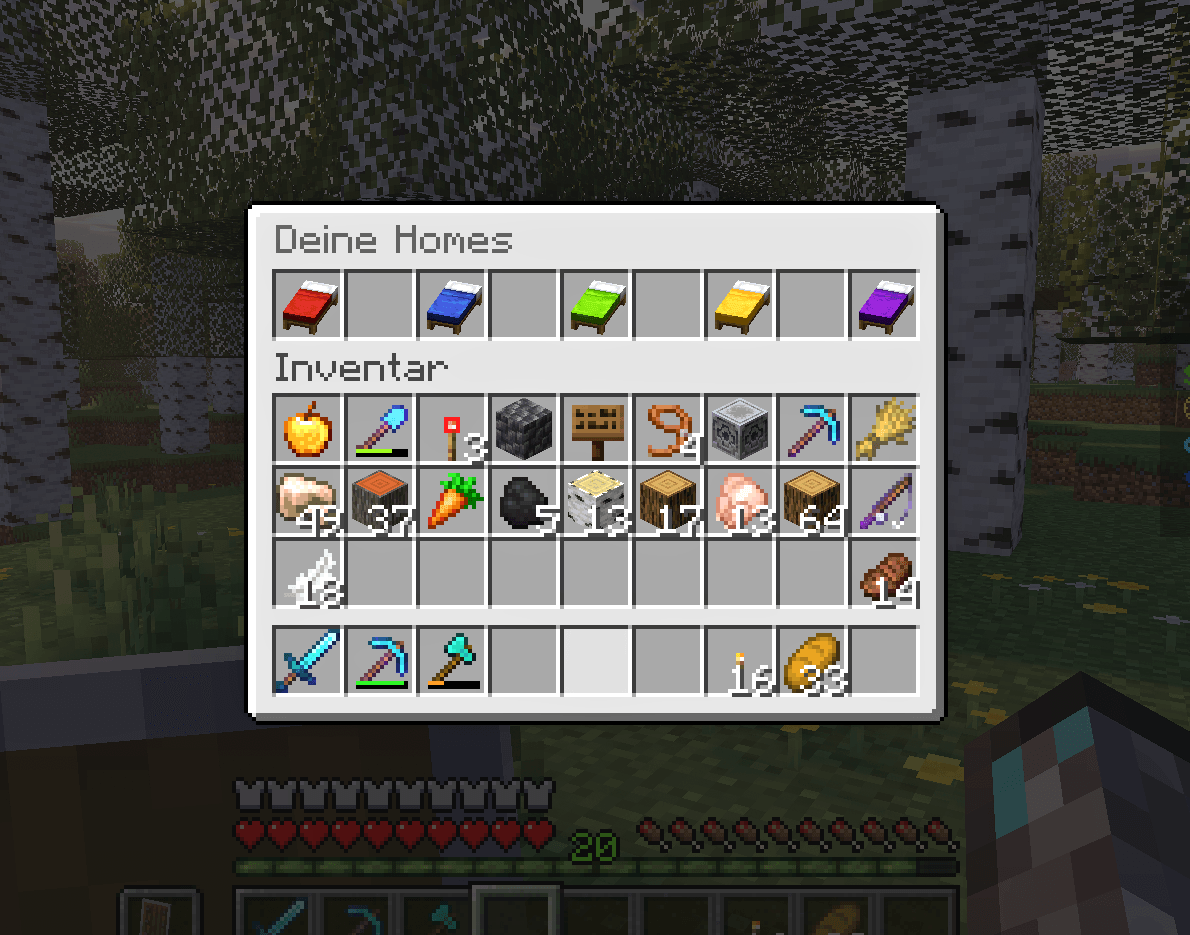 bf6b41bac8d9315a4d0e7f2479633f80f275963a.png bf6b41bac8d9315a4d0e7f2479633f80f275963a.png
Versions
Files
Relations
Project Relations
More like this
Similar Mods
Suggestions use data such as tags, dependencies, dependents, descriptions, titles, and more to rank how much they overlap with this mod.
On ModDex
Community snapshot
By the numbers
Statistics

Get it on
Available Platforms
On ModDex
Community snapshot
By the numbers
Statistics
Resources