Community listing page, reviews here may not be monitored by the author.
Noclip NEO


No reviews yet
A Simple Noclip Mod, That Can Be Toggled With Any Key Of Your Choice.

Community voices
Reviews
No reviews yet. Be the first to review this project!
Get it on
Available Platforms
Compatibility
Supported Environments
Must be installed on both the client and the server.
About
Project Details
For authors
Embed Badge
If you're the author of this project, you can embed a live badge anywhere that supports HTML or Markdown. It updates automatically whenever ratings change.
Use HTML for any page that supports it, or Markdown for README files and Markdown-based descriptions.
Identifiers
Platform IDs
Resources
External Links
About
Description
Noclip NEO / neoforge By GoZeRuk
NoClip Neo
A simple NoClip mod at heart — with precision flight, animated time control, and powerful customisation.
NoClip Neo is designed to be the easiest noclip mod to use, while offering a level of control normally found only in advanced building tools.
At its core it remains extremely simple:
Press a key → enable noclip → move through the world.
NoClip Neo is built so you can use it as a lightweight noclip toggle, or expand into its deeper features when you need them.
These include precision movement control, animated time manipulation, customizable UI layouts, performance options, and saved configuration profiles.
The Time Effects Look Great With Shaders!!
Simple NoClip First
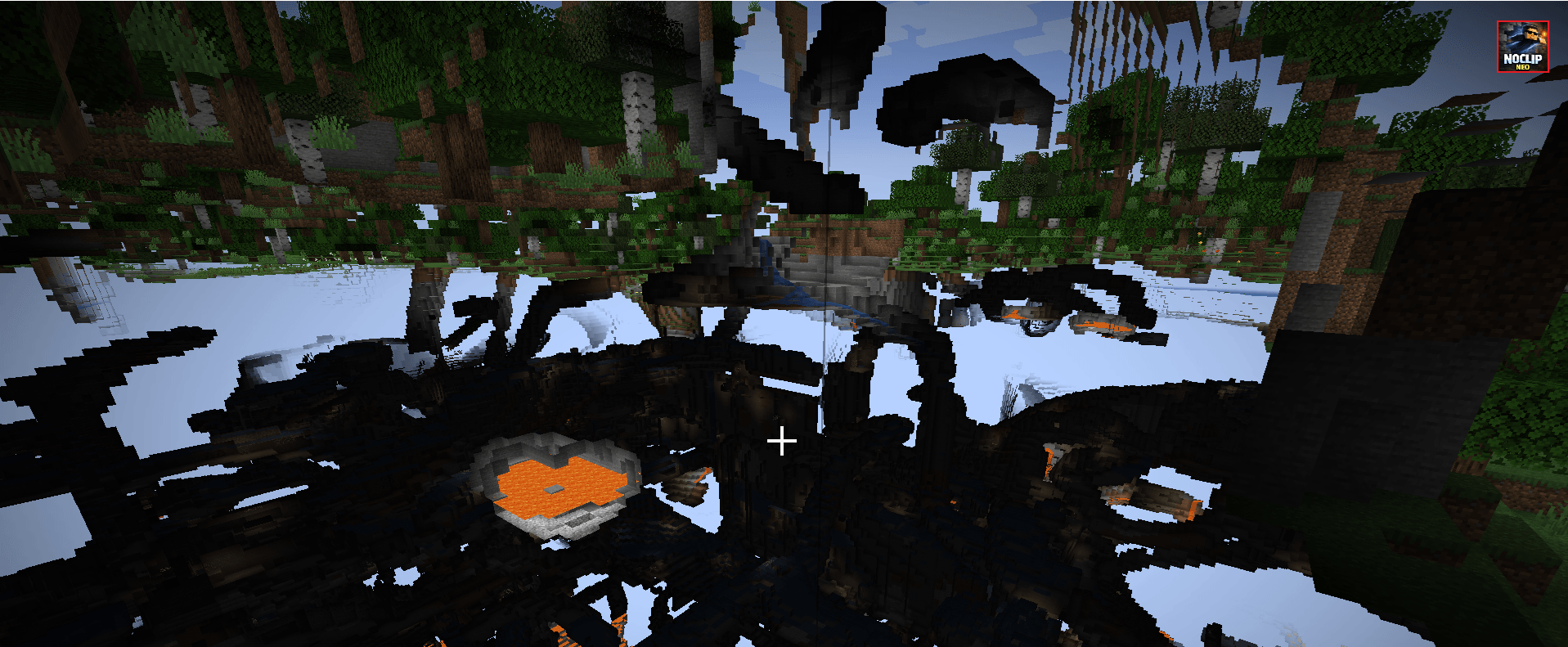
NoClip Neo focuses on doing one thing extremely well: smooth noclip movement.
Features include:
• Toggle noclip instantly
• Move freely through terrain and structures
• Break blocks while in noclip (optional)
• Place blocks while in noclip (optional)
• Works in Survival, Adventure, Hardcore, and Creative modes
The mod remains lightweight and unobtrusive if you only want basic noclip functionality.
Precision Flight Control
Movement is fully configurable for different play styles.
Options include:
• Adjustable horizontal flight speed
• Adjustable vertical flight speed
• Linked speed mode for simple flight behaviour
• Unlinked speed mode for precise vertical and horizontal control
• Optional inertia system for smooth momentum-based movement
• Enhanced creative flight tuning
This allows the mod to work equally well for:
• slow precision building
• terrain inspection
• fast world traversal
Advanced Time Manipulation
NoClip Neo includes a powerful world time control system.
You can instantly change time or animate the transition to preserve Minecraft’s lighting effects.
Time features include:
• Dawn
• Noon
• Dusk
• Night
Each time change can operate in two ways:
Instant Mode
The time changes immediately.
Animated Mode
The world smoothly accelerates through the day/night cycle, allowing lighting engines and shader packs to render the transition naturally.
This produces excellent visual effects when using shader packs or cinematic recordings, as the sky, shadows, and lighting shift dynamically rather than jumping instantly.
Additional time controls include:
• Pause the world time completely
• Slow down time progression
• Accelerate time progression
• Automatic day–night cycling
These tools are extremely useful for:
• lighting tests
• screenshots
• cinematic recording
• map creation
Custom UI & Player Profiles
NoClip Neo includes a flexible and powerful configuration interface designed to adapt to different workflows.
The menu is organised into option sections, each containing related controls such as sliders and toggle buttons.
Players can reorganise the layout to suit their preferences.
Rearranging Options
Individual sliders and buttons can be reordered within their own section.
This allows you to prioritise the options you use most.
Options cannot be moved into different sections, ensuring the menu remains organised and easy to understand.
Moving Entire Sections
Entire sections of the menu can also be moved up or down.
This allows players to change the overall structure of the menu so their most frequently used controls appear first.
Custom Settings Menu
A unique feature of NoClip Neo is the ability to create a custom settings menu.
If you drag an option or slider to the very top of the menu, a new Custom Settings section will automatically appear.
This allows you to build a personalised quick-access panel containing the controls you use most.
You can populate this section with any sliders or toggles you want for fast access.
Removing Custom Settings
To remove items from the custom menu:
• Drag the option back into the main menu area
• Once the final item is removed, the Custom Settings section automatically disappears
This keeps the interface clean while still allowing powerful customization.
Profile System
NoClip Neo supports four saved configuration profiles.
Profiles allow you to store different movement speeds, time settings, UI layouts, and gameplay preferences.
Example profiles:
• Building profile – slow precision movement
• Exploration profile – high-speed traversal
• Cinematic profile – controlled movement with time tools
• Creative profile – enhanced creative flight behaviour
Profiles can be loaded instantly using hotkeys, allowing you to switch setups while playing.
Importantly, profile saves also include UI layout customisations, including your custom settings menu.
Performance & Visual Tools
Several optional tools improve performance and usability.
Block Highlight Controls
• Toggle block highlighting on or off
• Optional bright highlight mode for improved visibility
NoClip Culling Mode
An optional performance feature.
When enabled:
• Ground rendering is reduced while in noclip
• Performance can improve in large builds or dense terrain
This is especially useful when flying through complex worlds.
Server Support
NoClip Neo includes server configuration support, allowing administrators to control how the mod behaves in multiplayer environments.
Server settings can include:
• Enable or disable block interaction while in noclip
• Limit maximum flight speeds
• Restrict certain features
• Configure allowed behaviours through blacklists or whitelists
This allows servers to safely integrate the mod while maintaining gameplay balance.
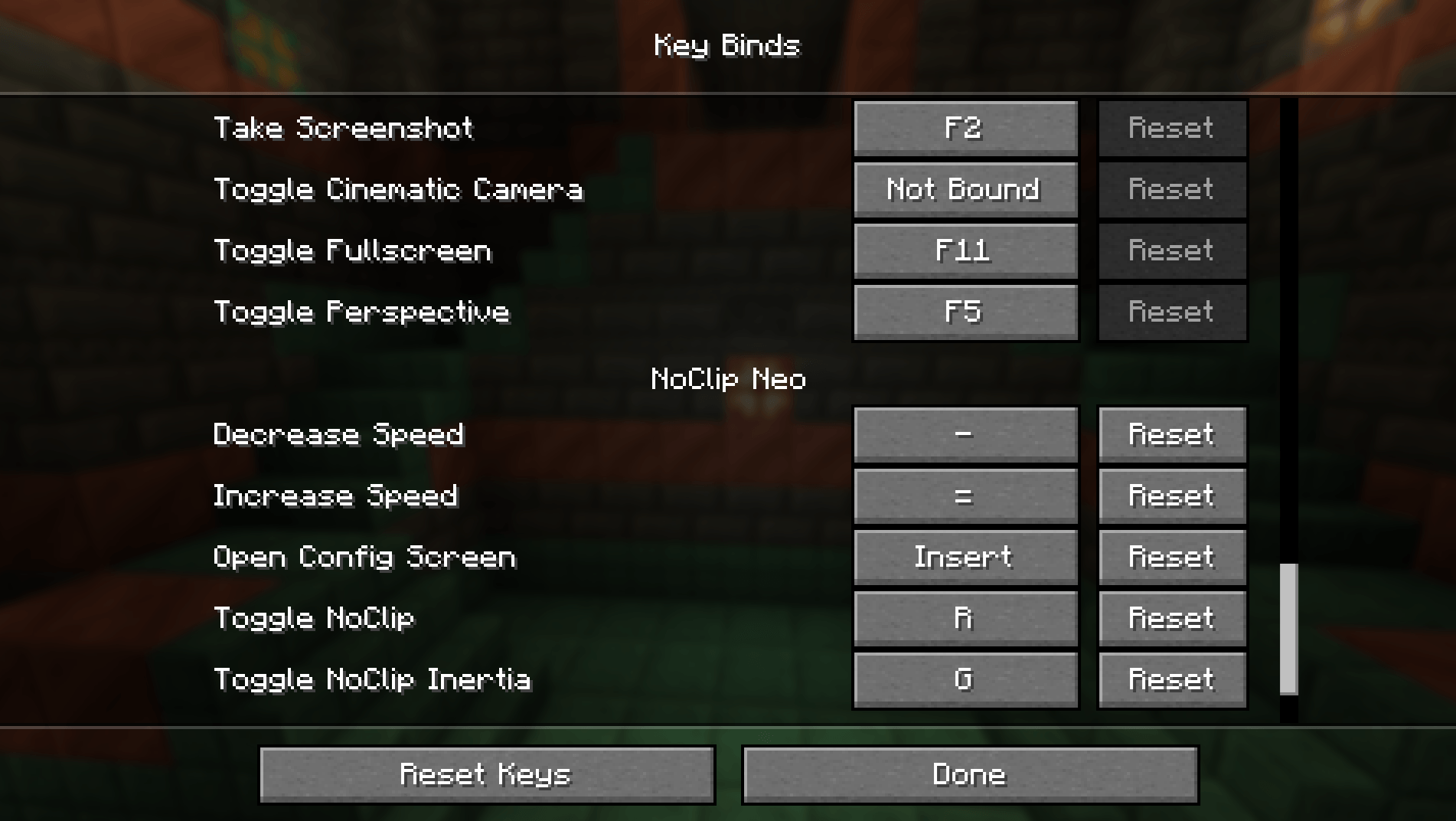
Keybind System
All controls are unbound by default.
This prevents conflicts with large modpacks and allows players to bind only the controls they want.
You are not expected to bind every key — simply assign the controls useful to your play style.
Keybinds are configured in:
Minecraft → Controls → NoClip Neo
Controls & Features Reference
Core Controls
• Toggle NoClip
• Toggle block interaction while in noclip
• Toggle block highlight
• Toggle bright highlight mode
• Toggle noclip culling mode
Flight Controls
• Increase flight speed
• Decrease flight speed
• Adjust vertical speed
• Toggle linked/unlinked speeds
• Toggle inertia
Time Controls
• Set Dawn
• Set Noon
• Set Dusk
• Set Night
• Toggle Pause Time
• Toggle Time Speed Mode
• Increase time speed
• Decrease time speed
Time transitions may be instant or animated depending on configuration.
Profile Controls
• Load Profile 1
• Load Profile 2
• Load Profile 3
• Load Profile 4
Profiles allow instant switching between saved setups.
Designed For
• Builders inspecting complex structures
• Creative construction
• Terrain exploration
• Cinematic recording
• Map creators
• Server administrators
NoClip Neo combines simplicity, control, and flexibility into one powerful tool.
Compatibility
Should be Compatible with all mods.
Please let me know if you find any issues with other mods.
📜 License & Distribution
You may include NoClip Neo in modpacks where permitted by the license.
Please link back to the official project page for updates and support.
❤️ Support the Project
- If you enjoy NoClip Neo:
- Follow the project for updates
- Share feedback and suggestions
- Help shape future features and improvements
Your support helps expand the mod to more versions and capabilities.
All Screen Shots, gameplay code, mechanics, and mod functionality are fully created and maintained by the developer.
Noclip NEO / neoforge By GoZeRuk

NoClip Neo
A simple NoClip mod at heart — with precision flight, animated time control, and powerful customisation. NoClip Neo is designed to be the easiest noclip mod to use, while offering a level of control normally found only in advanced building tools.
At its core it remains extremely simple:
Press a key → enable noclip → move through the world.
NoClip Neo is built so you can use it as a lightweight noclip toggle, or expand into its deeper features when you need them.
These include precision movement control, animated time manipulation, customizable UI layouts, performance options, and saved configuration profiles.
The Time Effects Look Great With Shaders!!
Simple NoClip First
NoClip Neo focuses on doing one thing extremely well: smooth noclip movement.
Features include:
• Toggle noclip instantly
• Move freely through terrain and structures
• Break blocks while in noclip (optional)
• Place blocks while in noclip (optional)
• Works in Survival, Adventure, Hardcore, and Creative modes
The mod remains lightweight and unobtrusive if you only want basic noclip functionality.
Precision Flight Control
Movement is fully configurable for different play styles.
Options include:
• Adjustable horizontal flight speed
• Adjustable vertical flight speed
• Linked speed mode for simple flight behaviour
• Unlinked speed mode for precise vertical and horizontal control
• Optional inertia system for smooth momentum-based movement
• Enhanced creative flight tuning
This allows the mod to work equally well for:
• slow precision building
• terrain inspection
• fast world traversal
Advanced Time Manipulation
NoClip Neo includes a powerful world time control system.
You can instantly change time or animate the transition to preserve Minecraft’s lighting effects.
Time features include:
• Dawn
• Noon
• Dusk
• Night
Each time change can operate in two ways:
Instant Mode The time changes immediately.
Animated Mode The world smoothly accelerates through the day/night cycle, allowing lighting engines and shader packs to render the transition naturally.
This produces excellent visual effects when using shader packs or cinematic recordings, as the sky, shadows, and lighting shift dynamically rather than jumping instantly.
Additional time controls include:
• Pause the world time completely
• Slow down time progression
• Accelerate time progression
• Automatic day–night cycling
These tools are extremely useful for:
• lighting tests
• screenshots
• cinematic recording
• map creation
Custom UI & Player Profiles
NoClip Neo includes a flexible and powerful configuration interface designed to adapt to different workflows.
The menu is organised into option sections, each containing related controls such as sliders and toggle buttons.
Players can reorganise the layout to suit their preferences.
Rearranging Options Individual sliders and buttons can be reordered within their own section.
This allows you to prioritise the options you use most.
Options cannot be moved into different sections, ensuring the menu remains organised and easy to understand.
Moving Entire Sections Entire sections of the menu can also be moved up or down.
This allows players to change the overall structure of the menu so their most frequently used controls appear first.
Custom Settings Menu A unique feature of NoClip Neo is the ability to create a custom settings menu.
If you drag an option or slider to the very top of the menu, a new Custom Settings section will automatically appear.
This allows you to build a personalised quick-access panel containing the controls you use most.
You can populate this section with any sliders or toggles you want for fast access.
Removing Custom Settings To remove items from the custom menu:
• Drag the option back into the main menu area
• Once the final item is removed, the Custom Settings section automatically disappears
This keeps the interface clean while still allowing powerful customization.
Profile System
NoClip Neo supports four saved configuration profiles.
Profiles allow you to store different movement speeds, time settings, UI layouts, and gameplay preferences.
Example profiles:
• Building profile – slow precision movement
• Exploration profile – high-speed traversal
• Cinematic profile – controlled movement with time tools
• Creative profile – enhanced creative flight behaviour
Profiles can be loaded instantly using hotkeys, allowing you to switch setups while playing.
Importantly, profile saves also include UI layout customisations, including your custom settings menu.
Performance & Visual Tools
Several optional tools improve performance and usability.
Block Highlight Controls • Toggle block highlighting on or off
• Optional bright highlight mode for improved visibility
NoClip Culling Mode An optional performance feature.
When enabled:
• Ground rendering is reduced while in noclip
• Performance can improve in large builds or dense terrain
This is especially useful when flying through complex worlds.
Server Support
NoClip Neo includes server configuration support, allowing administrators to control how the mod behaves in multiplayer environments.
Server settings can include:
• Enable or disable block interaction while in noclip
• Limit maximum flight speeds
• Restrict certain features
• Configure allowed behaviours through blacklists or whitelists
This allows servers to safely integrate the mod while maintaining gameplay balance.
Keybind System
All controls are unbound by default.
This prevents conflicts with large modpacks and allows players to bind only the controls they want.
You are not expected to bind every key — simply assign the controls useful to your play style.
Keybinds are configured in:
Minecraft → Controls → NoClip Neo
Controls & Features Reference
Core Controls • Toggle NoClip
• Toggle block interaction while in noclip
• Toggle block highlight
• Toggle bright highlight mode
• Toggle noclip culling mode
- Flight Controls* • Increase flight speed
• Decrease flight speed
• Adjust vertical speed
• Toggle linked/unlinked speeds
• Toggle inertia
Time Controls • Set Dawn
• Set Noon
• Set Dusk
• Set Night
• Toggle Pause Time
• Toggle Time Speed Mode
• Increase time speed
• Decrease time speed
Time transitions may be instant or animated depending on configuration.
Profile Controls • Load Profile 1
• Load Profile 2
• Load Profile 3
• Load Profile 4
Profiles allow instant switching between saved setups.
Designed For
• Builders inspecting complex structures
• Creative construction
• Terrain exploration
• Cinematic recording
• Map creators
• Server administrators
NoClip Neo combines simplicity, control, and flexibility into one powerful tool.
Compatibility
Should be Compatible with all mods.
Please let me know if you find any issues with other mods.
📜 License & Distribution
You may include NoClip Neo in modpacks where permitted by the license. Please link back to the official project page for updates and support.
❤️ Support the Project
If you enjoy NoClip Neo: Follow the project for updates Share feedback and suggestions Help shape future features and improvements Your support helps expand the mod to more versions and capabilities.
AI-Generated Image Asset Disclosure.
Some images used in this project page (such as thumbnails, icons, or backgrounds) were generated or assisted by AI tools. All Screen Shots, gameplay code, mechanics, and mod functionality are fully created and maintained by the developer.
Screenshots
Gallery
-
 Title config_background.png
 -
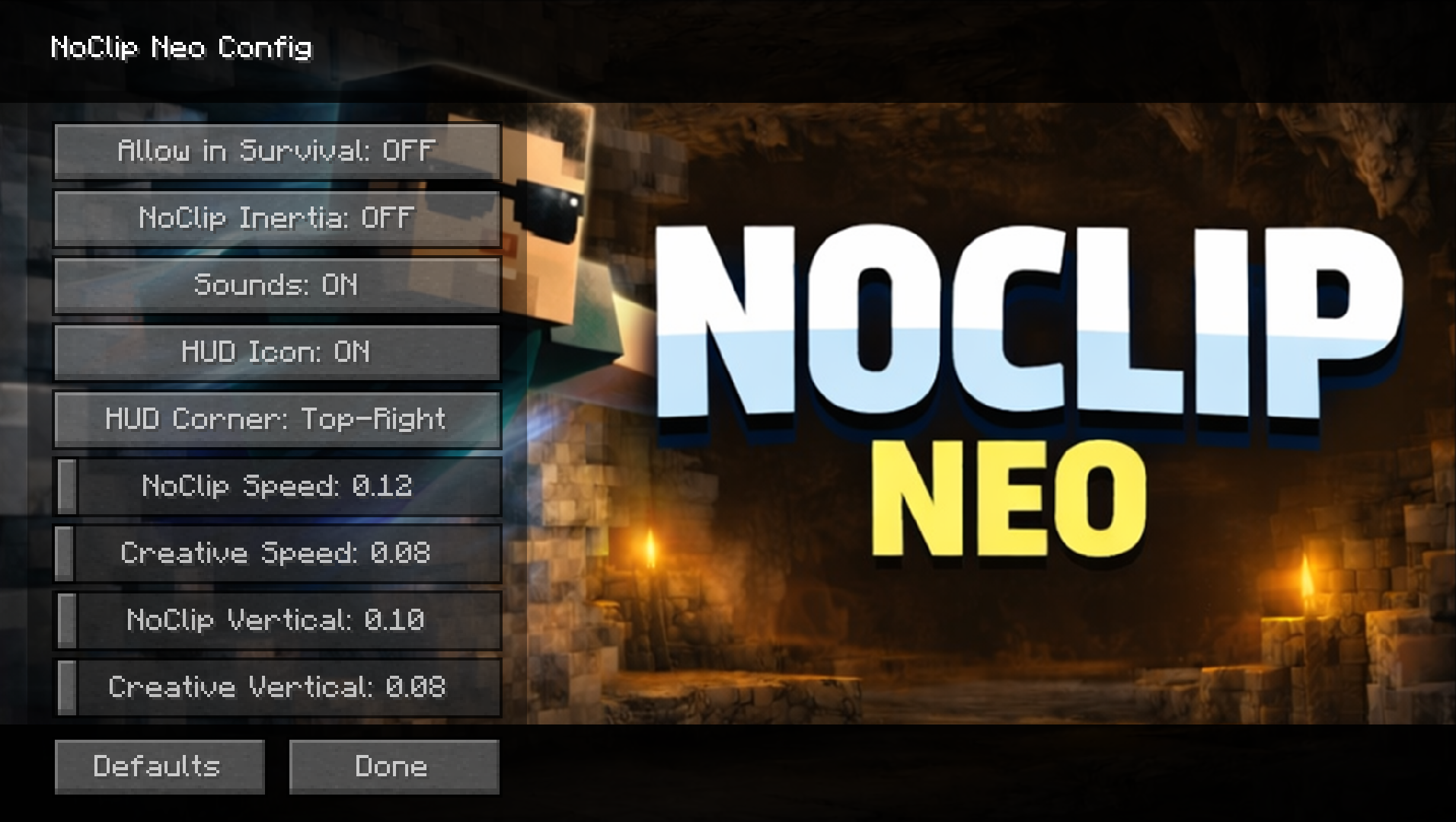 config
 -
 key binds.png key binds.png
 -
 noclip.png noclip.png
 -
 logo.png logo.png
 -
 icon.png icon.png
-
 Title
Title -
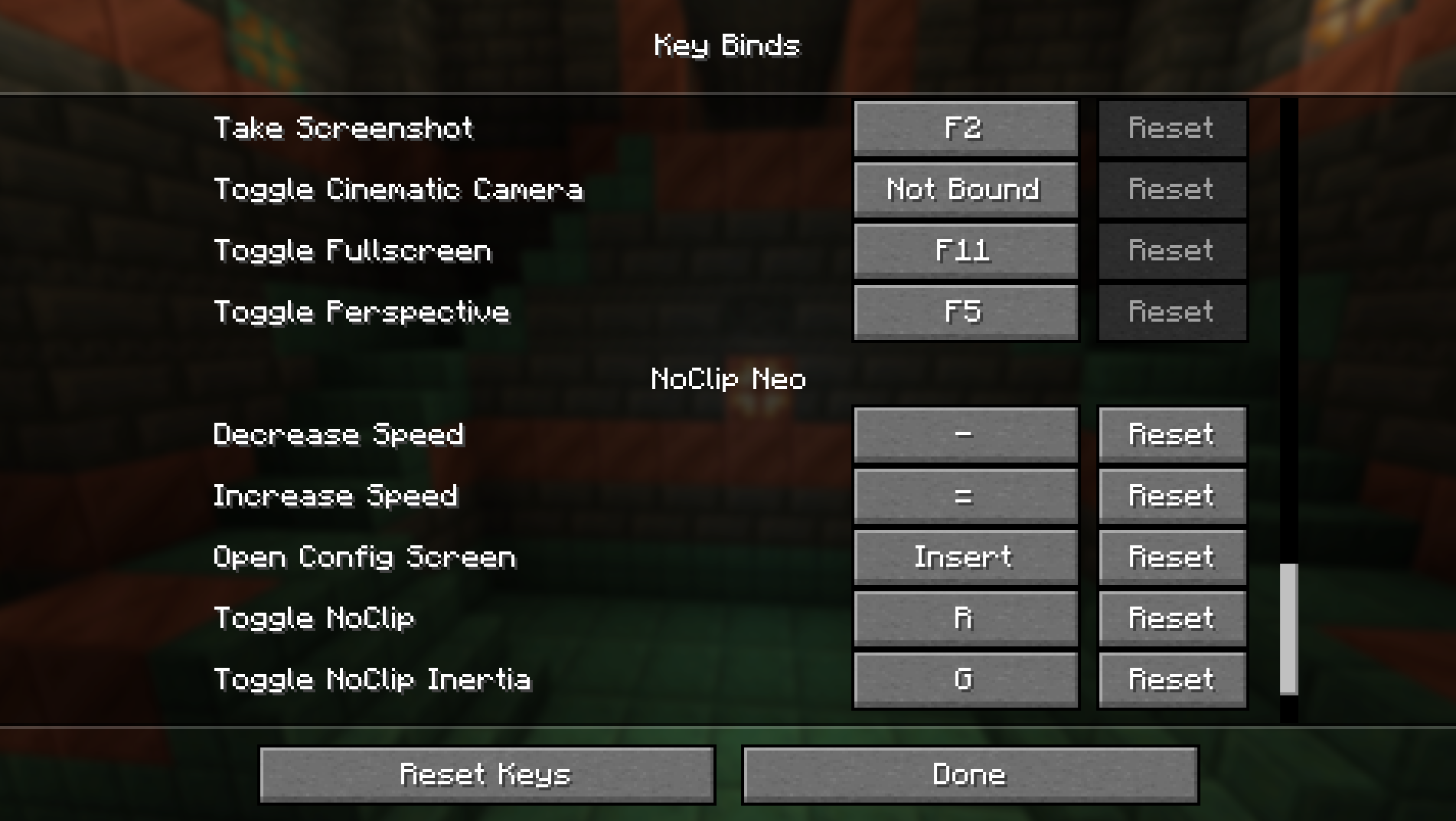 hotkeys
 -
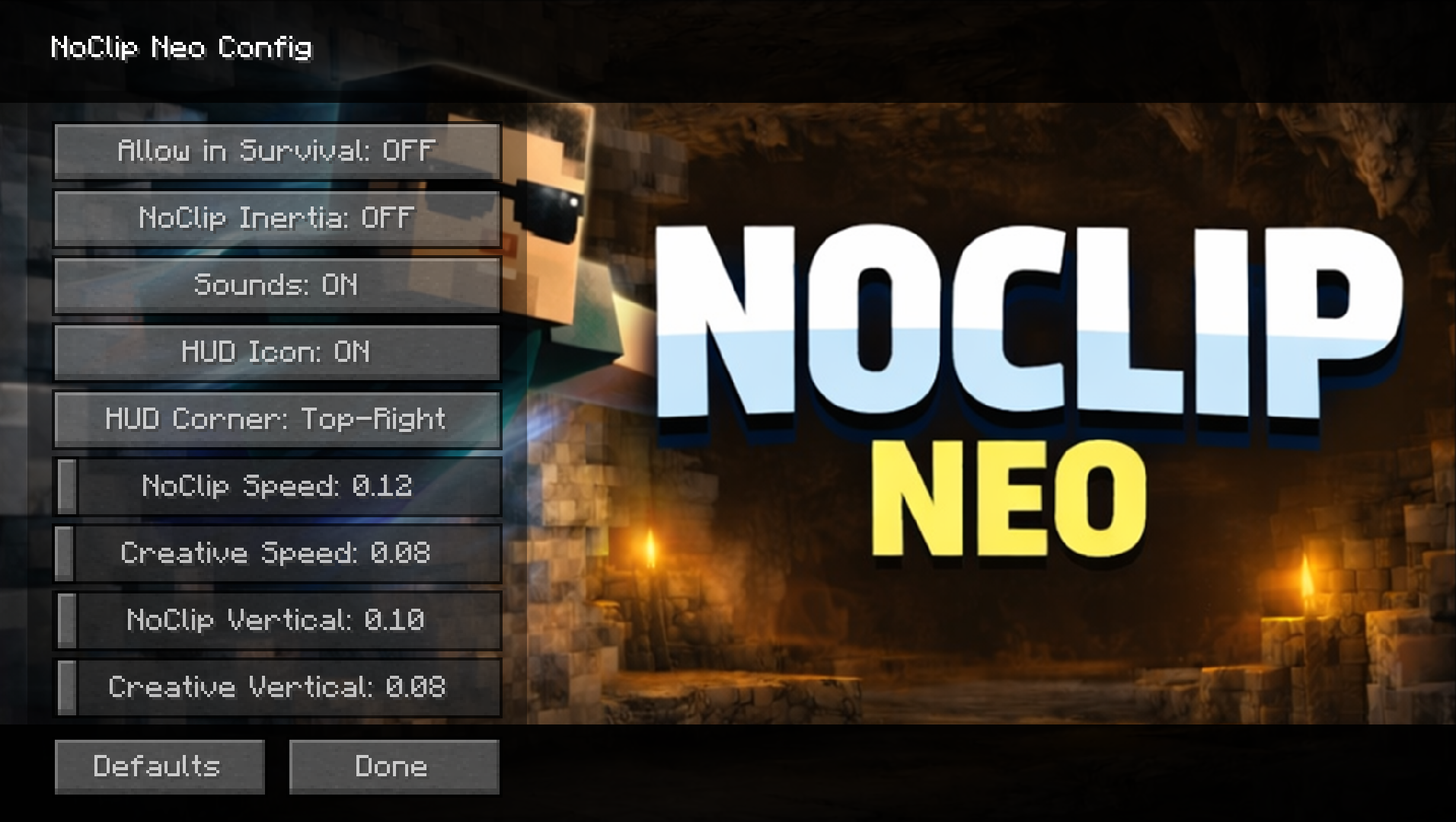 config
 -
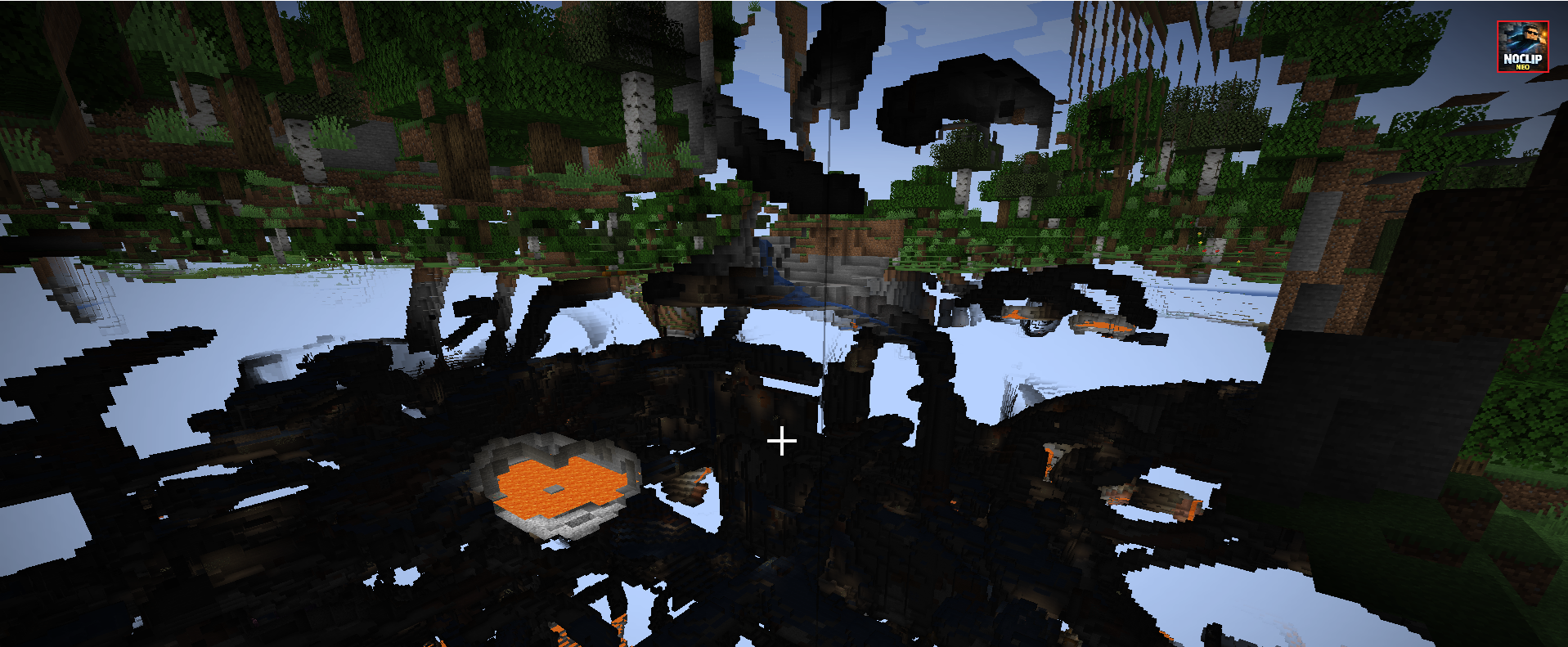 Noclip
 -
 logo
logo -
 Icon
Icon
Versions
Files
Relations
Project Relations
More like this
Similar Mods
Suggestions use data such as tags, dependencies, dependents, descriptions, titles, and more to rank how much they overlap with this mod.
On ModDex
Community snapshot
By the numbers
Statistics
 (opens in a new tab)
Get it on
Available Platforms
On ModDex
Community snapshot
By the numbers
Statistics
Resources