
Community listing page, reviews may not be monitored by the author.
Nomadic Tents

No reviews yet
Pocket dimensions -- set up your tent and keep everything in it!

Community voices
Reviews
No reviews yet. Be the first to review this project!
Get it on
Available Platforms
About
Project Details
For authors
Embed Badge
If you're the author of this project, you can embed a live badge anywhere that supports HTML or Markdown. It updates automatically whenever ratings change.
Use HTML for any page that supports it, or Markdown for README files and Markdown-based descriptions.
Identifiers
Platform IDs
About
Description
"I want to explore the world, but all my stuff is at my house. What should I do?"
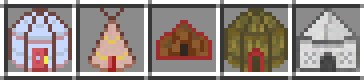
Answer: take your house with you! Build a Yurt, Tepee, Bedouin, Indlu, or Shamiyana - set it up, take it down, and never worry about being too far from home again.
Tents come in various sizes: from Tiny (5x5), Small (7x7), and Medium (9x9) to Large (11x11), Giant (13x13), and Mega (15x15). Here's how you get started:
Step 1: make the tent
You have 5 options for your tent so far: Yurt, Tepee, Bedouin, Indlu, or Shamiyana.
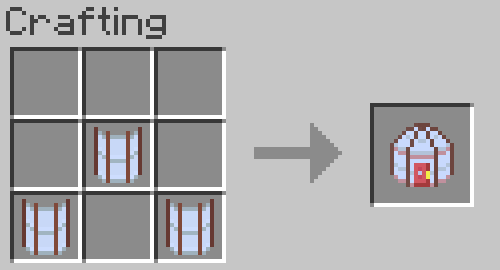
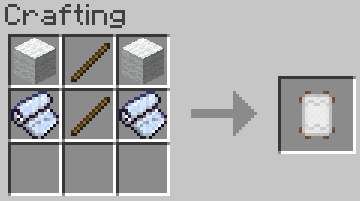
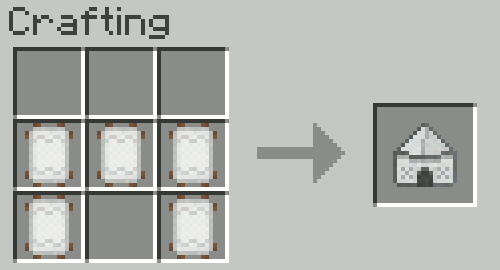
To build a Yurt, make Tent Canvas and Yurt Wall Pieces.
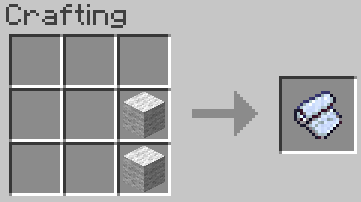
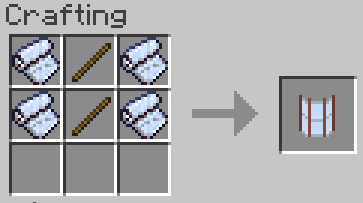
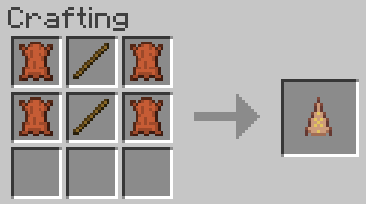
To build a Tepee, make Tepee Wall Pieces using 4 leather (or 6 rabbit hide)
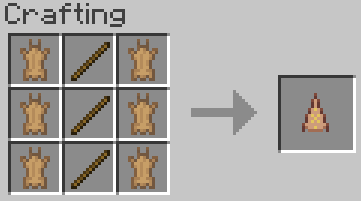
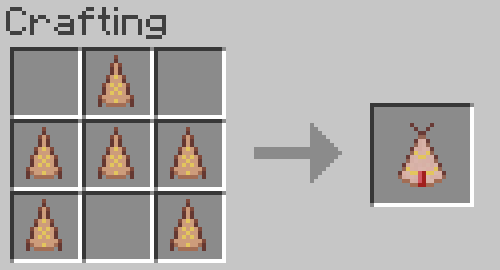
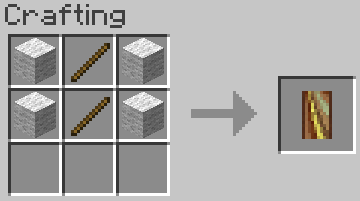
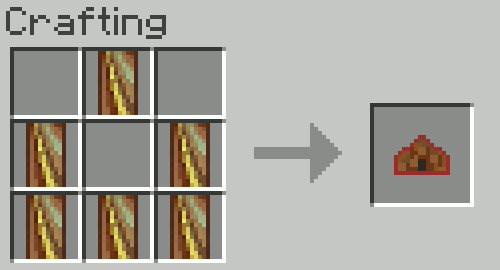
To build a Bedouin, make Bedouin Wall Pieces using any wool:
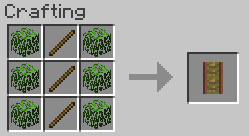
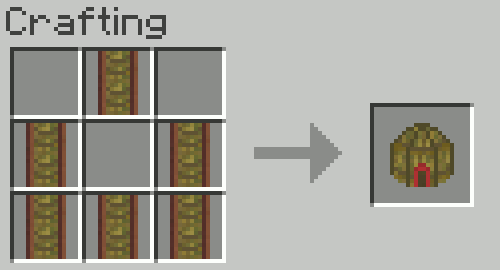
To build an Indlu, make Indlu Wall Pieces using sticks and leaves:
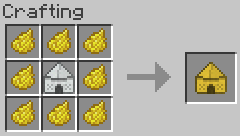
Finally, to build a Shamiyana, make Shamiyana Wall Pieces using sticks, wool, and tent canvas together:
The Shamiyana can be colored by surrounding it with dye in a crafting table! This works for all 16 colors of dye. You can wash out dye using a cauldron. ~ Suggested by scribbler957 ~
Step 2: upgrade the tent
Size upgrades: Tents can be upgraded in size by crafting them with their previous recipe.
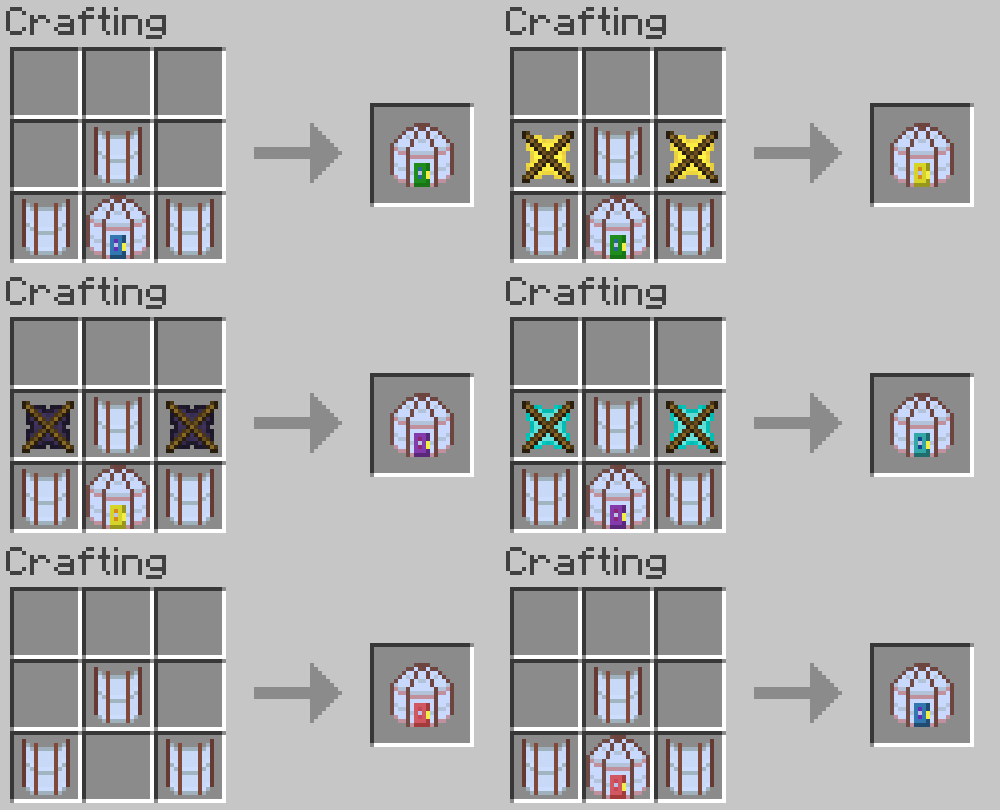
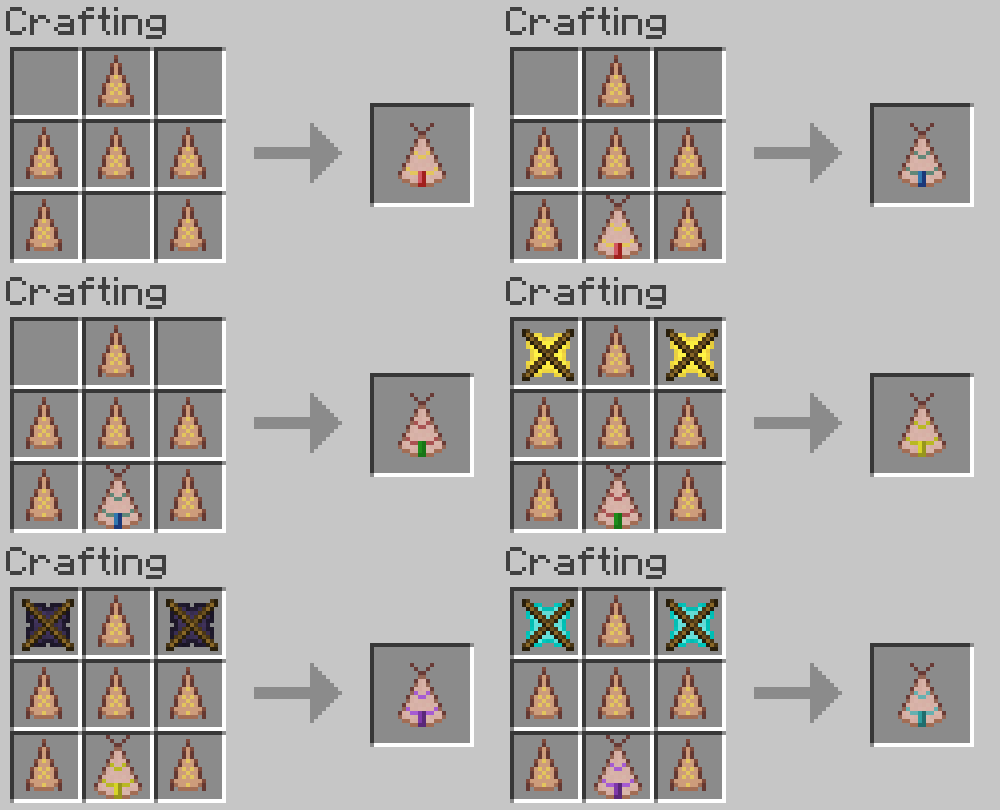
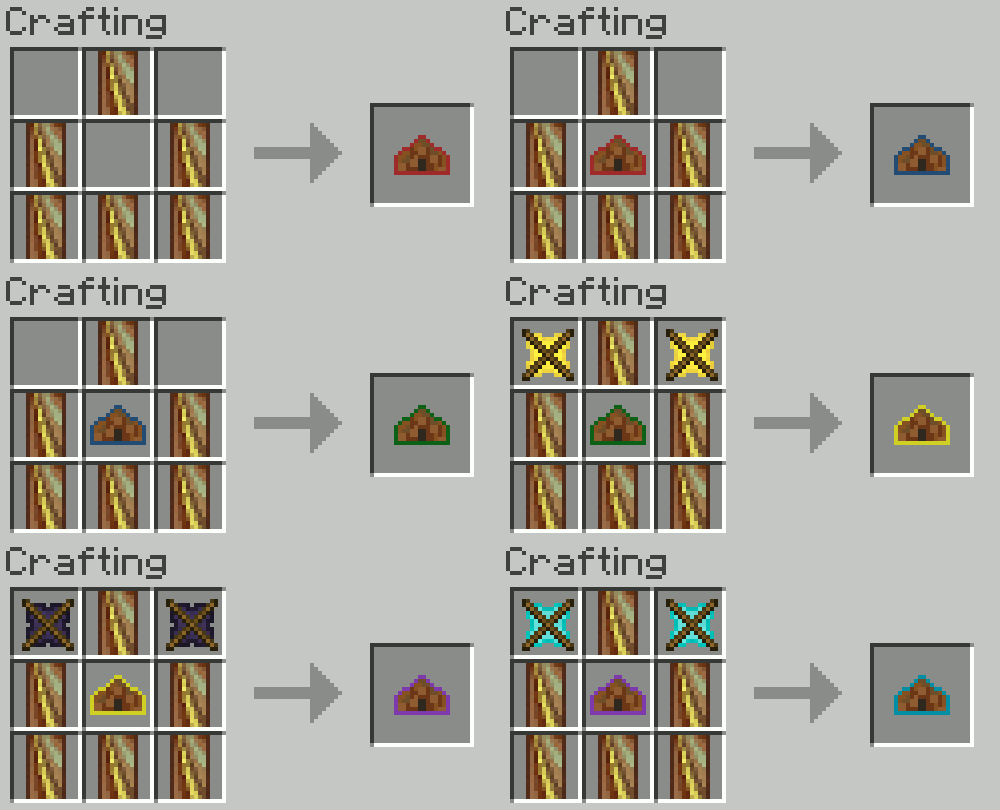
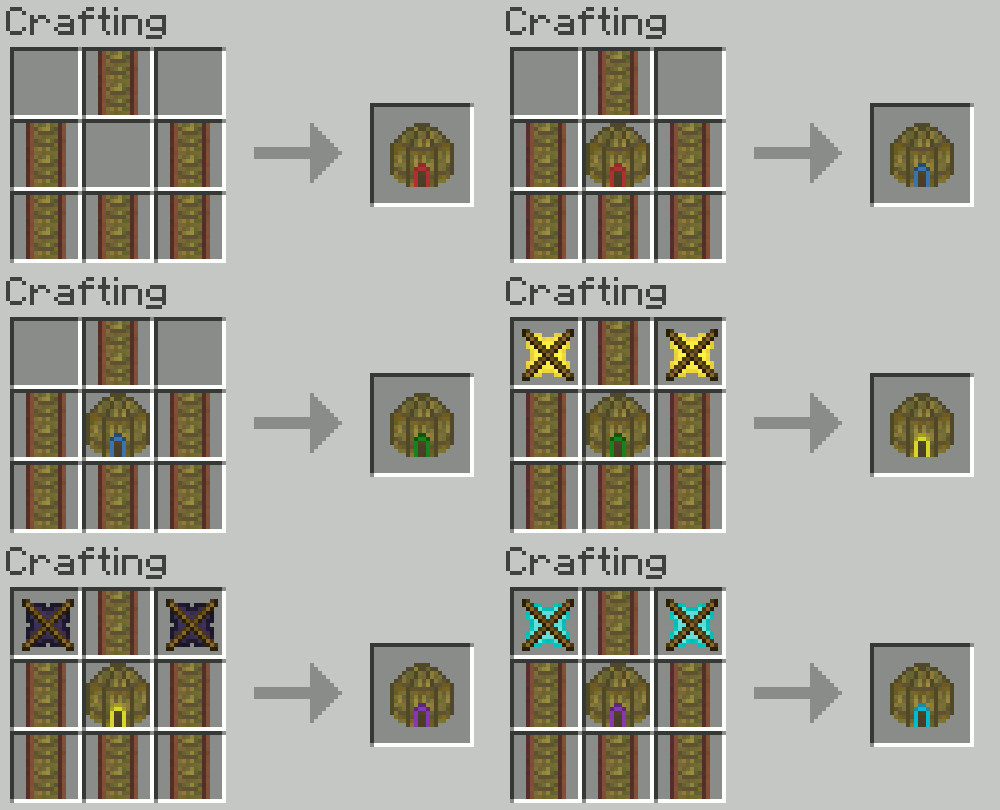
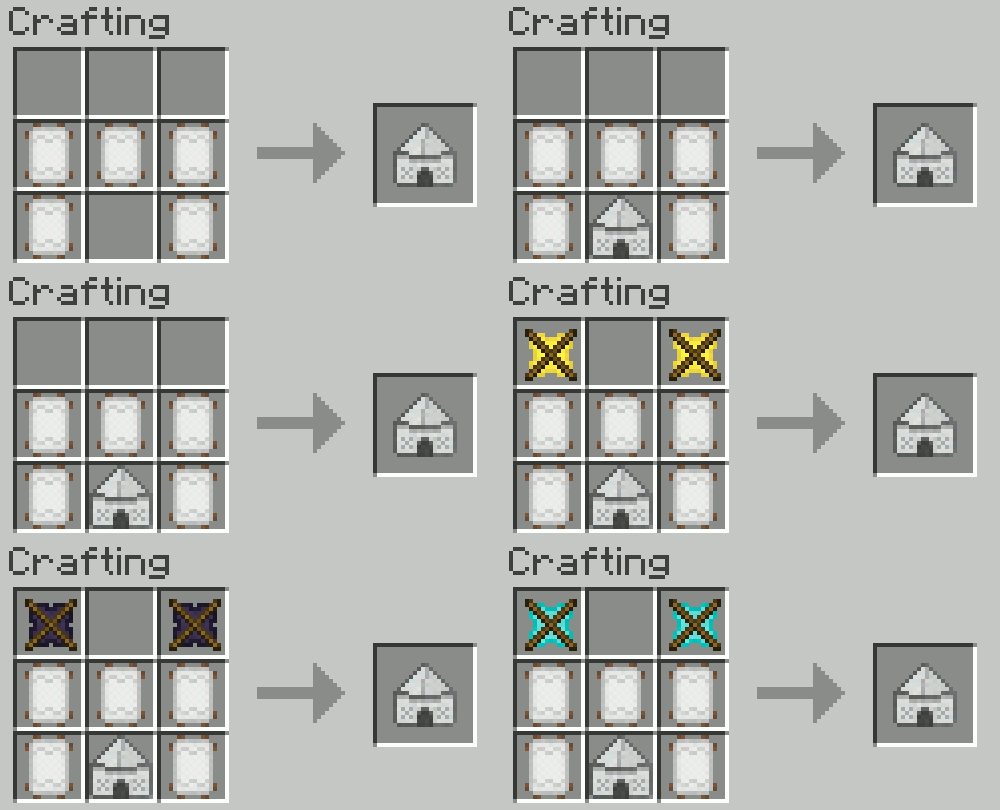
The last 3 size upgrades to your tent require additional items: Golden Crossbeams, Obsidian Crossbeams, and Diamond Crossbeams.
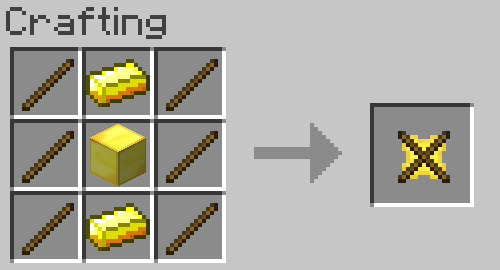
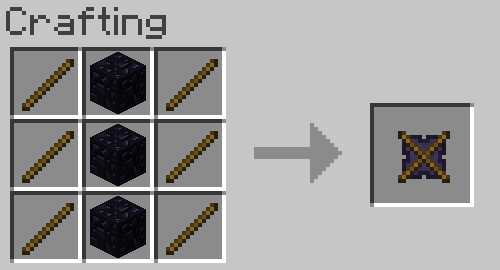
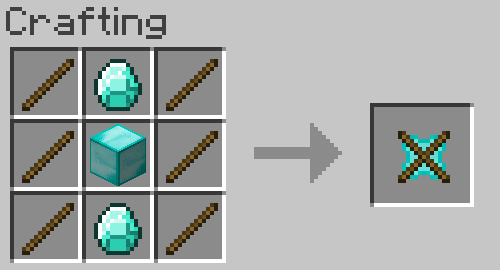
Layer upgrades: These allow you to increase the layers of dirt underneath your tent. Finally, you can have the testificate prison - I mean, fruit cellar - of your dreams!
Layer upgrades must be added in order. Combine a Stone Tent Shovel with a Medium or larger tent for layer 1. After upgrading to a larger tent, you can do the same with an Iron Tent Shovel for layer 2. The pattern continues for Gold, Obsidian, and Diamond Tent Shovels. Each size of tent can have a different number of upgrades.
Tip: hold SHIFT while looking at the tent item to see how many times the tent can be upgraded. Tiny tents can have 0, small can have 1, etc. up to mega tents, which can have 5.
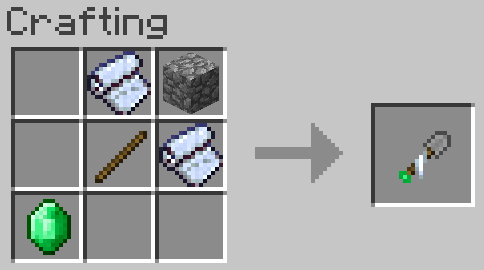
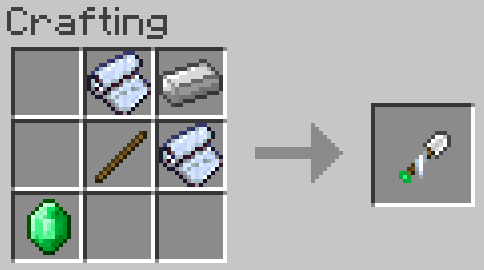
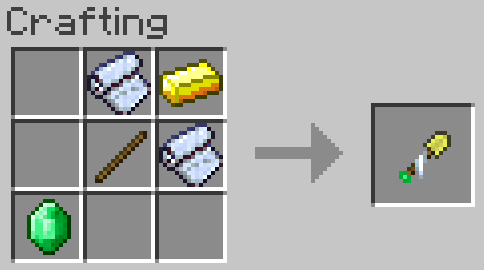
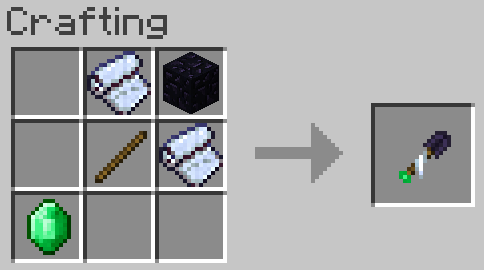
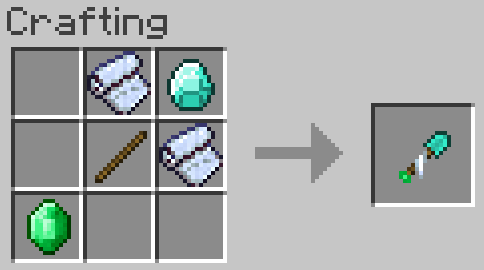
Add upgrades in a crafting table. Place the tent in the middle of a crafting grid, the Tent Shovel below it, dirt on the sides and a block of the corresponding material at the top.
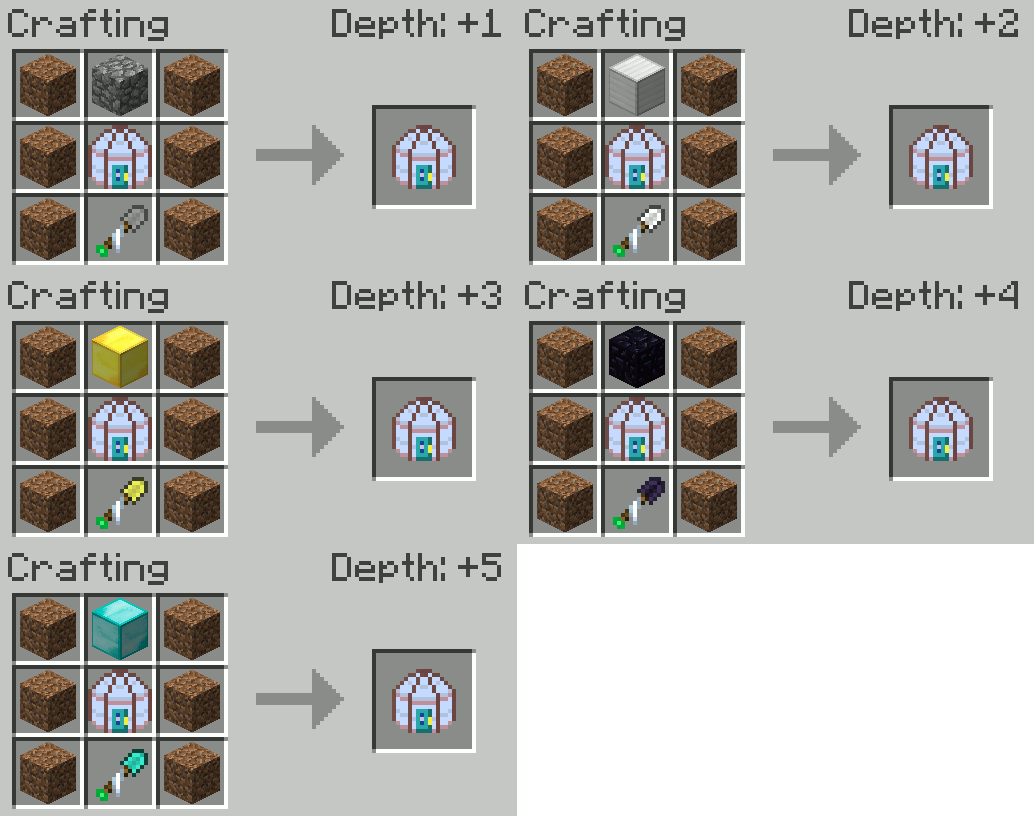
~ Suggested by SureinDragon29800 ~
Step 3: build the tent
First make a Tent Mallet. The tent is not going to construct itself!
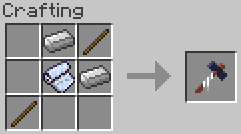
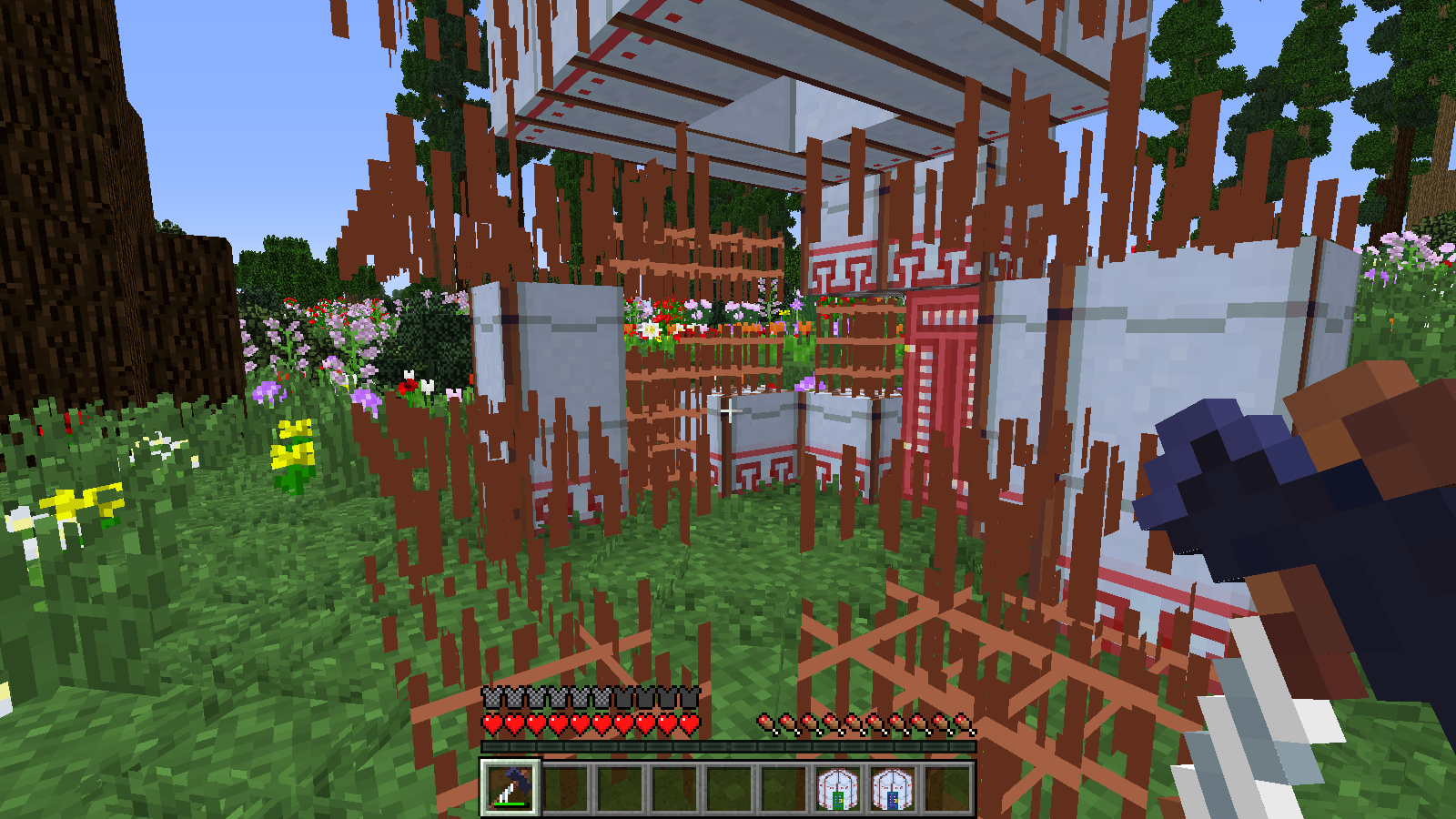
Use the tent item to place frame blocks in the shape of your tent. Then hit each piece with the Tent Mallet to build. This will take a couple minutes in real-time, so don't wait until night falls to start!
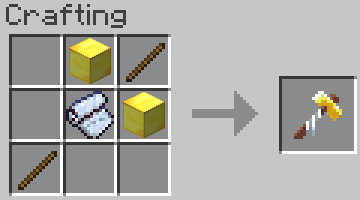
The Golden Tent Mallet can do this with just one click!
Step 4: enjoy the tent!
When you finish building the tent, click on the door to enter (preferably with an empty hand).
What's this? My tent was 5x5 when I built it, but the inside is much bigger!
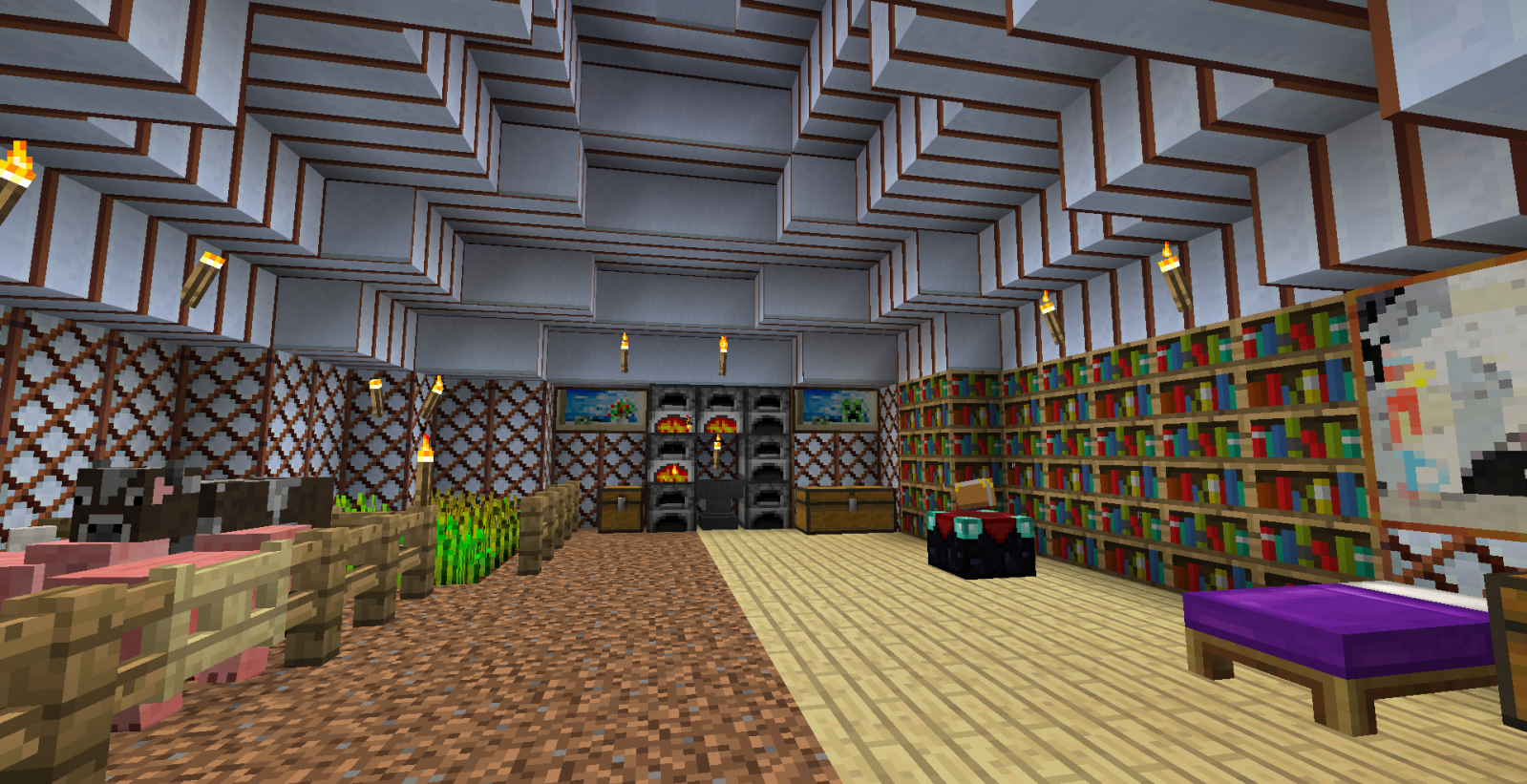
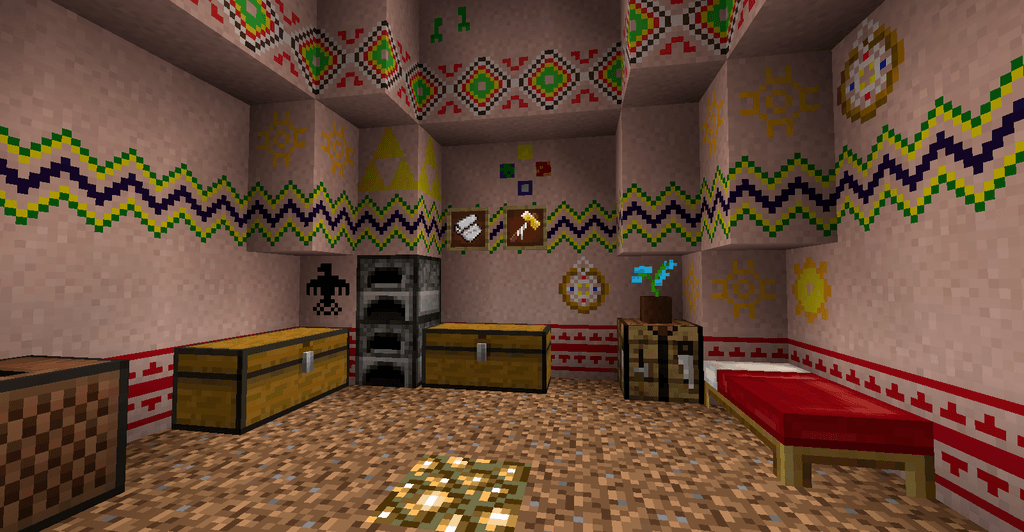
That is the magic of Nomadic Tents: Tents can be the same size on the outside (and take the same amount of time to set up), but the inside can be luxurious and roomy! If you upgrade it, that is.
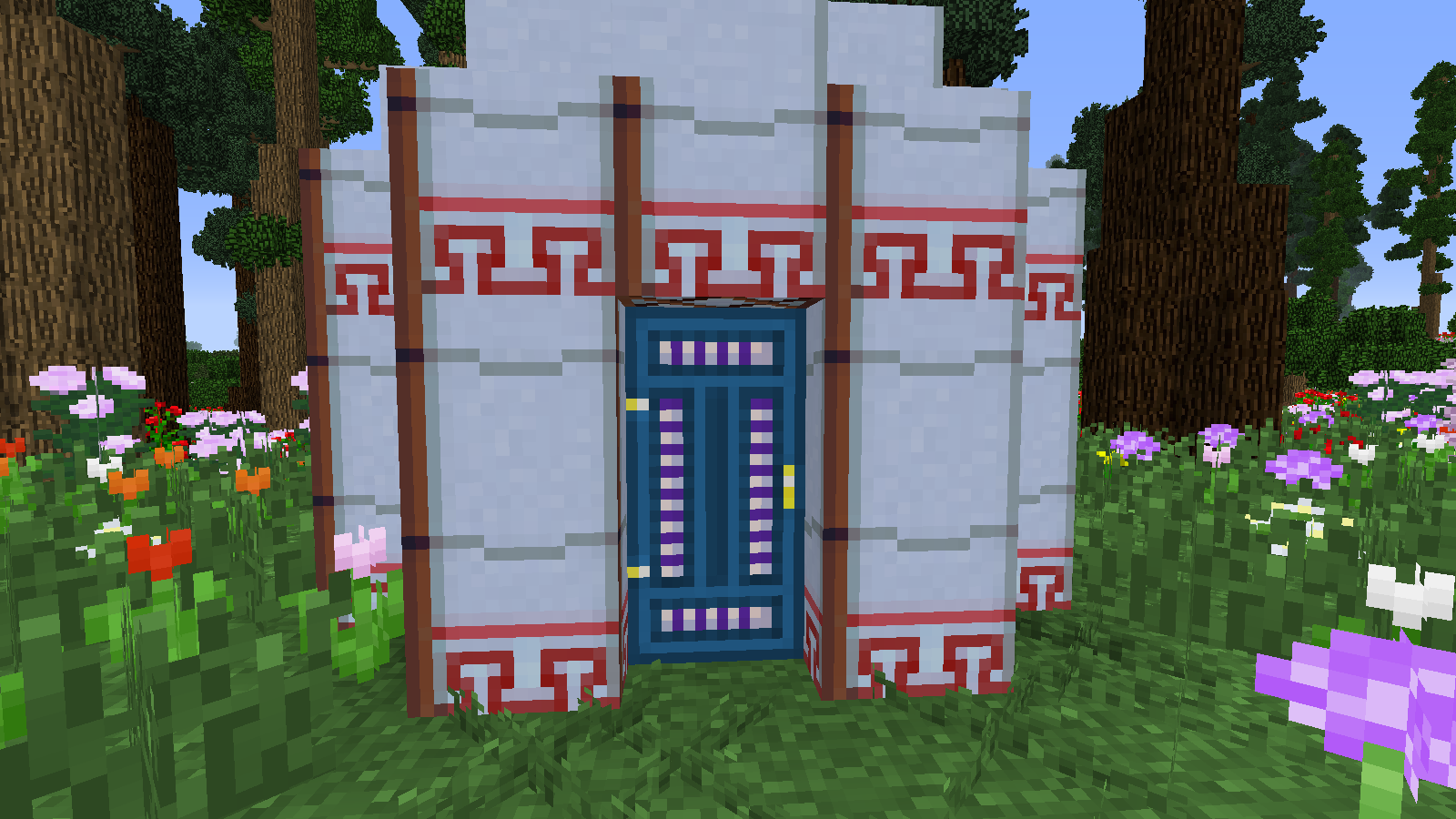
Yurt Outside:
Mega Yurt Inside:
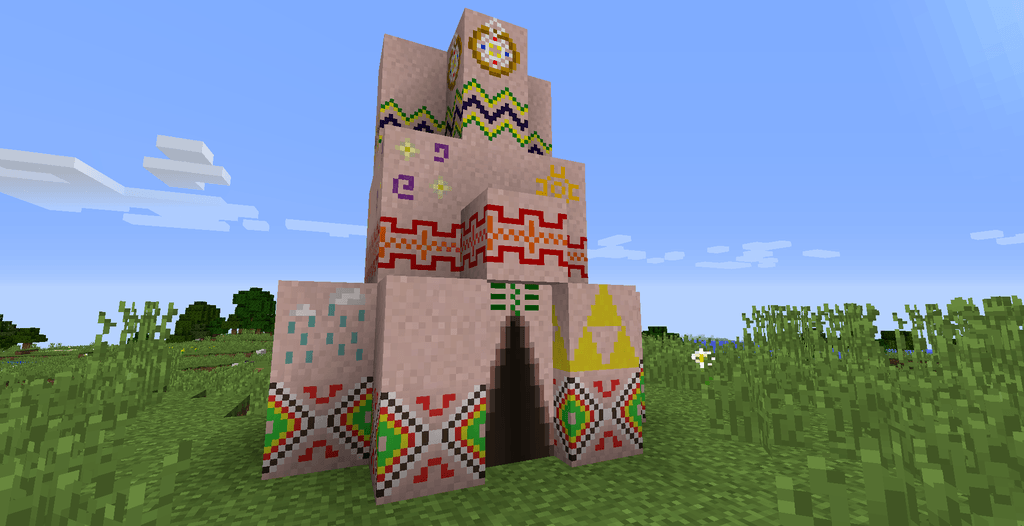
Tepee Outside:
Large Tepee Inside:
Bedouin Outside:
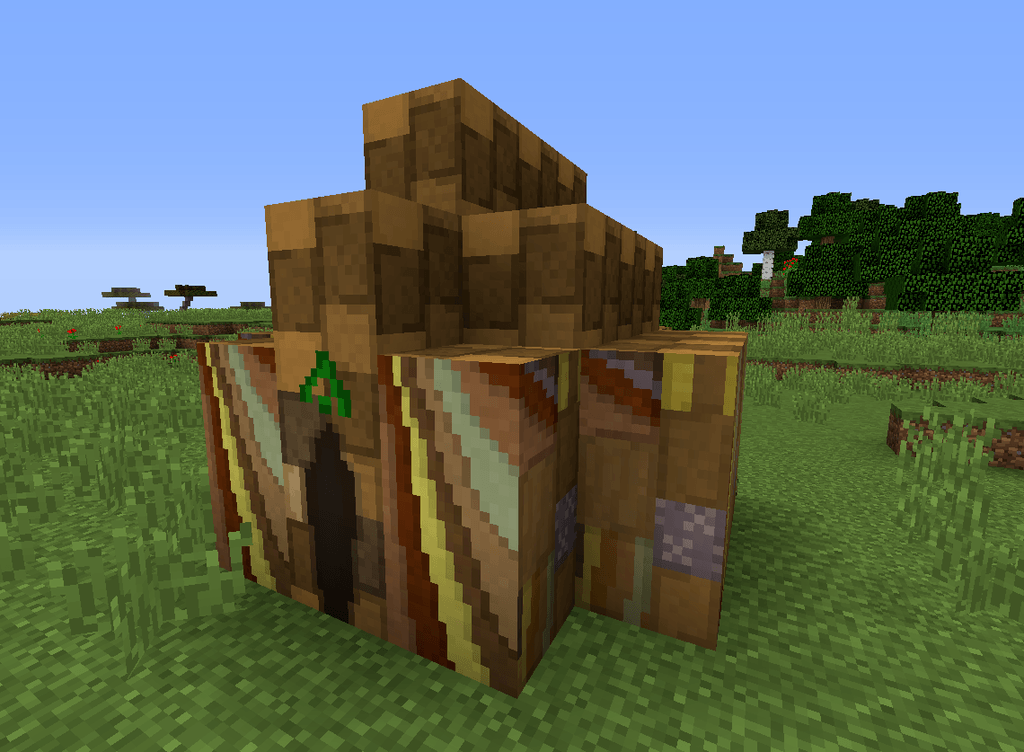
Indlu Outside:
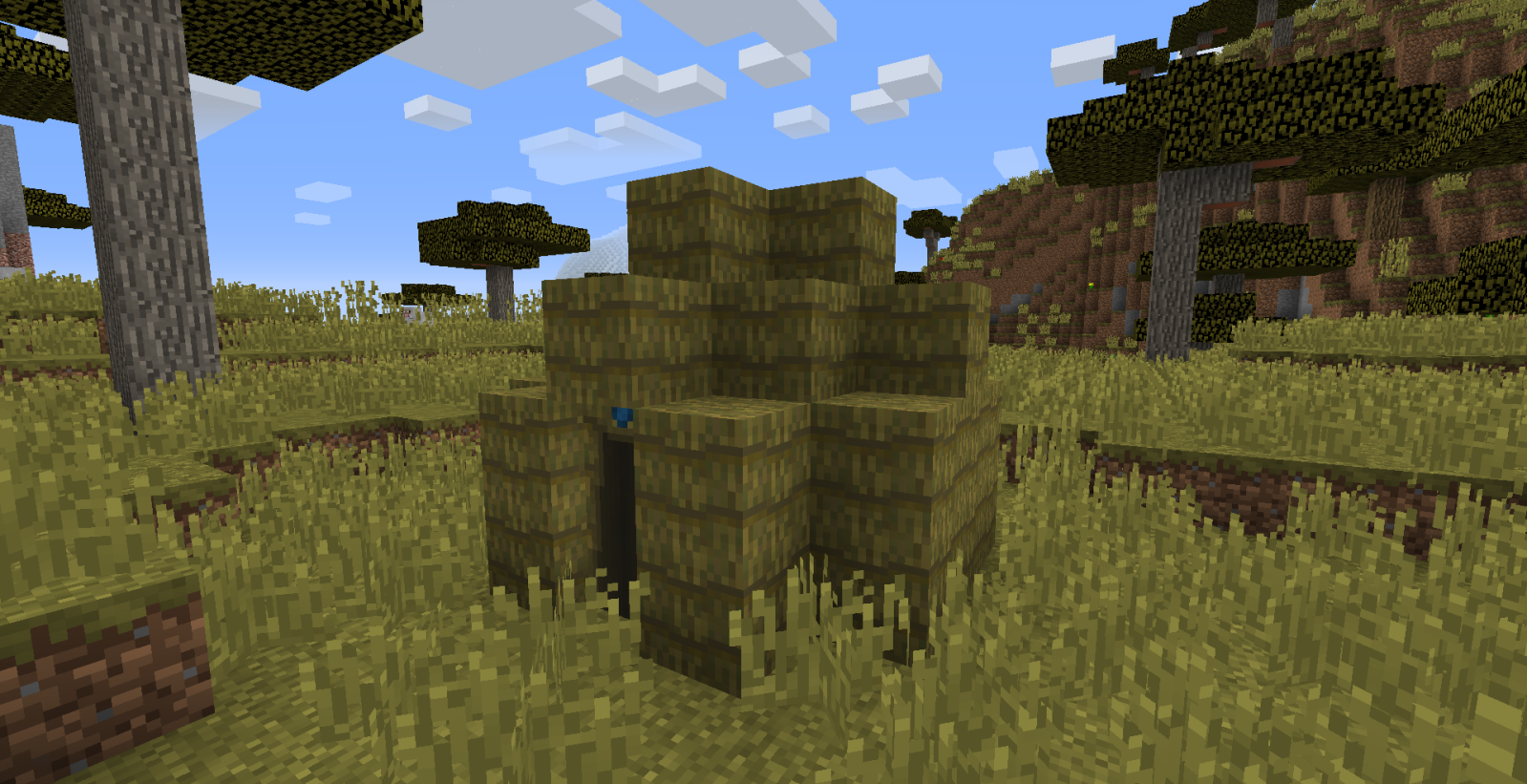
Shamiyana Outside:
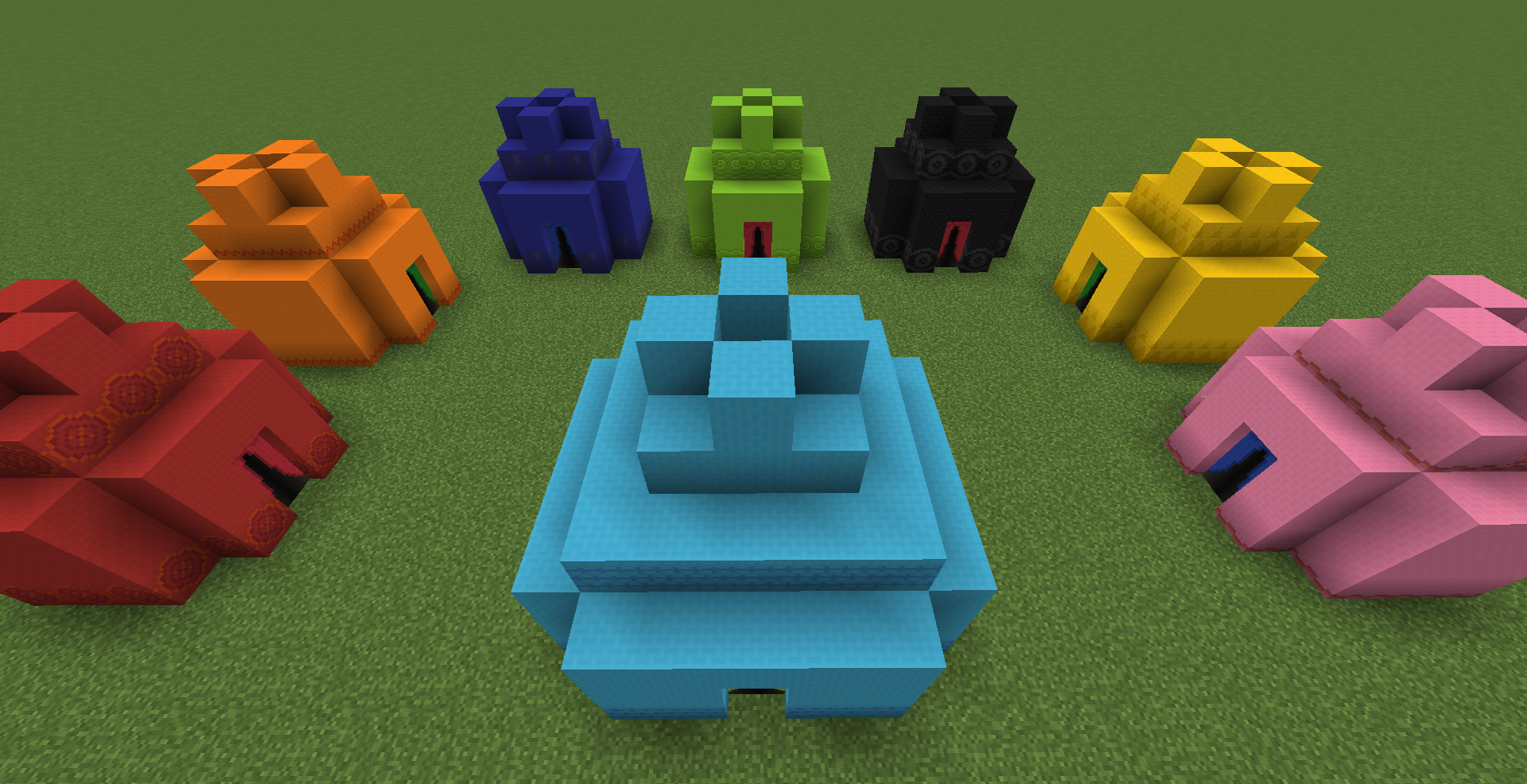
Shamiyana Inside:
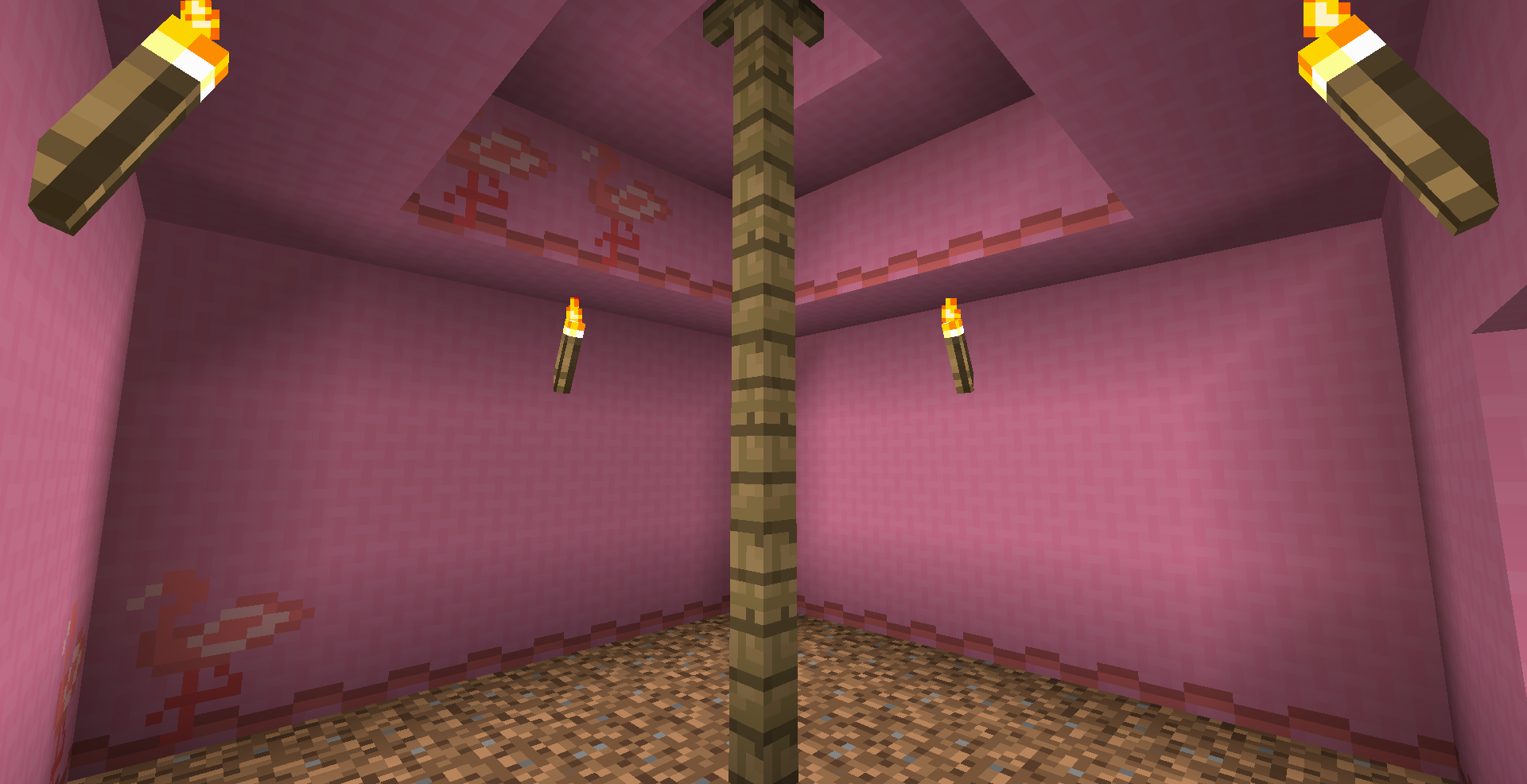
Step 5: move the tent
How useful is a house when it's stuck in one spot? Not very useful, which is why Nomadic Tents exists in the first place!
Simply use the Tent Mallet on the door to de-construct your tent. Set it up somewhere else and everything will still be inside.
Check out this review by TitaniumGamingMedia (1.9.4) --
FAQs:
Q: How about modloader xyz?
A: Forge only up until 1.21, after that it will be NeoForge only (Currently limited by another library that is NeoForge only)
Q: I was in my tent when my friend turned it into an item again. Am I stuck?
A: Nope. Clicking on the door to exit will pop you out exactly where you went in, whether or not a door is still there.
Q: Can I sleep in my tent to pass the night away?
A: Yes :)
Q: If I set my spawn point in my tent (ie, sleeping) will I respawn there whenever I die?
A: Yes
Q: I lost my tent. Is my stuff lost forever?
A: Not quite. The solution is pretty complicated, though, so look at this Issue.
Q: I have an idea for a tent! Or maybe I found a bug. How do I let you know?
A: Post in the comments, open an Issue, send me a message - anything works. I'd love to hear your idea!
Q: Do you have a Discord?
A: You can find me on the MMD Discord server in the #skyjay-mods channel (under "Community Mods")
A big thanks to chanicle for contributing the original Yurt textures! Also, thank you to all those who have made suggestions and given feedback to improve this mod. You've been a great help!
Screenshots
Gallery
-
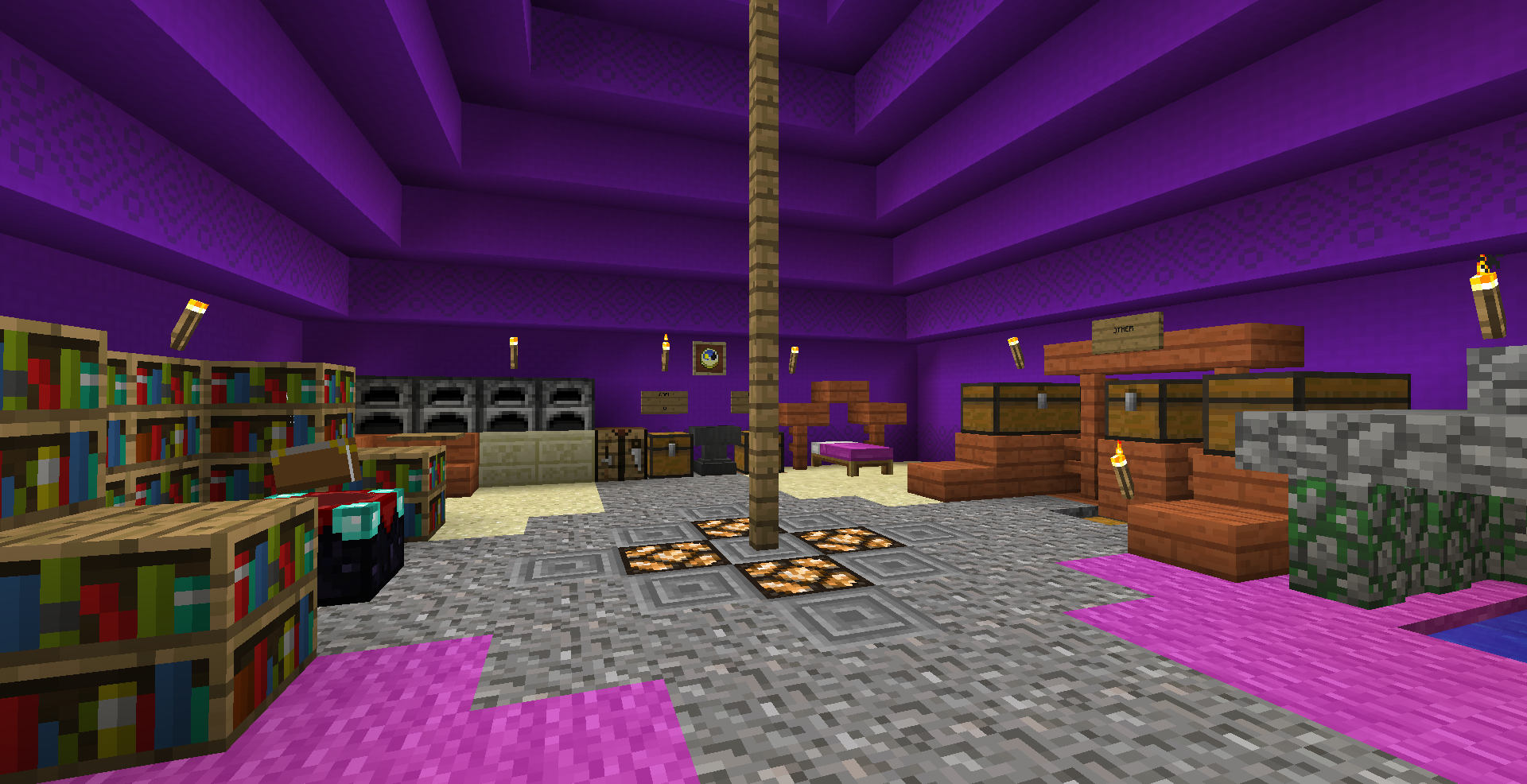 Mega Shamiyana Inside
 -
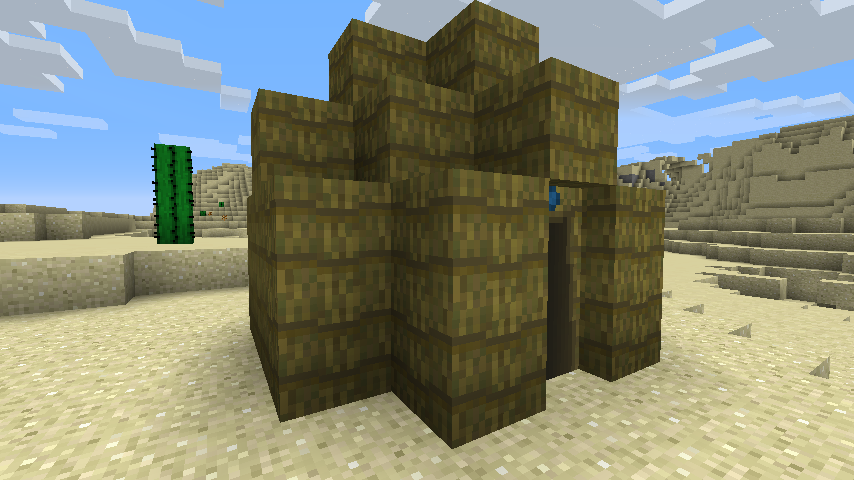 Indlu Outside
 -
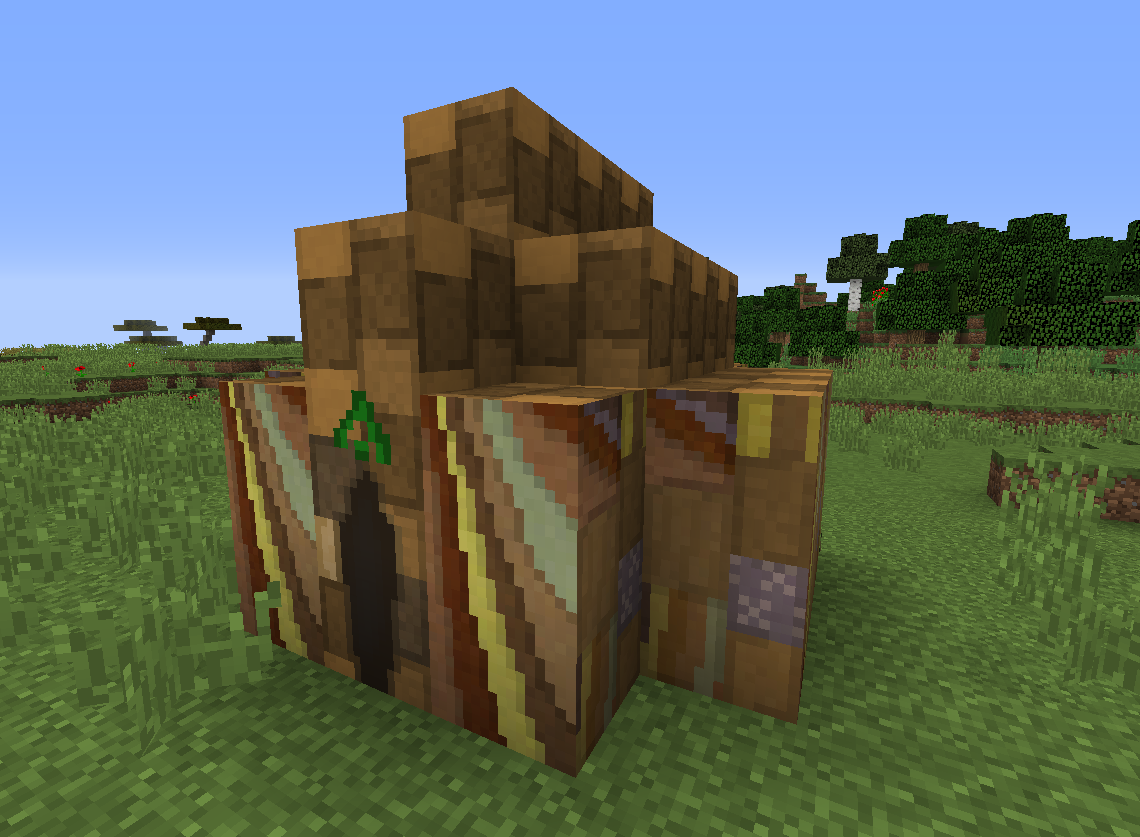 Bedouin Outside
 -
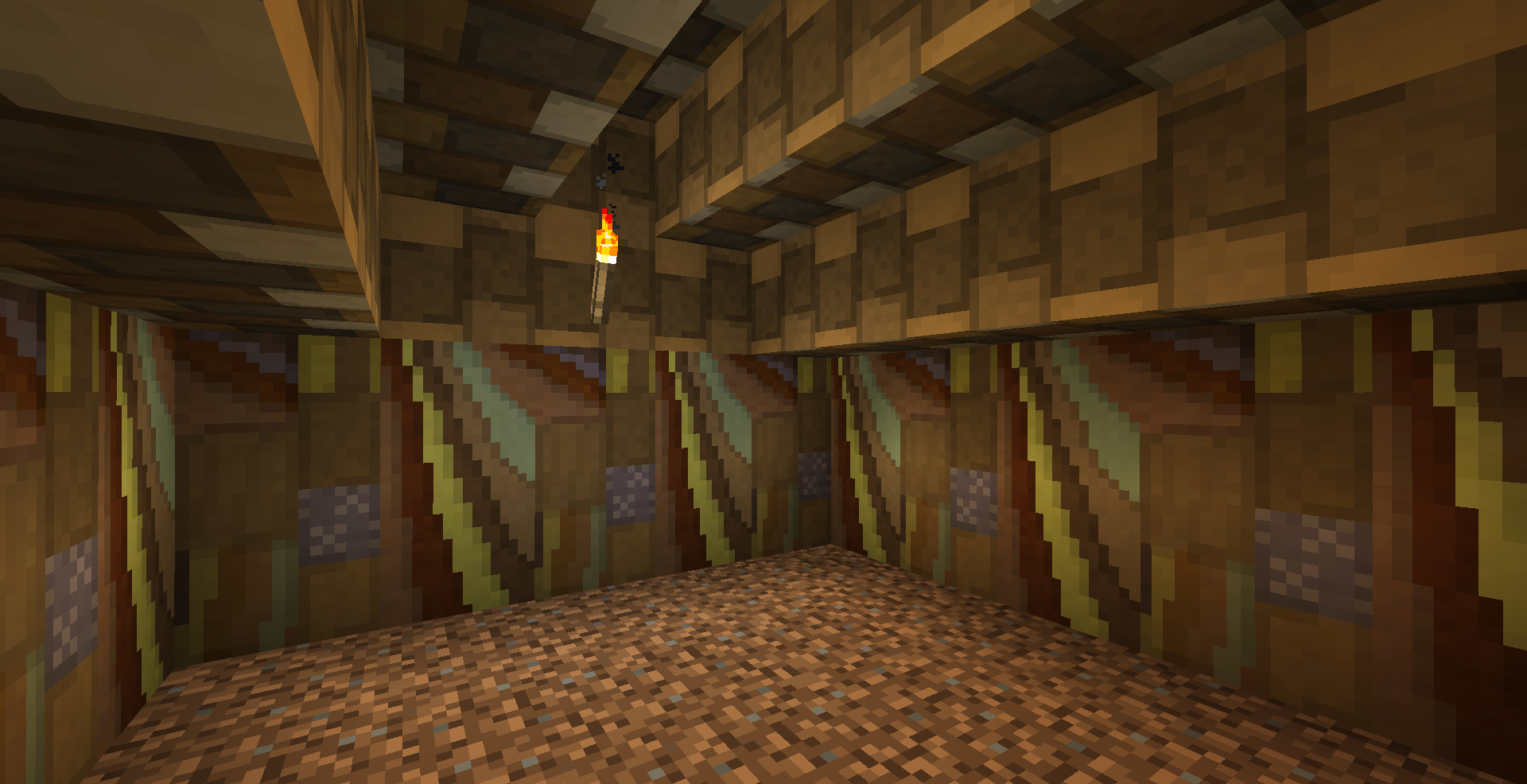 Medium Bedouin Inside
 -
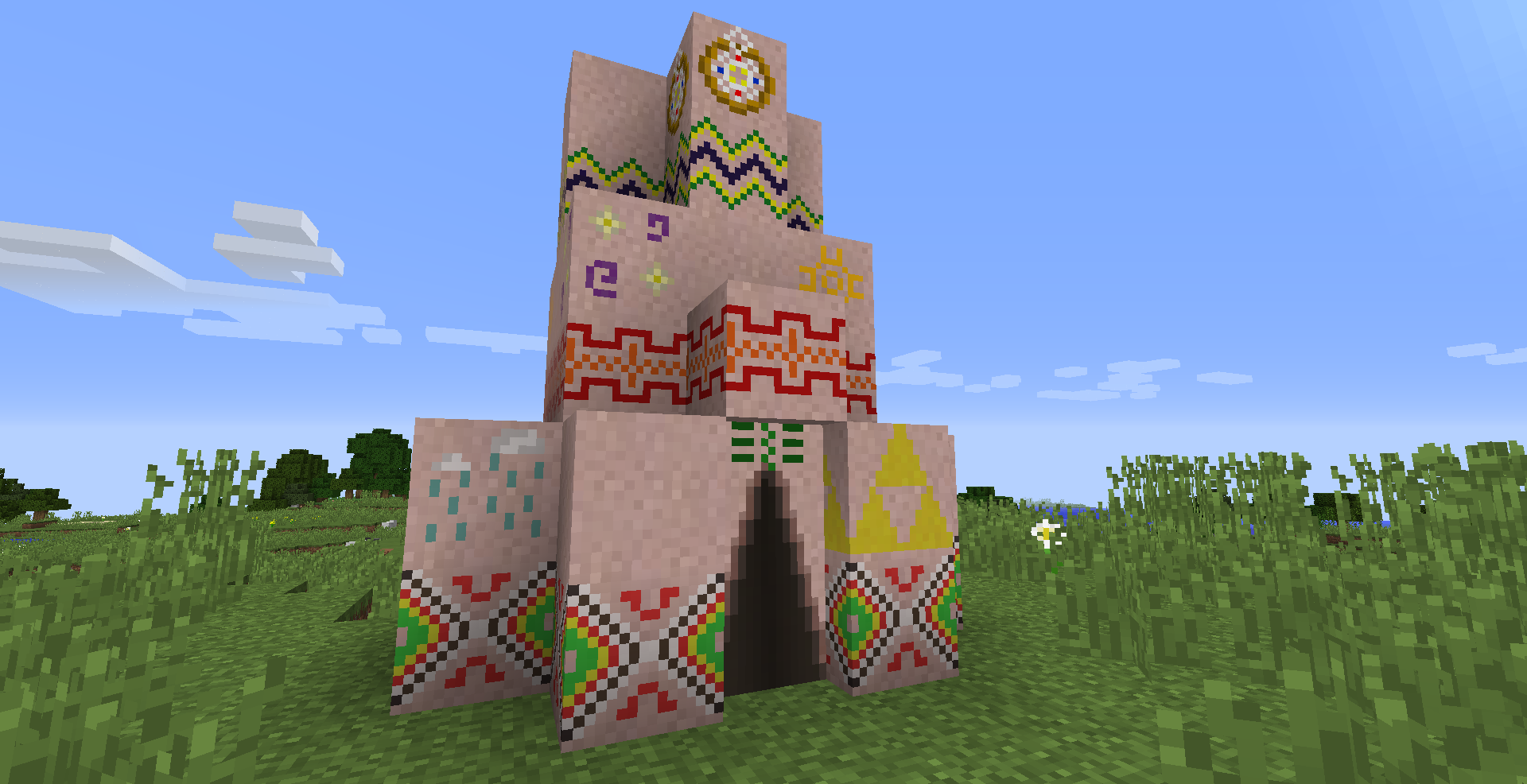 Tepee Outside
 -
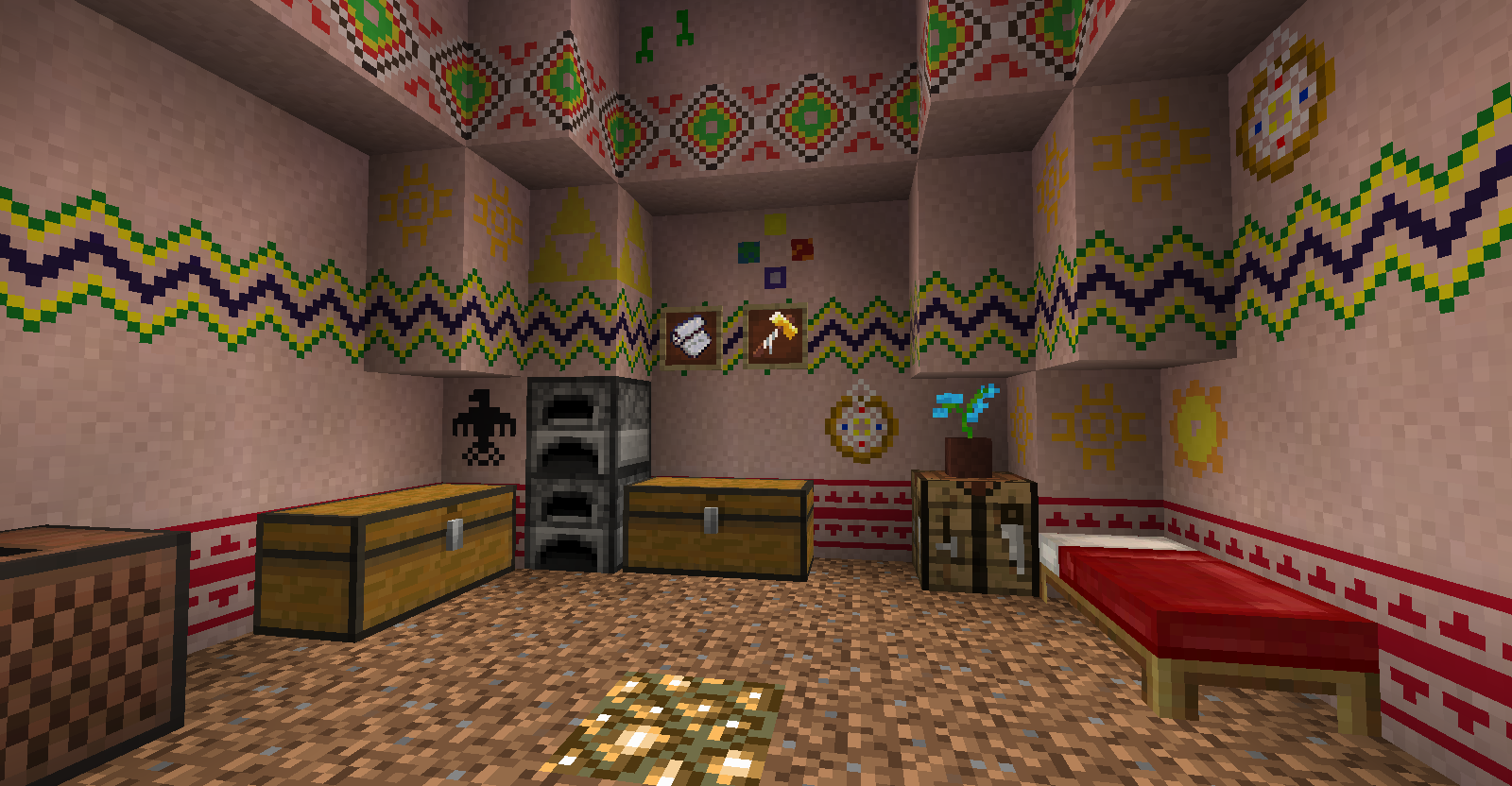 Large Tepee Inside
 -
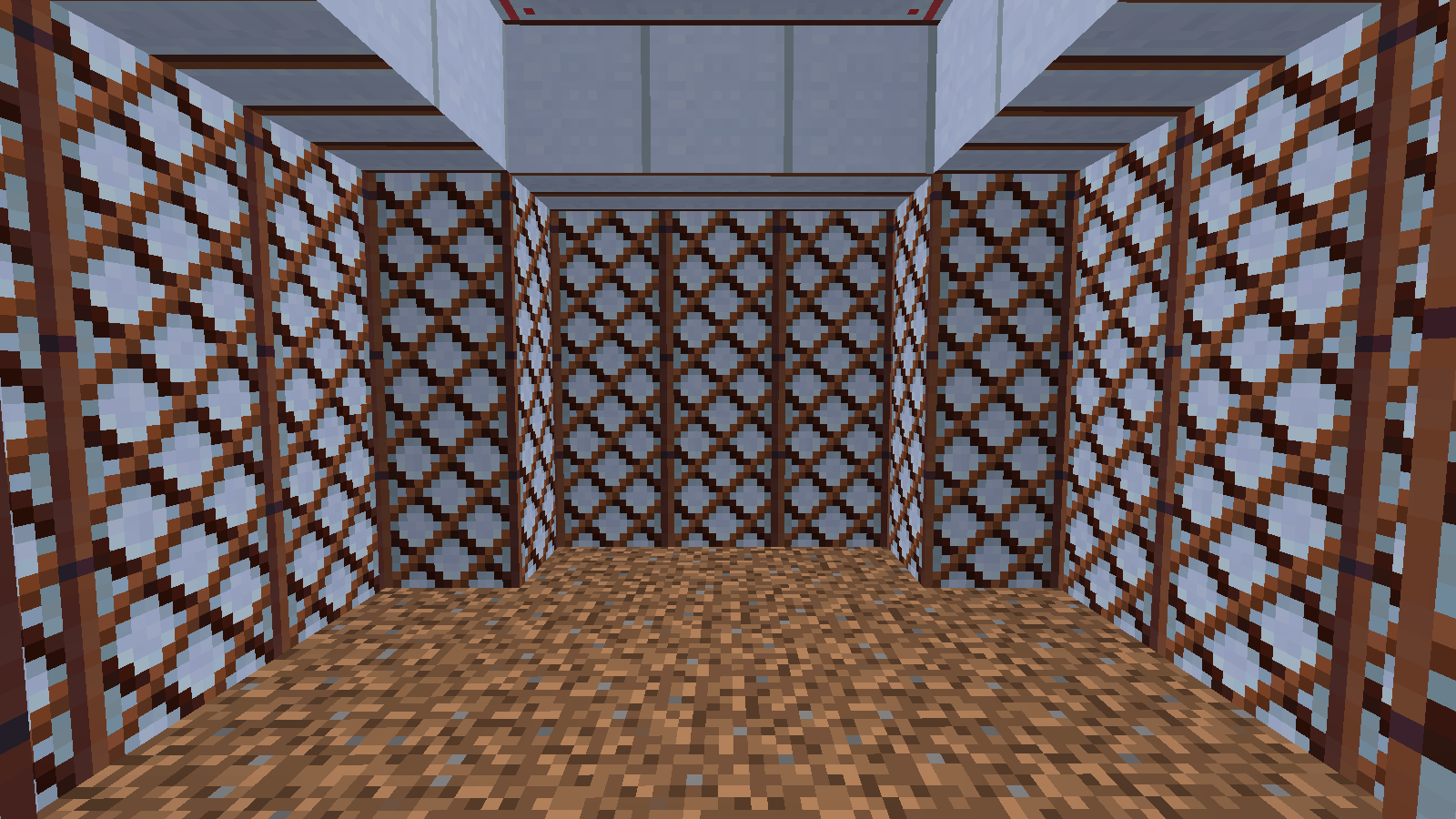 Medium Yurt Inside
 -
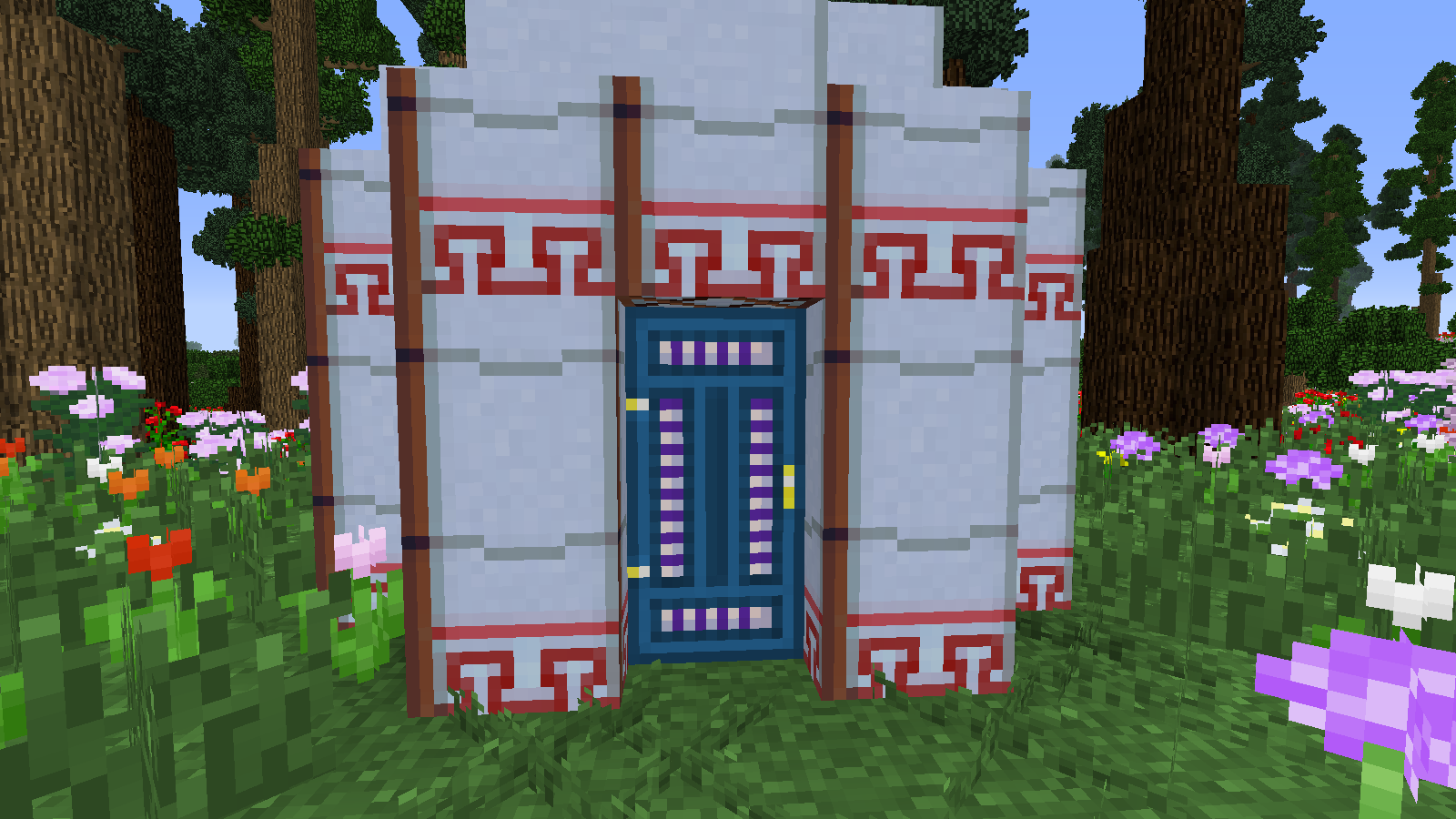 Medium Yurt Outside
 -
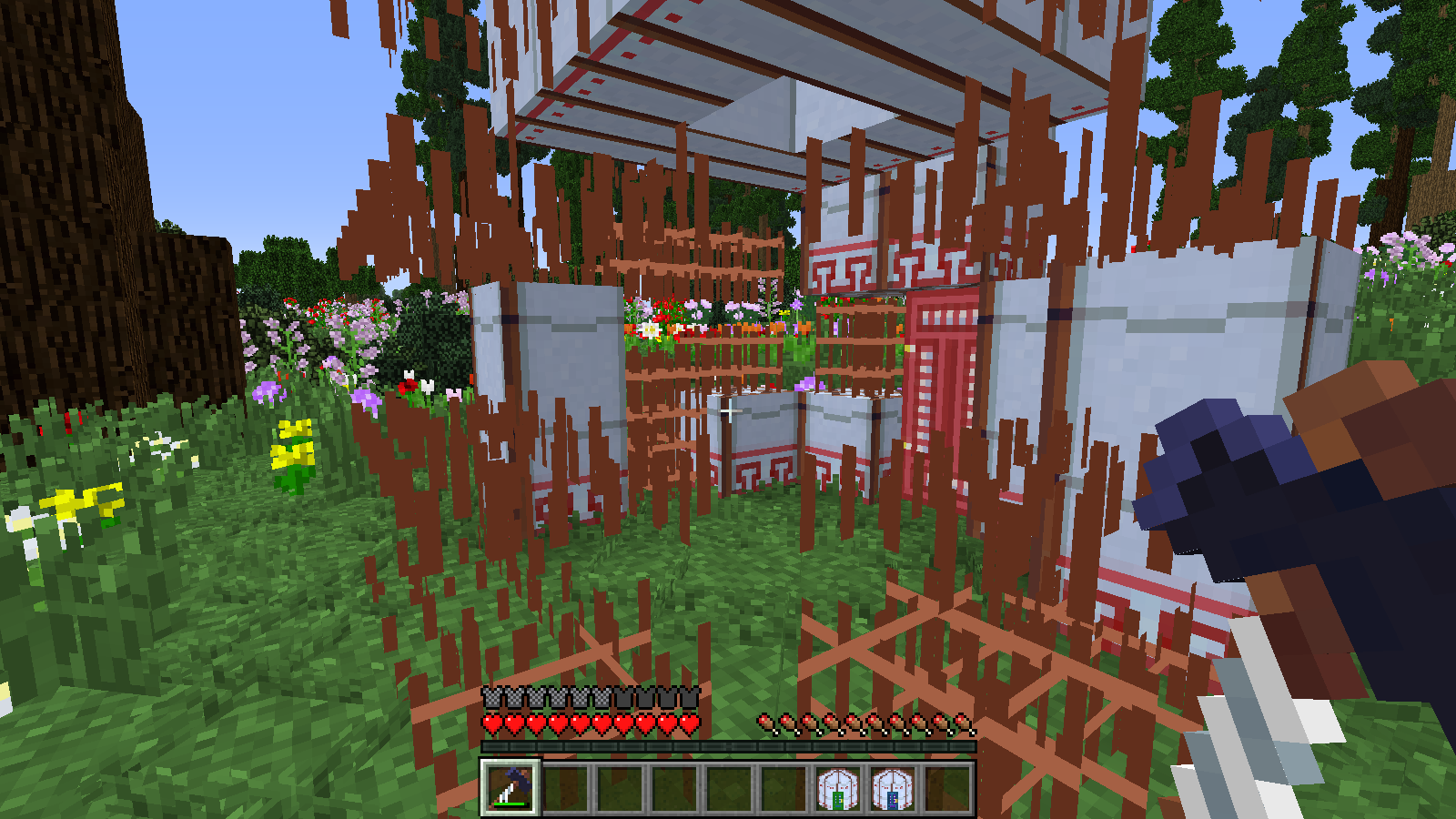 Yurt Framework
Versions
Files
Relations
Project Relations
More like this
Similar Mods
Suggestions use data such as tags, dependencies, dependents, descriptions, titles, and more to rank how much they overlap with this mod.
On ModDex
Community snapshot
By the numbers
Statistics
 (opens in a new tab)
Get it on
Available Platforms
On ModDex
Community snapshot
By the numbers