
Community listing page, reviews here may not be monitored by the author.
Noob's Container Searcher


No reviews yet
A client side Fabric mod that remembers the contents of containers and villagers you open, then lets you search saved items later with a command or keybind. Basically a Item Finder.
Community voices
Reviews
No reviews yet. Be the first to review this project!
Get it on
Available Platforms
Compatibility
Supported Environments
Runs entirely on the client. Works on vanilla servers.
About
Project Details
For authors
Embed Badge
If you're the author of this project, you can embed a live badge anywhere that supports HTML or Markdown. It updates automatically whenever ratings change.
Use HTML for any page that supports it, or Markdown for README files and Markdown-based descriptions.
Identifiers
Platform IDs
Resources
External Links
About
Description
Noob's Container Searcher
Noob's Container Searcher is a client-side Fabric mod that helps you find items inside containers you have already opened before. Basically a Item Finder
The mod saves container contents locally when you open a physical container such as a chest, double chest, barrel, furnace, shulker box, or other storage block. It does not scan unopened containers, does not reveal hidden inventories, and only searches through data that your client has already seen.
How to Use
- Open a physical container first, such as a chest, barrel, furnace, or shulker box.
- The mod saves the container contents locally after your client sees them.
- Press
Gto open the search GUI. - Search for an item by name, item id, lore, durability, or enchantment.
- Click a result in the GUI to show the matching saved container coordinates and highlight the matching item when you open that container.
You can also search the item in your main hand with Left Alt + S.
All keybinds can be changed from Minecraft's Controls menu under Noob's Container Searcher.
Commands
/containersearch <item>searches nearby saved containers./containersearch <item> globalsearches all saved containers in the current server/world./containersearch guiopens the search GUI./containersearch menualso opens the search GUI./containersearch clearhighlightclears active container highlights./csris a short alias for/containersearch.
Features
- Saves opened container contents on the client side
- Supports singleplayer and multiplayer worlds separately
- Supports dimensions/worlds separately
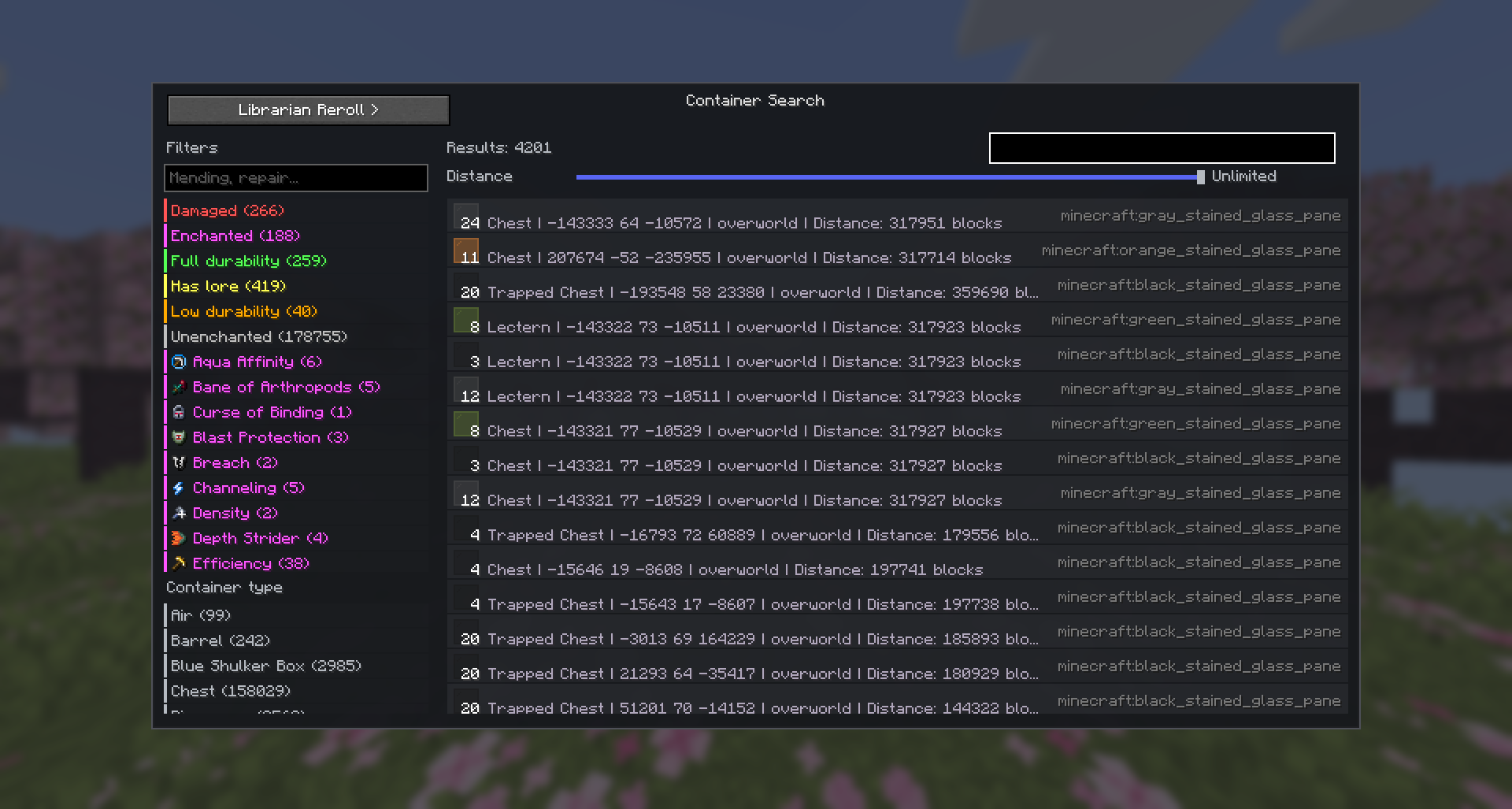
- In-game GUI for browsing saved container items
- Search saved items by name or item id
- Search using item details such as lore and durability
- Filter saved items by enchantments, lore, durability, and enchanted status
- Search the filter list by enchantment name or id, such as
Mending,Unbreaking, orminecraft:mending - Click a GUI result to focus the matching saved containers
- Shows matching container coordinates in chat
- Shows how many of the searched item are saved in each matching container
- Highlights matching items while the saved container screen is open
- Highlights the matching container in the world (visible through walls) when you focus a search result
- One-click button in the search GUI to delete all saved container data for the current server
Important Notes
This mod only works with containers you have manually opened before. It does not search the world for unopened containers and does not read server-side inventories that were never shown to your client.
Virtual menus such as server shops, markets, or trader menus are ignored when possible, because the mod is intended for physical storage containers only.
Noob's Container Searcher
Noob's Container Searcher is a client-side Fabric mod that helps you find items inside containers you have already opened before. Basically a Item Finder
The mod saves container contents locally when you open a physical container such as a chest, double chest, barrel, furnace, shulker box, or other storage block. It does not scan unopened containers, does not reveal hidden inventories, and only searches through data that your client has already seen.
How to Use
- Open a physical container first, such as a chest, barrel, furnace, or shulker box.
- The mod saves the container contents locally after your client sees them.
- Press
Gto open the search GUI. - Search for an item by name, item id, lore, durability, or enchantment.
- Click a result in the GUI to show the matching saved container coordinates and highlight the matching item when you open that container.
You can also search the item in your main hand with Left Alt + S.
All keybinds can be changed from Minecraft's Controls menu under Noob's Container Searcher.
Commands
/containersearch <item>searches nearby saved containers./containersearch <item> globalsearches all saved containers in the current server/world./containersearch guiopens the search GUI./containersearch menualso opens the search GUI./containersearch clearhighlightclears active container highlights./csris a short alias for/containersearch.
Features
- Saves opened container contents on the client side
- Supports singleplayer and multiplayer worlds separately
- Supports dimensions/worlds separately
- In-game GUI for browsing saved container items
- Search saved items by name or item id
- Search using item details such as lore and durability
- Filter saved items by enchantments, lore, durability, and enchanted status
- Search the filter list by enchantment name or id, such as
Mending,Unbreaking, orminecraft:mending - Click a GUI result to focus the matching saved containers
- Shows matching container coordinates in chat
- Shows how many of the searched item are saved in each matching container
- Highlights matching items while the saved container screen is open
- Highlights the matching container in the world (visible through walls) when you focus a search result
- One-click button in the search GUI to delete all saved container data for the current server
Support: https://discord.gg/SSwGQZp4gQ
Important Notes
This mod only works with containers you have manually opened before. It does not search the world for unopened containers and does not read server-side inventories that were never shown to your client.
Virtual menus such as server shops, markets, or trader menus are ignored when possible, because the mod is intended for physical storage containers only.
Screenshots
Gallery
-
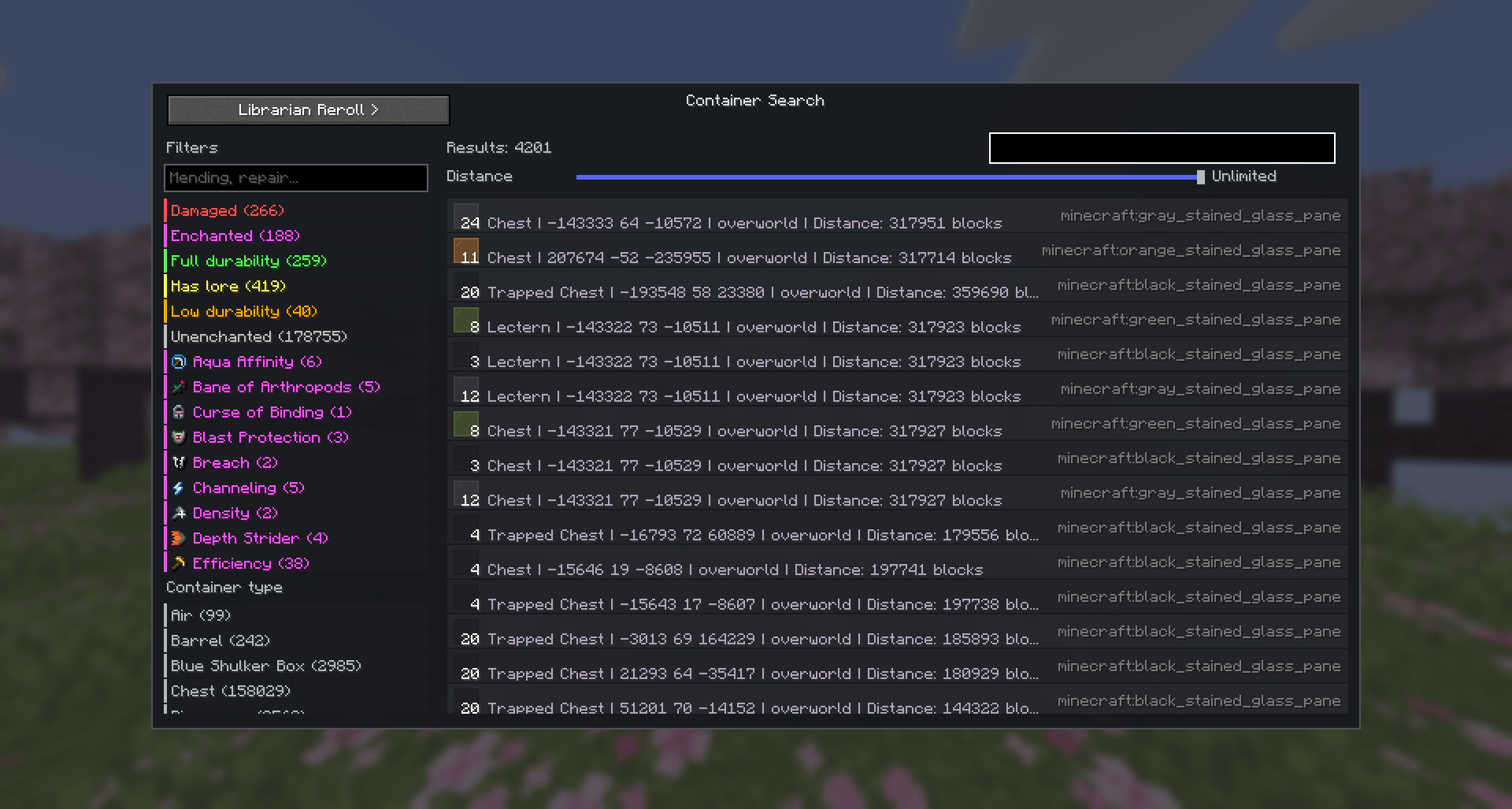 image.png image.png
-
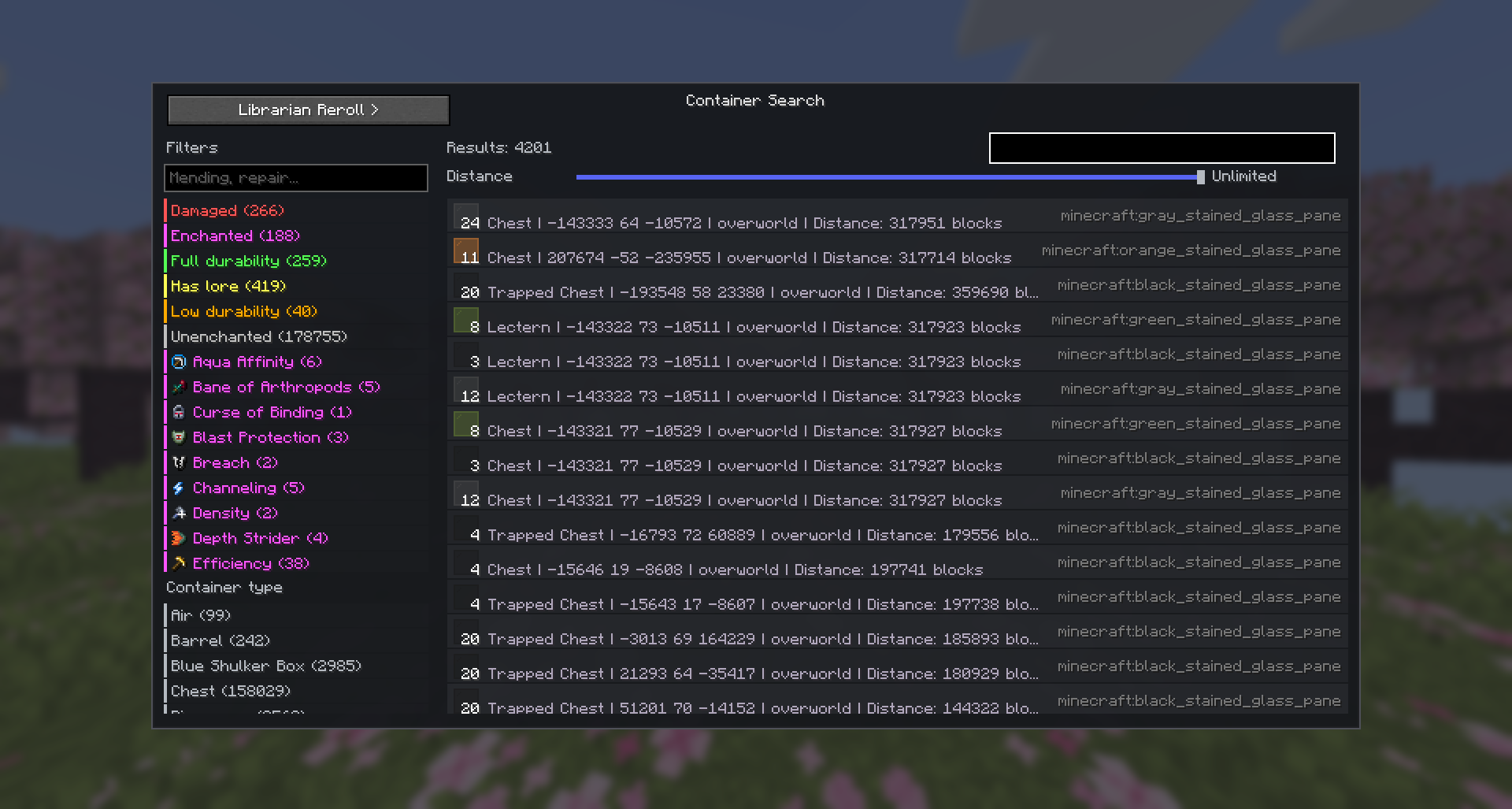 Container Search GUI Container Search GUI that shows all container(chest, shulker, etc..) items.
 -
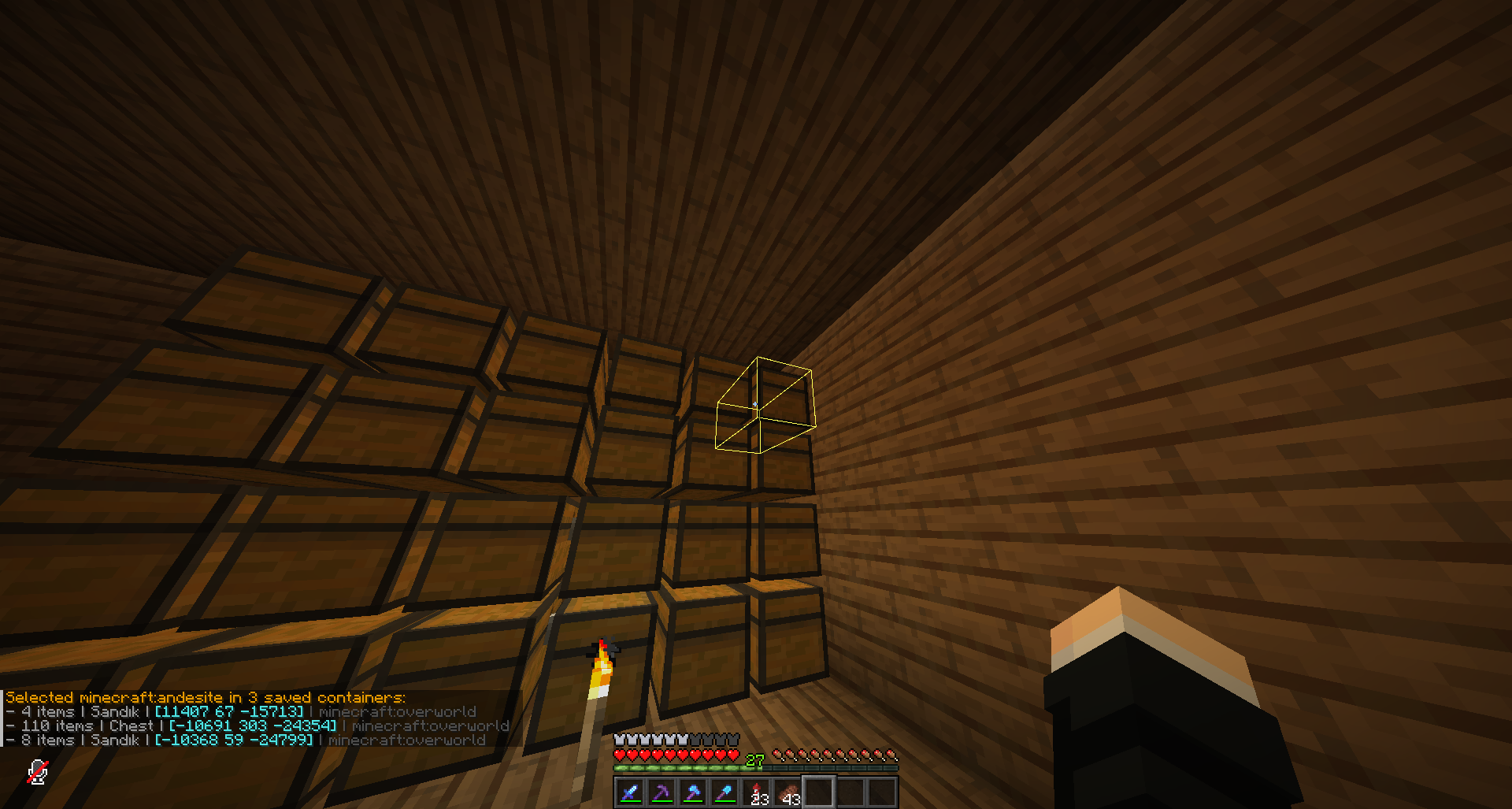 How the mod shows item(s) in container(s)
Versions
Files
Relations
Project Relations
More like this
Similar Mods
Suggestions use data such as tags, dependencies, dependents, descriptions, titles, and more to rank how much they overlap with this mod.
On ModDex
Community snapshot
By the numbers
Statistics
Want to reach Minecraft players?
We're looking for a server hosting partner to feature here and other parts of the site. Interested? Send us a message!
Get in touchGet it on
Available Platforms
On ModDex
Community snapshot
By the numbers
Statistics
Resources