Community listing page, reviews may not be monitored by the author.
Normal NPC Player: Community Mod.


No reviews yet
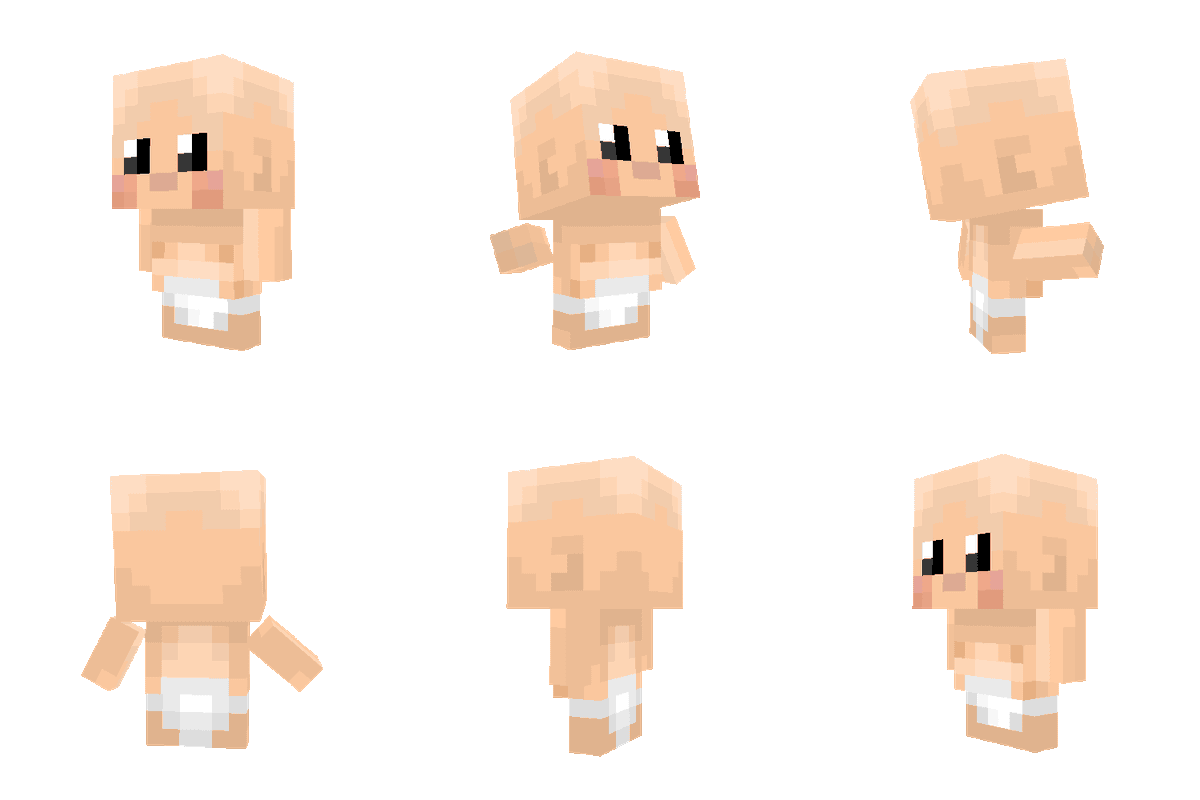
A mod that add player's baby to hardcore world!

Community voices
Reviews
No reviews yet. Be the first to review this project!
Get it on
Available Platforms
Compatibility
Supported Environments
Must be installed on both the client and the server.
About
Project Details
For authors
Embed Badge
If you're the author of this project, you can embed a live badge anywhere that supports HTML or Markdown. It updates automatically whenever ratings change.
Use HTML for any page that supports it, or Markdown for README files and Markdown-based descriptions.
Identifiers
Platform IDs
Resources
External Links
About
Description
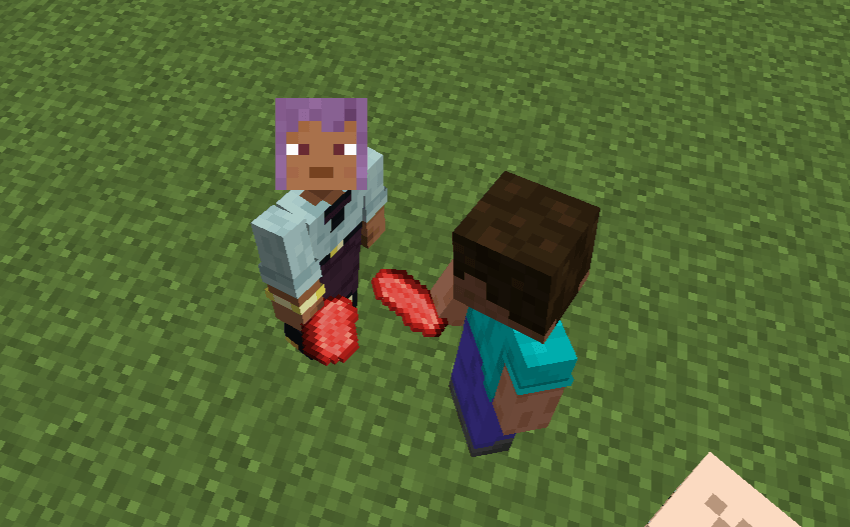
 MORE AND MORE HARDCORE!!!
(NNP) Normal Non-Player-Character Player have fun Alpha features. You can also feedback to me when found some errors or something strange you can leave it as a comments.
Don't tell them.. shhhsss...


ตารางภาษาไทย
| หมวด | คีย์ลัด / การกระทำ | เงื่อนไขและผลลัพธ์ |
|---|---|---|
| Baby Item — กระเป๋าและอุปกรณ์ | ||
| เปิด Baby Inventory | Shift + คลิกขวา ที่ Baby Item | ใช้ได้ในกระเป๋าผู้เล่นหรือ Creative Inventory เพื่อเปิดหน้า Baby Inventory |
| ใส่เกราะ | คลิกซ้ายที่ Baby Item ขณะถือเกราะหรือ Elytra บนเคอร์เซอร์ | ติดตั้งอุปกรณ์ลงช่องเกราะที่ตรงประเภท |
| ใส่มือหลัก | Ctrl + คลิกซ้าย ที่ Baby Item ขณะถือไอเทมบนเคอร์เซอร์ | ย้ายไอเทมไปมือหลักของ Baby |
| ใส่มือรอง | Ctrl + คลิกขวา ที่ Baby Item ขณะถือไอเทมบนเคอร์เซอร์ | ย้ายไอเทมไปมือรองของ Baby |
| Baby Item — Tooltip | ||
| แสดงรายละเอียด | กด Shift ค้างขณะชี้ Baby Item | แสดง Tooltip แบบรายละเอียดเต็ม |
| เลื่อน Tooltip | Shift + ล้อเมาส์, Shift + ↑/↓ หรือ Shift + PgUp/PgDn | เลื่อน Tooltip รายละเอียดเมื่อเนื้อหายาวเกินกรอบ |
| Baby Item — การสลับมือและ Hotbar | ||
| สลับไปมือรอง | ปุ่ม Swap Item With Offhand — ค่าเริ่มต้น F | เมื่อ Baby อยู่มือหลัก จะสลับ Baby ไปมือรองตามปกติ |
| ย้ายจากมือรอง | ใน Player/Creative Inventory: ชี้ช่องมือรองแล้วกด F | สลับ Baby ในมือรองกลับไปมือหลัก |
| ย้ายไป Hotbar | ใน Player/Creative Inventory ขณะที่ Baby อยู่มือรอง: กด 1–9 | ย้าย Baby ไปช่อง Hotbar ที่ระบุ และย้ายไอเทมเดิมในช่องนั้นไปมือรอง |
| ข้อจำกัดขณะถือ | เลือก Hotbar 1–9, ล้อเมาส์, ปุ่มกลางเมาส์ หรือ Q | เมื่อ Baby อยู่มือหลักระหว่างเล่นปกติ ระบบจะป้องกันการเปลี่ยนช่องหรือทิ้ง Baby |
| Growth Child — คำสั่งควบคุม | ||
| เปลี่ยนพฤติกรรม | มือเปล่า + คลิกขวา | วนพฤติกรรม: Follow → Hold Position → Wander Home → Work → Idle |
| ตั้งบ้าน | กด Sneak ค้าง (ปกติ Shift) + มือเปล่า + คลิกขวา | ตั้งตำแหน่งปัจจุบันของ Growth Child เป็น Home |
| Guard | กด Guard Modifier ค้าง + คลิกขวา | เปิด/ปิด Guard หรือ Hold Position; ค่าเริ่มต้นคือ Left Alt และเปลี่ยนได้ใน Controls → Normal NPC Player |
| โยน Baby | ||
| เริ่มชาร์จ | กดค้างพร้อมกันทั้ง 3 ปุ่ม: ปุ่มวิ่งที่ตั้งไว้ + R + ปุ่มใช้/คลิกขวา | ต้องถือ Baby และมืออีกข้างต้องว่าง; ทั้งสามปุ่มต้องถูกกดพร้อมกันเพื่อเริ่มฟังก์ชันชาร์จพลังโยน |
| โยน | ปล่อยเฉพาะปุ่มใช้/คลิกขวา | โยน Baby ตามพลังที่ชาร์จไว้ โดยไม่ต้องปล่อยปุ่มวิ่งหรือ R |
| ยกเลิก | คลิกซ้าย | ยกเลิกการชาร์จการโยนทันที |
| Cutscene | ||
| ปรับความเร็ว | คลิกซ้าย | สลับความเร็ว Cutscene ระหว่าง 1× และ 2× |
| ข้าม Cutscene | Esc | ข้าม Cutscene |
| หน้าจอ Baby Inventory และ Config | ||
| ควบคุมหน้าจอ | ไม่มีคีย์ลัดเฉพาะของม็อด | ใช้การคลิกและปุ่มมาตรฐานของ Minecraft; Esc ปิดหน้าจอ และในหน้า Config จะบันทึกค่าก่อนกลับ |
English Table
| Category | Shortcut / Action | Conditions and Result |
|---|---|---|
| Baby Item — Inventory and Equipment | ||
| Open Baby Inventory | Shift + Right-click a Baby Item | In the Player Inventory or Creative Inventory, opens the Baby Inventory screen. |
| Equip Armor | Left-click a Baby Item while holding armor or Elytra on the cursor | Equips the item in the matching Baby armor slot. |
| Equip Main Hand | Ctrl + Left-click a Baby Item while holding an item on the cursor | Moves the cursor item to the Baby’s main hand. |
| Equip Offhand | Ctrl + Right-click a Baby Item while holding an item on the cursor | Moves the cursor item to the Baby’s offhand. |
| Baby Item — Tooltip | ||
| Show Details | Hold Shift while hovering over a Baby Item | Shows the full-detail Tooltip. |
| Scroll Tooltip | Shift + Mouse Wheel, Shift + ↑/↓, or Shift + PgUp/PgDn | Scrolls the detailed Tooltip when its content exceeds the visible frame. |
| Baby Item — Hand and Hotbar Management | ||
| Move to Offhand | Swap Item With Offhand binding — default F | When the Baby is in the main hand, swaps it to the offhand normally. |
| Move from Offhand | In Player/Creative Inventory: hover over the offhand slot and press F | Swaps the Baby from the offhand back to the main hand. |
| Move to Hotbar | In Player/Creative Inventory, while the Baby is in the offhand: press 1–9 | Moves the Baby to the selected Hotbar slot and moves that slot’s former item to the offhand. |
| Carry Restrictions | Hotbar 1–9, mouse wheel, middle-click, or Q | While the Baby is in the main hand during normal gameplay, the mod prevents changing slots or dropping the Baby. |
| Growth Child — Control Commands | ||
| Change Behavior | Empty hand + Right-click | Cycles behavior: Follow → Hold Position → Wander Home → Work → Idle. |
| Set Home | Hold Sneak (default Shift) + empty hand + Right-click | Sets the Growth Child’s current position as Home. |
| Guard | Hold Guard Modifier + Right-click | Toggles Guard or Hold Position. Default: Left Alt; configurable in Controls → Normal NPC Player. |
| Throw Baby | ||
| Start Charging | Hold all three inputs simultaneously: configured Sprint key + R + Use/Right-click | The Baby must be carried and the other hand must be empty. All three inputs must be held together to activate charging. |
| Throw | Release only the Use/Right-click input | Throws the Baby with the charged power. The Sprint key and R do not need to be released. |
| Cancel | Left-click | Cancels the throw charge immediately. |
| Cutscene | ||
| Adjust Playback Speed | Left-click | Toggles Cutscene playback speed between 1× and 2×. |
| Skip Cutscene | Esc | Skips the Cutscene. |
| Baby Inventory and Config Screens | ||
| Screen Controls | No mod-specific shortcut | Use standard Minecraft mouse and screen controls; Esc closes the screen, and the Config screen saves before returning. |
Companion Mod
Want even more interactions?
If you'd like to pat your Baby NPCs, check out https://www.curseforge.com/minecraft/mc-mods/patpat It lets you pat living entities with fun animations and works great alongside Normal NPC Player.
Normal NPC Player
Normal NPC Player adds human-like NPCs to Minecraft that behave like real players instead of villagers. It is designed for map creators, survival worlds, roleplay, and future expansion.
Features
Human-style NPC entities
Baby NPC Player
Random walking AI
Idle animations
Looking at nearby players
Spawn Egg support
GeckoLib animations
Forge 1.20.1 support
Planned Features
Adult NPCs
Custom skins
Follow player
Sit and sleep
Trading
Fighting and defending
Better pathfinding
Commands for managing NPCs
Family and relationship system
Requirements
Minecraft Forge 1.20.1
GeckoLib
Why download this mod?
Unlike villagers, Normal NPC Player focuses on creating realistic human NPCs that can make your Minecraft world feel alive. The project is actively developed and more behaviors and interactions will be added in future updates.
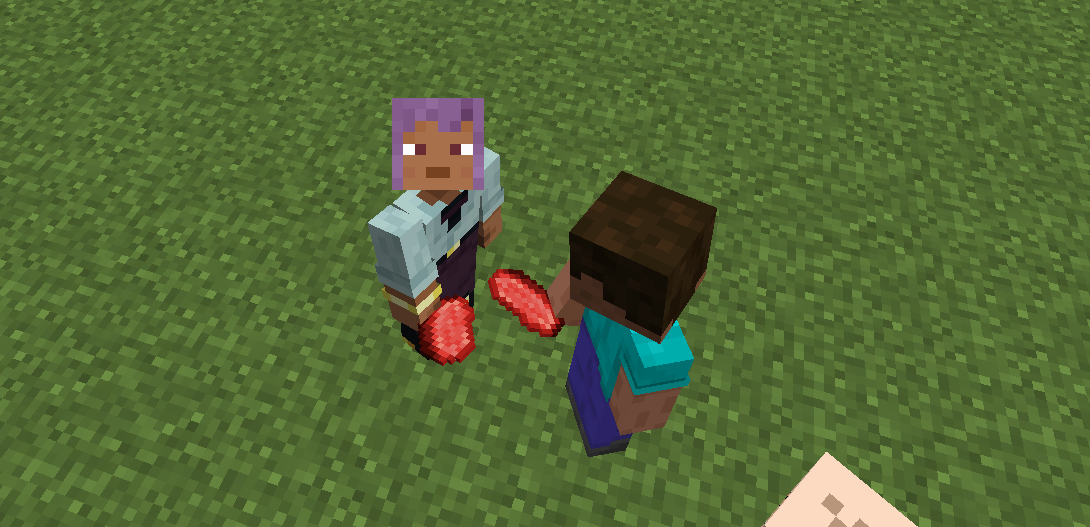
 MORE AND MORE HARDCORE!!!
Spoiler
Chill no Spoiled!!


(NNP) Normal Non-Player-Character Player have fun Alpha features. You can also feedback to me when found error or something leave it as a comment
ตารางภาษาไทย
| หมวด | คีย์ลัด / การกระทำ | เงื่อนไขและผลลัพธ์ |
|---|---|---|
| Baby Item — กระเป๋าและอุปกรณ์ | ||
| เปิด Baby Inventory | Shift + คลิกขวา ที่ Baby Item |
ใช้ได้ในกระเป๋าผู้เล่นหรือ Creative Inventory เพื่อเปิดหน้า Baby Inventory |
| ใส่เกราะ | คลิกซ้ายที่ Baby Item ขณะถือเกราะหรือ Elytra บนเคอร์เซอร์ | ติดตั้งอุปกรณ์ลงช่องเกราะที่ตรงประเภท |
| ใส่มือหลัก | Ctrl + คลิกซ้าย ที่ Baby Item ขณะถือไอเทมบนเคอร์เซอร์ |
ย้ายไอเทมไปมือหลักของ Baby |
| ใส่มือรอง | Ctrl + คลิกขวา ที่ Baby Item ขณะถือไอเทมบนเคอร์เซอร์ |
ย้ายไอเทมไปมือรองของ Baby |
| Baby Item — Tooltip | ||
| แสดงรายละเอียด | กด Shift ค้างขณะชี้ Baby Item |
แสดง Tooltip แบบรายละเอียดเต็ม |
| เลื่อน Tooltip | Shift + ล้อเมาส์, Shift + ↑/↓, Shift + PgUp/PgDn |
เลื่อน Tooltip รายละเอียดเมื่อเนื้อหายาวเกินกรอบ |
| Baby Item — การสลับมือและ Hotbar | ||
| สลับไปมือรอง | ปุ่ม Swap Item With Offhand — ค่าเริ่มต้น F |
เมื่อ Baby อยู่มือหลัก จะสลับ Baby ไปมือรองตามปกติ |
| ย้ายจากมือรอง | ใน Player/Creative Inventory: ชี้ช่องมือรองแล้วกด F |
สลับ Baby ในมือรองกลับไปมือหลัก |
| ย้ายไป Hotbar | ใน Player/Creative Inventory ขณะที่ Baby อยู่มือรอง: กด 1–9 |
ย้าย Baby ไปช่อง Hotbar ที่ระบุ และย้ายไอเทมเดิมในช่องนั้นไปมือรอง |
| ข้อจำกัดขณะถือ | เลือก Hotbar 1–9, ล้อเมาส์, ปุ่มกลางเมาส์, หรือ Q |
เมื่อ Baby อยู่มือหลักระหว่างเล่นปกติ ระบบจะป้องกันการเปลี่ยนช่องหรือทิ้ง Baby |
| Growth Child — คำสั่งควบคุม | ||
| เปลี่ยนพฤติกรรม | มือเปล่า + คลิกขวา | วนพฤติกรรม: Follow → Hold Position → Wander Home → Work → Idle |
| ตั้งบ้าน | กด Sneak ค้าง (ปกติ Shift) + มือเปล่า + คลิกขวา |
ตั้งตำแหน่งปัจจุบันของ Growth Child เป็น Home |
| Guard | กด Guard Modifier ค้าง + คลิกขวา | เปิด/ปิด Guard หรือ Hold Position; ค่าเริ่มต้นคือ Left Alt และเปลี่ยนได้ใน Controls → Normal NPC Player |
| โยน Baby | ||
| เริ่มชาร์จ | กดค้างพร้อมกันทั้ง 3 ปุ่ม: ปุ่มวิ่งที่ตั้งไว้ + R + ปุ่มใช้/คลิกขวา |
ต้องถือ Baby และมืออีกข้างต้องว่าง; ทั้งสามปุ่มต้องถูกกดพร้อมกันเพื่อเริ่มฟังก์ชันชาร์จพลังโยน |
| โยน | ปล่อย เฉพาะปุ่มใช้/คลิกขวา | โยน Baby ตามพลังที่ชาร์จไว้ โดยไม่ต้องปล่อยปุ่มวิ่งหรือ R |
| ยกเลิก | คลิกซ้าย | ยกเลิกการชาร์จการโยนทันที |
| Cutscene | ||
| ปรับความเร็ว | คลิกซ้าย | สลับความเร็ว Cutscene ระหว่าง 1× และ 2× |
| ข้าม Cutscene | Esc |
ข้าม Cutscene |
| หน้าจอ Baby Inventory และ Config | ||
| ควบคุมหน้าจอ | ไม่มีคีย์ลัดเฉพาะของม็อด | ใช้การคลิกและปุ่มมาตรฐานของ Minecraft; Esc ปิดหน้าจอ และในหน้า Config จะบันทึกค่าก่อนกลับ |
English Table
| Category | Shortcut / Action | Conditions and Result |
|---|---|---|
| Baby Item — Inventory and Equipment | ||
| Open Baby Inventory | Shift + Right-click a Baby Item |
In the Player Inventory or Creative Inventory, opens the Baby Inventory screen. |
| Equip Armor | Left-click a Baby Item while holding armor or Elytra on the cursor | Equips the item in the matching Baby armor slot. |
| Equip Main Hand | Ctrl + Left-click a Baby Item while holding an item on the cursor |
Moves the cursor item to the Baby’s main hand. |
| Equip Offhand | Ctrl + Right-click a Baby Item while holding an item on the cursor |
Moves the cursor item to the Baby’s offhand. |
| Baby Item — Tooltip | ||
| Show Details | Hold Shift while hovering over a Baby Item |
Shows the full-detail Tooltip. |
| Scroll Tooltip | Shift + Mouse Wheel, Shift + ↑/↓, or Shift + PgUp/PgDn |
Scrolls the detailed Tooltip when its content exceeds the visible frame. |
| Baby Item — Hand and Hotbar Management | ||
| Move to Offhand | Swap Item With Offhand binding — default F |
When the Baby is in the main hand, swaps it to the offhand normally. |
| Move from Offhand | In Player/Creative Inventory: hover over the offhand slot and press F |
Swaps the Baby from the offhand back to the main hand. |
| Move to Hotbar | In Player/Creative Inventory, while the Baby is in the offhand: press 1–9 |
Moves the Baby to the selected Hotbar slot and moves that slot’s former item to the offhand. |
| Carry Restrictions | Hotbar 1–9, mouse wheel, middle-click, or Q |
While the Baby is in the main hand during normal gameplay, the mod prevents changing slots or dropping the Baby. |
| Growth Child — Control Commands | ||
| Change Behavior | Empty hand + Right-click | Cycles behavior: Follow → Hold Position → Wander Home → Work → Idle. |
| Set Home | Hold Sneak (default Shift) + empty hand + Right-click |
Sets the Growth Child’s current position as Home. |
| Guard | Hold Guard Modifier + Right-click | Toggles Guard or Hold Position. Default: Left Alt; configurable in Controls → Normal NPC Player. |
| Throw Baby | ||
| Start Charging | Hold all three inputs simultaneously: configured Sprint key + R + Use/Right-click |
The Baby must be carried and the other hand must be empty. All three inputs must be held together to activate charging. |
| Throw | Release only the Use/Right-click input | Throws the Baby with the charged power. The Sprint key and R do not need to be released. |
| Cancel | Left-click | Cancels the throw charge immediately. |
| Cutscene | ||
| Adjust Playback Speed | Left-click | Toggles Cutscene playback speed between 1× and 2×. |
| Skip Cutscene | Esc |
Skips the Cutscene. |
| Baby Inventory and Config Screens | ||
| Screen Controls | No mod-specific shortcut | Use standard Minecraft mouse and screen controls; Esc closes the screen, and the Config screen saves before returning. |
| Feature | Description |
|---|---|
| Real Passenger | Uses Minecraft's native passenger system |
| Head Riding | Baby rides on the top face of the player's bounding box |
| Adjustable Position | Forward / Side / Vertical offsets |
| First-Person View | Mounted Baby does not obstruct the owner's FPP |
| Smart Targeting | Mounted Baby does not block entity targeting |
| Block Interaction | Mounted Baby does not block block interaction |
| Multiplayer | Other players can still see and interact with the Baby |
Companion Mod Want even more interactions?
If you'd like to pat your Baby NPCs, check out *PatPat! It lets you pat living entities with fun animations and works great alongside Normal NPC Player.
Normal NPC Player Normal NPC Player adds human-like NPCs to Minecraft that behave like real players instead of villagers. It is designed for map creators, survival worlds, roleplay, and future expansion.
Features Human-style NPC entities Baby NPC Player Random walking AI Idle animations Looking at nearby players Spawn Egg support GeckoLib animations Forge 1.20.1 support
Planned Features Adult NPCs Custom skins Follow player Sit and sleep Trading Fighting and defending Better pathfinding Commands for managing NPCs Family and relationship system
Requirements Minecraft Forge 1.20.1 GeckoLib
Why download this mod? Unlike villagers, Normal NPC Player focuses on creating realistic human NPCs that can make your Minecraft world feel alive. The project is actively developed and more behaviors and interactions will be added in future updates.
Screenshots
Gallery
-
 Pat Babies (Pat Pat Mod Required) https://www.curseforge.com/minecraft/mc-mods/patpat/files/7692671
-
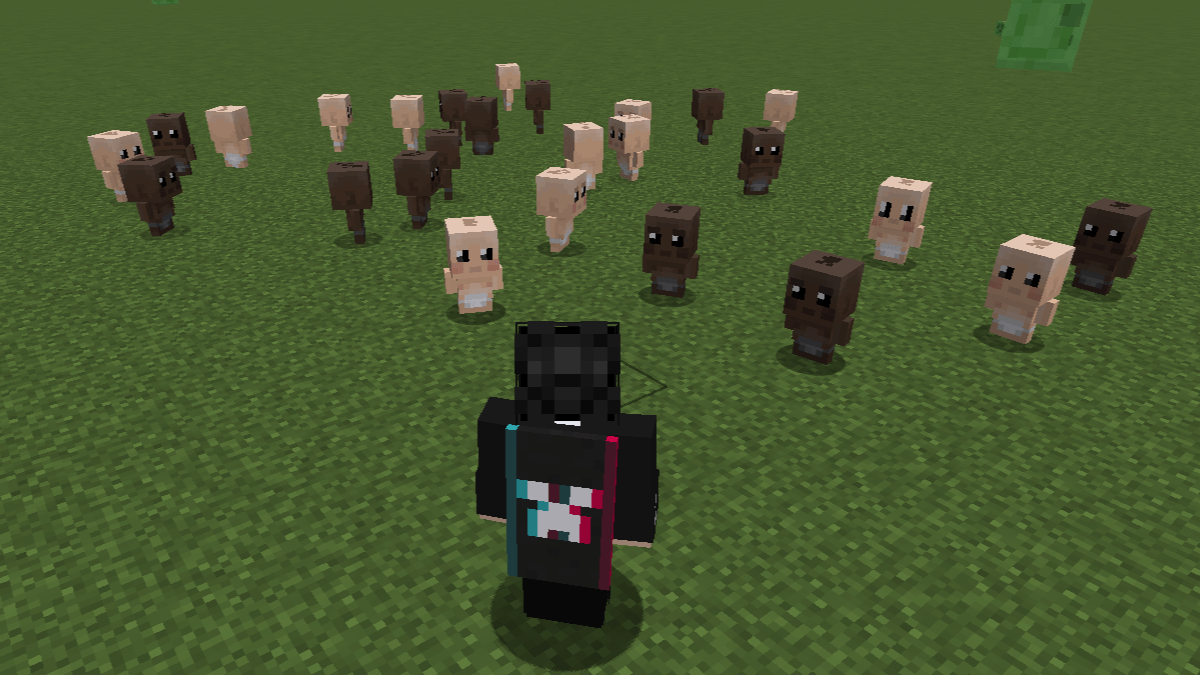 New Variants!
-
 Pat Babies (Pat Pat Mod Required) https://modrinth.com/plugin/patpat/version/1.2.4+1.20.1+forge
-
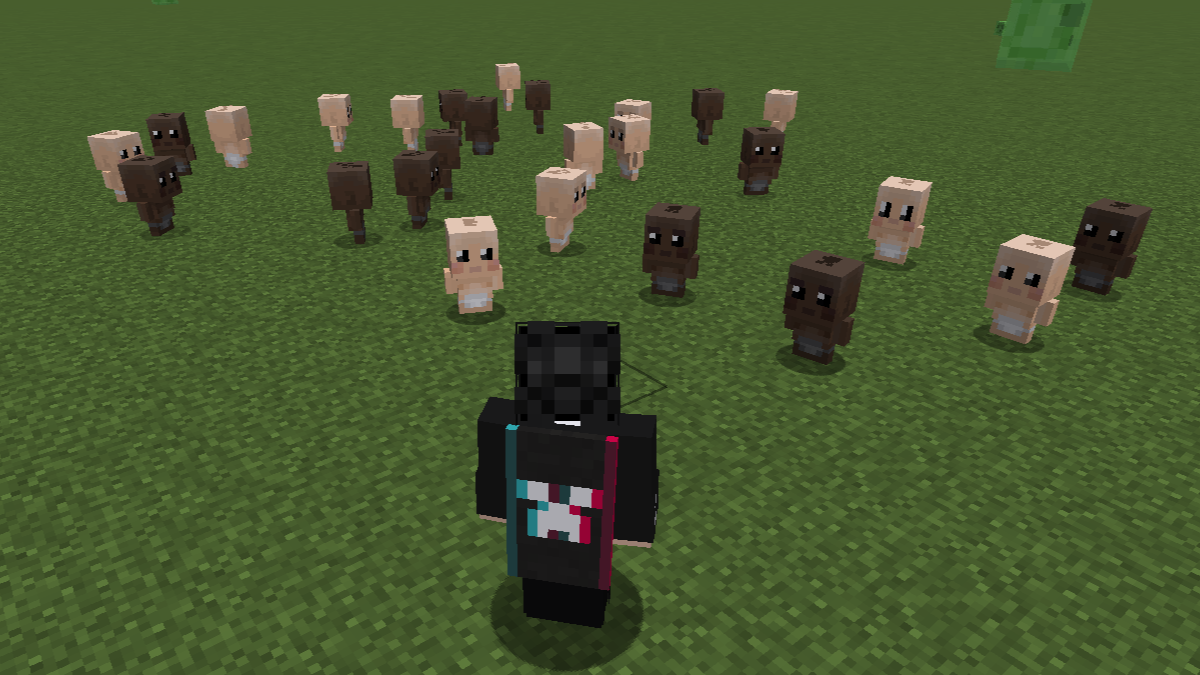 New Variants!
Versions
Files
Relations
Project Relations
More like this
Similar Mods
Suggestions use data such as tags, dependencies, dependents, descriptions, titles, and more to rank how much they overlap with this mod.
On ModDex
Community snapshot
By the numbers
Statistics

Get it on
Available Platforms
On ModDex
Community snapshot
By the numbers
Statistics
Resources