
Note Block Tuner
No reviews yet
A simple client-side mod to quickly tune note blocks with a GUI
Fabric is a mod loader for versions 1.14+ of Minecraft, particularly popular for client side and optimization mods.
Community voices
Reviews
Click once to include, again to exclude, again to clear
No reviews yet. Be the first to review this project!
Get it on
Available Platforms
 Modrinth
Compatibility
Supported Environments
About
Project Details
For authors
Embed Badge
If you're the author of this project, you can embed a live badge anywhere that supports HTML or Markdown. It updates automatically whenever ratings change.
Use HTML for any page that supports it, or Markdown for README files and Markdown-based descriptions.
Identifiers
Platform IDs
About
Description
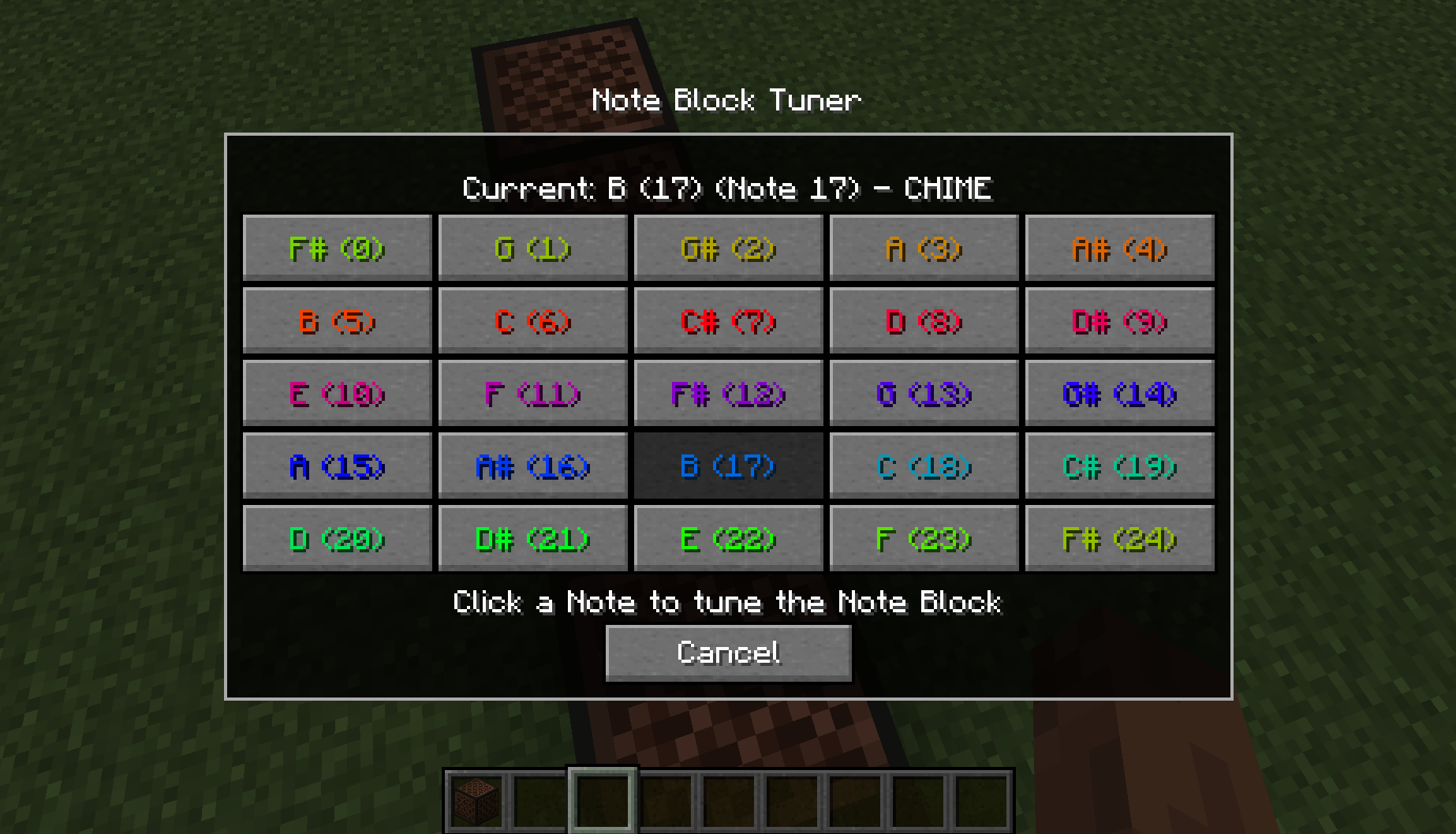
Simple Client-side mod that adds a new GUI for Note Blocks. GUI provides a clear choice of Notes which will automatically tune the block to the selected note.
Key Features
- Fully functional Client-side (works in multiplayer)
- GUI for Note selection
- Displays Current Note & Instrument
- Display all Notes as selectable buttons
How to use
The GUI can be accessed by either sneak right-clicking with an empty hand or opened when placing the Note Block (disable by default, see commands below). Once in the menu simply clicking one of the Note buttons will automatically queue and begin to the tune the Note Block to the desired Note.

By default you can queue up to 3 Note Blocks to be tuned at once. Ones after will be added to the queue and will begin processing once available. The mod will automatically adjust the delay between changing notes (this is to primarily avoid desync when on servers). You change the basic delay between cycles with the command (see below) however it won't effect the delay when in range of the target Note.
If you wish to completely stop all tuning process, active and queued for whatever reason. You can use the Stop All keybind (default \) which will completely stop all processes and clear the queue. This keybind can be changed through the in-game keybinds menu
Commands
/notedelay [1-20] - Change the delay between cycles. This is how many client-ticks to wait between each change.
/notequeue [1-5] - Change the concurrent tuning amount. This sets how many Note Blocks can be tuned at once.
/noteplace [true/false] - Change the menu to appear after placing the Note Block.
/notecolour [true/false] - Change the menu to display the Note colours on the Buttons.
Feel free to use this mod in modpacks but keep the download within the Modrinth Ecosystem
Do not reupload
Other Mods




Screenshots
Gallery
-
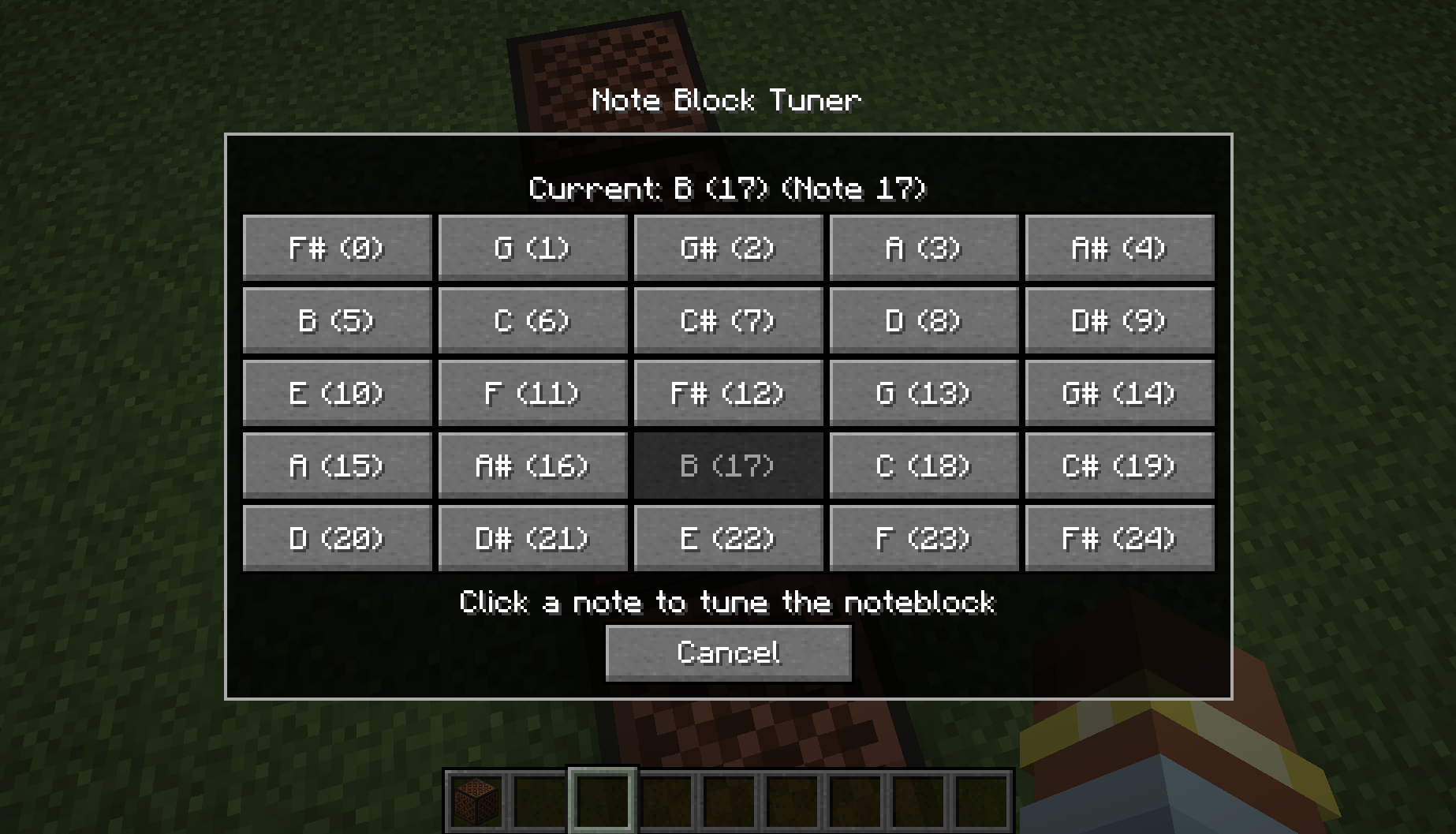 Note Block Tuner GUI The GUI for the Note Block Tuner Mod without the coloured buttons
 -
Note Block Tuner GUI The GUI for the Note Block Tuner Mod with coloured buttons
Versions
Files
Relations
Project Relations
More like this
Similar Mods
Suggestions use data such as tags, dependencies, dependents, descriptions, titles, and more to rank how much they overlap with this mod.
On ModDex
Community snapshot
By the numbers
Statistics

Want to reach Minecraft players?
We're looking for a server hosting partner to feature here and other parts of the site. Interested? Send us a message!
Get in touchGet it on
Available Platforms
On ModDex
Community snapshot
By the numbers