
Notebook
No reviews yet
Notebook is a client-side Fabric mod that lets you create, manage, and share draggable To-Do lists and item collection quotas directly from your screen.
Fabric is a mod loader for versions 1.14+ of Minecraft, particularly popular for client side and optimization mods.
Community voices
Reviews
Click once to include, again to exclude, again to clear
No reviews yet. Be the first to review this project!
Get it on
Available Platforms
 Modrinth
Compatibility
Supported Environments
About
Project Details
For authors
Embed Badge
If you're the author of this project, you can embed a live badge anywhere that supports HTML or Markdown. It updates automatically whenever ratings change.
Use HTML for any page that supports it, or Markdown for README files and Markdown-based descriptions.
Identifiers
Platform IDs
About
Description






Notebook is a highly customizable, lightweight client-side utility mod that brings interactive, draggable To-Do lists and Item Gathering trackers directly to your HUD.
Perfect for keeping track of your grinding quotas, daily server tasks, or building materials without needing external apps or constantly alt-tabbing!
📸 Previews
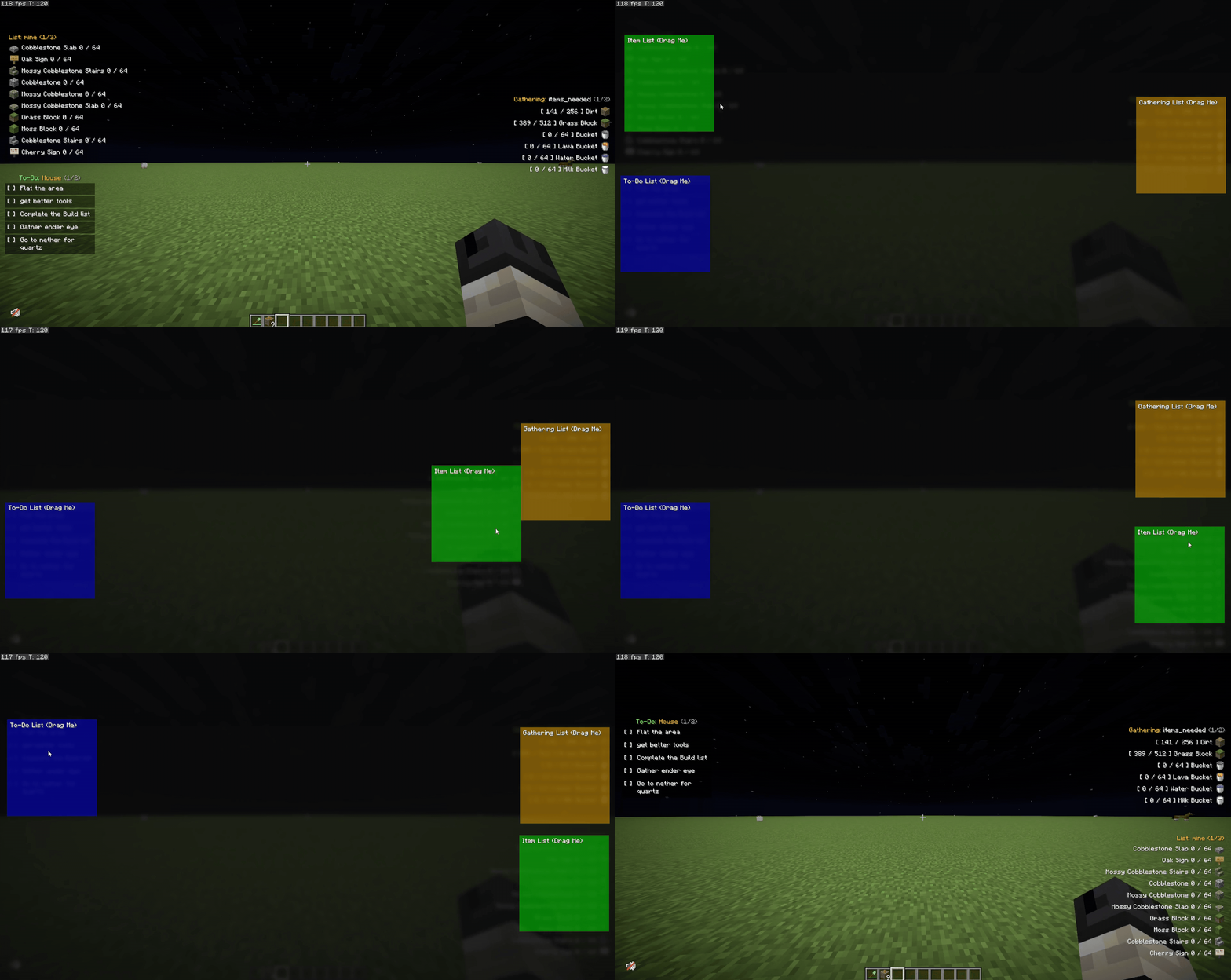
Draggable UI
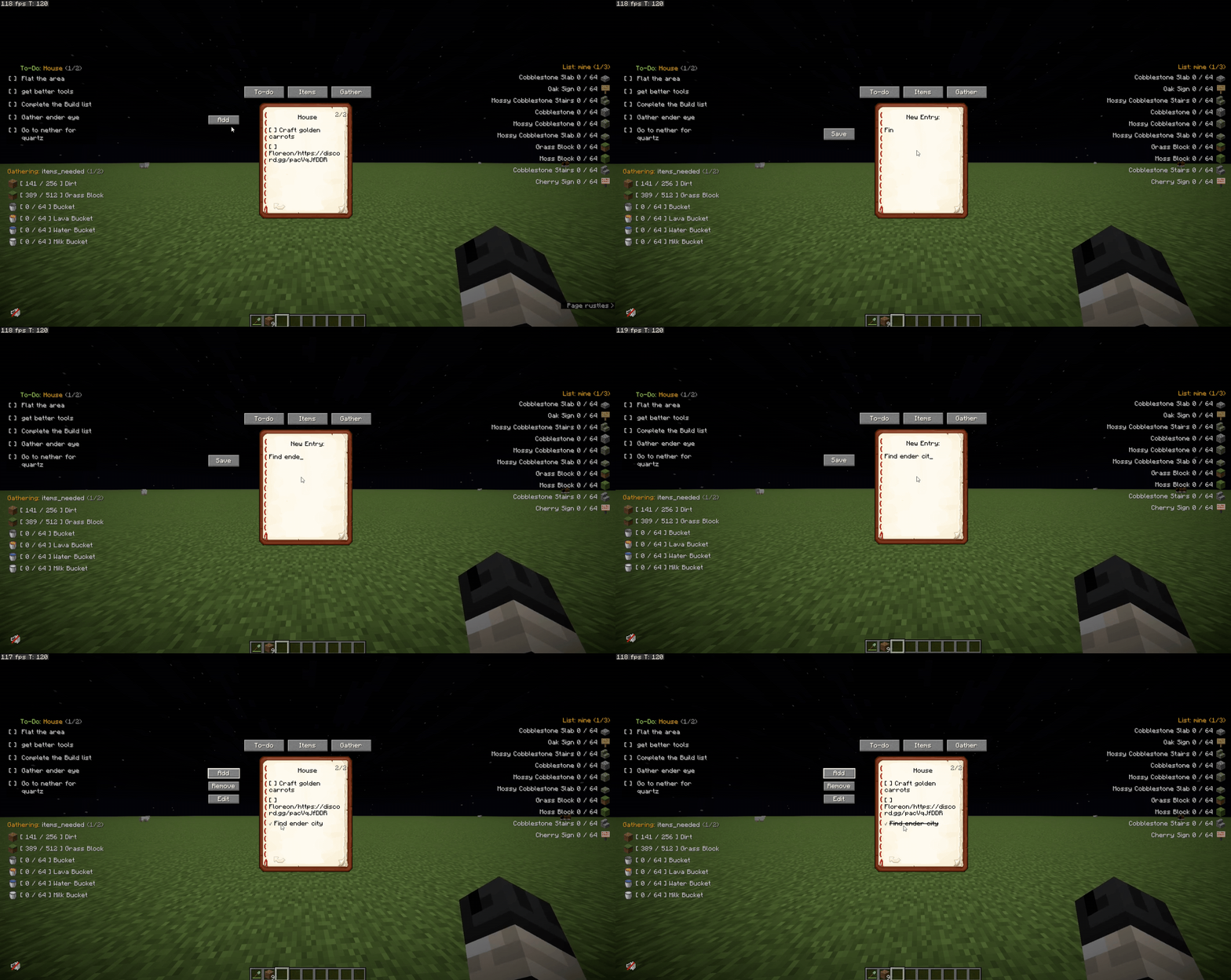
Adding & Managing Lists
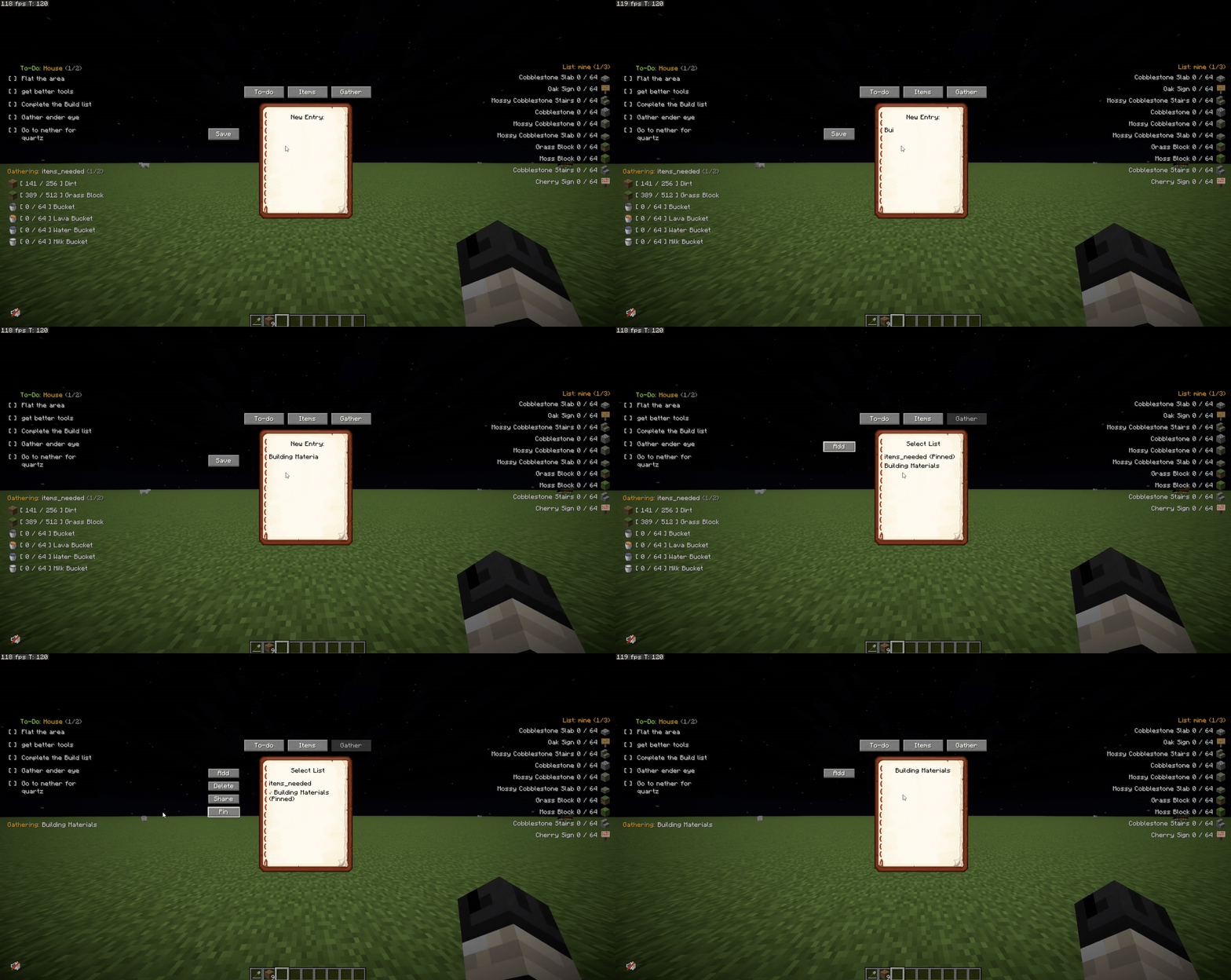
Pinning to HUD
✅ Features
- 📌 Draggable UI → Easily move your item and task lists around your screen using the Edit HUD menu.
- 📋 To-Do Lists → Track your daily goals. Check off completed tasks dynamically to cross them out.
- 📦 Item Gathering Tracker → Set a target amount for an item and track your inventory in real-time.
- 🚦 Smart Quota Colors → Item text turns Green when you hit your exact target, and Red when you exceed it!
- 🛡️ Typo Protection → Prevents you from accidentally adding invalid or misspelled items to your tracker.
- 💬 List Sharing → Share your active item list straight to the server chat for team collaboration.
- 📖 Pagination → Got a long list? Easily flip through pages using commands or customizable keybinds.
- 💻 100% Client-Side → Works perfectly on vanilla servers or modded SMPs.
⌨️ Commands
🎒 Item Lists (Aliases: /il)
- /itemlists → Shows all the item lists you have created.
- /il create → Creates and displays a new item list.
- /il delete → Deletes the specified list.
- /il display → Switches your HUD to show this list.
- /il add <listName> → Adds an item quota to your list (example:
/il add base dirt 64). - /il remove <listName> → Removes an item from the list.
- /il share → Shares the item list to the server chat.
- /il next or /il n → Flips to the next page of your item list.
- /il previous or /il p → Flips to the previous page.
📝 To-Do Lists (Command: /todo)
- /todo → Shows all your created To-Do lists.
- /todo create → Creates a new To-Do list.
- /todo delete → Deletes the specified To-Do list.
- /todo display → Switches your HUD to show this To-Do list.
- /todo add <listName> → Adds a new task to your list.
- /todo check <listName> → Marks a task as completed.
- /todo uncheck <listName> → Unmarks a task.
- /todo next or /todo n → Flips to the next page of tasks.
- /todo previous or /todo p → Flips to the previous page of tasks.
⛏️ Gathering Lists (Aliases: /gl)
- /gatheringlists → Shows all the gathering lists you have created.
- /gl create → Creates and displays a new gathering list.
- /gl delete → Deletes the specified list.
- /gl display → Switches your HUD to show this list.
- /gl add <listName> → Adds an item to your gathering list.
- /gl remove <listName> → Removes an item from the gathering list.
- /gl share → Shares the gathering list to the server chat.
- /gl next or /gl n → Flips to the next page of your gathering list.
- /gl previous or /gl p → Flips to the previous page.
- /gl import → Imports list data.
- /gl help → Displays general help instructions for gathering lists.
⚙️ Keybinds
(Customizable in Options -> Controls -> Notebook)
- Edit HUD →
](Click and drag your lists anywhere!) - Toggle Item List →
I - Toggle To-Do List →
O - Toggle Gather List →
G - Item List Next/Prev Page → (Unbound by default)
- To-Do Next/Prev Page → (Unbound by default)
- Gather Next/Prev Page → (Unbound by default)
🌟 Credits & Community
A massive thank you to Skia and Luriel for suggesting and inspiring this mod! Check out their awesome Minecraft Server community here: NeoCity SMP
🐞 Found a bug or have a suggestion? Want to request a mod for free? Join the Discord Server!
- Discord: Join the developer community
- GitHub: Notebook issues and suggestions
Screenshots
Gallery
-
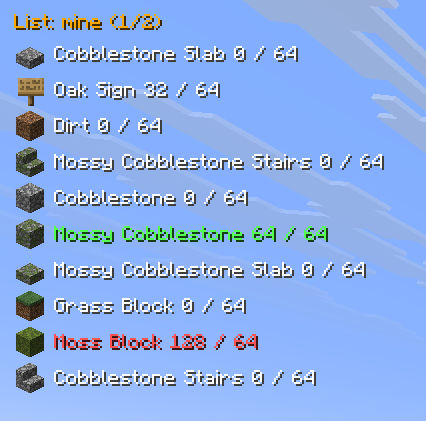 On-Screen Item Tracker Keep track of your required building materials and daily goals. Easily view your progress and use pagination to manage long lists directly on your HUD.
 -
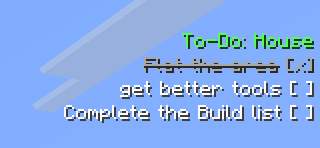 Interactive To-Do Lists Never forget your goals again! Manage your custom to-do lists directly on your HUD so you always know what to do next.
 -
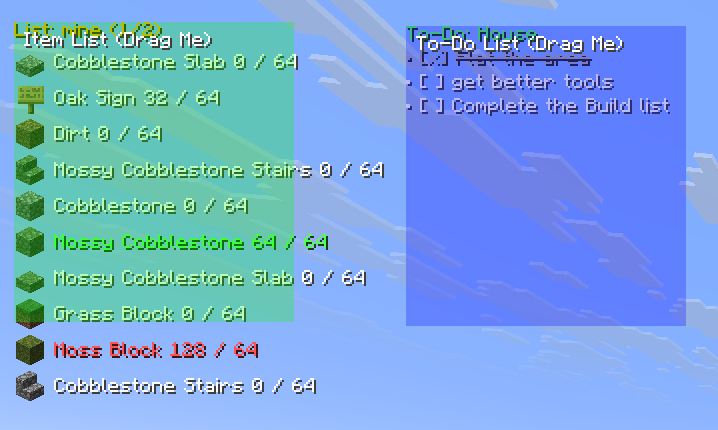 Customize Your HUD Layout Your lists, your layout. Easily reposition the Item Tracker and To-Do list so they fit perfectly alongside your other mods and UI elements.
Versions
Files
Relations
Project Relations
More like this
Similar Mods
Suggestions use data such as tags, dependencies, dependents, descriptions, titles, and more to rank how much they overlap with this mod.
On ModDex
Community snapshot
By the numbers
Statistics

Want to reach Minecraft players?
We're looking for a server hosting partner to feature here and other parts of the site. Interested? Send us a message!
Get in touchGet it on
Available Platforms
On ModDex
Community snapshot
By the numbers