Community listing page, reviews here may not be monitored by the author.
Notely


No reviews yet
In-game notepad & sticky notes
Community voices
Reviews
No reviews yet. Be the first to review this project!
Get it on
Available Platforms
Compatibility
Supported Environments
Runs entirely on the client. Works on vanilla servers.
About
Project Details
For authors
Embed Badge
If you're the author of this project, you can embed a live badge anywhere that supports HTML or Markdown. It updates automatically whenever ratings change.
Use HTML for any page that supports it, or Markdown for README files and Markdown-based descriptions.
Identifiers
Platform IDs
About
Description
Notely
A client-side notepad mod for Minecraft with Markdown rendering and pinnable sticky notes.
Take notes, track tasks, and pin reminders to your HUD — without ever leaving the game.

Features
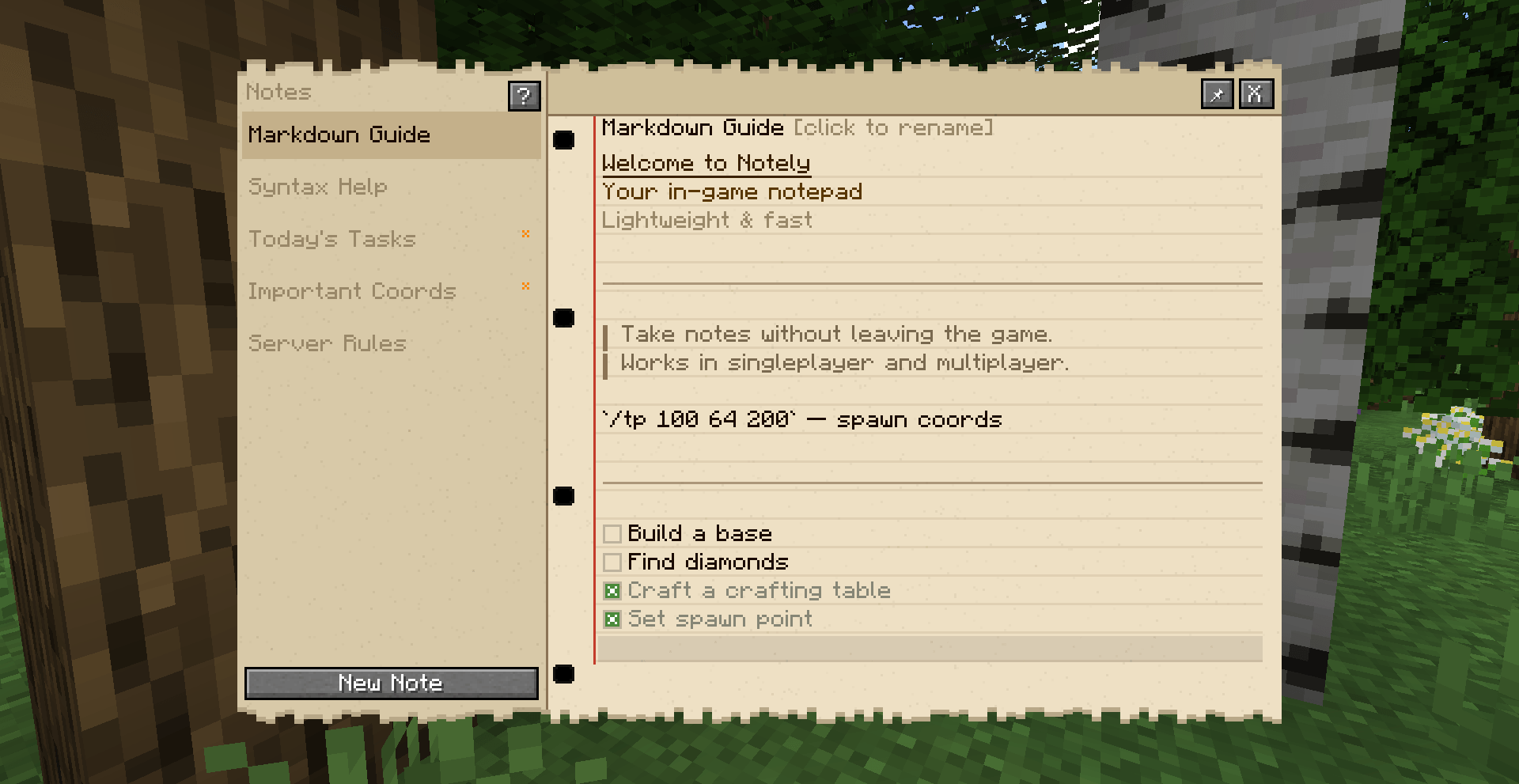
📝 In-game Notepad
Open a full notepad with N (rebindable). Write notes using Markdown — headings, quotes, code blocks, dividers, and todo checkboxes all render in real time.
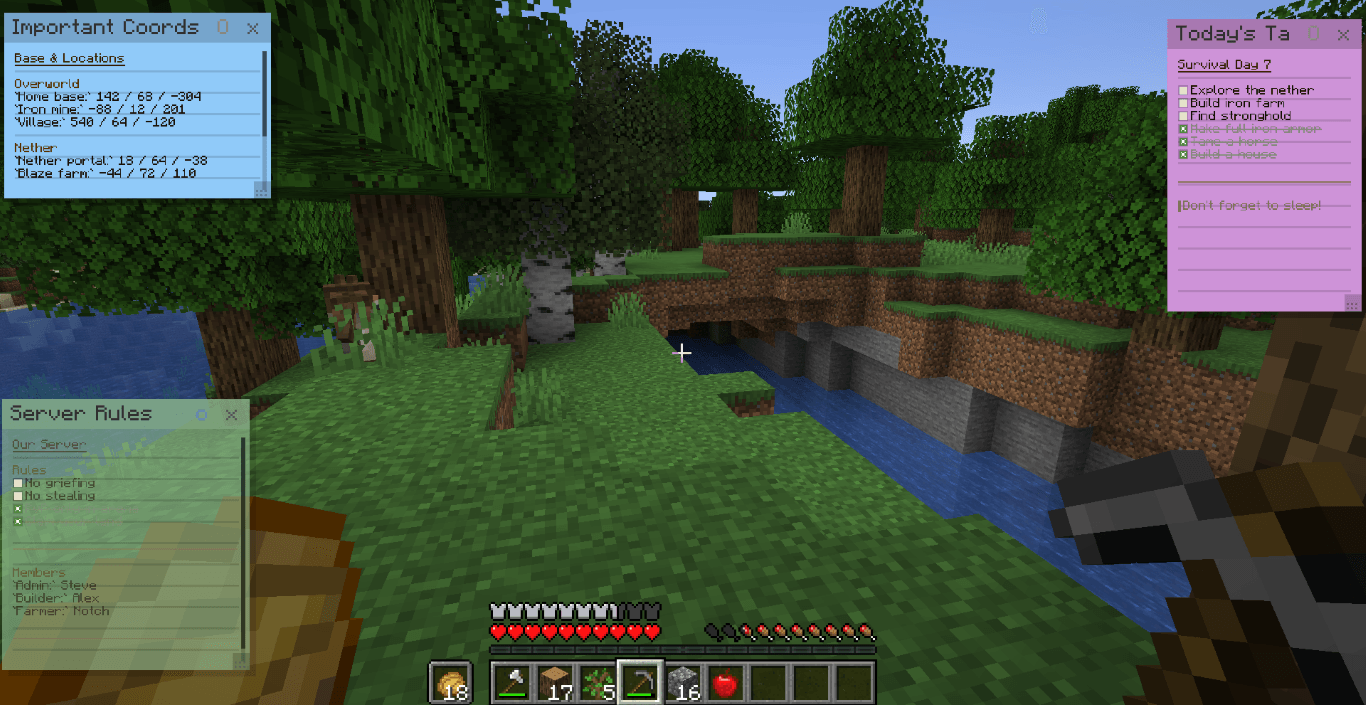
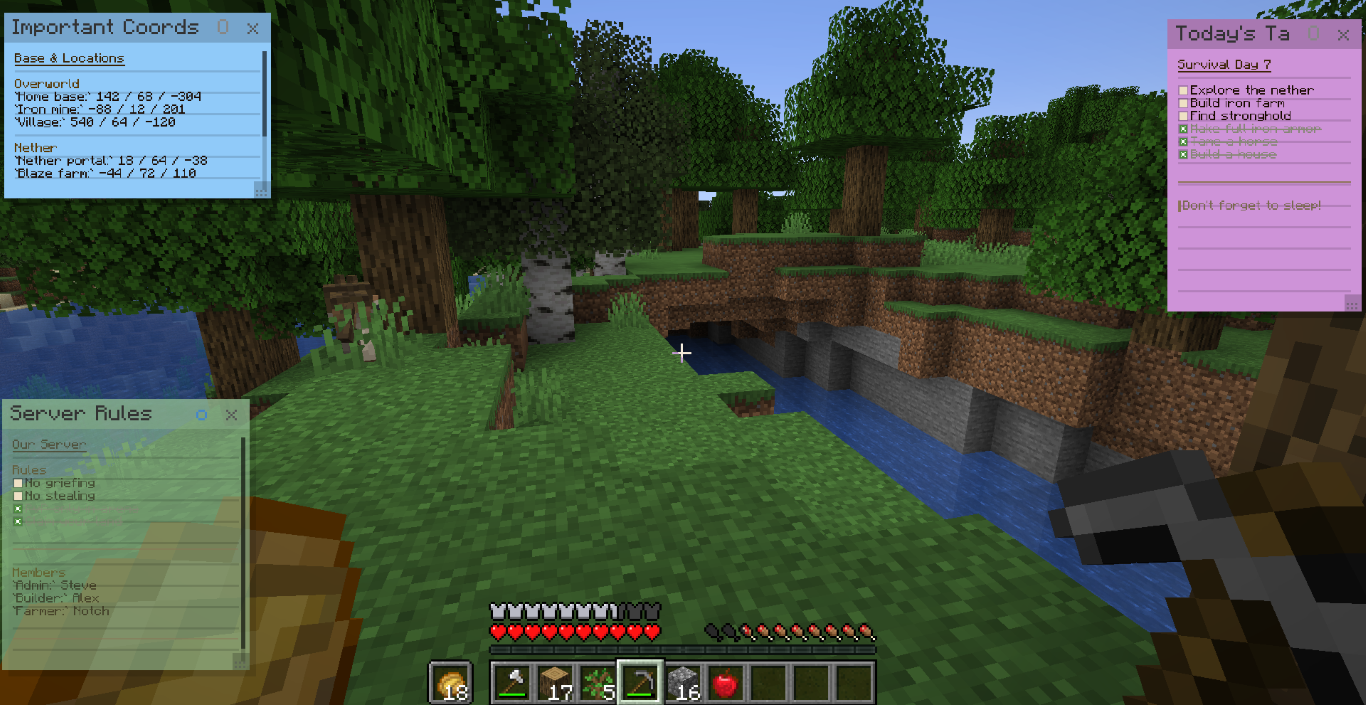
📌 Sticky Notes on HUD
Pin any note as a floating sticker on your screen. Choose from 6 colors, drag it anywhere, resize it, and toggle transparency. Stickers stay visible while you play.

✅ Interactive Checkboxes
Click [ ] to check off tasks — works both in the editor and directly on stickers.
🌍 Per-world Notes
Each singleplayer world and multiplayer server has its own separate set of notes. Your base coords stay with your base.
🔤 Text Editing
Full text editing with selection (mouse drag, Shift+arrows, Ctrl+A), clipboard support (Ctrl+V), undo (Ctrl+Z), and word navigation (Ctrl+arrows).
Markdown Syntax
| Syntax | Result |
|---|---|
# Text |
Heading H1 |
## Text |
Heading H2 |
### Text |
Heading H3 |
--- |
Horizontal rule |
> Text |
Blockquote |
`code` |
Inline code |
[ ] Text |
Open checkbox |
[x] Text |
Checked checkbox |
Press ? in the notepad to create a built-in syntax reference note.
Sticky Note Controls
| Action | How |
|---|---|
| Pin a note | Click 📌 → pick a color |
| Move sticker | Drag by the header |
| Resize sticker | Drag the bottom-right corner |
| Toggle transparency | Click O button on sticker |
| Change font size | Hover sticker → Ctrl + scroll |
| Scroll content | Hover sticker → scroll |
| Close sticker | Click x button on sticker |
Keyboard Shortcuts
| Key | Action |
|---|---|
N |
Open / close notepad |
Ctrl+Z |
Undo |
Ctrl+A |
Select all |
Ctrl+V |
Paste |
Ctrl+Backspace |
Delete word left |
Ctrl+←/→ |
Jump by word |
Shift+←/→/↑/↓ |
Extend selection |
Ctrl+Home/End |
Jump to start/end |
RMB on note |
Context menu (open, rename, delete) |
Localization
Notely includes translations for:
EN · BY · BY (Łacin) · UA · RU · DE · FR · ES · PT · PL · IT · NL · ZH · ZH-TW · JA · KO
Author: Deokma · License: MPL-2.0
Notely
A client-side notepad mod for Minecraft with Markdown rendering and pinnable sticky notes.
Take notes, track tasks, and pin reminders to your HUD — without ever leaving the game.
Features
📝 In-game Notepad
Open a full notepad with N (rebindable). Write notes using Markdown — headings, quotes, code blocks, dividers, and todo checkboxes all render in real time.
📌 Sticky Notes on HUD
Pin any note as a floating sticker on your screen. Choose from 6 colors, drag it anywhere, resize it, and toggle transparency. Stickers stay visible while you play.
✅ Interactive Checkboxes
Click [ ] to check off tasks — works both in the editor and directly on stickers.
🌍 Per-world Notes
Each singleplayer world and multiplayer server has its own separate set of notes. Your base coords stay with your base.
🔤 Text Editing
Full text editing with selection (mouse drag, Shift+arrows, Ctrl+A), clipboard support (Ctrl+V), undo (Ctrl+Z), and word navigation (Ctrl+arrows).
Markdown Syntax
| Syntax | Result |
|---|---|
# Text |
Heading H1 |
## Text |
Heading H2 |
### Text |
Heading H3 |
--- |
Horizontal rule |
> Text |
Blockquote |
`code` |
Inline code |
[ ] Text |
Open checkbox |
[x] Text |
Checked checkbox |
Press ? in the notepad to create a built-in syntax reference note.
Sticky Note Controls
| Action | How |
|---|---|
| Pin a note | Click 📌 → pick a color |
| Move sticker | Drag by the header |
| Resize sticker | Drag the bottom-right corner |
| Toggle transparency | Click O button on sticker |
| Change font size | Hover sticker → Ctrl + scroll |
| Scroll content | Hover sticker → scroll |
| Close sticker | Click x button on sticker |
Keyboard Shortcuts
| Key | Action |
|---|---|
N |
Open / close notepad |
Ctrl+Z |
Undo |
Ctrl+A |
Select all |
Ctrl+V |
Paste |
Ctrl+Backspace |
Delete word left |
Ctrl+←/→ |
Jump by word |
Shift+←/→/↑/↓ |
Extend selection |
Ctrl+Home/End |
Jump to start/end |
RMB on note |
Context menu (open, rename, delete) |
Localization
Notely includes translations for: EN · BY · BY (Łacin) · UA · RU · DE · FR · ES · PT · PL · IT · NL · ZH · ZH-TW · JA · KO
Author: Deokma · License: MPL-2.0
Screenshots
Gallery
-
 2026-04-10_19.55.39 (Medium).png 2026-04-10_19.55.39 (Medium).png
 -
 2026-04-10_19.50.52.png 2026-04-10_19.50.52.png
-
 Pinned notes
 -
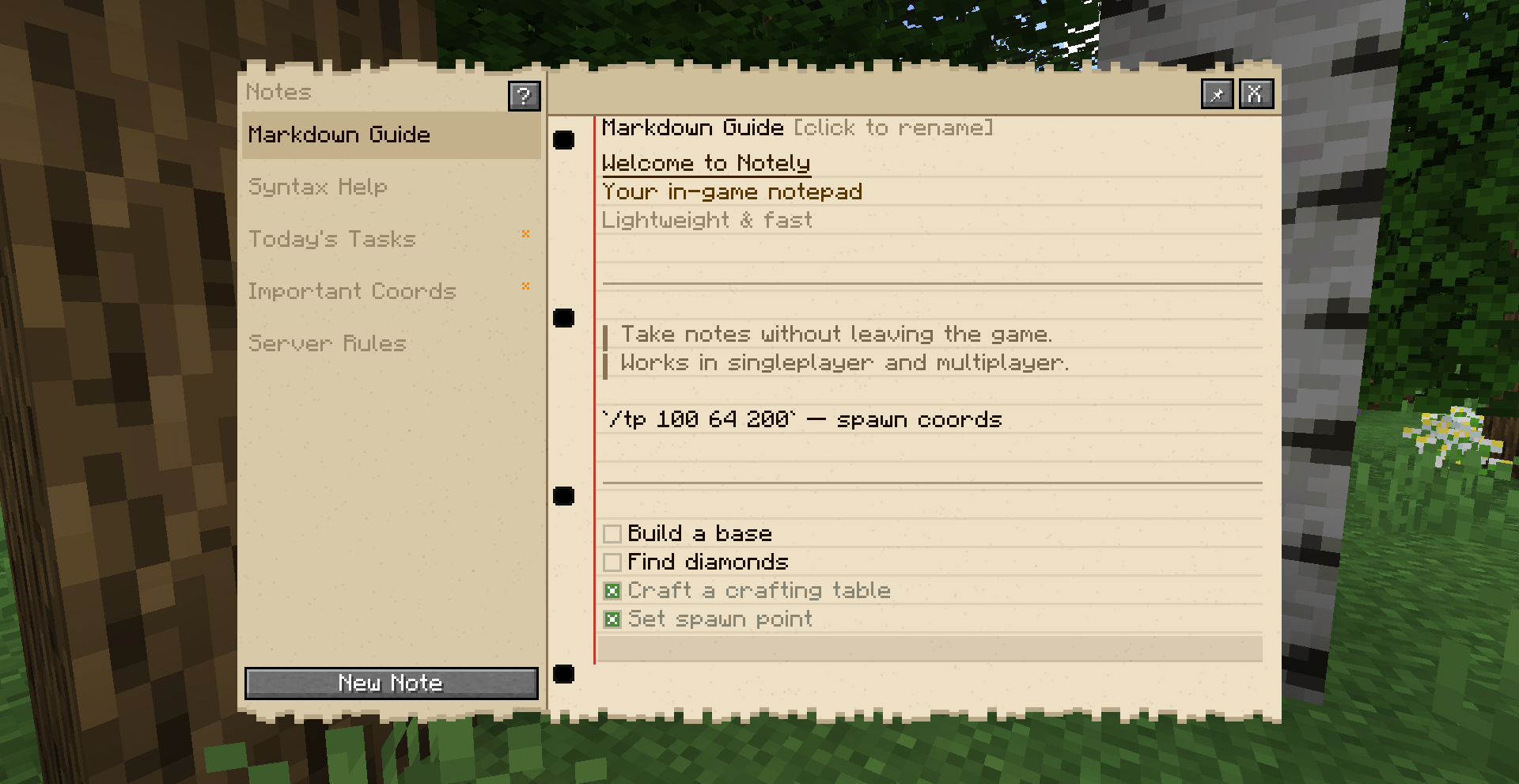 Main notepad menu
Versions
Files
Relations
Project Relations
More like this
Similar Mods
Suggestions use data such as tags, dependencies, dependents, descriptions, titles, and more to rank how much they overlap with this mod.
On ModDex
Community snapshot
By the numbers
Statistics
Want to reach Minecraft players?
We're looking for a server hosting partner to feature here and other parts of the site. Interested? Send us a message!
Get in touchGet it on
Available Platforms
On ModDex
Community snapshot
By the numbers