
Community listing page, reviews here may not be monitored by the author.
Notificaciones

No reviews yet
A powerful and visually appealing mod for servers and content creators that allows sending custom notifications directly to players’ screens through an advanced command.
Community voices
Reviews
No reviews yet. Be the first to review this project!
Get it on
Available Platforms
Compatibility
Supported Environments
Must be installed on both the client and the server.
About
Project Details
For authors
Embed Badge
If you're the author of this project, you can embed a live badge anywhere that supports HTML or Markdown. It updates automatically whenever ratings change.
Use HTML for any page that supports it, or Markdown for README files and Markdown-based descriptions.
Identifiers
Platform IDs
Resources
External Links
About
Description
LENGUAGE ESPAÑOL 🇪🇸
📢 Notificaciones
Un mod potente y estético para servidores y creadores de contenido que permite enviar notificaciones personalizadas directamente a la pantalla de los jugadores mediante un comando avanzado.
✨ Características Principales
- 🎨 Diseño Moderno: Cuadrados elegantes con bordes suaves y fondo translúcido.
- 📏 Ancho Dinámico: El cuadro se expande automáticamente según el largo del texto para que nada se corte.
- 🕒 Barra de Tiempo Visual: Una línea inferior que cambia de color (Verde ➔ Amarillo ➔ Rojo) indicando cuánto tiempo queda.
- 👤 Cabezas de Jugadores: Posibilidad de mostrar la cara (Skin) de cualquier jugador en la notificación.
- 📍 9 Posiciones: Soporte para esquinas, centros laterales y centros arriba/abajo.
- 🌈 Formato de Colores: Soporte completo para códigos de color y formato usando el símbolo
&(ej:&l&c¡ALERTA!). - 🔄 Transiciones Suaves: Efectos de aparición (fade-in) y desaparición (fade-out).
- 📚 Acumulación: Se pueden mostrar hasta 3 notificaciones simultáneamente.
- 🧹 Limpieza Instantánea: Comando para borrar notificaciones de la pantalla.
- 🛡️ Permisos LuckPerms: Integración completa con Permissions API.
🖼️ Galería (Screenshots)
Aquí puedes ver el mod en acción:
Ejemplo: Notificación tipo1 con texto en negrita.

Ejemplo: Notificación tipo2 mostrando la skin de un jugador.

Ejemplo: 3 notificaciones apiladas en el centro o laterales.

🚀 Uso del Comando
El comando principal es /notificacion, diseñado para ser flexible y fácil de usar.
Sintaxis
/notificacion <jugadores> <tipo1|tipo2> [jugador_cabeza] <"título"> <"descripción"> <duración_segundos> <posición>
/notificacion clear <jugadores>
Argumentos:
-
Jugadores: Quién recibirá la notificación (
@a,@p, o nombre). -
Tipo:
tipo1: Notificación estándar sin imagen.tipo2: Notificación que incluye la cabeza de un jugador (obligatorio indicar el jugador).
-
Jugador Cabeza (solo tipo2): Nombre del jugador cuya skin se mostrará.
-
Título/Descripción: Texto de la notificación (usa comillas si tiene espacios). Soporta
¶ colores. -
Duración: Tiempo en segundos que permanecerá visible.
-
Posición:
ariba_derecha,ariba_centro,ariba_izquierdacentro_derecha,centro,centro_izquierdaabajo_derecha,abajo_centro,abajo_izquierda
🛡️ Permisos (LuckPerms)
El mod utiliza Permissions API, por lo que puedes gestionar quién usa los comandos desde LuckPerms:
- Nodo de permiso:
notificaciones.admin - Nivel OP: Por defecto requiere nivel 2 o superior si no se usa LuckPerms.
🧹 Limpiar Notificaciones
Si has enviado una notificación por error o quieres limpiar la pantalla de los jugadores:
/notificacion clear @a
🛠️ Instalación
- Asegúrate de tener instalado Fabric Loader para la versión 1.21.1.
- Descarga el archivo
.jardel mod. - Coloca el archivo en tu carpeta de
mods. - Requisitos: Fabric API y Permissions API (opcional para LuckPerms).
👤 Autor
Mod creado por Richi080.
📜 Licencia
Este proyecto está bajo la licencia CC-BY-NC-ND-4.0.
LENGUAJE INGLÉS 🇬🇧
📢 Notifications
A powerful and visually appealing mod for servers and content creators that allows sending custom notifications directly to players’ screens using an advanced command system.
✨ Main Features
- 🎨 Modern Design: Elegant boxes with smooth edges and translucent background.
- 📏 Dynamic Width: The box automatically expands based on text length so nothing gets cut off.
- 🕒 Visual Time Bar: A bottom bar that changes color (Green ➔ Yellow ➔ Red) showing remaining time.
- 👤 Player Heads: Ability to display any player’s skin in the notification.
- 📍 9 Positions: Support for corners, side centers, and top/bottom centers.
- 🌈 Color Formatting: Full support for color codes and formatting using
&(e.g.,&l&cALERT!). - 🔄 Smooth Transitions: Fade-in and fade-out effects.
- 📚 Stacking System: Up to 3 notifications can be shown simultaneously.
- 🧹 Instant Clear: Command to remove all notifications from the screen.
- 🛡️ LuckPerms Permissions: Full integration with Permissions API.
🖼️ Gallery (Screenshots)
You can see the mod in action below:
Example: Type1 notification with bold text.
Example: Type2 notification showing a player’s skin.
Example: 3 stacked notifications in center or sides.
🚀 Command Usage
The main command is /notificacion, designed to be flexible and easy to use.
Syntax
/notificacion <players> <type1|type2> [head_player] <"title"> <"description"> <duration_seconds> <position>
/notificacion clear <players>
Arguments:
-
Players: Who will receive the notification (
@a,@p, or player name). -
Type:
type1: Standard notification without image.type2: Notification that includes a player head (player must be specified).
-
Head Player (type2 only): Name of the player whose skin will be shown.
-
Title/Description: Notification text (use quotes if it contains spaces). Supports
&for colors. -
Duration: Time in seconds the notification stays visible.
-
Position:
ariba_derecha,ariba_centro,ariba_izquierdacentro_derecha,centro,centro_izquierdaabajo_derecha,abajo_centro,abajo_izquierda
🛡️ Permissions (LuckPerms)
The mod uses the Permissions API, so you can manage access via LuckPerms:
- Permission node:
notificaciones.admin - OP level: Requires level 2 or higher by default if LuckPerms is not used.
🧹 Clear Notifications
If you sent a notification by mistake or want to clear the screen:
/notificacion clear @a
🛠️ Installation
- Make sure Fabric Loader for version 1.21.1 is installed.
- Download the
.jarmod file. - Place it in your
modsfolder. - Requirements: Fabric API and Permissions API (optional for LuckPerms).
👤 Author
Mod created by Richi080.
📜 License
This project is licensed under the CC-BY-NC-ND-4.0 License.
Screenshots
Gallery
-
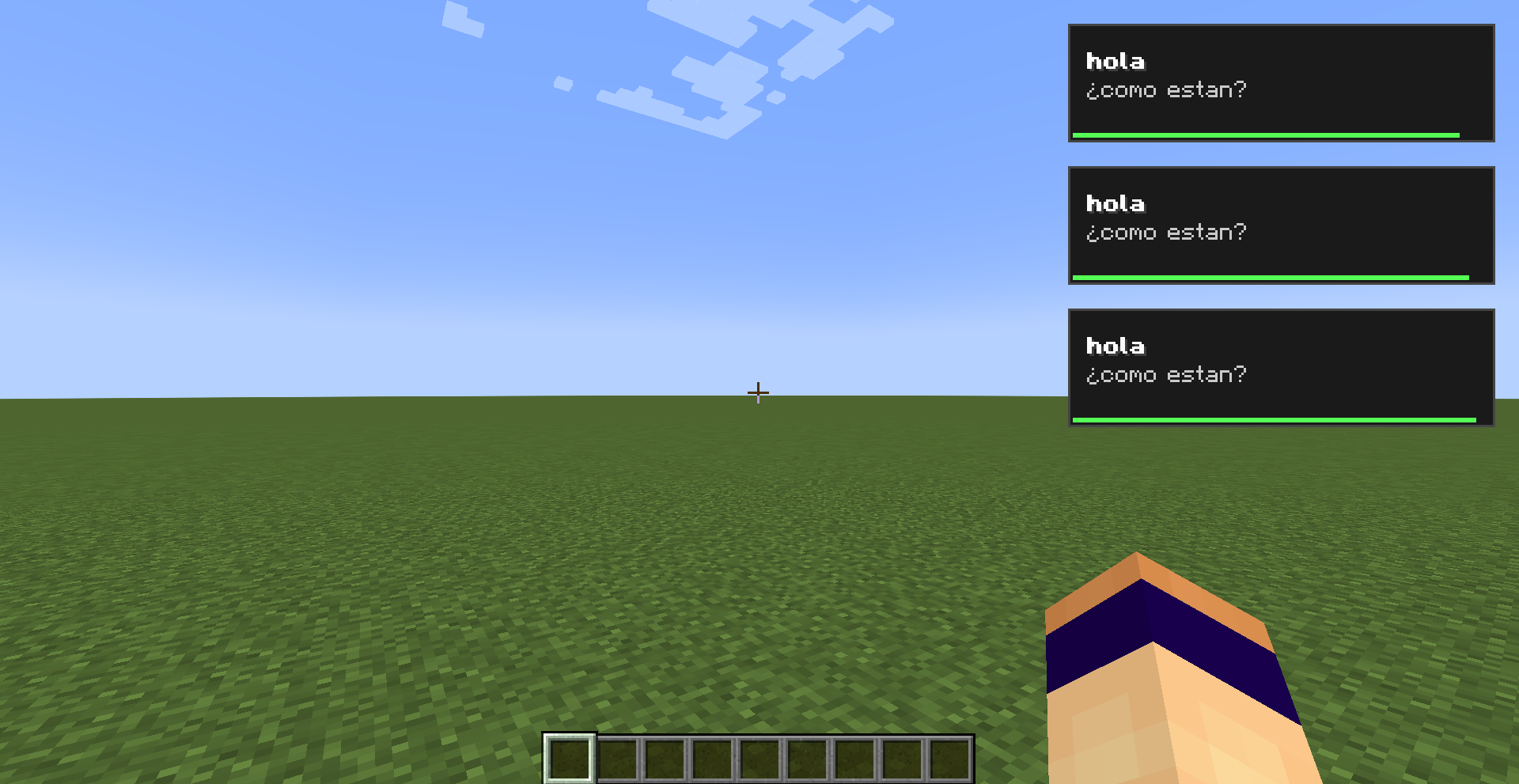 3 notificaciones apiladas en el centro o laterales.
 -
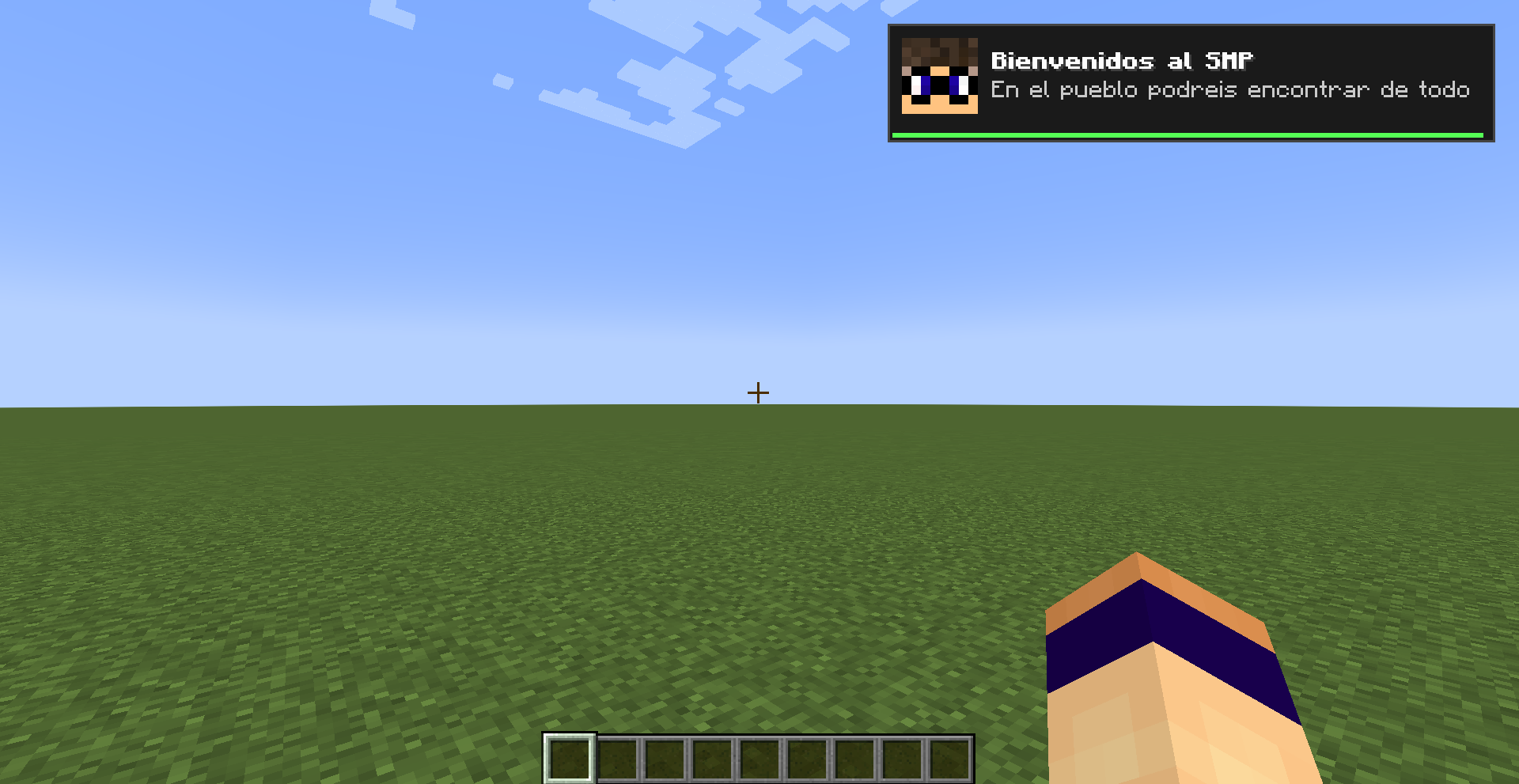 Notificación tipo2 mostrando la skin de un jugador.
 -
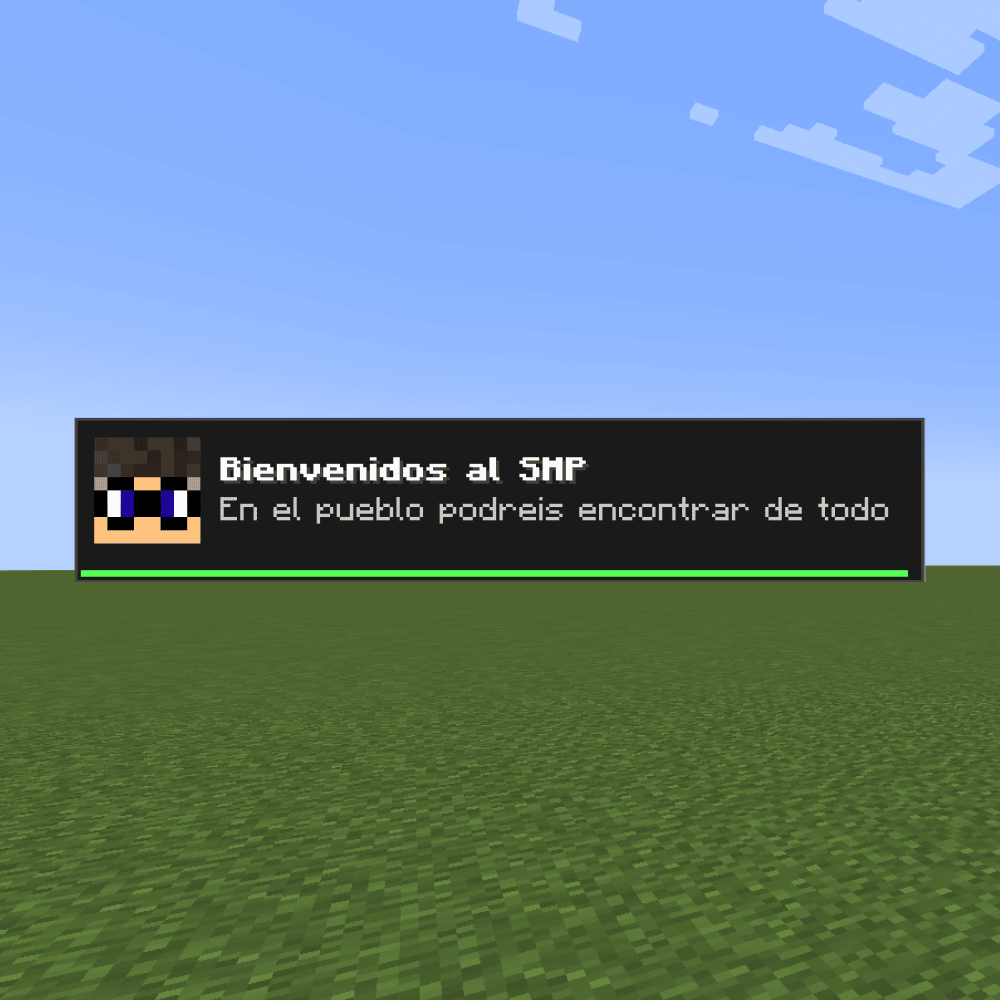 Logo del mod
 -
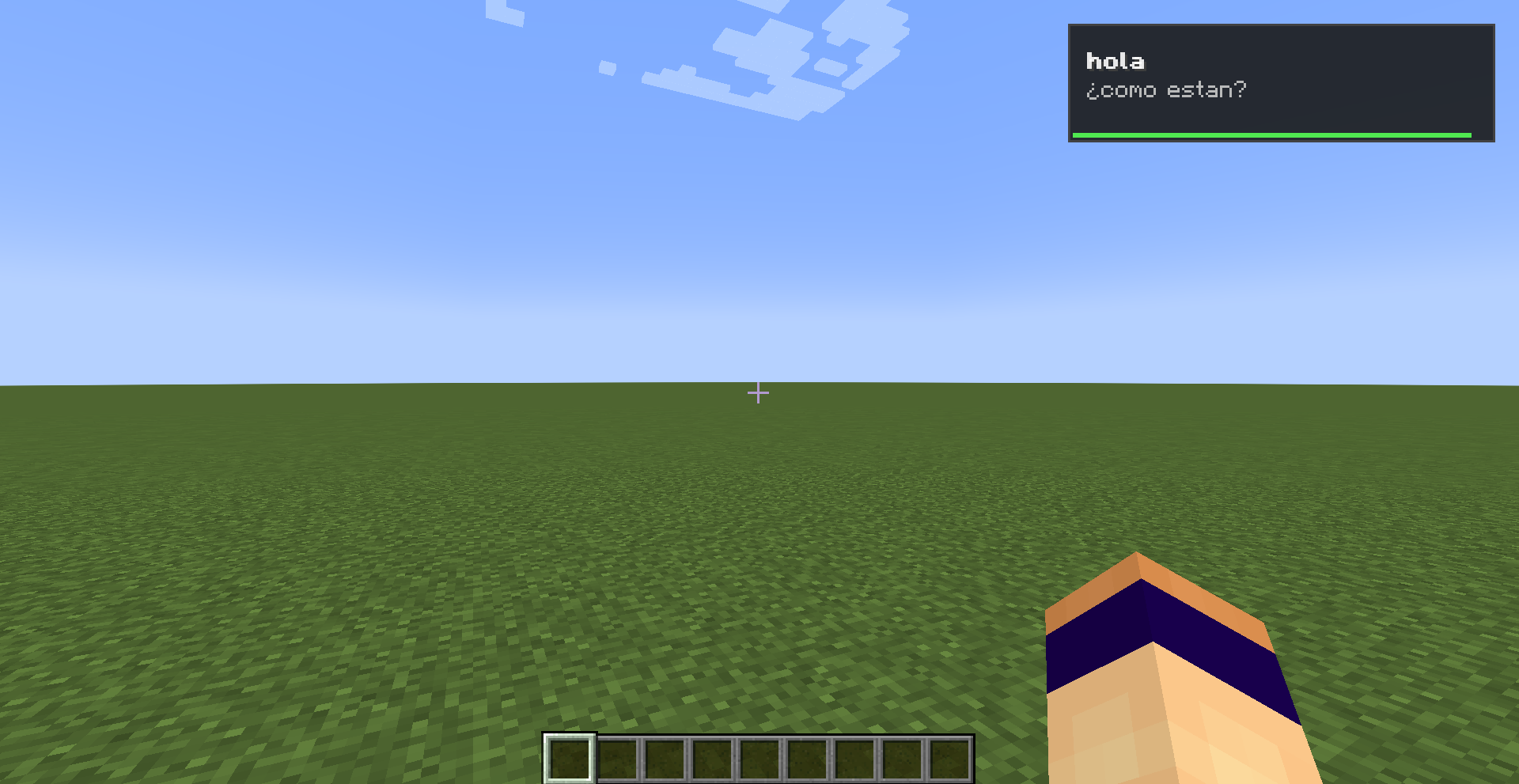 Notificación tipo1 con texto en negrita
Versions
Files
Relations
Project Relations
More like this
Similar Mods
Suggestions use data such as tags, dependencies, dependents, descriptions, titles, and more to rank how much they overlap with this mod.
On ModDex
Community snapshot
By the numbers
Statistics

Want to reach Minecraft players?
We're looking for a server hosting partner to feature here and other parts of the site. Interested? Send us a message!
Get in touchGet it on
Available Platforms
On ModDex
Community snapshot
By the numbers
Statistics
Resources