
NightVisuals ArmorHUD
No reviews yet
Displays equipped armor and hand items directly on your HUD.
Fabric is a mod loader for versions 1.14+ of Minecraft, particularly popular for client side and optimization mods.
Community voices
Reviews
Click once to include, again to exclude, again to clear
No reviews yet. Be the first to review this project!
Get it on
Available Platforms
 Modrinth
Compatibility
Supported Environments
About
Project Details
For authors
Embed Badge
If you're the author of this project, you can embed a live badge anywhere that supports HTML or Markdown. It updates automatically whenever ratings change.
Use HTML for any page that supports it, or Markdown for README files and Markdown-based descriptions.
Identifiers
Platform IDs
Resources
External Links
About
Description
REQUIREMENTS NightVisuals GUI
EN:
NightVisuals ArmorHud is a lightweight HUD modification that displays your currently equipped armor pieces and held items, along with their durability, directly on the screen for real-time equipment tracking during combat.
Core Features
- Real-Time Durability Tracking: Displays icons and exact durability values for helmet, chestplate, leggings, boots, and held items.
- Toggle On/Off: Easily enable or disable the HUD overlay through the NightVisuals in-game GUI menu.
- Clean & Compact UI: Designed to fit seamlessly into the vanilla interface without cluttering important screen space.
- Zero Performance Impact: Renders utilizing lightweight 2D texture batching, ensuring absolutely no impact on your FPS.
Configuration
ArmorHud toggles via the NightVisuals GUI (default key: RShift). No separate config files required.
Installation
- Install Fabric Loader and Fabric API.
- Install NightVisuals GUI (required dependency).
- Place the downloaded ArmorHud mod
.jarfile into yourmodsfolder. - Launch the game.
RU:
NightVisuals ArmorHud — это легковесная модификация игрового интерфейса, которая выводит надетую броню, предметы в руках и их прочность прямо на экран, позволяя следить за состоянием экипировки в реальном времени прямо во время боя.
Основной функционал
- Отслеживание прочности: Отображает иконки и точные значения прочности для шлема, нагрудника, поножей, ботинок, а также предметов в главной и левой руке.
- Включение/Выключение: Удобное управление отображением интерфейса через внутриигровое меню NightVisuals GUI.
- Чистый и компактный UI: Элементы аккуратно вписываются в ванильный интерфейс, не перекрывая важные зоны обзора.
- Нулевое влияние на FPS: Рендеринг использует легковесный двухмерный вывод текстур, что гарантирует полное отсутствие просадок производительности.
Настройка
ArmorHud переключается через NightVisuals GUI (клавиша по умолчанию: RShift). Дополнительных конфигов нет.
Установка
- Установите Fabric Loader и Fabric API.
- Установите NightVisuals GUI (обязательная зависимость).
- Поместите скачанный файл мода ArmorHud в папку
mods. - Запустите игру.
Screenshots
Gallery
-
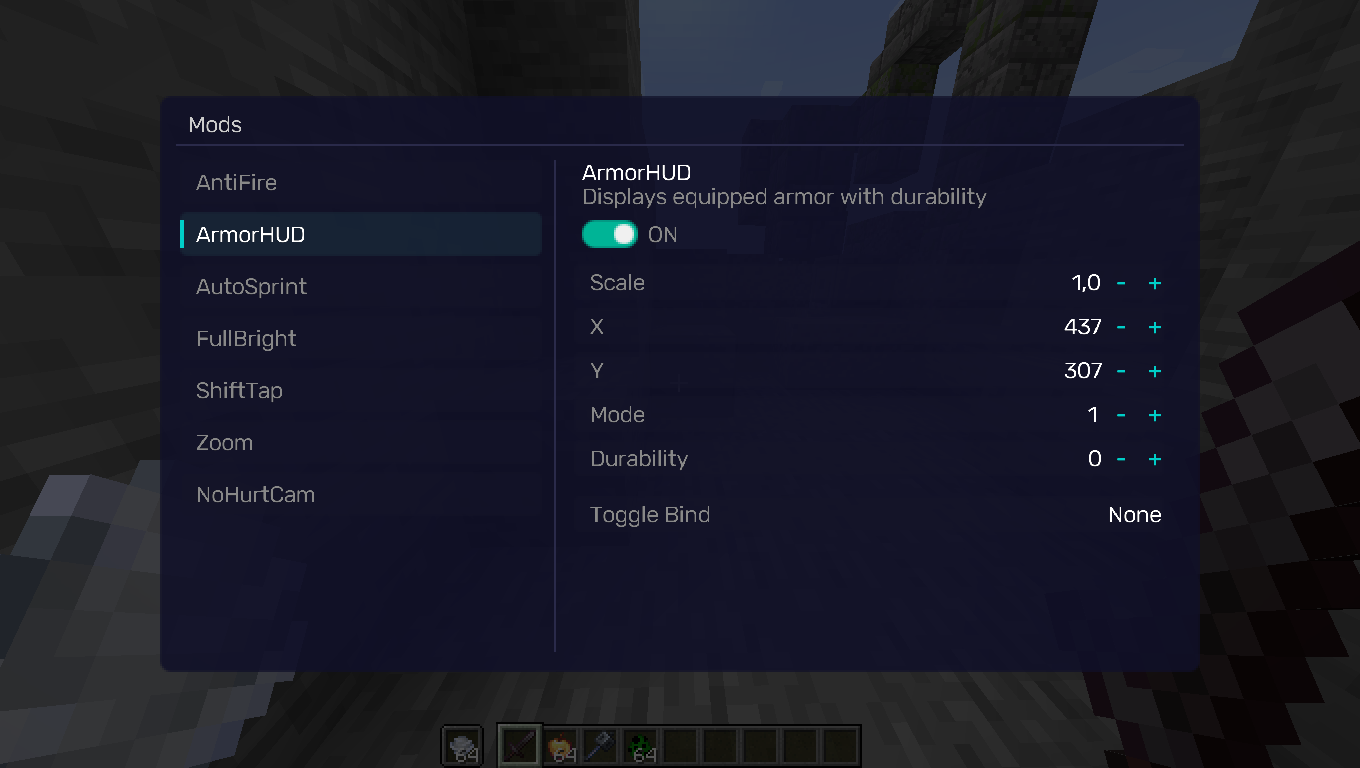 GUI GUI
Versions
Files
Relations
Project Relations
More like this
Similar Mods
Suggestions use data such as tags, dependencies, dependents, descriptions, titles, and more to rank how much they overlap with this mod.
On ModDex
Community snapshot
By the numbers
Statistics

Want to reach Minecraft players?
We're looking for a server hosting partner to feature here and other parts of the site. Interested? Send us a message!
Get in touchGet it on
Available Platforms
On ModDex
Community snapshot
By the numbers
Statistics
Resources