
Community listing page, reviews may not be monitored by the author.
obj-import

No reviews yet
Import Blender models into Minecraft as whole-rendered buildings and machines - OBJ/glTF, PBR materials, multi-AABB collision, and right-click interactions.

Community voices
Reviews
No reviews yet. Be the first to review this project!
Get it on
Available Platforms
About
Project Details
For authors
Embed Badge
If you're the author of this project, you can embed a live badge anywhere that supports HTML or Markdown. It updates automatically whenever ratings change.
Use HTML for any page that supports it, or Markdown for README files and Markdown-based descriptions.
Identifiers
Platform IDs
Resources
External Links
About
Description
Obj Importer
Bring a finished Blender scene into Minecraft as one whole model — real geometry, real materials, walkable interior — instead of rebuilding it block by block.
Features
- OBJ and glTF —
.objwith.mtl, and.glb(glTF 2.0 binary exported straight from Blender). - Per-material rendering, PBR-ready — each material is drawn separately; with Iris / Oculus installed the normal, metallic and roughness maps are used, otherwise it falls back to vanilla lighting.
- Interiors you can actually walk into — box objects named
col:become multiple AABBs, and a doorway is just a hole without a collider. - Parts you can click —
col:door@openmakes a collider that toggles an animation,use:xadds an invisible interaction box, and$keyruns a command fromcommands.json(give, scoreboard, story triggers, TACZ guns, anything a command can do). - Placements that survive a reload — position, yaw and scale are written into the world save, restored when the chunk reloads, and resynced when a player rejoins.
- Independent parts — every placement gets its own id, so two identical doors open and close separately instead of sharing one animation state.
- Server-authoritative — the server owns placements and colliders; clients only render. The same world behaves the same for everyone.
Installation
- Minecraft 1.21.1 with NeoForge (Java 21).
- Drop the jar into
mods/. - Install on both client and server — the mod registers entities and manages placements server-side.
- Optional: Iris / Oculus for PBR materials and shader lighting.
Quick start
- Put the model file into
config/obj_importer/models/(subfolders are fine). - In game, run:
/objplace ~ ~1 ~ 0 1.0 models/building.glb<x y z> accepts ~ relative coordinates, <yaw> is in degrees, <scale> is 0.01–100, and the last argument is the file reference.
- To remove it:
/objlistshows the ids,/objremove <id>deletes one,/objclearwipes all placements.
Marking boxes in Blender
Markers are plain box objects. Their name is the behavior, and they are exported inside the same .glb as the model:
| Name | What it does |
|---|---|
col:wall |
Collision box: blocks players and mobs, never rendered |
col:door@open |
Collision box + right-click toggle, plays the open animation |
use:button$press |
Interaction box (does not block movement), right-click runs press from commands.json |
light:lamp@15 |
Light box: fills the area with minecraft:light, level 1–15 |
Details: thin walls should be at least 0.25 blocks thick, $command must come after @animation, and a light box is capped at 512 positions. A model containing col: boxes can only be placed at yaw 0 / 90 / 180 / 270, so colliders stay axis-aligned with the visual.
Commands
| Command | Purpose |
|---|---|
/objplace <x y z> <yaw> <scale> <ref> |
Place a model |
/objlist / /objremove <id> / /objclear |
List / remove one / remove all placements |
/objcmd reload / list / test <key> |
Manage the commands.json mapping |
/glbanim play|stop|reset <animation> |
Drive animations on a placement |
/objdebug [true|false] |
Silence or restore all of this mod's diagnostic output |
Who is this for
Map makers and modpack authors who model in Blender instead of in-game; adventure maps that need real doors, machines and set pieces; sci-fi or industrial packs that want geometry Minecraft cannot express with blocks. It is not a furniture pack and adds no items of its own — it is the pipeline between your DCC tool and the world.
Performance notes
Geometry is uploaded to the GPU per placement, so a 100 MB+ scene takes noticeably longer to parse and costs VRAM. Practical advice: split huge scenes into several models, keep textures reasonable, and use scale instead of modelling at 4× size.
Credits
The glTF and OBJ implementations were written from scratch, informed by reading MCglTF (glTF animation and PBR vertex handling) and MCObj (OBJ/MTL parsing layout). Thanks to both authors for keeping their code readable and licensed.
License
MIT. Free to use in modpacks; a credit and a link back are appreciated.
It's recommended to use it together with the source code
中文说明
把在 Blender 里做好的建筑、机械、地景整套搬进 Minecraft:模型作为一个整体渲染,不是用方块拼出来的。
- 支持 OBJ / glTF:
.obj(含.mtl)与.glb(Blender 直接导出的 glTF 2.0 二进制)。 - 多材质 + PBR:分材质绘制;装 Iris / Oculus 后法线、金属、粗糙度生效,未装退回原版光照。
- 能走进去:
col:标记盒生成多 AABB 碰撞,门洞不放盒子就是通道。 - 能点:
col:door@open做可开关的门,use:x做交互盒,$命令键右键直接执行commands.json里的命令。 - 能存:坐标、yaw、缩放写入存档,区块重载自动恢复,玩家重连自动补齐。
- 每个摆放独立:两扇同款门各自开关,不共享动画状态。
- 服务端权威:摆放与碰撞由服务端管理,客户端只负责渲染。
安装:Minecraft 1.21.1 + NeoForge,jar 放进 mods/,客户端和服务端都要装,PBR 需另装 Iris / Oculus。
快速开始:模型放进 config/obj_importer/models/,执行 /objplace ~ ~1 ~ 0 1.0 models/building.glb;/objlist 看 id,/objremove <id> 删除,/objclear 清空。
标记盒(Blender 里普通 box,命名即语义,随模型导出到同一个 .glb):col: 碰撞、col:door@open 碰撞+开关动画、use:button$press 交互盒+命令、light:lamp@15 光源盒(1~15 级)。薄墙 ≥ 0.25 格,$ 必须写在 @ 之后,光源盒上限 512 格;含 col: 的模型 yaw 只能取 0/90/180/270。
授权:MIT,可自由用于整合包,署名与回链是加分项。
建议与源码搭配使用。
Screenshots
Gallery
-
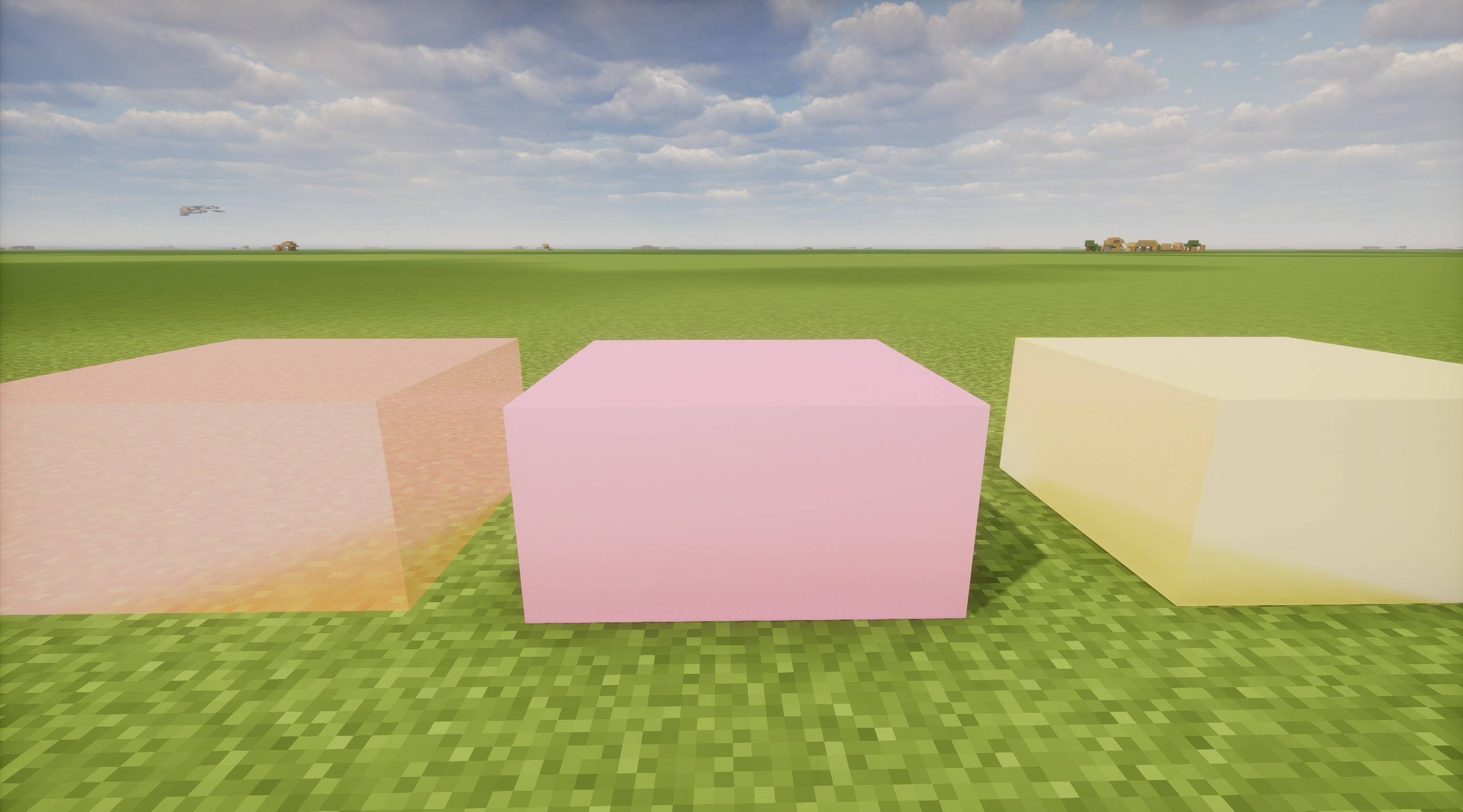 Display of three different materials translucent, rough, smooth
-
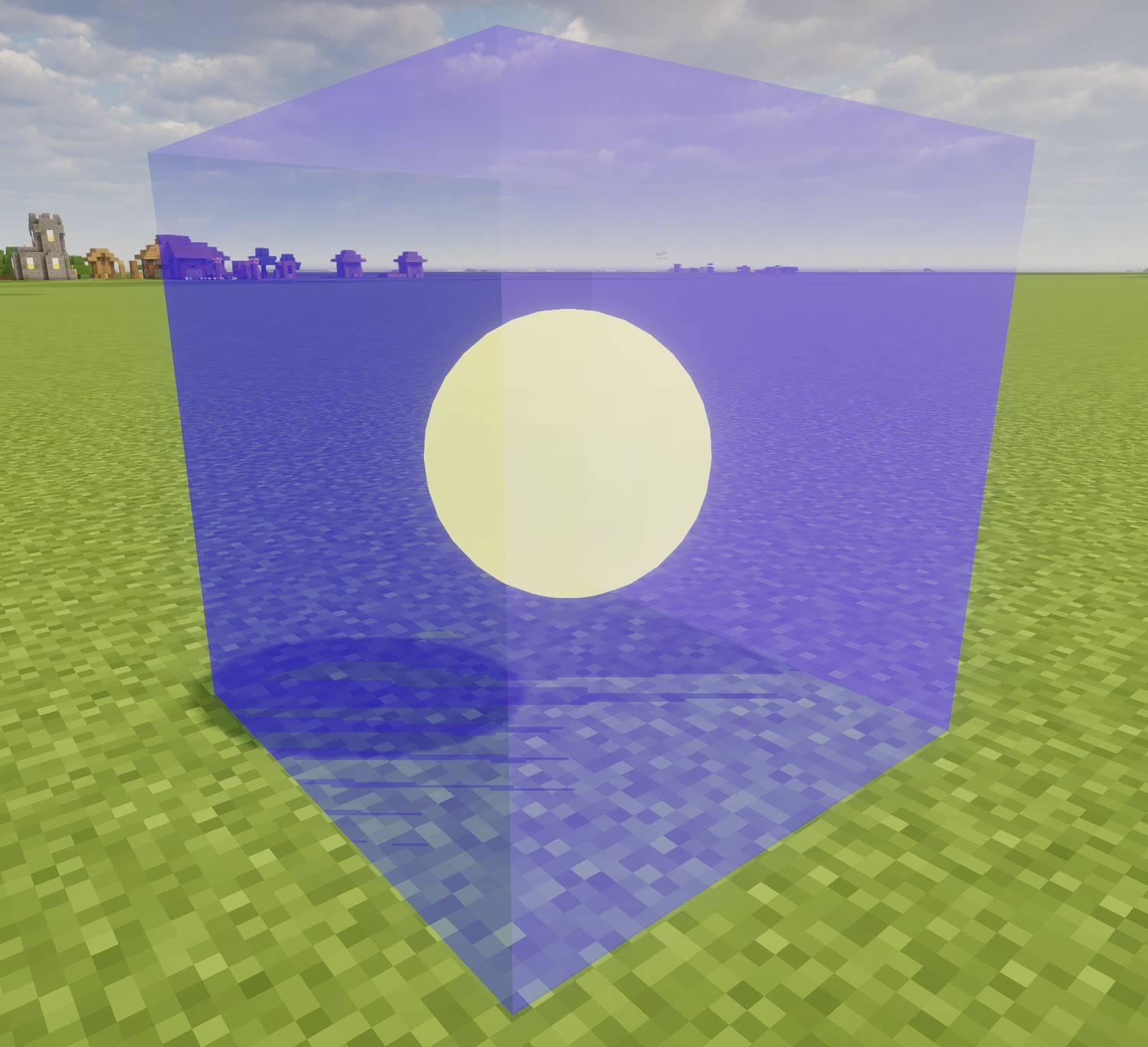 Composite Material Display Translucent & Glowing
-
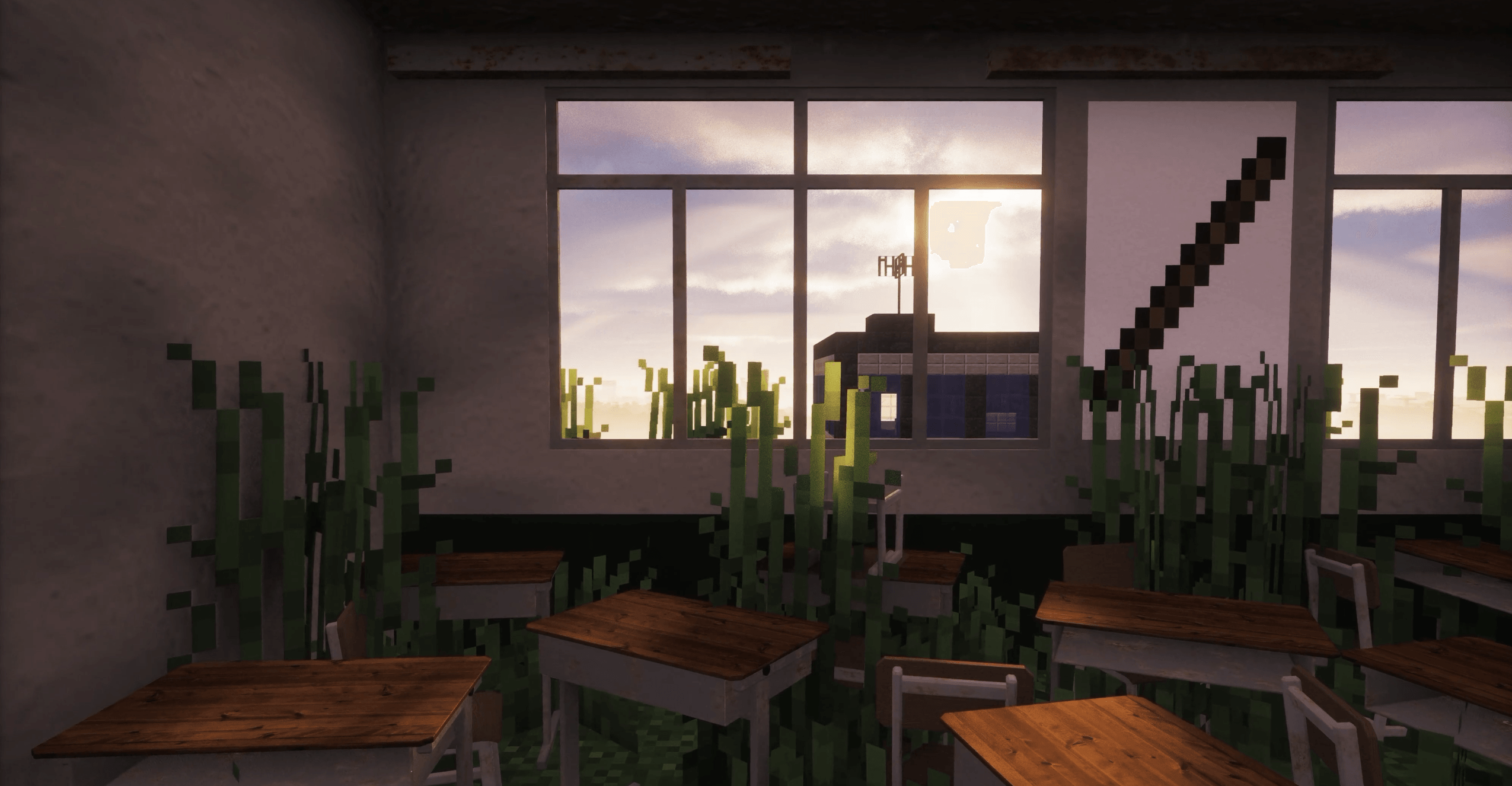 sample Classroom
Versions
Files
Relations
Project Relations
More like this
Similar Mods
Suggestions use data such as tags, dependencies, dependents, descriptions, titles, and more to rank how much they overlap with this mod.
On ModDex
Community snapshot
By the numbers
Statistics

Get it on
Available Platforms
On ModDex
Community snapshot
By the numbers
Statistics
Resources