
OLED Saver
No reviews yet
Smart HUD hiding to protect OLED displays from burn-in.
Enhances game performance and optimizes resource usage.
Fabric is a mod loader for versions 1.14+ of Minecraft, particularly popular for client side and optimization mods.
Community voices
Reviews
Click once to include, again to exclude, again to clear
No reviews yet. Be the first to review this project!
Get it on
Available Platforms
 Modrinth
Compatibility
Supported Environments
About
Project Details
For authors
Embed Badge
If you're the author of this project, you can embed a live badge anywhere that supports HTML or Markdown. It updates automatically whenever ratings change.
Use HTML for any page that supports it, or Markdown for README files and Markdown-based descriptions.
Identifiers
Platform IDs
Resources
External Links
About
Description
You just bought your brand-new expensive 360Hz OLED monitor and now you’re too scared to play Minecraft because of burn-in?
Don’t worry, OLED Saver has your back.
OLED Saver is a minimal, client-side Fabric mod that smartly hides Minecraft’s HUD elements when they are not needed, helping reduce static images on screen and minimizing the risk of OLED burn-in, without removing useful information when you actually need it.
✨ What does it do exactly?
🔹 Hotbar
Hidden by default
Instantly appears when you switch item, then automatically hides
🔹 Health Bar
Hidden when full
Instantly appears when the value changes (getting hit, regenerating, fall damage for exemple), then automatically hides
🔹 Hunger Bar
Hidden when full
Instantly appears when the value changes (eating or hunger loss for exemple), then automatically hides
🔹 Armor Bar
Hidden by default
Instantly appears when the value changes (equip, unequip, or break for exemple), then automatically hides
🔹 XP Bar & Level
Completely hidden by default
Displayed in the inventory instead
🔹 Held Item Name Tooltip
Disabled entirely
No more item name text popping up above the hotbar
🧰 Inventory Information
OLED Saver also adds useful, compact information directly inside the inventory screen, displaying:
Current health
Current hunger level
Current experience level and percentage
This lets you check your important stats at any time by simply opening the inventory.
Screenshots
Gallery
-
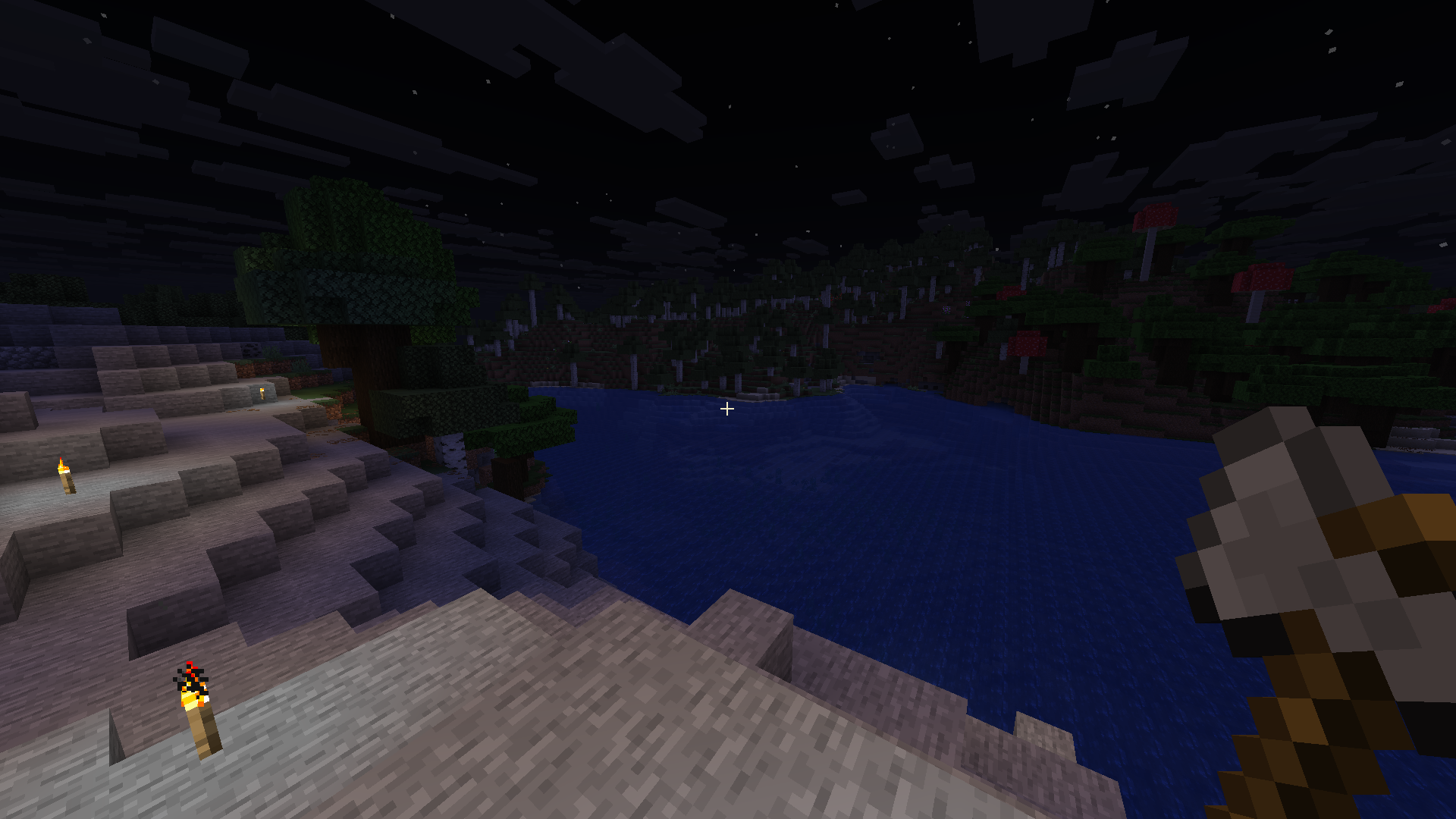 HP/Hunger are hidden if full or not changing
 -
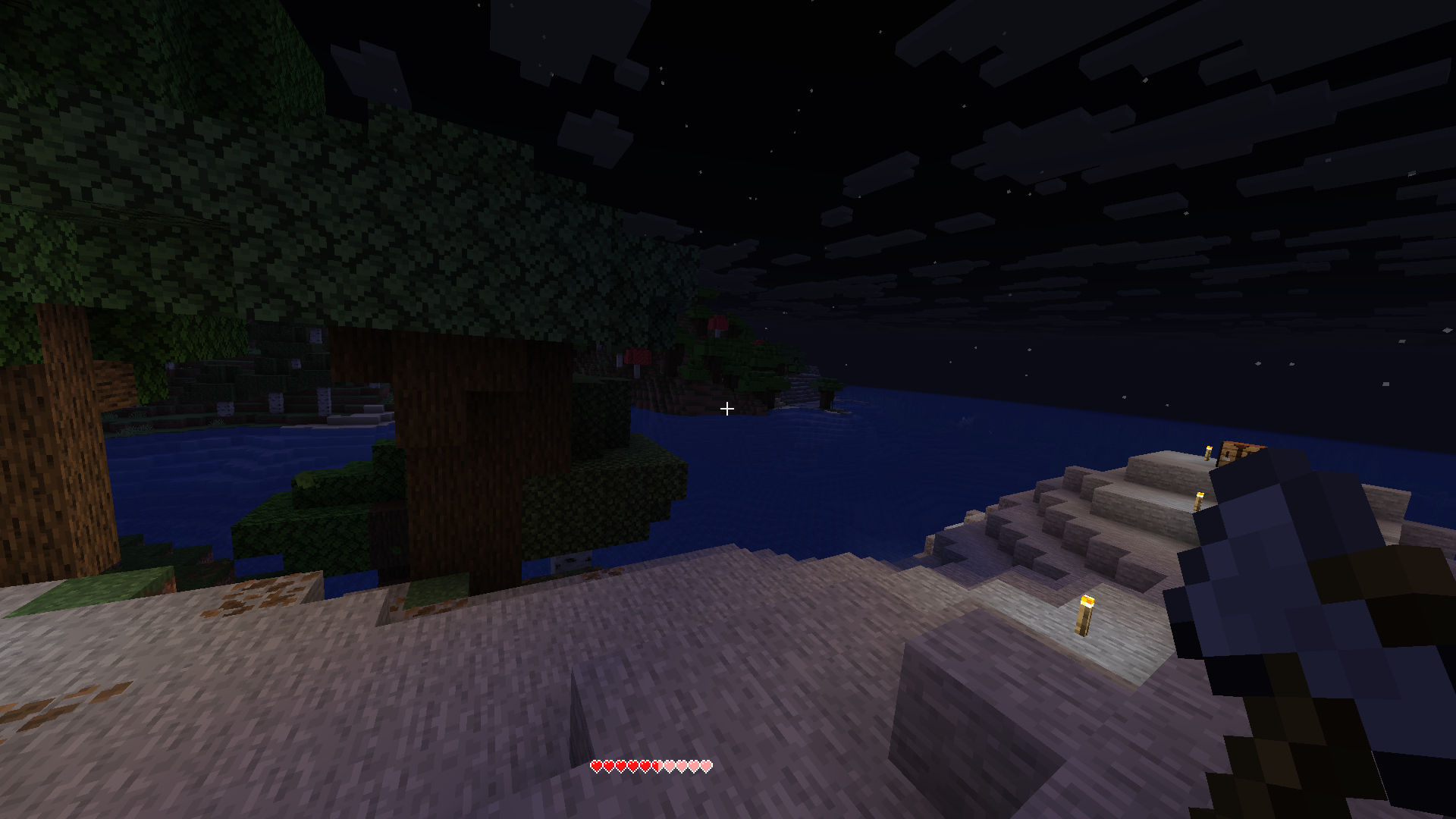 The HP Bar appears when you get hit
 -
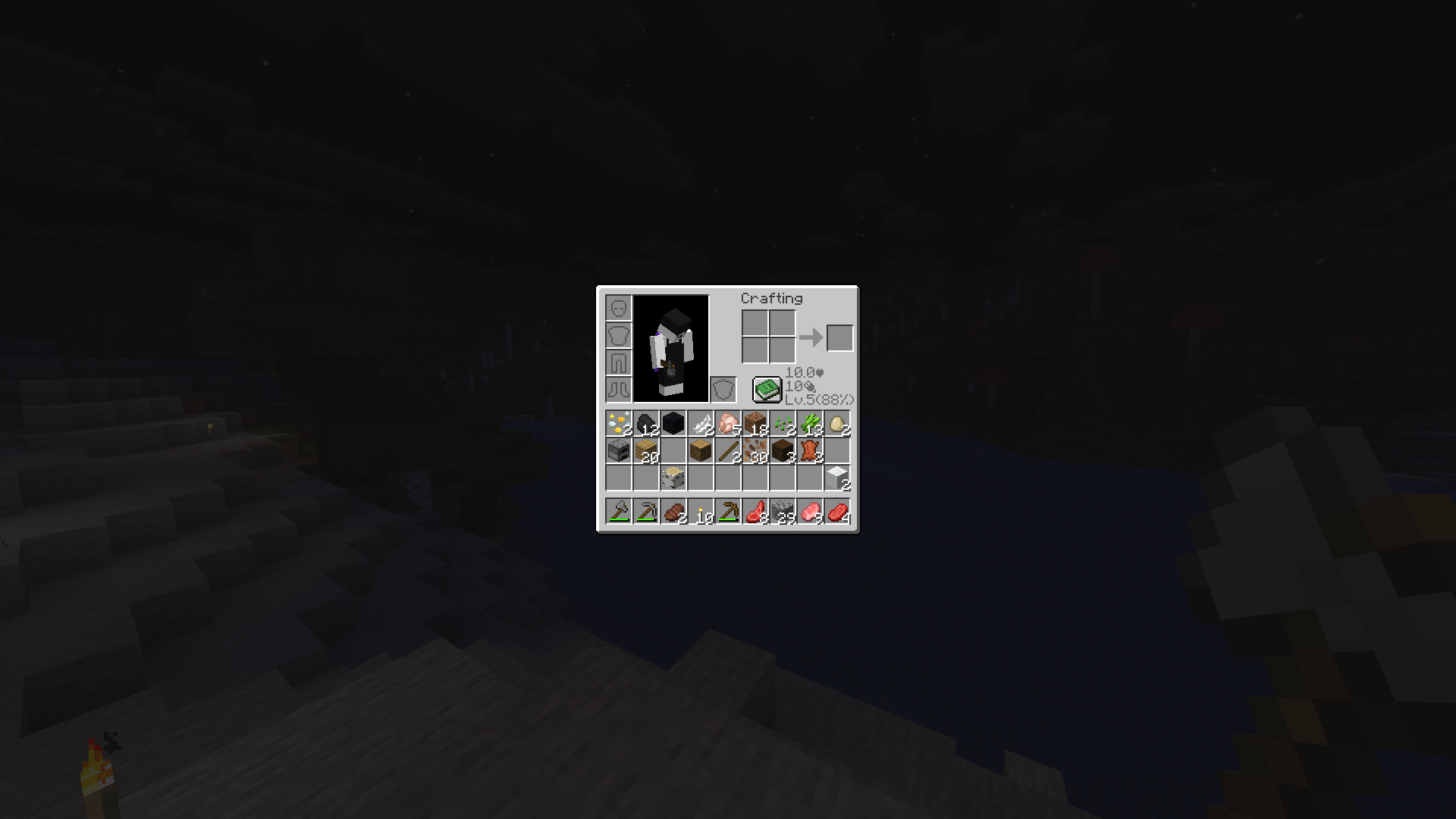 Inventory stats Shows your HP/Food/XP
Versions
Files
Relations
Project Relations
More like this
Similar Mods
Suggestions use data such as tags, dependencies, dependents, descriptions, titles, and more to rank how much they overlap with this mod.
On ModDex
Community snapshot
By the numbers
Statistics

Want to reach Minecraft players?
We're looking for a server hosting partner to feature here and other parts of the site. Interested? Send us a message!
Get in touchGet it on
Available Platforms
On ModDex
Community snapshot
By the numbers
Statistics
Resources