
Community listing page, reviews here may not be monitored by the author.
One Eyed: Tokyo Ghoul


No reviews yet
A mod based on the anime/manga "Tokyo Ghoul" made by FoiX!

Community voices
Reviews
No reviews yet. Be the first to review this project!
Get it on
Available Platforms
Compatibility
Supported Environments
Must be installed on both the client and the server.
About
Project Details
For authors
Embed Badge
If you're the author of this project, you can embed a live badge anywhere that supports HTML or Markdown. It updates automatically whenever ratings change.
Use HTML for any page that supports it, or Markdown for README files and Markdown-based descriptions.
Identifiers
Platform IDs
Resources
External Links
About
Description
One Eyed


This mod is completely made for fun and with my little knowledge of how Tokyo Ghoul is, sorry if something isnt right. I also tried to keep it as much vanilla like i could.
I wont be working on this with frequency, so dont expect a ton of updates or big updates. I also would love to read your ideas and opinions in the comments. Thanks to all of you. And if you liked the mod please share it with your friends.
Requirements:
(For Above 3.00) playerAnimator & Kleiders Custom Rederer
(For Above 2.00) Kleiders Custom Rederer
Special Attack - V
2nd Special Attack (2.2+) - Shift + V
Equip Kagune/Arata (2.1+) - G
See RC (2.00+) - I
See RC (1.38-) - C
Content:
Rc Over-Screction disease(ROS)
The player can be born with or enabled by using the comand /ros [true/false]. this disease is applied to both factions, it grows RC and the RC gain it provides also increases overtime. Can be stopped temporarily by using one of the two RC Supressors. The highest quality one will reset the RC gain.
Counts with 3 stages of growth and debuffs. The ROS stages are based on your RC count.
Stats
To enable the stats u must first enable the gamerule "StatsOn" and then press 0, each race has its ranks.
Ghoul
Ghouls right now count with 13 kagunes each for their respective places (Koukaku, Ukaku, Rinkaku, Bikaku). The kagunes will start weak and get stronger based on the amount of RC u have, to get RC is by eating flesh. Also some have different specials.
Currently theres 13 kagunes, each with their type and stages.
Tip:
To become a Ghoul you must eat flesh to get RC, after a certain number of RC u should be able to get your Kagune by Pressing the Kagune Keybind. The kagune is atribued from the moment you are born in the world (U can reroll it by using the command /reroll).
Content:
Counts with 13 kagunes. 8 with 3 stages, 4 with 2 stages and 1 with 4 stages.
CCG
CCG has cases for each with tiers that can be crafted, the cases can give a random quinque when right clicked. The CCG progress much like normal minecraft, mine to get ores make armor.
Tip:
To become a CCG you just need to keep human. So dont eat flesh. Your weapon abillities only work if human and theres no way to revert if u became a ghoul, theres already to much RC cells inside you.
Content:
Counts with 13 quinques. 4 at the lowest class obtained by the Case, 3 at the upper class also obtained by the Upper Class Case and 6 at the special class, 4 obtained from the Special Class Case and the other 2 are obtainable by crafting.
Commands:
/reroll - rerolls the user kagune
/rerollarata - rerolls the user arata type and color
/selfdata - tells the user important stuff from the mod.
/gamerule statsOn [true,false] - enables or disables stats, to open the menu u just press 0.
/RC [number] [playername] - sets the RC of a player to the value inserted.
/ros [true/false] - enables or disables the player ros.
/rosblind [true/false] - enables or disables the overlay that appears when the player has ROS.
/oneeyed [true/false] - skips the process of eating the Unstable RC mixture to become an One Eyed ghoul. Can disable or enable the One Eyed.
/Motion <Player> <x_speed> <y_speed> <z_speed> <XZ_Looking_Direction> <Y_Looking_Direction> <Constant> <constant_time_ticks> - Applies motion to a player based on the given parameters:
- <x_speed> - Force on the X axis (can be negative or positive).
- <y_speed> - Force on the Y axis (can be negative or positive).
- <z_speed> - Force on the Z axis (can be negative or positive).
- <XZ_Looking_Direction> - Applies motion relative to the player’s horizontal look direction. Overrides <y_speed> and mirrors <x_speed>for <z_speed>.
- <Y_Looking_Direction> - Applies motion relative to the player’s vertical look direction. When used with <XZ_Looking_Direction> = TRUE, <y_speed> and <z_speed> will match <x_speed>.
- <Constant> - Whether to continuously apply the motion each tick.
- <constant_time_ticks> — Duration (in ticks) for which the motion is applied if <Constant> is TRUE.
/KaguneGet <Player> and /KaguneSet <Player> <Kagune>
- KaguneGet: Displays in chat which Kagune the player has and stores it in the player's NBT tag "KaguneReturn".
- KaguneSet: Notifies both the command executor and the target player of the Kagune change.
/RcGet <Player>
- RcGet: Displays the player's RC amount in chat and stores it in the player's NBT tag "RcReturn".
/KaguneEquippedGet <Player>
- Displays in chat whether the player has their Kagune equipped [G] and stores it in the player's NBT tag "KaguneEquippedReturn".
/CCGWeaponEquippedGet <Player>
- Displays in chat whether the player has a CCG weapon equipped in their main hand and stores it in the player's NBT tag "CCGWeaponEquippedReturn".
Tip:
To anyone wondering why is there a delay, is because of perfomance. I dont want everyone pc executing code every single tick.
Mod made with MCreator
One Eyed

This mod is completely made for fun and with my little knowledge of how Tokyo Ghoul is, sorry if something isnt right. I also tried to keep it as much vanilla like i could.
I wont be working on this with frequency, so dont expect a ton of updates or big updates. I also would love to read your ideas and opinions in the comments. Thanks to all of you. And if you liked the mod please share it with your friends.
Requirements:
(For Above 3.00) playerAnimator & Kleiders Custom Rederer
(For Above 2.00) Kleiders Custom Rederer
Special Attack - V
2nd Special Attack (2.2+) - Shift + V
Equip Kagune/Arata (2.1+) - G
See RC (2.00+) - I
See RC (1.38-) - C
Content:
Rc Over-Screction disease(ROS)
The player can be born with or enabled by using the comand /ros [true/false]. this disease is applied to both factions, it grows RC and the RC gain it provides also increases overtime. Can be stopped temporarily by using one of the two RC Supressors. The highest quality one will reset the RC gain.
Counts with 3 stages of growth and debuffs. The ROS stages are based on your RC count.
Stats
To enable the stats u must first enable the gamerule "StatsOn" and then press 0, each race has its ranks.
Ghoul
Ghouls right now count with 13 kagunes each for their respective places (Koukaku, Ukaku, Rinkaku, Bikaku). The kagunes will start weak and get stronger based on the amount of RC u have, to get RC is by eating flesh. Also some have different specials.
Currently theres 13 kagunes, each with their type and stages.
Tip:
To become a Ghoul you must eat flesh to get RC, after a certain number of RC u should be able to get your Kagune by Pressing the Kagune Keybind. The kagune is atribued from the moment you are born in the world (U can reroll it by using the command /reroll).
Content:
Counts with 13 kagunes. 8 with 3 stages, 4 with 2 stages and 1 with 4 stages.
CCG
CCG has cases for each with tiers that can be crafted, the cases can give a random quinque when right clicked. The CCG progress much like normal minecraft, mine to get ores make armor.
Tip:
To become a CCG you just need to keep human. So dont eat flesh. Your weapon abillities only work if human and theres no way to revert if u became a ghoul, theres already to much RC cells inside you.
Content:
Counts with 13 quinques. 4 at the lowest class obtained by the Case, 3 at the upper class also obtained by the Upper Class Case and 6 at the special class, 4 obtained from the Special Class Case and the other 2 are obtainable by crafting.
Commands:
/reroll - rerolls the user kagune
/rerollarata - rerolls the user arata type and color
/selfdata - tells the user important stuff from the mod.
/gamerule statsOn [true,false] - enables or disables stats, to open the menu u just press 0.
/RC [number] [playername] - sets the RC of a player to the value inserted.
/ros [true/false] - enables or disables the player ros.
/rosblind [true/false] - enables or disables the overlay that appears when the player has ROS.
/oneeyed [true/false] - skips the process of eating the Unstable RC mixture to become an One Eyed ghoul. Can disable or enable the One Eyed.
/Motion <x_speed> <y_speed> <z_speed> <XZ_Looking_Direction> <Y_Looking_Direction> <constant_time_ticks> - Applies motion to a player based on the given parameters:
- <x_speed> - Force on the X axis (can be negative or positive).
- <y_speed> - Force on the Y axis (can be negative or positive).
- <z_speed> - Force on the Z axis (can be negative or positive).
- <XZ_Looking_Direction> - Applies motion relative to the player’s horizontal look direction. Overrides <y_speed> and mirrors <x_speed>for <z_speed>.
- <Y_Looking_Direction> - Applies motion relative to the player’s vertical look direction. When used with <XZ_Looking_Direction> = TRUE, <y_speed> and <z_speed> will match <x_speed>.
- - Whether to continuously apply the motion each tick.
- <constant_time_ticks> — Duration (in ticks) for which the motion is applied if is TRUE.
/KaguneGet and /KaguneSet
- KaguneGet: Displays in chat which Kagune the player has and stores it in the player's NBT tag "KaguneReturn".
- KaguneSet: Notifies both the command executor and the target player of the Kagune change.
/RcGet
- RcGet: Displays the player's RC amount in chat and stores it in the player's NBT tag "RcReturn".
/KaguneEquippedGet
- Displays in chat whether the player has their Kagune equipped [G] and stores it in the player's NBT tag "KaguneEquippedReturn".
/CCGWeaponEquippedGet
- Displays in chat whether the player has a CCG weapon equipped in their main hand and stores it in the player's NBT tag "CCGWeaponEquippedReturn".
Tip:
To anyone wondering why is there a delay, is because of perfomance. I dont want everyone pc executing code every single tick.
Mod made with MCreator
Screenshots
Gallery
-
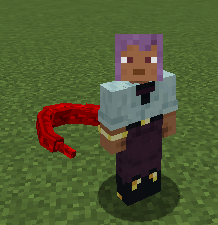 bikaku.png bikaku.png
 -
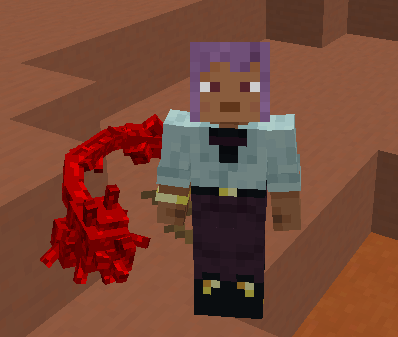 bikaku kakuja.png bikaku kakuja.png
 -
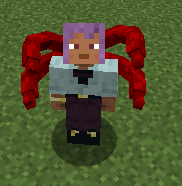 rinkaku.png rinkaku.png
 -
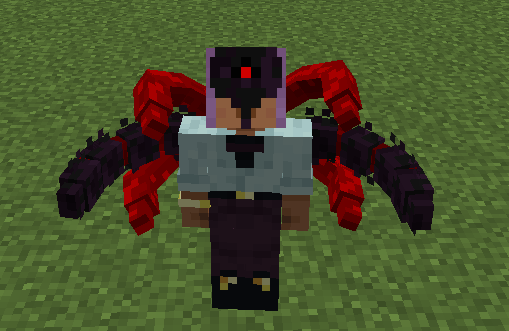 rinkaku kakuja.png rinkaku kakuja.png
 -
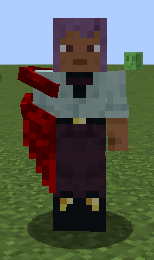 koukaku.png koukaku.png
 -
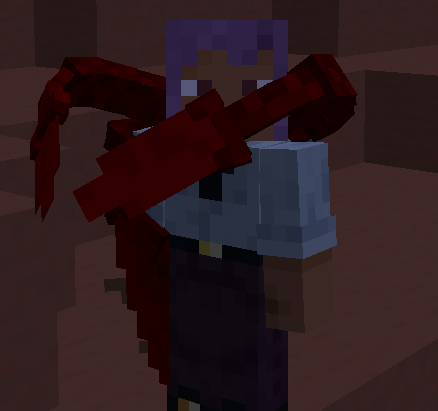 koukaku kakuja.png koukaku kakuja.png
 -
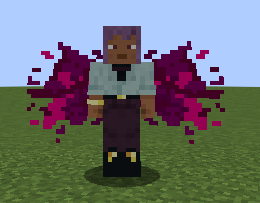 ukaku.png ukaku.png
 -
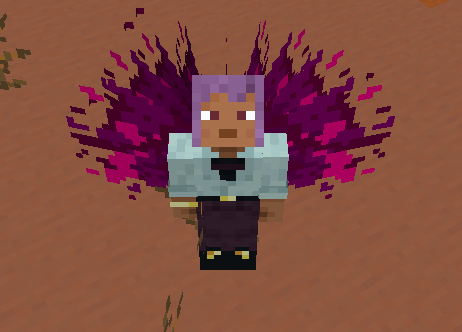 ukaku kakuja.png ukaku kakuja.png
 -
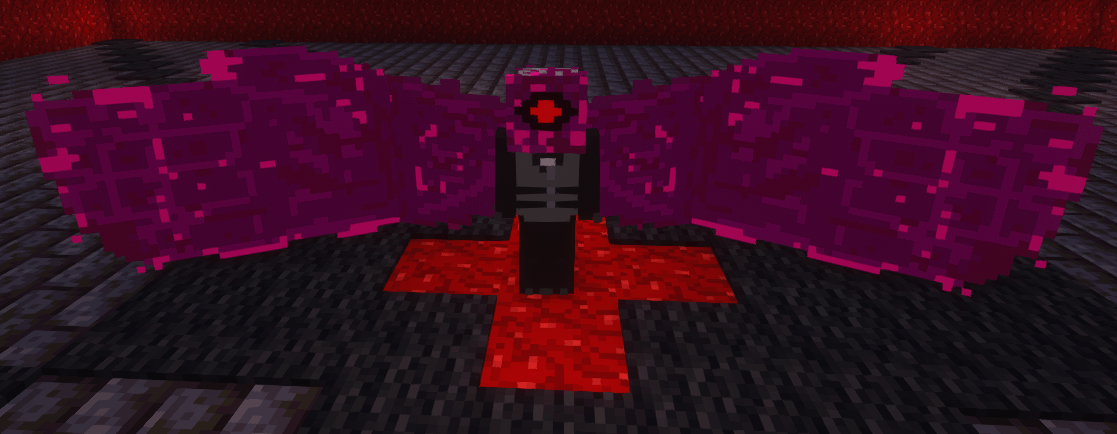 Ukaku Remodeled.png Ukaku Kakuja Remodeled
 -
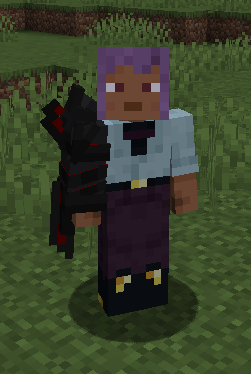 AuraKoukakuM1.png AuraKoukakuM1
 -
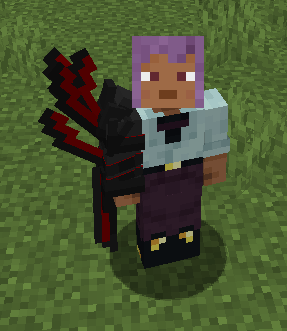 AuraKoukakuM2.png AuraKoukakuM2
 -
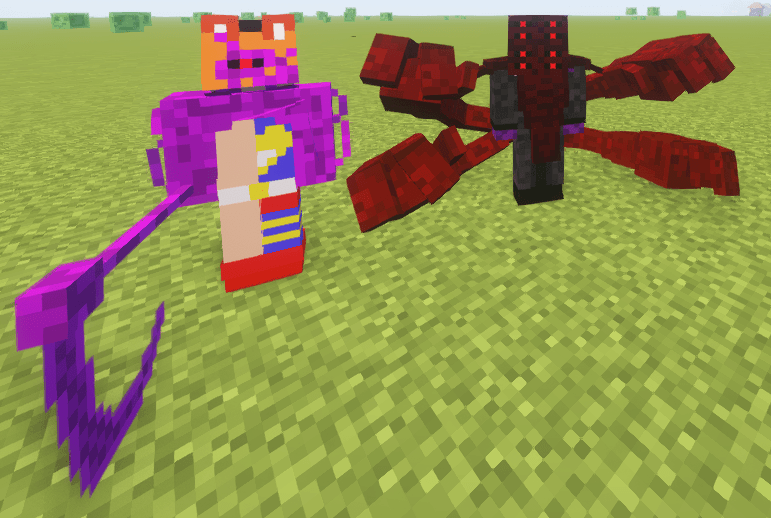 2 New Kagunes.png 2 New Kagunes
 -
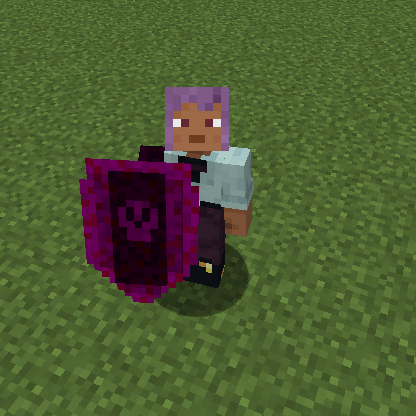 Kuki Urie Stage 1 Shield Mode Kuki Urie Stage 1 Shield Mode
 -
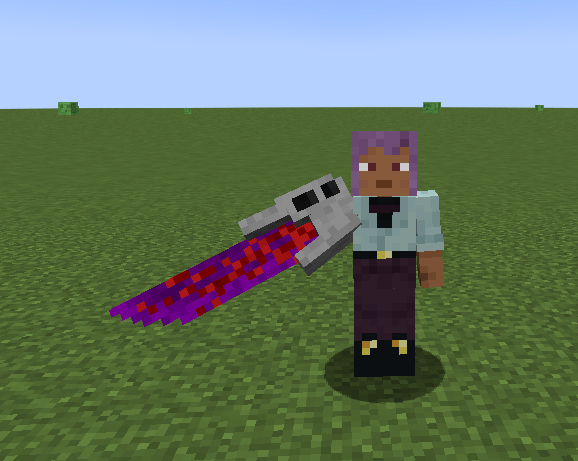 Kuki Urie Stage 1 Sword Mode Kuki Urie Stage 1 Sword Mode
 -
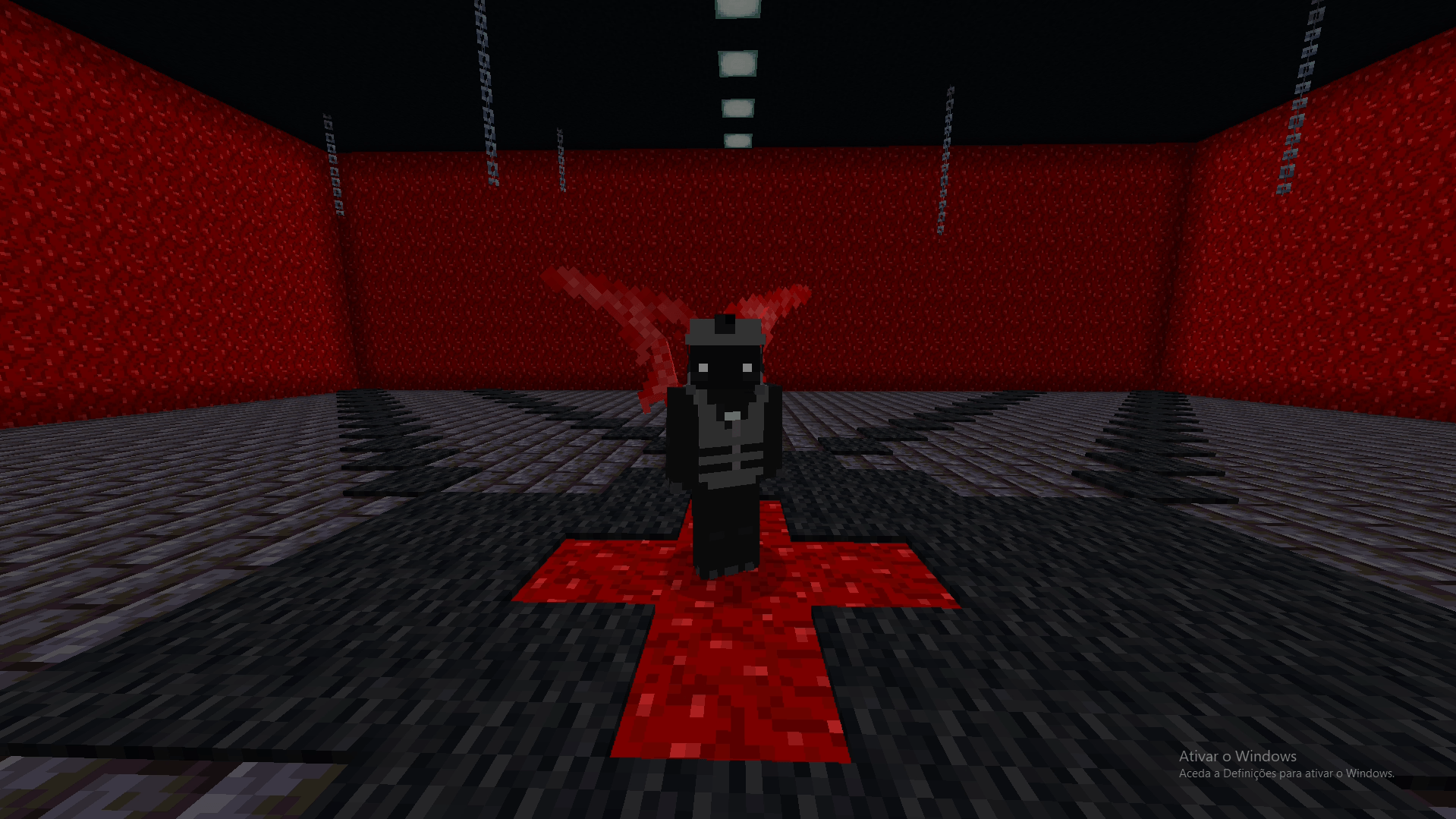 Ariel Ukaku Stage 1 Ariel Ukaku Stage 1
 -
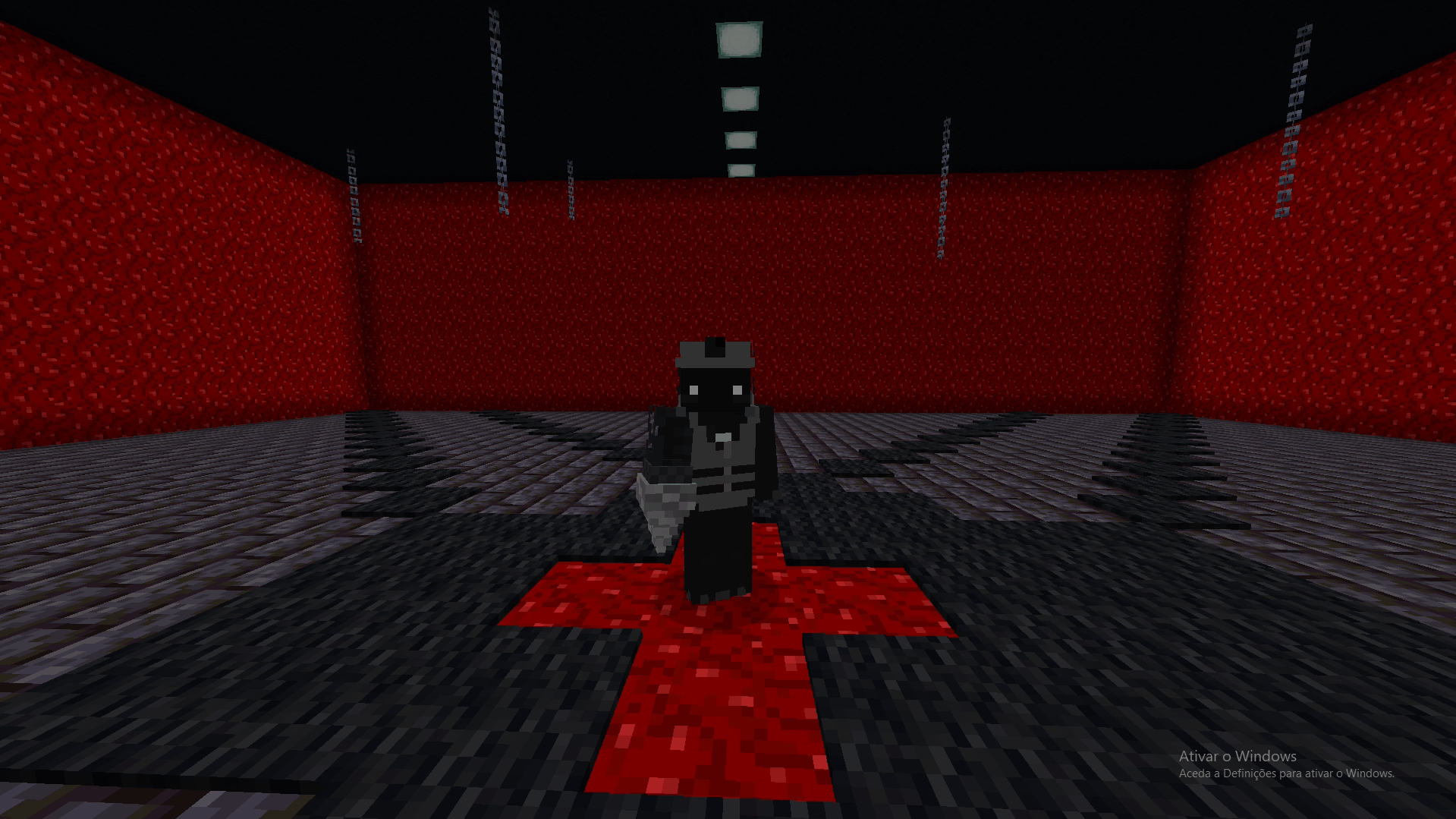 Vini Ukaku Stage 1 Vini Ukaku Stage 1 (Based on the drill of Gurren Lagan)
 -
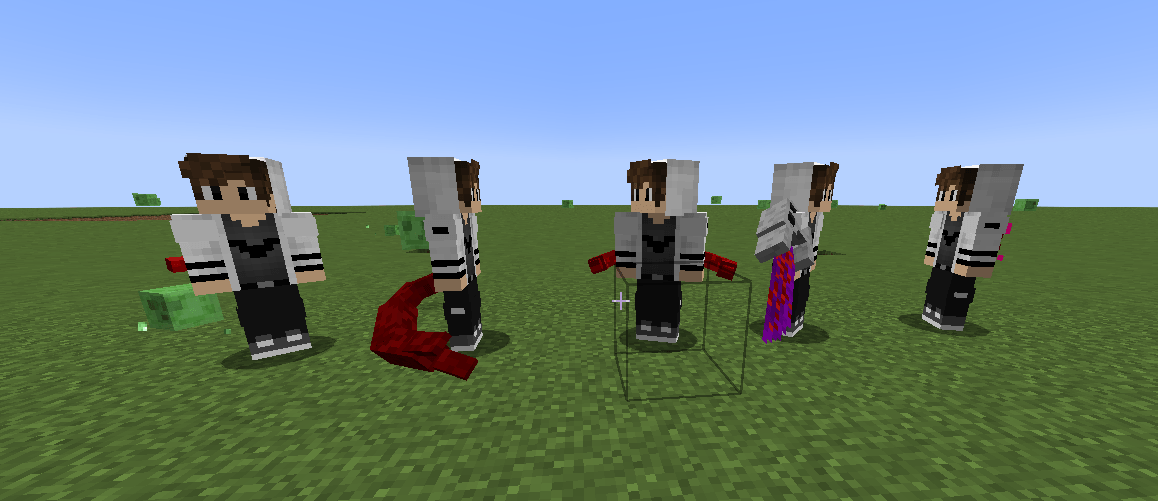 Ghoul NPCs Random Kagunes Ghoul NPCs Random Kagunes (Dont mind the eyes, i changed them after the print.)
-
 FoiX Bikaku Stage 2
 -
 FoiX Bikaku Kakuja Stage 3
 -
 Ken Rinkaku Stage 3
 -
 Ken Rinkaku Kakuja Stage 4
 -
 Foix Koukaku Stage 2
 -
 Foix Koukaku Kakuja Stage 3
 -
 Foix Ukaku Stage 2
 -
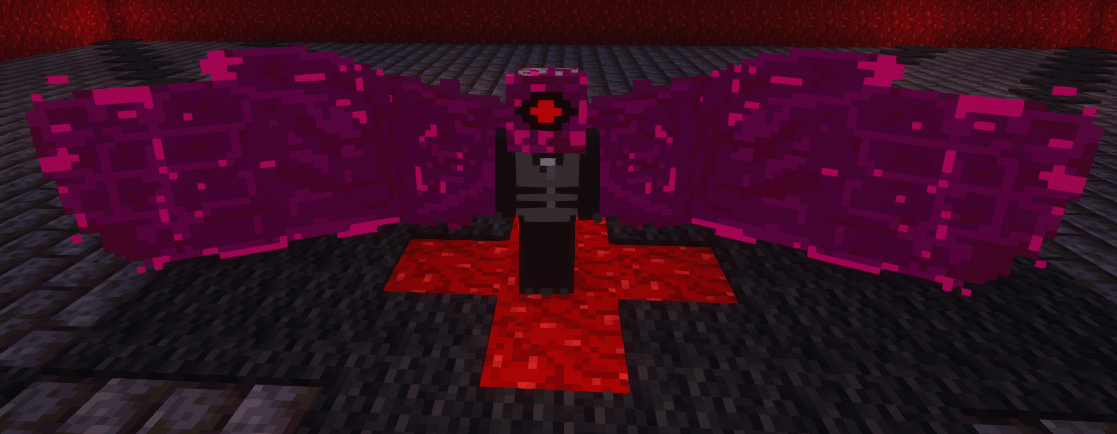 Foix Ukaku Kakuja Stage 3
 -
 Aura Koukaku Stage 1
 -
 Aura Koukaku Stage 3
 -
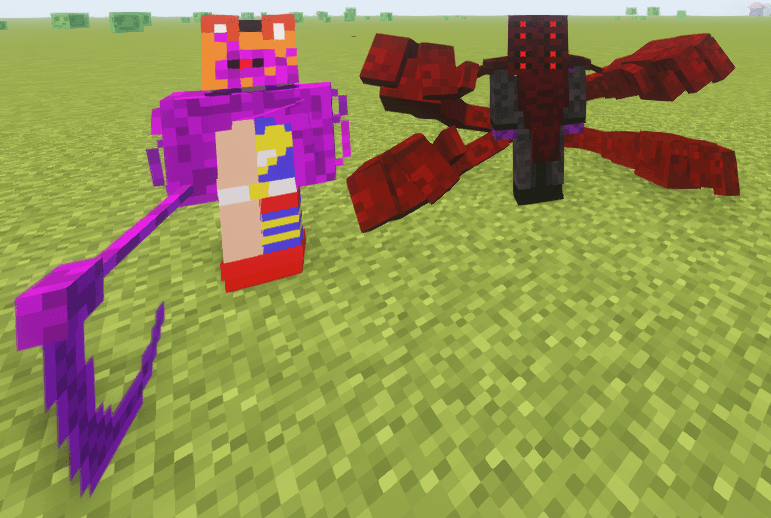 Burakku Rinkaku & Burakku Bikaku Stage 3
 -
 Kuki Urie Shield Koukaku Stage 1
 -
 Kuki Urie Sword Koukaku Stage 1
 -
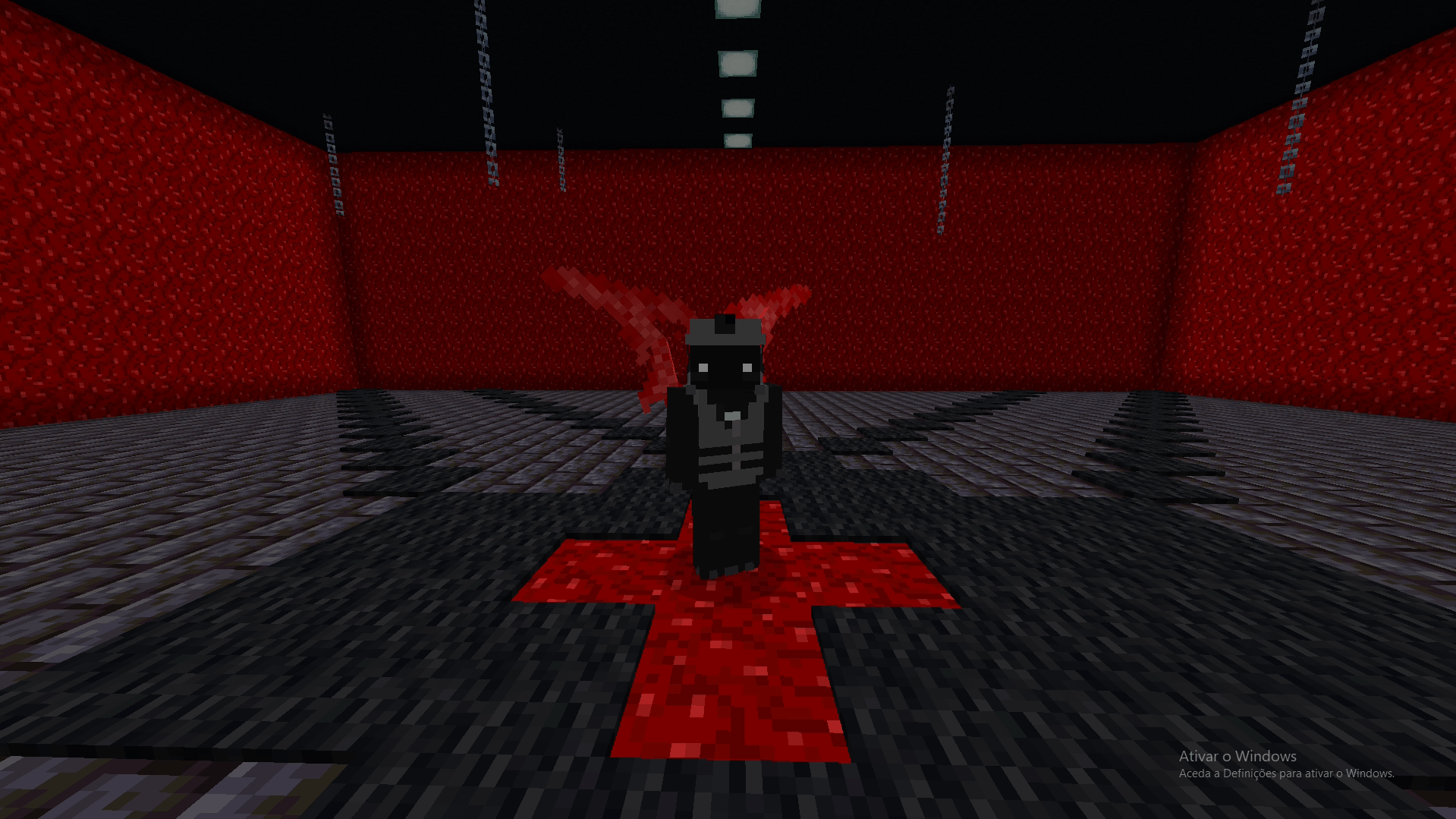 Ariel Ukaku Stage 1
 -
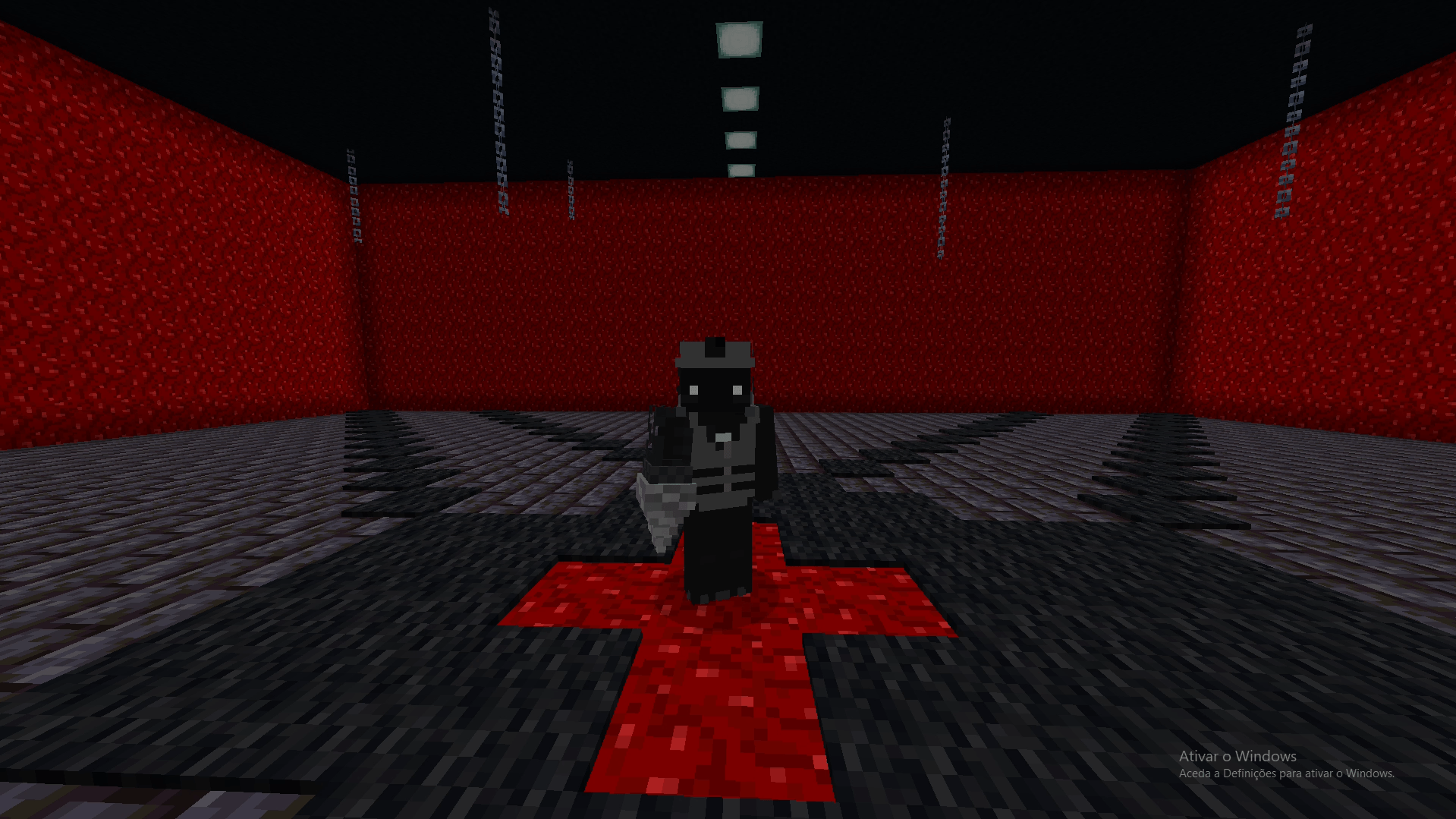 Vini Ukaku Stage 1
 -
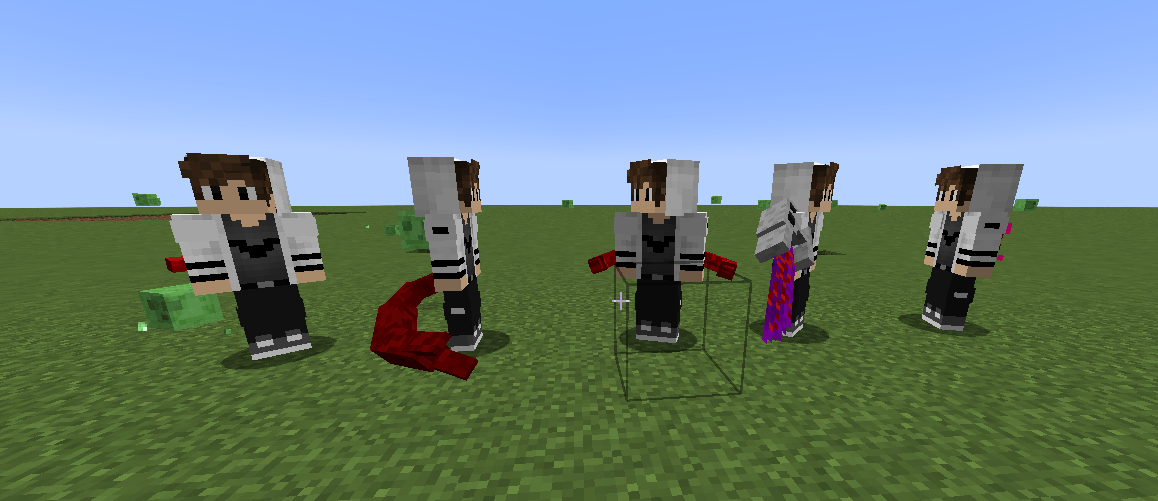 Weak Ghoul NPCs Random Kagunes
Versions
Files
Relations
Project Relations
More like this
Similar Mods
Suggestions use data such as tags, dependencies, dependents, descriptions, titles, and more to rank how much they overlap with this mod.
On ModDex
Community snapshot
By the numbers
Statistics
 (opens in a new tab)
Get it on
Available Platforms
On ModDex
Community snapshot
By the numbers
Statistics
Resources