
Community listing page, reviews here may not be monitored by the author.
Opaque Chat

No reviews yet
A mod that add encrypted networking to Minecraft chat
Community voices
Reviews
No reviews yet. Be the first to review this project!
Get it on
Available Platforms
Compatibility
Supported Environments
Runs entirely on the client. Works on vanilla servers.
About
Project Details
For authors
Embed Badge
If you're the author of this project, you can embed a live badge anywhere that supports HTML or Markdown. It updates automatically whenever ratings change.
Use HTML for any page that supports it, or Markdown for README files and Markdown-based descriptions.
Identifiers
Platform IDs
About
Description
Opaque Chat
Opaque Chat is a purely client-side Fabric mod that brings end-to-end encryption to Minecraft chat. Communicate securely with your friends on any server without the server owner, console, or other players understanding a single word out of your chat.
Features
- End-to-End Encryption: Your messages are secured using ECDH (secp256r1) for secure key exchange and AES-GCM for symmetric message encryption.
- Secure Group Chats: Create private group chats with Perfect Forward Secrecy and Key Ratcheting to ensure kicked members are mathematically locked out.
- Seamless GUI Integration: Opaque Chat features a panel built directly into the vanilla Chat screen.
- Highly Configurable: Customize UI colors, layouts, and server-specific chat cooldowns via Yet Another Config Lib (YACL).
- Client-Side Only: Opaque Chat works on any server, as long as the server allows standard chat messages to be sent and received.
How It Works
Opaque Chat intercepts incoming and outgoing chat messages prefixed with !oc_.
When you invite a player, the mod performs a silent cryptographic handshake (!oc_req and !oc_key) to exchange public keys over the server's public chat. Once a shared secret is established, your messages are encrypted (!oc_msg) before they ever leave your client. Server logs will only see base64-encoded strings, while you and your friend see clean, formatted text.
Each key is securely saved in your local config folder and is reused between sessions, meaning you only have to invite a player once!
Dependencies
-
Fabric Loader & Fabric API
-
Yet Another Config Lib
-
ModMenu (Optional, but recommended)
Usage
Opening the Interface
- Open your standard Minecraft chat (
Tby default). - Click the "OC" button in the bottom right corner of the screen to access the Opaque Chat interface.
Starting a Secure Chat
- Send an Invite: Click on a player's name in the GUI and use "Send Invite" (or "Invite Secretly (/msg)" for private whispers), or type
/oc invite <player> [secretly]in chat. - Accept an Invite: The receiving player will get a notification. They can click
[ACCEPT]in chat, use the GUI "Requests" tab with "Accept Invite" (or "Accept Secretly (/msg)"), or type/oc accept <player> [secretly].
Sending Messages
Once a secure link is established:
- Select the contact in the Opaque Chat GUI panel and type your message into the "Secure Message" field.
- Alternatively, use the command
/oc msg <player> <message>.
Commands
Opaque Chat operates entirely on the client-side. All commands use the /oc prefix.
General & Configuration
| Command | Description |
|---|---|
/oc help |
Displays the in-game help menu with all available commands. |
/oc config |
Opens the visual configuration UI (Requires YACL). |
/oc reload |
Reloads config.json from your disk. |
/oc delay <ms> |
Sets the delay between automated packets for the current server to bypass anti-spam kicks (Default: 5000ms). |
1-on-1 Secure Messaging
| Command | Description |
|---|---|
/oc invite <player> [secretly] |
Sends a secure ECC handshake request. Add true (or use /oc invite_secretly) to send via whisper. |
/oc invite_secretly <player> |
Sends a secret ECC handshake request via whisper (!oc_wreq). |
/oc accept <player> [secretly] |
Accepts a handshake request. Add true (or use /oc accept_secretly) to exchange keys via whisper. |
/oc accept_secretly <player> |
Accepts an incoming handshake request secretly via whisper (!oc_wkey). |
/oc msg <player> <text> |
Encrypts and sends a 1-on-1 message using the shared secret. |
Contact & Identity Management
| Command | Description |
|---|---|
/oc contact add <player> [secretly] |
An alias for /oc invite <player> [secretly]. |
/oc contact remove <player> |
Deletes a player from your saved contacts list. |
/oc contact reload |
Reloads contacts.json from your disk. |
/oc identity reset |
Generates a new ECC keypair and increments your Key Version. Your contacts will automatically heal and update to your new key the next time you message them. |
/oc identity reload |
Reloads identity.json from your disk. |
Group Chats
Note: The player who creates a group is permanently assigned as the Group Owner.
| Command | Description | Permissions |
|---|---|---|
/oc group create <name> <members...> |
Generates a secure AES key, creates the group, and silently distributes the key to the listed members. | Anyone |
/oc group invite <name> <player> |
Securely invites a new player to an existing group and automatically syncs the roster for all current members. | Owner Only |
/oc group kick <name> <player> |
Kicks a player, generates a new AES key (ratcheting the version number), and securely distributes the new key to the remaining members to guarantee Perfect Forward Secrecy. | Owner Only |
Screenshots
Gallery
-
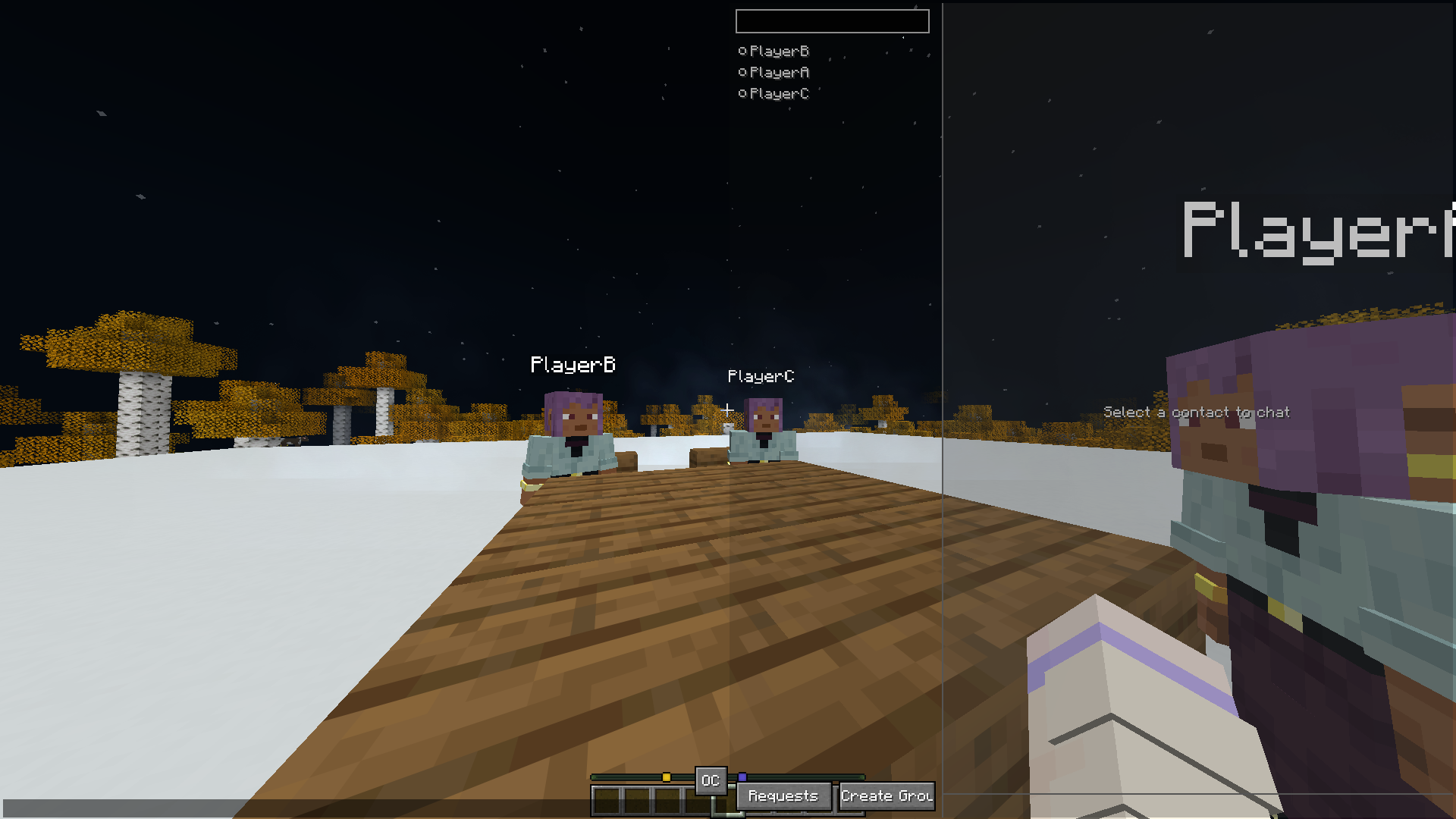 GUI of the mod GUI with the mod expanded
 -
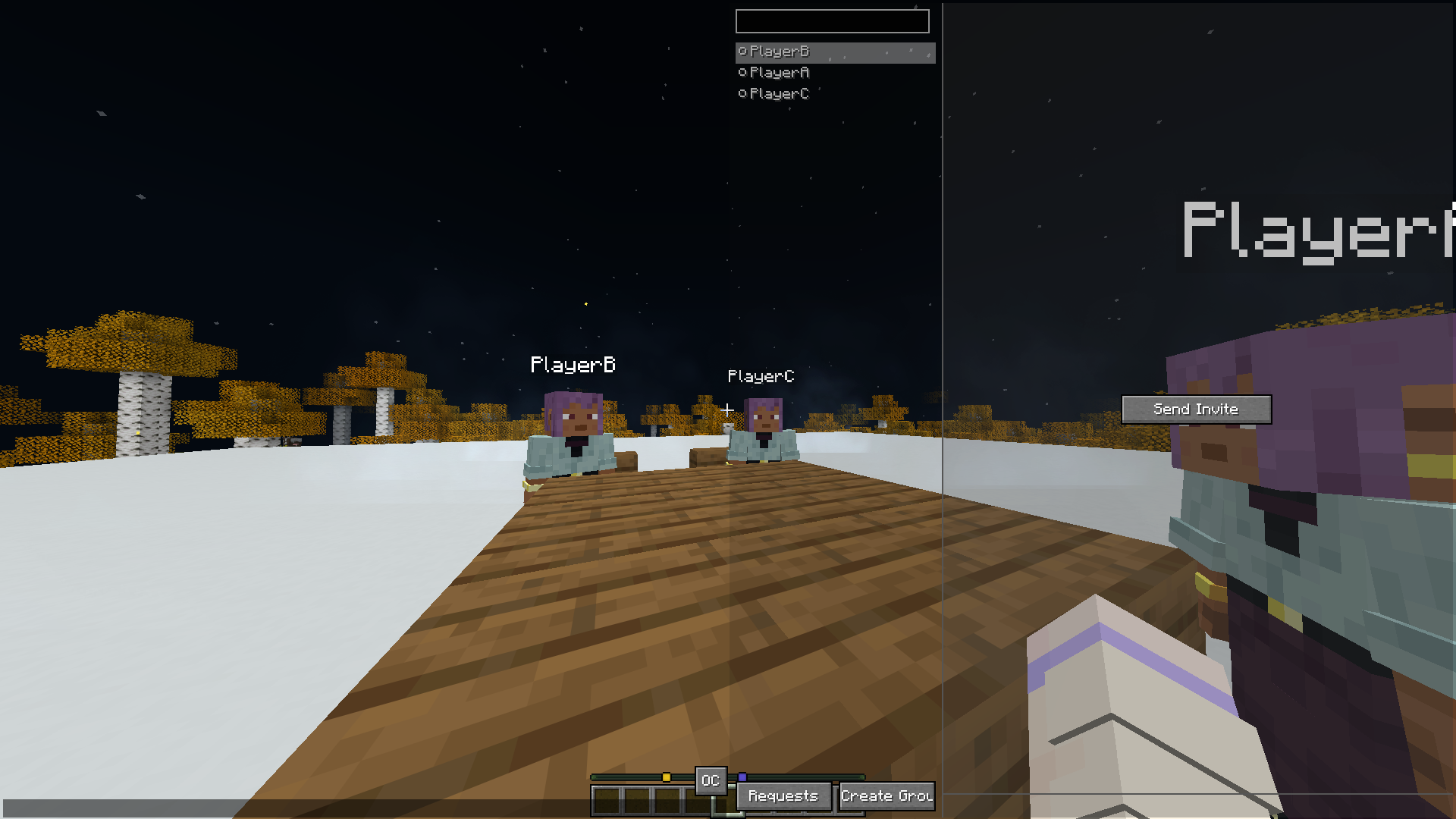 GUI when clicked on a uninvited player
 -
 Inviting a player to chat using the mod
 -
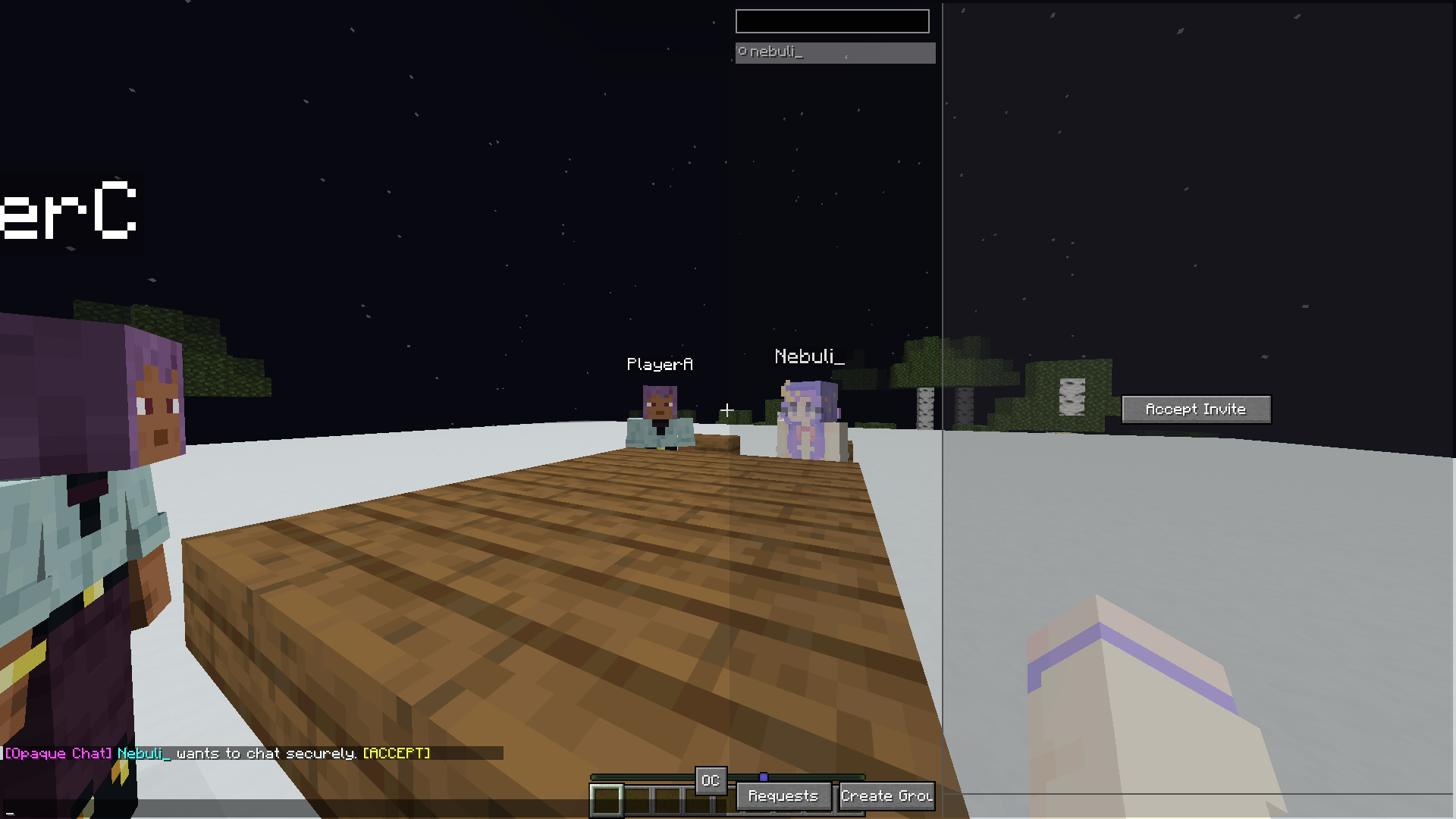 You've got mail! This is when you get the invitation from another player, simply click on the Accept button in the chat message or open the GUI and click Accept Invite to add them to your contact list
 -
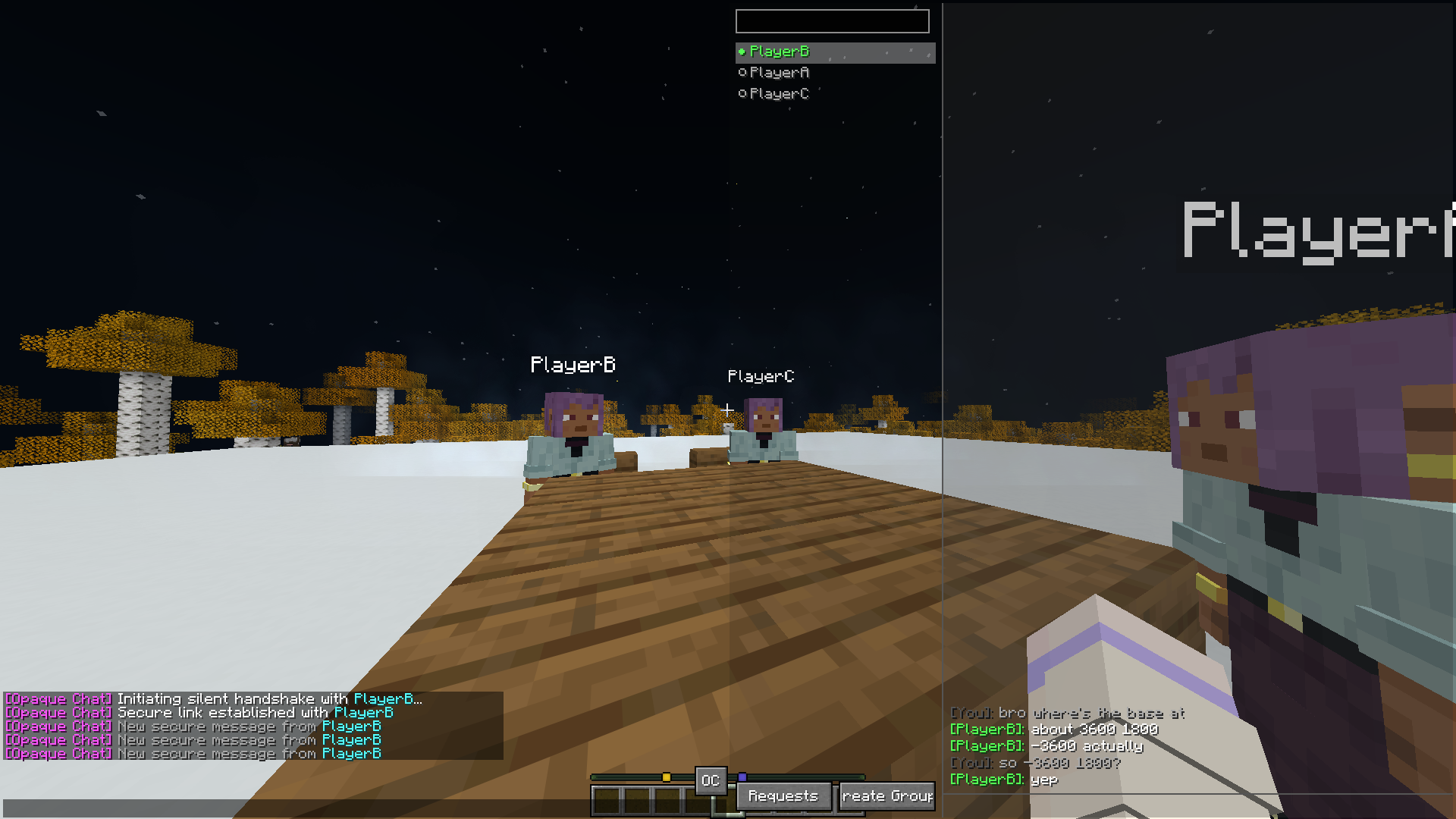 Conversation carried out by 2 players
 -
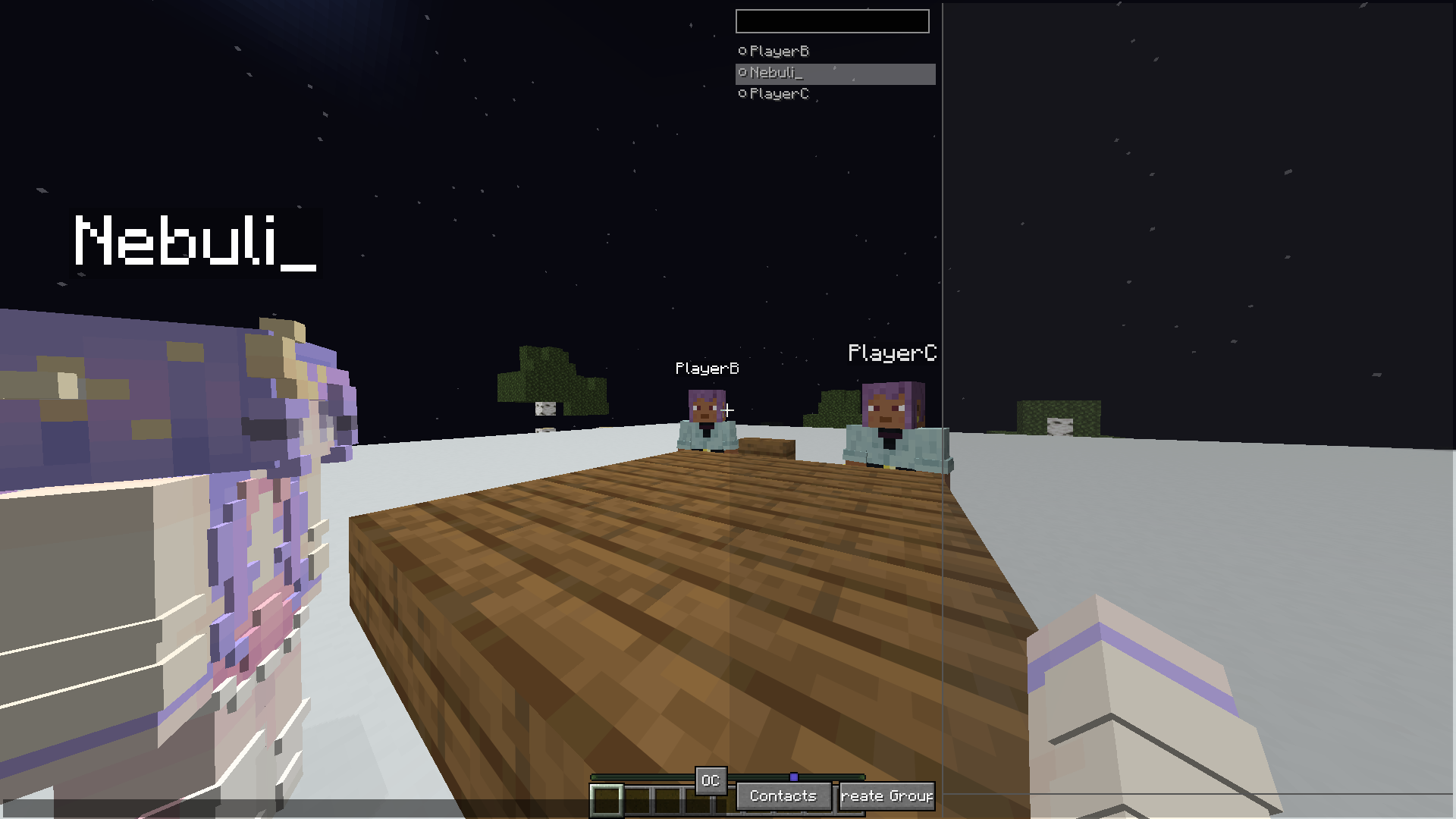 People having conversations In this image, Nebuli_ and PlayerB are talking using the mod, having this mod installed will ignore messages not targetting you
 -
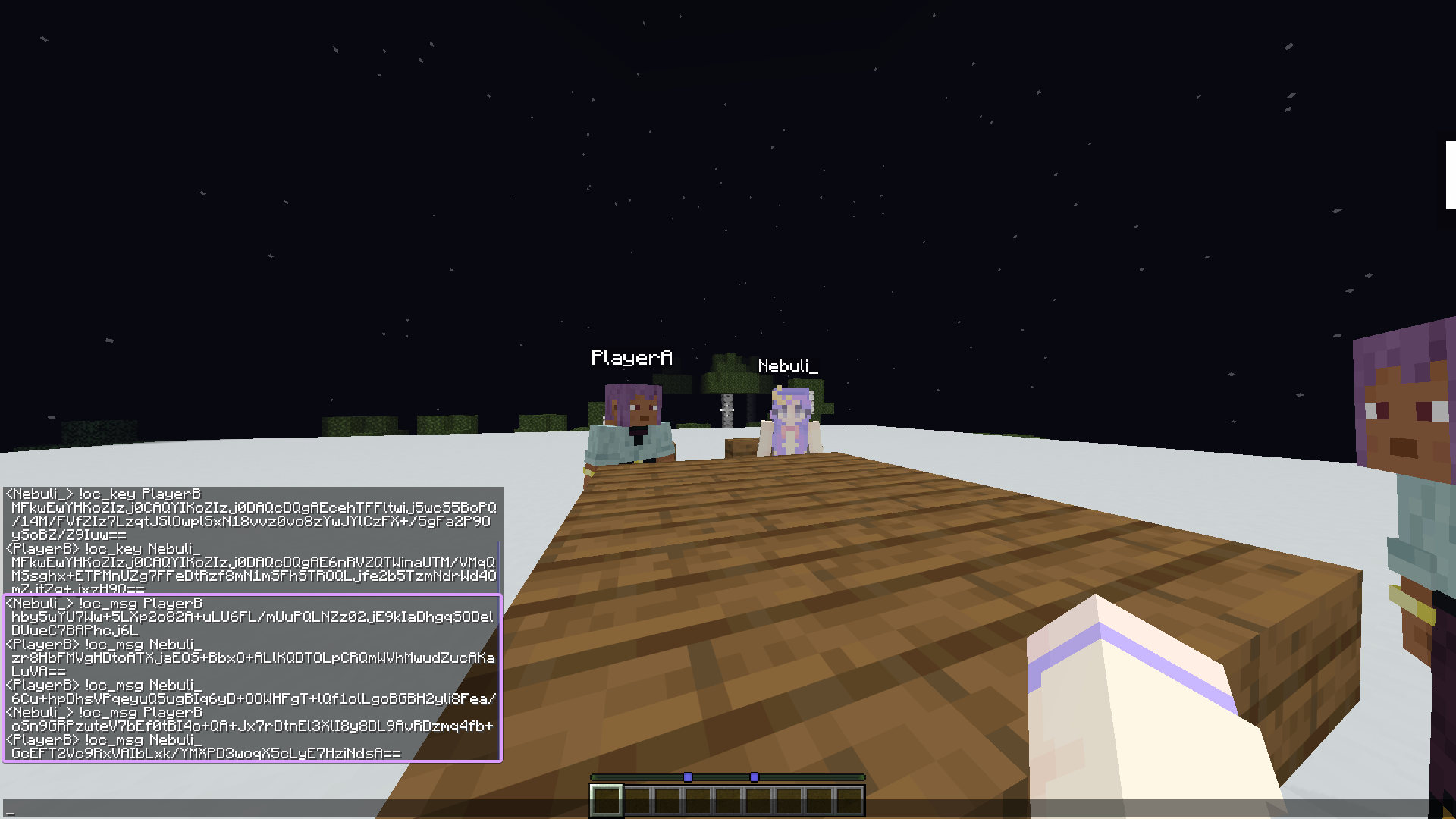 Not having the mod... Without the mod, you will see the code happening in real time, the purple rectangle is the conversasion between 2 people using this mod. This cannot be decrypted if you don't have either of they players' keys.
 -
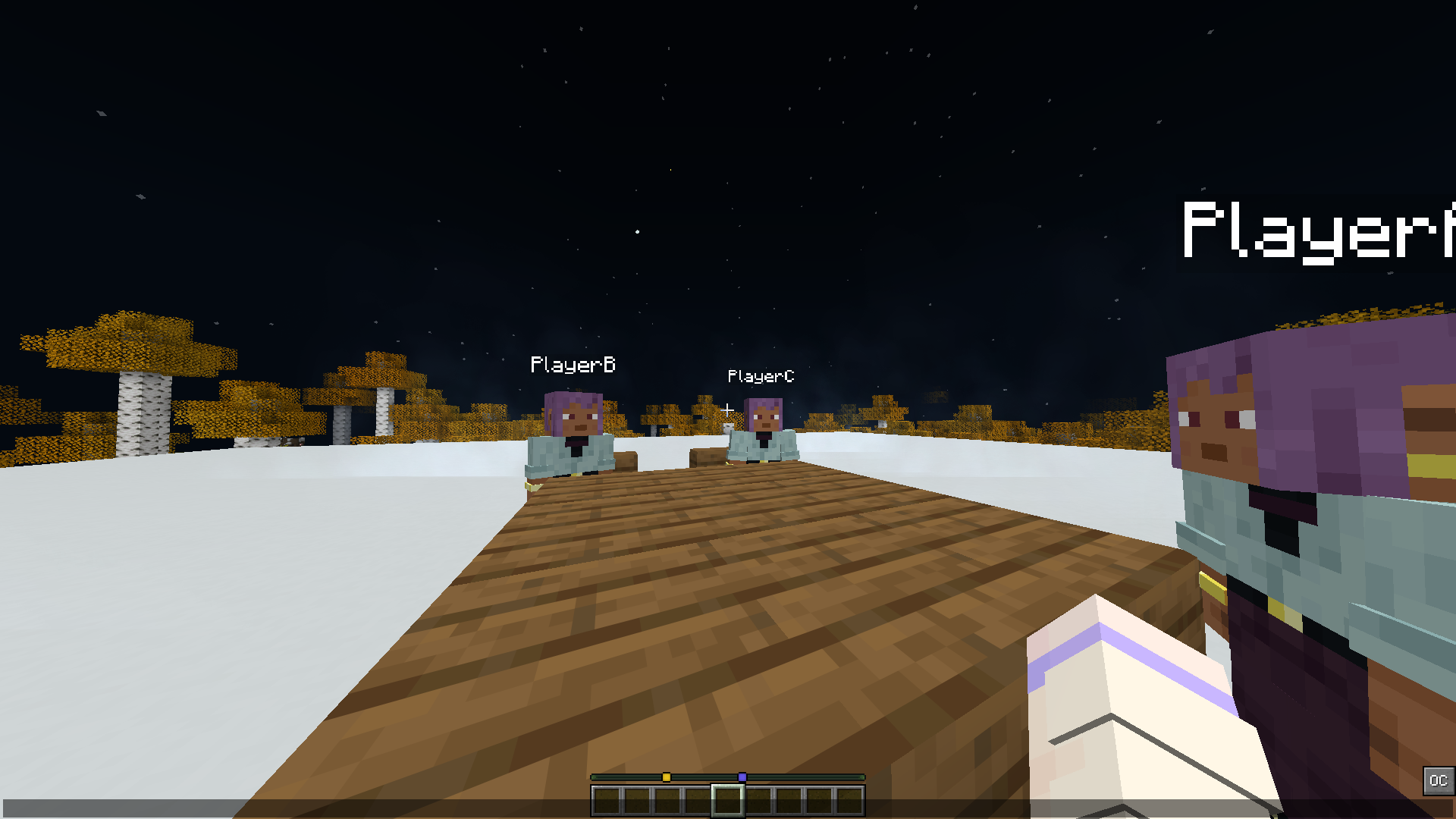 GUI of minecraft chat screen with the mod installed This is before openning the mod GUI, which is possible by clicking on the bottom right icon
Versions
Files
Relations
Project Relations
More like this
Similar Mods
Suggestions use data such as tags, dependencies, dependents, descriptions, titles, and more to rank how much they overlap with this mod.
On ModDex
Community snapshot
By the numbers
Statistics

Want to reach Minecraft players?
We're looking for a server hosting partner to feature here and other parts of the site. Interested? Send us a message!
Get in touchGet it on
Available Platforms
On ModDex
Community snapshot
By the numbers