Community listing page, reviews here may not be monitored by the author.
OpenComputers


Modular, persistent, programmable computers and robots.

Community voices
Reviews
No reviews yet. Be the first to review this project!
Get it on
Available Platforms
Compatibility
Supported Environments
Must be installed on both the client and the server.
About
Project Details
For authors
Embed Badge
If you're the author of this project, you can embed a live badge anywhere that supports HTML or Markdown. It updates automatically whenever ratings change.
Use HTML for any page that supports it, or Markdown for README files and Markdown-based descriptions.
Identifiers
Platform IDs
About
Description
This mod is no longer maintained
Please note that this version of the mod is no longer maintained. Potential security issues may still exist in published versions, but will never be fixed. When hosting a server for people you don't know, take this into account and inform yourself. Thank you for enjoying the mod until now ❤️
There is some community effort to bring the mod to newer Minecraft versions, for example OpenComputers: Rebooted.
I'm also working on a spiritual successor, OpenComputers II, if you're interested.

Overview
This mod adds computers that can be programmed in Lua 5.2 and 5.3. Computers persist across saves (i.e. execution resumes where the computer was saved when it is loaded again), they are highly modular (there are graphics cards, network cards, redstone cards, …). If a compatible power generating mod is present, by default they will need power to run - however, like pretty much everything else about the mod, this can be changed in the config.
OpenComputers is designed to fit well with survival gameplay, and is played best in combination with other mods, which allow automating ore processing, and ideally crafting to some extent! Computers are not cheap to craft, so don't expect to build your first computer early when starting a new game. If you want an extra challenge, try the hard mode recipe set (see .minecraft/config/opencomputers/user.recipes for more information).
There are a lot of components in the mod that can be used to extend computers, such as motion sensors, holograms and there are also robots.
Inter-operation with many other mods is provided via the Adapter block (for example reading power information from energy cells and so on).
For more information, please visit the Wiki at http://ocdoc.cil.li/ where, aside from blocks and items in the mod, the built-in Lua APIs are documented as well, so you can read up what you can actually do with the computers. If you need additional support, browse the forums at http://oc.cil.li/ or drop by the IRC, channel #oc on esper.net, or join us on Discord.
Installation
- Install Minecraft Forge.
- Download and copy the mod's JAR into your .minecraft/mods folder (do not extract it!).
Modpacks
You are free to use this mod in public and private modpacks alike, no questions asked.
Donating
Since people kept asking, I have a Patreon account now. Please do at least read the disclaimer paragraph.
So what's in the mod?
Computers

The name may have given it away: the main feature this mod adds are programmable computers. OpenComputers itself allows writing programs using the Lua programming language, specifically Lua 5.2. Computers can be programmed at a very low level, but the built-in operating system emulates a Lua environment as close to "vanilla" Lua as possible within the restraints of the sandbox it is running in.
To make your life easier, computers persist their script state across saves; this means they'll continue executing where they left off when the chunk they are in was unloaded. If a compatible power mod is installed alongside OpenComputers, computers will require energy to run, and numerous components will require energy for certain operations.
Robots and Drones

Aside from the stationary computers and components, OpenComputers also provides robots and drones, computers that can move around the world and interact with it similar to how players can. Robots are more powerful than drones, they can use tools and contain a much larger number of components. Drones are much more mobile than robots and can perform a few actions robots cannot, such as leashing animals.
There are also several other computer devices in the mod, such as servers, essentially allowing for four computers in one block, microcontrollers, cheaper but more limited computers, as well as tablets, which are basically portable computers.
Components

To have something to do with your computers, OpenComputers also comes with a bunch of interesting components, such as the hologram projector, which allows projecting a voxel-based 3D image into the world, and the 3D printer, which allows "printing" decorative blocks. These printed blocks have a completely user-defined shape. You can easily share models with other players, even when they're playing on another server!
Modularity

A key focus of OpenComputers is modularity, allowing you to choose very dynamically from which parts to build your computers, robot and other devices. There are multiple tiers of computer cases, screens, graphics cards, network cards and so on. In that way there is also a certain level of progression in the mod, as you work towards building better, faster and more powerful computers.
Integration

OpenComputers provides integration with many other mods: support for bundled redstone (Project Red, Redlogic, BluePower and MineFactory Reloaded), covering cables (FMP and Immibis Microblocks), and obviously accepting power from several mods (RF, EU, Factorization Charge, Mekanism Joules, AE2 energy).
More interestingly however, OpenComputers provides a block that allows more in-depth interaction with other mods' blocks, the Adapter. For supported blocks, the adapter will make those blocks available as components to connected computers, allowing them to read information such as energy levels and possible issue commands, such as playing notes on a note block. Many mods also provide built-in support for OpenComputers, meaning you can just hook up their blocks to a cable without needing an Adapter.
Configurability

Most things in OpenComputers are configurable. Don't like the power requirements? Change them or disabled them entirely. Screens not rendering from far enough away? Increase the render distance. The config file is heavily documented, so it should be pretty clear from each config entry's comment what it does.
Aside from general configuration, it is also possible to adjust each of the item recipes in OpenComputers via recipe files - no need for Minetweaker! There are also a few different recipes set available, have a look in the config/opencomputers directory.
Newer Minecraft Versions (aka "port to 1.16.5 plz")
There are currently no active plans for porting this mod to newer Minecraft versions. With the size of this mod and how it has grown over previous updates, this is a massive undertaking. The maintainers currently simply do not have the time for that. Some community driven attempts have been started, but none have made any progress recently.
If you're interested in a more low-tech approach to computers, maybe give TIS-3D a shot. Otherwise you'll want to look at CC:Tweaked.
There's also a spiritual successor in the making, but progress comes in bursts, and I cannot in good conscience give a timeline on when that might be released.
Thanks for your understanding.
This mod is no longer maintained
Please note that this version of the mod is no longer maintained. Potential security issues may still exist in published versions, but will never be fixed. When hosting a server for people you don't know, take this into account and inform yourself. Thank you for enjoying the mod until now ❤️
I am working on a spiritual successor, OpenComputers II, though, if you're interested.
This mod adds computers that can be programmed in Lua 5.2 and 5.3. Computers persist across saves (i.e. execution resumes where the computer was saved when it is loaded again), they are highly modular (there are graphics cards, network cards, redstone cards, ...). If a compatible power generating mod is present, by default they will need power to run - however, like pretty much everything else about the mod, this can be changed in the config.
To get a quick overview, you can watch the trailer here!
OpenComputers is designed to fit well with survival gameplay, and is played best in combination with other mods, which allow automating ore processing, and ideally crafting to some extent! Computers are not cheap to craft, so don't expect to build your first computer early when starting a new game. If you want an extra challenge, try the hard mode recipe set (see .minecraft/config/opencomputers/user.recipes for more information).
There are a lot of components in the mod that can be used to extend computers, such as motion sensors, holograms and there are also robots.
Inter-operation with many other mods is provided via the Adapter block (for example reading power information from energy cells and so on).
For more information, please visit the Wiki at http://ocdoc.cil.li/ where, aside from blocks and items in the mod, the built-in Lua APIs are documented as well, so you can read up what you can actually do with the computers. If you need additional support, browse the forums at http://oc.cil.li/ or drop by the IRC, channel #oc on esper.net, or join us on Discord.
Modpacks
You are free to use this mod in public and private modpacks alike, no questions asked.
So what's in the mod?
Computers

The name may have given it away: the main feature this mod adds are programmable computers. OpenComputers itself allows writing programs using the Lua programming language, specifically Lua 5.2. Computers can be programmed at a very low level, but the built-in operating system emulates a Lua environment as close to "vanilla" Lua as possible within the restraints of the sandbox it is running in.
To make your life easier, computers persist their script state across saves; this means they'll continue executing where they left off when the chunk they are in was unloaded. If a compatible power mod is installed alongside OpenComputers, computers will require energy to run, and numerous components will require energy for certain operations.
Robots and Drones

Aside from the stationary computers and components, OpenComputers also provides robots and drones, computers that can move around the world and interact with it similar to how players can. Robots are more powerful than drones, they can use tools and contain a much larger number of components. Drones are much more mobile than robots and can perform a few actions robots cannot, such as leashing animals.
There are also several other computer devices in the mod, such as servers, essentially allowing for four computers in one block, microcontrollers, cheaper but more limited computers, as well as tablets, which are basically portable computers.
Components

To have something to do with your computers, OpenComputers also comes with a bunch of interesting components, such as the hologram projector, which allows projecting a voxel-based 3D image into the world, and the 3D printer, which allows "printing" decorative blocks. These printed blocks have a completely user-defined shape. You can easily share models with other players, even when they're playing on another server!
Modularity

A key focus of OpenComputers is modularity, allowing you to choose very dynamically from which parts to build your computers, robot and other devices. There are multiple tiers of computer cases, screens, graphics cards, network cards and so on. In that way there is also a certain level of progression in the mod, as you work towards building better, faster and more powerful computers.
Integration

OpenComputers provides integration with many other mods: support for bundled redstone (Project Red, Redlogic, BluePower and MineFactory Reloaded), covering cables (FMP and Immibis Microblocks), and obviously accepting power from several mods (RF, EU, Factorization Charge, Mekanism Joules, AE2 energy).
More interestingly however, OpenComputers provides a block that allows more in-depth interaction with other mods' blocks, the Adapter. For supported blocks, the adapter will make those blocks available as components to connected computers, allowing them to read information such as energy levels and possible issue commands, such as playing notes on a note block. Many mods also provide built-in support for OpenComputers, meaning you can just hook up their blocks to a cable without needing an Adapter.
Configurability

Most things in OpenComputers are configurable. Don't like the power requirements? Change them or disabled them entirely. Screens not rendering from far enough away? Increase the render distance. The config file is heavily documented, so it should be pretty clear from each config entry's comment what it does.
Aside from general configuration, it is also possible to adjust each of the item recipes in OpenComputers via recipe files - no need for Minetweaker! There are also a few different recipes set available, have a look in the config/opencomputers directory.
Newer Minecraft Versions (aka "port to 1.16.5 plz")
There are currently no active plans for porting this mod to newer Minecraft versions. With the size of this mod and how it has grown over previous updates, this is a massive undertaking. The maintainers currently simply do not have the time for that. Some community driven attempts have been started, but none have made any progress recently.
If you're interested in a more low-tech approach to computers, maybe give TIS-3D a shot. Otherwise you'll want to look at CC:Tweaked.
There's also a spiritual successor in the making, but progress comes in bursts, and I cannot in good conscience give a timeline on when that might be released.
Thanks for your understanding.
Screenshots
Gallery
-
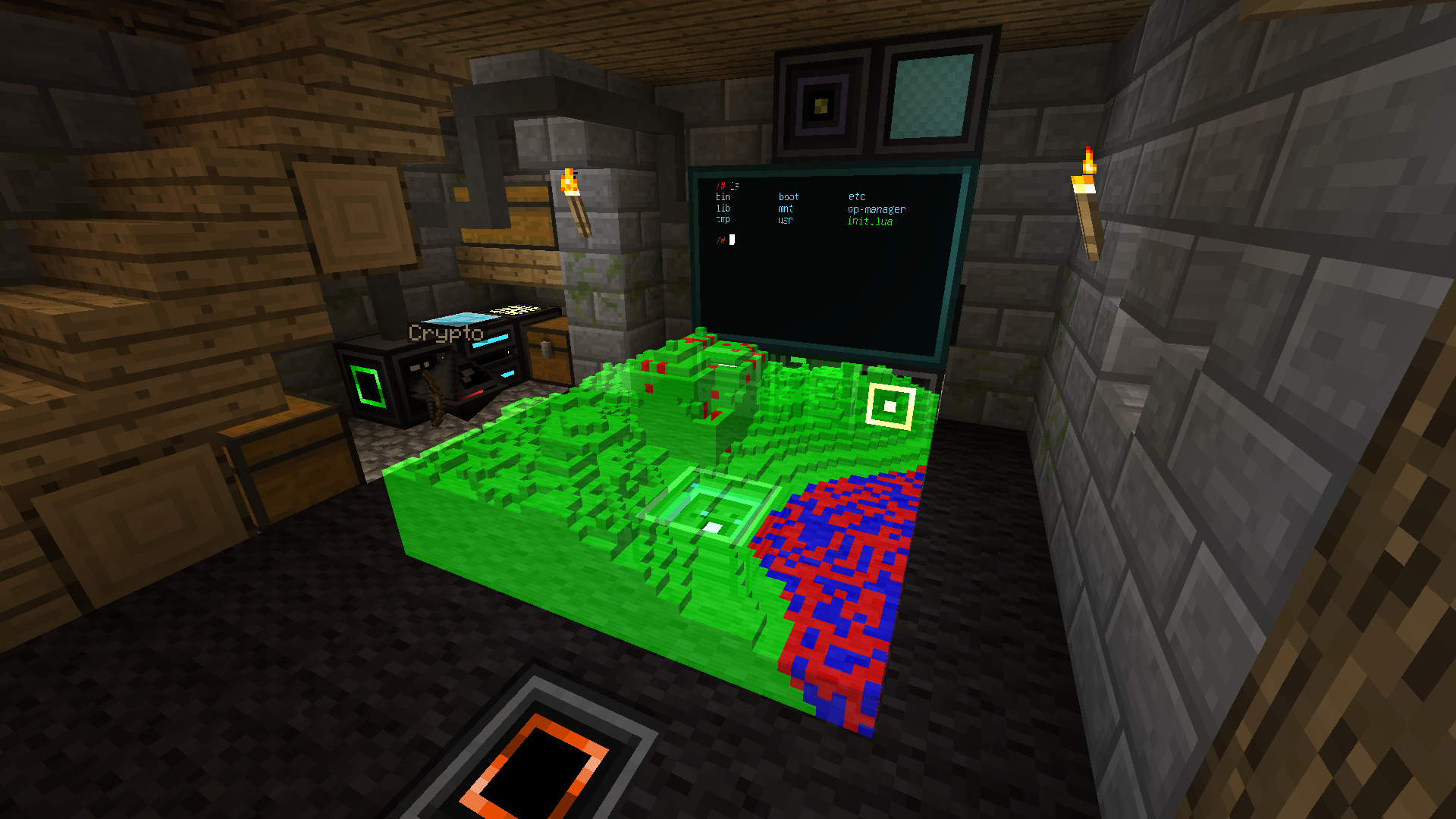 A little bit of everything A computer with a multi-block screen and a hologram, and a robot next to a charger station.
 -
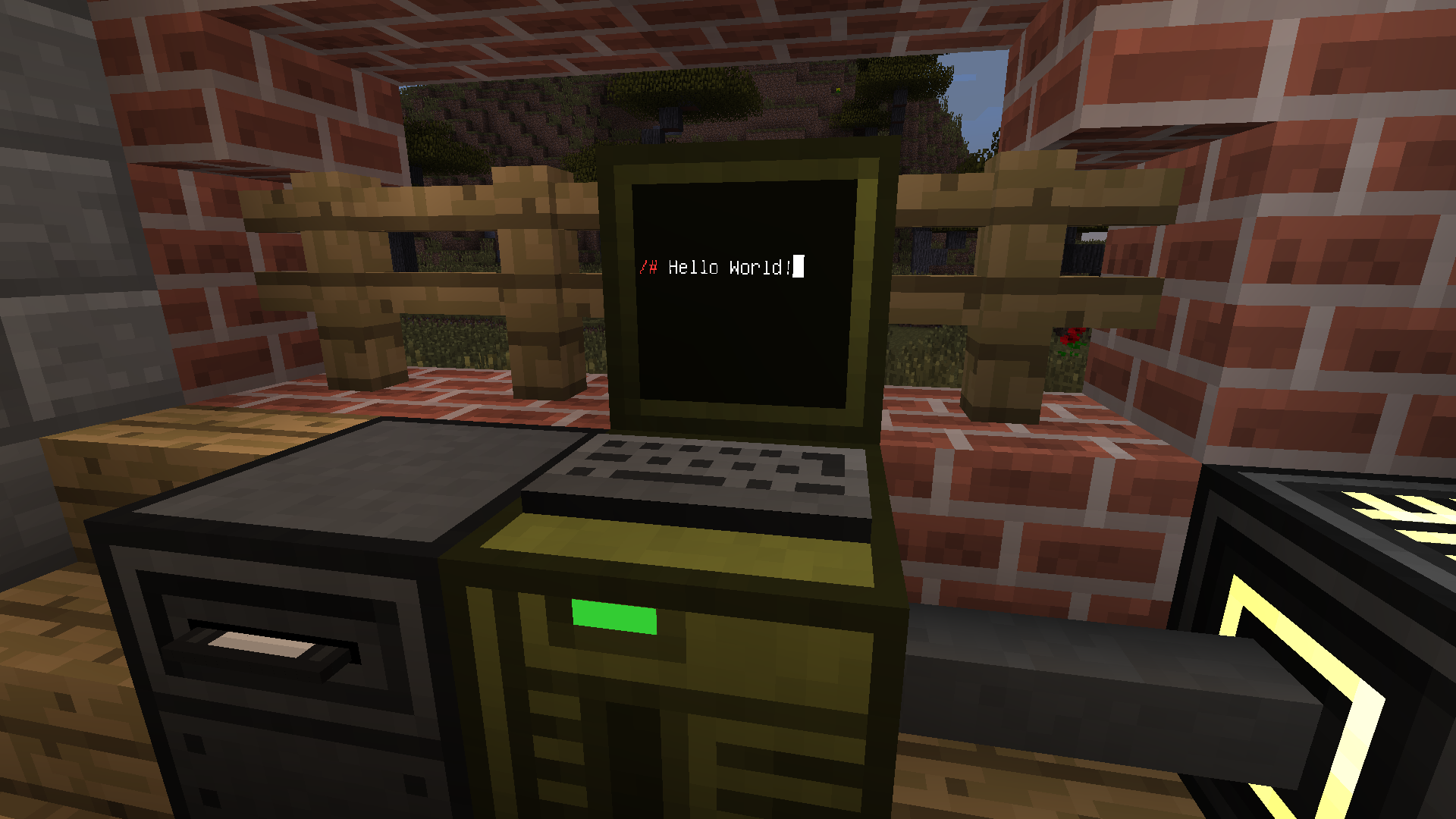 Simple computer. A simple computer with a disk drive.
 -
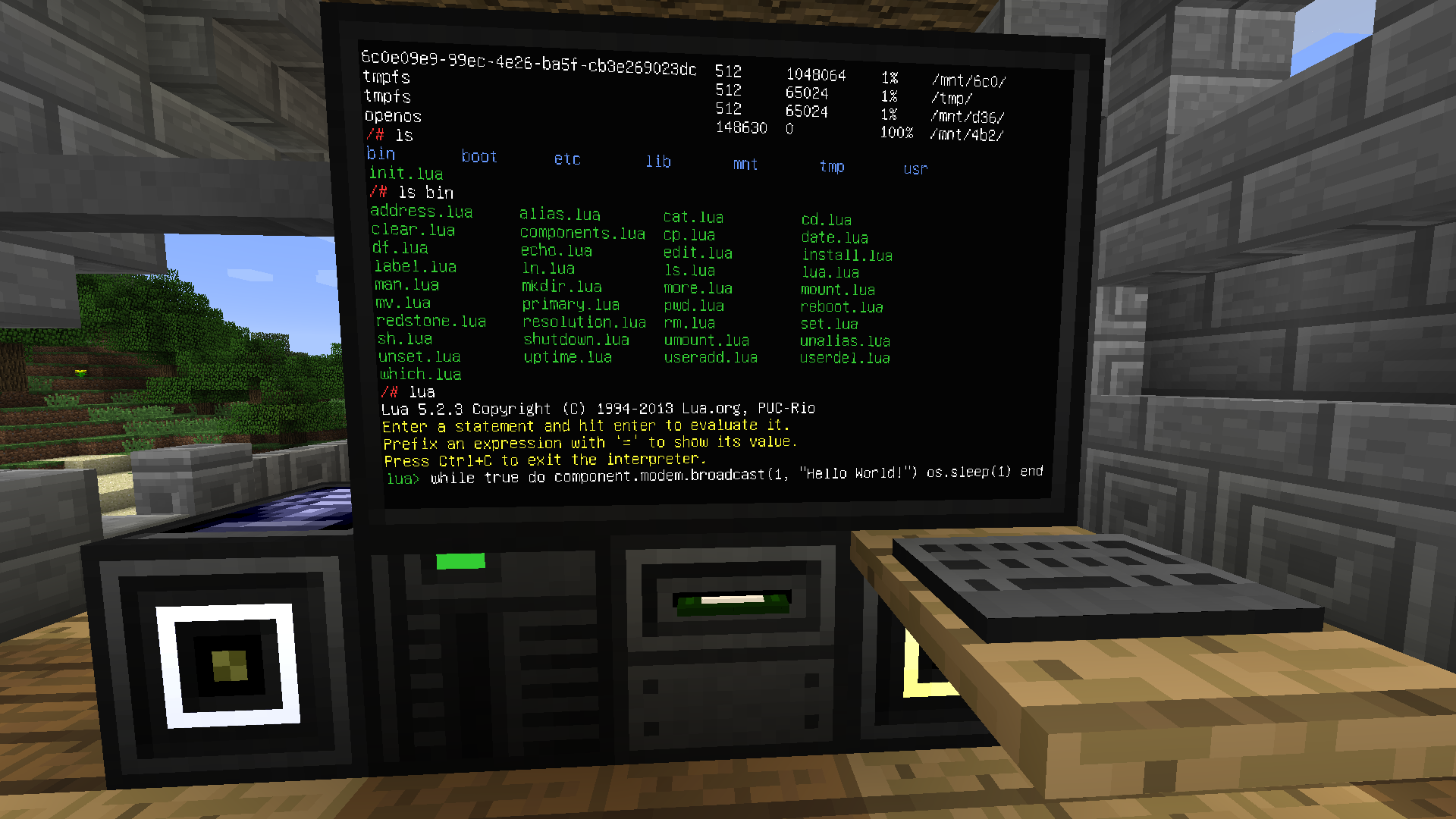 OpenComputers
 -
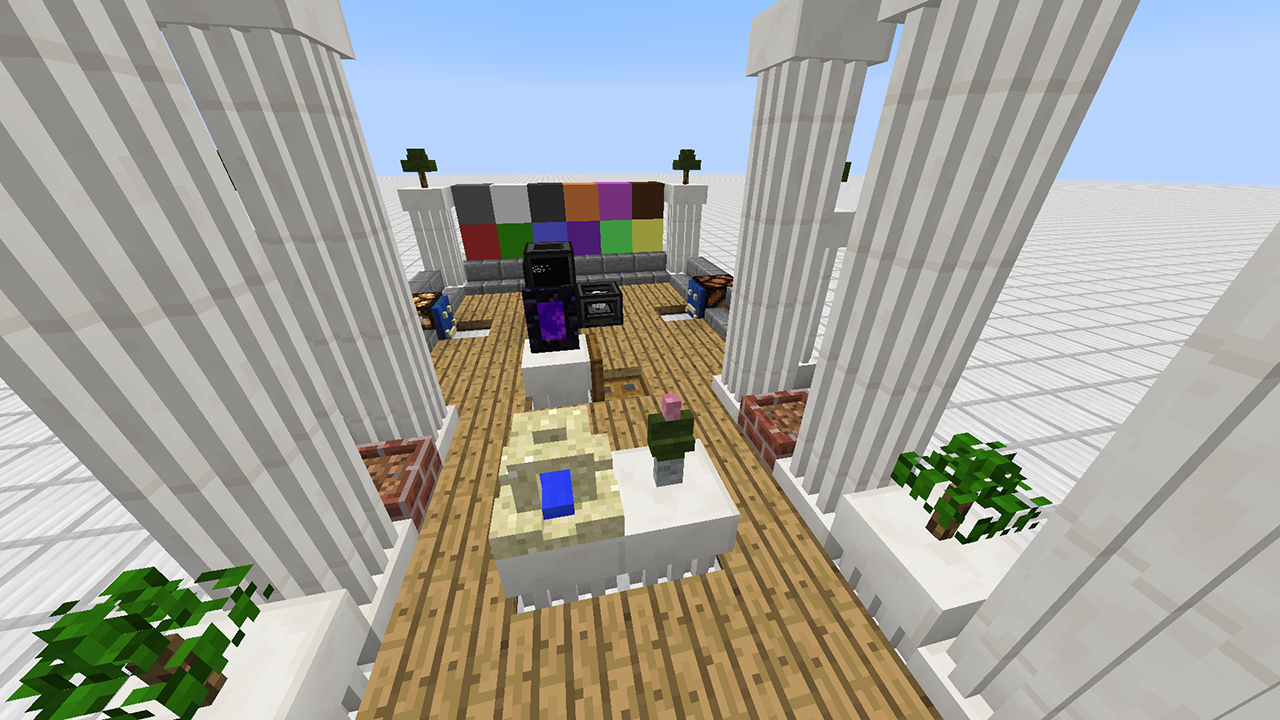 3D Prints A bunch of 3D printed blocks. Free-form decorations for the masses!
-
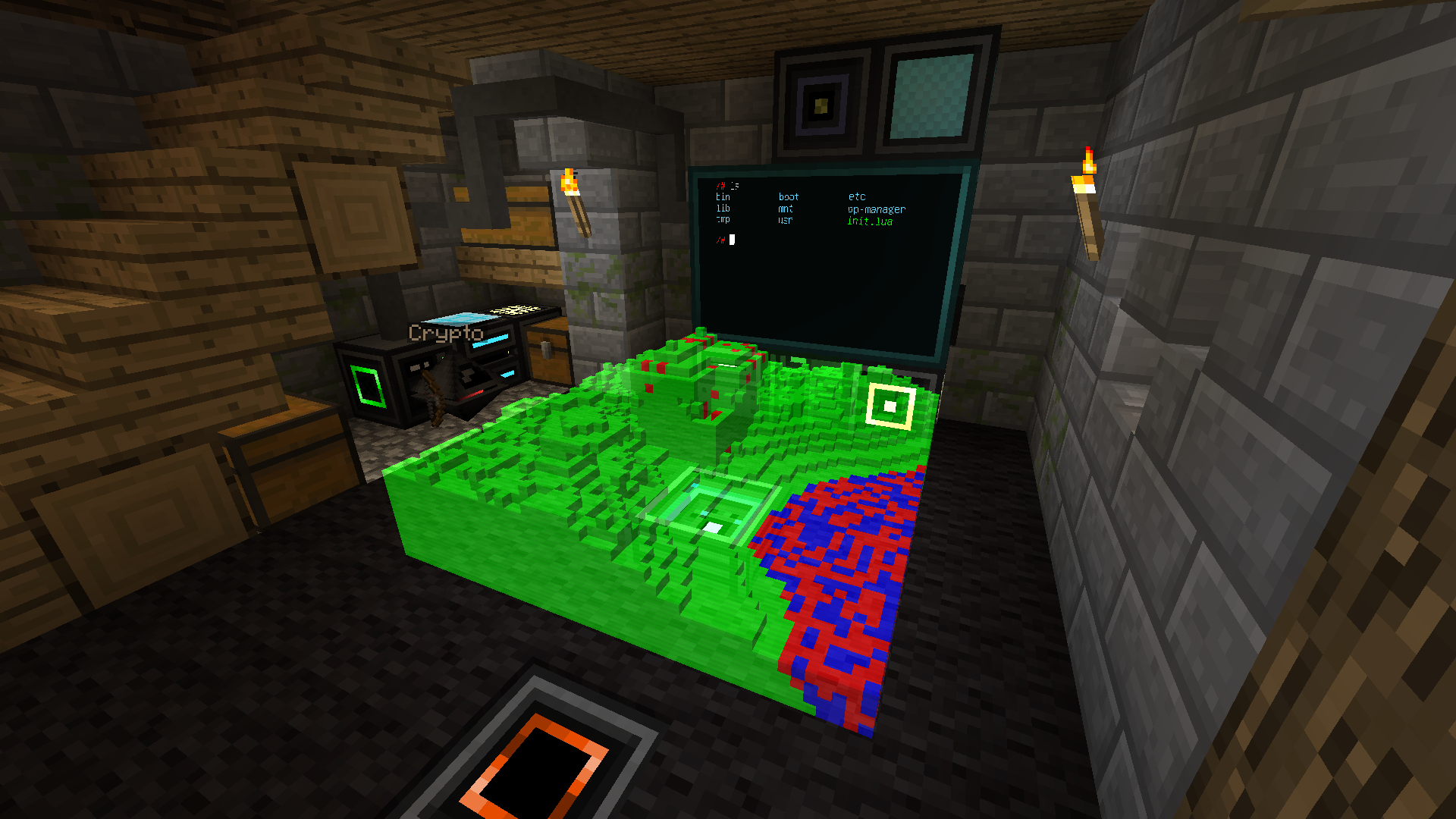 A little bit of everything A computer with a multi-block screen and a hologram, and a robot next to a charger station.
 -
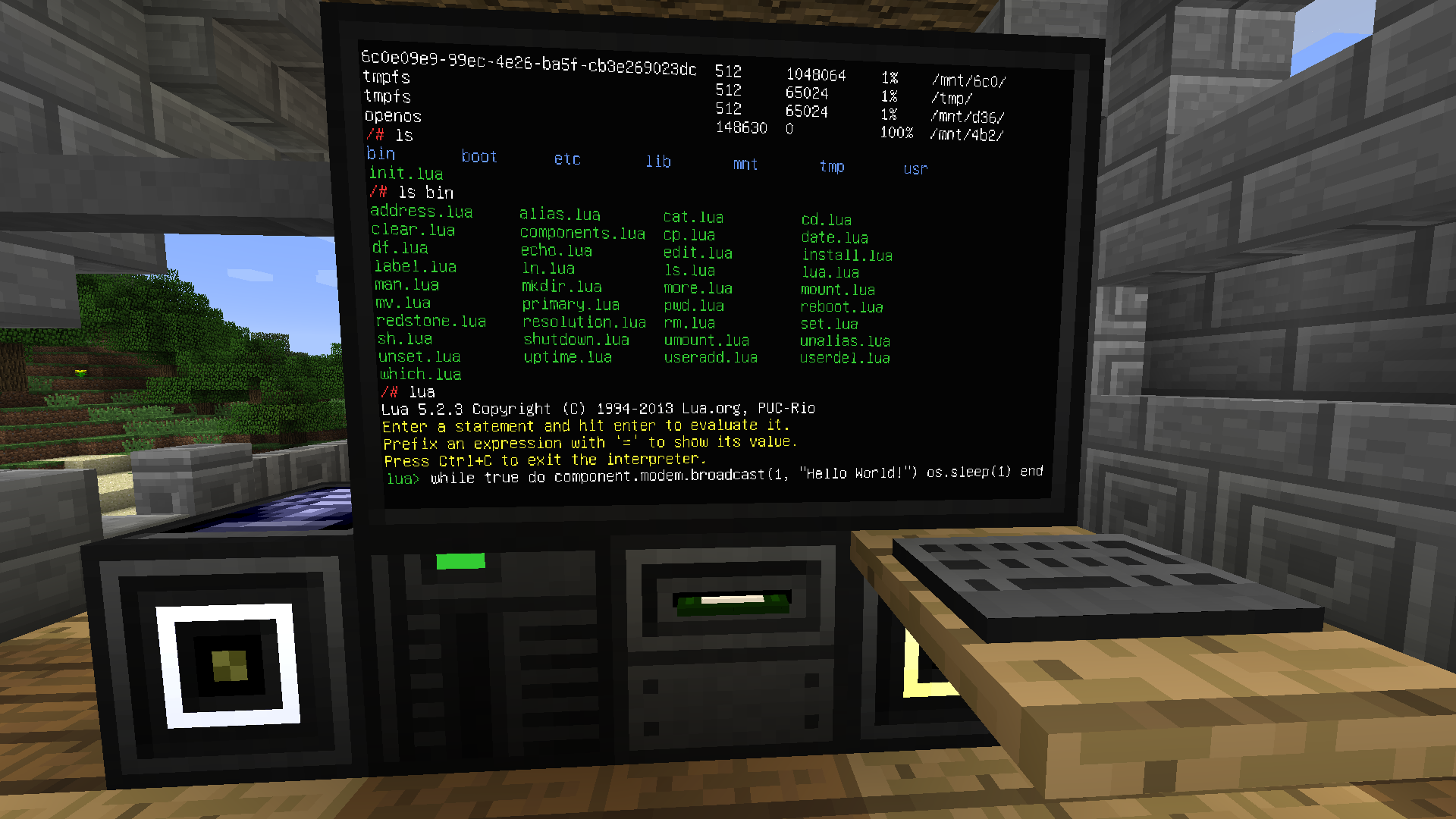 OpenComputers A more complex computer setup.
 -
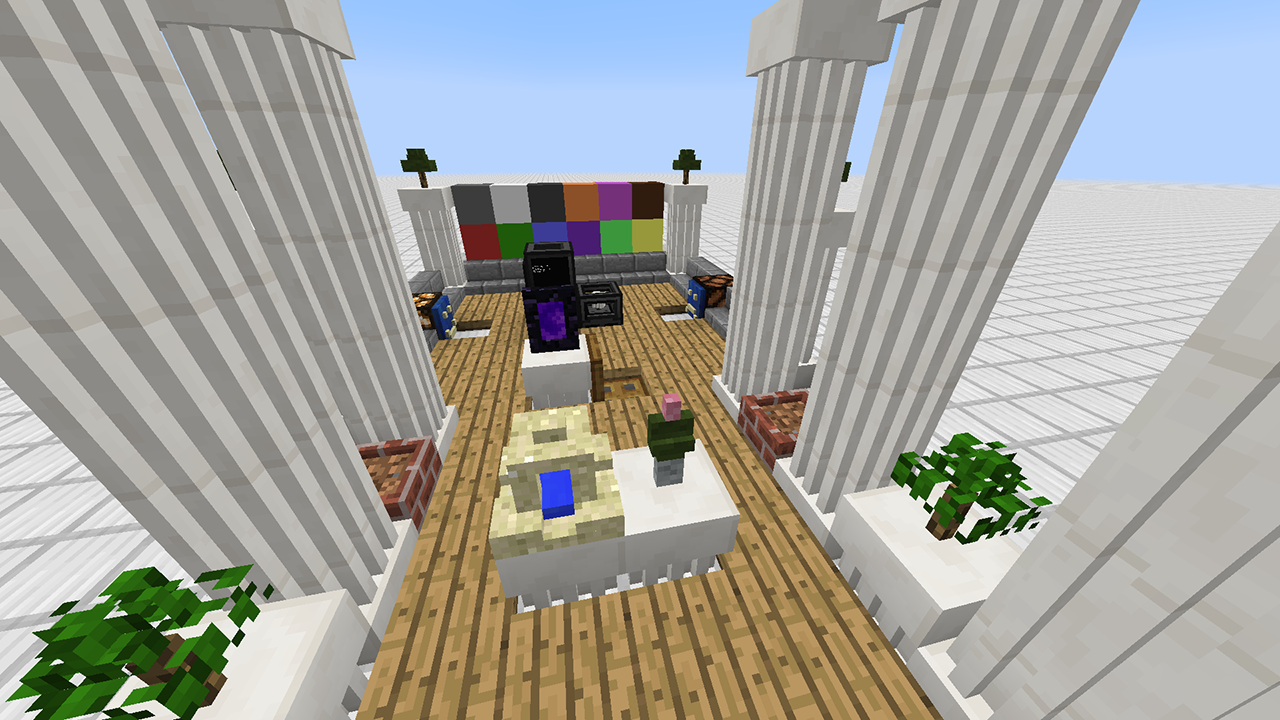 3D Prints A bunch of 3D printed blocks. Free-form decorations for the masses!
 -
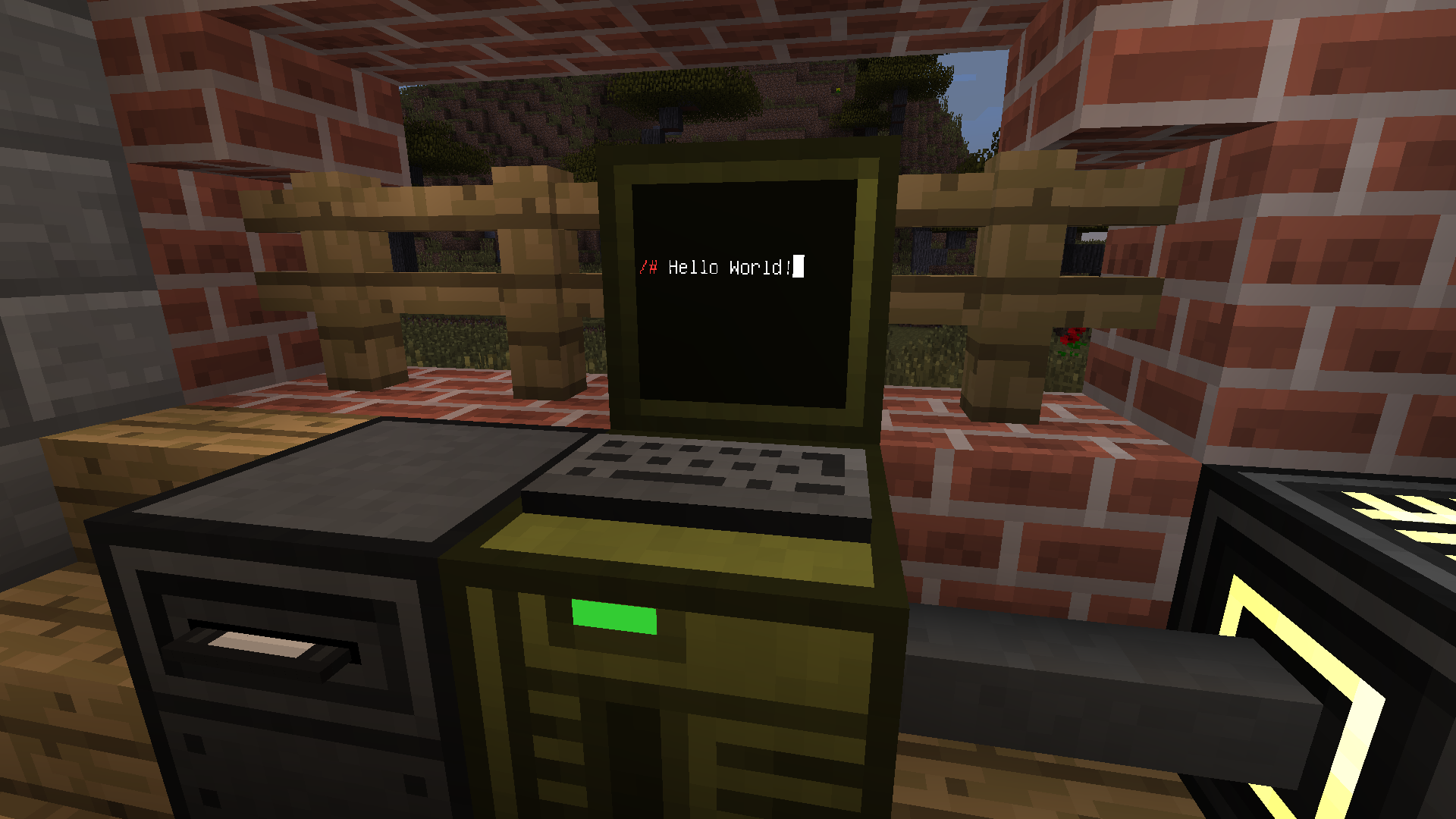 Simple computer. A simple computer with a disk drive.
Versions
Files
Relations
Project Relations
More like this
Similar Mods
Suggestions use data such as tags, dependencies, dependents, descriptions, titles, and more to rank how much they overlap with this mod.
On ModDex
Community snapshot
By the numbers
Statistics
 (opens in a new tab)
Get it on
Available Platforms
On ModDex
Community snapshot
By the numbers