
Open Soundboard
No reviews yet
A feature-rich soundboard for Simple Voice Chat, heavily inspired from Simple Soundboard.
Does not follow a specific thematic focus apart from vanilla Minecraft.
Used for mods with little to no gameplay elements.
Adds new music or changing the game's music and sound effects.
Adds client-side tools and features to enhance the user experience.
Adds tools to customize the user interface and menus.
Fabric is a mod loader for versions 1.14+ of Minecraft, particularly popular for client side and optimization mods.
Community voices
Reviews
Click once to include, again to exclude, again to clear
No reviews yet. Be the first to review this project!
Get it on
Available Platforms
 Modrinth
Compatibility
Supported Environments
About
Project Details
For authors
Embed Badge
If you're the author of this project, you can embed a live badge anywhere that supports HTML or Markdown. It updates automatically whenever ratings change.
Use HTML for any page that supports it, or Markdown for README files and Markdown-based descriptions.
Identifiers
Platform IDs
About
Description

OpenSoundboard
A feature-rich soundboard mod for Simple Voice Chat.
Play MP3s directly through voice chat — with per-sound controls, keybinds, and a built-in YouTube downloader.



Features
Soundboard UI — Press U (configurable) to open a full-featured soundboard screen.
- Browse, search, and favorite your sounds
- Play / pause / stop with playback controls
- Timeline seeking and skip forward/back
- Set custom starting points for any sound
- Loop individual sounds or all sounds
- Double-click a sound to play instantly
Per-Sound Controls
- Independent local volume (what you hear) and player volume (what others hear)
- Optional synced volume mode for simpler control
- Global volume multiplier for both channels
- Custom keybinds — bind any key combo to instantly play a sound
Built-in YouTube Downloader
- Paste a YouTube URL and download audio directly into your sounds folder
- Progress bar and live log output
- Extracts audio automatically as MP3
- Automatically downloads yt-dlp and ffmpeg on first use
Configuration
- Play while muted
- Play sounds locally (hear your own sounds)
- Single song at a time mode
- Sync per-sound and global volume controls
- All settings accessible via Mod Menu or the in-game config button
Supported Versions
| Minecraft | Status |
|---|---|
| 26.2 | ✅ Supported (latest) |
| 26.1, 26.1.1, 26.1.2 | ✅ Supported |
| 1.21.11 | ✅ Supported |
| 1.21, 1.21.1 | ✅ Supported |
| 1.21.10, 1.21.8, 1.21.5, 1.21.4 | ⚠️ Deprecated |
Deprecated versions were supported under the previous per-version build and no longer receive updates. New releases target the supported versions above.
Dependencies
| Mod | Required |
|---|---|
| Fabric API | Yes |
| Simple Voice Chat | Yes |
| Mod Menu | Optional |
Getting Started
- Install the mod and all required dependencies
- Join a server (or singleplayer world) with Simple Voice Chat
- Drop
.mp3files into.minecraft/opensoundboard/— or use the built-in YouTube downloader - Press U to open the soundboard and start playing
Credits
Thanks KamiKMB for creating the amazing Logo for the Mod.
License
Screenshots
Gallery
-
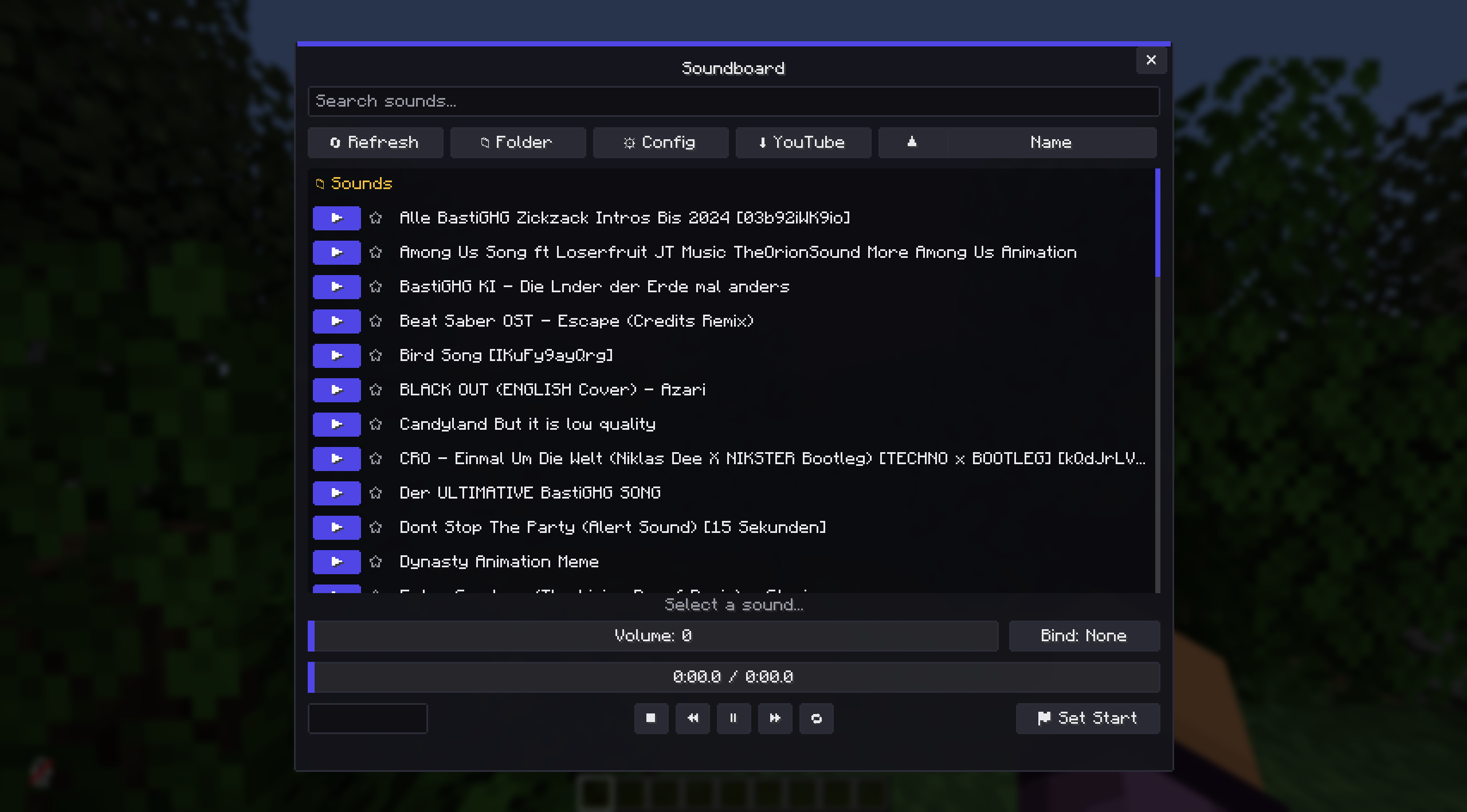 Main Soundboard Screen Here you can find all your Sounds, with Folders and Favourites. You can search, sort or double click to play.
 -
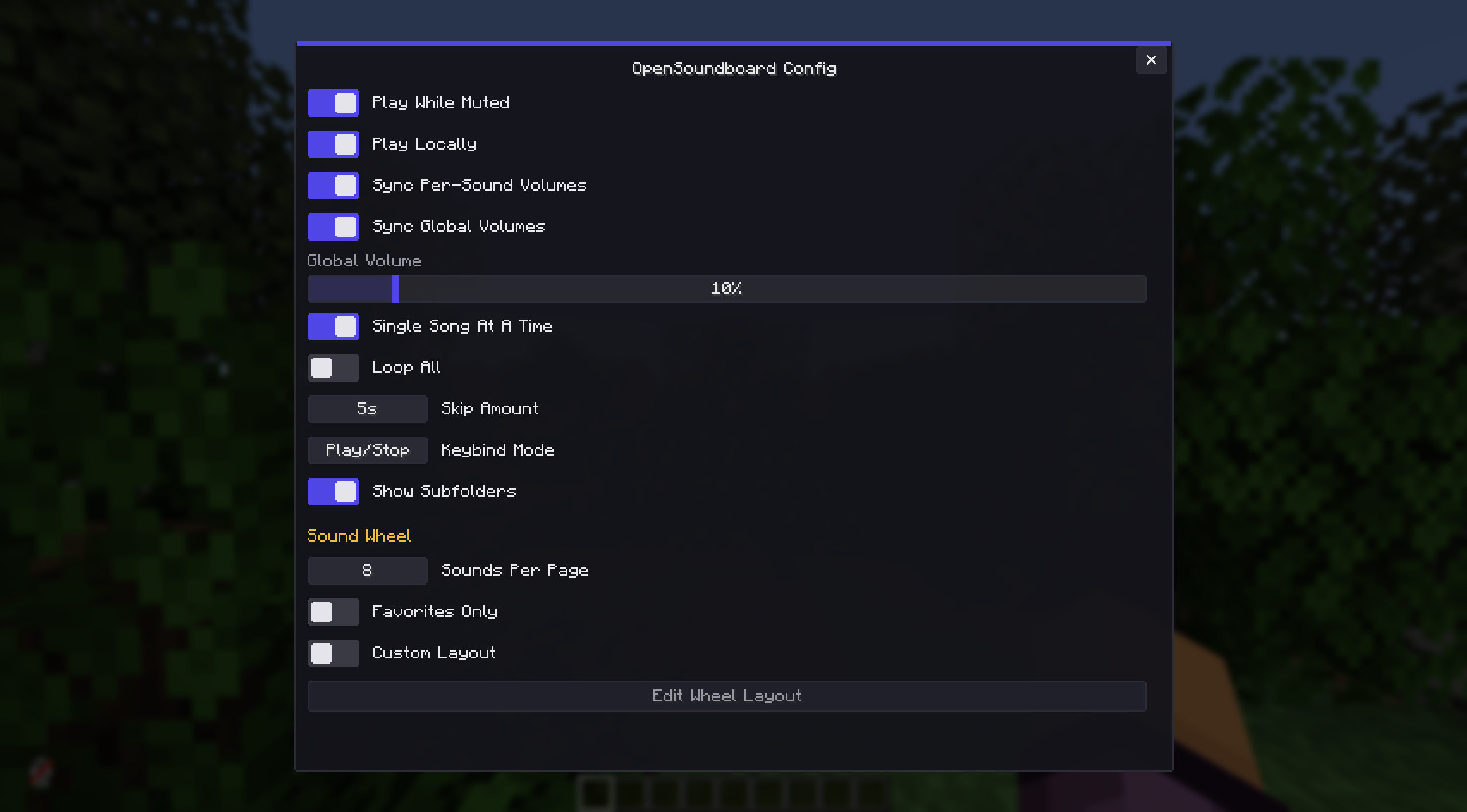 Very Customizable Using the Config you can change almost all Options of the Mod and toggle entire Features
 -
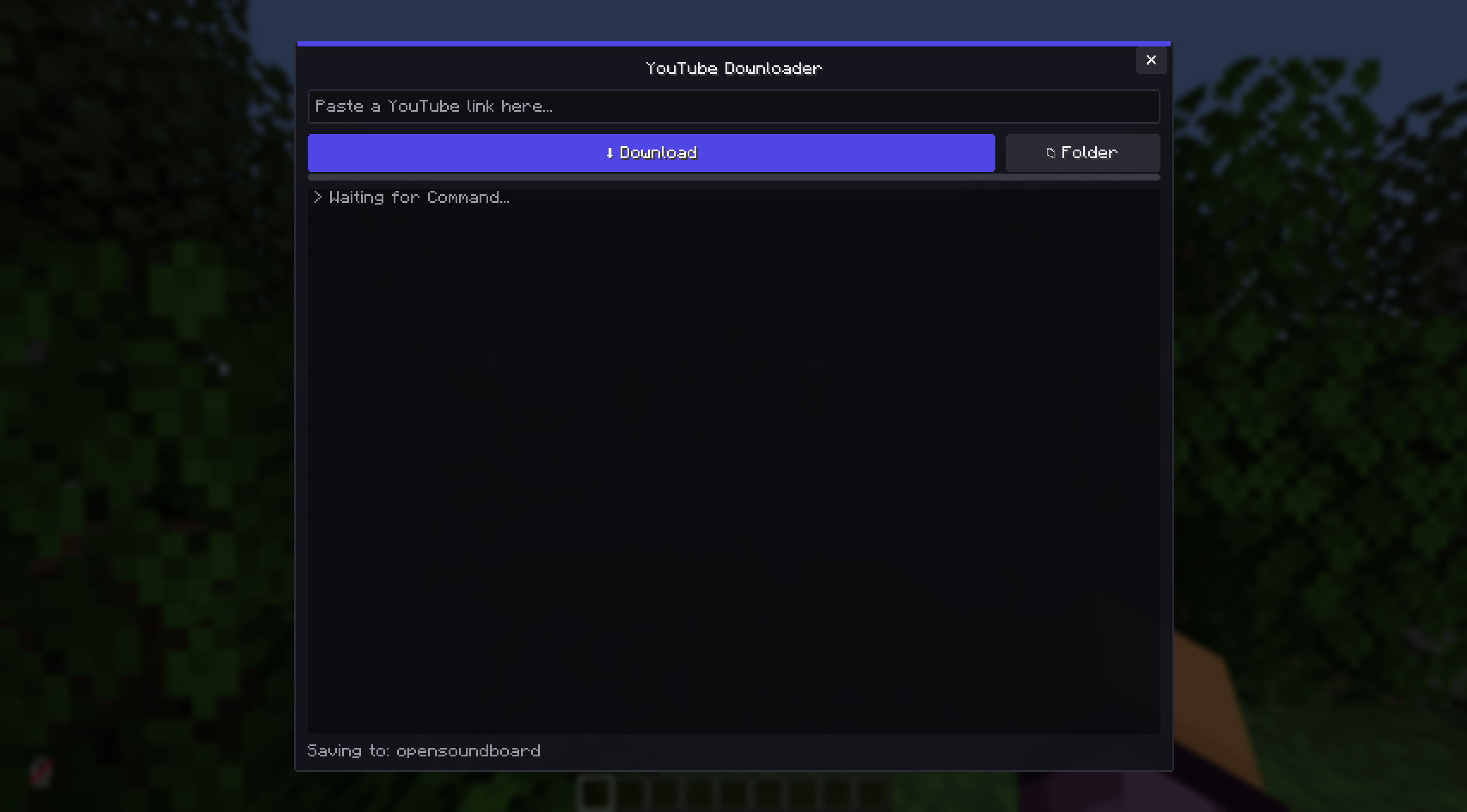 YouTube Downloader Allows you to Download Music directly from YouTube using YT-DLP and FFMPEG.
 -
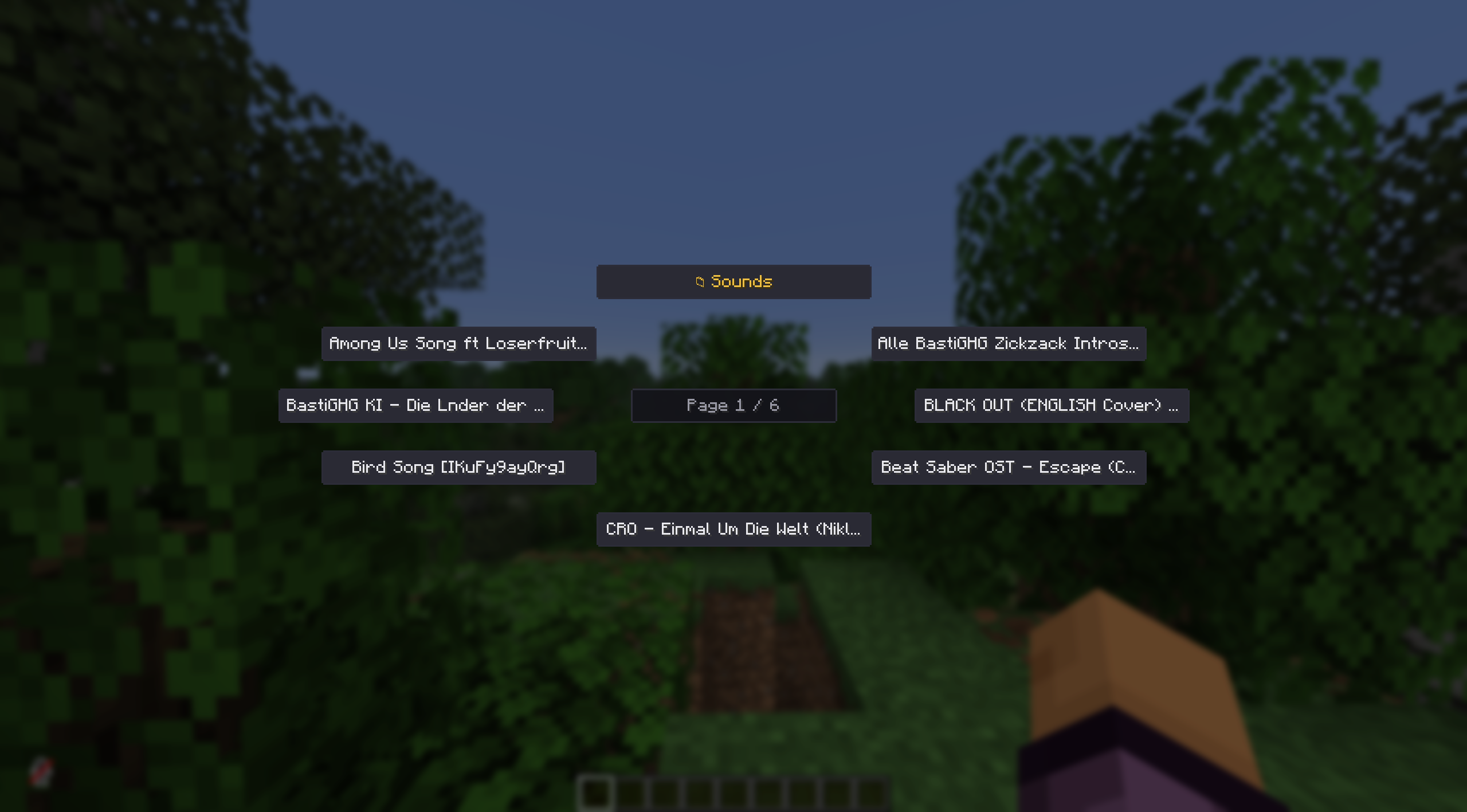 Radial Menu for Quickplay You can use a set Keybind in Controls to open a Qucikplay Radial Menu
 -
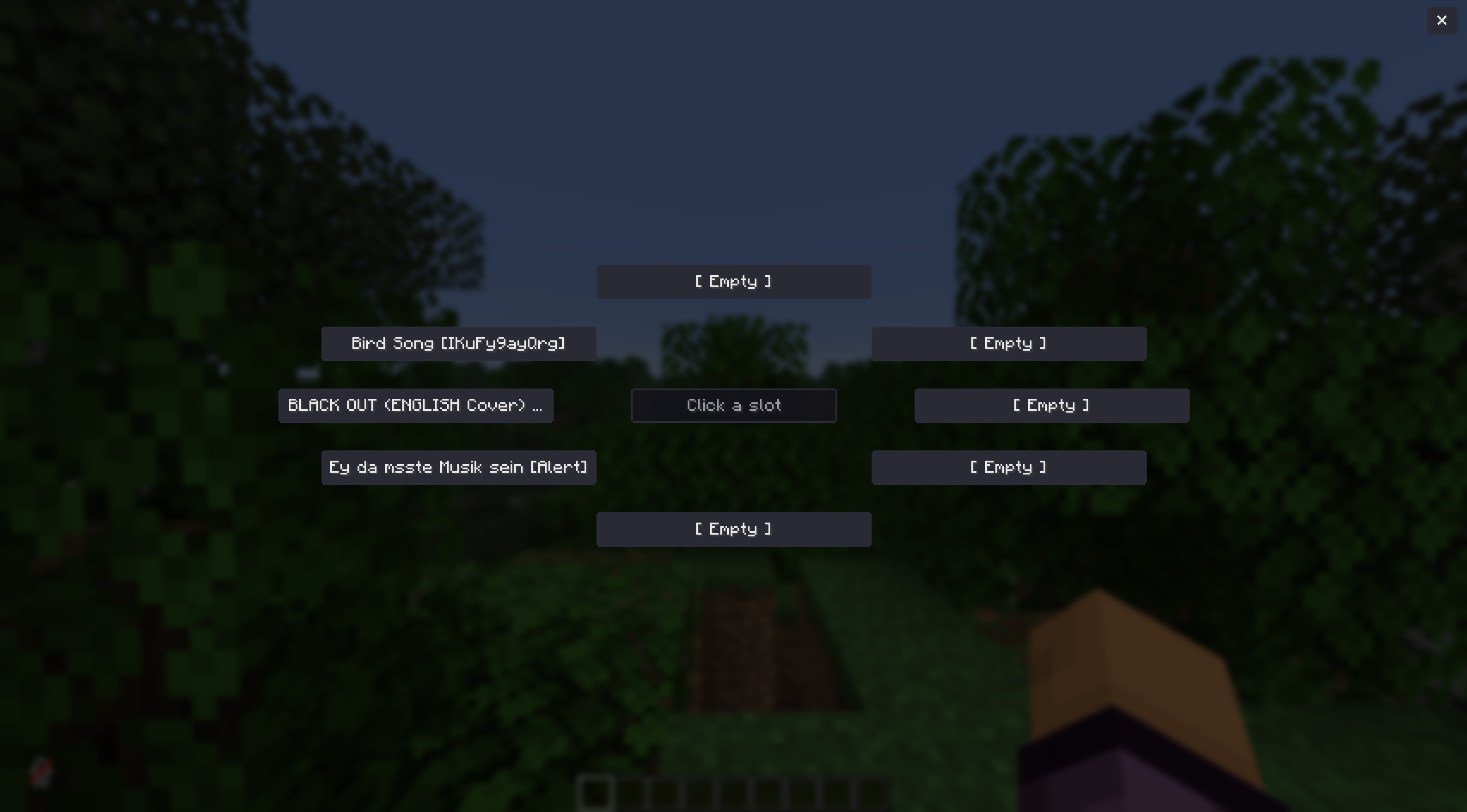 Customize the Radial Menu You can set Custom Options for the Radial Menu if you want to. Even change the size of how many should be visible via the Config.
Versions
Files
Relations
Project Relations
More like this
Similar Mods
Suggestions use data such as tags, dependencies, dependents, descriptions, titles, and more to rank how much they overlap with this mod.
On ModDex
Community snapshot
By the numbers
Statistics

Want to reach Minecraft players?
We're looking for a server hosting partner to feature here and other parts of the site. Interested? Send us a message!
Get in touchGet it on
Available Platforms
On ModDex
Community snapshot
By the numbers