
Community listing page, reviews here may not be monitored by the author.
Optidum

No reviews yet
Comprehensive performance optimization mod for Minecraft.

Community voices
Reviews
No reviews yet. Be the first to review this project!
Get it on
Available Platforms
 CurseForge
Modrinth
CurseForge
Modrinth
About
Project Details
For authors
Embed Badge
If you're the author of this project, you can embed a live badge anywhere that supports HTML or Markdown. It updates automatically whenever ratings change.
Use HTML for any page that supports it, or Markdown for README files and Markdown-based descriptions.
Identifiers
Platform IDs
Resources
External Links
About
Description
Optidum is a performance optimization mod for Minecraft Fabric designed to synergize cleanly with Sodium and Titanium.
What It Does
- Entity AI Optimization: Throttles expensive AI goal and pathfinding evaluation for distant mobs, animals, and ambient creatures without affecting gravity, velocity, item despawning, or combat physics.
- Smart Chunk Prioritization: Prioritizes chunk loading and transmission in the direction the player is looking, and prevents chunk load/unload churn along chunk borders.
- Netty Packet Flush Consolidation: Consolidates small, rapid Netty network packets into batched flushes, cutting socket syscall overhead and reducing ping jitter.
- Low-Overhead Memory Management: Monitors JVM heap pressure on a 30-second interval, freeing transient caches and clearing level caches on dimension changes to prevent GC stutter and memory leaks.
- Dynamic FPS & Inactive Power Saver: Automatically throttles framerate to a configurable cap (5–60 FPS) when the window is unfocused (Alt-Tabbed) or minimized, cutting GPU power draw, heat, and fan noise. Seamlessly yields to the
dynamic_fpsmod if installed.
Non-Overlapping Architecture (Synergy with Titanium)
Optidum is designed to be fully compatible alongside Titanium:
| Optimization Area | Handled By |
|---|---|
| Frustum & Distance Entity Culling | Titanium |
| Tile Entity Culling (Chests, Hoppers, Signs) | Titanium |
| Particle Culling | Titanium |
| Dynamic Frame Pacing | Titanium |
| Entity AI Pathfinding Throttling | Optidum |
| Smart Chunk View Prioritization | Optidum |
| Netty Packet Batching & Flush Consolidation | Optidum |
| Dynamic FPS & Inactive Power Saver | Optidum |
| Dimension Cache Cleanup | Optidum |
Requirements
- Minecraft:
26.2 - Fabric Loader:
>=0.19.3 - Fabric API
- Sodium:
>=0.8.0(Required dependency) - Java:
25or newer
Configuration
Optidum stores its configuration at:
config/optidum.jsonAll settings can be adjusted in-game directly through Options > Video Settings > Optidum
License
Optidum is licensed under the GNU Lesser General Public License v3.0 (LGPL-3.0). See LICENSE for details.
Optidum
Optidum is a client-side Fabric addon built around Sodium. It adds configurable Sodium-related settings, a Video Settings configuration screen, render-distance handling for large frame-time spikes, and several integrated-server helper systems.
What It Does
- Requires Sodium so Optidum can write Sodium-related configuration values.
- Applies an optional Sodium settings profile focused on lowering some rendering costs.
- Reduces selected visual settings such as clouds, particles, smooth lighting, biome blending, and entity distance scaling when performance mode is enabled.
- Detects large frame-time spikes and can temporarily reduce render distance after a cooldown.
- Keeps render-distance changes conservative to avoid frequent chunk reloads.
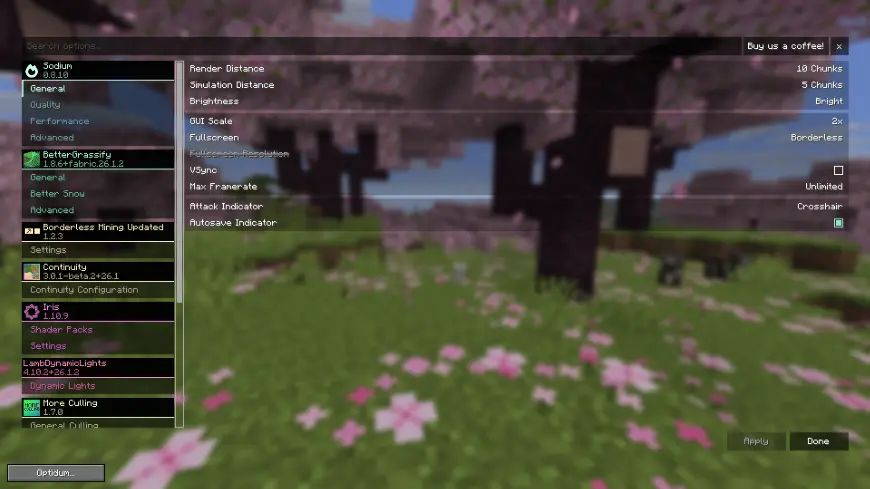
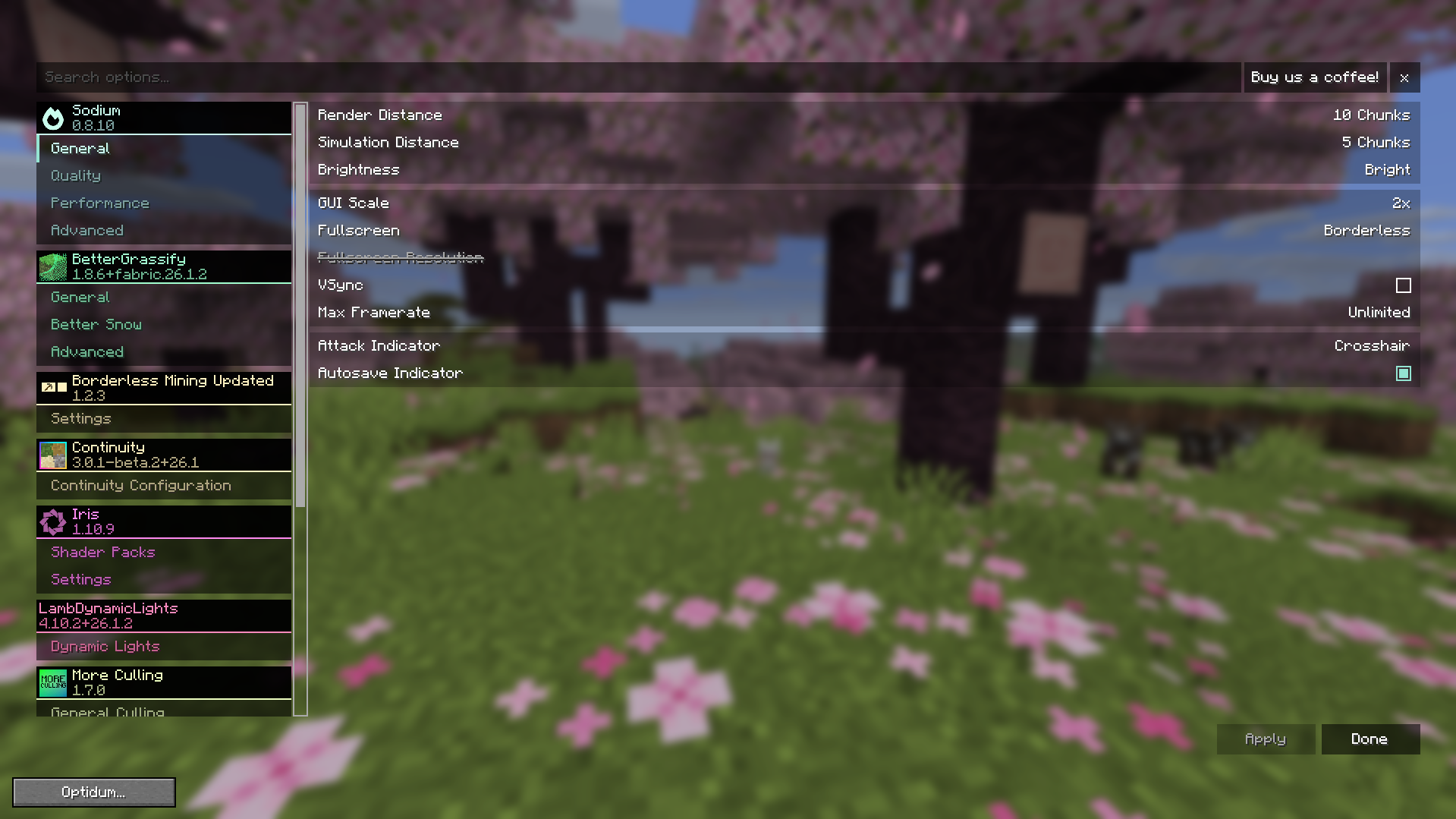
- Adds an Optidum config button inside Minecraft's Video Settings screen.
Main Features
Sodium Performance Profile
Optidum can write a Sodium config profile on startup. The profile changes settings related to:
- Deferred chunk updates
- Entity culling
- Fog occlusion
- Block face culling
- Compact vertex format
- Persistent mapping
- Chunk multidraw
- Lower CPU render-ahead pressure
Frame-Time Spike Handling
Optidum monitors frame time. When a large spike is detected, it can lower render distance by one step after a cooldown instead of changing it continuously.
Video Settings Menu
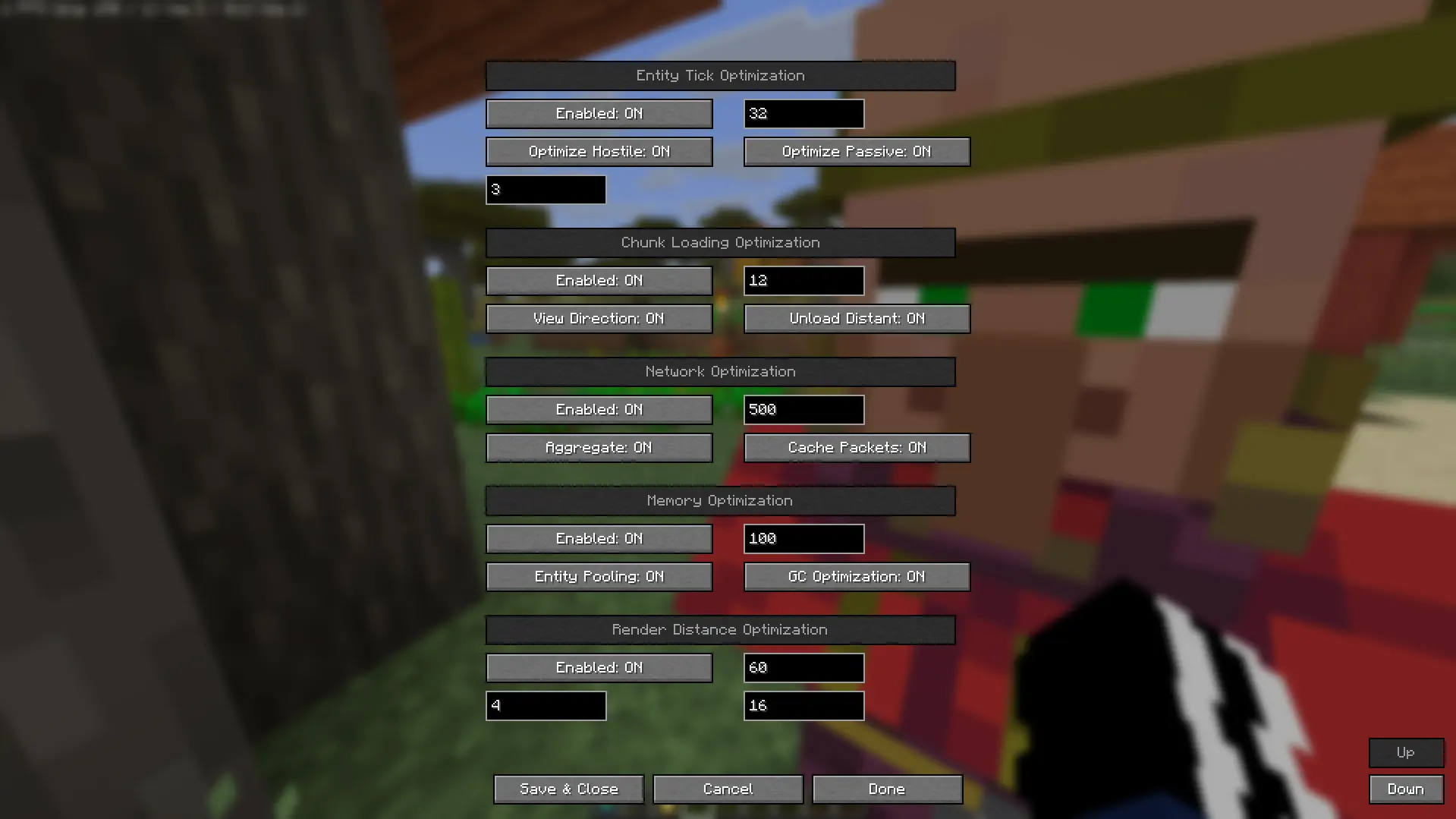
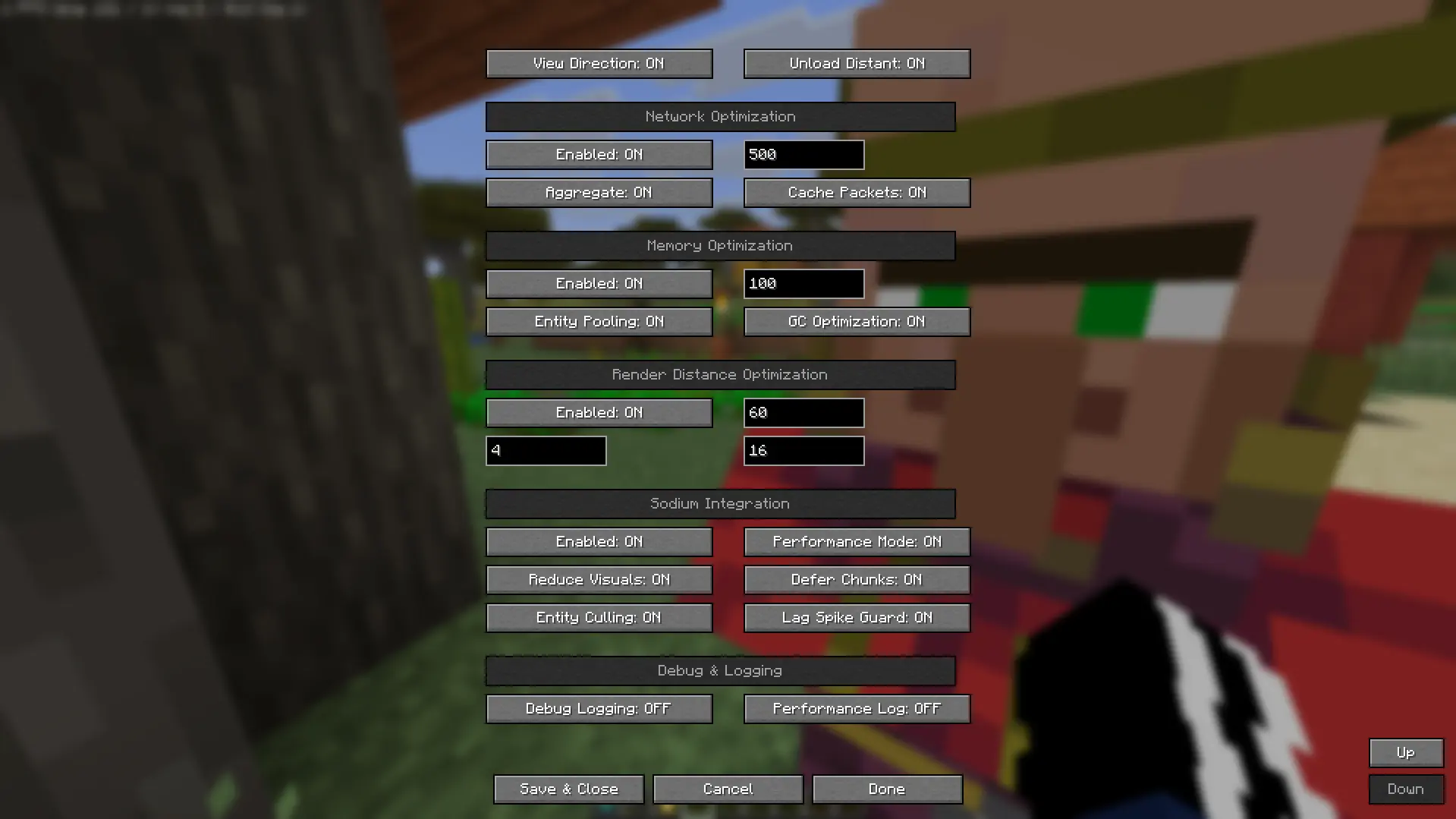
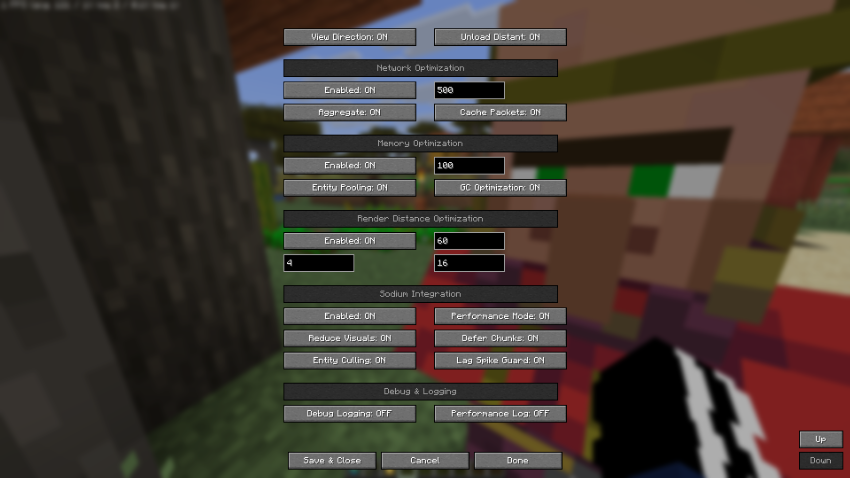
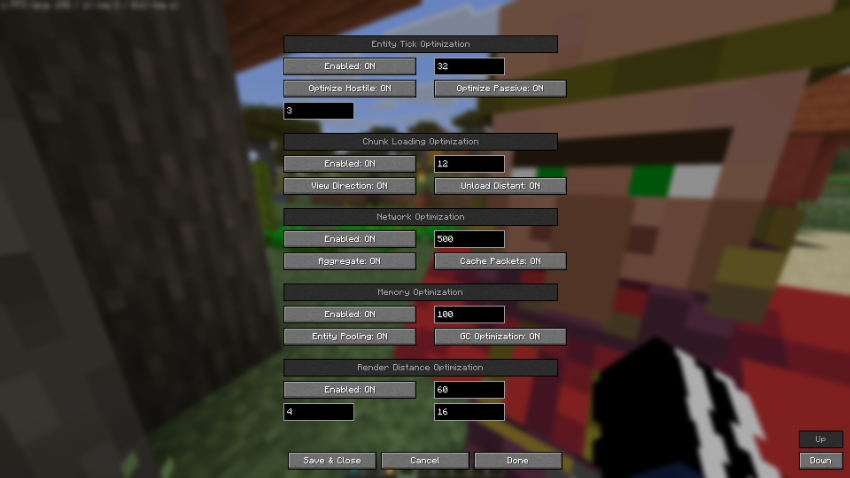
Open Minecraft's Video Settings screen and press the Optidum button to access the Optidum configuration menu.
Integrated-Server Helpers
Optidum also includes helper systems for integrated-world gameplay:
- Entity tick reduction based on player distance
- Chunk tracking and cache helpers
- Network packet helper logic
- Memory usage and memory pressure monitoring
Requirements
- Minecraft 26.1.1
- Fabric Loader 0.18.6 or newer
- Fabric API
- Sodium 0.8.0 or newer
- Java 25 or newer
Installation
- Install Fabric Loader for Minecraft 26.1.1.
- Install Fabric API.
- Install Sodium 0.8.0 or newer.
- Place the Optidum jar in your
modsfolder. - Launch Minecraft and open Video Settings to configure Optidum.
Configuration
Optidum stores its config at:
config/optidum.json
Sodium performance options are written to Sodium's config file when Optidum starts. If you change settings in-game, restart Minecraft to ensure every Sodium-side option is fully reloaded.
Recommended Use
For best results:
- Keep Sodium installed and updated.
- Use the Optidum button in Video Settings to tune target FPS and render-distance limits.
- Avoid setting max render distance too high if your world reloads chunks frequently.
- Leave frame-time spike render-distance handling enabled on lower-end systems.
License
Optidum is licensed under CC-BY-4.0. See LICENSE for details.
Screenshots
Gallery
-
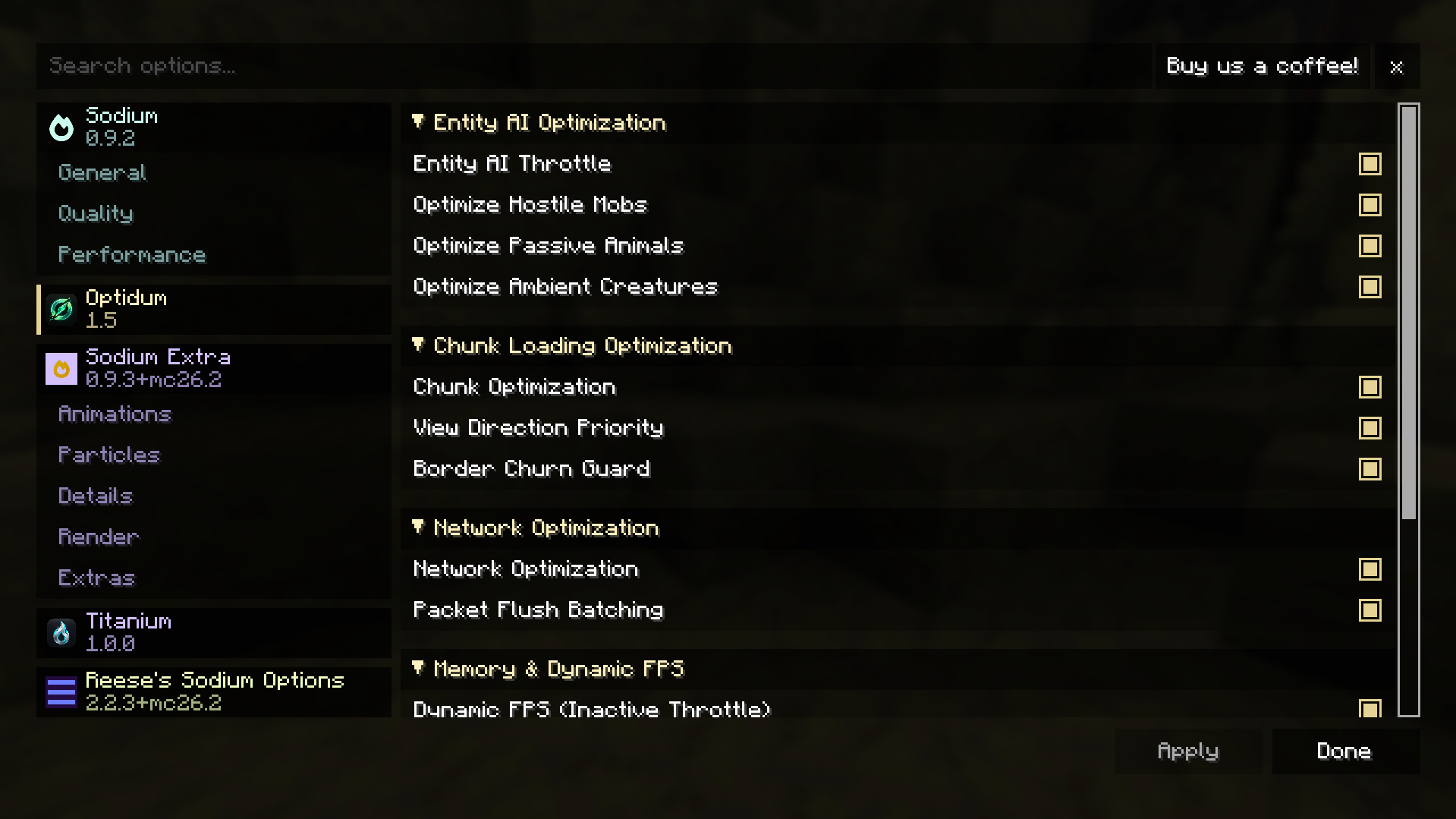 config menu
Versions
Files
Relations
Project Relations
More like this
Similar Mods
Suggestions use data such as tags, dependencies, dependents, descriptions, titles, and more to rank how much they overlap with this mod.
On ModDex
Community snapshot
By the numbers
Statistics
 (opens in a new tab)
Get it on
Available Platforms
CurseForge
Modrinth
On ModDex
Community snapshot
By the numbers
Statistics
Resources