
Community listing page, reviews may not be monitored by the author.
OrthoCamera

No reviews yet
Configurable orthographic view mode

Community voices
Reviews
No reviews yet. Be the first to review this project!
Get it on
Available Platforms
 Modrinth
Compatibility
Supported Environments
Runs entirely on the client. Works on vanilla servers.
About
Project Details
For authors
Embed Badge
If you're the author of this project, you can embed a live badge anywhere that supports HTML or Markdown. It updates automatically whenever ratings change.
Use HTML for any page that supports it, or Markdown for README files and Markdown-based descriptions.
Identifiers
Platform IDs
About
Description
OrthoCamera
Minecraft Fabric client-side mod. Adds Toggleable & configurable orthographic view mode.
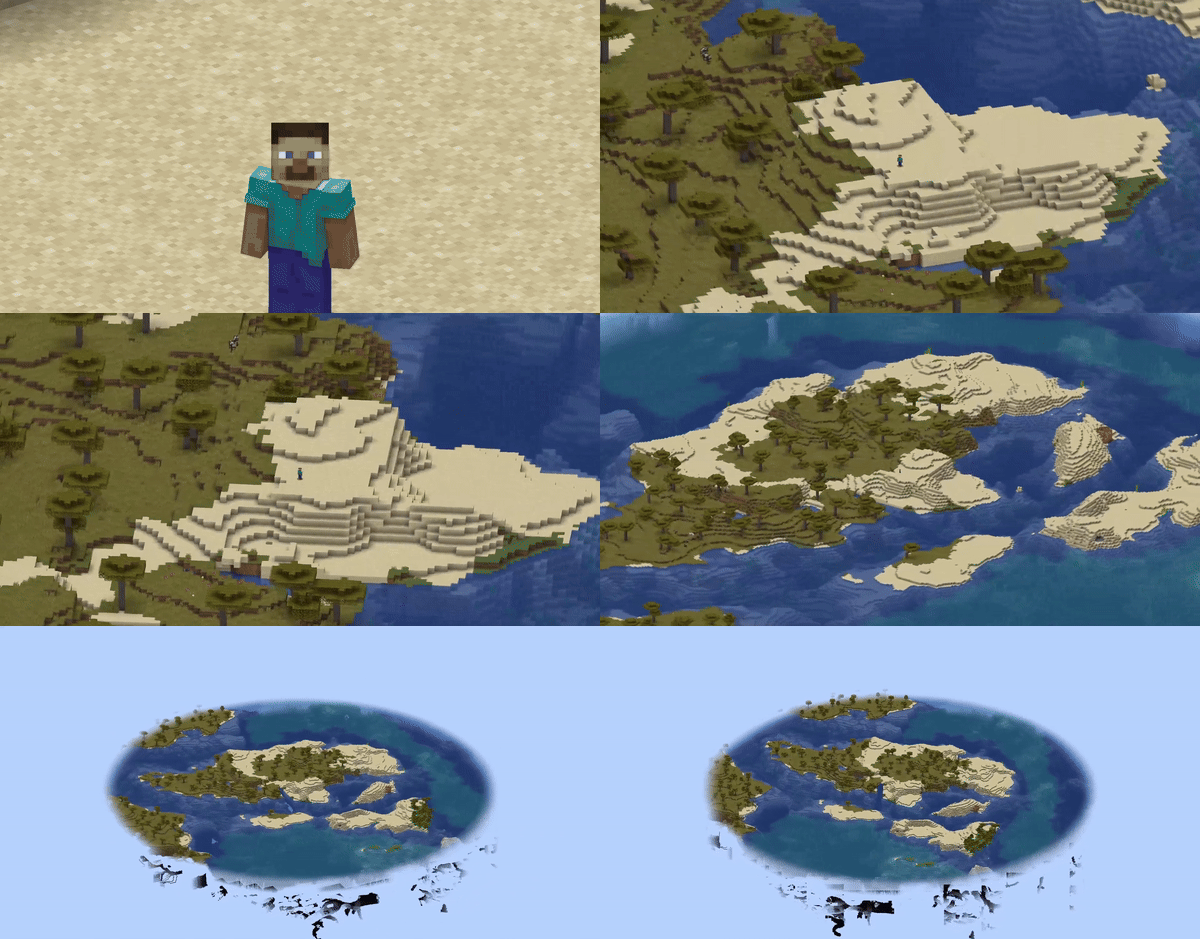
What is this
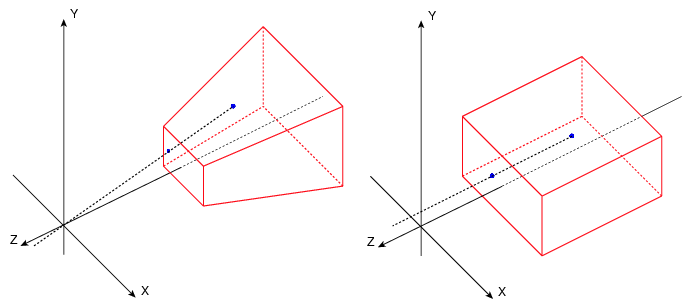
In the perspective view (the default), objects which are far away are smaller than those nearby. In the orthographic view, all objects appear at the same scale.
Minecraft uses perspective view to draw the world. It gives a first-person feel.
This mod allows you to enable orthographic view and configure frustum in detail.
Use
You can open config screen from ModMenu or by the hotkey. You can configure:
- Saving enabled state between client restarts
- X and Y camera scale
- Minimum and maximum view distance (Position of frustum's near and far plane)
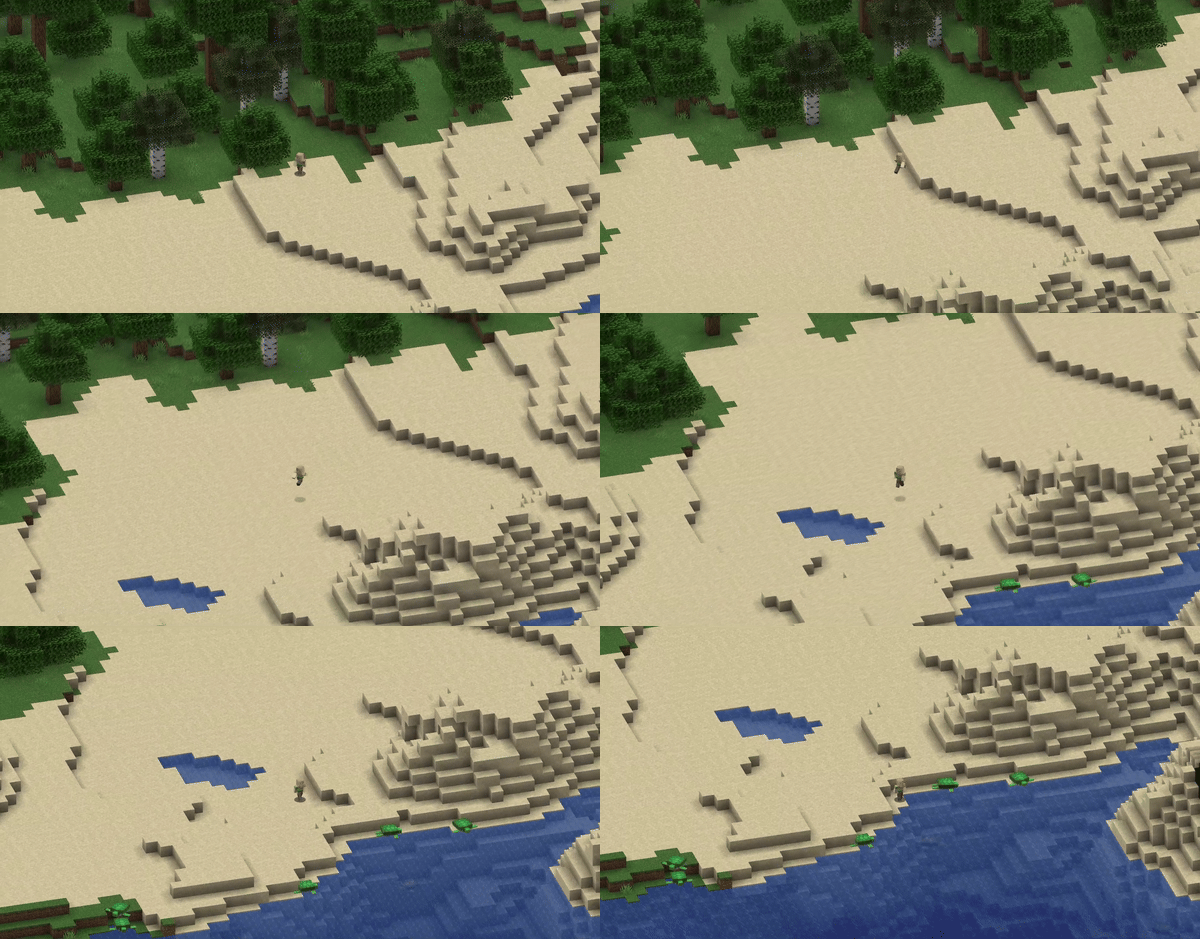
- Fix camera (Lock mouse rotation. Allows to play the game normally, but with an orthographic view)
- Fixed camera rotation
- Fixed camera rotation speed (when rotating using hotkeys)
There are also 8 hotkeys for:
- Toggle orthographic view
- Increase scale
- Decrease scale
- Fix camera
- Rotate fixed camera
Fixed camera demonstration:
Compatibility
- Using Sodium mod, you have to disable "Use Block Face Culling" in "Performance" tab. Otherwise, some block faces will not render with big scale
- However, Nvidium mod force enables this sodium feature. So you have to disable Nvidium mod, if you have it.
- After disabling, you probably need to press F3 + T to apply change
OrthoCamera
Minecraft Fabric client-side mod. Adds Toggleable & configurable orthographic view mode.
What is this
In the perspective view (the default), objects which are far away are smaller than those nearby. In the orthographic view, all objects appear at the same scale.
Minecraft uses perspective view to draw the world. It gives a first-person feel.
This mod allows you to enable orthographic view and configure frustum in detail.
Use
You can open config screen from ModMenu or by the hotkey. You can configure:
- Saving enabled state between client restarts
- X and Y camera scale
- Minimum and maximum view distance (Position of frustum's near and far plane)
- Fix camera (Lock mouse rotation. Allows to play the game normally, but with an orthographic view)
- Fixed camera rotation
- Fixed camera rotation speed (when rotating using hotkeys)
There are also 8 hotkeys for:
- Toggle orthographic view
- Increase scale
- Decrease scale
- Fix camera
- Rotate fixed camera
Fixed camera demonstration:
Compatibility
- Using Sodium mod, you have to disable "Use Block Face Culling" in "Performance" tab. Otherwise, some block faces will not render with big scale
- However, Nvidium mod force enables this sodium feature. So you have to disable Nvidium mod, if you have it.
- After disabling, you probably need to press F3 + T to apply change
Screenshots
Gallery

Versions
Files
Relations
Project Relations
More like this
Similar Mods
Suggestions use data such as tags, dependencies, dependents, descriptions, titles, and more to rank how much they overlap with this mod.
On ModDex
Community snapshot
By the numbers
Statistics
 (opens in a new tab)
Get it on
Available Platforms
Modrinth
On ModDex
Community snapshot
By the numbers