
Community listing page, reviews here may not be monitored by the author.
OpenTelemetry Instrumentation Extension

No reviews yet
Instrumentation for the Java OpenTelemetry Agent to include additional game telemetry
Community voices
Reviews
No reviews yet. Be the first to review this project!
Get it on
Available Platforms
Compatibility
Supported Environments
Runs entirely on the server. Also works in singleplayer.
About
Project Details
For authors
Embed Badge
If you're the author of this project, you can embed a live badge anywhere that supports HTML or Markdown. It updates automatically whenever ratings change.
Use HTML for any page that supports it, or Markdown for README files and Markdown-based descriptions.
Identifiers
Platform IDs
About
Description
OpenTelemetry can be used to report various monitoring data (including metrics, logs and traces) and is a de-facto industry standard.
This mod provides additional instrumentation for the OpenTelemetry JavaAgent so that various game metrics can be reported. The overall functionality is similar to fabric-exporter.
Instrumented/Reported metrics
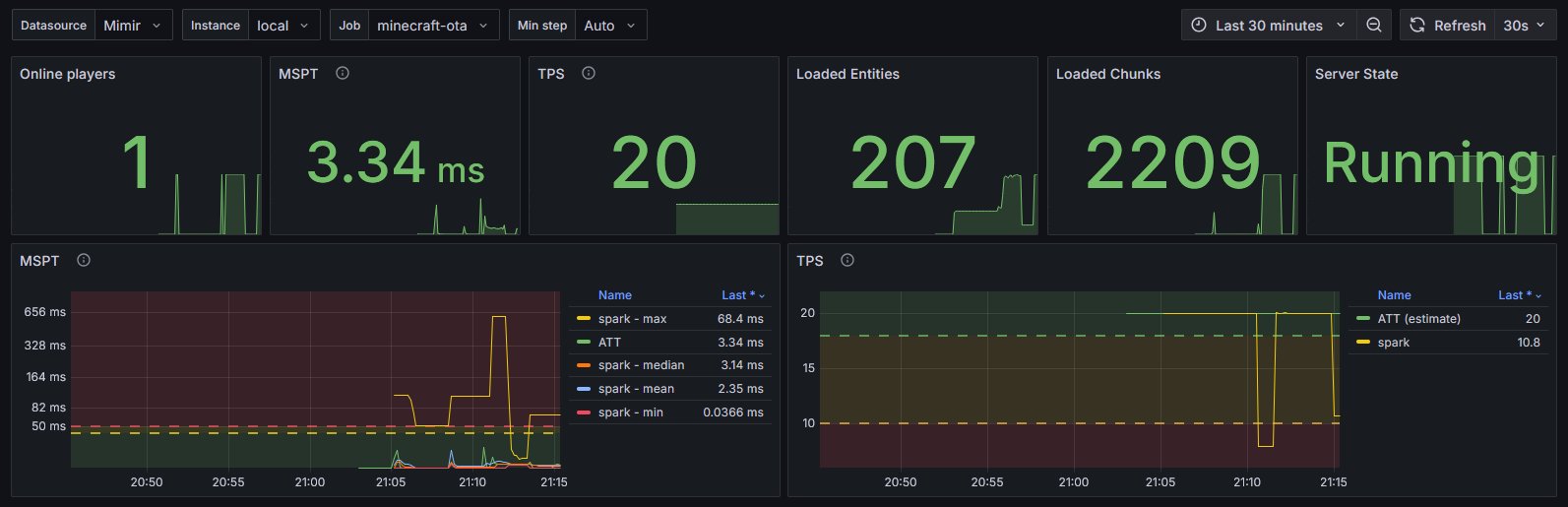
- MSPT/TPS
- Loaded chunks
- Server state
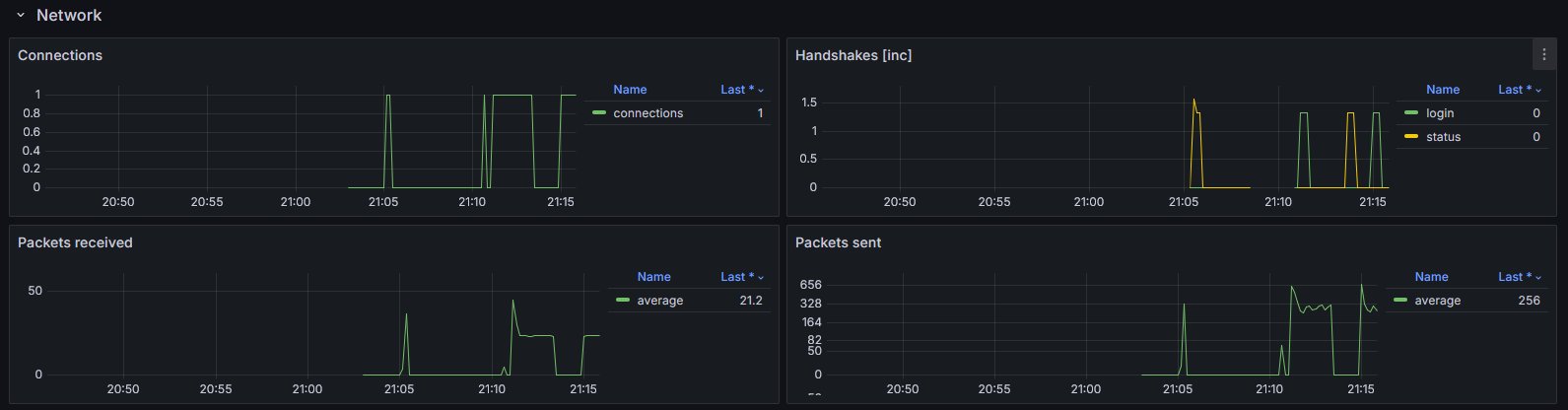
- Networking
- connections
- handshakes
- packets sent/received
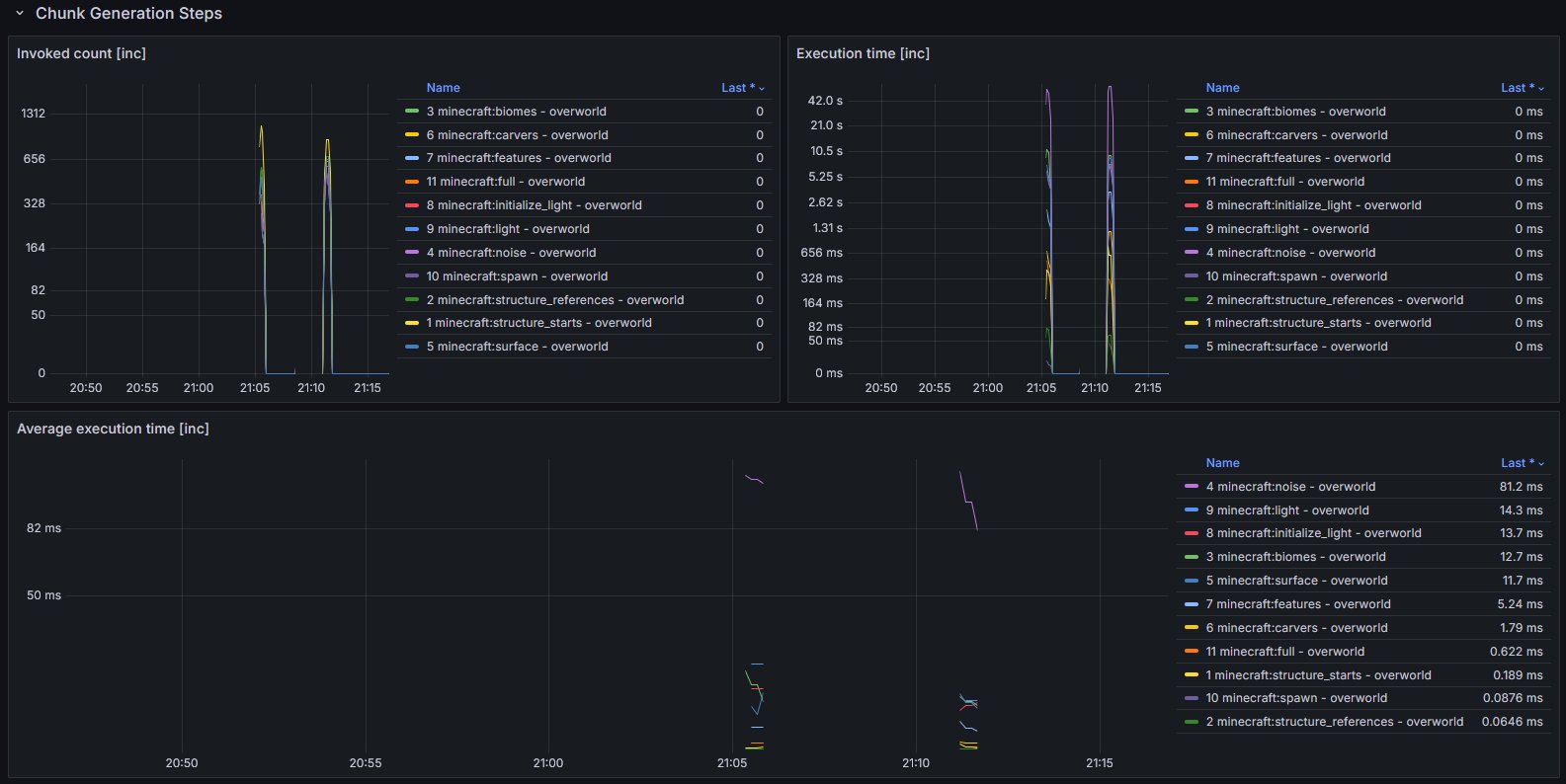
- Chunk generation
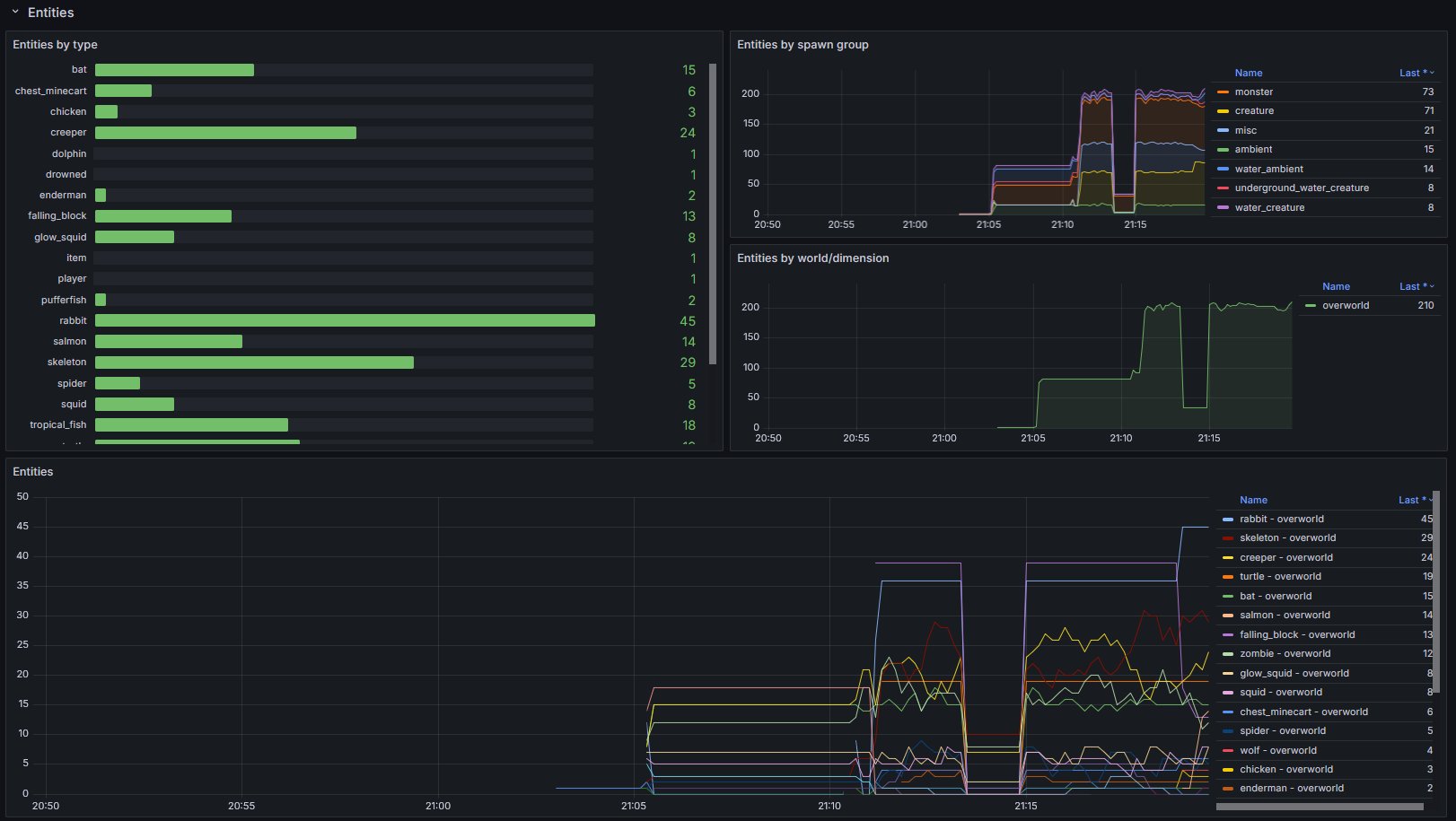
- Entities
- grouped by type, spawn ground and world/dimension
- Players
- by world
- online
- total xp (score)
- xp level
- Runtime
- game version
- Fabric version
- Optional data from spark
Setup
- Make sure you have an endpoint where OpenTelemetry data can be ingested.
This could be a OpenTelemetry Collector hosted by you or by someone else (e.g. in the Grafana Cloud). - Setup the OpenTelemetry Java Agent so that it sends data to your ingestion service.
- Add the OpenTelemetry Agent Helper Extension for Fabric.
- This is required so that the OpenTelemetry Agent is correctly detecting and utilizing the mod.
- Simply add and (optionally) configure this mod. It should work out of the box.
- Import the provided dashboard into Grafana
- From Grafana Dashboards
- From the local demo in the repo
Diagram showcasing how the overall infrastructure can look

You may also have a look at the corresponding development setup as it contains an locally running deployment of the full infrastructure.
Dashboard look
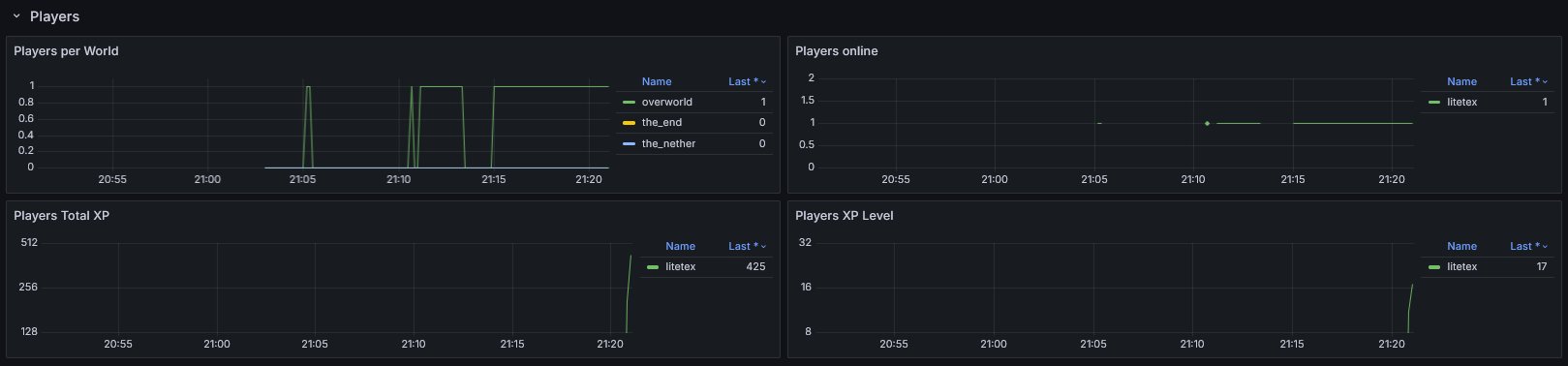
Example integrations
- For
itzg/minecraft-serversee here
Configuration
The configuration is dynamically loaded from (sorted by highest priority)
- Environment variables
- prefixed with
OIE_ - all properties are in UPPERCASE and use
_instead of.or-
- System properties
- prefixed with
oie.
- prefixed with
- A configuration file located in
.config/oie.json
- prefixed with
Full list of configuration options
Please note that the preconfigured values usually work out of the box.
You should know exactly what you're doing when doing modifications.
General
| Property | Type | Default | Notes |
|---|---|---|---|
instrumentation-name |
String |
minecraft |
Used as instrumentationScopeName. A name uniquely identifying the instrumentation scope, such as the instrumentation library, package, or fully qualified class name. Must not be null. |
strip-identifier-namespaces |
bool |
true |
Removes namespaces from Identifier. Disabling this causes identifiers to look like this minecraft:overworld instead of overworld.Usually only required for heavily modded servers. |
Metrics
| Property | Type | Default | Notes |
|---|---|---|---|
metrics.freeze-when-server-paused |
bool |
true |
Stop fetching certain metrics when the server is paused and uses previously cached values. This optimization usually improves the sampling speed for affected metrics by >10x. Outcomes vary and depend on the work required for fetching and how often the server enters idle mode. If the server is not using pauseWhenEmptySeconds (set to <= 0) this optimization will be ignored. |
metrics.prefix |
String |
minecraft_ |
Prefix for all metrics |
metrics.counter-suffix |
String |
_total |
Suffix for counters |
metrics.enabled-only |
List<String> |
- | Only enables the specified metrics. ALL OTHER METRICS WILL BE DISABLED! |
metrics.enabled-additionally |
List<String> |
- | Additionally enables the specified metrics. This is only relevant for metrics that are not enabled out of the box. |
metrics.disabled |
List<String> |
- | Disables the specified metrics |
metrics.enable-player-details-samplers |
bool |
true |
Determines if the PlayerDetailsSamplers (e.g. Online, TotalXP, XPLevel) are enabled |
Screenshots
Gallery
-
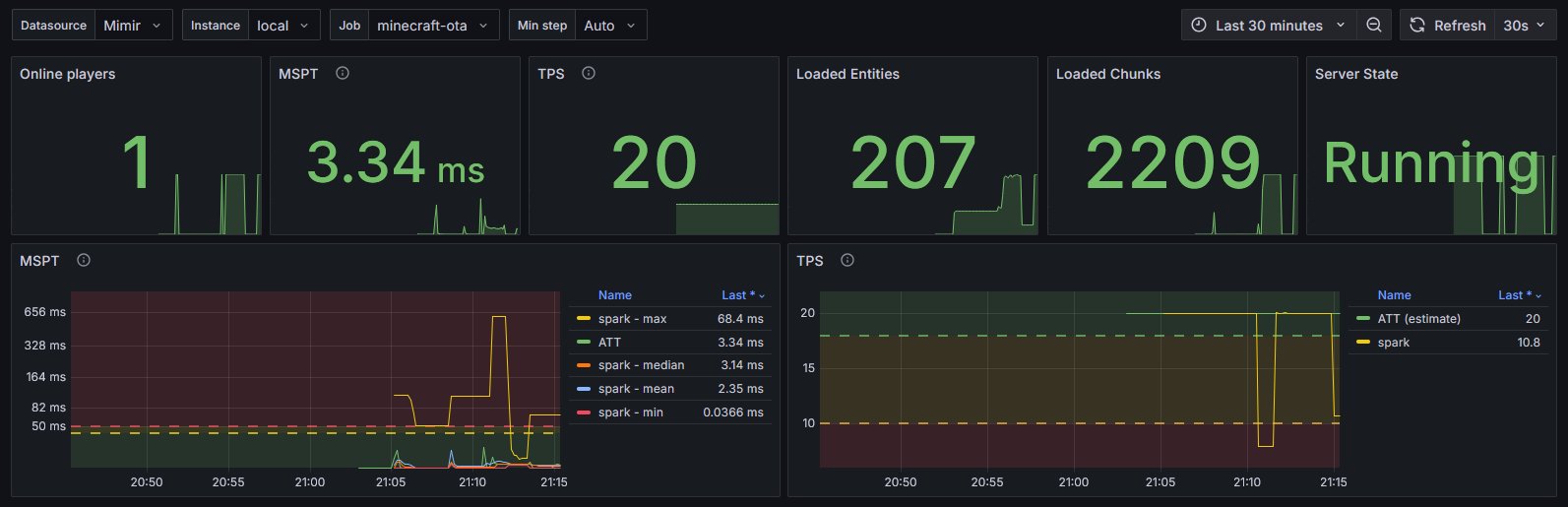 Overview on the Dashboard
 -
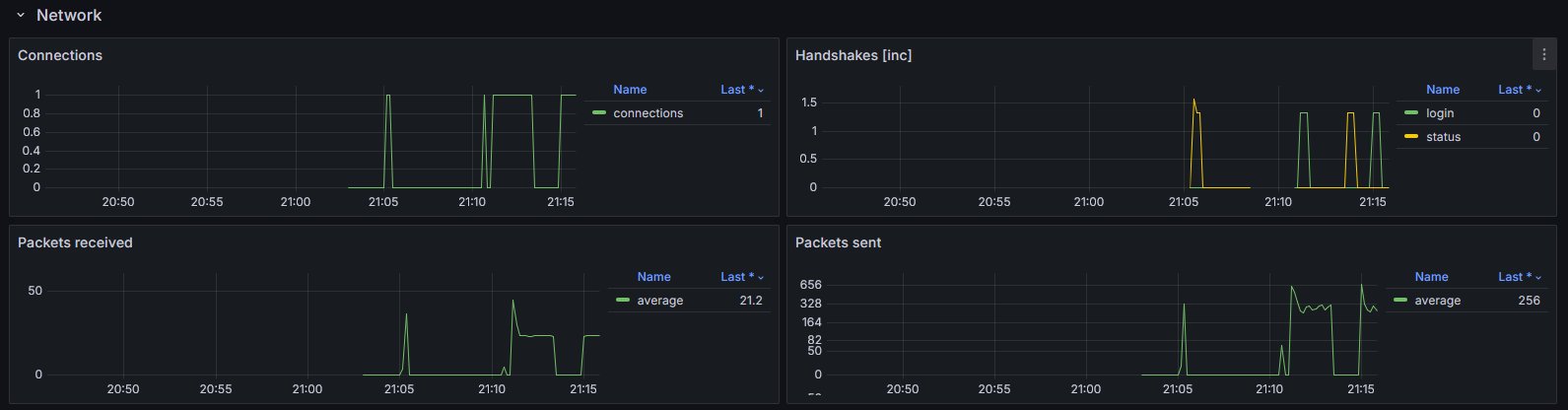 Network on the Dashboard
 -
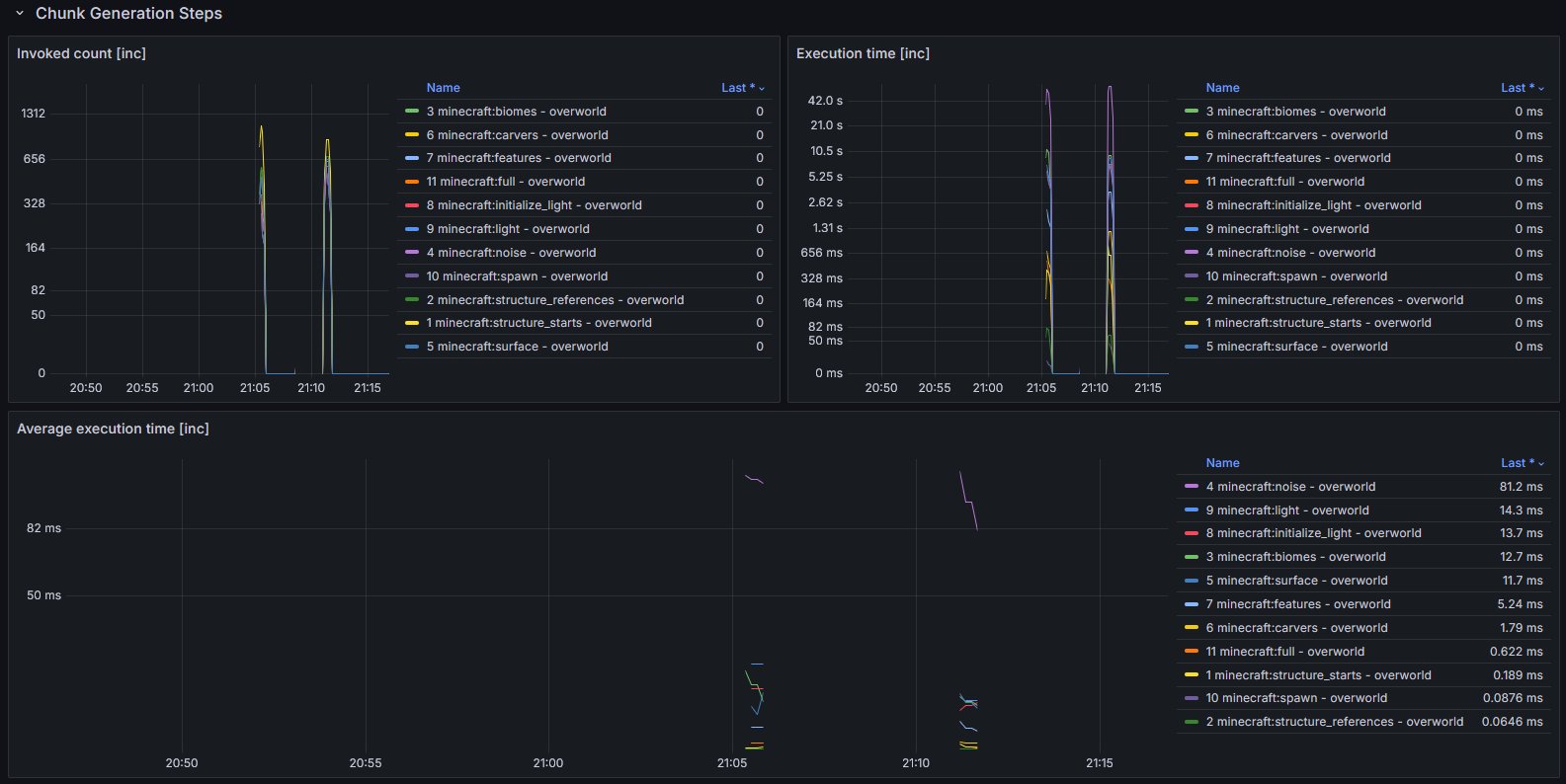 Chunk Generation on the Dashboard
 -
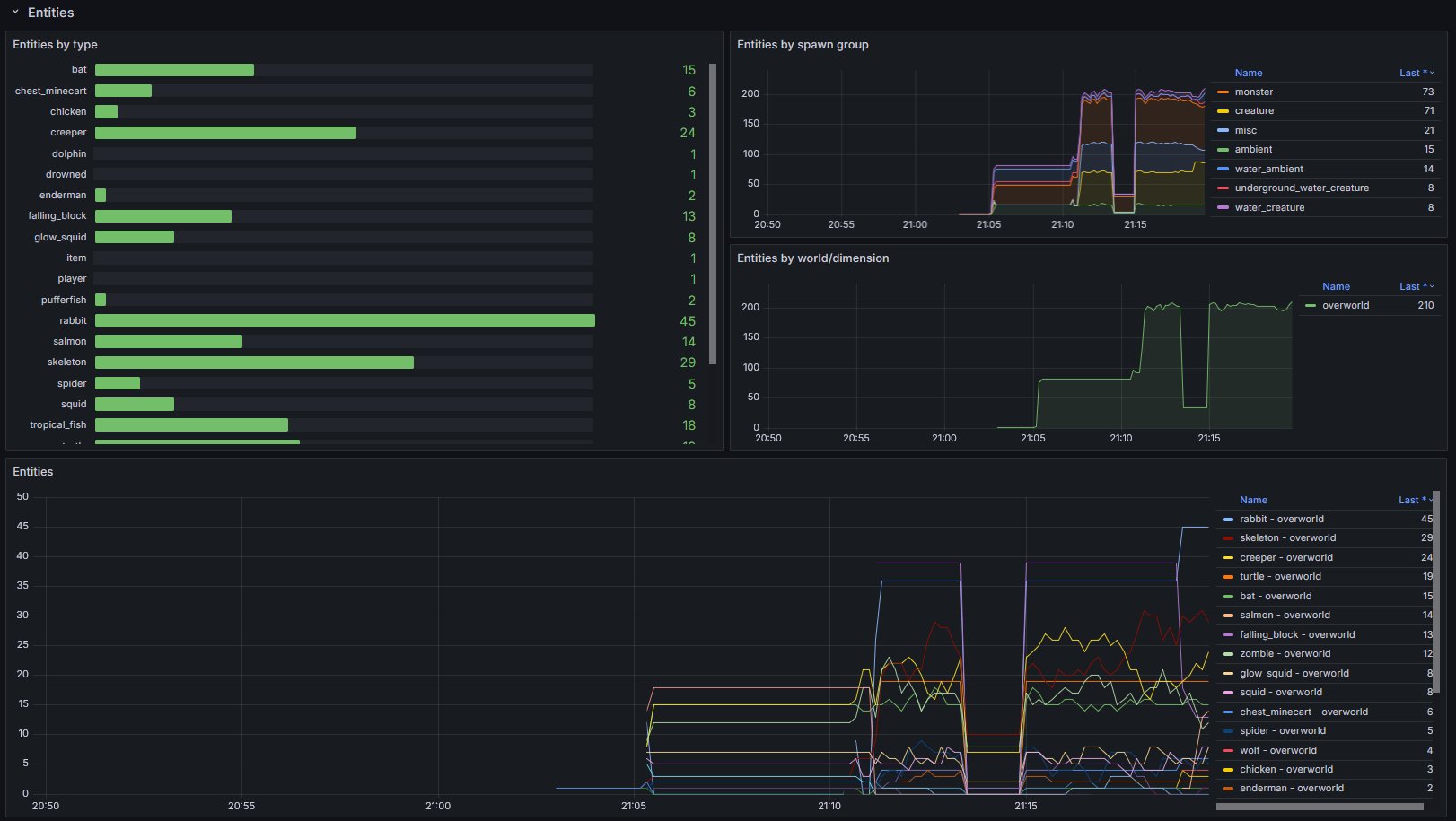 Entities on the Dashboard
 -
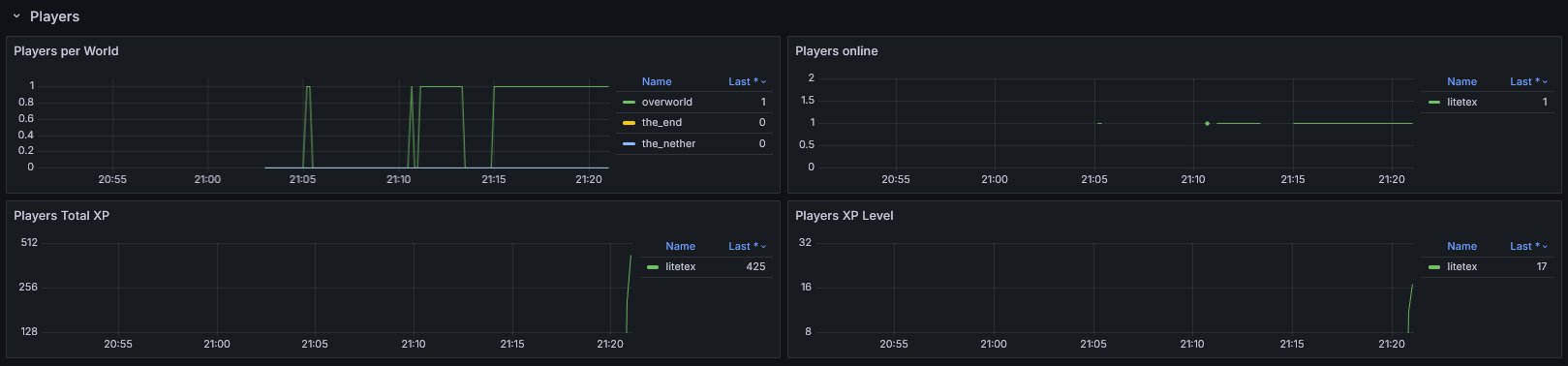 Players on the Dashboard
Versions
Files
Relations
Project Relations
More like this
Similar Mods
Suggestions use data such as tags, dependencies, dependents, descriptions, titles, and more to rank how much they overlap with this mod.
On ModDex
Community snapshot
By the numbers
Statistics

Want to reach Minecraft players?
We're looking for a server hosting partner to feature here and other parts of the site. Interested? Send us a message!
Get in touchGet it on
Available Platforms
On ModDex
Community snapshot
By the numbers