
Community listing page, reviews here may not be monitored by the author.
OvercastUI


No reviews yet
A full web browser overlay inside Minecraft, Steam-overlay style. Browse, read the wiki, or watch video in picture-in-picture without alt-tabbing or pausing draggable tabbed windows, split view, custom themes. Client-side.
Community voices
Reviews
No reviews yet. Be the first to review this project!
Get it on
Available Platforms
Compatibility
Supported Environments
Runs entirely on the client. Works on vanilla servers.
About
Project Details
For authors
Embed Badge
If you're the author of this project, you can embed a live badge anywhere that supports HTML or Markdown. It updates automatically whenever ratings change.
Use HTML for any page that supports it, or Markdown for README files and Markdown-based descriptions.
Identifiers
Platform IDs
Resources
External Links
About
Description
OvercastUI
A Steam Overlay-style Chromium browser, built into Minecraft. Browse the web without alt-tabbing or pausing your game. Client-side only, Fabric.
Features
* 🪟 Multiple windows — draggable, resizable, with tab support * 🌐 Full browser — back/forward/reload/home, address bar, find-in-page, per-tab zoom * 📺 Picture-in-Picture — videos keep playing after you close the overlay * 🔲 Split view — two pages side by side * 🎨 Theming — adjustable opacity and backdrop * ⌨️ Rebindable hotkey — default Shift+Tab, in-game settings menu * 💤 Tab suspension — sleeps idle tabs to save resources * ⏸️ Never pauses your game
How to use
1. Install Fabric Loader + Fabric API, then drop OvercastUI in your mods folder.
2. Press Shift+Tab in-game to open the overlay (rebindable in settings).
3. Wait 10–15 seconds for Chromium to download (first install only).
4. Enjoy!
Compatibility
* Loader: Fabric * Minecraft: 1.21.1, 1.21.11, 26.1, 26.1.1, 26.1.2 * Side: Client only * Requires: Fabric API
Whether you want an in-game browser to keep a wiki open, a Steam-style web overlay to watch videos while you play, or picture-in-picture for a stream OvercastUI keeps it all inside Minecraft, no alt-tabbing.
🔗 Website & full docs: https://merenotnoonereal.github.io/overcastui/
OvercastUI
A Steam Overlay-style Chromium browser, built into Minecraft. Browse the web without alt-tabbing or pausing your game. Client-side only, Fabric.
Features
- 🪟 Multiple windows draggable, resizable, with tab support
- 🌐 Full browser back/forward/reload/home, address bar, find-in-page, per-tab zoom
- 📺 Picture-in-Picture videos keep playing after you close the overlay
- 🔲 Split view two pages side by side
- 🎨 Theming adjustable opacity and backdrop
- ⌨️ Rebindable hotkey default Shift+Tab, in-game settings menu
- 💤 Tab suspension sleeps idle tabs to save resources
- ⏸️ Never pauses your game
How to use
- Press Shift+Tab in-game to open the overlay (rebindable in settings).
- Wait 10-15 seconds for Chromium to download (Only on first install)
- Enjoy!
Compatibility
- Loader: Fabric
- Minecraft: 1.21.1, 1.21.11, 26.1, 26.1.1, 26.1.2
- Side: Client only
- Requires: Fabric API
**Description Whether you want an in-game browser to keep a wiki open, a Steam-style web overlay to watch videos while you play, or picture-in-picture for a stream on your second monitor's worth of screen OvercastUI keeps it all inside Minecraft, no alt-tabbing.
Screenshots
Gallery
-
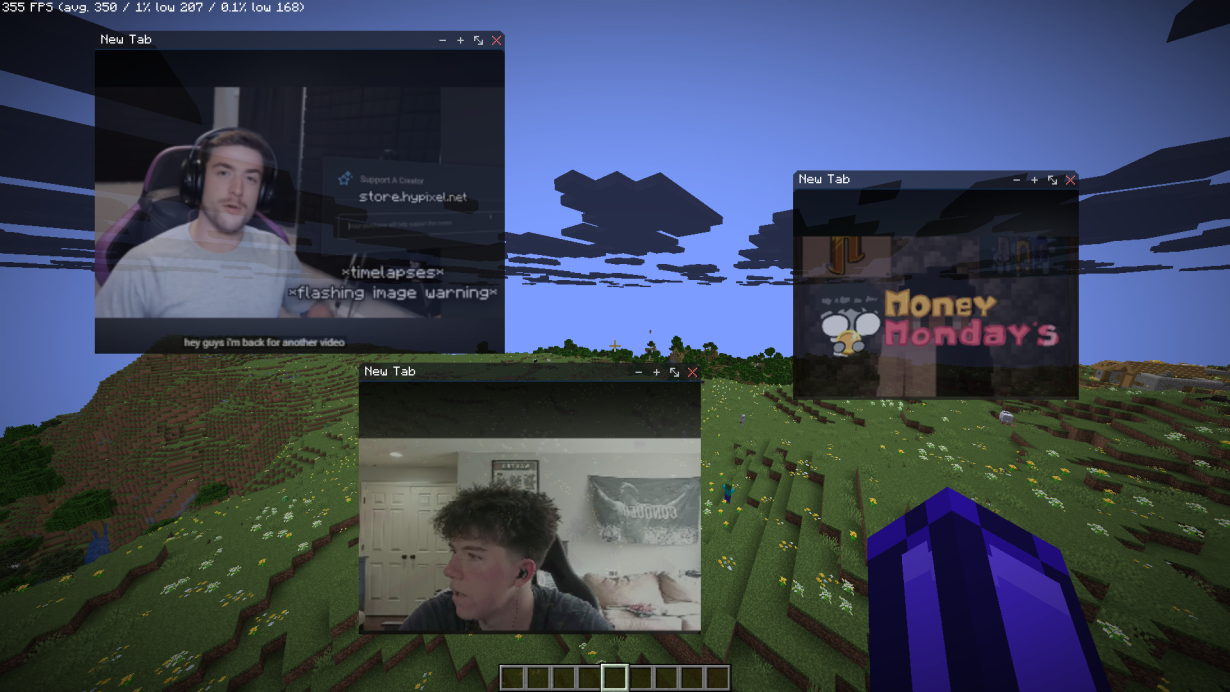 Picture-In-Picture-Browser-Example-Youtube.webp Picture-In-Picture-Browser-Example-Youtube.webp
 -
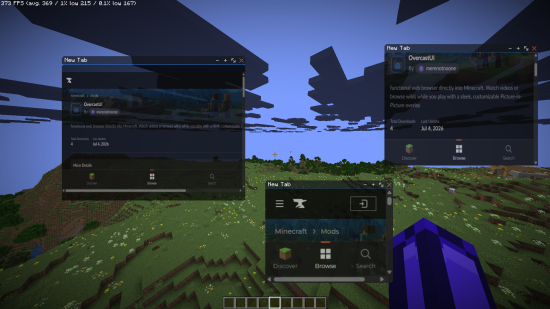 Picture-In-Picture-Browser-Example-OverCastUI.webp Picture-In-Picture-Browser-Example-OverCastUI.webp
 -
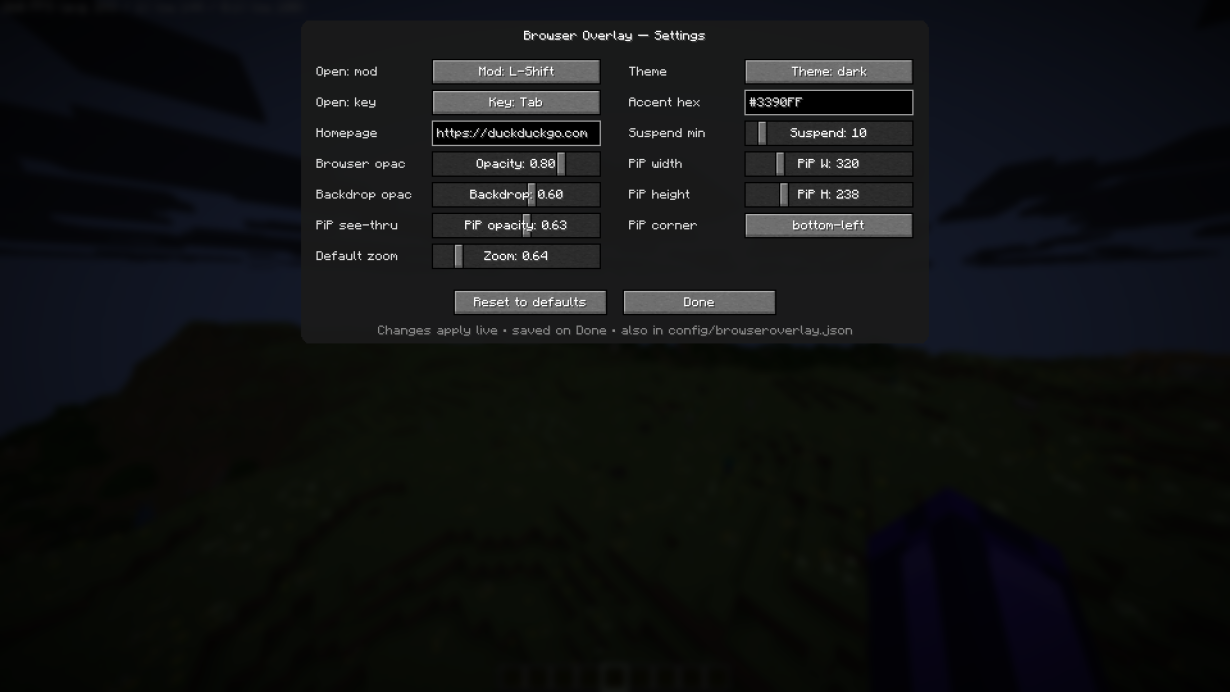 Change Settings for PIP browser.webp Change Settings for PIP browser.webp
-
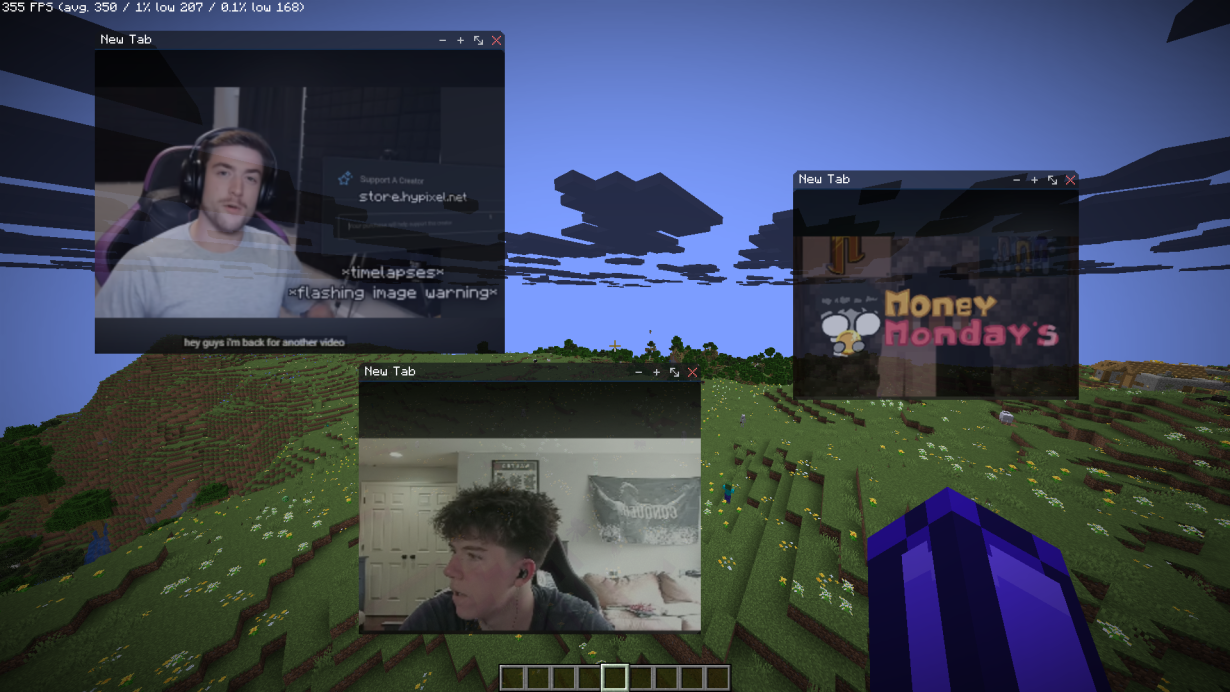 YouTube Videos Playing Over Game! Play Multiple Or just One Video Over Your Game!
 -
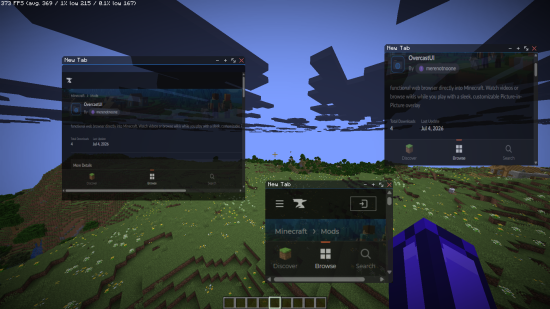 Tabs Used Over Game! Tabs Used Over Game To Search Details or Such Things!
 -
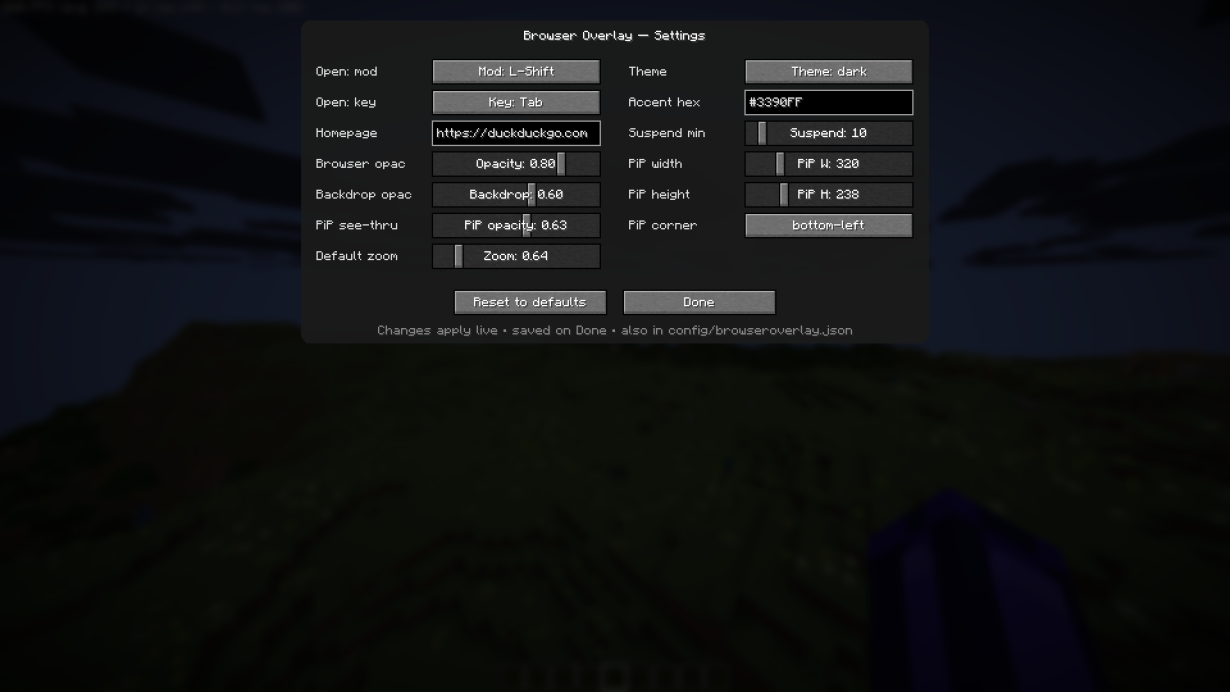 Settings Page For PIP browser Settings Page For PIP browser
Versions
Files
Relations
Project Relations
More like this
Similar Mods
Suggestions use data such as tags, dependencies, dependents, descriptions, titles, and more to rank how much they overlap with this mod.
On ModDex
Community snapshot
By the numbers
Statistics
Want to reach Minecraft players?
We're looking for a server hosting partner to feature here and other parts of the site. Interested? Send us a message!
Get in touchGet it on
Available Platforms
On ModDex
Community snapshot
By the numbers
Statistics
Resources