
Community listing page, reviews here may not be monitored by the author.
Palettinator

No reviews yet
Browse, generate, preview & publish Minecraft block palettes in game. With a built-in GUI runs server-side, so even vanilla clients can use it.
Community voices
Reviews
No reviews yet. Be the first to review this project!
Get it on
Available Platforms
Compatibility
Supported Environments
Works on the client or the server alone, but does more when on both.
About
Project Details
For authors
Embed Badge
If you're the author of this project, you can embed a live badge anywhere that supports HTML or Markdown. It updates automatically whenever ratings change.
Use HTML for any page that supports it, or Markdown for README files and Markdown-based descriptions.
Identifiers
Platform IDs
Resources
External Links
About
Description
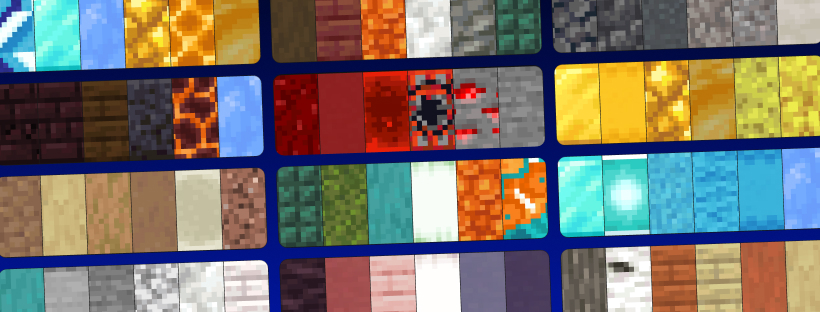
Find, generate, analyse, and share Minecraft block palettes — without leaving the game.
Palettinator brings palettinator.com — the free, ad-free block & colour palette generator — straight into Minecraft, as both chat commands and a full in-game GUI.
Stuck on which blocks go together? Generate a palette, ask the mod what's wrong with it, preview it in the world, and build. Made something great? Publish it to the site in one command.
⚠️ Alpha: early access and under active development. Most things work; a few are still missing (e.g. the very newest 26.2 blocks). Feedback welcome!
✨ Features
🎨 Generate & explore
- Generate palettes —
/palette generatemakes a fresh, colour-coordinated palette and loads it into your hotbar. Seed it from a colour (/palette generate blue) or from the block in your hand (/palette generate hand). - Gradients —
/palette gradient white_concrete blue_concretebuilds a smooth colour ramp between two blocks. No args = a gradient between your main hand and off-hand. - Scan an existing build —
/palette capturegives you the Palette Scanner: select two corners of any structure and its most-used blocks load straight into your hotbar as a palette. Straight to the site with/palette capture publish "My Build". - In-world preview —
/palette build <#>places a palette in front of you so you can see the blocks together, as a strip or a 3-high wall (/palette build 42 wall). It auto-clears (or/palette clear), only ever fills empty space, and never touches your build.
🌍 Community
- Search & discover —
/palette search cozyfinds palettes by name, tag, creator, or number./palette discover trendingpulls the site's featured, trending and most-loved shelves. Both show a palette preview right in chat — hover a block to name it, click one to copy its hex, click the line to load it. - Look before you load —
/palette info 42shows a palette's blocks and likes without touching your hotbar. - Load into your hotbar —
/palette get 73286drops a palette's blocks into your hotbar. Survival gives one of each, creative gives full stacks, and palettes over nine blocks arrive in a shulker box so you still get a stack of each. Anything already in your hotbar is moved into your inventory, never deleted — and/palette undoputs it all back. - Publish & update — arrange blocks in your hotbar, then
/palette publish "Cozy Cabin" medieval,oak A snug little build. It goes live on your palettinator.com profile with a clickable link./palette update 42refreshes an existing one. - Share it —
/palette share Steve 42sends a palette straight to another player on your server, and/palette book 42writes one into a book you can carry and hand out. - Browse, like & roll —
/palette browse top,/palette mine,/palette liked,/palette like 42,/palette stats,/palette rollfor instant inspiration.
🔬 Analyse your palette
/palette analyze reads the blocks in your hotbar the way an experienced builder would, and tells you what's actually wrong with them.
- It understands texture, not just colour. It knows stone bricks are patterned, cobblestone is rough and concrete is featureless — so it can tell deliberate texture work apart from two blocks that genuinely repeat the same tone.
- It checks what builders check: light-to-dark range, missing darks and highlights, holes in the value ramp, hue harmony, saturation balance, palette size, and whether a loud accent has anything quiet to sit against.
- Every problem comes with a fix. Suggestions are real building blocks, ranked so common ones win — click one to load it straight into your hotbar.
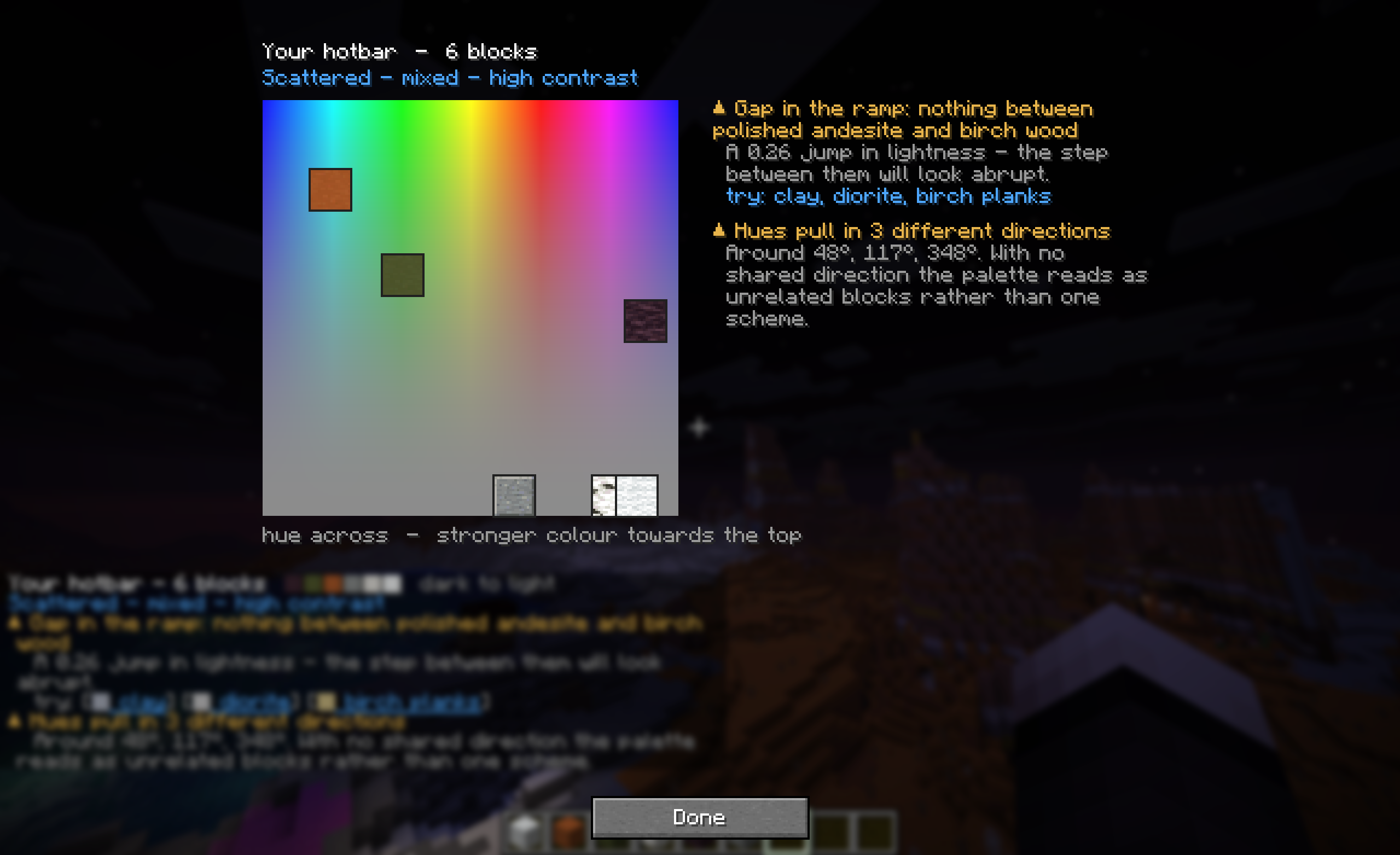
- See it, not just read it. With the mod installed client-side, the command opens a colour chart with your blocks plotted on it: hue across, stronger colour towards the top, greys along the bottom. Blocks clustered together are a harmony, blocks strung across the width are the "hues pull in different directions" warning, and blocks half a width apart are complements. Hover any one for its surface, lightness, hue and role.
- Works on saved palettes too:
/palette analyze 42. - Vanilla clients get everything except the chart — all the findings arrive in chat, with the same clickable fixes.
🖥️ Install client-side for the full thing
Everything works without it — but the client half adds a lot:
- Real block textures in chat. Search results, analysis and every other palette row draw the actual block faces instead of coloured squares.
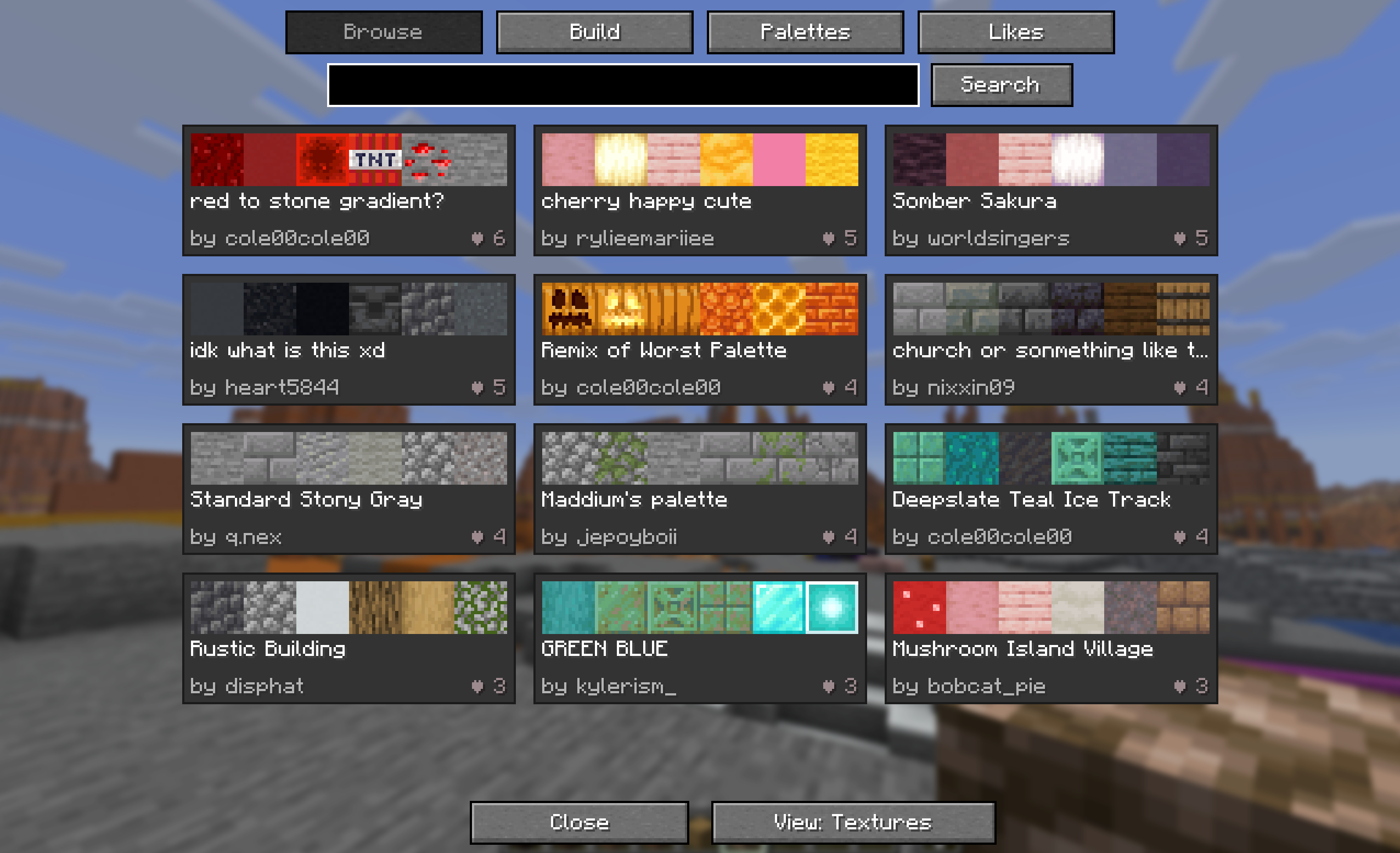
- The palette browser. Press P to open a native UI that mirrors the website:
- Browse — searchable grid of palette cards with real block textures, author, and a clickable ❤ like button.
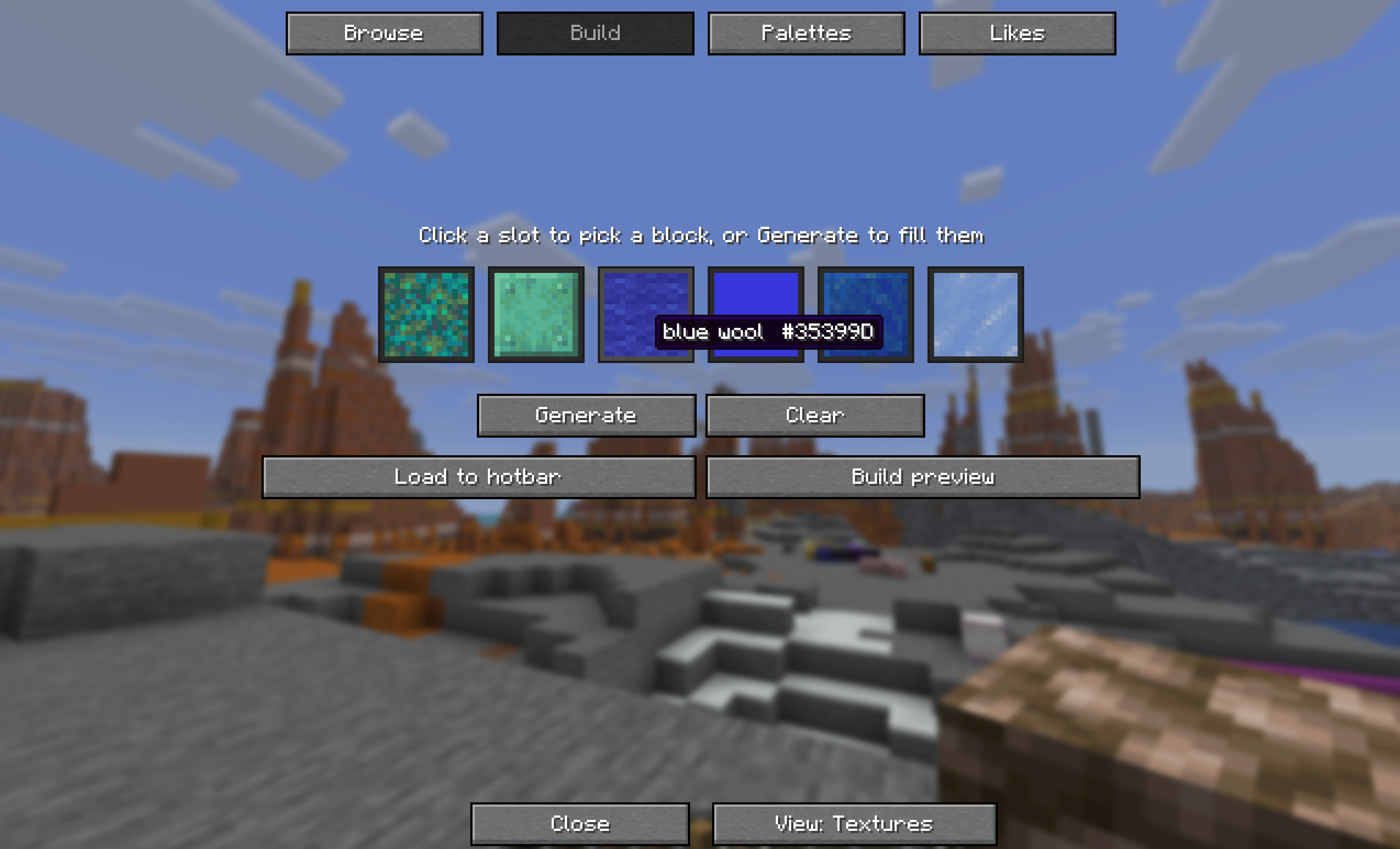
- Build — six slots you can fill by clicking (block picker with live search) or with Generate (watch the slots spin like a slot machine and land on a fresh palette). Then Load to hotbar, Build preview, or Analyse.
- Analysis view — the colour chart with your blocks plotted on it and every finding listed beside it. Opens from the Analyse button or straight from
/palette analyze. - Palettes — your own creations. Likes — everything you've hearted.
- Click any palette for a detail view with a big block grid, load/preview, like, and "Open on site".
- A palette strip above your hotbar showing what you just loaded, so you never lose track of which block was which. It fades out on its own.
The keybind is rebindable under Options → Controls → Palettinator.
🟢 Works on vanilla clients — no install required for players
Install it on your server and every player can use the commands, even on a completely vanilla client — it's all chat commands, clickable links, and colour swatches. No resource pack required. (Singleplayer: just install it normally.)
⌨️ Commands
| Command | What it does |
|---|---|
/palette analyze [#] |
Colour & texture read of your hotbar (or a saved palette) |
/palette search <query> |
Find palettes (name, tag, creator, or #id) |
/palette discover [category] |
Featured, trending, popularWeek or recentlyLoved |
/palette browse <top|new|old> [query] |
Browse palettes by sort |
/palette get <#> |
Load a palette into your hotbar |
/palette info <#> |
Read a palette without touching your hotbar |
/palette undo |
Put your hotbar back after a load |
/palette build <#> [wall] |
Preview a palette in the world (auto-clears) |
/palette clear |
Remove your in-world preview now |
/palette generate [colour] |
Generate a new palette (optionally from a colour) |
/palette generate hand |
Generate from the block you're holding |
/palette gradient [from] [to] |
Gradient between two blocks (no args = both hands) |
/palette capture |
Get the Palette Scanner — select two corners to read a build's palette |
/palette capture publish "<title>" |
Publish the selection's palette in one step |
/palette roll |
Generate a random palette |
/palette mine |
Browse your own palettes |
/palette liked |
Browse palettes you've liked |
/palette stats |
Your palette count, likes and top palette |
/palette tags |
List the site's tags, click one to search it |
/palette share <player> <#> |
Send a palette to someone on your server |
/palette book <#> |
Write a palette into a book you can carry |
/palette like <#> |
Like / unlike a palette |
/palette publish <title> [tags] [desc] |
Publish your hotbar as a new palette |
/palette update <#> |
Update one of your palettes |
/palette link |
Connect your Palettinator account |
/palette support |
Support Palettinator (keeps it free & ad-free) |
/palette help |
Show all commands |
/palettinator works as the full command name too, and /palette analyse is accepted as well.
🔗 Publishing to your account
Publishing/updating is tied to your Palettinator account. Run /palette link, click the link in chat, sign in, and approve — that's it. You can revoke access anytime in your account settings. Browsing, generating, analysing, previewing, and loading palettes need no account at all.
🛡️ For server admins — permissions & config
- Permissions (LuckPerms): every command has a node —
palettinator.command.analyze,palettinator.command.build,palettinator.command.publish,palettinator.command.generate, etc. — so you can grant/deny per group. Without a permissions mod it falls back to sensible defaults (in-world build defaults to operators whenbuildRequiresOpis set). - Config (
config/palettinator.json): toggle commands on/off, require op for in-world building, set per-action cooldowns, tune the preview's lifetime and block cap, switch chat block textures on or off, and opt into a palette-of-the-day join message. New options are added to your existing file automatically, keeping your settings./palette reloadre-reads it without a restart. - Language (
config/palettinator-lang.json): reword or translate every chat string the mod sends. - Nothing gets destroyed: loading a palette moves your existing hotbar items into your inventory rather than deleting them, and the in-world preview only fills empty space — it won't overwrite a build, break containers, or leave blocks behind if the server restarts.
- Survival-friendly: loading a palette gives one block each in survival (no free stacks), full stacks in creative.
- A note on
/generate: the bare top-level alias is off by default so it can't clash with other mods or datapacks. Turn ongenerateAliasin the config if you want it./palette generatealways works.
📦 Requirements
- Minecraft 26.1.2 or 26.2 (Fabric)
- Fabric Loader 0.19.0+
- Fabric API
- Java 25+ (required by Minecraft 26.x)
🧩 Install
Server: drop the Palettinator jar and Fabric API into your server's mods/ folder and restart. Players need nothing (the GUI is optional, client-side).
Singleplayer / client: put both into your client mods/ folder, then press P in-game.
Made with ❤ for builders. Palettinator is free and ad-free — support it here.
Screenshots
Gallery
-
 Browse Block Palettes
 -
 Build Block Palettes
 -
 Analyze Palettes
 -
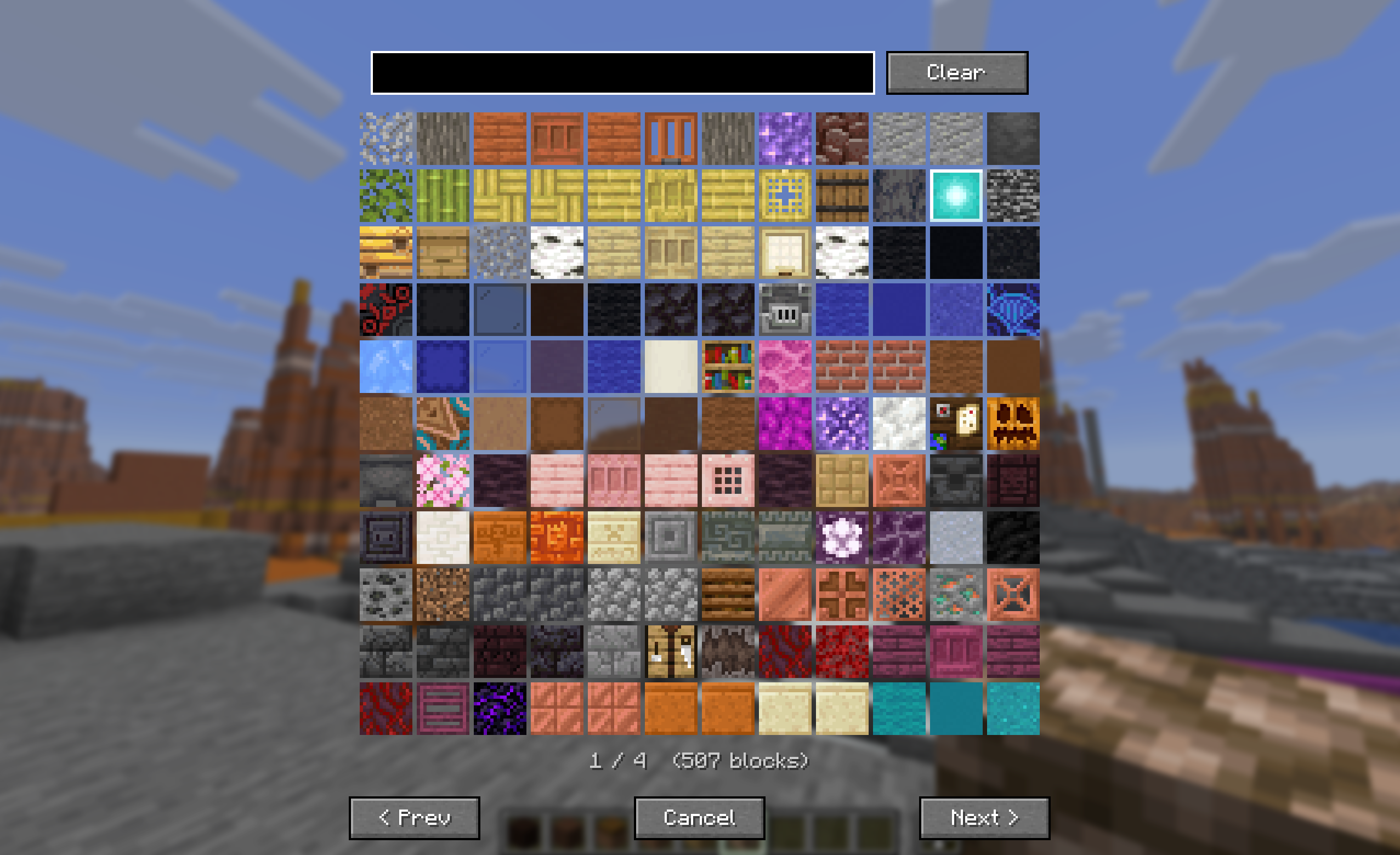 Minecraft Blocks
Versions
Files
Relations
Project Relations
More like this
Similar Mods
Suggestions use data such as tags, dependencies, dependents, descriptions, titles, and more to rank how much they overlap with this mod.
On ModDex
Community snapshot
By the numbers
Statistics

Want to reach Minecraft players?
We're looking for a server hosting partner to feature here and other parts of the site. Interested? Send us a message!
Get in touchGet it on
Available Platforms
On ModDex
Community snapshot
By the numbers
Statistics
Resources