Community listing page, reviews may not be monitored by the author.
Parkour Recorder


No reviews yet
Record and playback your parkour sessions.

Community voices
Reviews
No reviews yet. Be the first to review this project!
Get it on
Available Platforms
Compatibility
Supported Environments
Runs entirely on the client. Works on vanilla servers.
About
Project Details
For authors
Embed Badge
If you're the author of this project, you can embed a live badge anywhere that supports HTML or Markdown. It updates automatically whenever ratings change.
Use HTML for any page that supports it, or Markdown for README files and Markdown-based descriptions.
Identifiers
Platform IDs
About
Description

Parkour Recorder is a client-side mod for modern versions of Minecraft Forge and Fabric that gives you the tools to record, playback, and aid in parkour.
Version 1.1.3.0
Available for Fabric MC1.20.4
Main Features
- Record player's movements and keystrokes. (Use the Record key-bind; set to R)

- Playback a recording. (Use the Play key-bind; set to P)

- Override an existing recording. (Use the Override key-bind; set to UP Arrow on your mouse)

- Save Recording Menu: Shows record history and allows you to save a recording among other features. (In Main Menu Gui; set to M)

- Load Recording Menu: Loads a list of saved recordings. (In Main Menu Gui; set to M)
 - Timeline Menu: Can quickly preview a recording using video-player-like controls. (In Main Menu Gui; set to M)

- Playback Particles: Use to guide you during playback. Has cool animations!

Parkour Recorder is a client-side mod for modern versions of Minecraft Forge and Fabric that gives you the tools to record, playback, and help with parkour.
Version 1.1.3.0
Available for Fabric MC1.20.4.
Main Features
- Record player's movements and keystrokes. (Use the 'Record' key-bind, set to 'R')
- Playback a recording. (Use the 'play' key-bind; set to 'P')
- Override an existing recording. (Use the 'Override' key-bind; set 'UP Arrow' on your mouse)
- Save Recording Menu: Shows record history and allows you to save a recording among other features. (In 'Main Menu' Gui; set to 'M')
- Load Recording Menu: Load a list of saved recording. (In 'Main Menu' Gui; set to 'M')
- Timeline Menu: Can quickly preview a recording using video-player-like controls. (In 'Main Menu' Gui; set to 'M')
- Playback Particles: Use to guide you during playback. Has cool animations!
Screenshots
Gallery
-
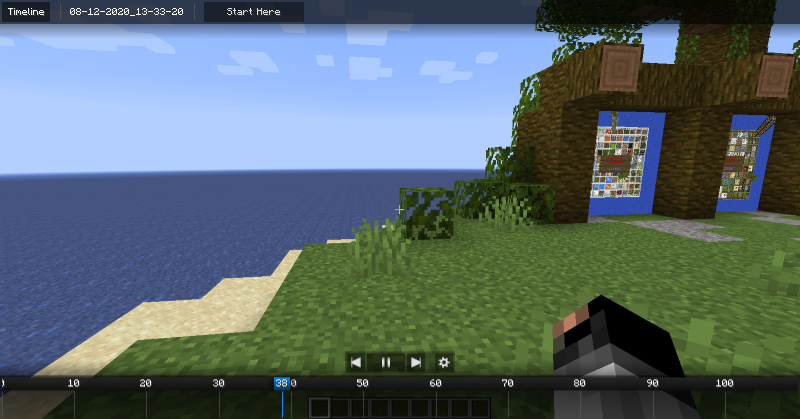 Timeline Gui Previewing a recording.
 -
 Mod Banner banner
 -
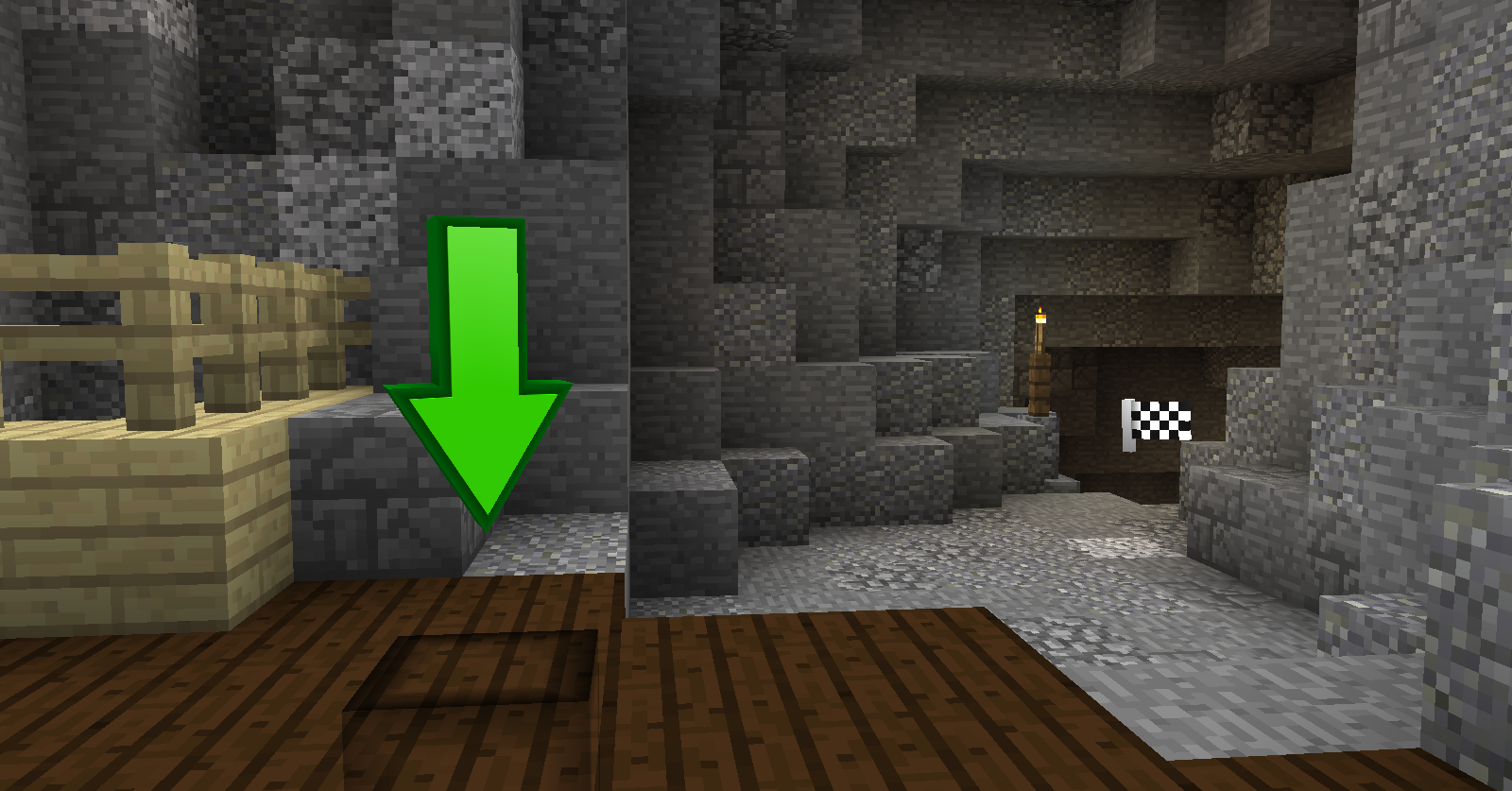 Playback Markers Particles that spawn when a playback session is ready to play.
-
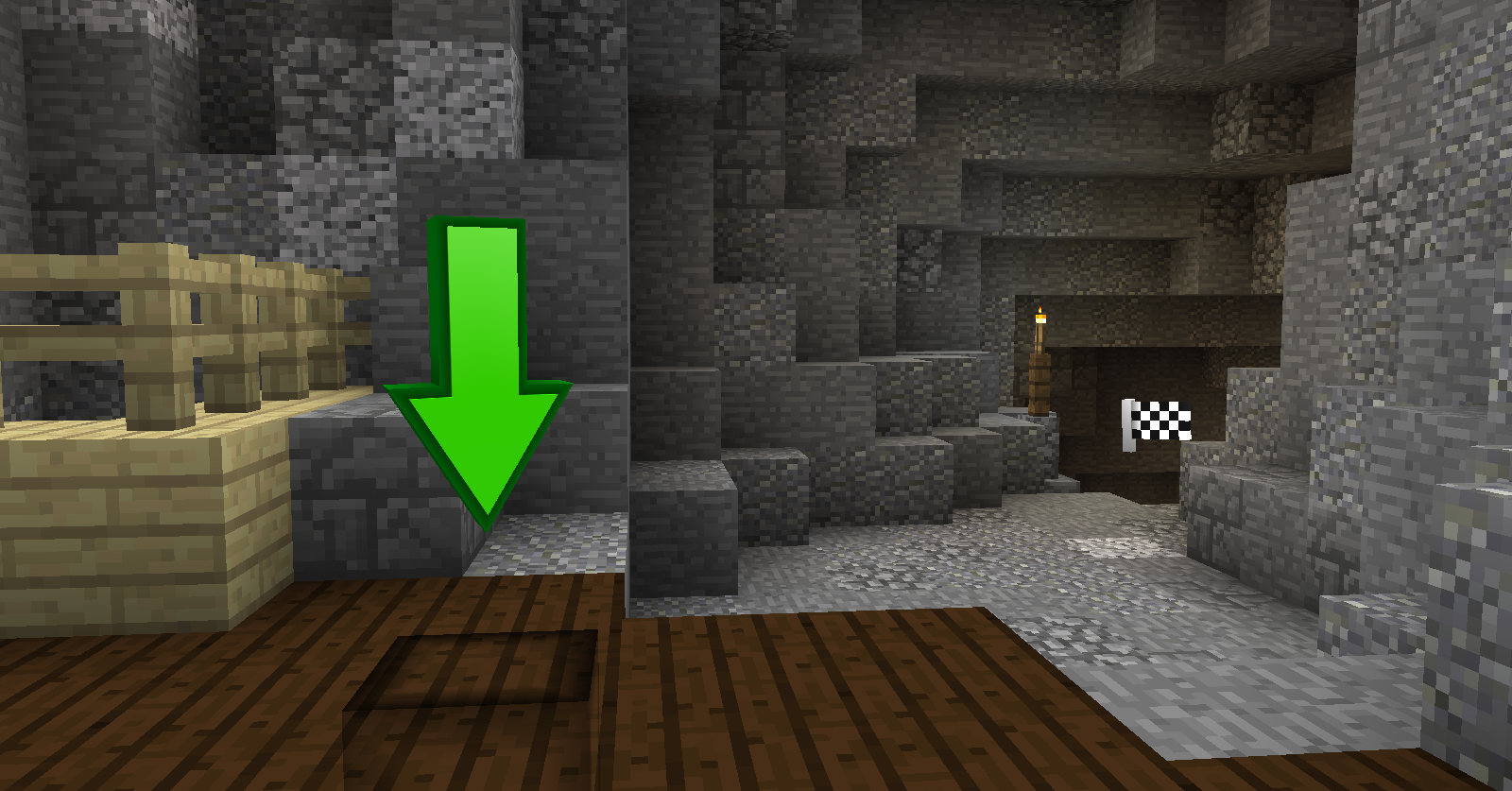 Playback Particles
Versions
Files
Relations
Project Relations
More like this
Similar Mods
Suggestions use data such as tags, dependencies, dependents, descriptions, titles, and more to rank how much they overlap with this mod.
On ModDex
Community snapshot
By the numbers
Statistics

Get it on
Available Platforms
On ModDex
Community snapshot
By the numbers