
Particle Visor
No reviews yet
Removes/fades particles based on distance
Enhances game performance and optimizes resource usage.
Fabric is a mod loader for versions 1.14+ of Minecraft, particularly popular for client side and optimization mods.
Community voices
Reviews
Click once to include, again to exclude, again to clear
No reviews yet. Be the first to review this project!
Get it on
Available Platforms
 Modrinth
Compatibility
Supported Environments
About
Project Details
For authors
Embed Badge
If you're the author of this project, you can embed a live badge anywhere that supports HTML or Markdown. It updates automatically whenever ratings change.
Use HTML for any page that supports it, or Markdown for README files and Markdown-based descriptions.
Identifiers
Platform IDs
Resources
External Links
About
Description
Particle Visor
Removes/fades particles based on distance
Features
- Hides particles very close to the camera (so potion particles won't get in your way in fights)
- Lots of customization
Configuration
Particle Visor uses ukulib for its configuration.
You can either:
- Go to the Options menu, click the small, square button to the right of Credits and Attribution, and go into Particle Visor.
- Open Mod Menu and open the configuration menu from there
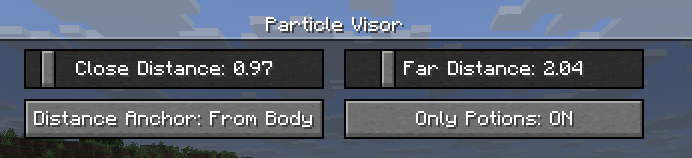
Close Distance: The farthest distance at which particles will still be visible. Anything closer than this won't render at all.Far Distance: The closest distance at which particles will be faded. Anything in between this value andClose Distancewill be faded. (you can set this to be the same asClose Distanceto make particles "pop in")Mod Enabled: General global toggle for the modDistance Anchor: The point on your player model where the distance will be determined-
From Eyes: Distance determined from the "eye level"
-
From Body: Distance will be the same regardless of whether the particle is at your eyes or your feet, like a cylinder (though anything above or below that will be accounted for)
-
From Feet: Distance determined from the character's feet
-
On Camera: Distance determined from the actual camera position (so you can look through particles in third person)
Only Potions: Anything not considered a "spell particle" will be unaffected by the mod.Third Person Particles: If this is ON, the mod will do nothing in third person.
Compatibility
I've verified that the mod works with Sodium and Particle Core (and whatever else is in uku's pvp modpack), so I don't think there will be many incompatibilities. Feel free to make an issue if you find any!
License
This mod is under the MIT License. Feel free to include this mod in your modpack!
Screenshots
Gallery
-
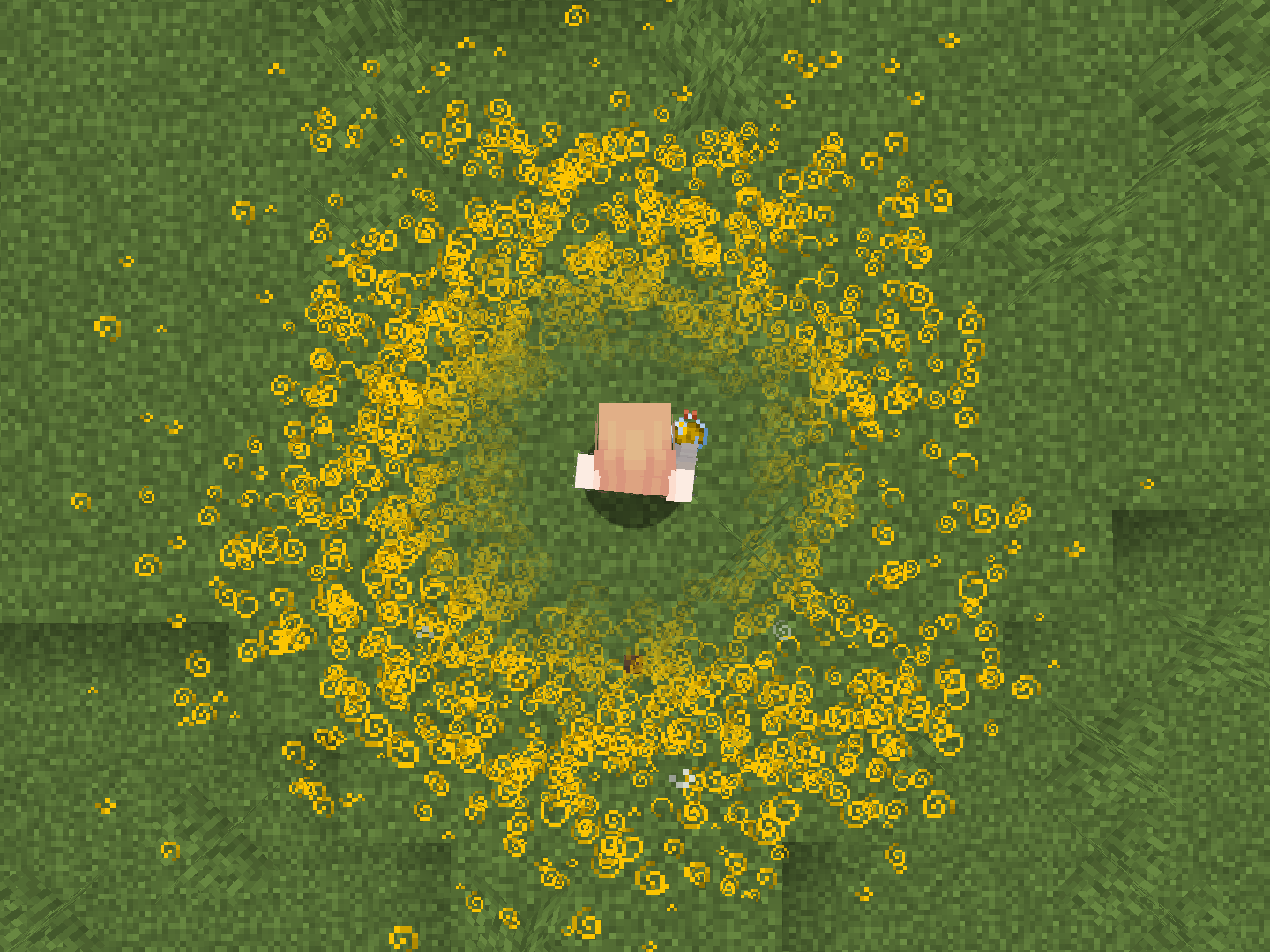 Example w/ Lingering Potions Particles are faded as they get farther from you
 -
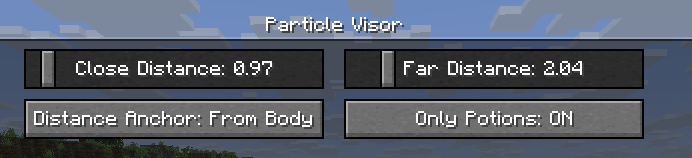 Configuration Menu Lots of configuration options!
Versions
Files
Relations
Project Relations
More like this
Similar Mods
Suggestions use data such as tags, dependencies, dependents, descriptions, titles, and more to rank how much they overlap with this mod.
On ModDex
Community snapshot
By the numbers
Statistics

Want to reach Minecraft players?
We're looking for a server hosting partner to feature here and other parts of the site. Interested? Send us a message!
Get in touchGet it on
Available Platforms
On ModDex
Community snapshot
By the numbers
Statistics
Resources