
Community listing page, reviews here may not be monitored by the author.
ParticlePeek

No reviews yet
Preview Minecraft particles before using them in commands.
Community voices
Reviews
No reviews yet. Be the first to review this project!
Get it on
Available Platforms
Compatibility
Supported Environments
Runs entirely on the client. Works on vanilla servers.
About
Project Details
For authors
Embed Badge
If you're the author of this project, you can embed a live badge anywhere that supports HTML or Markdown. It updates automatically whenever ratings change.
Use HTML for any page that supports it, or Markdown for README files and Markdown-based descriptions.
Identifiers
Platform IDs
Resources
External Links
About
Description
ParticlePeek
See what a particle actually looks like — before you ever type /particle.
ParticlePeek is a lightweight, client-side utility for map makers, datapack creators, command-block users and server builders. Stop guessing particle names and running the same command over and over — browse, search and preview every particle right in-game, then copy a ready-to-use command.
✨ Features
Browse & search
- 🔎 Particle Browser — open with
/particlepeekor a keybind. Lists every registered particle, vanilla and modded (read live from the game registry — nothing is hard-coded). - ⌨️ Search by name or namespace; the namespace is shown for every entry.
- ⭐ Favourites — star the particles you use most; they jump to the top and are remembered between sessions.
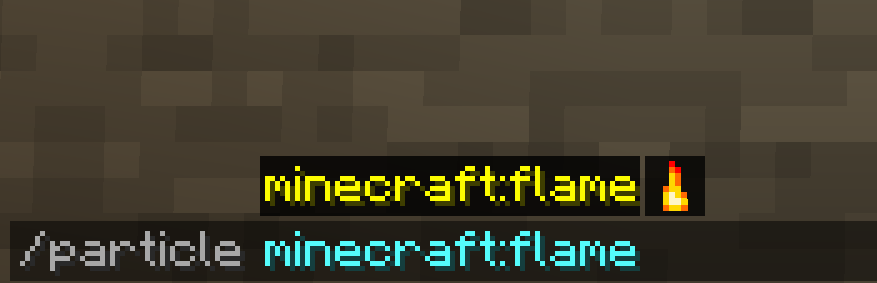
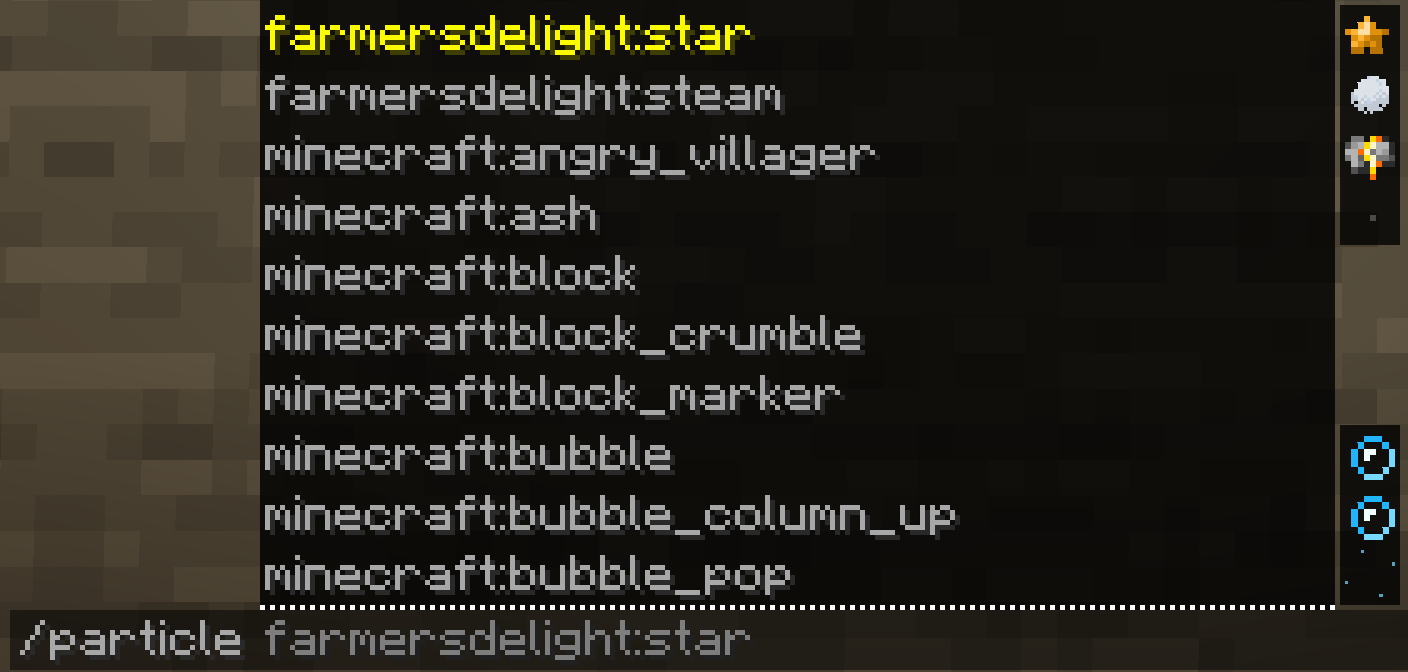
- 🖼️ Icons everywhere — a little particle sprite next to each name in the browser and next to each suggestion in the
/particleauto-complete, so you spot the right one at a glance.
Real previews
- 🎬 The particle's actual texture, in its real colour (e.g.
dripping_lavais orange — read from the particle itself, not guessed)… - 🌀 …with live motion — a real particle is ticked so the preview drifts / falls / fades like the real thing, on a loop. Play / Pause whenever you like.
Build & test
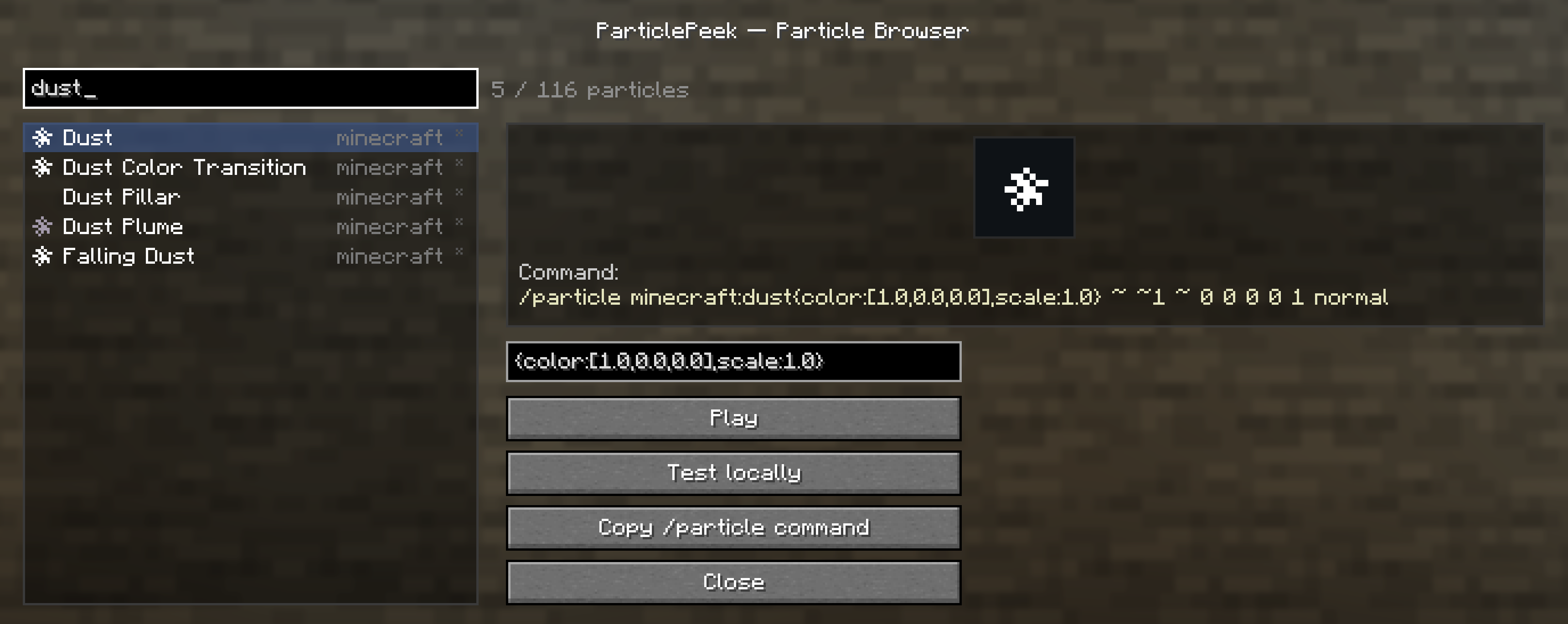
- 🛠️ Parameter editor — for particles that need extra data (
dust,block,item,dust_color_transition, …) edit the parameters right in the panel. Input is validated live (using the game's own particle parser, so it works for modded particles too) and turned into a fully-correct command. - ⚡ Test locally — spawn the particle (or your configured one) in front of you, purely client-side. No server needed.
- 📋 Copy
/particlecommand — a correct, ready-to-paste command, every time.
🧩 Client-side — no server install needed
ParticlePeek runs entirely on your client. Use it in single-player or on any multiplayer server (vanilla or modded) without installing it server-side. It never crashes on unknown or modded particles.
📦 Requirements
- Minecraft 1.21.8 — Fabric
- Fabric API
- Java 21
🎮 How to use
- Install Fabric Loader + Fabric API, then drop ParticlePeek into your
modsfolder. - In-game, run
/particlepeek— or bind a key in Options → Controls → ParticlePeek. - Search, watch the preview, tweak parameters, then Test locally or Copy command.
Screenshots
Gallery
-
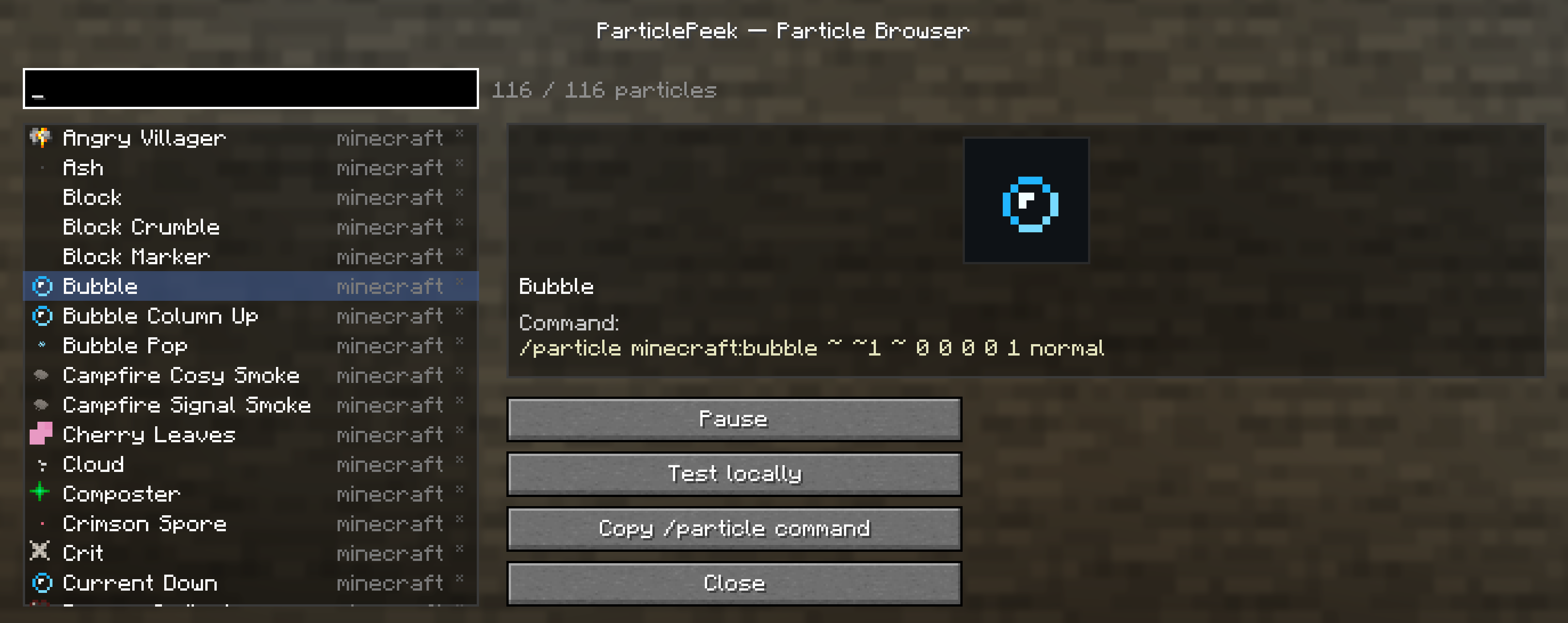 ParticlePeek Menu /particlepeek
 -
-
-
Versions
Files
Relations
Project Relations
More like this
Similar Mods
Suggestions use data such as tags, dependencies, dependents, descriptions, titles, and more to rank how much they overlap with this mod.
On ModDex
Community snapshot
By the numbers
Statistics

Want to reach Minecraft players?
We're looking for a server hosting partner to feature here and other parts of the site. Interested? Send us a message!
Get in touchGet it on
Available Platforms
On ModDex
Community snapshot
By the numbers
Statistics
Resources