
Community listing page, reviews here may not be monitored by the author.
Party Inviter


No reviews yet
A customisable party inviter for mcpvp.club (and other servers :))
Community voices
Reviews
No reviews yet. Be the first to review this project!
Get it on
Available Platforms
Compatibility
Supported Environments
Runs entirely on the client. Works on vanilla servers.
About
Project Details
For authors
Embed Badge
If you're the author of this project, you can embed a live badge anywhere that supports HTML or Markdown. It updates automatically whenever ratings change.
Use HTML for any page that supports it, or Markdown for README files and Markdown-based descriptions.
Identifiers
Platform IDs
Resources
External Links
About
Description
MCPVP Party Inviter
Host a party by typing a number — everyone who replies with it becomes one click to invite.
Type 222 for axe, and the next players who type 222 in chat get a clickable [+Invite] on their message. Click it (or let it auto-invite) and they're in. No more squinting at chat and re-typing names.
How it works
- You host — send a message with a number and
for(e.g.222 for axe). - Joiners light up — anyone who then types
222gets their message highlighted with a clickable [+Invite]. - One click invites them — runs your invite command (
/p invite {player}by default). - Someone else claims it? If another player posts the same number with
for, your party hands off and your invites stop.
Features
- One-click invites — joiner messages become clickable; the whole line or a tidy
[+Invite]button. - Auto-invite mode — skip the click entirely. The first joiner is invited instantly, the rest are queued and released one per interval (default 700 ms) so you don't get muted for spam.
- Hand-off detection — if another host claims your number, your invites switch off automatically.
- Smart auto-stop — the party ends when you enter a match or switch sub-servers.
- Anti-spam aware — if the server blocks your host message ("sending too quickly", "too similar"), the party simply never starts.
- Fully configurable — color, underline, invite command, keywords, sounds, and more.
Config
Open it from Mod Menu → MCPVP Party Inviter, or with /pinv config. Every option is also settable via command and saved to config/partyinviter.json.
| Setting | Default | What it does |
|---|---|---|
inviteCommand |
/p invite {player} |
Command run on invite ({player} = name) |
autoInvite |
false |
Invite automatically, no click |
autoInviteCooldownMs |
700 |
Spacing between queued invites |
requireForToHost |
true |
Only host when your message has for |
stopPartyOnServerChange |
true |
End the party when you enter a match |
cancelPartyOnDeniedMessage |
true |
Don't start if the server blocks your message |
Commands
| Command | Description |
|---|---|
/pinv status |
Show current party and settings |
/pinv host <number> |
Start hosting a number manually |
/pinv clear |
Stop hosting |
/pinv set <key> <value> |
Change a setting |
/pinv config |
Open the config GUI |
/pinv test <text> |
Preview how a chat line is parsed |
MCPVP Party Inviter
Host a party by typing a number — everyone who replies with it becomes one click to invite.
Type 222 for axe, and the next players who type 222 in chat get a clickable [+Invite] on their message. Click it (or let it auto-invite) and they're in. No more squinting at chat and re-typing names.
How it works
- You host — send a message with a number and
for(e.g.222 for axe). - Joiners light up — anyone who then types
222gets their message highlighted with a clickable [+Invite]. - One click invites them — runs your invite command (
/p invite {player}by default). - Someone else claims it? If another player posts the same number with
for, your party hands off and your invites stop.
Features
- One-click invites — joiner messages become clickable; the whole line or a tidy
[+Invite]button. - Auto-invite mode — skip the click entirely. The first joiner is invited instantly, the rest are queued and released one per interval (default 700 ms) so you don't get muted for spam.
- Hand-off detection — if another host claims your number, your invites switch off automatically.
- Smart auto-stop — the party ends when you enter a match or switch sub-servers.
- Anti-spam aware — if the server blocks your host message ("sending too quickly", "too similar"), the party simply never starts.
- Fully configurable — color, underline, invite command, keywords, sounds, and more.
Config
Open it from Mod Menu → MCPVP Party Inviter, or with /pinv config. Every option is also settable via command and saved to config/partyinviter.json.
| Setting | Default | What it does |
|---|---|---|
inviteCommand |
/p invite {player} |
Command run on invite ({player} = name) |
autoInvite |
false |
Invite automatically, no click |
autoInviteCooldownMs |
700 |
Spacing between queued invites |
requireForToHost |
true |
Only host when your message has for |
stopPartyOnServerChange |
true |
End the party when you enter a match |
cancelPartyOnDeniedMessage |
true |
Don't start if the server blocks your message |
Commands
| Command | Description |
|---|---|
/pinv status |
Show current party and settings |
/pinv host <number> |
Start hosting a number manually |
/pinv clear |
Stop hosting |
/pinv set <key> <value> |
Change a setting |
/pinv config |
Open the config GUI |
/pinv test <text> |
Preview how a chat line is parsed |
it's vibe coded btw
Screenshots
Gallery
-
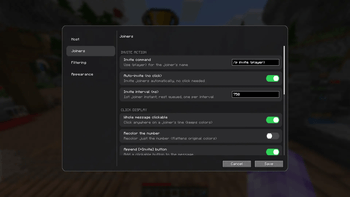 Config Config
-
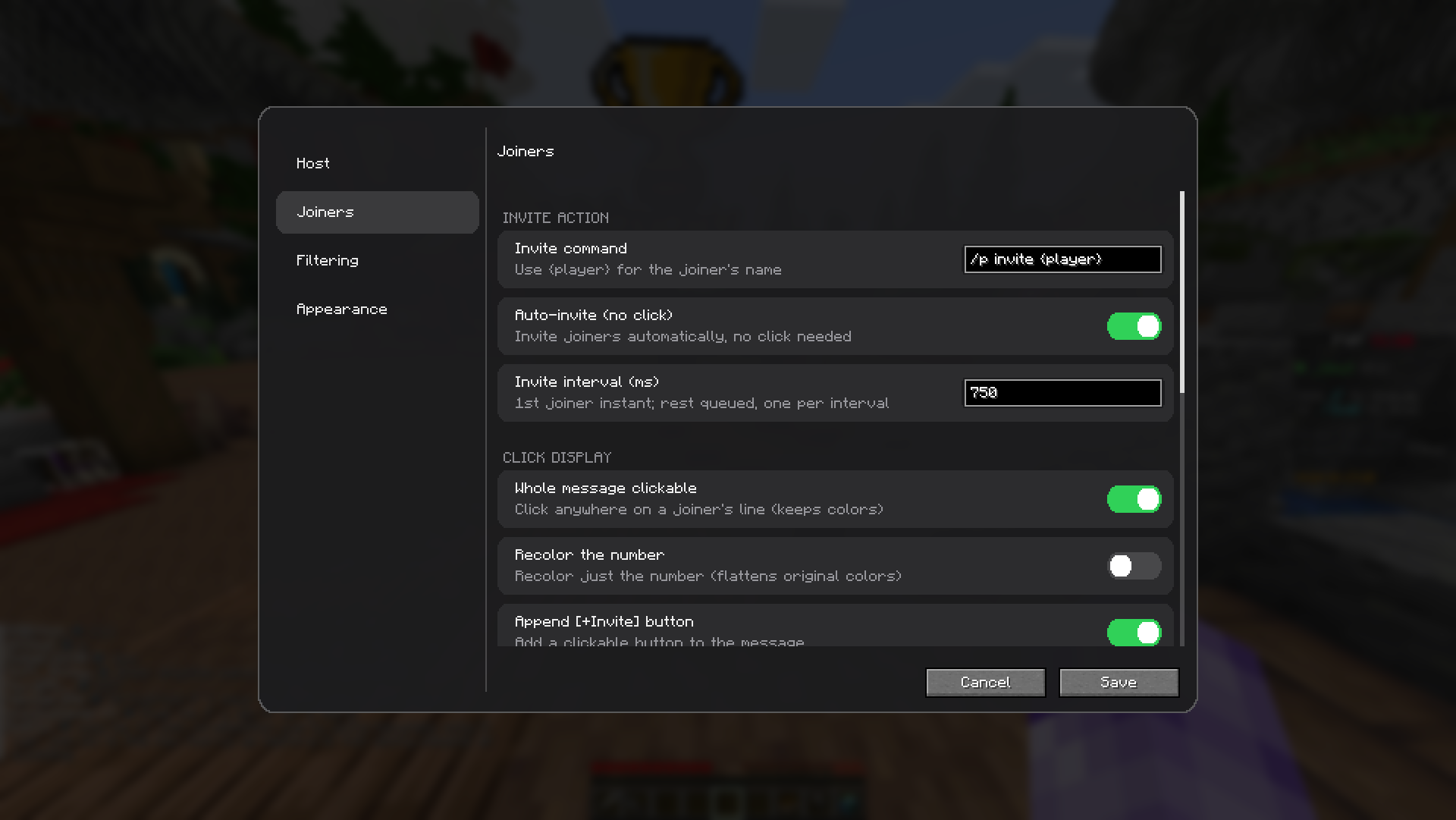 Config screen
Versions
Files
Relations
Project Relations
More like this
Similar Mods
Suggestions use data such as tags, dependencies, dependents, descriptions, titles, and more to rank how much they overlap with this mod.
On ModDex
Community snapshot
By the numbers
Statistics
Want to reach Minecraft players?
We're looking for a server hosting partner to feature here and other parts of the site. Interested? Send us a message!
Get in touchGet it on
Available Platforms
On ModDex
Community snapshot
By the numbers
Statistics
Resources