Community listing page, reviews here may not be monitored by the author.
Party System


No reviews yet
A lightweight NeoForge mod that adds a fully-featured party system with a customizable HUD, group chat, and friendly-fire protection. Keep track of your teammates' health and active effects!
Community voices
Reviews
No reviews yet. Be the first to review this project!
Get it on
Available Platforms
Compatibility
Supported Environments
Must be installed on both the client and the server.
About
Project Details
For authors
Embed Badge
If you're the author of this project, you can embed a live badge anywhere that supports HTML or Markdown. It updates automatically whenever ratings change.
Use HTML for any page that supports it, or Markdown for README files and Markdown-based descriptions.
Identifiers
Platform IDs
Resources
External Links
About
Description
Party System – a lightweight and multifunctional party system for NeoForge (Minecraft 1.21.1). The mod lets you create parties, chat in a group channel, track teammates' health and effects via a customizable HUD, and includes friendly‑fire protection. It focuses on clean visual integration, performance, and ease of use.
✨ Key Features
🎯 Party System
Create a party and invite other players.
Accept or decline incoming invitations; block unwanted invites.
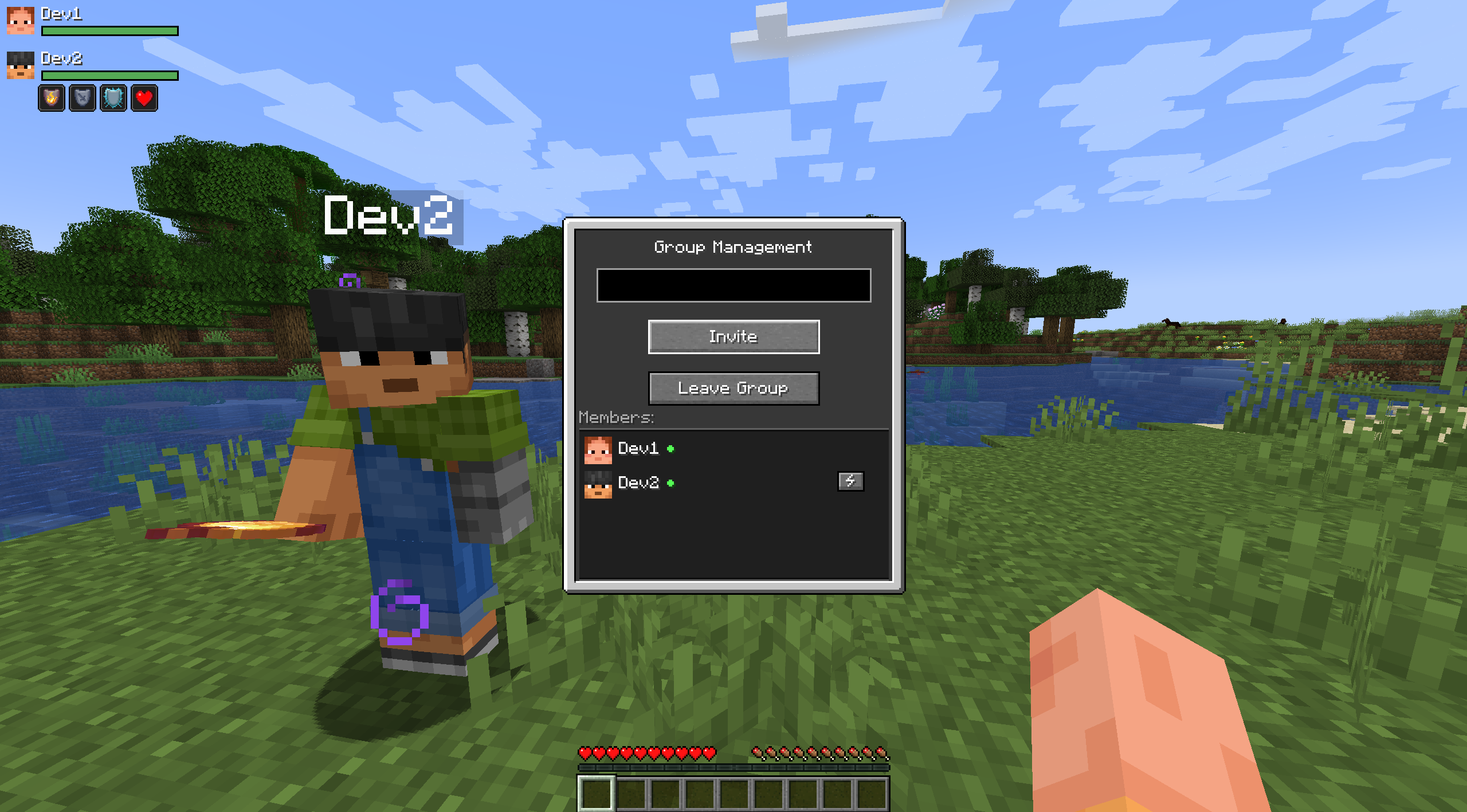
Kick members (owner only).
Automatic leadership transfer when the owner leaves.
💬 Group Chat
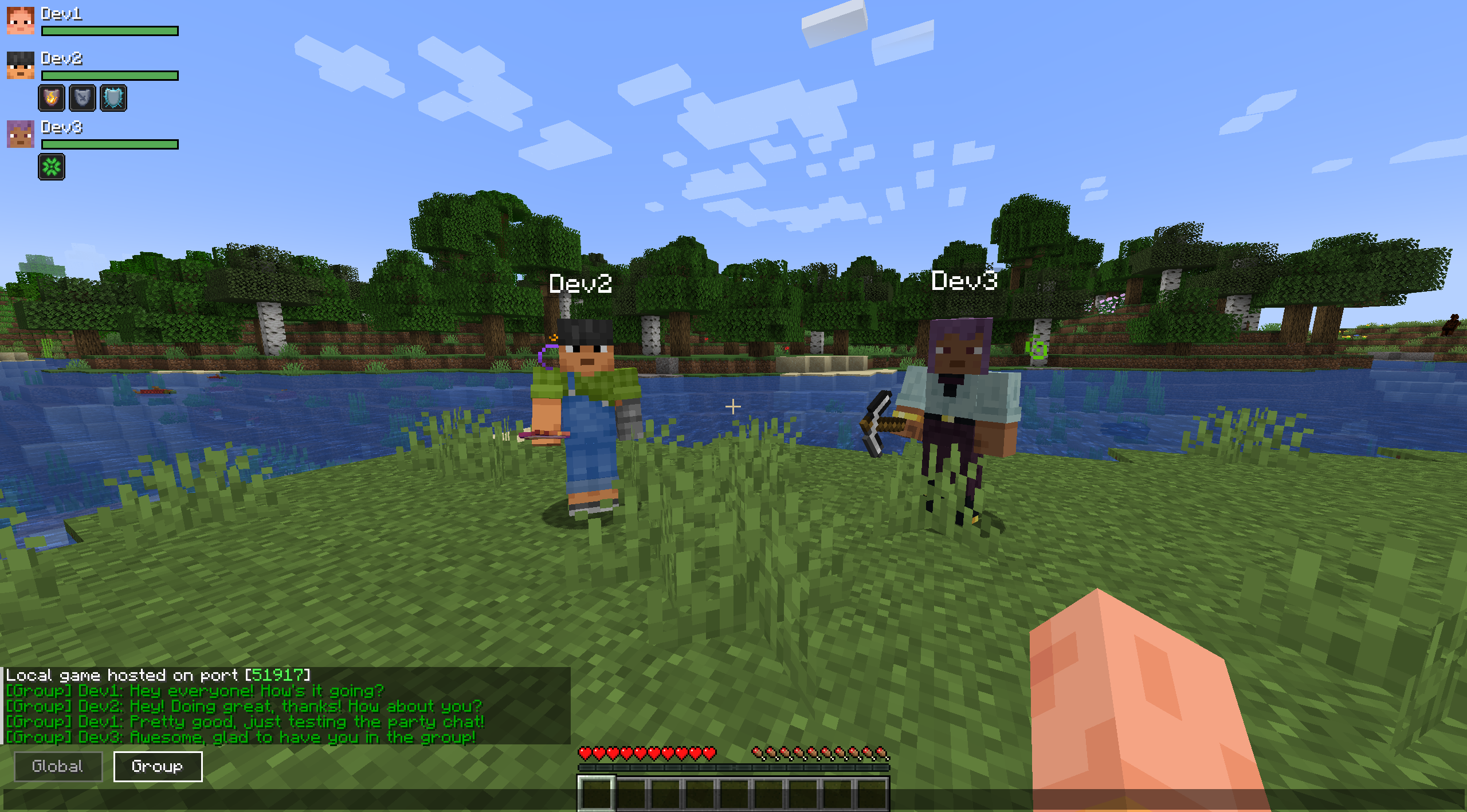
Switch between global and party chat right on the chat screen.
Messages are prefixed with [Group] and highlighted for visibility.
🩸 Party HUD
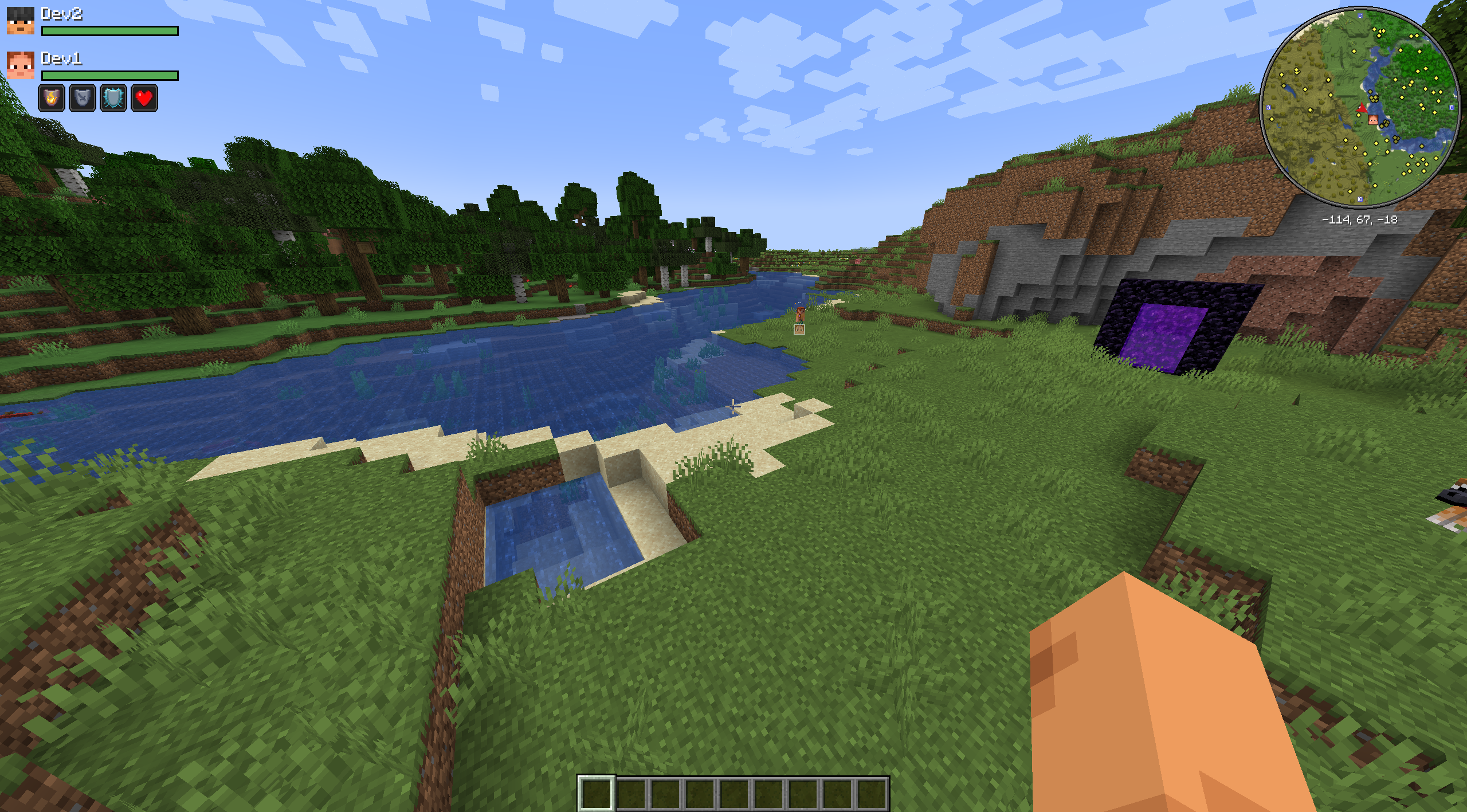
Shows heads, names, and health bars of all party members.
Displays active effect icons.
Effect icons blink smoothly when about to expire, just like the vanilla HUD.
Customizable position: drag the HUD with your mouse or move it with arrow keys.
Row height mode: choose between static (space always reserved for icons) or dynamic (rows become compact when no effects are active).
⚙️ Configuration
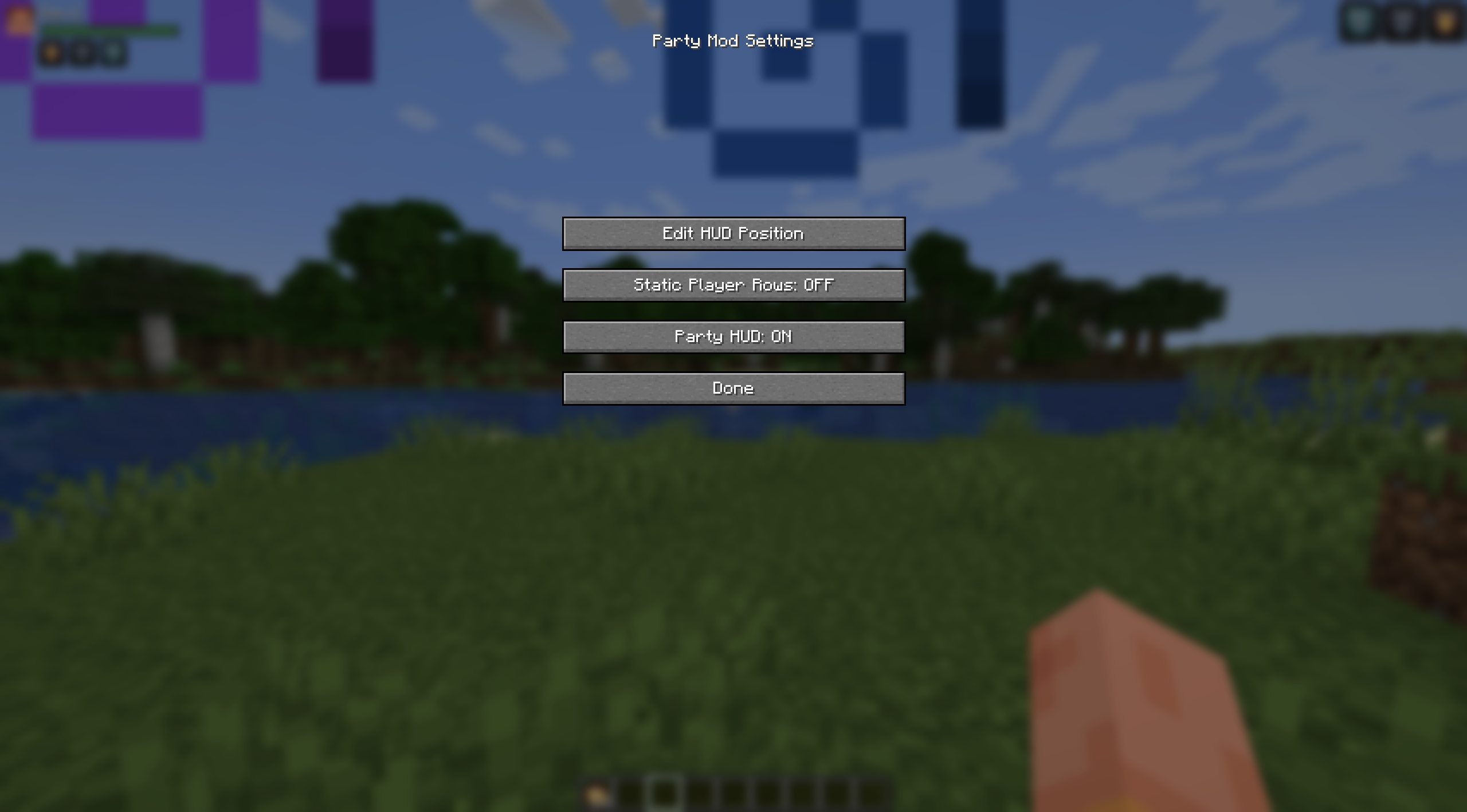
Configuration menu accessible via the «Configure» button in the Mods list.
The config screen offers:
HUD position editor (drag‑and‑drop or arrow keys).
Toggle static/dynamic player rows.
Toggle to completely hide the Party HUD from the screen.
🔒 Friendly‑Fire Protection
Party members cannot harm each other.
Tamed animals and horses of party members are also protected from allied attacks.
🌍 Localization
Full English and Russian language support.
All GUI elements, messages, and HUD texts are translated.
🚀 Quick Start
Open the party menu with the G key (default, can be changed in controls)
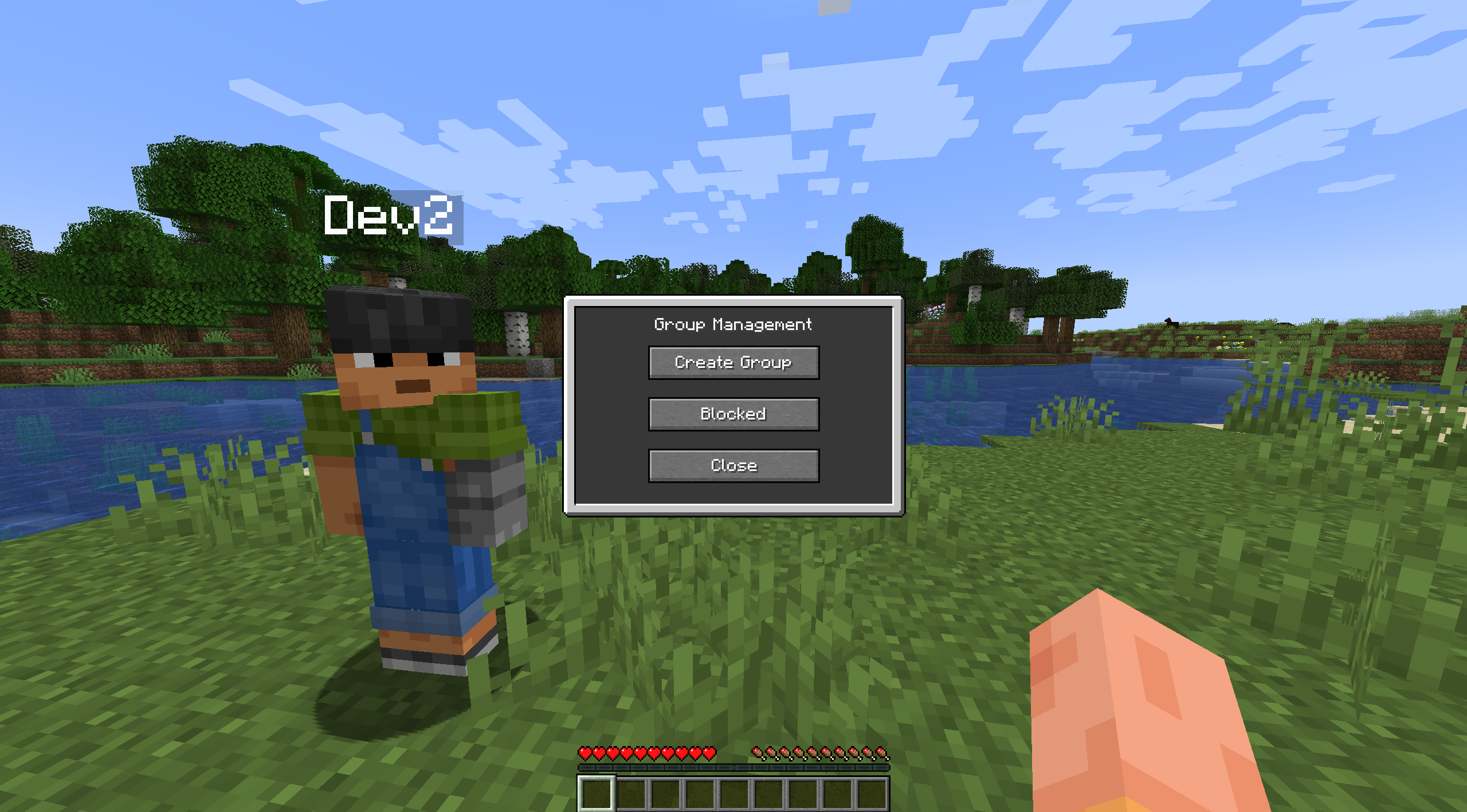
Create a party if you aren't in one
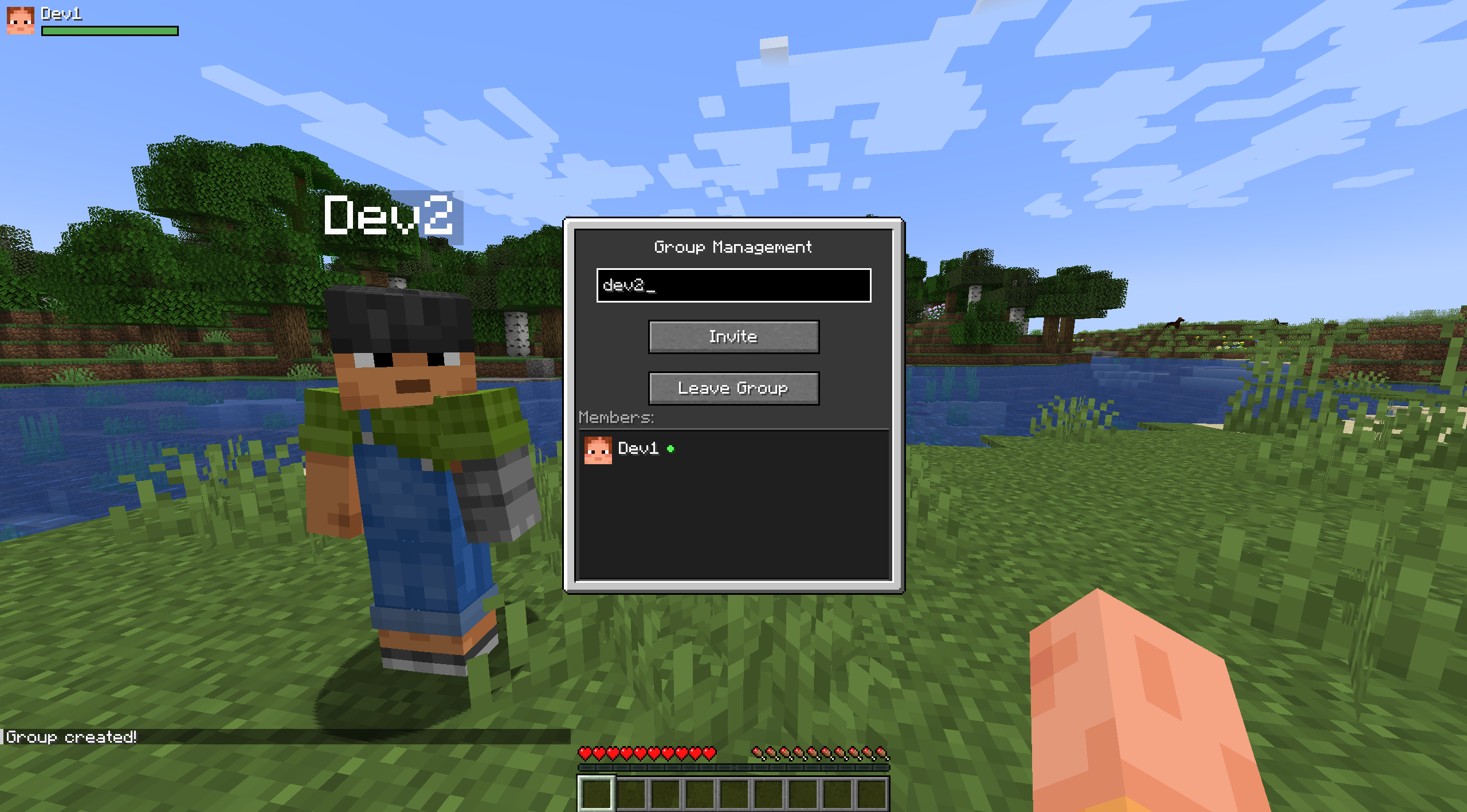
Invite players by typing their name in the field
Accept an invitation via the popup window
Open the config screen with the I key (default) or the «Configure» button in the Mods menu
Adjust the HUD position by dragging the panel or using the arrow keys
📌 Notes
Designed exclusively for NeoForge (not Forge or Fabric).
Works on servers; the server must also have the mod installed.
No extra libraries required; uses standard NeoForge APIs.
Party System – a lightweight and multifunctional party system for NeoForge (Minecraft 1.21.1). The mod lets you create parties, chat in a group channel, track teammates' health and effects via a customizable HUD, and includes friendly‑fire protection. It focuses on clean visual integration, performance, and ease of use.
✨ Key Features
🎯 Party System Create a party and invite other players.
Accept or decline incoming invitations; block unwanted invites.
Kick members (owner only).
Automatic leadership transfer when the owner leaves.
💬 Group Chat Switch between global and party chat right on the chat screen.
Messages are prefixed with [Group] and highlighted for visibility.
🩸 Party HUD Shows heads, names, and health bars of all party members.
Displays active effect icons.
Effect icons blink smoothly when about to expire, just like the vanilla HUD.
Customizable position: drag the HUD with your mouse or move it with arrow keys.
Row height mode: choose between static (space always reserved for icons) or dynamic (rows become compact when no effects are active).
⚙️ Configuration Configuration menu accessible via the «Configure» button in the Mods list.
The config screen offers: HUD position editor (drag‑and‑drop or arrow keys).
Toggle static/dynamic player rows.
Toggle to completely hide the Party HUD from the screen.
🔒 Friendly‑Fire Protection Party members cannot harm each other.
Tamed animals and horses of party members are also protected from allied attacks.
🌍 Localization Full English and Russian language support.
All GUI elements, messages, and HUD texts are translated.
🚀 Quick Start
Open the party menu with the G key (default, can be changed in controls)
Create a party if you aren't in one
Invite players by typing their name in the field
Accept an invitation via the popup window
Open the config screen with the I key (default) or the «Configure» button in the Mods menu
Adjust the HUD position by dragging the panel or using the arrow keys
📌 Notes Designed exclusively for NeoForge (not Forge or Fabric).
Works on servers; the server must also have the mod installed.
No extra libraries required; uses standard NeoForge APIs.
Screenshots
Gallery
-
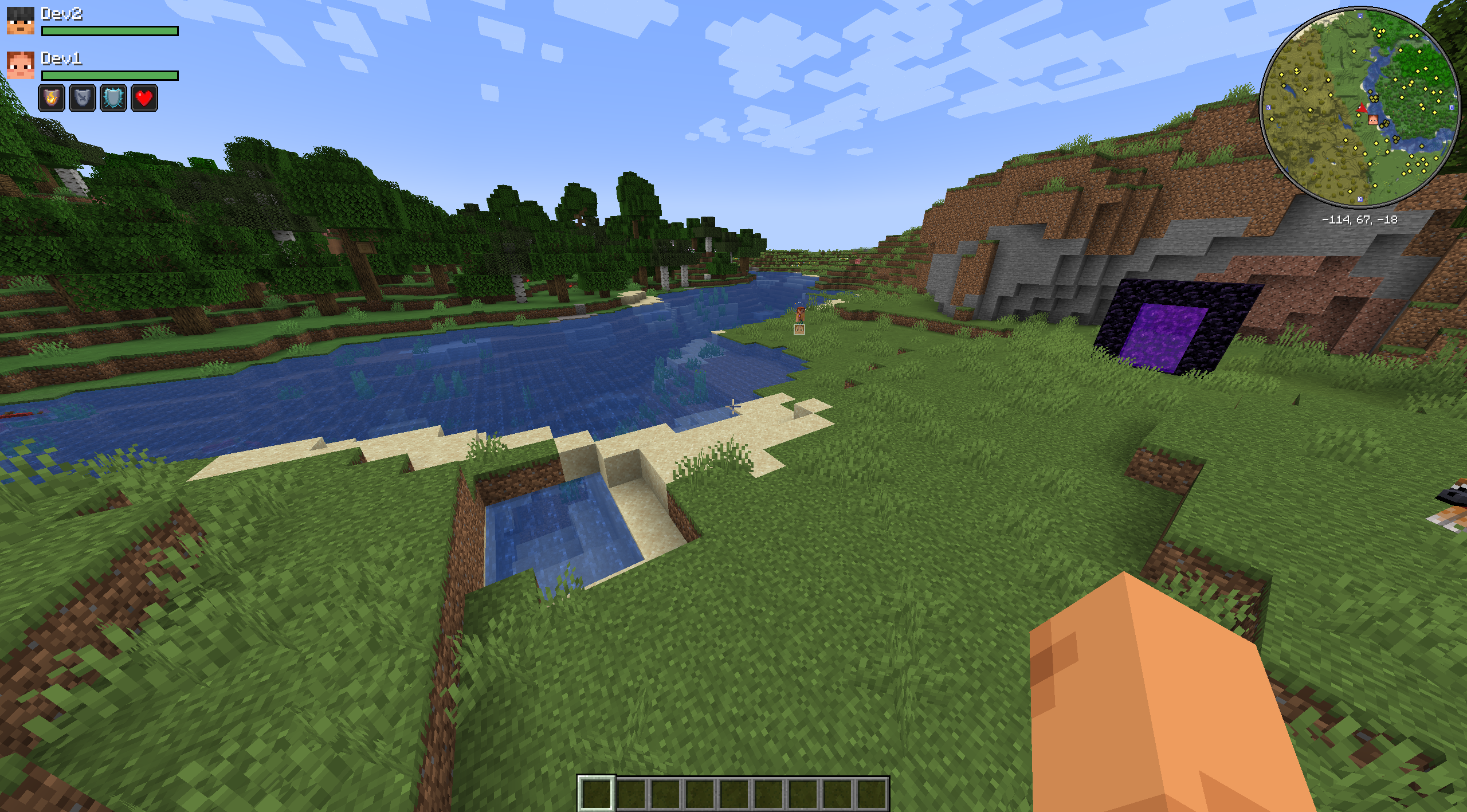 Xaeros Minimap support
 -
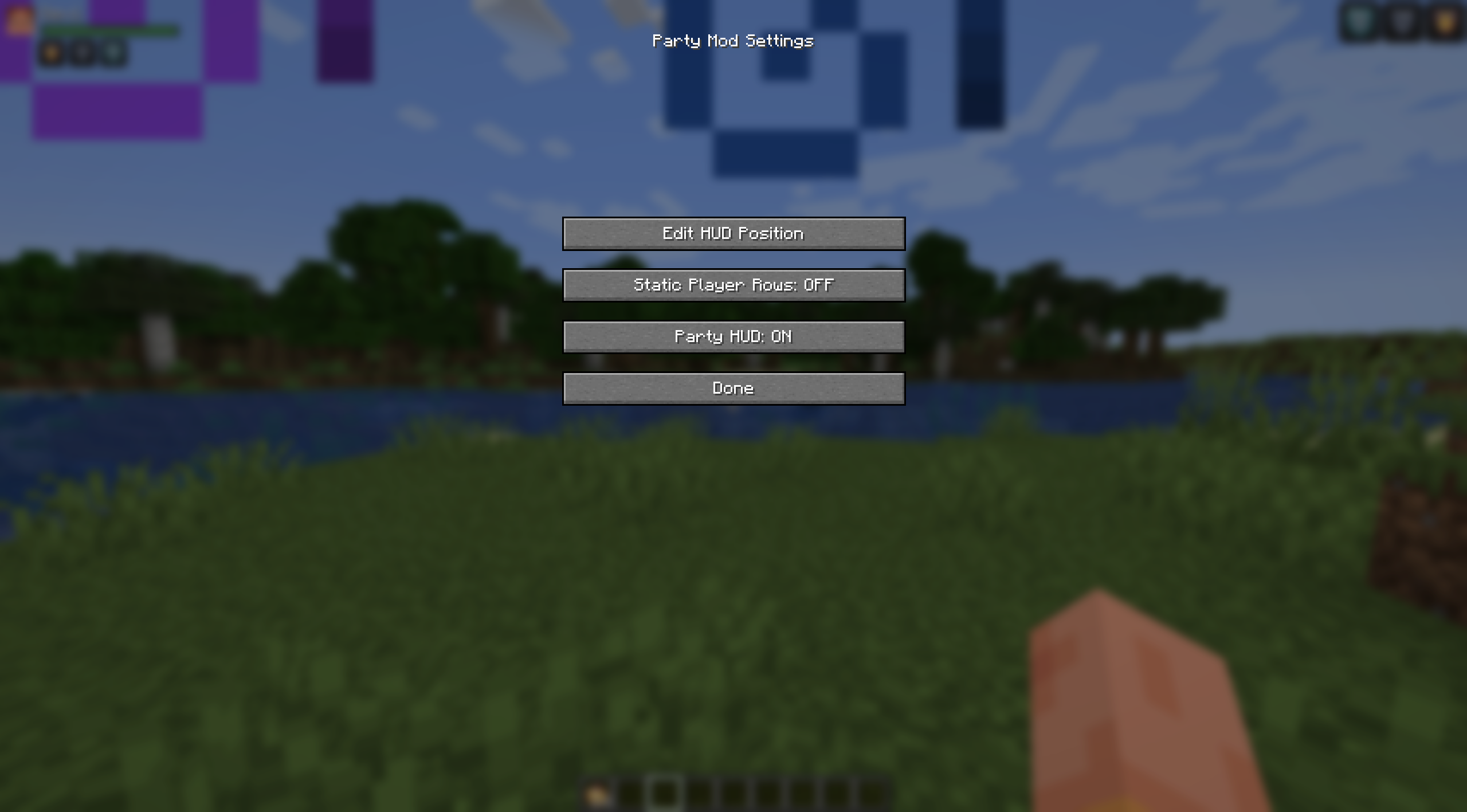 Party Configuration
 -
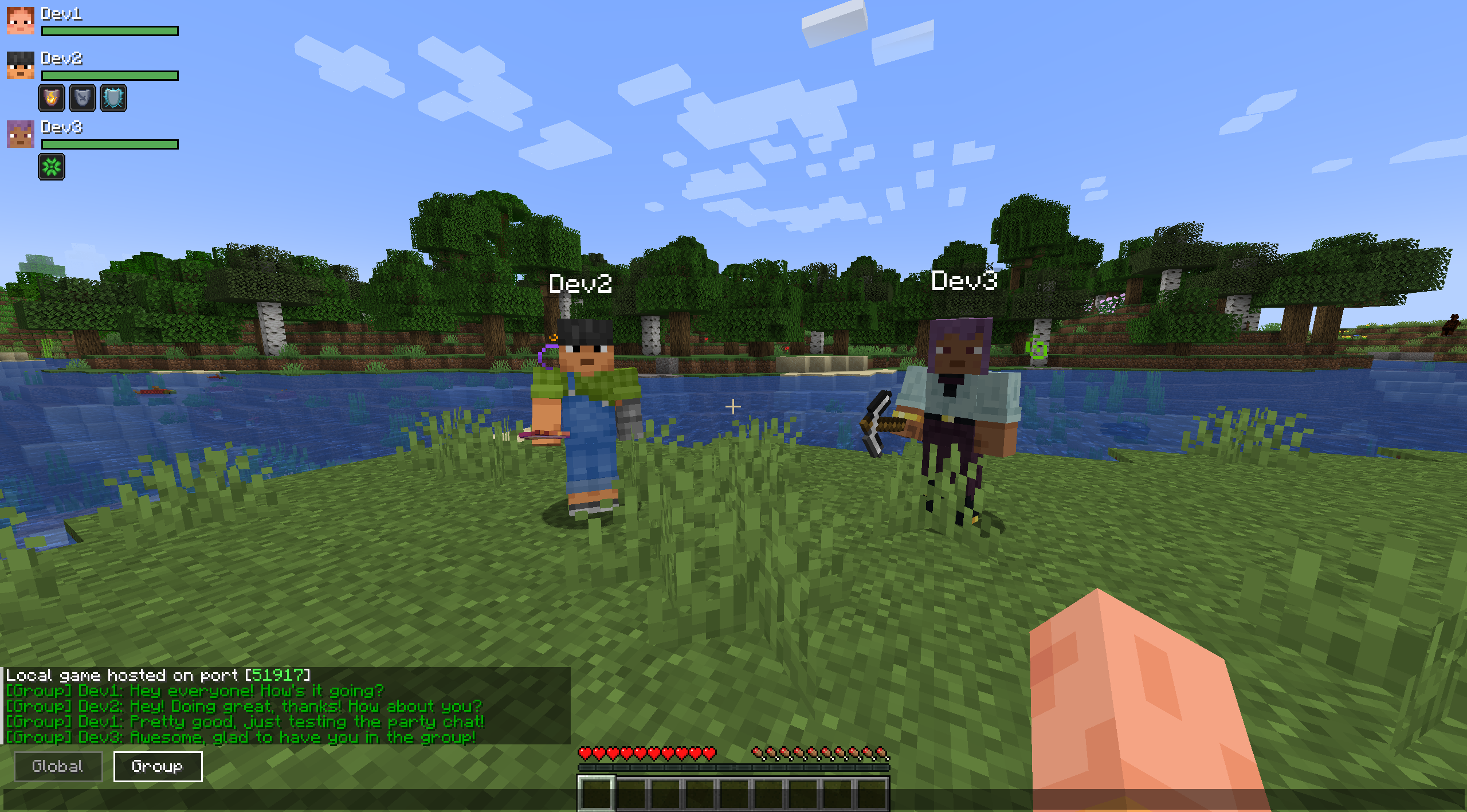 Global and Group chat tabs
 -
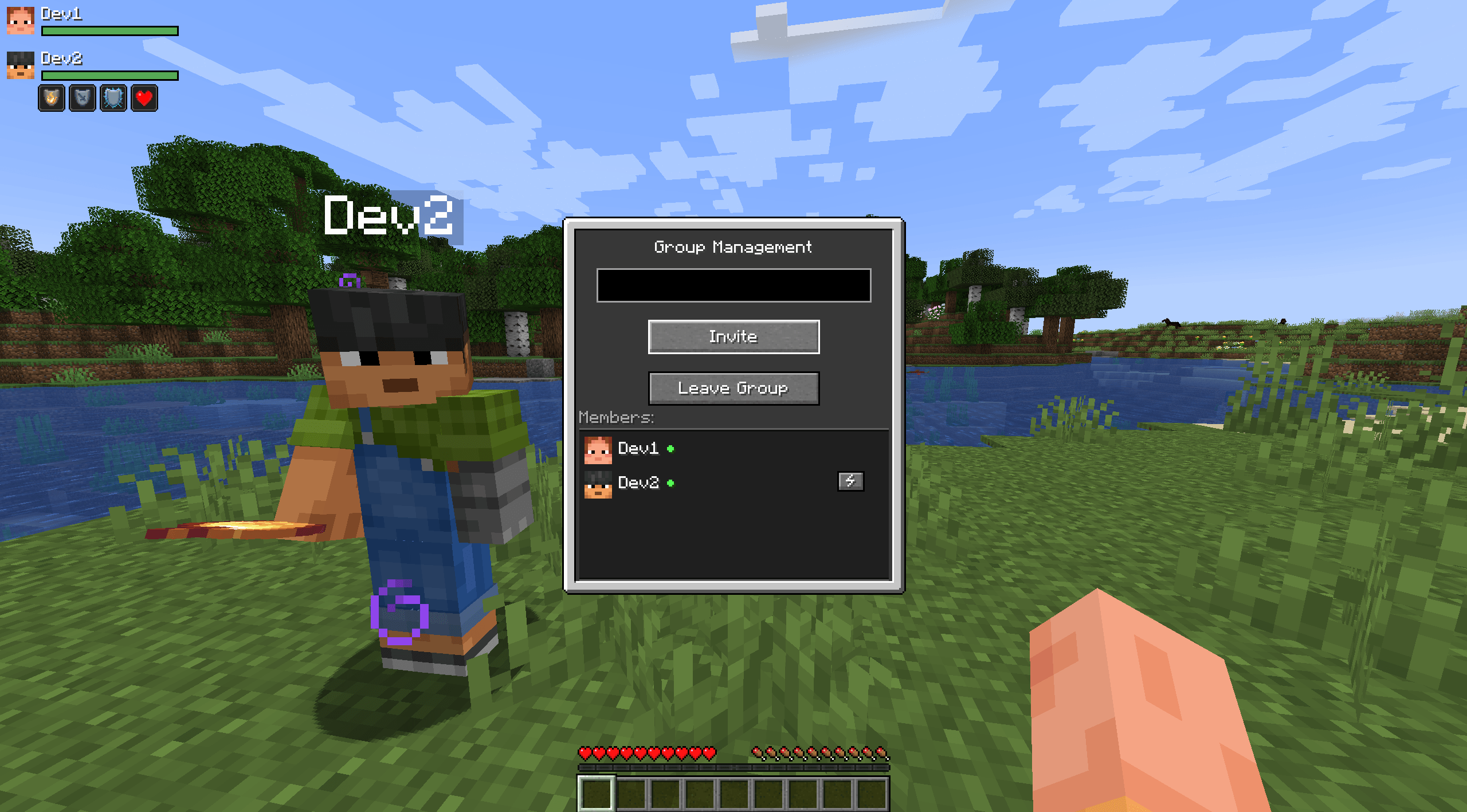 Party HUD – health & effects
 -
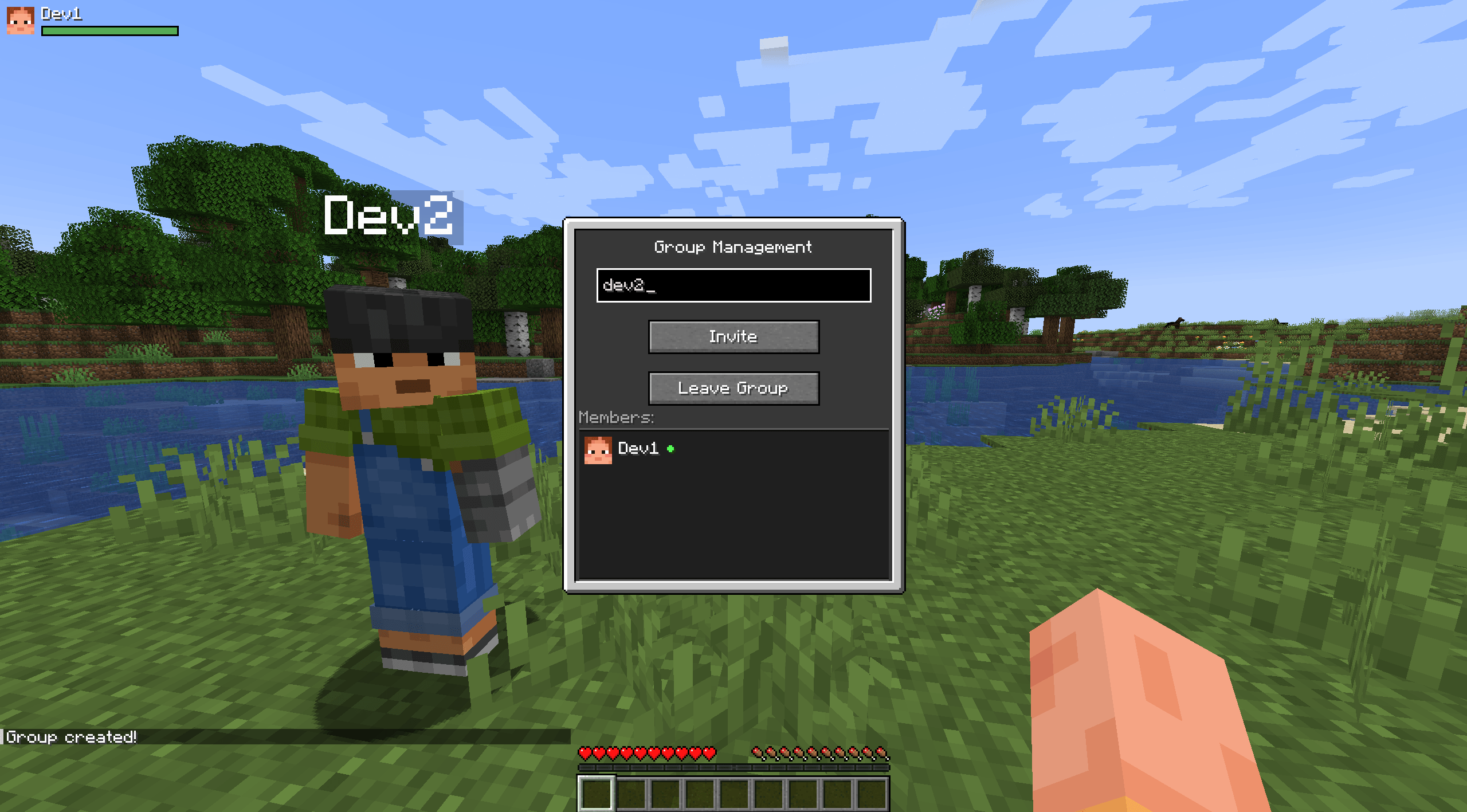 Manage party menu
 -
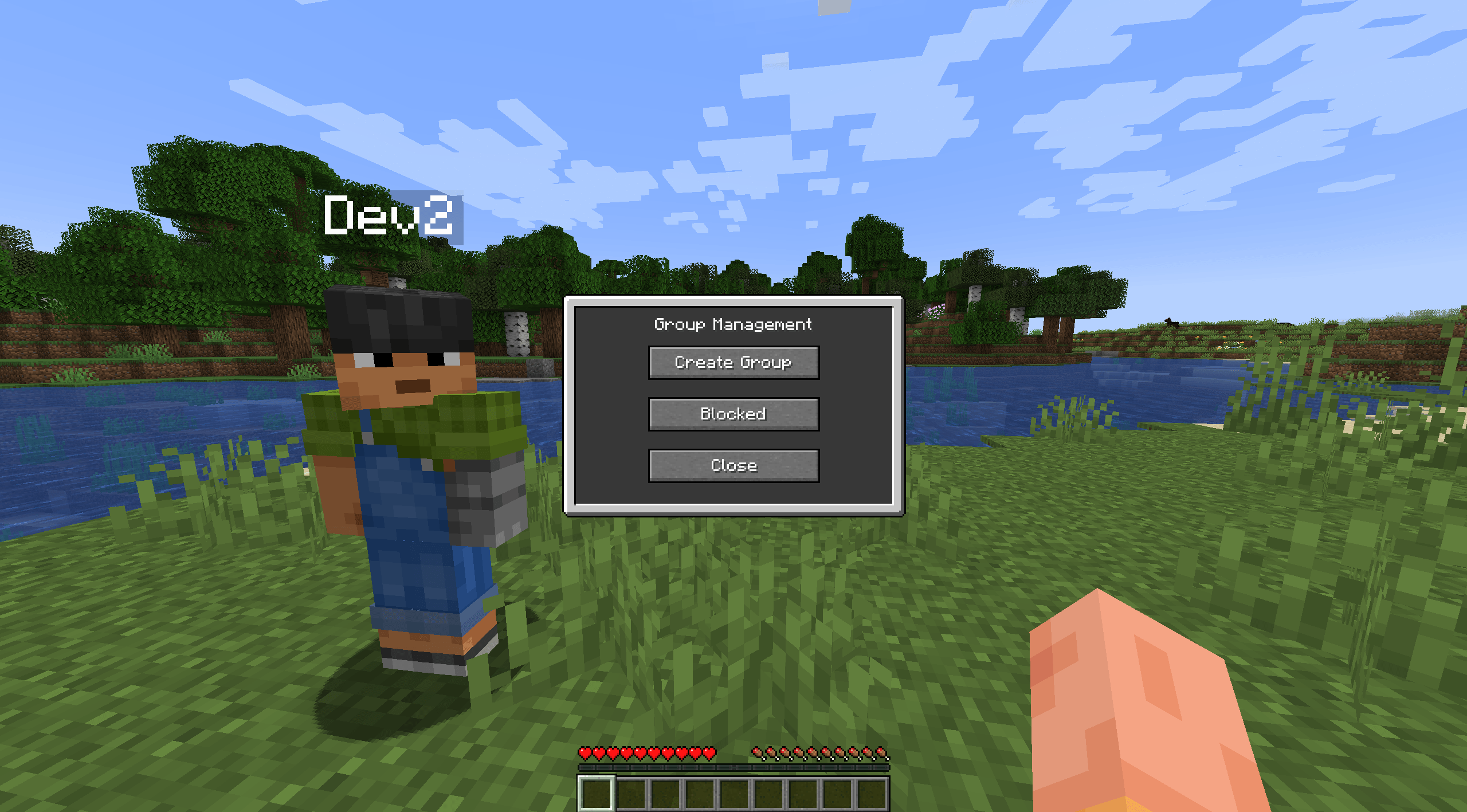 Create party menu
Versions
Files
Relations
Project Relations
More like this
Similar Mods
Suggestions use data such as tags, dependencies, dependents, descriptions, titles, and more to rank how much they overlap with this mod.
- Savaru's Affixology [Fabric/NeoForge]
- More Wizards [More Magic Series]
- Fallen Wizards [More Magic Series]
- More RPG Library
- Fallen Paladins and Priests [More Magic Series]
- More Relics (RPG Series Plus)
- Druids [More Magic Series]
- Battlemages [More Magic Series]
- Bards [More Magic Series]
- Blood Mages [More Magic Series]
- ANARCHY Minibosses (RPG Series Plus)
- Witcher (RPG Series Plus)
On ModDex
Community snapshot
By the numbers
Statistics
Want to reach Minecraft players?
We're looking for a server hosting partner to feature here and other parts of the site. Interested? Send us a message!
Get in touchGet it on
Available Platforms
On ModDex
Community snapshot
By the numbers
Statistics
Resources