Community listing page, reviews here may not be monitored by the author.
PartyBox


No reviews yet
Partybox Minecraft Music, Playlists & Jams
Community voices
Reviews
No reviews yet. Be the first to review this project!
Get it on
Available Platforms
Compatibility
Supported Environments
Runs entirely on the client. Works on vanilla servers.
About
Project Details
For authors
Embed Badge
If you're the author of this project, you can embed a live badge anywhere that supports HTML or Markdown. It updates automatically whenever ratings change.
Use HTML for any page that supports it, or Markdown for README files and Markdown-based descriptions.
Identifiers
Platform IDs
Resources
External Links
About
Description
PartyBox
PartyBox is a client-side Fabric mod that brings live, server-controlled music streaming to Minecraft.
Connect to a PartyBox server, pick a channel, and listen to music as it plays live. PartyBox supports up to 100 independent audio channels, allowing different songs and sounds to play simultaneously across a server.
Features
- Fabric client-side mod
- Lunar Client compatible
- DiosesMC modpack compatible
- English and Spanish support
- Live streamed audio from a PartyBox server
- Up to 100 independent audio channels
- In-game channel selector
- Personal music playback
- Hear-all mode for listening to every active channel
- In-game volume control
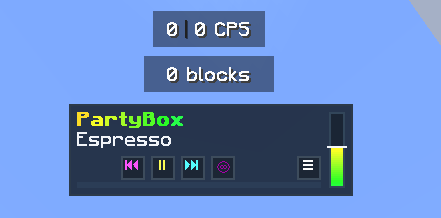
- Now Playing display with song progress
- Optional actionbar player overlay
- Play, pause, resume, skip, go back, shuffle, and loop controls
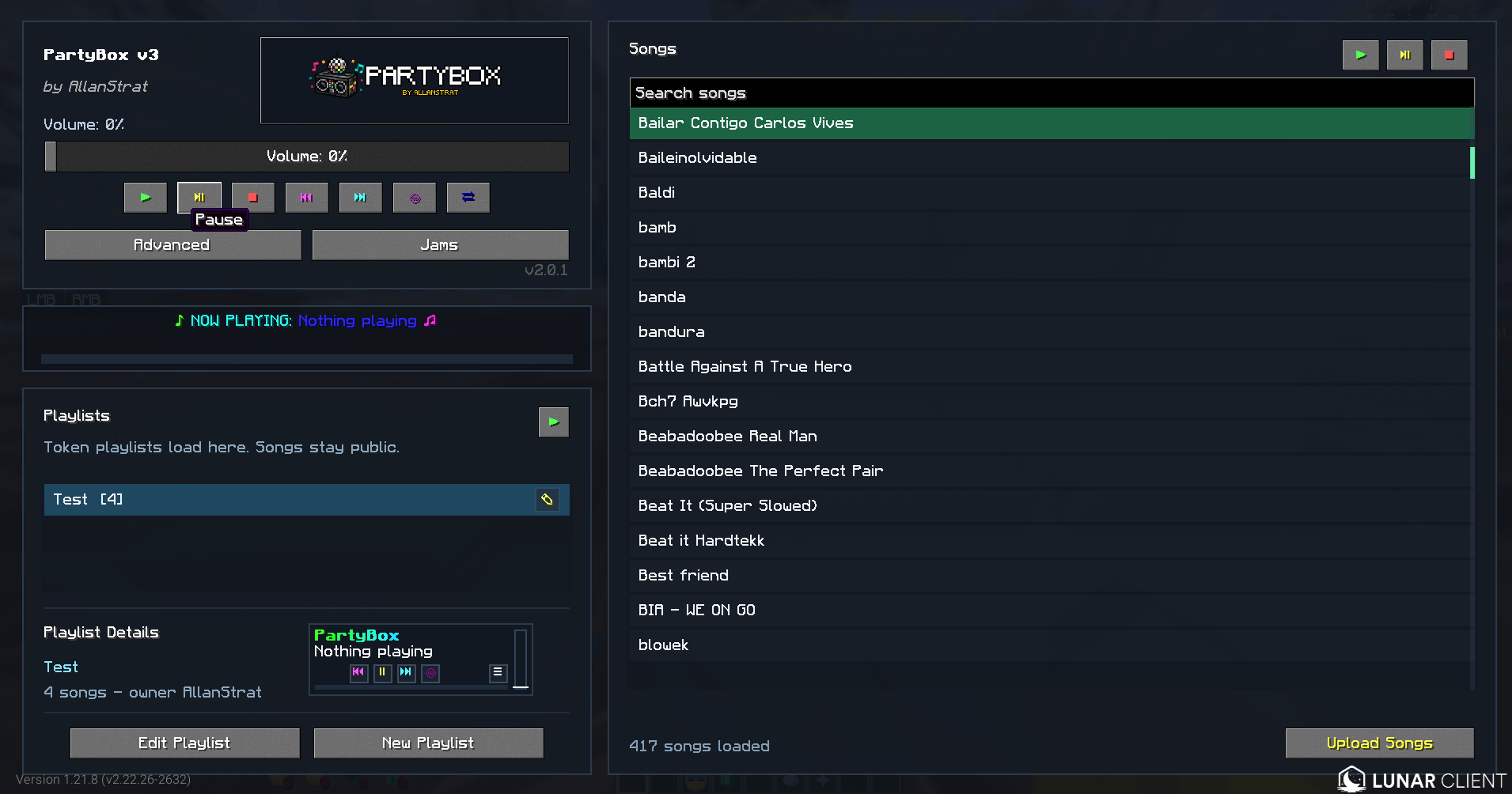
- Playlist support
- YouTube song importing through the PartyBox website
- Manual
.ogguploads when needed - Built for events, roleplay, hubs, rides, announcements, and parties
How It Works
PartyBox streams audio from a dedicated backend directly to players running the mod.
Each channel can play its own audio at the same time. Players choose the channel they want to hear, while staff or DJs control what plays on the available channels.
PartyBox uses .ogg files on the backend for efficient streaming and playback.
Getting Started
- Install PartyBox in your Fabric client.
- Open the PartyBox menu in Minecraft.
- Set the PartyBox server address if your server provides a custom one.
- Select a channel and start listening.
Your server owner or staff team can provide any connection details needed for their PartyBox setup.
Player Controls
Players can:
- Choose an available music channel
- Change channels while music is playing
- Adjust PartyBox volume
- Enable or disable the actionbar player
- See the currently playing song and its progress
- Enable Hear All to listen to all active channels
- Use personal playback controls where enabled by the server
Uploading Songs
Songs can be added from the PartyBox website:
To upload a song:
- Click Upload Songs.
- Paste the YouTube URL for the song.
- Submit the upload.
PartyBox imports the audio, converts it, and makes it available in the song library.
If needed, .ogg files can also be uploaded manually.
Only upload content you have permission to use.
Playlists
PartyBox supports playlists for organizing songs and keeping the music going.
Use playlists to:
- Group songs together
- Build themed music sets
- Create ride, event, or radio playlists
- Shuffle or loop music
- Quickly start a collection of songs in-game
In-Game Controls
PartyBox includes in-game controls and /partybox commands for supported playback actions, including:
- Play songs
- Stop playback
- Pause and resume
- Skip and go back
- Adjust volume
- Loop songs or playlists
- Shuffle playlists
- Start playlists
Available controls may depend on the configuration of the PartyBox server you are connected to.
Example Use Cases
PartyBox is great for:
- Server-wide music events
- Roleplay radio stations
- Theme park rides and attractions
- Staff announcement channels
- Minigame music and sound effects
- Party hubs and social areas
- Ambient zones
- Live DJ-style events
- Private event broadcasts
Compatibility
- Minecraft: Fabric
- Environment: Client-side mod
- Audio Playback: Multi-channel streamed audio
- Backend: PartyBox server required
- Backend Audio Format:
.ogg
Notes
- PartyBox is not a voice chat replacement.
- A PartyBox backend is required for streaming.
- Players hear only their selected channel unless Hear All is enabled.
- Available controls and uploads can vary by server configuration.
Summary
PartyBox gives Minecraft servers a flexible way to run live, multi-channel music and audio experiences.
Whether you are building a roleplay radio station, hosting an event, running a theme park, creating a music hub, or adding atmosphere to your server, PartyBox makes it easy for players to tune in.
Special thanks to tqxsw, Lexbux, and Kopeq for testing and contributing ideas during the development of the mod.
PartyBox
PartyBox is a client-side Fabric mod that enables live, server-controlled music and audio streaming in Minecraft.
It connects your Minecraft client to an external PartyBox backend, allowing players to tune into up to five independent live audio channels. Each channel can play different audio simultaneously, giving players full control over what they hear.
Private Access Notice
PartyBox is currently intended for private events. Adding songs and controlling playback is restricted to approved users.
Access requests: DM @AllanStrat on Discord
Features
- Compatible with Lunar Client
- Compatible with DiosesMC modpack
- English and Spanish language support
- Live streamed audio from an external backend
- Five independent audio channels
- Client-side channel selector
- Optional "hear all channels" mode
- In-game volume control
- RGB "Now Playing" display
- Optional actionbar overlay
/partyboxcommands for authorized users- Token-based backend permissions
- Per-token channel restrictions
- Web dashboard for song management and playback monitoring
- Protected upload system for approved users
How It Works
PartyBox uses an external backend service to stream decoded PCM audio to Minecraft clients over WebSocket.
The backend plays .ogg files on one of five logical channels. Example:
partybox play judas.ogg 3
This plays judas.ogg on Channel 3 for players listening to that channel.
Player Controls
Players can:
- Select Channel 1–5
- Adjust volume
- Switch channels in real time
- Enable or disable the actionbar player
- Optionally hear all active channels simultaneously
Admin and Token Access
Playback and uploads are protected by backend tokens.
Tokens can be restricted by permissions and channel access. For example, a token may only allow playback on Channel 5, while an admin token can control all channels.
Supported Actions
- Play audio on a channel
- Stop channel playback
- Adjust channel volume
- Upload
.oggfiles via the web dashboard (if permitted)
Web Dashboard
PartyBox includes a lightweight web dashboard:
The dashboard provides:
- List of uploaded songs
- Current "Now Playing" status across channels
- Upload interface for authorized users
Song uploads require a valid authorized token.
Example Use Cases
- Server-wide music events
- Roleplay radio systems
- Theme park rides and attractions
- Staff announcement channels
- Minigame music and alerts
- Party hubs and social spaces
- Ambient zones or DJ-style live events
- Private event broadcasting
Compatibility
- Minecraft: Fabric
- Environment: Client-side mod
- Backend: External PartyBox server
- Audio Format:
.ogg - Channels: 5 independent channels
Notes
- PartyBox is not a voice chat replacement
- An external backend server is required
- Players only hear selected channels
- Admin controls and uploads are restricted by tokens
- Public access depends on server configuration
Summary
PartyBox brings live multi-channel audio streaming to Minecraft through a lightweight Fabric client and a dedicated backend server.
Whether running a roleplay station, live event, theme park ride, music room, minigame, or private party, PartyBox provides a simple and flexible way for players to tune in and experience synchronized audio.
Screenshots
Gallery
-
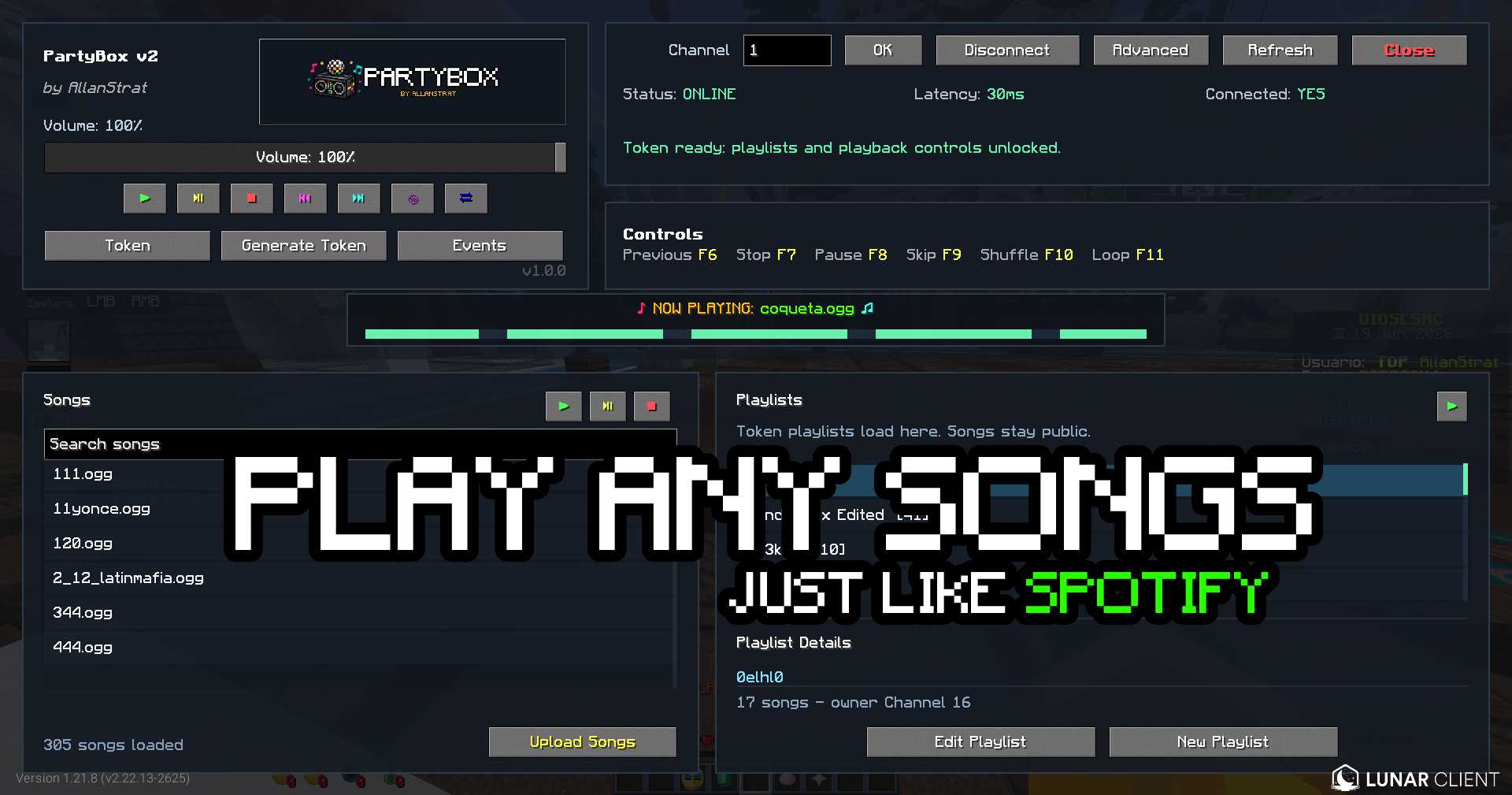 image (31).png image (31).png
 -
 Un2452352353titled.png Un2452352353titled.png
 -
 Screenshot 2026-08-07 080849.png Screenshot 2026-08-07 080849.png
-
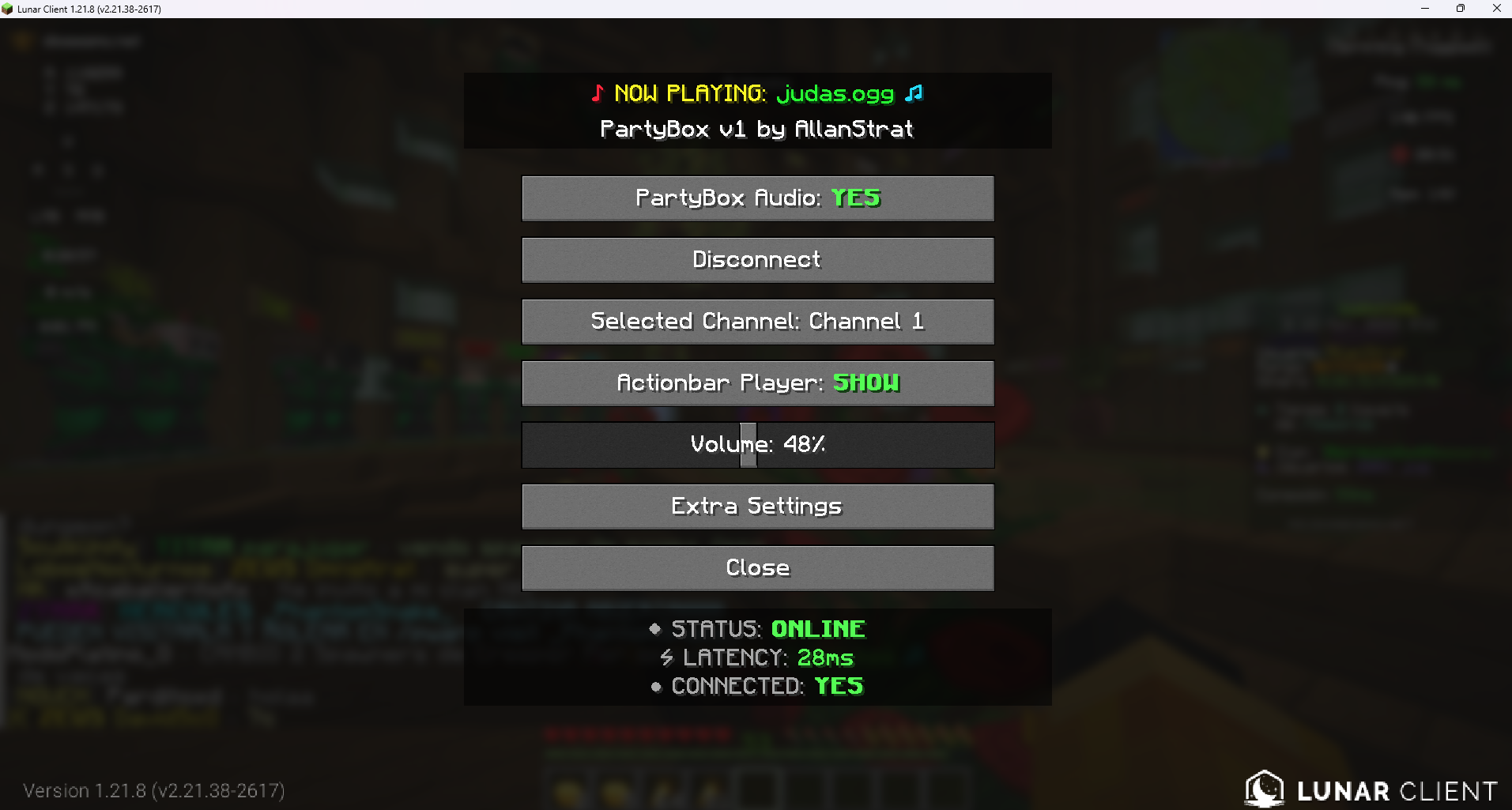 Partybox GUI
Versions
Files
Relations
Project Relations
More like this
Similar Mods
Suggestions use data such as tags, dependencies, dependents, descriptions, titles, and more to rank how much they overlap with this mod.
On ModDex
Community snapshot
By the numbers
Statistics
Want to reach Minecraft players?
We're looking for a server hosting partner to feature here and other parts of the site. Interested? Send us a message!
Get in touchGet it on
Available Platforms
On ModDex
Community snapshot
By the numbers
Statistics
Resources