
Community listing page, reviews here may not be monitored by the author.
Penchant Reforged

No reviews yet
Rework enchanting around leveling up enchantments through usage. Unofficial NeoForge port of Penchant by ThePotatoArchivist.
Community voices
Reviews
No reviews yet. Be the first to review this project!
Get it on
Available Platforms
About
Project Details
For authors
Embed Badge
If you're the author of this project, you can embed a live badge anywhere that supports HTML or Markdown. It updates automatically whenever ratings change.
Use HTML for any page that supports it, or Markdown for README files and Markdown-based descriptions.
Identifiers
Platform IDs
Resources
External Links
About
Description

Penchant
Enchantments start at level 1 and level up as you use the item. Mine, fight, block, wear armor - your gear gets stronger the more you use it.
This is an unofficial port of Penchant by ThePotatoArchivist, for Forge 1.20.1 and NeoForge 1.21+. Design and credit go to them. The port uses native APIs and aims for full feature parity.
Original mod: https://modrinth.com/mod/penchant
Original source: https://github.com/ThePotatoArchivist/Penchant
How it works
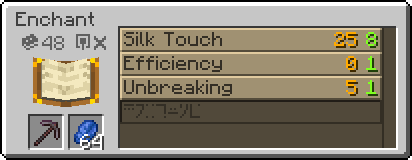
Build an enchanting table, surround it with bookshelves, and open it. You pick which enchantment to apply instead of rolling the dice. New enchantments start at level 1. Progress fills up whenever the item takes durability damage. When the bar is full, the enchantment levels up with a sound and particles.
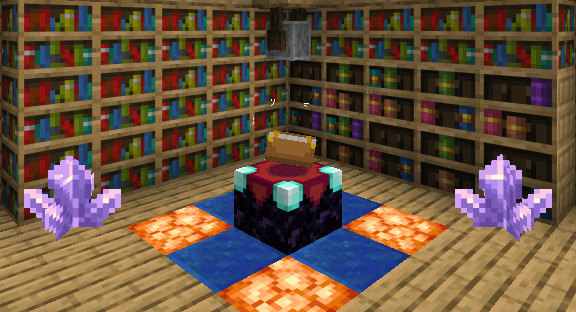
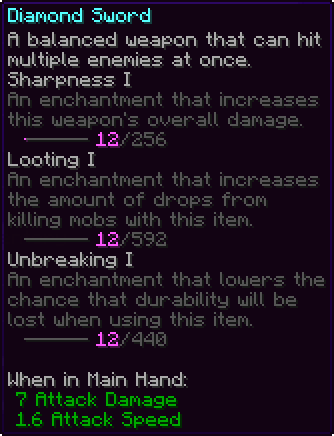
Hold Left Ctrl (configurable) to see progress bars on enchanted items. Take enchantments back off gear at a grindstone. A Tome of Penchant (Patchouli) explains the system in-game, in English and French: craft a Book with an Enchanting Table.
Features
- Usage-based leveling - every enchantment on an item gains progress from mining, attacking, blocking, or wearing armor.
- Reworked enchanting table - choose the enchantment. Applied at level 1, then it levels through use.
- Extract onto books - pull enchantments out of gear at a grindstone.
- Progress tooltips - hold a key to see how close each enchantment is to the next level. Oversized datapack enchantments no longer crash the client.
- Advancements - libraries, enchanting, and collecting every enchantment.
Toggleable modules
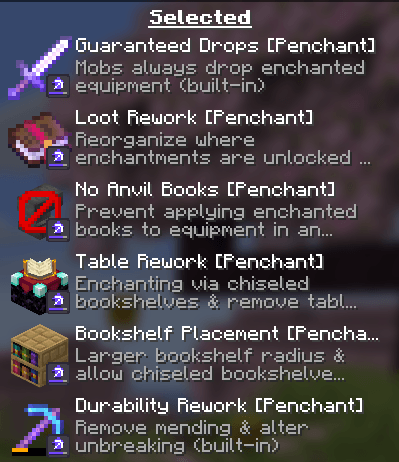
Several behaviors ship as built-in datapacks. Enable or disable them from the Data Packs screen when creating or editing a world, then reload. Disabled packs actually turn the matching module off.
Modpack developers can also set which modules are enabled by default for new worlds in config/penchant/server.toml. That file does not change worlds that already exist. If you are a player, prefer the vanilla datapack menu.
- Durability Rework (on) - Unbreaking and Mending reworked around leveling. Unbreaking's last level makes the item unbreakable (V by default; follows another mod's max-level cap if you use one).
- Bookshelf Placement (on) - more lenient bookshelf placement around the table.
- Table Rework (on) - custom enchanting table menu and advancements.
- No Anvil Books (on) - no combining enchanted books on an anvil.
- Loot Rework (on) - reworks loot and trades; uncategorized enchantments off the table; curses off trades and loot books.
- Guaranteed Drops (on) - enchanted mob equipment is only guaranteed if it has a non-common enchantment. Controlled by tag
#penchant:ignore_guaranteed_drop. - Randomized Librarians (off, not on every Minecraft version) - librarians sell a random enchanted book each purchase instead of one locked trade.
Works with other enchantment mods
Penchant is tag-driven and data-driven, not hardcoded to vanilla enchantments.
- Enchantments added by other mods level up through usage automatically - no patch needed.
- Mods that raise or lower enchantment level caps (Remove Enchantment Limits and similar) are honoured. Penchant levels up to that cap, and Unbreaking becomes unbreakable at whatever the last level is.
#penchant:no_leveling- applied at full level, never gains progress.#penchant:disabled- hidden from the enchanting table.- Single-level enchantments skip the progress bar.
Mods that add enchantments are compatible. Mods that replace the enchanting table, the anvil, or enchantment helpers may conflict. If a specific enchantment should not level, put it in #penchant:no_leveling.
Integration
- Max Protection (and similarly named mods) - if installed, Protection, Fire Protection, Blast Protection, and Projectile Protection can be combined on the same piece in the Penchant table, not only on the anvil.
- Enchiridion Enchanting - table menu and progress tooltips stay correct when Enchiridion restyles enchantment lines. Compat is neither complete nor balanced yet.
- Item Descriptions - extra lore on Penchant enchantments if installed. Optional, not bundled.
- Patchouli - required for the Tome of Penchant.
License & credits
- Original mod by ThePotatoArchivist.
- Forge / NeoForge port by WoXayZ.
- Licensed under LGPL-3.0-or-later, matching the original.
This is an unofficial port and is not affiliated with or endorsed by the original author.
Screenshots
Gallery
-
Datapacks All possible datapacks with Penchant
-
Progress Tooltip Higher enchantments levels equals hardworking !
-
Enchanting Table New UI for Enchanting Table
-
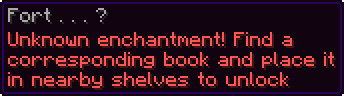 Locked Enchantments Some enchantments are only available by finding them and placing them in Chiseled Bookshelves
 -
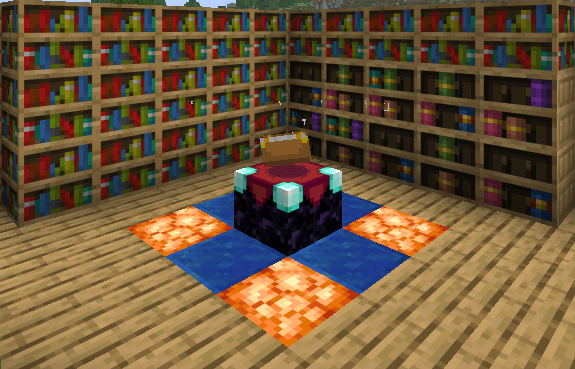 Unlock Bookshelf Chiseled Bookshelves are useful !
 -
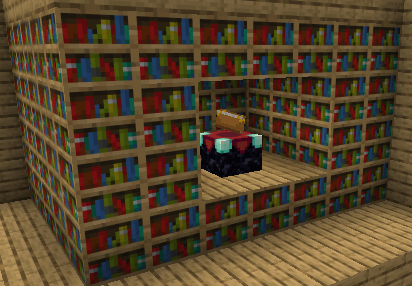 Bookshelf Placement Example of possible bookshelves placement
 -
Extract Grindstone Place a Grindstone everywhere around the Table to unlock Extracting Module
-
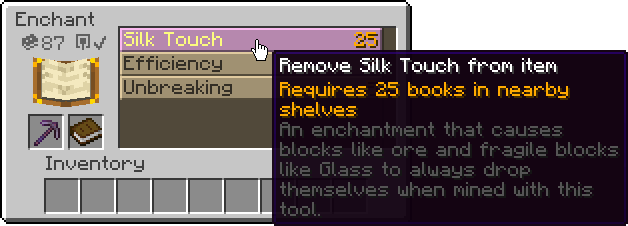 Extract UI Extracting Module when a Grindstone is placed around the Table
 -
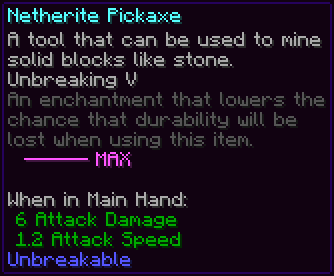 Unbreakable No longer Mending hard-trading with Villagers. Unbreaking has now 5 levels and the final is Unbreakable !
 -
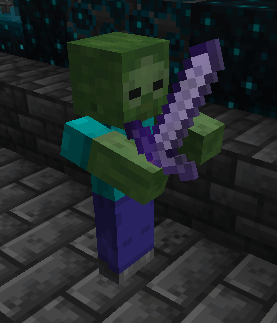 Guaranteed Drops Mobs with equipment that always loot
 -
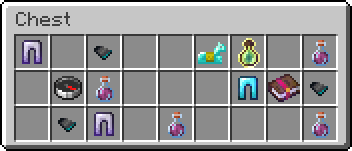 Loot Book To obtain new enchantments, simply find them in chests !
 -
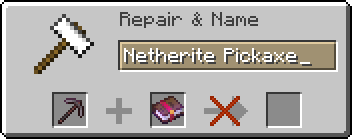 Anvil Blocked Anvil Enchantments no longer works !
Versions
Files
Relations
Project Relations
More like this
Similar Mods
Suggestions use data such as tags, dependencies, dependents, descriptions, titles, and more to rank how much they overlap with this mod.
On ModDex
Community snapshot
By the numbers
Statistics
Want to reach Minecraft players?
We're looking for a server hosting partner to feature here and other parts of the site. Interested? Send us a message!
Get in touchGet it on
Available Platforms
On ModDex
Community snapshot
By the numbers
Statistics
Resources