Community listing page, reviews may not be monitored by the author.
Pepsi's Easy Multi Item Sorter


No reviews yet
Making multi-item sorters has never been easier

Community voices
Reviews
No reviews yet. Be the first to review this project!
Get it on
Available Platforms
Compatibility
Supported Environments
Runs entirely on the server. Also works in singleplayer.
About
Project Details
For authors
Embed Badge
If you're the author of this project, you can embed a live badge anywhere that supports HTML or Markdown. It updates automatically whenever ratings change.
Use HTML for any page that supports it, or Markdown for README files and Markdown-based descriptions.
Identifiers
Platform IDs
Resources
External Links
About
Description
Building a Multi Item Sorter (or MIS) is always complex, prone to breaking, and overall, not fun to build. I couldn't find one online that met my demands. Some were too expensive, others too large or too slow…
So, I decided to make this. Instead of your MIS looking clustered with redstone and minecart circuits, you get this very simple design.
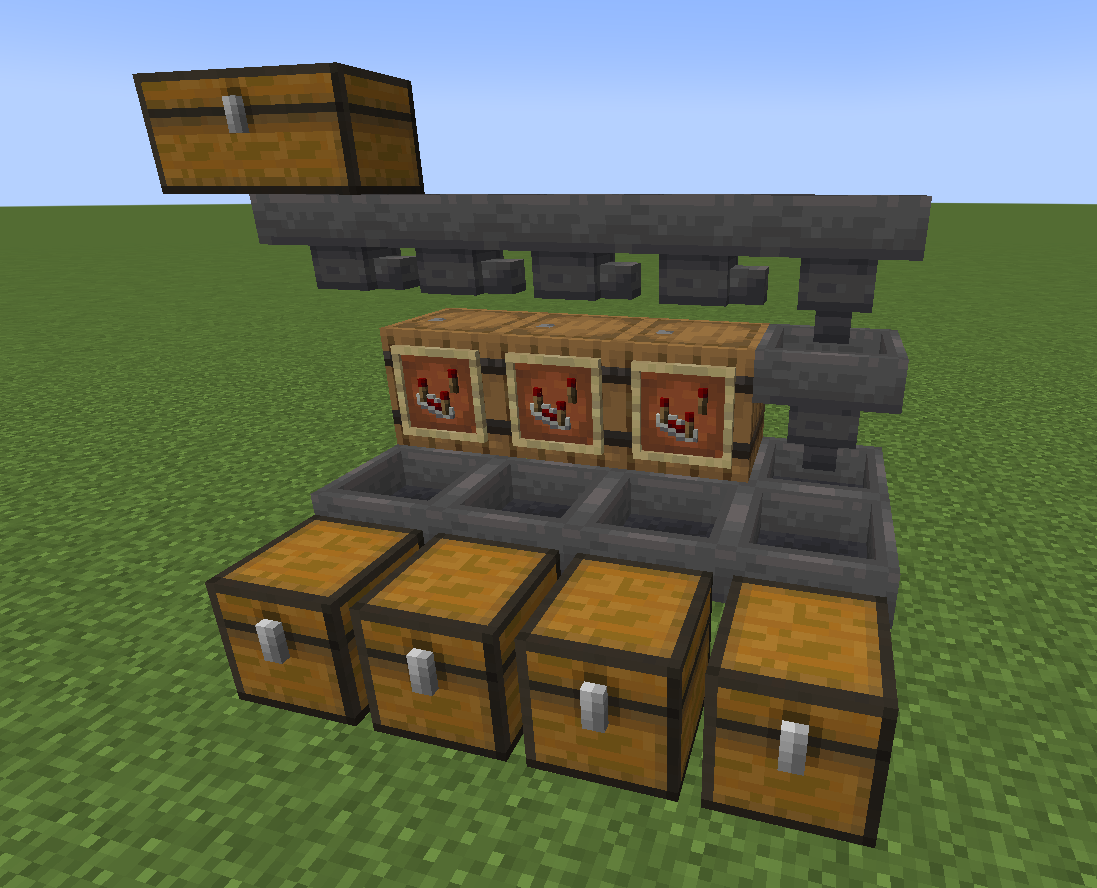
How does it work?
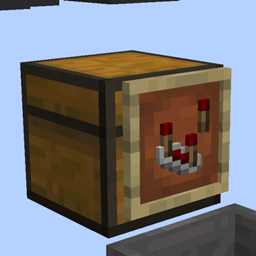
Slap an item frame on any container with a comparator in it. The container with the item frame on it, we'll call the filtering container.
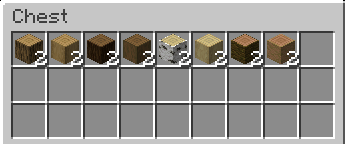
Place any stackable item in the filtering container making sure it has at least two of the items. The items you place in the filtering container will be the items that are being filtered.
Again, it MUST have at least two of the items in the container or it will not see the item for filtering.
The filtering container will pull items it already has inside it from any containers above it. So, this is typically where you'd place a line of hoppers. As the items get transported down the hopper line, the filtering containers will snatch all the items that match their contents.
The filtered items go in the hopper directly below the item frame:
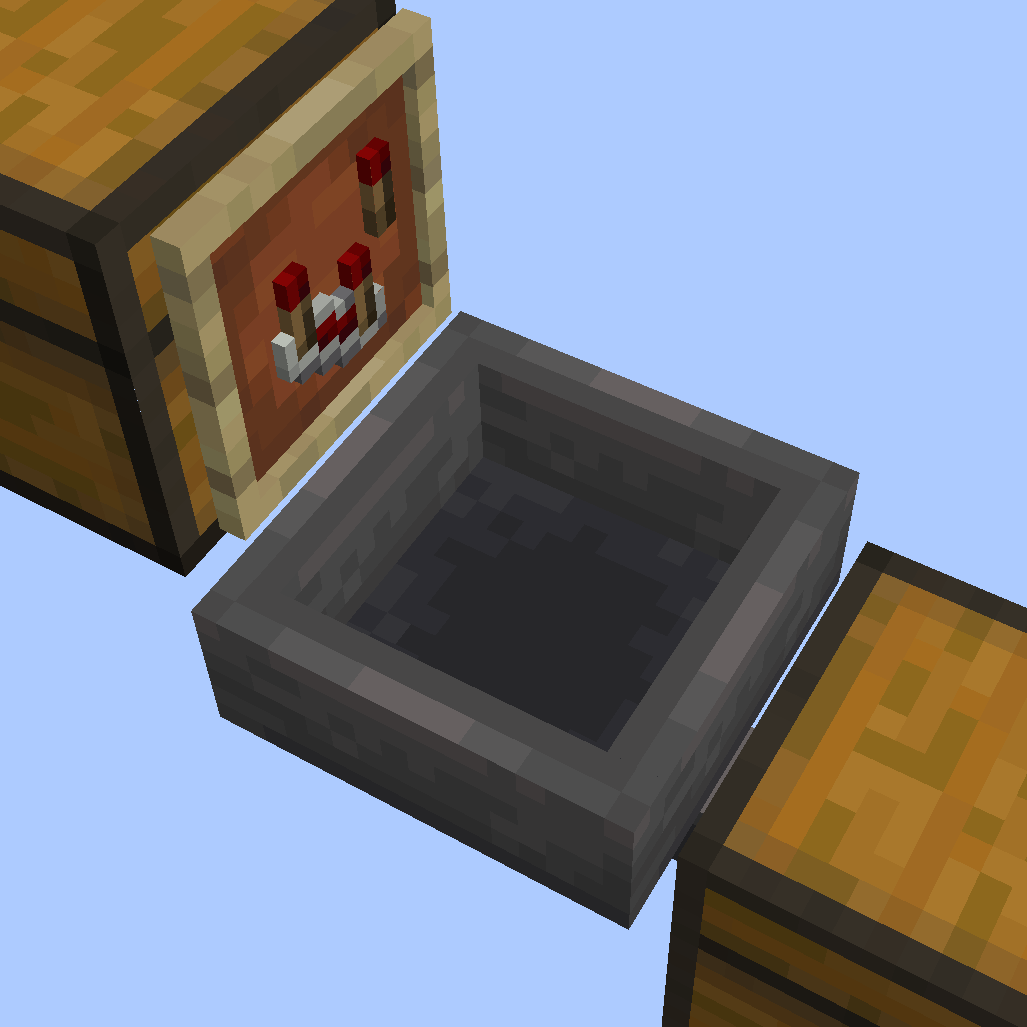
You can then point that hopper into a chest where you'll be able to access your filtered items. You can also have the hopper point into another hopper or even replace the hopper with a chest. Any container that can hold items will do.
Do not place a hopper on the underside of the filtering container, that would just mess up your filtering placement. The hopper goes below the item frame, not below the filtering container.
Got hoppers that are faster than vanilla? Like the Super Hopper? Well, if you plan on using hoppers that are faster than regular hoppers, you will need to adjust the filtering rate of your MIS. The default speed is 1 item per 8 ticks, same as a vanilla hopper. However, you can set the MIS to 1 item per tick with
/trigger easy_mis_fast_mode
You can also slow things down by 4 times if you have a not-so-great pc with
/trigger easy_mis_slow_mode
and back to default with /trigger easy_mis_normal_mode
I recommend using regular-speed hoppers if you don't have great computer specs.
See my other mods
Building a Multi Item Sorter (or MIS) is always complex, prone to breaking, and overall, not fun to build. I couldn't find one online that met my demands. Some were too expensive, others too large or too slow...
So, I decided to make this. Instead of your MIS looking clustered with redstone and minecart circuits, you get this very simple design.
How does it work?
Slap an item frame on any container with a comparator in it. The container with the item frame on it, we'll call the filtering container.
Place any stackable item in the filtering container making sure it has at least two of the items. The items you place in the filtering container will be the items that are being filtered.
Again, it MUST have at least two of the items in the container or it will not see the item for filtering.
The filtering container will pull items it already has inside it from any containers above it. So, this is typically where you'd place a line of hoppers. As the items get transported down the hopper line, the filtering containers will snatch all the items that match their contents.
The filtered items go in the hopper directly below the item frame:
You can then point that hopper into a chest where you'll be able to access your filtered items. You can also have the hopper point into another hopper or even replace the hopper with a chest. Any container that can hold items will do.
Do not place a hopper on the underside of the filtering container, that would just mess up your filtering placement. The hopper goes below the item frame, not below the filtering container.
Got hoppers that are faster than vanilla? Like the Super Hopper? Well, if you plan on using hoppers that are faster than regular hoppers, you will need to adjust the filtering rate of your MIS. The default speed is 1 item per 8 ticks, same as a vanilla hopper. However, you can set the MIS to 1 item per tick with
/trigger easy_mis_fast_mode
You can also slow things down by 4 times if you have a not-so-great pc with
/trigger easy_mis_slow_mode
and back to default with /trigger easy_mis_normal_mode
I recommend using regular-speed hoppers if you don't have great computer specs.
See my other mods
Screenshots
Gallery
-
Filtered items go in the hopper directly below the item frame
-
Basic wood/logs filtering example
-

Versions
Files
Relations
Project Relations
More like this
Similar Mods
Suggestions use data such as tags, dependencies, dependents, descriptions, titles, and more to rank how much they overlap with this mod.
On ModDex
Community snapshot
By the numbers
Statistics
 (opens in a new tab)
Get it on
Available Platforms
On ModDex
Community snapshot
By the numbers
Statistics
Resources