
PerformanceHUD
No reviews yet
Lightweight client-side HUD showing FPS, RAM, entities, chunks, ping, and CPU in one customizable corner overlay.
Forge is a popular mod loader for versions 1.1+ of Minecraft.
Neoforge is a fork of the Minecraft Forge available for versions 1.20.1+ of Minecraft. Many Forge mods are compatible with Neoforge and vice versa.
Fabric is a mod loader for versions 1.14+ of Minecraft, particularly popular for client side and optimization mods.
Community voices
Reviews
Click once to include, again to exclude, again to clear
No reviews yet. Be the first to review this project!
Get it on
Available Platforms
 CurseForge
 Modrinth
Compatibility
Supported Environments
About
Project Details
For authors
Embed Badge
If you're the author of this project, you can embed a live badge anywhere that supports HTML or Markdown. It updates automatically whenever ratings change.
Use HTML for any page that supports it, or Markdown for README files and Markdown-based descriptions.
Identifiers
Platform IDs
Resources
External Links
About
Description


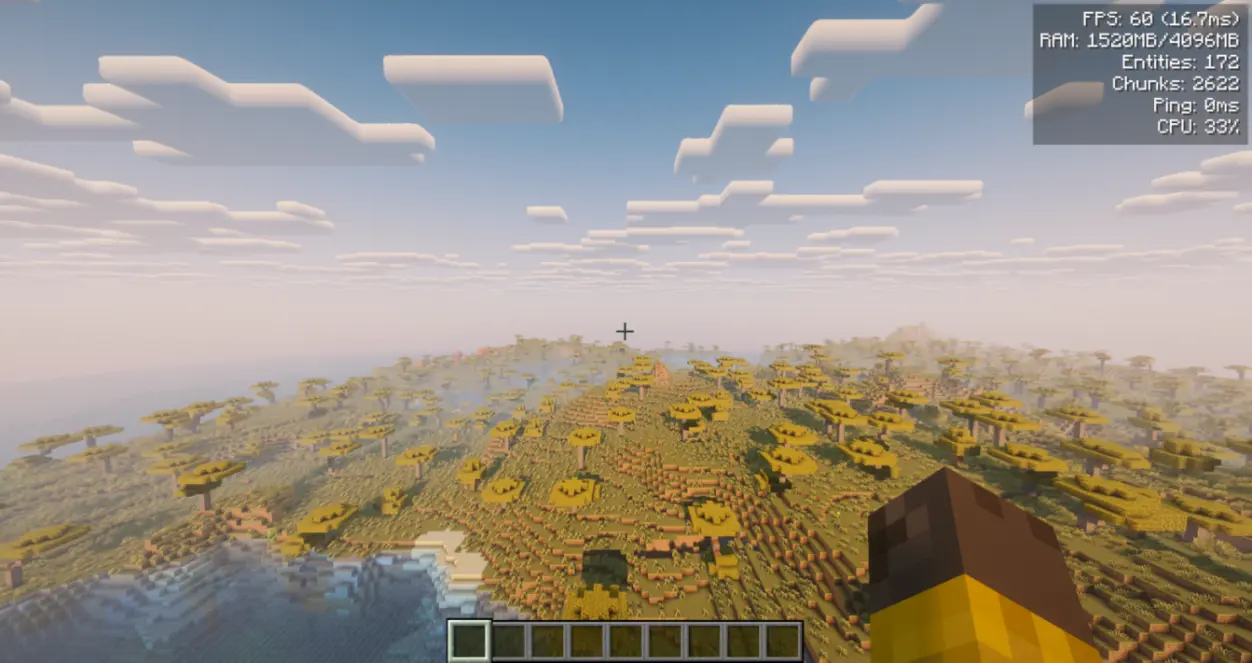
A lightweight client-side performance HUD that shows FPS, RAM, entities, loaded chunks, ping, and CPU usage in a single clean corner overlay. No more screenshots cluttered with three different mods — one toggleable panel, one hotkey, done.
Client-side only. Do NOT install on the server. Singleplayer note: Works perfectly in singleplayer. Just drop it into your mods folder.
📦 Free to use in any modpack — public or private, no permission needed.
🖥️ What it does:
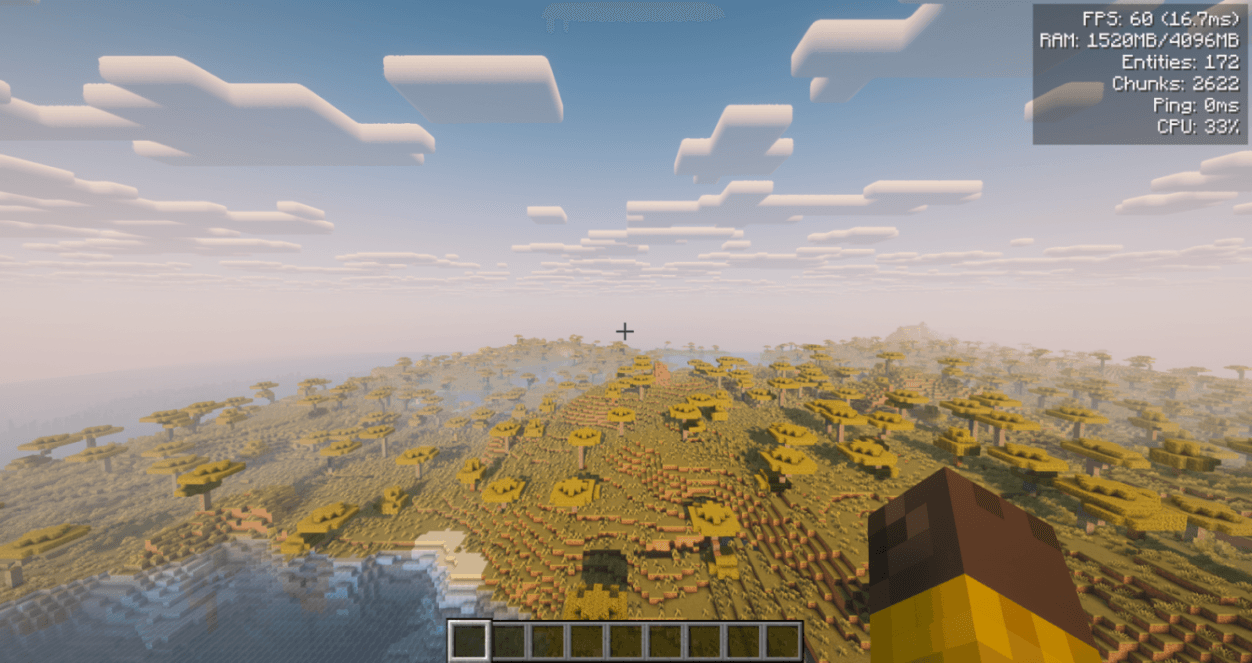
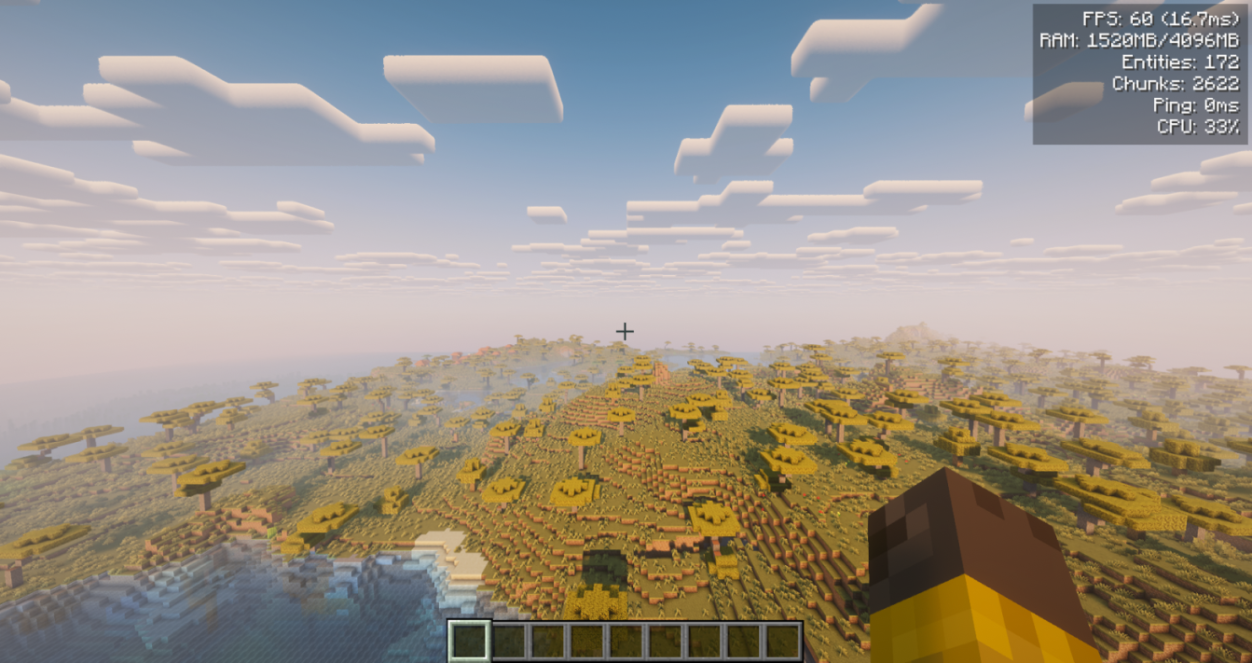
- Renders a compact HUD in the top-right corner with up to 6 live metrics.
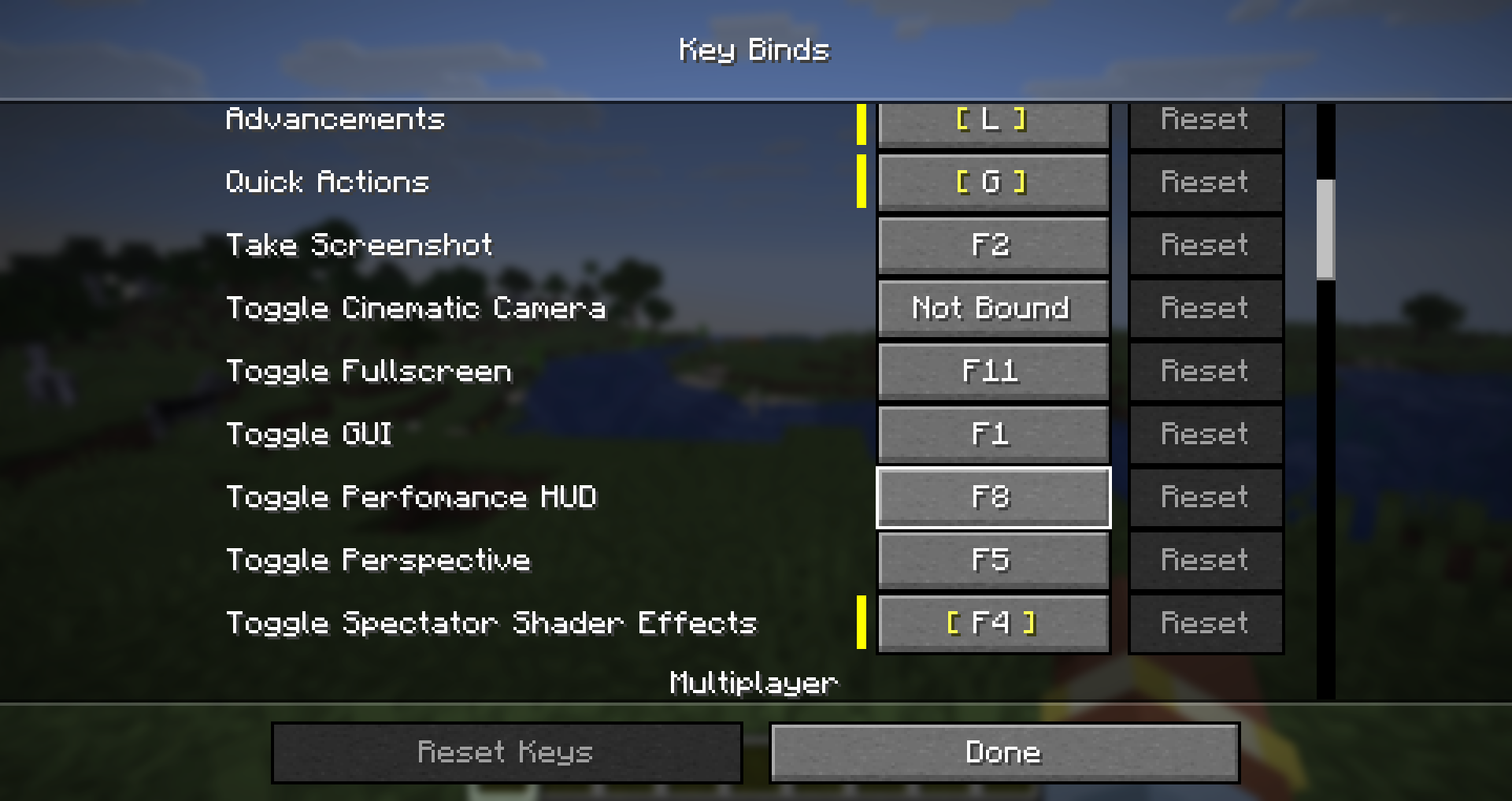
- Toggle the entire overlay with a single keybind (
F8by default) — no menu digging mid-game. - Per-metric on/off switches, so you only see what you actually care about.
🐞 Please report any bugs, errors, or feature suggestions on Discord: https://discord.gg/HTkn94BXmA
📊 Metrics shown:
- FPS — current frame rate with frame time in ms (e.g.
120 (8.3ms)). - RAM — used / max heap in MB.
- Entities — entity count in the loaded world.
- Chunks — currently loaded client chunks.
- Ping — your latency in ms when available; otherwise shows
-. - CPU — system CPU load percentage when available.
⚙️ Configuration:
- In-game screen: Open with
/phud openor/performancehud open. On Forge/NeoForge, it is also available from the Mods menu. - Customization: Adjust background opacity, screen margins (X/Y), and line spacing in the config screen.
- File: All settings live in a single human-editable file at
config/performancehud.json. - Keybind: The default
F8toggle can be changed in the vanilla Controls menu.
⌨️ Commands: Use /performancehud or the short alias /phud.
/phud open— open the config screen/phud status— print current settings to chat/phud reload//phud reset— manage the config file/phud <setting> <value>— instantly toggle metrics or adjust visual settings directly via chat (e.g.,/phud showFps false,/phud xMargin 10,/phud textColor 16777215)
🔧 Compatibility:
- Safe alongside most other HUD, minimap, or performance mods. It draws a client-side overlay and does not modify world or server logic.
- Pure client-side. Modded and vanilla servers accept it without any handshake.
- Safe to remove at any time.
🌐 Localization: Available in English, Russian, German, Spanish, French, Italian, Japanese, Korean, Brazilian Portuguese, and Simplified Chinese.
More mods by Nikrecs: DynamicRenderDistance · CropGrowthHUD)

A lightweight client-side performance HUD that shows FPS, RAM, entities, loaded chunks, ping, and CPU usage in a single clean corner overlay. No more screenshots cluttered with three different mods — one toggleable panel, one hotkey, done.
Client-side only. Do NOT install on the server. Singleplayer note: Works perfectly in singleplayer. Just drop it into your mods folder.
📦 Free to use in any modpack — public or private, no permission needed.
🖥️ What it does:
- Renders a compact HUD in the top-right corner with up to 6 live metrics.
- Toggle the entire overlay with a single keybind (
F8by default) — no menu digging mid-game. - Per-metric on/off switches, so you only see what you actually care about.
🐞 Please report any bugs, errors, or feature suggestions on Discord: https://discord.gg/HTkn94BXmA
📊 Metrics shown:
- FPS — current frame rate with frame time in ms (e.g.
120 (8.3ms)). - RAM — used / max heap in MB.
- Entities — entity count in the loaded world.
- Chunks — currently loaded client chunks.
- Ping — your latency in ms when available; otherwise shows
-. - CPU — system CPU load percentage when available.
⚙️ Configuration:
- In-game screen: Open with
/phud openor/performancehud open. On Forge/NeoForge, it is also available from the Mods menu. - Customization: Adjust background opacity, screen margins (X/Y), and line spacing in the config screen.
- File: All settings live in a single human-editable file at
config/performancehud.json. - Keybind: The default
F8toggle can be changed in the vanilla Controls menu.
⌨️ Commands:
Use /performancehud or the short alias /phud.
/phud open— open the config screen/phud status— print current settings to chat/phud reload//phud reset— manage the config file/phud <setting> <value>— instantly toggle metrics or adjust visual settings directly via chat (e.g.,/phud showFps false,/phud xMargin 10,/phud textColor 16777215)
🔧 Compatibility:
- Safe alongside most other HUD, minimap, or performance mods. It draws a client-side overlay and does not modify world or server logic.
- Pure client-side. Modded and vanilla servers accept it without any handshake.
- Safe to remove at any time.
🌐 Localization: Available in English, Russian, German, Spanish, French, Italian, Japanese, Korean, Brazilian Portuguese, and Simplified Chinese.
More mods by Nikrecs: DynamicRenderDistance · CropGrowthHUD
Screenshots
Gallery
-
 PerformanceHUD
 -
 Settings
 -
 Keybind
-
 PerformanceHUD
 -
 Keybind
 -
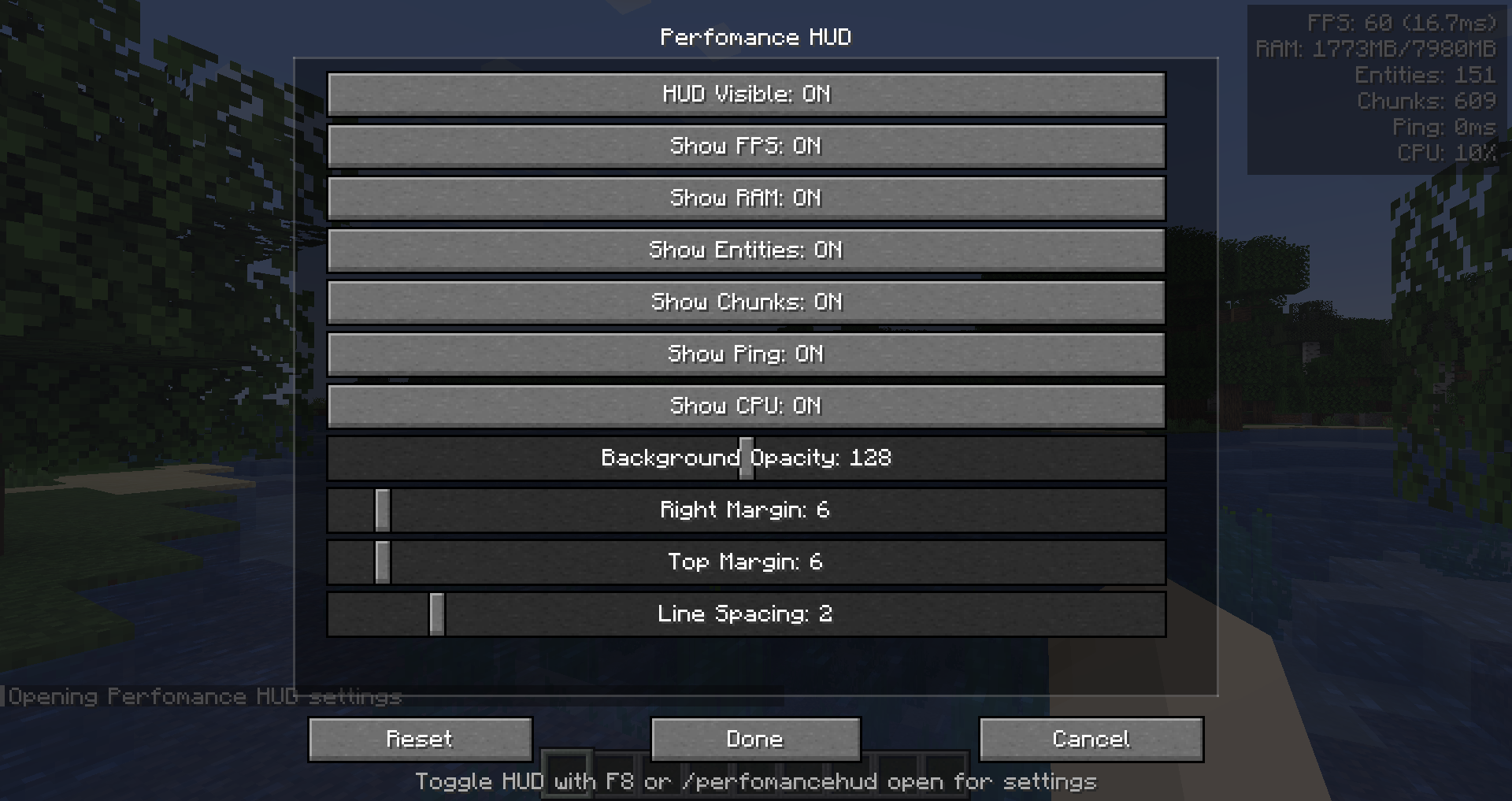 Settings
Versions
Files
Relations
Project Relations
More like this
Similar Mods
Suggestions use data such as tags, dependencies, dependents, descriptions, titles, and more to rank how much they overlap with this mod.
On ModDex
Community snapshot
By the numbers
Statistics
Want to reach Minecraft players?
We're looking for a server hosting partner to feature here and other parts of the site. Interested? Send us a message!
Get in touchGet it on
Available Platforms
On ModDex
Community snapshot
By the numbers
Statistics
Resources