PhantomShapes
No reviews yet
Mod for visualizing 3D shapes like cubes and spheres in Minecraft to aid in building.
Fabric is a mod loader for versions 1.14+ of Minecraft, particularly popular for client side and optimization mods.
Community voices
Reviews
Click once to include, again to exclude, again to clear
No reviews yet. Be the first to review this project!
Get it on
Available Platforms
 Modrinth
Compatibility
Supported Environments
About
Project Details
For authors
Embed Badge
If you're the author of this project, you can embed a live badge anywhere that supports HTML or Markdown. It updates automatically whenever ratings change.
Use HTML for any page that supports it, or Markdown for README files and Markdown-based descriptions.
Identifiers
Platform IDs
About
Description
Phantom Shapes Mod
The Phantom Shapes Mod for Minecraft introduces a tool for previewing 3D shapes. With this mod, building 3D shapes becomes an ease, thanks to the inclusion of diverse shapes like cubes, spheres, cylinders, or toruses.
Further development and version bumps currently halted due to my lack of free time and many backend changes made by Mojang, requiring further research and multiple rewrites.
If you have any problems or have an idea for a new feature, make an issue on Github.
Features
Shape Variety
- Cubes
- Spheres
- Cylinders
- Arches
- Polygons
- Toruses
Rotating Shapes
Shapes can be rotated in any direction, allowing players to create unique structures with ease. For example, you can rotate a cylinder by 90 degrees in the X axis to create a tunnel.
Intuitive Interface
- A user-friendly interface allows players to easily navigate through the different shape options.
- Convenient controls make shaping and resizing structures a breeze, giving players complete control over their shapes.
- Scrollable inputs allow for precise property adjustments. Hold shift or control to change the value by 10 or 100 respectively.
- Options to change the color and transparency of the shapes or even the size of the blocks themselves.
Compatibility:
If you find any incompatibilities, please let me know.
| Mod | Compatibility |
|---|---|
| Optifine | ❓Unknown |
| Sodium | ✅Compatible |
How to use:
Upon loading into the game simply press K and the shape manager menu will show up.
You can change the keybinds in the controls menu.
From that point, you should be able to use the interface to do anything.
Mod settings can be accessed using the Mod Menu
Required libraries
Special thanks
Special thanks to kayaks00n for making the icons
Screenshots
Gallery
-
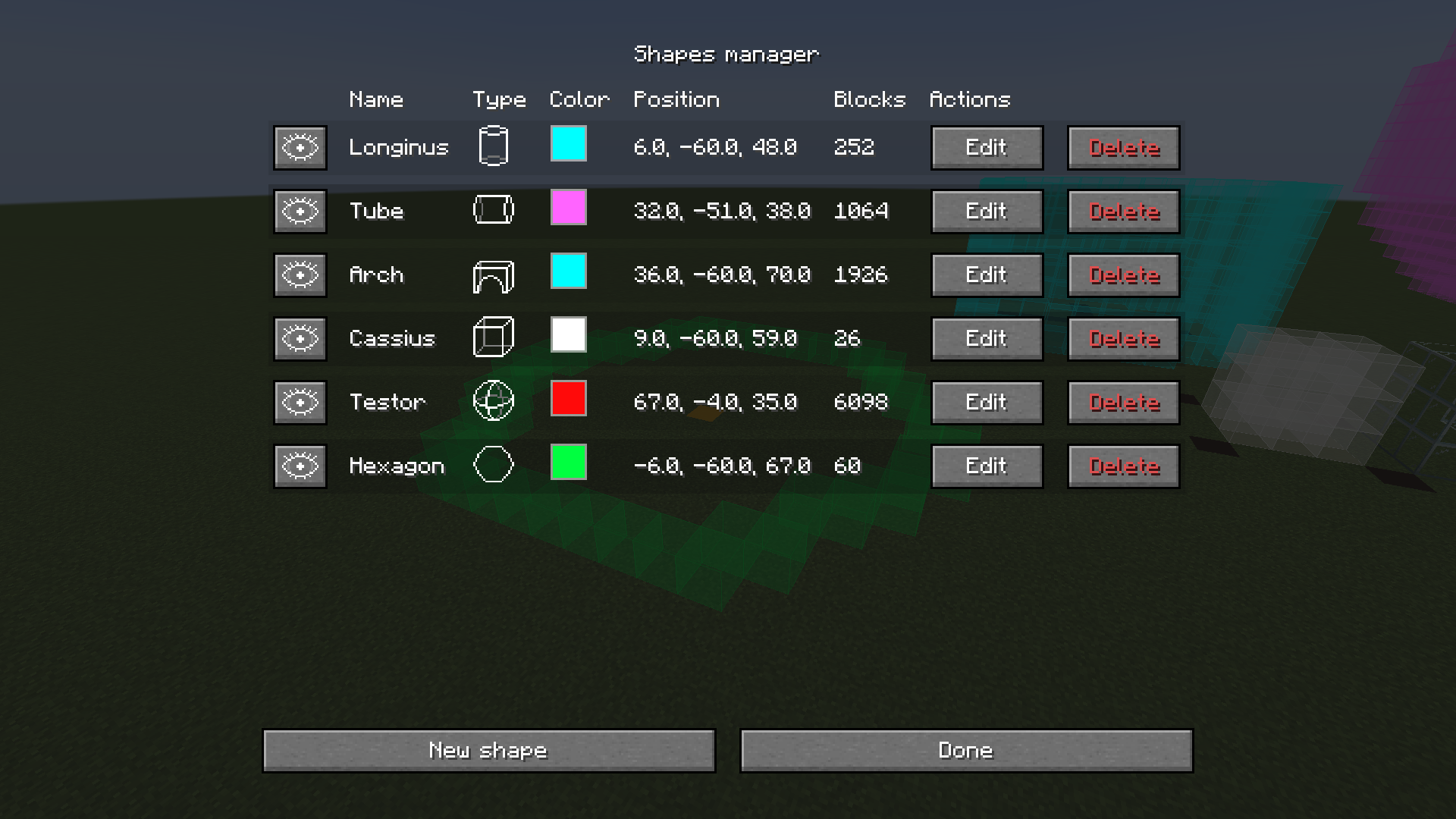 Shape management screen The main screen where you manage your shapes
 -
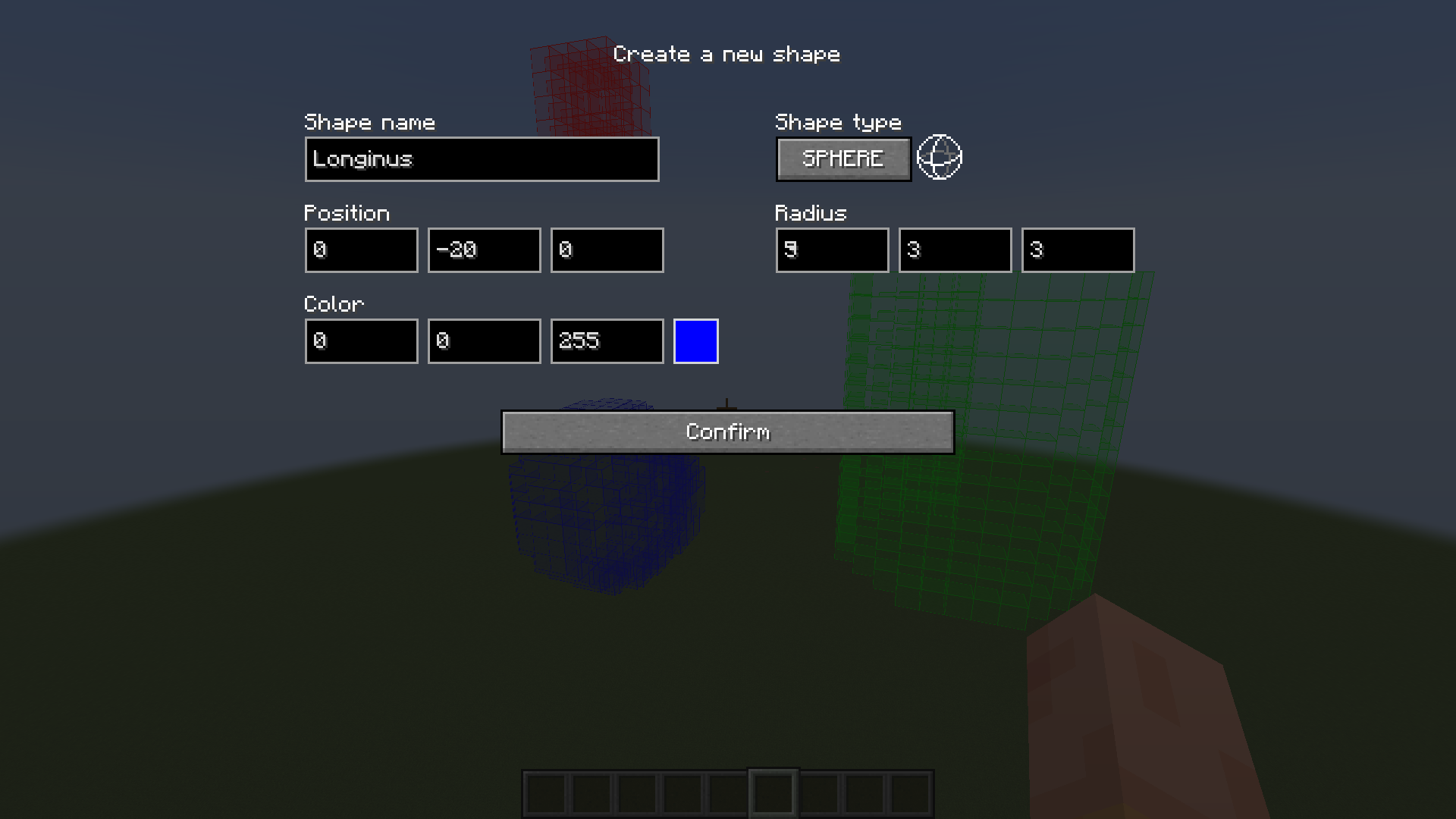 Creating/Editing a new shape Screen where you can add a new shape or edit properties of existing ones.
 -
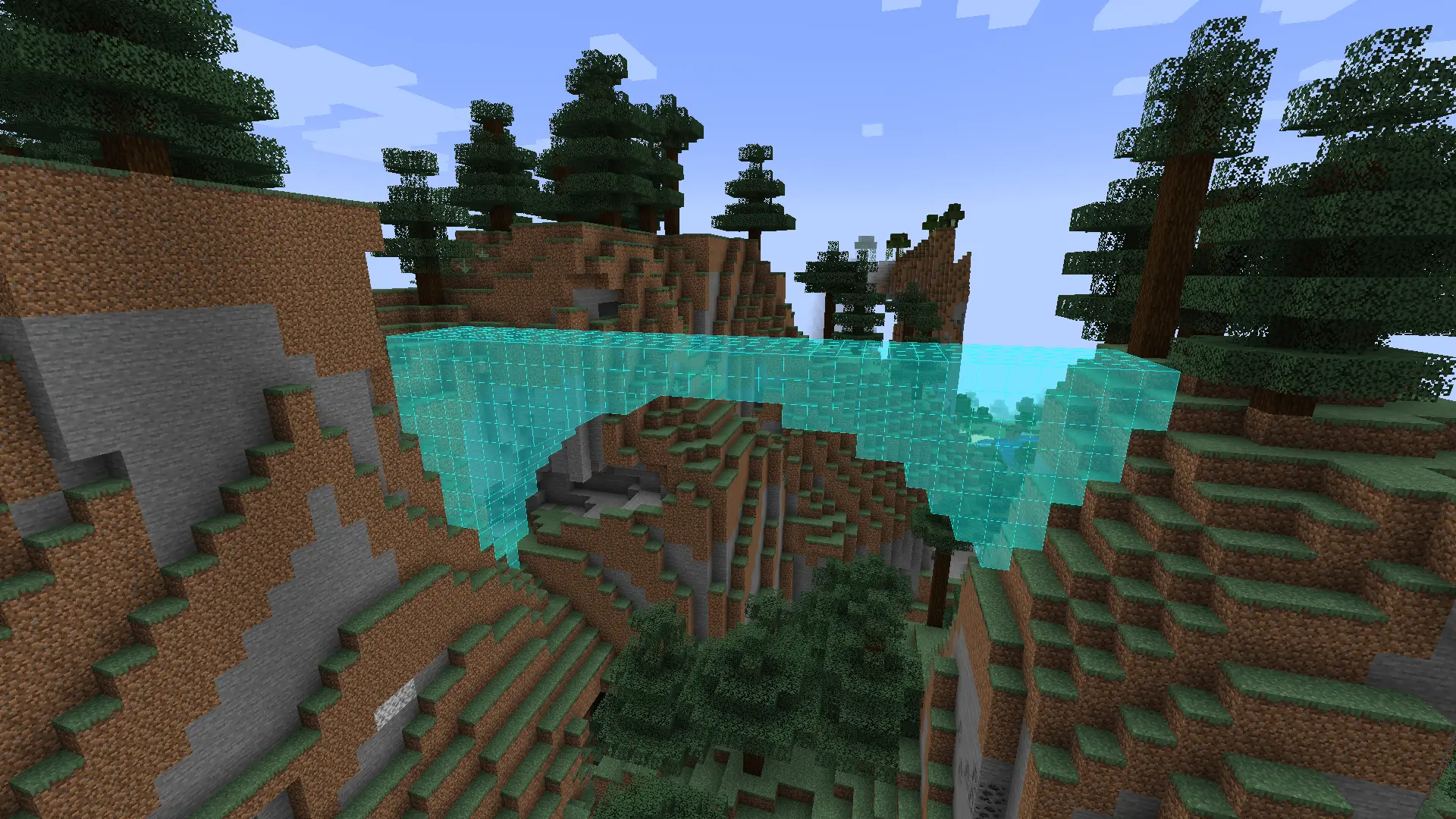
Example use of the arch shape You can use the arch shape for making a bridge
-
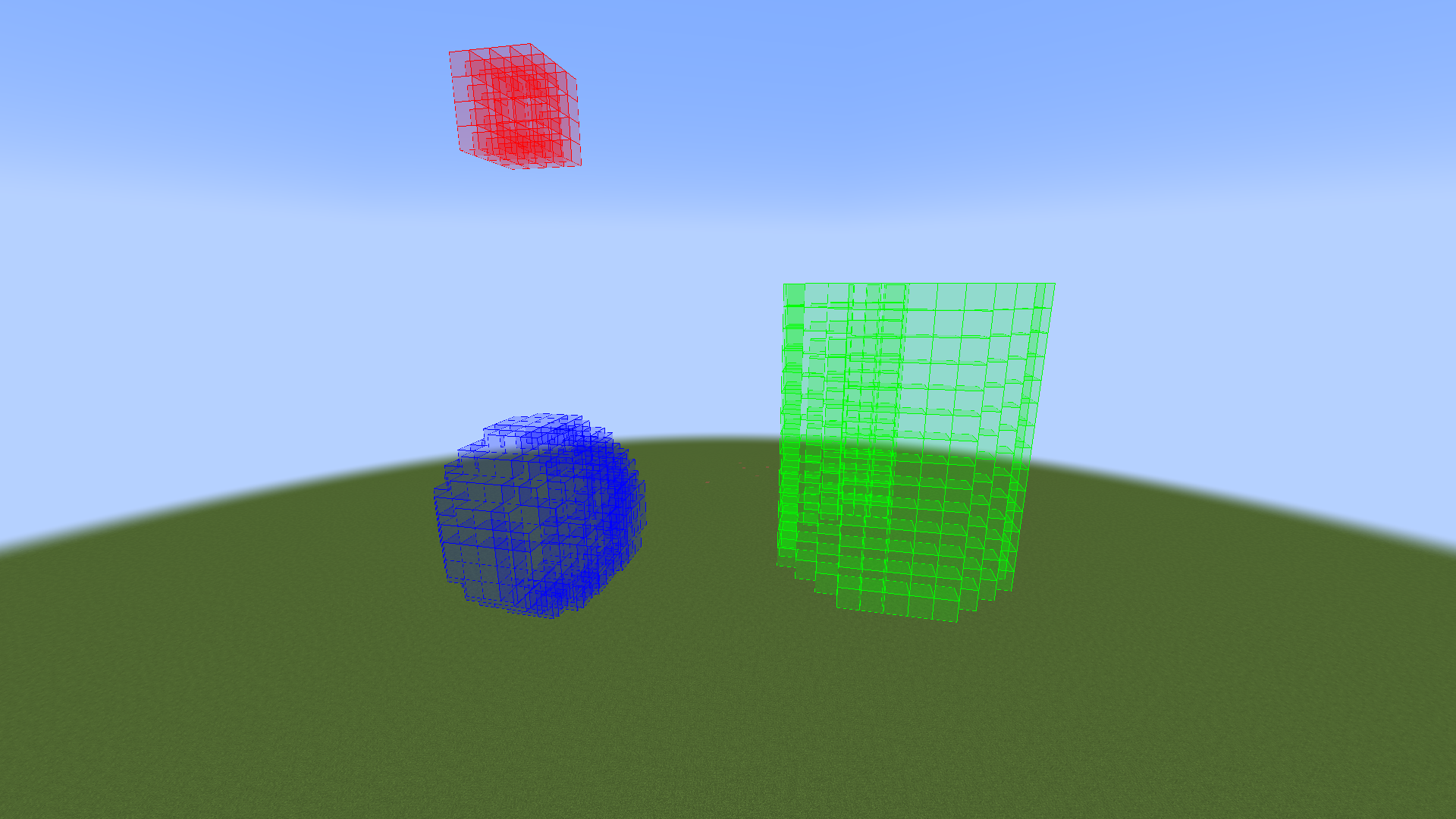 Rendered shapes Three phantom shapes: a red cube, blue sphere and a green cylinder
 -
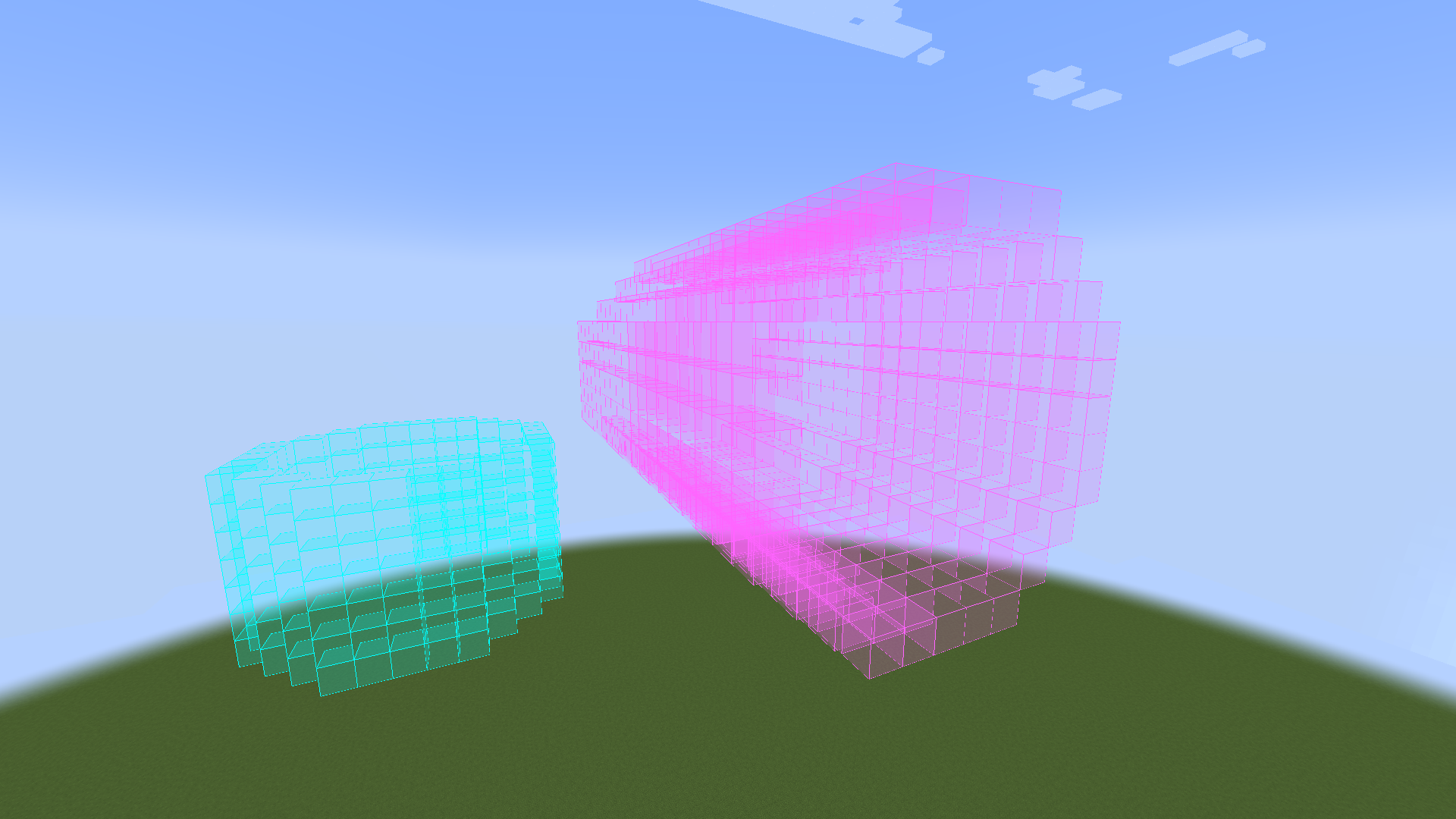 A cylinder and a tunnel They are brothers
Versions
Files
Relations
Project Relations
More like this
Similar Mods
Suggestions use data such as tags, dependencies, dependents, descriptions, titles, and more to rank how much they overlap with this mod.
On ModDex
Community snapshot
By the numbers
Statistics

Want to reach Minecraft players?
We're looking for a server hosting partner to feature here and other parts of the site. Interested? Send us a message!
Get in touchGet it on
Available Platforms
On ModDex
Community snapshot
By the numbers