
Community listing page, reviews here may not be monitored by the author.
PhantomSound

No reviews yet
A lightweight in-game music player for Minecraft — play your own MP3, WAV, and OGG tracks while playing!
Community voices
Reviews
No reviews yet. Be the first to review this project!
Get it on
Available Platforms
About
Project Details
For authors
Embed Badge
If you're the author of this project, you can embed a live badge anywhere that supports HTML or Markdown. It updates automatically whenever ratings change.
Use HTML for any page that supports it, or Markdown for README files and Markdown-based descriptions.
Identifiers
Platform IDs
Resources
External Links
About
Description
🎵 PhantomSound
PhantomSound is a lightweight and fast music player mod for Minecraft that lets you enjoy your own soundtrack while exploring, building, or fighting mobs. No more alt-tabbing to external players — just press M and let your favorite tracks play right inside the game.
✨ Features
- 🎧 Plays MP3, WAV, and OGG Vorbis files
- ⌨️ Opens with the M key — quick and convenient
- 📋 Track list with current track status indicators (▶ playing, ⏸ paused, ■ stopped)
- 🎮 Buttons: Play, Pause, Stop, Next, Prev
- 📁 Folder button — opens the music folder directly in your file explorer
- 🔇 Automatically ducks vanilla Minecraft music when a track is playing
- ⏸️ Pause with resume — continue exactly where you left off
- ⚡ Lightweight (~400 KB) and optimized for smooth performance
📦 Installation
- Install Fabric Loader for Minecraft 1.21.4
- Download the PhantomSound .jar file
- Place it into your
.minecraft/mods/folder - Launch the game
- Press M to open the player
🎼 How to Add Your Music
The music folder is created automatically on first launch:
.minecraft/config/musicplayer/music/Or simply click the 📁 button in the player — it will open the folder directly in your file explorer! Just drop your audio files in and they'll appear in the track list.
📀 Supported Formats
| Format | Description |
|---|---|
| MP3 | MPEG-1 Layer 3 |
| WAV | Uncompressed PCM |
| OGG | OGG Vorbis |
🎮 Controls
| Key | Action |
|---|---|
| M | Open / close player |
| Play | Start playback |
| Pause | Pause (position is saved) |
| Stop | Stop playback |
| Next | Play next track |
| Prev | Play previous track |
| 📁 | Open music folder in file explorer |
🛠️ Troubleshooting
- MP3 doesn't play? Try converting it using cloudconvert.com and re-add it to the music folder.
- No sound? Check your Minecraft volume settings.
📬 Contact
Found a bug or have a suggestion? Leave a comment on the mod page — I read them all!
🎵 PhantomSound — Музыкальный плеер
PhantomSound — это лёгкий и быстрый музыкальный плеер для Minecraft, который позволяет наслаждаться собственной музыкой прямо во время игры. Больше не нужно сворачивать игру — просто нажмите M и слушайте любимые треки, не отрываясь от приключений.
✨ Возможности
- 🎧 Воспроизведение MP3, WAV и OGG Vorbis
- ⌨️ Открытие плеера клавишей M — быстро и удобно
- 📋 Список треков с индикаторами статуса (▶ играет, ⏸ пауза, ■ стоп)
- 🎮 Кнопки: Play, Pause, Stop, Next, Prev
- 📁 Кнопка папки — открывает папку с музыкой прямо в проводнике
- 🔇 Автоматическое приглушение игровой музыки при воспроизведении трека
- ⏸️ Пауза с сохранением позиции — продолжите ровно с того места, где остановились
- ⚡ Лёгкий (~400 КБ) и оптимизированный для плавной работы
📦 Установка
- Установите Fabric Loader для Minecraft 1.21.4
- Скачайте .jar файл мода PhantomSound
- Поместите его в папку
.minecraft/mods/ - Запустите игру
- Нажмите M, чтобы открыть плеер
🎼 Как добавить музыку
Папка для музыки создаётся автоматически при первом запуске:
.minecraft/config/musicplayer/music/Или просто нажмите кнопку 📁 в плеере — откроется проводник с нужной папкой! Закиньте туда аудиофайлы, и они появятся в списке треков.
📀 Поддерживаемые форматы
| Формат | Описание |
|---|---|
| MP3 | MPEG-1 Layer 3 |
| WAV | Без сжатия (PCM) |
| OGG | OGG Vorbis |
🎮 Управление
| Клавиша | Действие |
|---|---|
| M | Открыть / закрыть плеер |
| Play | Начать воспроизведение |
| Pause | Пауза (позиция сохраняется) |
| Stop | Остановить воспроизведение |
| Next | Следующий трек |
| Prev | Предыдущий трек |
| 📁 | Открыть папку с музыкой в проводнике |
🛠️ Решение проблем
- MP3 не воспроизводится? Попробуйте конвертировать файл через cloudconvert.com и снова добавьте его в папку с музыкой.
- Нет звука? Проверьте настройки громкости в Minecraft.
📬 Контакты
Нашли баг или есть предложение? Оставьте комментарий на странице мода — я читаю все!
Author: Black274121
License: MIT
Screenshots
Gallery
-
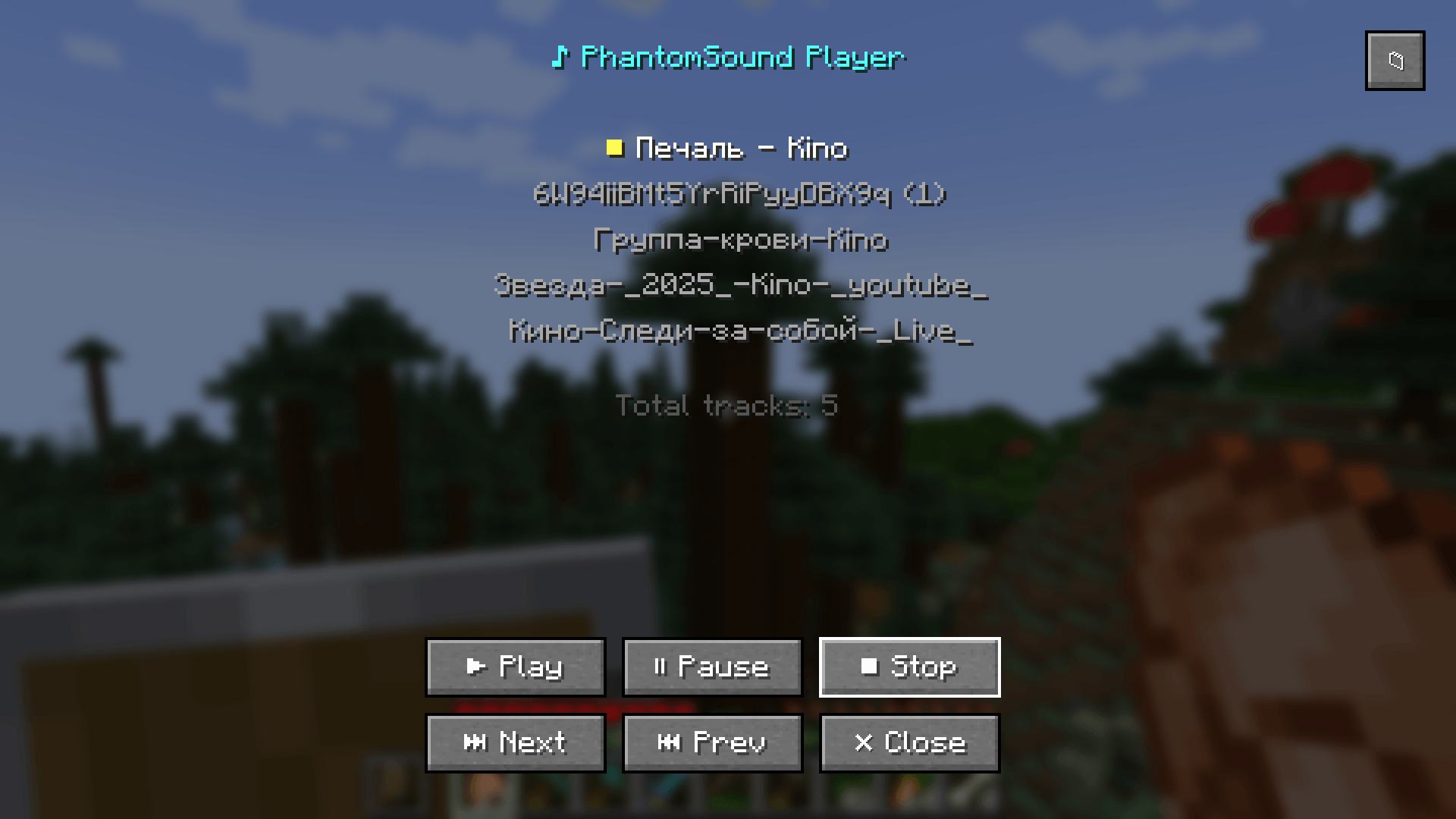 Music player interface with track list
 -
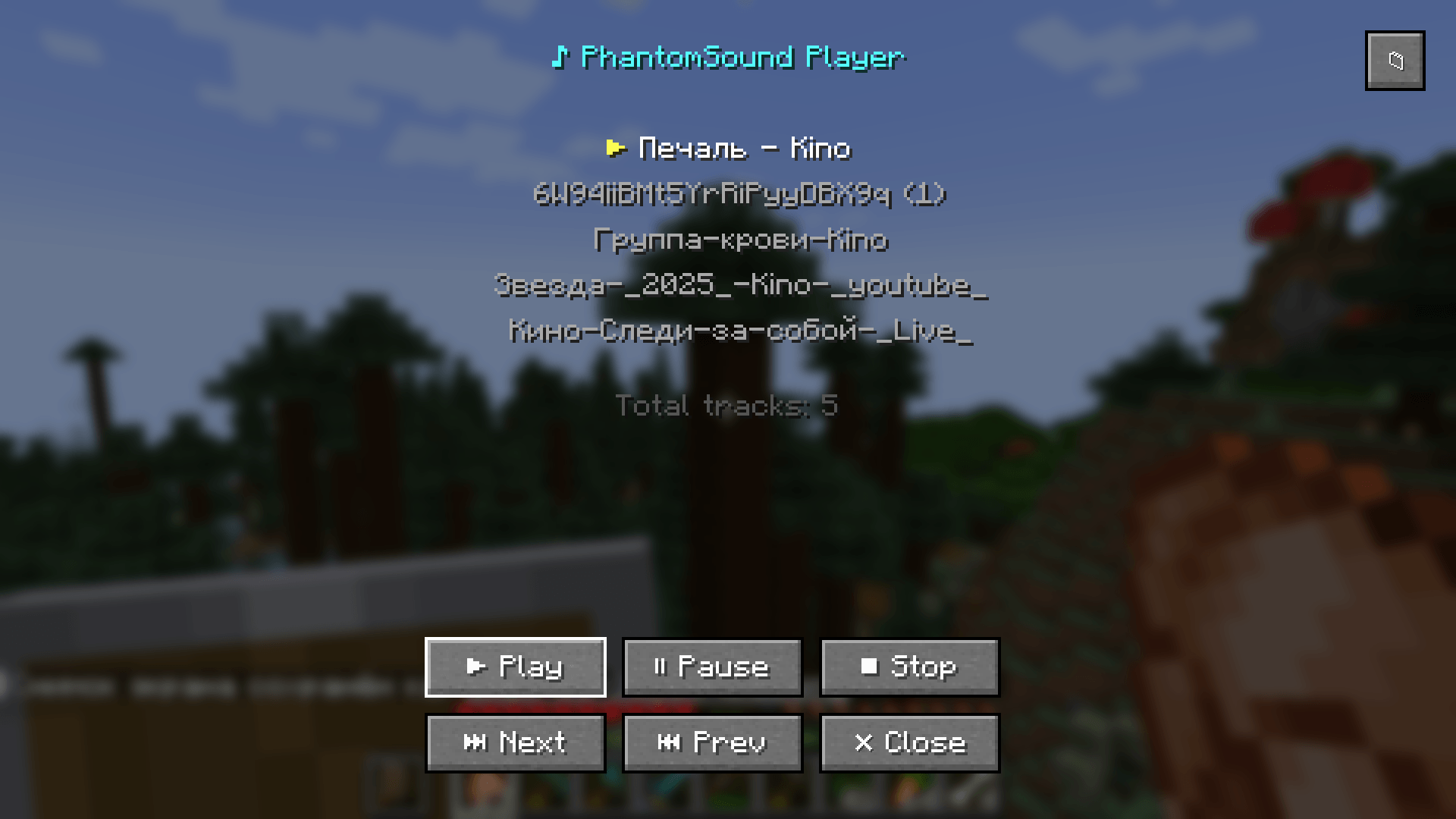 Track playing with ▶
 -
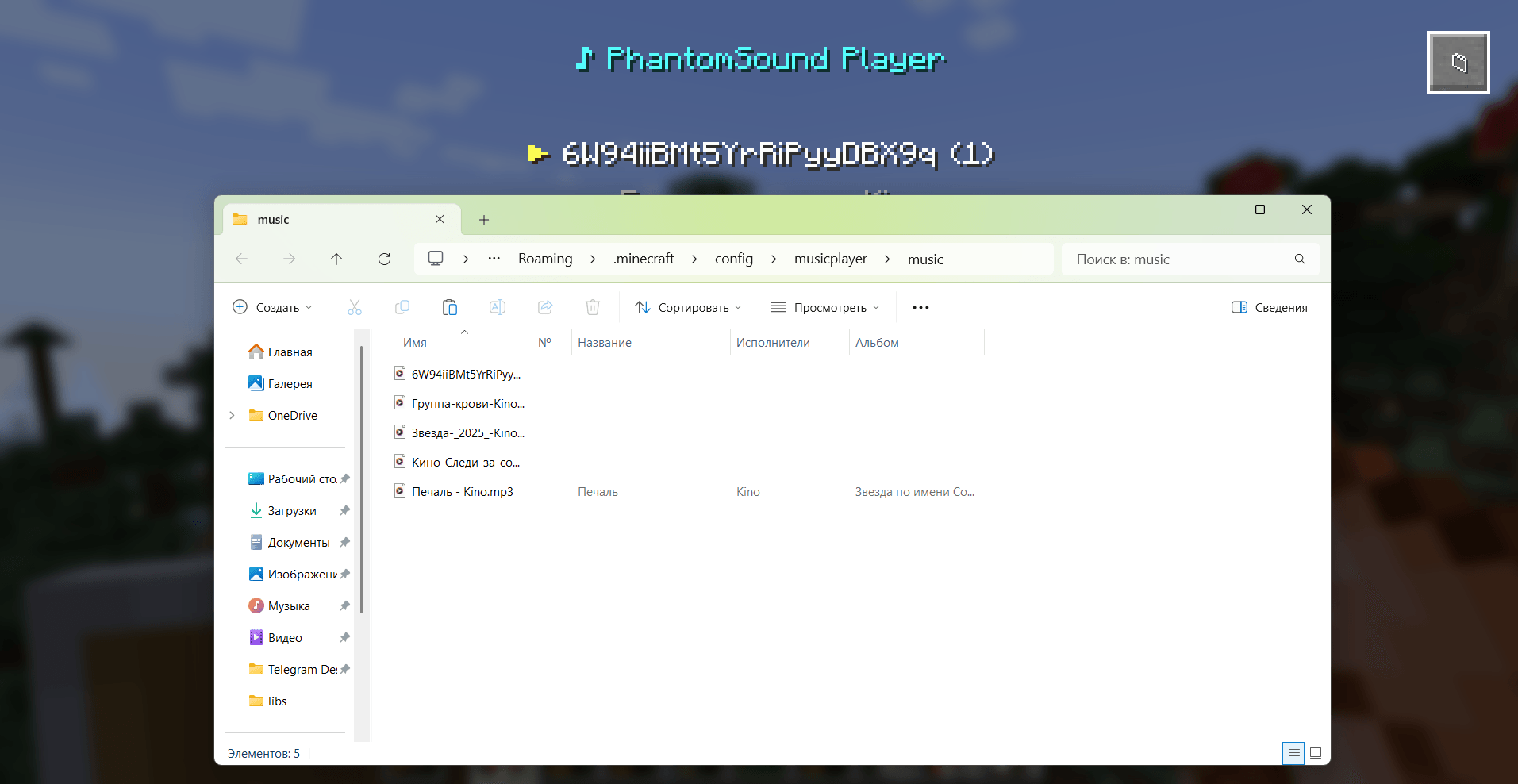 📁 opens this folder
Versions
Files
Relations
Project Relations
More like this
Similar Mods
Suggestions use data such as tags, dependencies, dependents, descriptions, titles, and more to rank how much they overlap with this mod.
On ModDex
Community snapshot
By the numbers
Statistics
Want to reach Minecraft players?
We're looking for a server hosting partner to feature here and other parts of the site. Interested? Send us a message!
Get in touchGet it on
Available Platforms
On ModDex
Community snapshot
By the numbers
Statistics
Resources