
Photocraft
No reviews yet
A functional "instant" camera that generates map art of the player's viewpoint
Data Packs were introduced to vanilla Minecraft in version 1.13 and allow the server to modify data about the game, or run commands. Data Packs are compatible with all mod loaders.
Forge is a popular mod loader for versions 1.1+ of Minecraft.
Neoforge is a fork of the Minecraft Forge available for versions 1.20.1+ of Minecraft. Many Forge mods are compatible with Neoforge and vice versa.
Fabric is a mod loader for versions 1.14+ of Minecraft, particularly popular for client side and optimization mods.
Quilt is a fork of the Fabric mod loader. Many Fabric mods are compatible with Quilt and vice versa.
Community voices
Reviews
Click once to include, again to exclude, again to clear
No reviews yet. Be the first to review this project!
Get it on
Available Platforms
 Modrinth
Compatibility
Supported Environments
About
Project Details
For authors
Embed Badge
If you're the author of this project, you can embed a live badge anywhere that supports HTML or Markdown. It updates automatically whenever ratings change.
Use HTML for any page that supports it, or Markdown for README files and Markdown-based descriptions.
Identifiers
Platform IDs
Resources
External Links
About
Description
Warning
This datapack uses experimental features!
Please make a backup before adding this pack to an existing world!
Resource Pack Required
To find the relevant resource pack, go to the page for the specific datapack version you are trying to install!
Photocraft Datapack
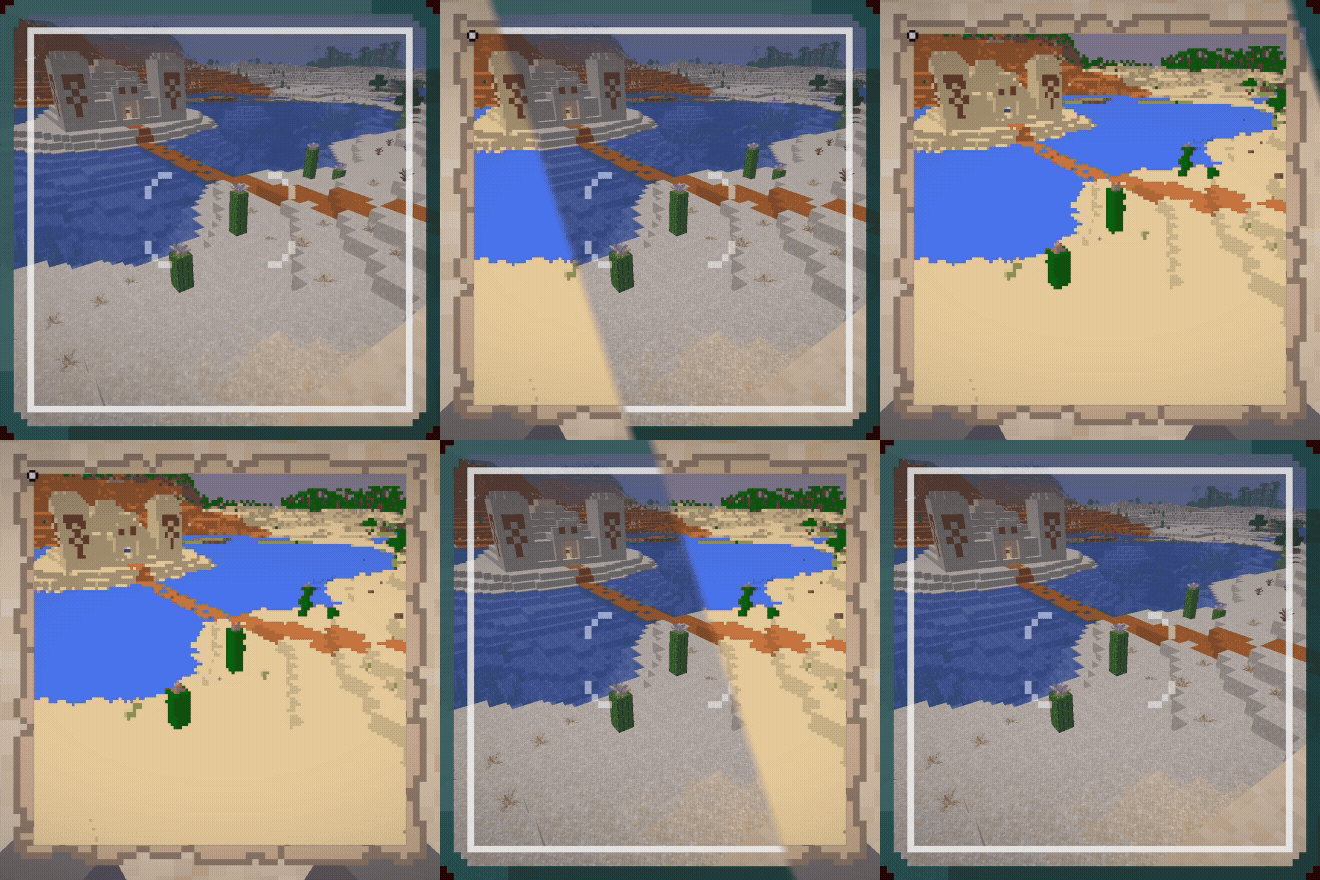
This datapack adds a camera that can be used to create map-art "photos" of the world.
There are two items and recipes added to the game - the camera itself, and photo paper.
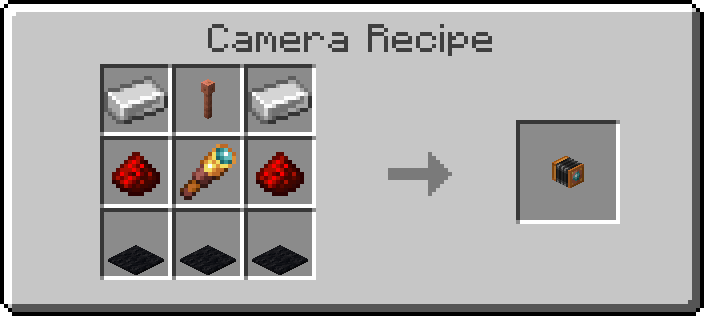
You can craft a Camera with 3 Black Carpet, 2 Iron Ingots, 2 Redstone, 1 Spyglass, and 1 Lightning Rod:
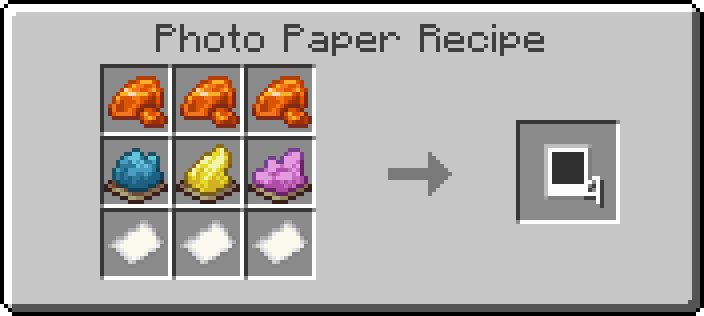
You can craft 4 pieces of Photo Paper with 3 Resin, 3 Paper, 1 Cyan Dye, 1 Yellow Dye, and 1 Magenta Dye:
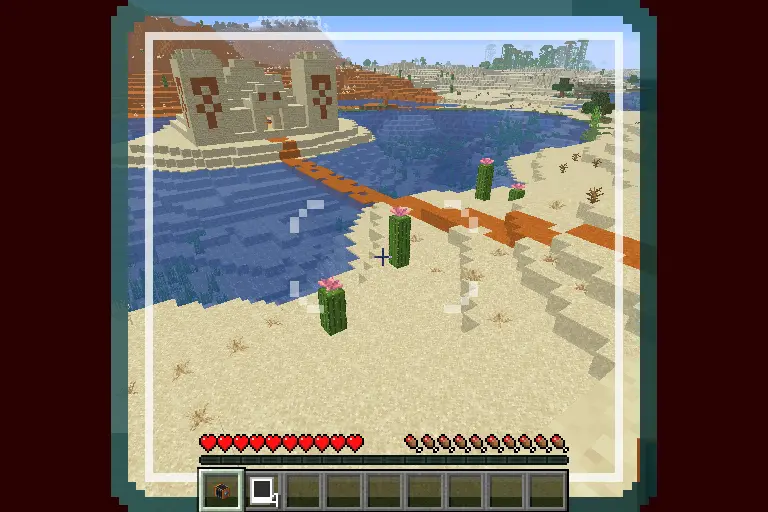
To use the camera, click and hold the use-item button. This will pull up a viewfinder that will provide a frame of what will be included in the photo. Releasing the use-item button will place the camera in the world.
To take a photo, click the use-item button on the camera while holding a piece of photo paper. The camera will start emitting smoke particles and the lights on the back of the camera will start turning on, showing photo progress.
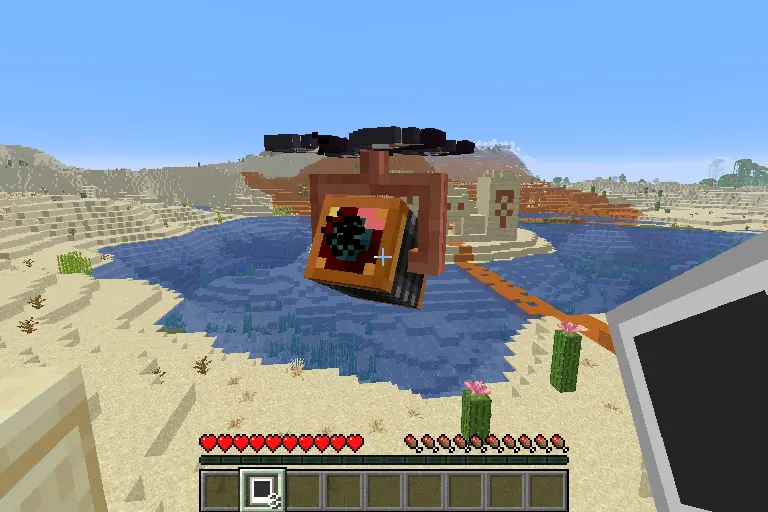
When the camera is done exposing the photo, the lights on the back will turn green and the camera will play a sound.
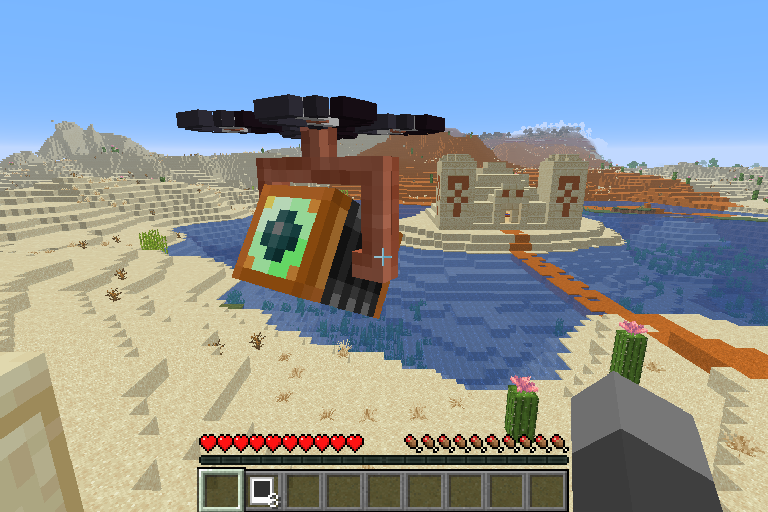
Right click the camera with an empty hand to retrieve the final photo.
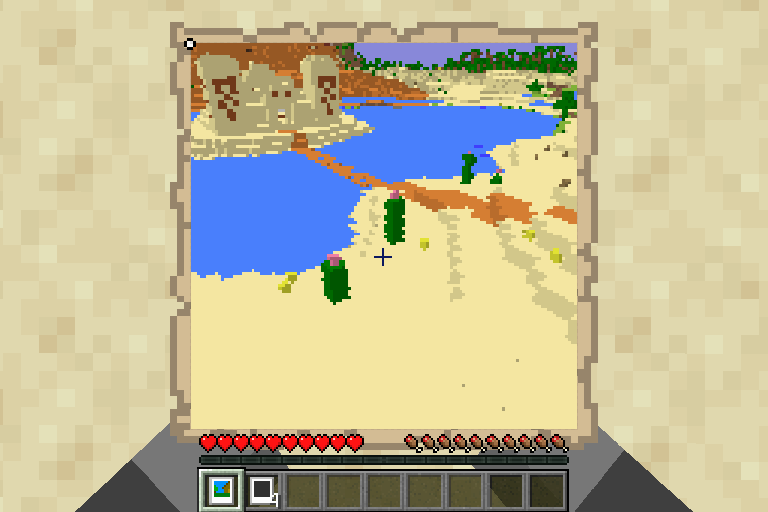
At any point, other than when retrieving a photo, left-clicking the camera will cause it to break, dropping a camera. Any photo that is stored in the camera will be lost if it is not retrieved first!
Screenshots
Gallery
-
 Final Photo
 -
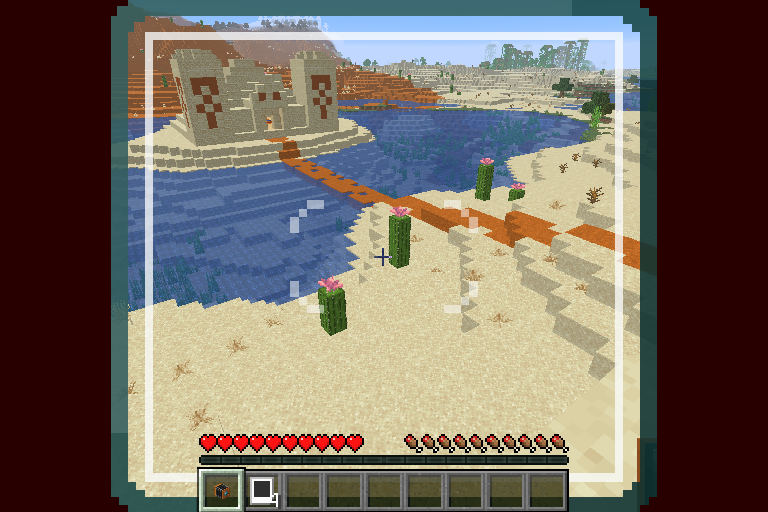 Photographed Area
Versions
Files
Relations
Project Relations
More like this
Similar Mods
Suggestions use data such as tags, dependencies, dependents, descriptions, titles, and more to rank how much they overlap with this mod.
On ModDex
Community snapshot
By the numbers
Statistics

Want to reach Minecraft players?
We're looking for a server hosting partner to feature here and other parts of the site. Interested? Send us a message!
Get in touchGet it on
Available Platforms
On ModDex
Community snapshot
By the numbers
Statistics
Resources