
Community listing page, reviews here may not be monitored by the author.
Phytomining

No reviews yet
Enhances mining through the wonderful world of technology.
Community voices
Reviews
No reviews yet. Be the first to review this project!
Get it on
Available Platforms
About
Project Details
For authors
Embed Badge
If you're the author of this project, you can embed a live badge anywhere that supports HTML or Markdown. It updates automatically whenever ratings change.
Use HTML for any page that supports it, or Markdown for README files and Markdown-based descriptions.
Identifiers
Platform IDs
Resources
External Links
About
Description

For MC 1.15.2, 1.16.4
Phytomining adds a selection of just slightly OP mining methods to enhance the base game. These include Laser Drills, Orethorn Bushes, Ore Asteroids in the End, Buildcraft-Style Quarries, Multiblock Structures such as the Fusion Reactor and Lightning Furnace, and various other mining convenience additions.
The mod has tooltips for every item and block, which explain in detail their function, so you shouldn't need to watch the tutorial below or any others. However, I would recommend using JEI, which this mod is fully compatible with, including the custom recipe blocks. If you don't have JEI, you can view the recipes for the Lightning Furnace and Fusion Reactor multiblock structures by right clicking the Utility Tool on their main blocks.
Below is a video tutorial, a list of all recipes in the mod, and some screenshots. If you find any bugs or have any feature suggestions, feel free to comment them down below or message me. I may release the source code on Github to help other developers in the future if I clean it up.
Recipes
Phytomining is fully compatible with JEI, including the custom recipe blocks (eg. Fusion Core), but here is a list of recipes anyway.
In game, you can right click a utility tool on multiblock structure blocks like the Fusion Interface or Lightning Furnace to view available recipes.
Recipes in v1.0.0: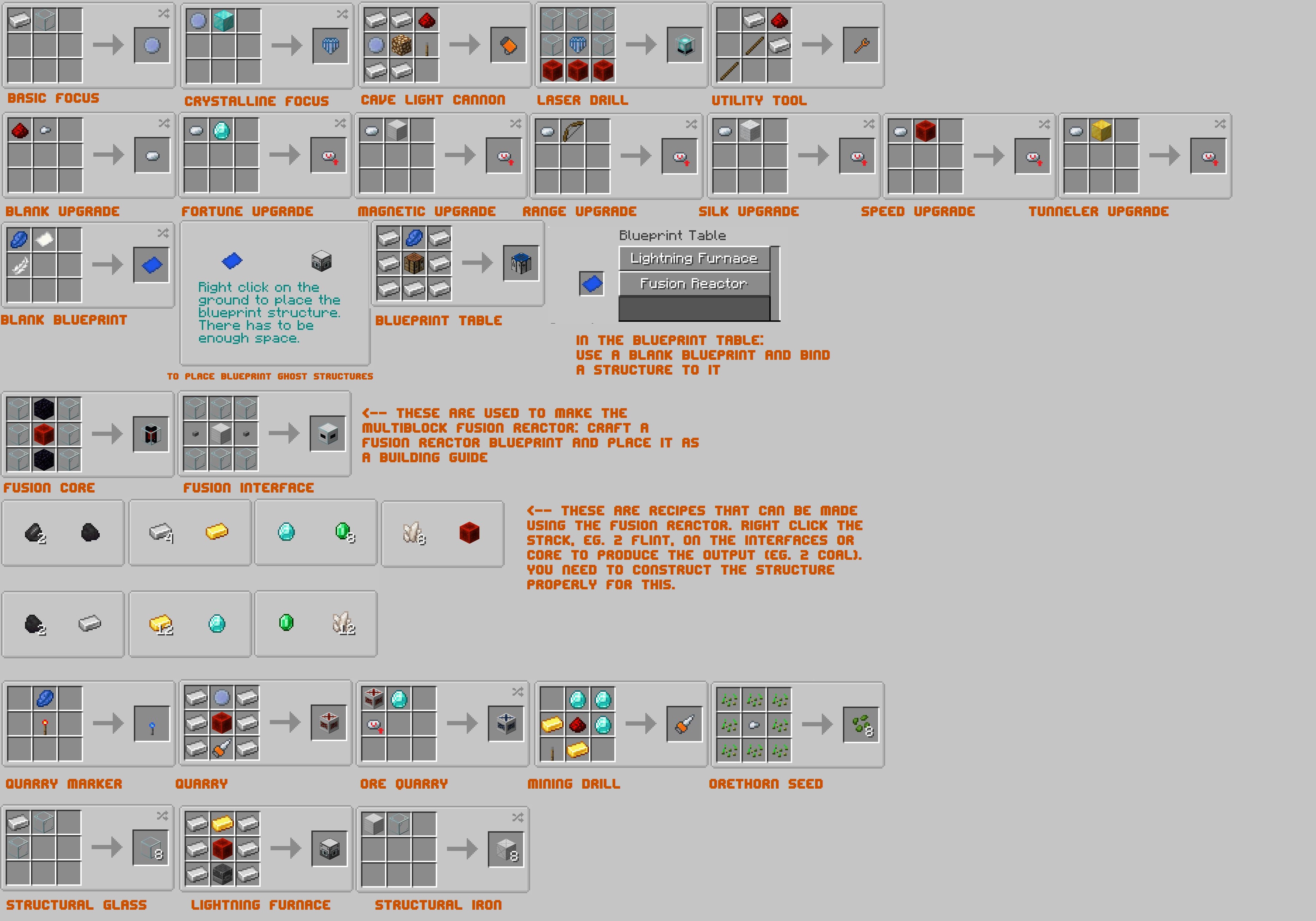
Screenshots
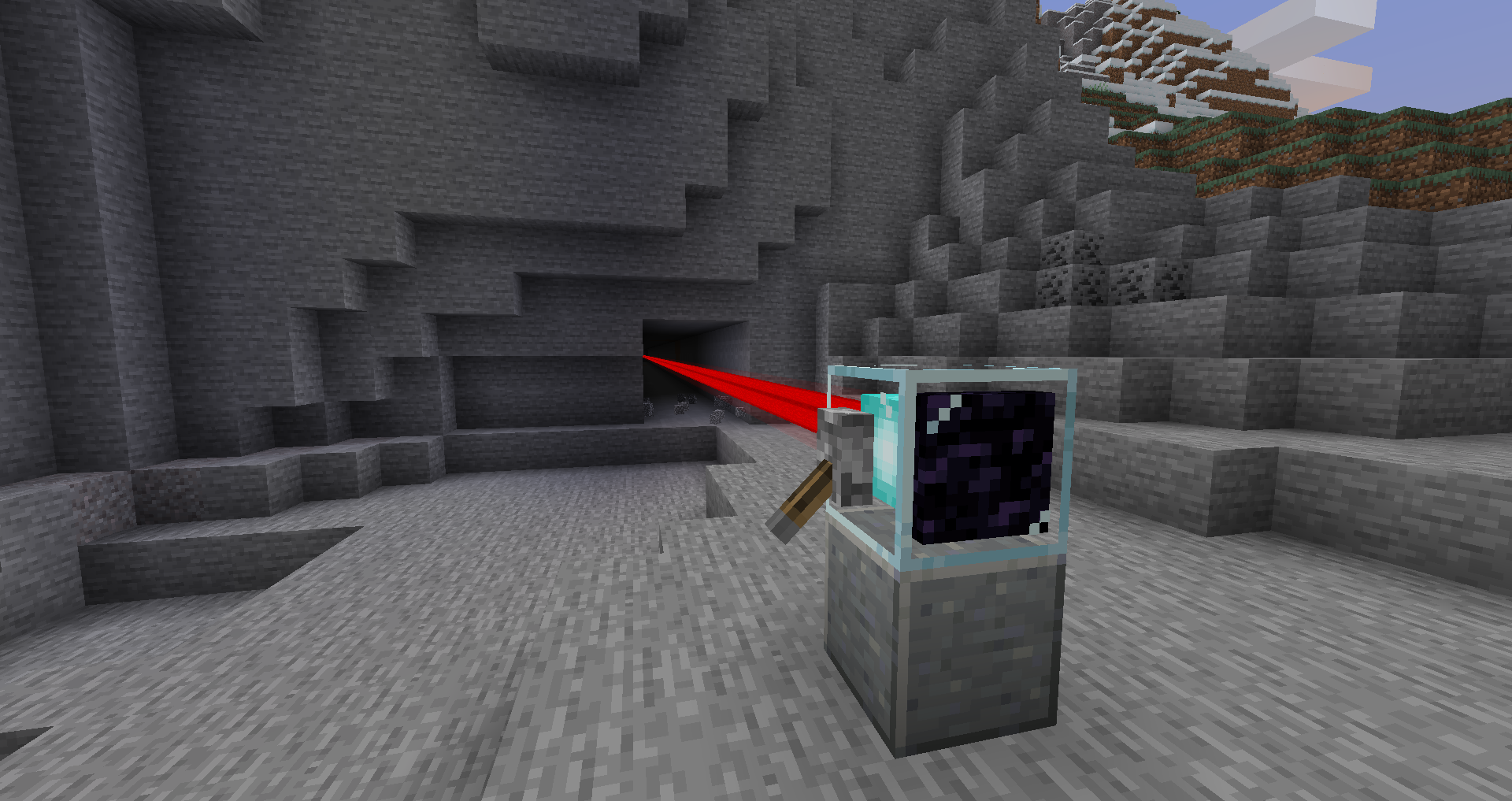
The laser drill, with the tunneler upgrade in its slot.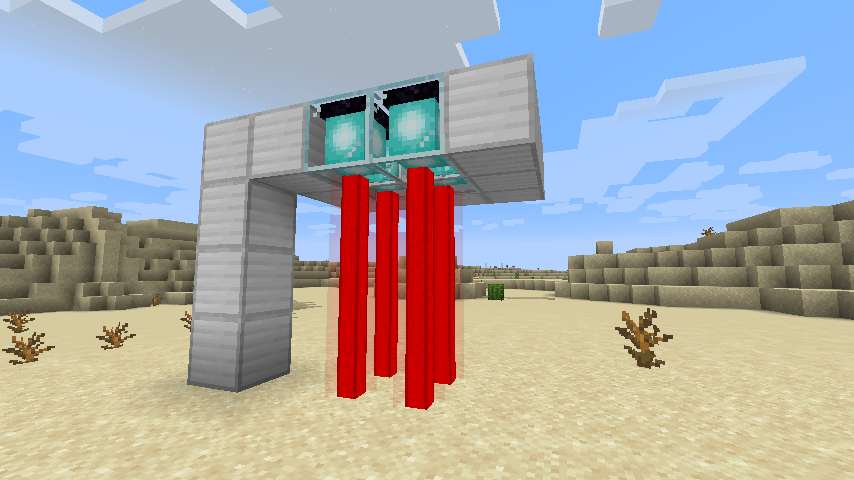
Four lasers pointing downwards, about to begin drilling.
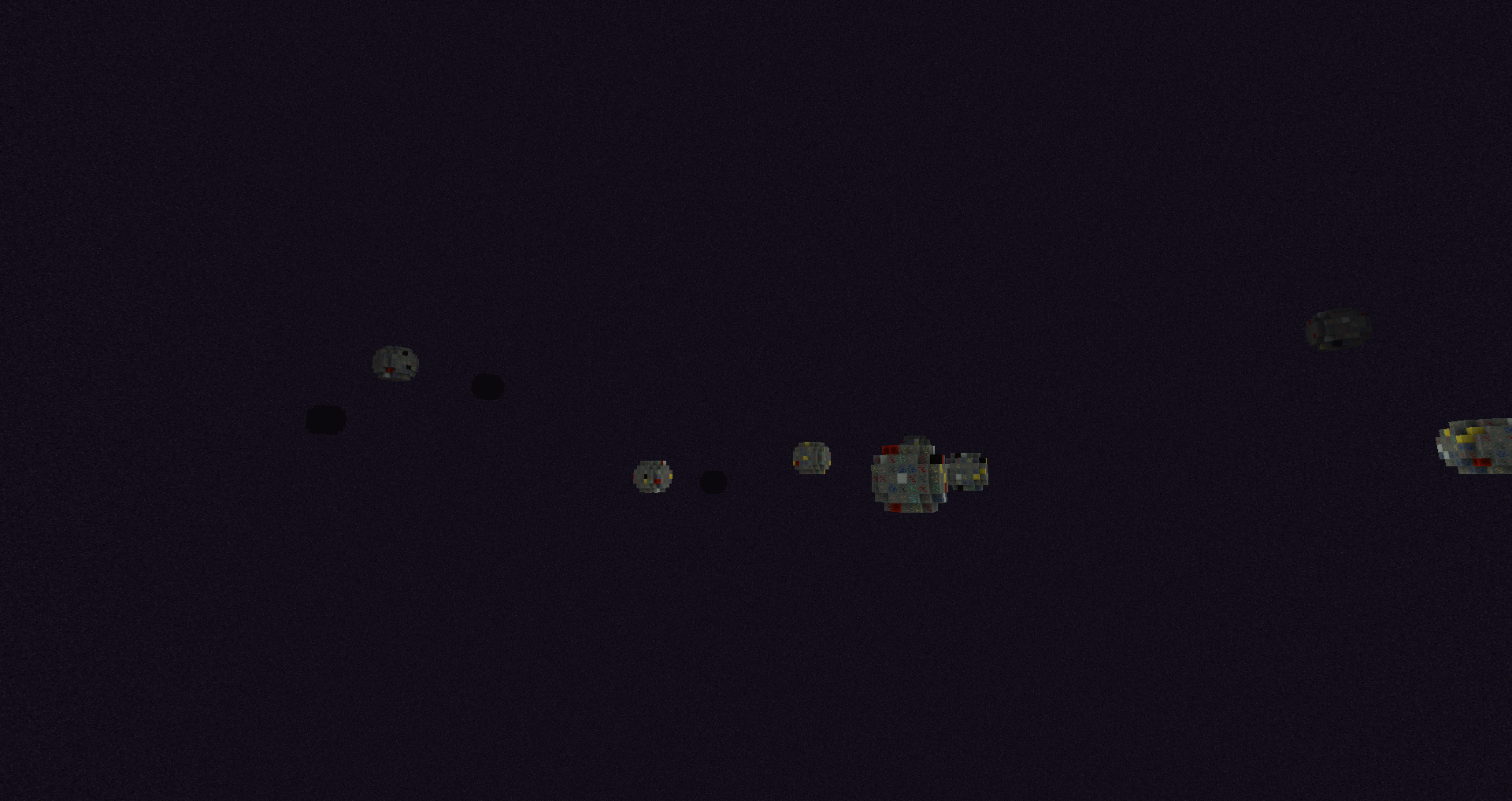
In the void between the centre island and the outer end islands, ore asteroids provide numerous opportunities.
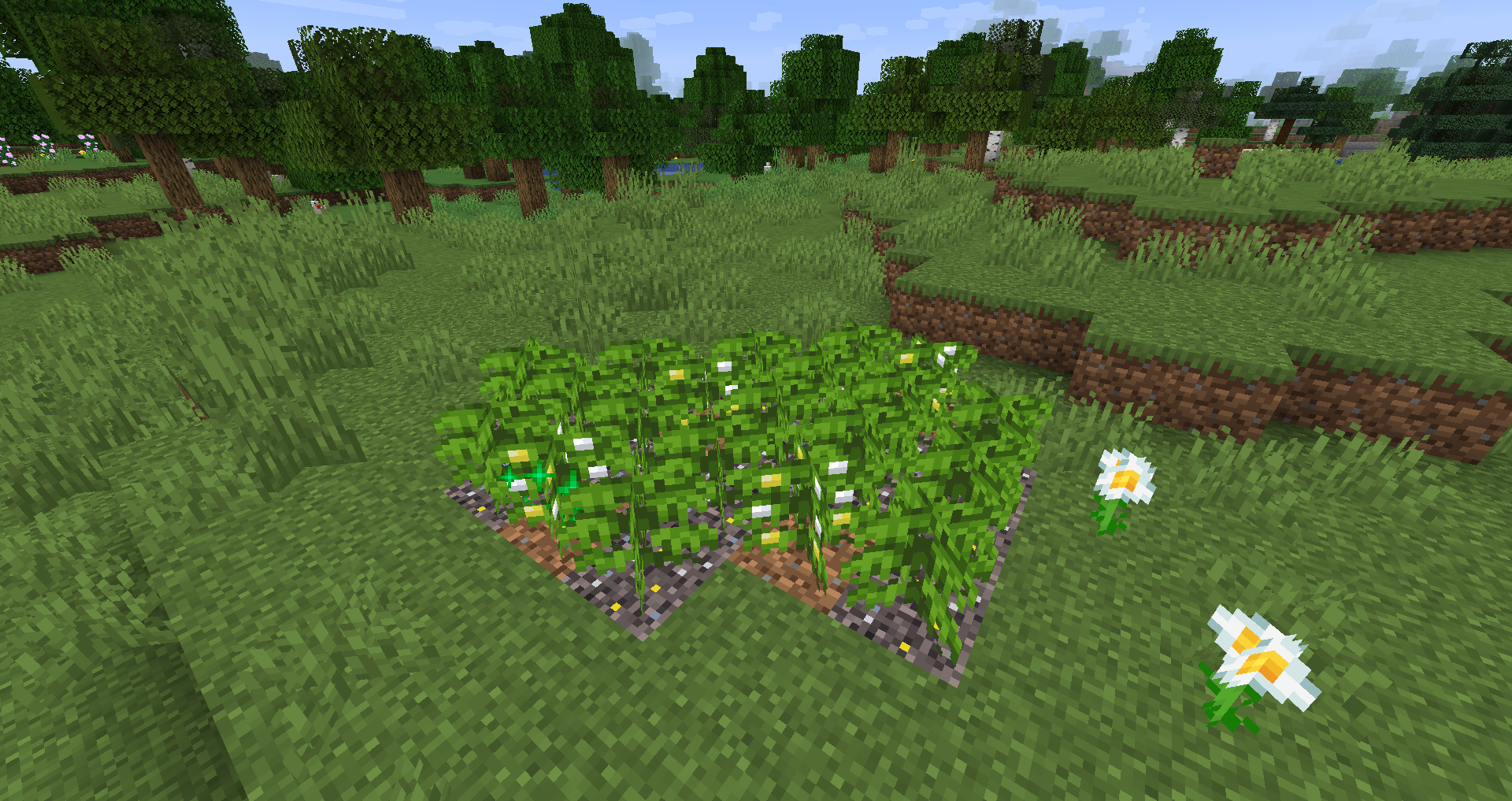 Orethorn bushes being used to farm the metal from metallic dirt. This is called phytomining, and was the original idea that the mod stemmed from.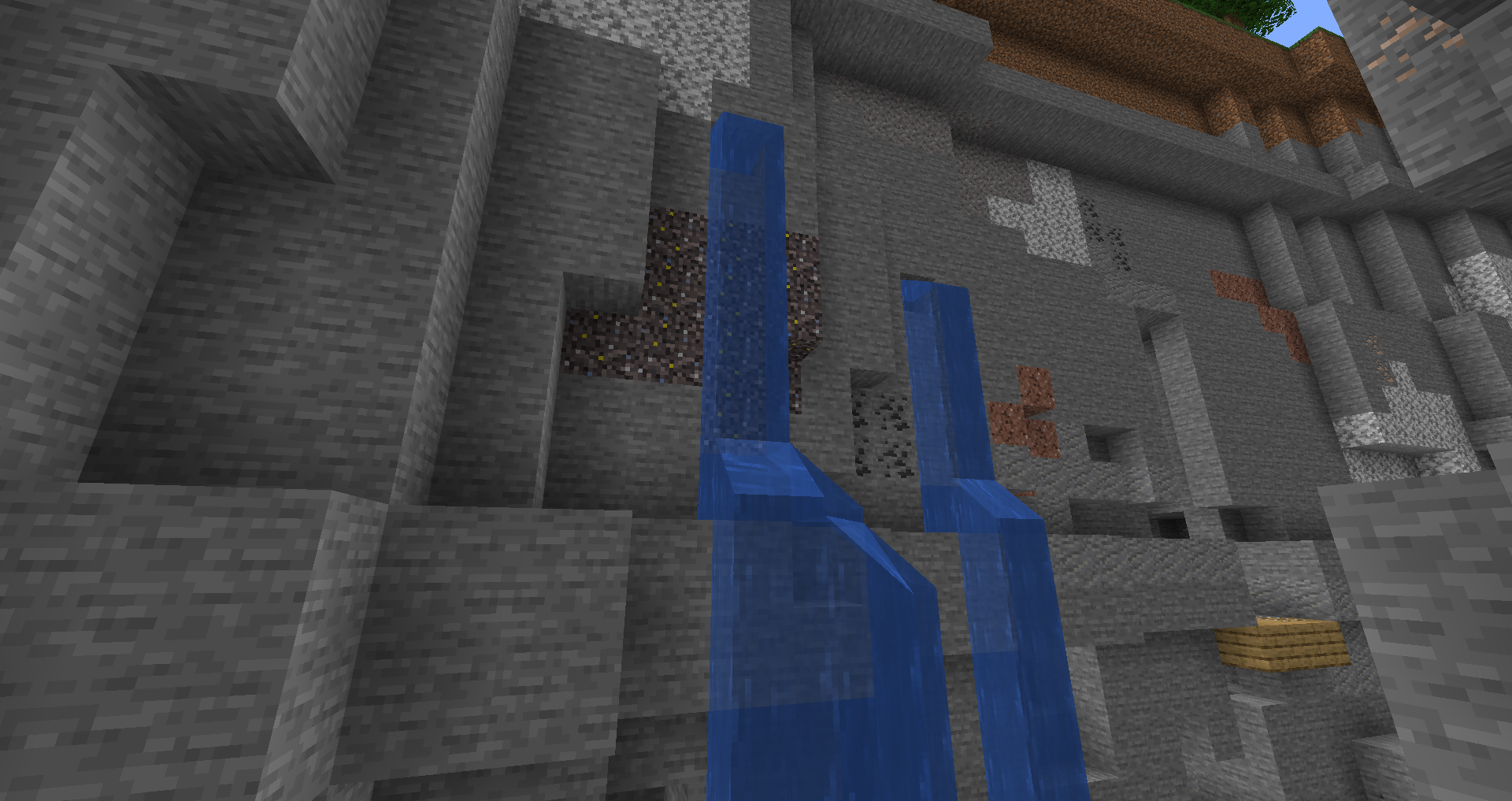
Metallic Dirt generated naturally on the side of a ravine. It generates in caves too.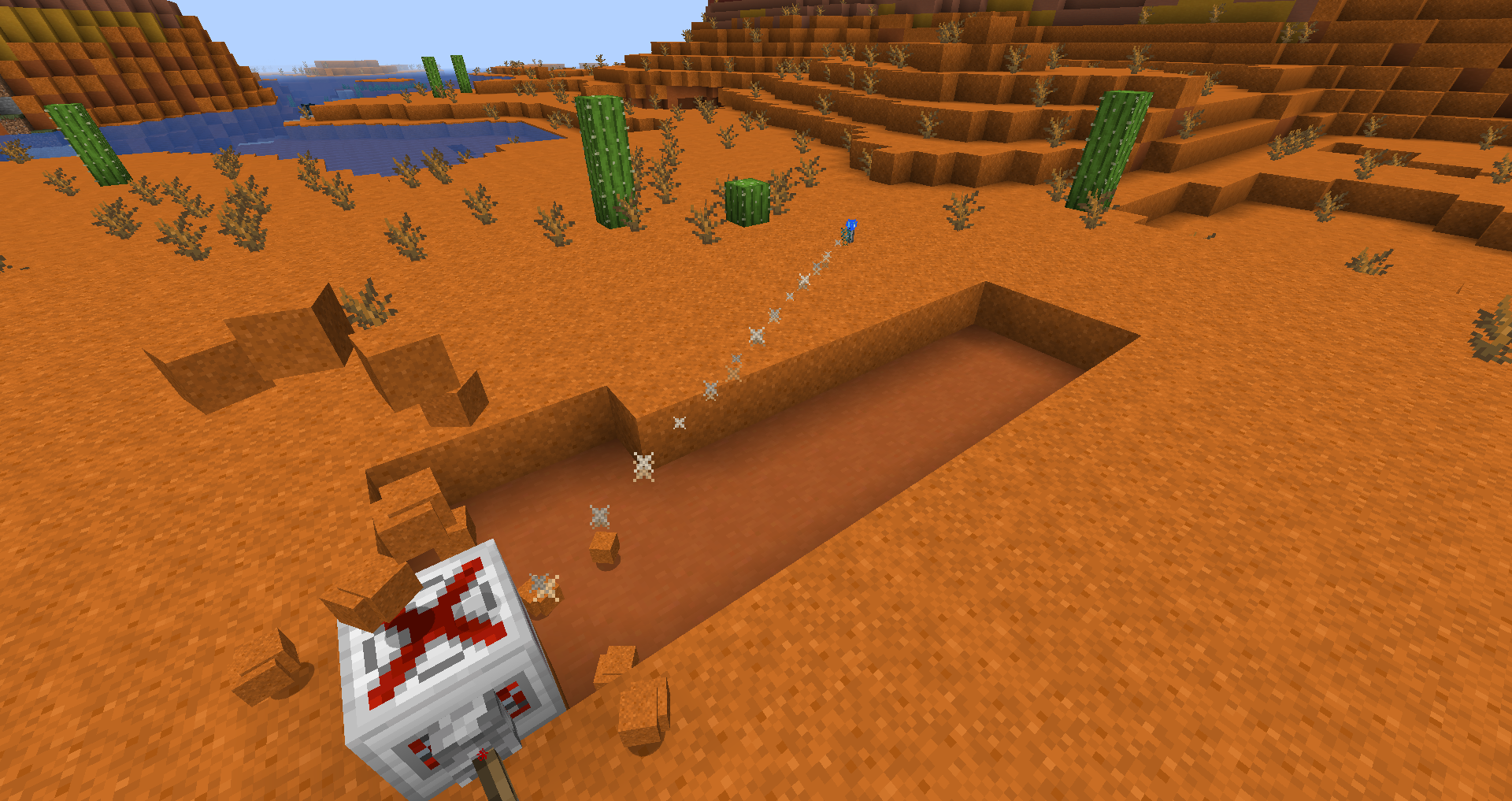
A quarry, with its range set with a marker in the opposite corner, digging out a rectangular area.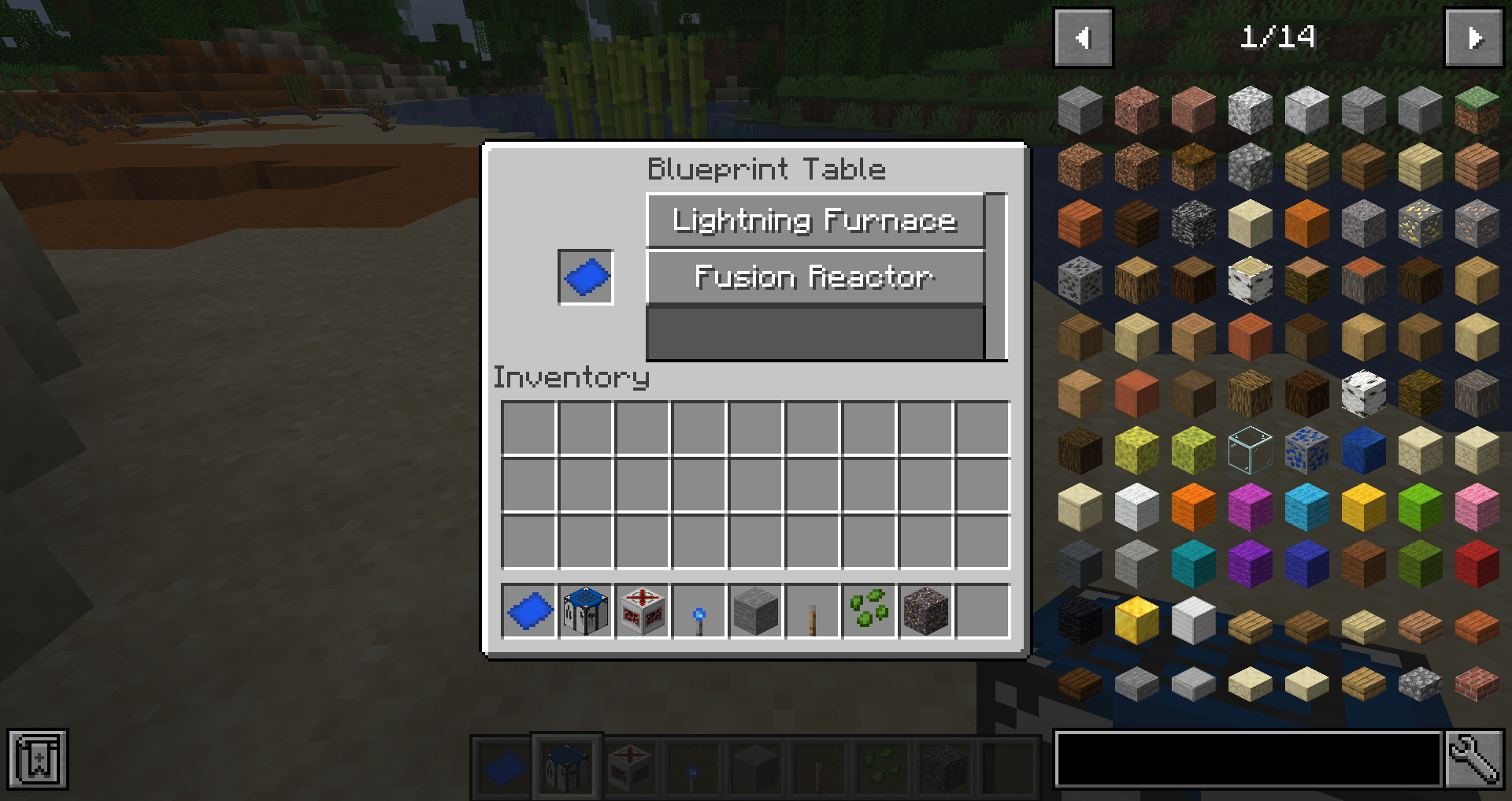
Place a blank blueprint in the slot and click one of the buttons.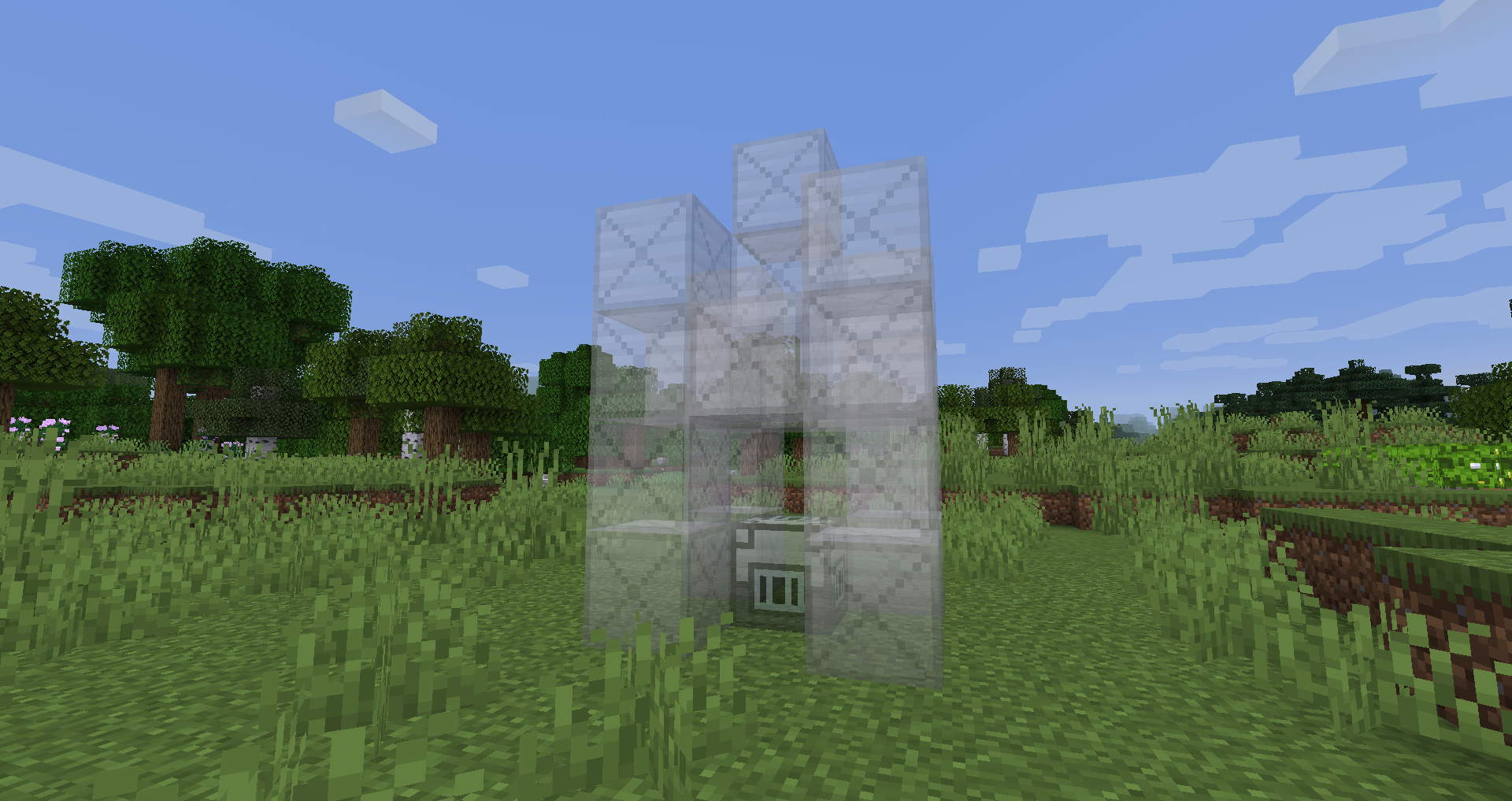
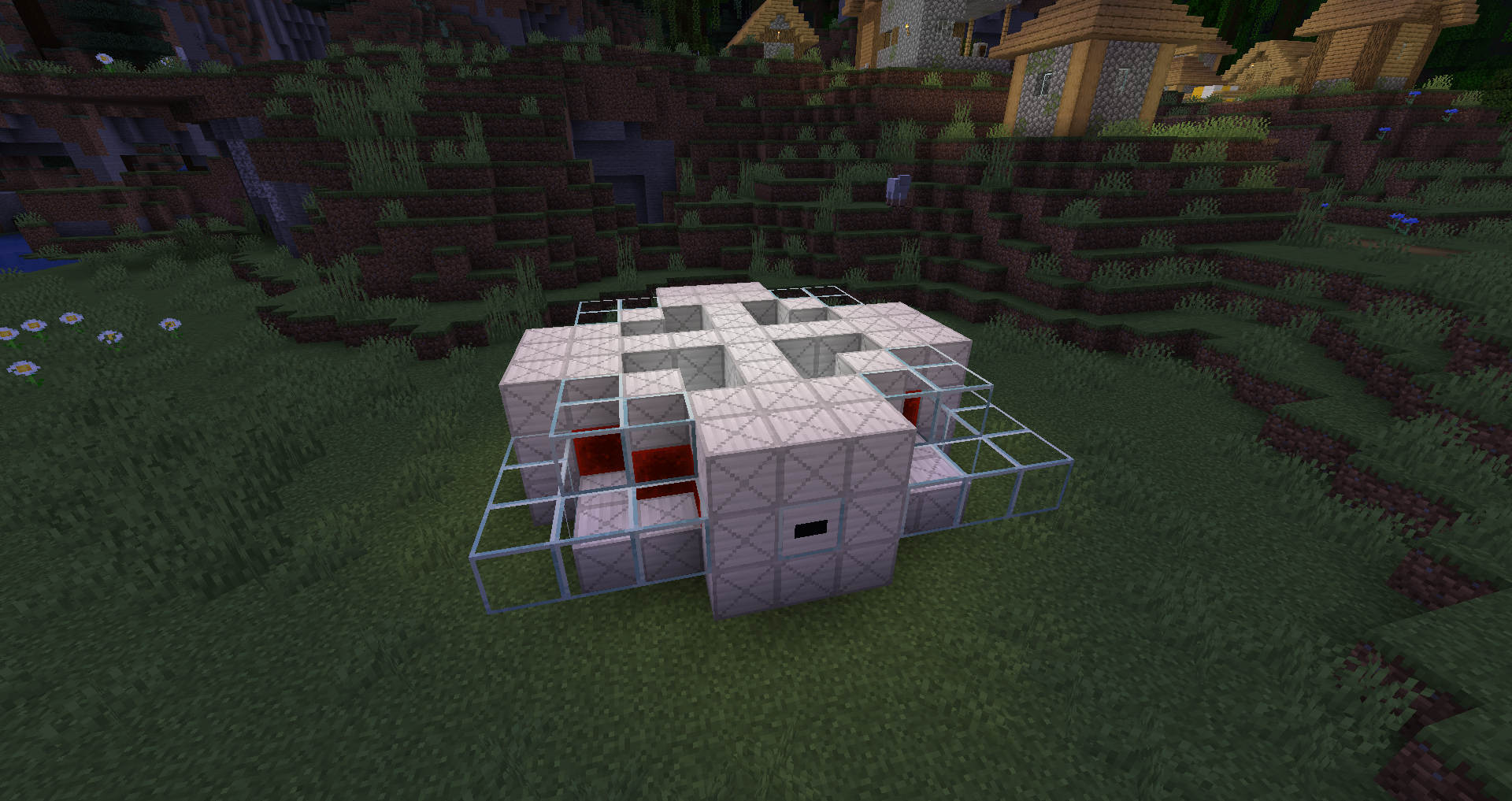
When you place a structure blueprint on the ground you get a ghost. Right click the ghost blocks with their counterparts to replace them.
Build it using the blueprint, then right click valid recipe items (eg. 4 iron) to produce other metals.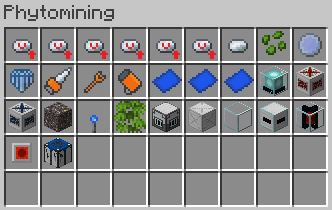
The creative tab in v1.0.0
Tutorial
All items in phytomining have tooltips (aka lore) which explain their purpose and how to use them, so you don't need to watch this video to understand the mod. With most of the machines, including the quarry, you can right click on them with an empty hand for information - eg. the quarry's range is not set, or it isn't powered. The utility tool can be right clicked on multiblock structure blocks like the Fusion Reactor's Interfaces or Core to view available recipes, for if you don't have JEI.
For recipes see the recipes tab above (Phytomining is also compatible with JEI).
Screenshots
Gallery
-
Logo Logo [so it can be displayed on description page]
-
Creative Inventory The creative tab in v1.0.0
-
Quarry A quarry, with its range set with a marker in the opposite corner, digging out a rectangular area.
-
Orethorn Bushes Orethorn bushes being used to farm the metal from metallic dirt. (This is called phytomining)
-
Metallic Dirt Metallic Dirt generated naturally on the side of a ravine. It generates in caves too.
-
Laser Array Four lasers pointing downwards, about to begin drilling
-
Laser The laser drill, with the tunneler upgrade in its slot.
-
Fusion Reactor Build it using the blueprint, then right click valid recipe items (eg. 4 iron) to produce other metals.
-
End Asteroids In the void between the centre island and the outer end islands, ore asteroids provide numerous opportunities.
-
Blueprint Ghost When you place a structure blueprint on the ground you get a ghost. Right click the ghost blocks with their counterparts to replace them.
-
Blueprint Table Place a blank blueprint in the slot and click one of the buttons.
-
Recipes All recipes in v1.0.0
Versions
Files
Relations
Project Relations
More like this
Similar Mods
Suggestions use data such as tags, dependencies, dependents, descriptions, titles, and more to rank how much they overlap with this mod.
On ModDex
Community snapshot
By the numbers
Statistics
Want to reach Minecraft players?
We're looking for a server hosting partner to feature here and other parts of the site. Interested? Send us a message!
Get in touchGet it on
Available Platforms
On ModDex
Community snapshot
By the numbers
Statistics
Resources