
Piggy Build
No reviews yet
A simple yet powerful building mod for flexible block placement and shape selector.
Fabric is a mod loader for versions 1.14+ of Minecraft, particularly popular for client side and optimization mods.
Community voices
Reviews
Click once to include, again to exclude, again to clear
No reviews yet. Be the first to review this project!
Get it on
Available Platforms
 Modrinth
Compatibility
Supported Environments
About
Project Details
For authors
Embed Badge
If you're the author of this project, you can embed a live badge anywhere that supports HTML or Markdown. It updates automatically whenever ratings change.
Use HTML for any page that supports it, or Markdown for README files and Markdown-based descriptions.
Identifiers
Platform IDs
About
Description


Piggy Build
A simple yet powerful mod designed to enhance your building experience in Minecraft. Piggy Build provides utilitarian features like directional placement, shape guides, and fast placement tools to make creative building smoother.

⚠️ Disclaimer
This is a personal project. It comes AS IS and might destroy your stuff.
- No Support: Do not expect regular support or bug fixes.
- No Forge Port: There are NO plans to port this mod to Forge.
- Use at your own risk.
Feel free to fork the project or submit a Pull Request if you want to contribute fixes or features!
Features
🛠️ Placement Helpers
- Directional Placement: Lock your placement direction relative to the block face. Handy for placing logs, pillars, or pistons in specific orientations.
- Diagonal Placement: Easily place blocks diagonally, enabling faster construction.
- Fast Placement: Hold down to place blocks rapidly.
- Fast Breaking: Creative-mode utility to break blocks faster.
- Directional Lock: Lock your cursor to a specific block face for rapid, aligned placements across a surface.
🏃 Navigation & Survival
- Auto-MLG Engine: A high-performance survival system that uses a FallSimulator to predict lethal falls and automatically execute recovery actions.
- 15+ Methods: Water Bucket, Slime, Boats, Cobwebs, Twisting Vines, Powder Snow, Hay Bales, Bed, Ender Pearl, and more.
- Dynamic Ranking:
MlgMethodSelectorranks survival methods based on health, fall distance, and inventory availability. - Precision Execution: Uses the
PiggyActionQueueatHIGHESTpriority for frame-perfect, anti-cheat friendly interaction. - Seamless Handlers: Automatically manages "cleanup" (removing water, jumping off slime) once safe.
- Auto-Parkour: The
AutoParkourHandlermonitors your movement and automatically performs jumps for clearable gaps. It integrates withPerfMonitorto adjust jump timing based on current server latency.
📐 Shape & Visual Guides
- Light Level Overlay: Press
Lto toggle a completely dynamic overlay that highlights areas where monsters can spawn!- Island Effect Outline: Drawing inspiration from the best visual mods, the overlay perfectly traces the borders of danger.
- Tier 1 (Orange): Warns you about areas that are exposed to the sky. Mobs will only spawn here at night.
- Tier 2 (Red): Highlights deep dark areas (caves, under roofs) where mobs can spawn at any time.
- Seamless Textures: The outline intelligently maps to the floor and walls, seamlessly combining without any z-fighting or overlaps.
- Shape Selectors: Detailed guides for placing blocks in specific shapes.
- Lines
- Spheres
- Rings
- Blocks (Cubes)
- Refined Placement Logic: Shape placement now follows a sophisticated queue system that respects CPS (Clicks Per Second) limits.
- Anti-Cheat Friendly: Prevents instant-place bugs and ensures placement frequency matches configurable server limits.
- Smooth Construction: Blocks are placed sequentially at a controllable rate, making the building process feel more natural and preventing server kicks.
🛡️ Safety & Anti-Cheat
Piggy Build comes with a "No Cheating Mode" enabled by default.
- Safety First: This mode prevents you from using "cheat" features (Fast Place, Directional Placement, etc.) while in Survival or Adventure mode.
- Fair Play: Prevents accidental bans on servers that detect fast interaction frequencies.
- Creative Freedom: All features remain fully unlocked in Creative Mode.
- Server Enforcement: When connected to a server with Piggy Admin, anti-cheat settings are automatically synchronized and enforced.
Controls
You can rebind these keys in the standard Minecraft Controls menu under "Piggy Build".
| Action | Default Key | Description |
|---|---|---|
| Shape Selector | V |
Radial menu for shapes. Scroll to adjust size. |
| Directional Place | Mouse Button 5 |
Locks placement orientation. |
| Auto-MLG Toggle | O |
Toggles the automatic survival engine. |
| Auto-Parkour | P |
Toggles the automatic jump handler. |
| Fast Place | Mouse Button 6 |
Rapid placement while held. |
| Light Level Overlay | L |
Toggles the mob spawn danger boundary. |
Configuration
Access the configuration menu via Mod Menu.
- Highlight Color: Customize the color of the shape guides.
- Placement Overlay Color: Change the color of the directional arrows/overlays.
- Light Level Overlay Color: Configures the primary (Red) color for deep Danger areas.
- Sky Light Level Overlay Color: Configures the secondary (Orange) color for Warning areas exposed to the sky.
- Fast Place Speed: Adjust the delay (in ms) between block placements.
- Fast Place Toggle: Enable/Disable fast placement globally.
- No Cheating Mode: Toggle anti-cheat safety (prevents use in Survival/Adventure).
🖥️ For Server Owners
You can install Piggy Build on the server to enforce anti-cheat rules for all connected clients.
- Config File:
config/piggy-build-server.json - Enforcement: Set
"allowCheats": falseto force the anti-cheat mode on all players.- This overrides client settings. Even if a player disables "No Cheating Mode", they will be blocked from using build tools in Survival.
- Clients will receive a message: "Anti-Cheat Active: This server has forced anti-cheat ON."
Dependencies & Installation
Requirements
- Minecraft: ~1.21.1
- Fabric Loader: >=0.18.1
- Java: >=21
Required Mods
- Fabric API: Any version
- YACL (Yet Another Config Lib): >=3.6.1+1.21-fabric
- Piggy Lib: >=1.0.1
- (Optional) Mod Menu: >=11.0.3 - Highly recommended for accessing config.
Installation
- Download the
.jarfile from Releases. - Install Fabric Loader for Minecraft 1.21.1.
- Place the
piggy-buildjar (along with Fabric API, YACL, and Piggy Lib) into your.minecraft/modsfolder. - Launch the game!
Inspiration
This mod was inspired by:
- MiniHUD - For the concept of visual overlays and shape guides.
- Tweakeroo - For fast placement mechanics and building utilities.
License: CC0-1.0
Screenshots
Gallery
-
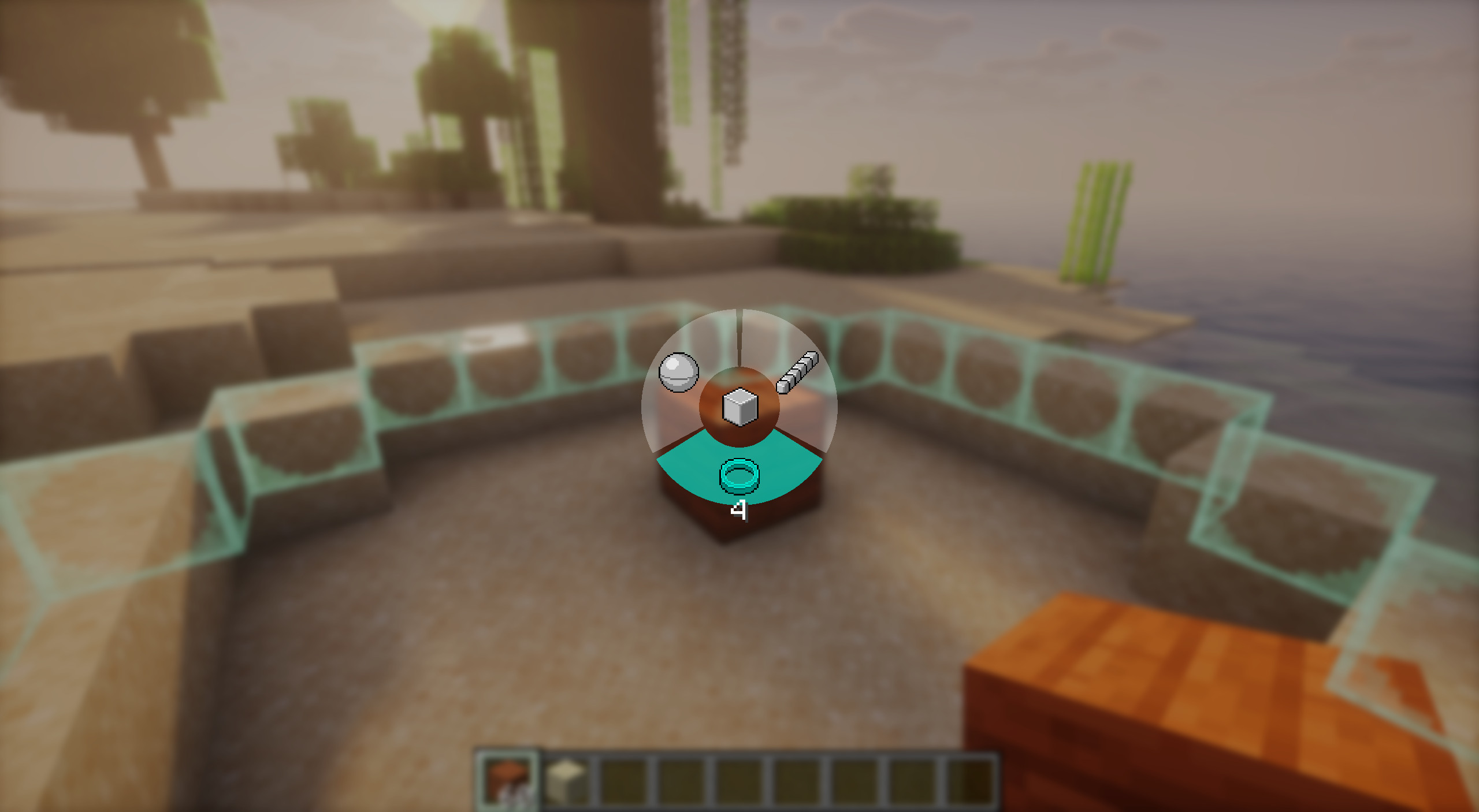 Shape Selector and ring vizualizer
 -
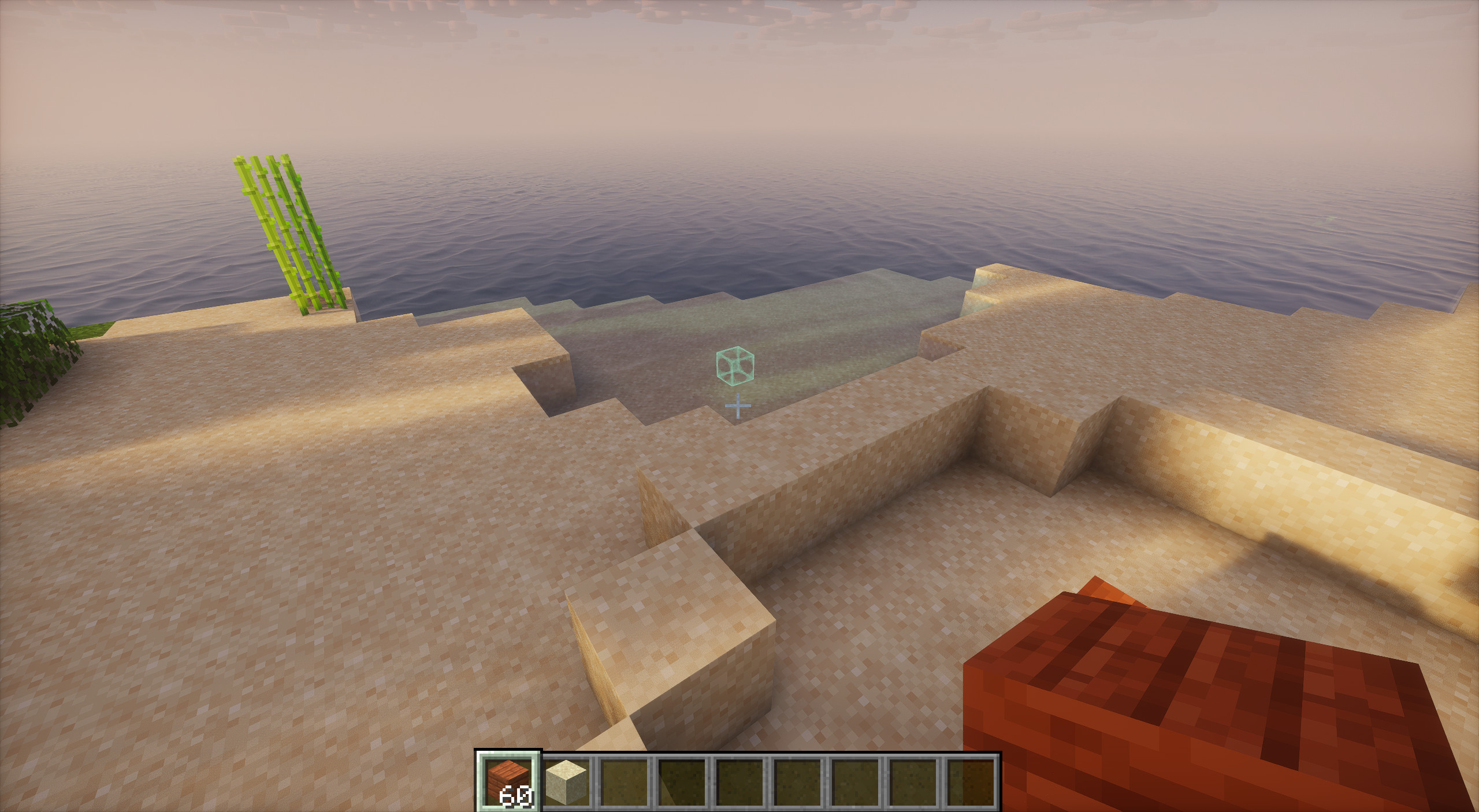 Block anchor For not getting lost
 -
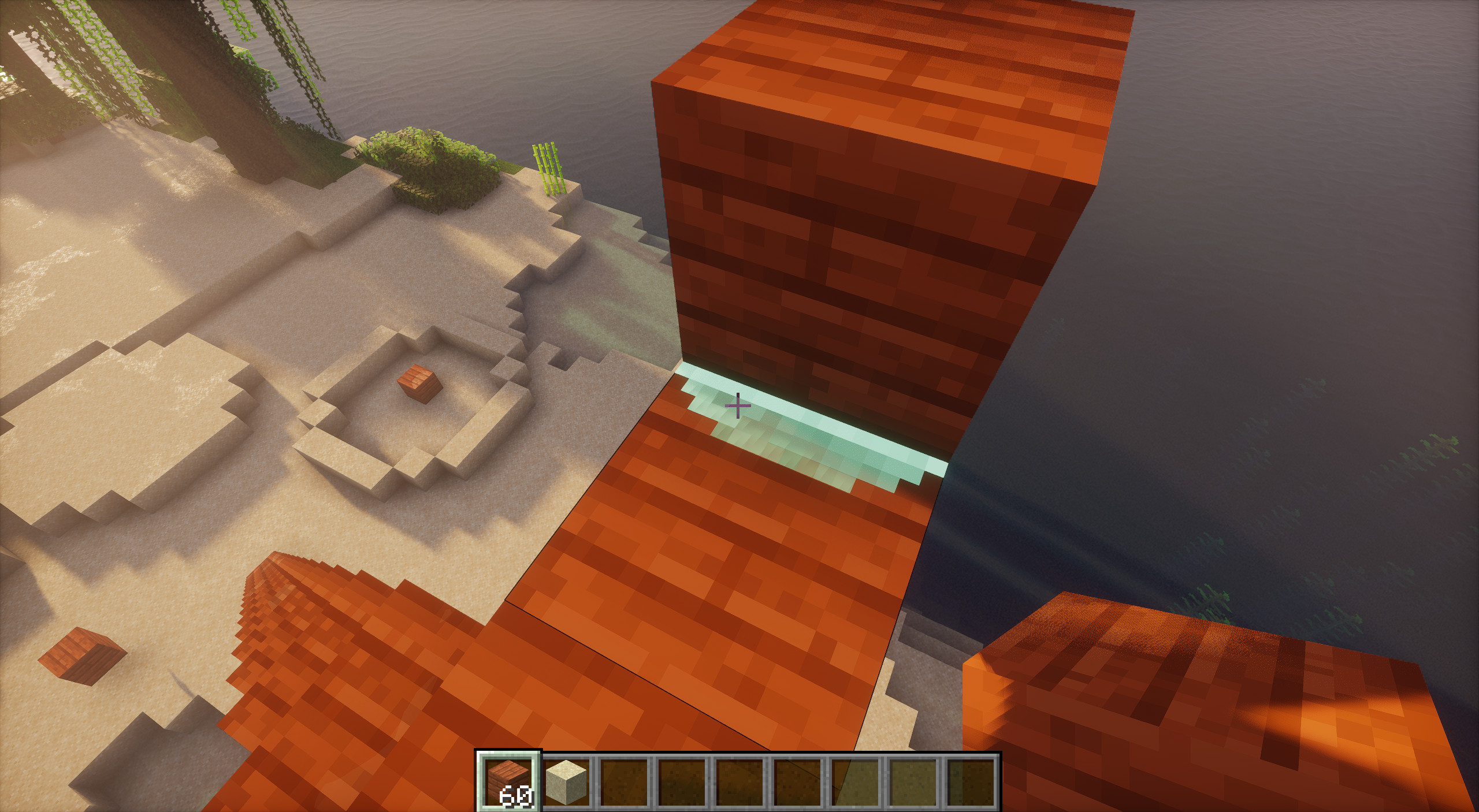 Diagonal Placement
 -
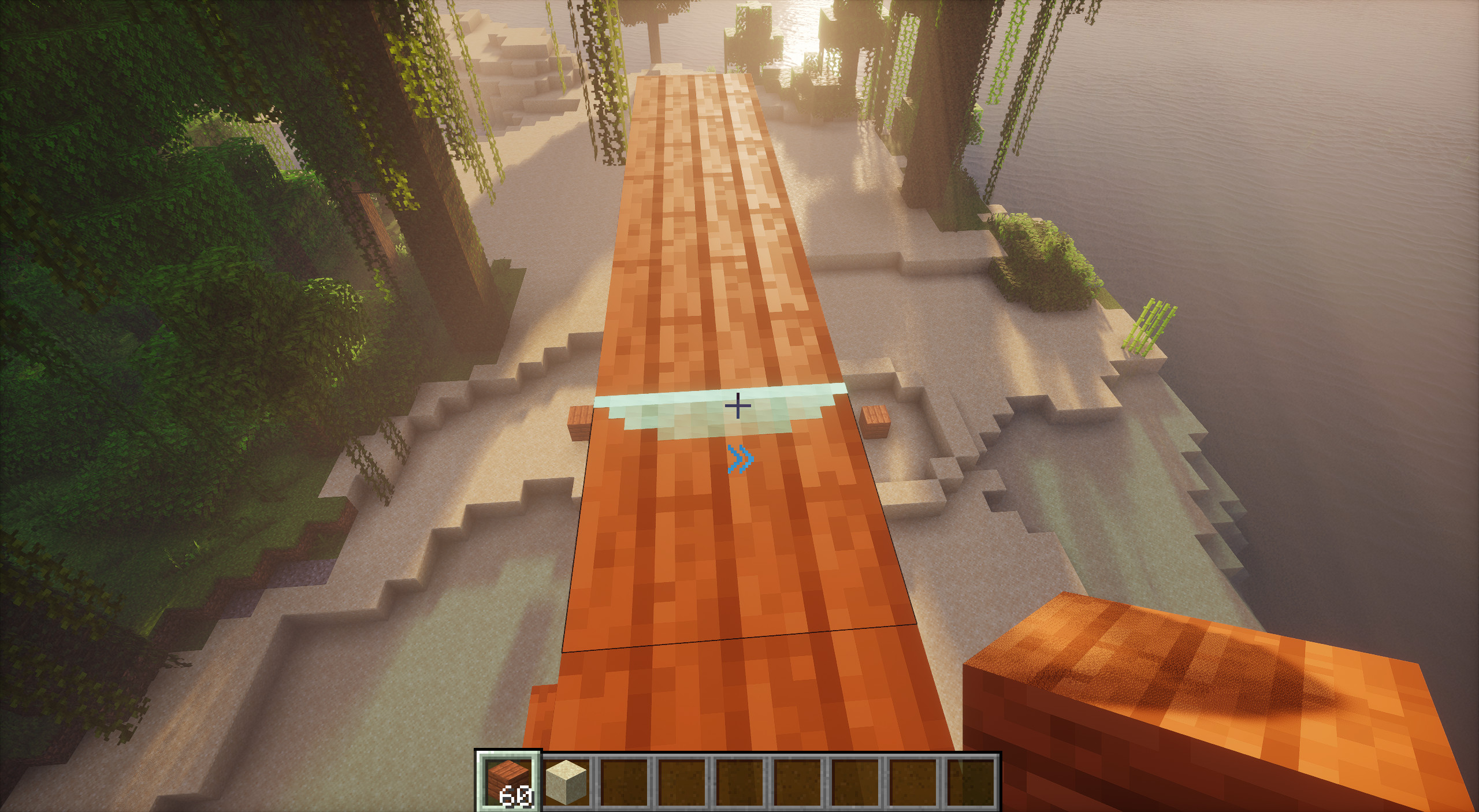 Fast Bridging
 -
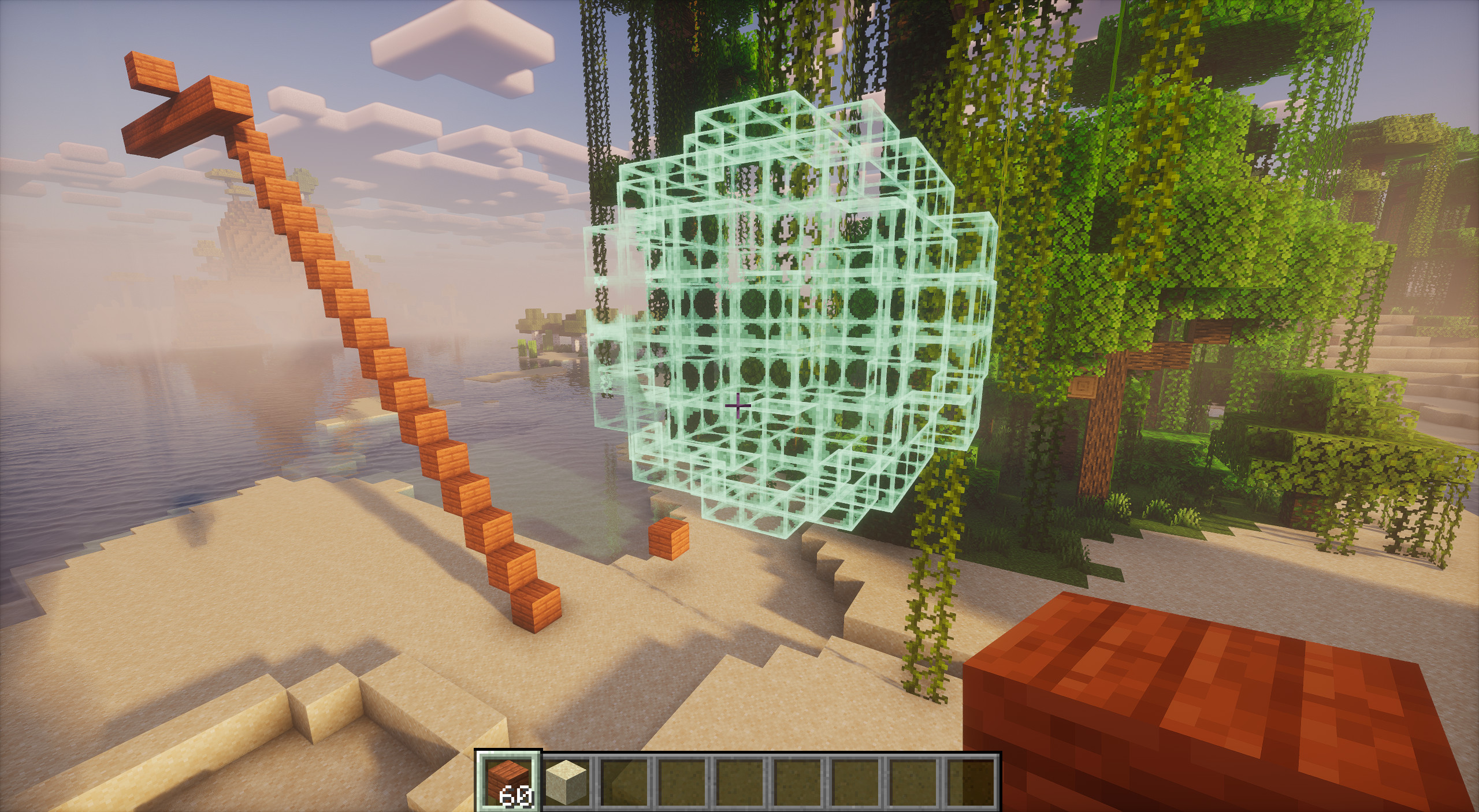 Sphere visualizer
Versions
Files
Relations
Project Relations
More like this
Similar Mods
Suggestions use data such as tags, dependencies, dependents, descriptions, titles, and more to rank how much they overlap with this mod.
On ModDex
Community snapshot
By the numbers
Statistics

Want to reach Minecraft players?
We're looking for a server hosting partner to feature here and other parts of the site. Interested? Send us a message!
Get in touchGet it on
Available Platforms
On ModDex
Community snapshot
By the numbers