
Community listing page, reviews here may not be monitored by the author.
"Pillars" game

No reviews yet
This mod will add you a fairly convenient interface for playing "Pillars"

Community voices
Reviews
No reviews yet. Be the first to review this project!
Get it on
Available Platforms
About
Project Details
For authors
Embed Badge
If you're the author of this project, you can embed a live badge anywhere that supports HTML or Markdown. It updates automatically whenever ratings change.
Use HTML for any page that supports it, or Markdown for README files and Markdown-based descriptions.
Identifiers
Platform IDs
Resources
External Links
About
Description
This mod allows you to play the game "Pillars" on any map. If anyone doesn’t know what this game is, here are the rules:
1) The game can be played by 2 to 4 players.
2) Before the game, players choose the color of their blocks and agree on the starting location and the border of the map.
3) By default, the game settings are set to medium, but if players want, they can change them using special commands (The list of commands is located below).
4) Having started the game, players are given an allotted period of time to hide the existing blocks on the map.
5) After the timer expires, the players are teleported to the start, after which the players are given some more time to search for other players’ blocks.
6) at the end of the game, players must build pillars from the blocks they found.
7) whose pillar turned out to be higher, he won.
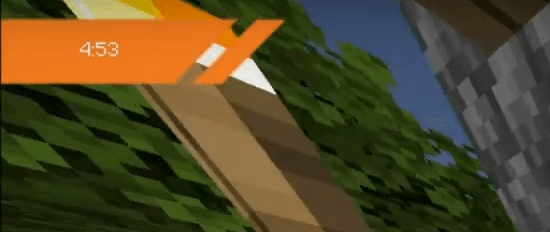

Brief excursion 1) Teams: /st - used to access the mod /st config - used to configure the mod /st team - used to select a team /st start - used to start the game More details about the setup: The effect parameter is responsible for what effects will be given to the player when the game starts (some effects support the level of power with which they will act) By default, all are enabled and have a power of 5 The time parameter allows you to configure the time during which you will need to hide or find blocks Default 5 minutes
The timespeed parameter is used to set the tamer speed (IF THE TIMER WORKS PROPERLY, IT IS NOT RECOMMENDED TO TOUCH THIS PARAMETER!!!) Default 0.025 The blocks parameter allows you to configure the number of blocks issued
2) Keys: Before starting the game, it is recommended to configure the keys The first key allows you to teleport to spawn if the player is stuck and cannot get out The second allows you to attract dropped items to you if you cannot pick them up
How to install the Fire in the Hole mod

0) The mod is designed for Minecraft version 1.20.1
1) Download the .jar file
2) Open the minecraft root folder ".minecraft" Usually it is located along the path: "C:\Users\Username\AppData\Roaming\.minecraft"
3) Open the “mods” folder and move it to it
file "block_stolb-1.0.0-forge-1.20.1.jar"
4) Launch Minecraft
5) Enjoy!!
Screenshots
Gallery
Versions
Files
Relations
Project Relations
More like this
Similar Mods
Suggestions use data such as tags, dependencies, dependents, descriptions, titles, and more to rank how much they overlap with this mod.
On ModDex
Community snapshot
By the numbers
Statistics
 (opens in a new tab)
Get it on
Available Platforms
On ModDex
Community snapshot
By the numbers
Statistics
Resources