
Community listing page, reviews may not be monitored by the author.
Pin Tooltips 📌


No reviews yet
Adds the ability to pin tooltips to the screen and view more information from them such as enchantment and mob effect descriptions.

Community voices
Reviews
No reviews yet. Be the first to review this project!
Get it on
Available Platforms
Compatibility
Supported Environments
Runs entirely on the client. Works on vanilla servers.
About
Project Details
For authors
Embed Badge
If you're the author of this project, you can embed a live badge anywhere that supports HTML or Markdown. It updates automatically whenever ratings change.
Use HTML for any page that supports it, or Markdown for README files and Markdown-based descriptions.
Identifiers
Platform IDs
About
Description
Pin Tooltips 📌
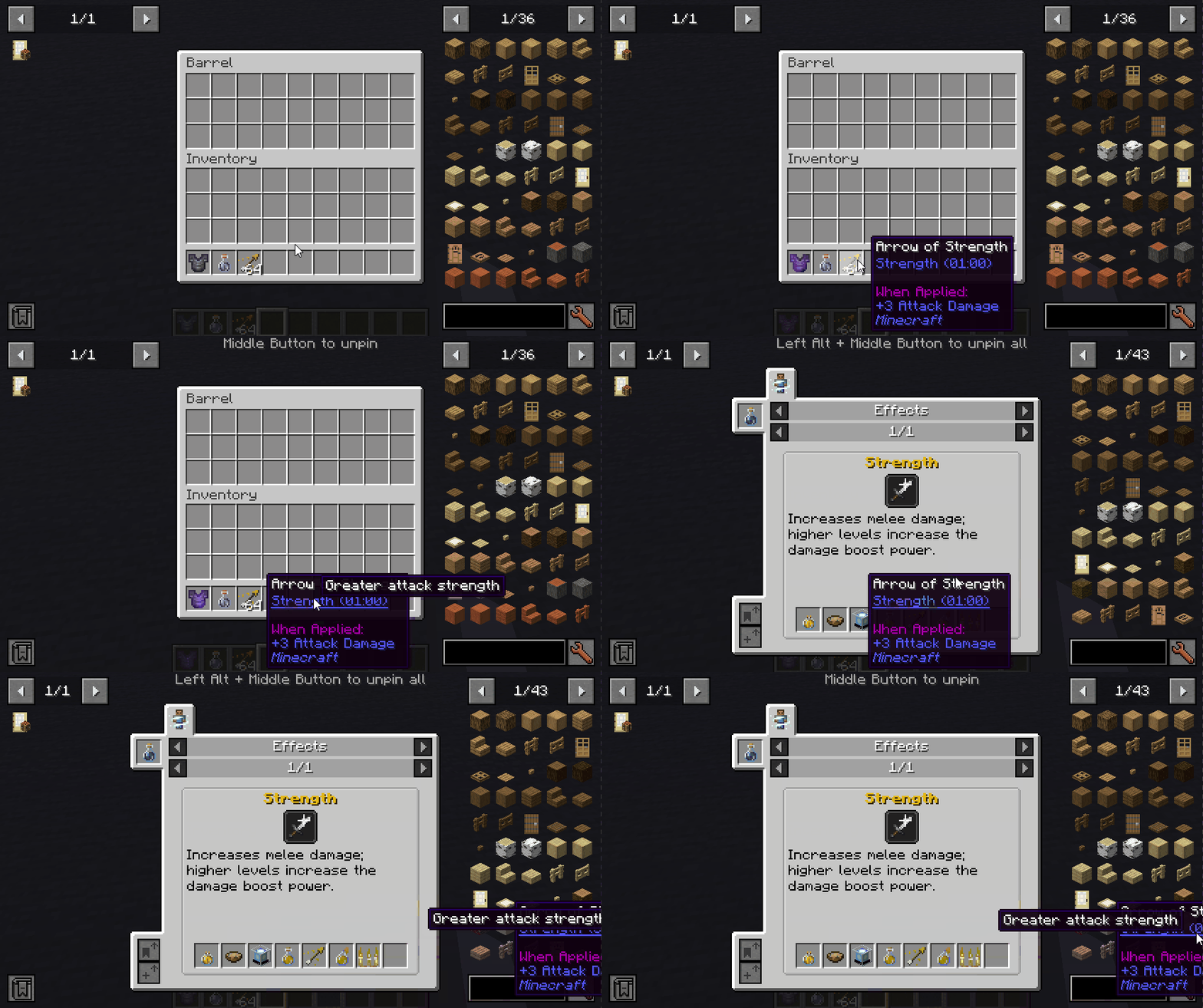
This mod adds the ability to pin tooltips to the screen and view more information from them such as enchantment and mob effect descriptions.
By default, when you stay on a tooltip for a while, it will be temporarily pinned until the cursor leaves.
Note: Pinned tooltips do not persist when you leave the game.
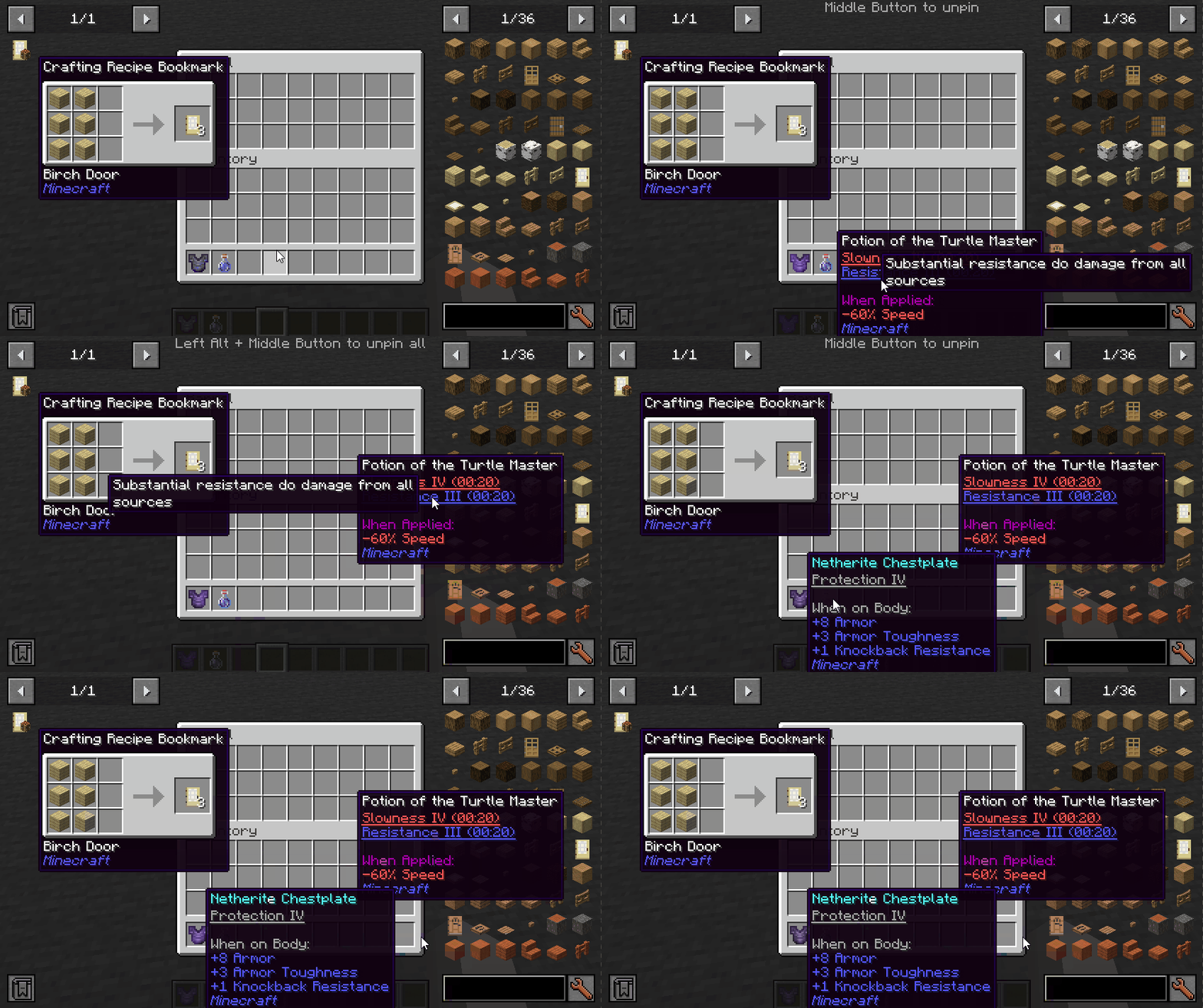
Keys (default):
- Left ALT: Pin the current tooltip
- Middle Button: Unpin the tooltip
- Left ALT + Middle Button: Unpin all tooltips
Mod Integration:
When Jade installed, you can see which mod is the enchantment/effect from.
When More Enchantment Info installed, you can click on the enchantment text to open the recipe GUI.
When Just Enough Effect Descriptions (JEED) installed, you can click on the effect text to open the recipe GUI.
When Tinkers Construct installed, you can view the description of the traits on tooltips.
Compatibility
| Mod | Status | Note |
|---|---|---|
| Equipment Compare | ✔️ Supported | |
| Obscure Tooltips | ✔️ Partially supported | Components are not interactable |
| Legendary Tooltips | ✔️ Partially supported | Title's interacting position is incorrect |
| Tooltips Reforged | ❌ Not supported | |
| Immersive:Tooltip | ❌ Not supported | |
| Tooltips Reforged | ❌ Not supported | |
| EnhancedTooltips | ❌ Not supported | |
| ModernUI | ❌ Not supported |

Pin Tooltips 📌
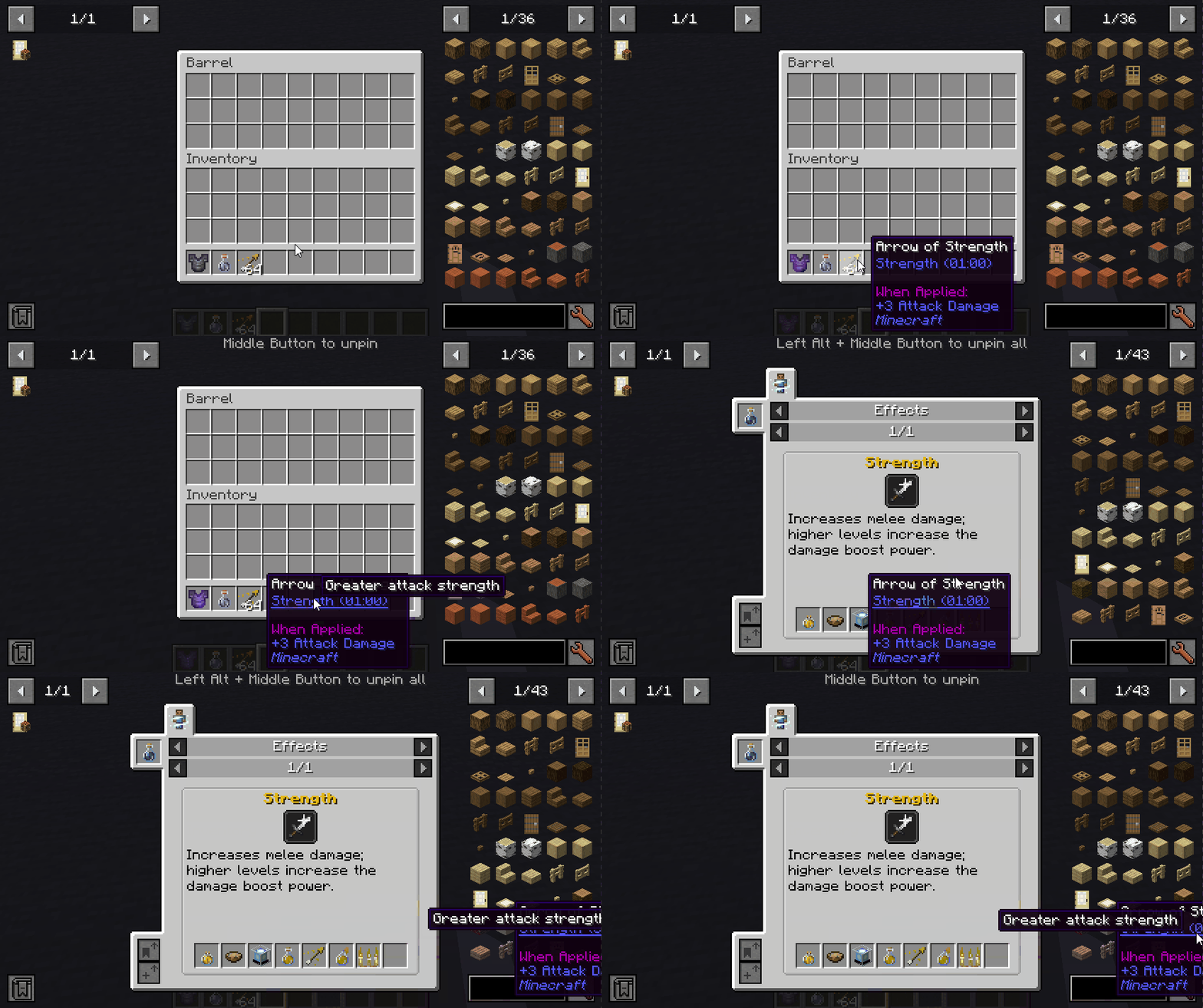
This mod adds the ability to pin tooltips to the screen and view more information from them such as enchantment and mob effect descriptions.
By default, when you stay on a tooltip for a while, it will be temporarily pinned until the cursor leaves.
Note: Pinned tooltips do not persist when you leave the game.
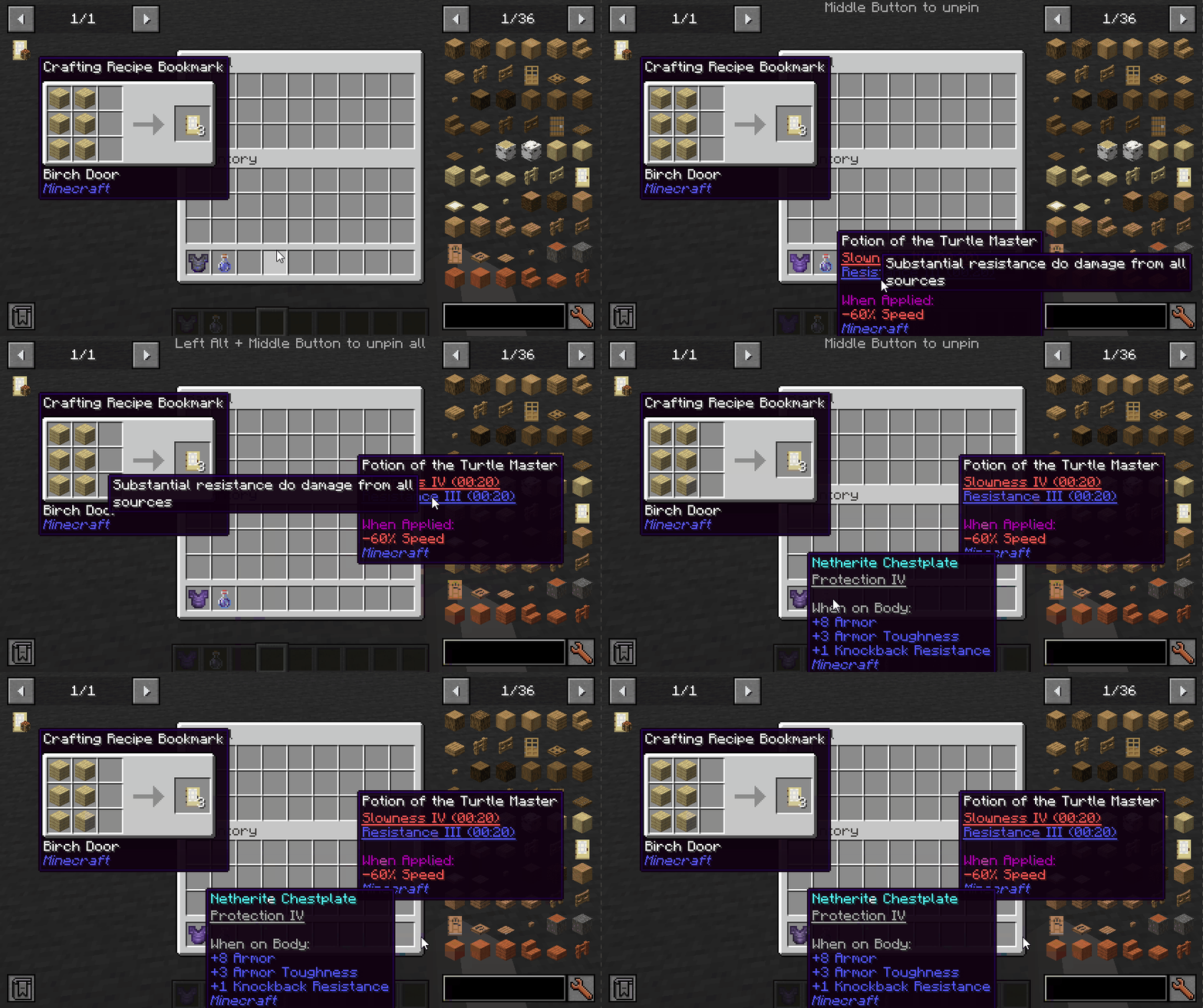
Keys (default):
- Left ALT: Pin the current tooltip
- Middle Button: Unpin the tooltip
- Left ALT + Middle Button: Unpin all tooltips
Mod Integration:
When Jade installed, you can see which mod is the enchantment/effect from.
When More Enchantment Info installed, you can click on the enchantment text to open the recipe GUI.
When Just Enough Effect Descriptions (JEED) installed, you can click on the effect text to open the recipe GUI.
When Tinkers Construct installed, you can view the description of the traits on tooltips.
Compatibility
| Mod | Status | Note |
|---|---|---|
| Equipment Compare | ✔️ Supported | |
| Obscure Tooltips | ✔️ Partially supported | Components are not interactable |
| Legendary Tooltips | ✔️ Partially supported | Title's interacting position is incorrect |
| Tooltips Reforged | ❌ Not supported | |
| Immersive:Tooltip | ❌ Not supported | |
| Tooltips Reforged | ❌ Not supported | |
| EnhancedTooltips | ❌ Not supported | |
| ModernUI | ❌ Not supported |

Screenshots
Gallery
-
Just Enough Effect Descriptions (JEED) integration
-
Pin the tooltips, and view enchantment and effect descriptions
-
Just Enough Effect Descriptions (JEED) integration
-
Pin the tooltips, and view enchantment and effect descriptions
Versions
Files
Relations
Project Relations
More like this
Similar Mods
Suggestions use data such as tags, dependencies, dependents, descriptions, titles, and more to rank how much they overlap with this mod.
On ModDex
Community snapshot
By the numbers
Statistics

Get it on
Available Platforms
On ModDex
Community snapshot
By the numbers